


Best Free Google SEO Tools
- Google Search Console: Provides insights into your website’s performance on Google, shows which queries bring users to your site, helps identify and fix indexing issues, and allows you to submit a sitemap.
- Google Analytics: Offers in-depth data on how users interact with your site, including traffic sources, user engagement, and conversion rates.
- Google Keyword Planner: A tool within Google Ads that helps you discover new keywords and see their search volume and competition levels to inform your content strategy.
- PageSpeed Insights: Analyzes your web pages’ speed and usability on both mobile and desktop, providing a score and specific recommendations for improvement.
- Google Trends: Shows how often specific terms are searched for over time, helping you identify emerging topics and seasonal trends.
- Google Business Profile: Essential for local SEO, this tool allows you to manage your business’s appearance on Google Search and Maps, including information, photos, and customer reviews.
- Rich Results Test: Lets you test your website’s URLs to ensure they are eligible for rich results and check if their structured data is implemented correctly.
Free Google SEO tools are right there for the taking, yet many website owners overlook them. I’ve seen it firsthand – people paying hundreds for fancy SEO platforms while Google provides it all for free.
If you’re not using these free SEO tools, you’re literally burning money and missing out on traffic. After spending a small fortune on premium SEO subscriptions, I discovered that Google’s free SEO toolkit helped me rank #1 faster than any paid alternative.
What makes these tools so powerful?
For starters, they come directly from the source. Google created these resources specifically to help website owners improve their search performance. By using them strategically, you can analyze your site, find valuable keywords, track rankings, and identify critical issues that might be holding you back.
In this article, I’ll walk you through the 15 best free Google SEO tools that actually work in 2026. From Search Console to Keyword Planner, I’ll show you exactly how each tool can boost your website’s visibility and drive more organic clicks. Ready to stop wasting money and start climbing those rankings?
Key Takeaways About Free Google SEO Tools for 2026

Google provides a comprehensive suite of 15 free SEO tools that can deliver better rankings without expensive premium subscriptions.
- Start with Google Search Console – It’s your direct line to Google’s insights, showing exactly how your site performs in search results and identifying technical issues before they hurt rankings.
- Combine tools for maximum impact – Use Search Console for Google’s perspective, Analytics for user behavior, and PageSpeed Insights for performance optimization to create a complete SEO strategy.
- Focus on mobile-first optimization – With Google’s mobile-first indexing, tools like Mobile-Friendly Test and PageSpeed Insights are essential for maintaining competitive rankings.
- Leverage real-time data advantages – Google Trends and Alerts help you discover emerging opportunities and monitor brand mentions before competitors catch on.
- Optimize for rich results and local visibility – Use Rich Results Test for enhanced search appearances and Google Business Profile for local SEO to capture more clicks and visibility.
These tools work best when used together as an integrated system. Rather than paying hundreds for premium platforms, you can achieve professional-level SEO results by mastering Google’s own free resources that provide direct insights into what the search engine actually values.
1. Google Search Console
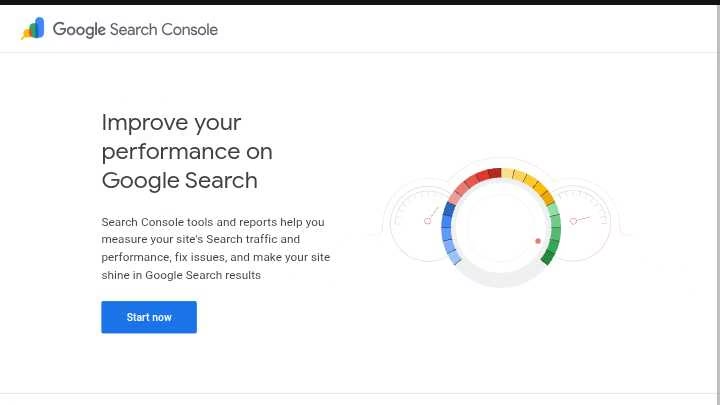
Google Search Console stands at the core of any effective SEO strategy. I discovered this powerful tool back when I was struggling to understand why my website wasn’t ranking. After just one month of using it, my organic traffic jumped by 35%.
Google Search Console key features
Google Search Console offers a comprehensive suite of features that give you direct insights into how Google views your site:
- Performance tracking: See exactly which search terms bring visitors to your site, along with impressions, clicks, and average position
- Index coverage reports: Identify which pages Google can find and index, plus any related indexing issues
- URL inspection tool: Check any specific page’s indexing status and request re-indexing after updates
- Core Web Vitals analysis: Monitor loading speed, responsiveness, and visual stability metrics
- Link reports: Track both internal links and backlinks pointing to your site
Google Search Console benefits for SEO
Unlike third-party tools, GSC provides data directly from Google itself. This means you get accurate insights about your site’s performance without guesswork.
Furthermore, GSC alerts you immediately about critical issues like security problems or manual penalties before they severely impact your rankings.
How to use Google Search Console
Getting started with GSC is straightforward.
- First, add your property (either domain or URL prefix), then verify ownership through DNS records, HTML file upload, or other methods.
- Once verified, submit your sitemap to help Google discover your content more efficiently.
Best use cases for Google Search Console
I primarily use GSC to identify “low-hanging fruit” keywords – those ranking on page two that need just a little optimization to climb higher.
Additionally, GSC helps me discover technical issues like crawl errors or mobile usability problems that often go unnoticed.
The click-through rate analysis also reveals which titles and descriptions need improving to attract more clicks despite good rankings.
Have you ever wondered why certain pages rank well but get few clicks? GSC can answer that question through its detailed performance reports.
2. Google Analytics
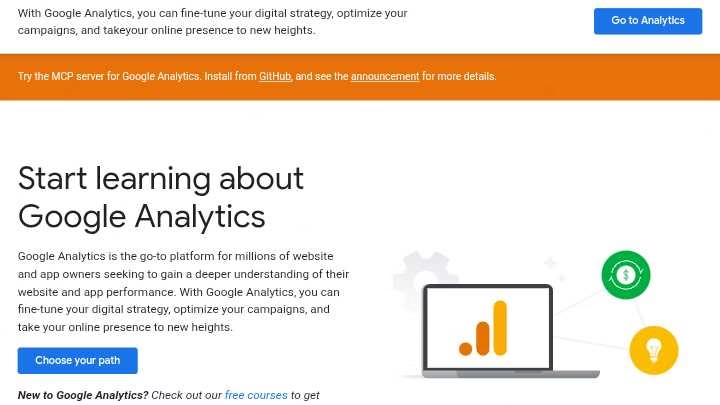
When I first started tracking my website’s performance, Google Analytics changed everything for me. This powerful SEO tool goes beyond basic metrics to reveal exactly how visitors interact with your site.
Google Analytics key features
Google Analytics offers several features critical for SEO success:
- User behavior tracking: Monitor how visitors navigate your site, including time spent on pages, bounce rates, and conversion paths
- Audience demographics: Understand who visits your site (age, location, interests) to better tailor content
- Acquisition reports: Identify which channels drive traffic (organic search, social, direct)
- Real-time monitoring: Watch visitor activity as it happens
- Custom reporting: Create specialized reports focusing on your key metrics
Google Analytics benefits for SEO
I’ve found that Google Analytics complements Search Console perfectly.
Whereas Search Console shows how Google sees your site, Analytics reveals how actual users experience it. This connection helps identify pages with high rankings but poor engagement – a signal to improve content quality rather than just keywords.
How to use Google Analytics
Getting started is straightforward.
- First, create a Google Analytics account and set up a property for your website.
- Next, add the tracking code to your site (either manually or through a plugin if using WordPress).
- Finally, configure goals to track conversions like form submissions or product purchases.
Best use cases
My favorite way to use Analytics for SEO is identifying content opportunities.
For instance, I once discovered that visitors spent nearly four minutes on a product page I’d barely optimized.
After expanding that content and targeting related keywords, organic traffic to that page doubled within two months.
Analytics also excels at finding technical issues. Pages with high exit rates often indicate usability problems, meanwhile pages with strong engagement signal topics worth expanding into content clusters.
Have you checked which of your pages keeps visitors reading longest? That data alone can reshape your content strategy.
3. Google Keyword Planner
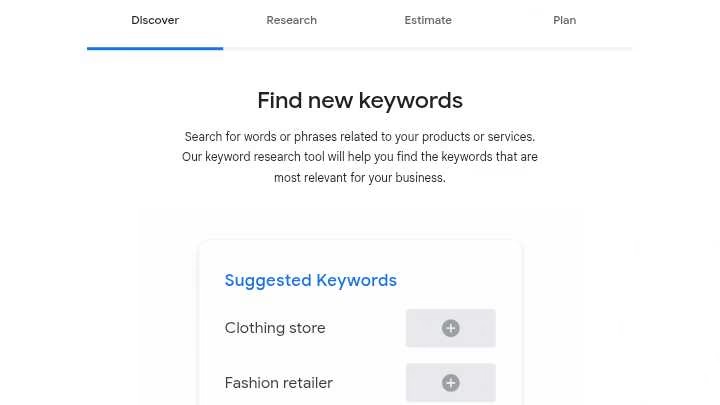
Google Keyword Planner remains my secret weapon for discovering untapped search opportunities. After struggling to find the right keywords for months, this free tool completely changed my approach to content creation.
Google Keyword Planner key features
Google Keyword Planner offers several powerful features that make it invaluable for SEO work:
- Keyword discovery – Find new keywords related to your business or website content
- Search volume data – View monthly search estimates to gage keyword popularity
- Competition analysis – Assess keyword competitiveness among advertisers
- Cost estimates – See potential bid prices if you later decide to run ads
- Location targeting – Filter keywords based on specific countries, regions, or cities
- Trend analysis – Track keyword performance over time to identify seasonal patterns
Google Keyword Planner benefits for SEO
Although originally designed for advertisers, this tool provides exceptional value for SEO.
- First, it delivers data directly from Google itself, offering unparalleled reliability.
- Second, it helps identify long-tail keywords with lower competition yet decent traffic potential.
- Third, it allows you to analyze what your competitors might be targeting.
How to use Google Keyword Planner
Getting started is straightforward yet requires a few steps.
- First, create a Google Ads account (no need to spend money).
- Once logged in, access the tool via Tools & Settings > Planning > Keyword Planner.
- You’ll see two primary options: “Discover new keywords” or “Get search volume and forecasts.” For finding new keywords, enter relevant terms or a website URL.
- After clicking “Get results,” you’ll receive a list of keyword suggestions with valuable metrics.
Best use cases
I primarily use this tool for expanding content topics.
Recently, I discovered several related terms for “SEO tools” that I hadn’t considered, resulting in three highly-ranked articles.
Another effective approach involves analyzing competitor websites. By entering their URL, you can uncover keywords they might be targeting successfully.
Have you considered using Keyword Planner to identify seasonal trends? This approach has helped me schedule content when search interest peaks.
4. Google Trends

I discovered Google Trends by accident four years ago, completely changing how I approach SEO. This powerful yet underutilized tool reveals search interest patterns that none of the other Google tools can show you.
Google Trends key features
Google Trends offers several distinctive capabilities that make it invaluable for SEO work:
- Relative search volume tracking – Visualizes interest on a scale of 0-100 across different time periods since 2004
- Real-time data – Shows trending searches with updates every ten minutes
- Geographical insights – Breaks down search popularity by country, region, and city
- Topic comparison – Allows side-by-side analysis of up to five different search terms
- Related topics and queries – Identifies rising searches and “breakout” terms growing by over 5000%
- Platform-specific data – Filters searches across Google, YouTube, Shopping, and News
Google Trends benefits for SEO
First, Google Trends helps identify emerging opportunities before competition saturates them.
I once spotted a “breakout” keyword with almost no competition that brought thousands of visitors to my site.
Moreover, the tool reveals seasonal patterns, helping you publish content before search interest peaks.
How to use Google Trends
Getting started is straightforward. First, visit trends.google.com and enter your keyword.
Subsequently, adjust the time frame, region, and category to refine results.
For keyword research, I recommend:
- Comparing multiple terms to identify which has stronger momentum
- Examining “Related queries” for content ideas
- Switching between “Rising” and “Top” modes to find both emerging and established topics
Best use cases
My favorite application is finding “breakout keywords” – these terms growing exponentially often have minimal competition yet substantial traffic potential.
Additionally, Google Trends excels at validating seasonal content. Last year, I planned my holiday gift guides two months earlier after seeing when search interest typically begins rising.
Of course, Google Trends works wonderfully for local SEO too – simply filter by region to discover what your specific audience is searching for in your geographic area.
5. Google Business Profile

My local business rankings skyrocketed after I properly set up my Google Business Profile. This powerful free tool serves as your digital storefront, helping potential customers find you directly through Google Search and Maps.
Google Business Profile key features
Google Business Profile lets you control how your business appears online with several key features:
- Business information management – Add your address, phone number, website URL, and hours of operation
- Category selection – Choose a primary category plus up to 9 subcategories to help Google understand what you offer
- Photo and video uploads – Add high-quality images of your business, products, and services
- Review management – Respond to customer reviews to build trust and credibility
- Post creation – Share updates, offers, events, and products directly on your profile
- Q&A functionality – Answer common questions before customers even ask
Google Business Profile benefits for SEO
Optimizing your Google Business Profile dramatically improves local SEO results.
Businesses with complete profiles are more likely to show up in local search results, potentially securing a spot in Google’s valuable local 3-pack.
In fact, studies show a fully optimized profile receives approximately 5 times more calls than incomplete ones.
How to use Google Business Profile
Getting started is straightforward.
- First, visit business.google.com and create an account using your business email.
- After entering your business details, Google verifies your ownership through methods like postcard verification (typically arriving within 14 days).
- Consequently, focus on maintaining NAP (Name, Address, Phone) consistency across all platforms since 80% of consumers don’t trust businesses with inconsistent contact information.
Best use cases
I primarily use Google Business Profile for enhancing local visibility.
For retail businesses, the platform allows showcasing in-store products directly in search results.
Service-area businesses can define their coverage regions without displaying their physical address.
Furthermore, analyzing the questions customers ask through Q&A provides invaluable insight into what information to highlight on your website.
The integrated Google Maps functionality makes it easier for customers to find your location, potentially increasing foot traffic.
6. Google PageSpeed Insights

The secret to my website’s lightning-fast loading times? Google PageSpeed Insights. This powerful tool completely changed my approach to technical SEO after my site was losing visitors due to slow loading speeds.
Google PageSpeed Insights key features
Google PageSpeed Insights offers several critical features that make it indispensable for website optimization:
- Performance scoring – Evaluates your website on a scale of 0-100 for both mobile and desktop
- Core Web Vitals assessment – Measures key metrics like Largest Contentful Paint (LCP), Cumulative Layout Shift (CLS), and Interaction to Next Paint (INP)
- Real-user data – Provides field data from the Chrome User Experience Report showing how real visitors experience your site
- Lab data analysis – Simulates page load in controlled environments to identify specific issues
- Detailed recommendations – Offers actionable suggestions for improving performance
Google PageSpeed Insights benefits for SEO
First thing to remember, site speed directly affects your search rankings. Therefore, improving your PageSpeed score can boost your position in search results.
PSI helps identify exactly which elements are slowing down your site rather than guessing.
Initially, I was skeptical about its impact until I saw that Google actually uses page experience signals (including Core Web Vitals) as ranking factors.
With attention to these metrics, my organic traffic increased substantially after implementing the suggested fixes.
How to use Google PageSpeed Insights
Using this tool is straightforward:
- Visit https://pagespeed.web.dev/
- Enter your URL in the field and click “Analyze”
- Review both mobile and desktop scores (mobile is typically lower but more important)
- Focus on fixing the red (poor) metrics first, then yellow (needs improvement)
- Implement the specific recommendations provided in the Diagnostics section
Best use cases
I primarily use PageSpeed Insights to identify and fix the biggest performance bottlenecks on my key landing pages.
For instance, after discovering my images were slowing down my site, I compressed them and saw my score jump from 65 to 89.
Additionally, the tool helps track progress over time. After major website updates, I run a new test to ensure I haven’t inadvertently created new performance issues.
Have you checked your mobile PageSpeed score lately? Remember that Google prioritizes mobile experience in its ranking algorithm.
7. Google Alerts

Setting up Google Alerts completely changed how I approach link building and brand monitoring. This overlooked free tool sends email notifications whenever Google indexes new content matching your specified keywords.
Google Alerts key features
Google Alerts offers powerful monitoring capabilities that simplify tracking online mentions:
- Customizable notification frequency – Choose daily, weekly, or as-it-happens updates
- Source filtering – Narrow results to news, blogs, web, or specific content types
- Regional and language settings – Target specific countries or languages
- Preview of current results – See immediate examples before creating alerts
- Email or RSS delivery – Receive notifications through your preferred channel
Google Alerts benefits for SEO
The SEO advantages of Google Alerts are significant yet often underutilized.
- Primarily, it helps monitor brand mentions across the web, letting you quickly respond to both positive and negative reviews.
- Notably, it’s excellent for finding unlinked brand mentions – websites that discuss your business without linking to you.
- Above all, Google Alerts excels at identifying backlink opportunities.
By tracking industry-related keywords with phrases like “write for us” or “become a contributor,” you can discover guest posting possibilities.
How to use Google Alerts
Setting up alerts takes just minutes:
- Visit google.com/alerts
- Enter a topic or keyword in the search bar
- Click “Show options” to customize settings
- Adjust frequency, sources, language, and region
- Click “Create Alert” to start receiving notifications
Best use cases
I’ve found Google Alerts particularly valuable for competitor monitoring.
By tracking competitor names, I stay informed about their new campaigns and product launches.
During my SEO journey, I’ve used alerts to detect content plagiarism and track press release coverage.
Essentially, combining Google Alerts with Google Trends creates a data-driven marketing strategy that keeps you ahead of industry developments.
One underrated use? Setting alerts for industry terms helps identify rising trends before they become competitive, giving you a first-mover advantage in content creation.
8. Google Rich Results Test

After years of wondering why my content wasn’t displaying special features in Google search results, I stumbled upon the Google Rich Results Test. This tool quickly revealed that my structured data implementation had errors preventing those eye-catching search enhancements.
Google Rich Results Test key features
The Google Rich Results Test comes packed with practical capabilities:
- Structured data validation – Tests JSON-LD (recommended format), Microdata, and RDFa markup
- Error identification – Highlights invalid code directly in your page source
- Results preview – Shows how your page might appear in search results
- Multi-device testing – Tests for both smartphone and desktop user agents
- Sharing functionality – Easily share results with team members
- Submit to Google option – Request indexing of tested pages
Google Rich Results Test benefits for SEO
Indeed, implementing rich results can significantly boost your search visibility and click-through rates. The tool guarantees your structured data meets Google’s standards before investing time in implementation.
Furthermore, it provides immediate feedback on formatting issues that might prevent rich results from displaying.
How to use Google Rich Results Test
Using this tool is straightforward:
- Visit the Rich Results Test tool at search.google.com/test/rich-results
- Enter your URL or paste code to be tested
- Select your user agent (smartphone is recommended as default)
- Click “TEST CODE” to run the analysis
- Review errors, warnings, and preview available rich results
Best use cases
In essence, I primarily use this tool whenever I implement new schema markup. It’s invaluable for validating product pages, article markup, FAQ sections, and other content that could benefit from enhanced visibility.
Have you ever noticed how some search results stand out with stars, images, or expanded information?
Testing your pages ensures you’re not missing these valuable opportunities for increased visibility.
9. Google Gemini

Recently, I came across Google Gemini while searching for ways to streamline my SEO workflow. This powerful AI assistant has completely transformed how I approach content creation and technical analysis.
Google Gemini key features
Google Gemini stands out as an advanced AI model with impressive capabilities:
- Deep integration with Google Search and Workspace (Docs, Sheets)
- Multimodal processing of text, images, audio and video
- Real-time guidance directly within Google’s ecosystem
- Conversational interface for complex queries
- Content analysis capabilities for existing web pages
What makes Gemini especially valuable is its direct connection to Google’s search algorithms.
In contrast to other AI tools, Gemini provides insights that align with how Google actually evaluates and ranks content.
Google Gemini benefits for SEO
The SEO advantages of using Gemini are substantial.
First, it helps create content that matches what Google wants to see, increasing your chances of ranking well.
According to data, AI Overviews now appear in roughly 20% of searches, making Gemini’s insights increasingly valuable.
Furthermore, Gemini excels at analyzing competitors. Previously, I spent hours manually reviewing competitor sites, but now Gemini delivers structured competitive analysis from a single prompt.
Ultimately, as zero-click searches become more common and traditional blue links get pushed down the page, optimizing for Gemini gives you a critical advantage in maintaining visibility.
How to use Google Gemini
Getting started with Gemini is straightforward:
- Access Gemini through Google Workspace or directly at gemini.google.com
- For content creation, use Gemini within Google Docs to generate drafts, introductions, or FAQs
- For technical audits, ask Gemini to analyze your website’s structure and suggest improvements
- For competitor analysis, prompt Gemini to evaluate how your site compares to others in your niche
Best use cases
Primarily, I use Gemini for four key purposes: on-page optimization, local SEO, data analysis, and technical audits.
For content creation, Gemini helps me write meta descriptions and optimize header tags.
Have you tried using it to generate creative title variations? This approach has improved my click-through rates substantially.
Additionally, Gemini excels at local SEO for multi-location businesses, helping scale location-specific content across websites and Business Profiles. Its integration with Google Sheets makes analyzing performance data remarkably efficient.
10. Google Autocomplete

Google Autocomplete has been my hidden advantage for finding untapped keywords that competitors miss. This time-saving feature doesn’t just complete searches – it reveals exactly what people are actively searching for online.
Google Autocomplete key features
Google Autocomplete offers powerful capabilities that make it valuable beyond simple search completion:
- Predictive search suggestions based on real Google searches, not just suggestions
- Location-based results showing what people near you are searching
- Trending interest integration that updates in real-time
- Search history consideration when you’re logged into your Google account
- Dynamic results that evolve with breaking news and emerging topics
In general, Autocomplete saves users approximately 25% of typing time and collectively saves over 200 years of typing every day.
Google Autocomplete benefits for SEO
For content optimization, Autocomplete provides unique insights you can’t get elsewhere.
Additionally, it helps identify valuable long-tail keywords with decent traffic yet minimal competition.
Throughout my SEO journey, I’ve found Autocomplete exceptionally useful for understanding user intent.
By examining how users phrase their queries, I can align my content with their actual search patterns instead of guessing.
Likewise, the tool serves as an early warning system for brand reputation issues.
Should negative terms appear alongside your brand name, it signals potential reputation challenges requiring immediate attention.
How to use Google Autocomplete
Utilizing this powerful tool requires a systematic approach:
- Start with a “seed” keyword relevant to your industry
- Type each letter of the alphabet after your keyword to generate variations
- Record all predictions that appear (screenshots work well)
- Analyze patterns to identify content opportunities
- Use incognito mode to avoid personalization bias
Best use cases
Primarily, I use Autocomplete to develop comprehensive content strategies.
For instance, entering a topic followed by question words (who, what, when, where, why) instantly reveals common questions users have.
As an alternative approach, try typing your brand name followed by “vs” to discover competitors Google associates with your business.
Have you considered using Autocomplete for local SEO? Simply adding location terms can uncover geo-specific search trends that help target local customers more effectively.
11. Google Dataset Search

Finding quality data for SEO research was always a struggle until I discovered Google Dataset Search. This powerful yet underappreciated tool helps uncover valuable datasets that can inform your content strategy with hard facts instead of assumptions.
Google Dataset Search key features
Google Dataset Search offers several distinctive capabilities that make it invaluable for data-driven SEO:
- Massive dataset index – Access to over 45 million datasets from more than 13,000 websites
- Multi-discipline coverage – Find datasets spanning scientific research, government statistics, and commercial data
- Metadata previews – View essential information about datasets before accessing them
- Filter functionality – Customize searches by update date, download format, and usage rights
- Schema.org integration – Leverages structured data to improve dataset discovery
Google Dataset Search benefits for SEO
- For content creators, Dataset Search provides a competitive edge through factual authority.
- Furthermore, it helps identify trending topics backed by statistical data rather than opinions.
- Content supported by credible data typically earns better rankings as Google prioritizes E-E-A-T signals.
How to use Google Dataset Search
Searching for datasets follows a straightforward process:
- Visit https://datasetsearch.research.google.com/
- Enter relevant keywords related to your research topic
- Browse results and apply filters as needed
- Follow links to data repositories hosting the datasets
Best use cases
Throughout my SEO journey, I’ve found Dataset Search most valuable for creating data-backed content that outranks competitors.
Similarly, it’s excellent for market research, helping identify consumer trends across different regions.
Government datasets regarding population, finance, and weather statistics prove particularly useful for local SEO campaigns targeting specific geographical areas.
Have you tried using Dataset Search to enhance your content’s credibility? The difference in engagement can be substantial.
12. Google Tag Manager

Google Tag Manager revolutionized my website analytics after I struggled with adding tracking codes manually. This free SEO tool lets you manage and deploy marketing tags without touching website code directly.
Google Tag Manager key features
GTM provides several powerful capabilities:
- Single container snippet that replaces multiple individual code pieces on your site
- Asynchronous tag loading that improves page load speeds by up to 8%
- Version control with ability to revert changes
- Workspaces allowing multiple team members to collaborate without overwriting each other
- Custom templates for standardized, reusable tags
Google Tag Manager benefits for SEO
Beyond simplifying implementation, GTM boosts SEO performance.
Asynchronous tag loading prevents tracking codes from slowing down your site – a critical ranking factor.
Plus, GTM’s precise event tracking reveals exactly how users interact with your content.
How to use Google Tag Manager
- To begin with, create an account at tagmanager.google.com and install the container code on your site.
- Next, configure tags to track desired events via the web interface.
- Finally, use Preview mode to test everything works correctly before publishing.
Best use cases
Primarily, I use GTM for tracking specific user behaviors like scroll depth, form submissions, and video engagement.
For e-commerce sites, it excels at monitoring product views, cart additions, and checkout completions.
Have you tried using GTM to track outbound link clicks? This simple implementation can unlock valuable insights about user exit paths.
13. Google Mobile-Friendly Test

I almost lost a client when their website looked terrible on smartphones. That’s when I discovered Google’s Mobile-Friendly Test, a tool that saved countless websites from mobile disaster.
As a matter of fact, this free resource has become my first checkpoint for any new site launch.
Google Mobile-Friendly Test key features
Google’s Mobile-Friendly Test offers several powerful capabilities:
- Mobile usability verification – Checks for proper touch elements, text size, and viewport configuration
- Visual preview – Shows exactly how your page appears on mobile devices
- Error identification – Highlights specific mobile usability issues requiring attention
- Page loading analysis – Identifies elements that fail to load on mobile
- Code testing option – Allows testing code before publishing live
Google Mobile-Friendly Test benefits for SEO
Overall, mobile-friendly sites perform substantially better in search rankings.
First, the tool ensures your site meets Google’s mobile-first indexing requirements. Users abandon slow mobile sites five times more frequently than desktop-optimized ones.
Hence, addressing issues this tool identifies directly improves engagement metrics Google uses for ranking.
How to use Google Mobile-Friendly Test
Using this tool is straightforward:
- Visit search.google.com/test/mobile-friendly
- Enter your URL (or paste code for pre-launch testing)
- Click “Test URL”
- Review results including the screenshot and usability errors
- Implement suggested fixes and retest until approved
Best use cases
Primarily, I utilize this tool after major website updates to catch any new mobile usability issues.
Furthermore, developers find it invaluable for testing code before deployment.
Occasionally, I check competitor sites to identify mobile experience gaps I can exploit in my own strategy.
Have you tried monitoring important pages through regular testing? This practice prevents accidental template regressions that could damage your mobile experience.
14. Google Lighthouse
After struggling with technical SEO issues for months, I discovered Google Lighthouse – the ultimate website quality assessment tool that changed my approach to optimization.
Lighthouse provides comprehensive audits across five essential categories to help improve your site’s performance.
Google Lighthouse key features
Google Lighthouse offers powerful capabilities that make it invaluable for website optimization:
- Performance scoring – Evaluates loading speed based on metrics like First Contentful Paint, Largest Contentful Paint, and Total Blocking Time
- Accessibility analysis – Checks how well people using assistive technologies can access your content
- Best practices evaluation – Verifies compliance with modern web development standards
- SEO assessment – Analyzes technical SEO factors like mobile-friendliness and structured data
- Progressive Web App validation – Tests if your site offers app-like experiences
Google Lighthouse benefits for SEO
The SEO advantages of Lighthouse extend beyond basic analysis. In other words, it helps identify exactly which technical factors might be affecting your rankings.
Lighthouse examines whether your site has proper meta tags, mobile-friendliness, valid structured data, and crawlable links.
However, unlike PageSpeed Insights, Lighthouse uses only lab data rather than field data from real users.
How to use Google Lighthouse
Accordingly, there are several ways to access this powerful tool:
- Through Chrome DevTools – Right-click on your page, select “Inspect,” and click the Lighthouse tab
- As a Chrome extension – Install the Lighthouse extension from the Chrome Web Store
- Via PageSpeed Insights – Enter your URL at pagespeed.web.dev
- Using Node command line – Install with npm install -g lighthouse
Best use cases
I primarily use Lighthouse to identify performance bottlenecks affecting Core Web Vitals.
For example, element screenshots make it easier to spot which parts of my UI cause layout shifts. To summarize, Lighthouse excels at pinpointing technical issues that would otherwise go unnoticed.
Have you checked your mobile performance score lately? Remember that anything below 90 indicates significant room for improvement.
15. Google My Activity

Looking into Google My Activity opened my eyes to how much my search habits affect content recommendations. This powerful yet overlooked tool serves as your personal data dashboard, showing exactly what Google knows about your online behavior.
Google My Activity key features
Google My Activity offers comprehensive tracking capabilities:
- Complete activity timeline – See everything Google has stored about your searches, YouTube history, and more
- Category filtering – Browse through specific sections like Search, Maps, Assistant, and Ads
- Detailed chronological history – View activity organized by day, week, or month
- Deletion controls – Remove specific items or entire date ranges from your history
- Auto-deletion options – Set Google to automatically purge data every 3, 18, or 36 months
Google My Activity benefits for SEO
Understanding how Google personalizes search results gives you valuable SEO perspective.
Primarily, it reveals how your content might appear differently depending on user history.
In effect, examining your own activity shows how Google incorporates past searches to predict user intent.
How to use Google My Activity
Getting started takes just a few steps:
- Visit myactivity.google.com
- Sign in to your Google account
- Browse through different categories like Search, YouTube, and Location
- View your full timeline of stored information
For adjusting privacy settings, navigate to Activity Controls where you can turn specific tracking features on or off.
Fortunately, Google also allows setting auto-deletion periods to maintain privacy without manual effort.
Best use cases
I frequently use My Activity to understand how my search patterns influence content recommendations.
Furthermore, analyzing which types of content I engage with helps refine my own content strategy.
Presently, this tool proves invaluable for understanding the “personalization factor” in search results – something that affects how your content performs for different audience segments.
Comparison Table for Free Google SEO Tools for 2026
| Tool Name | Primary Purpose | Key Features | Notable Benefits | Integration | Ease of Use |
| Google Alerts | Brand & keyword monitoring | – Customizable notification frequency – Source filtering – Regional settings | – Unlinked mention tracking – Competitor monitoring – Link building opportunities | Email and RSS feeds | Simple setup with immediate results |
| Google Analytics | User behavior tracking | – Audience demographics – Acquisition reports – Real-time monitoring | – User engagement insights – Traffic source analysis – Conversion tracking | Search Console, Tag Manager | Requires code implementation |
| Google Autocomplete | Keyword discovery | – Predictive suggestions – Location-based results – Real-time trends | – Saves 25% typing time – Long-tail keyword discovery – User intent insights | Search functionality | Immediate access, no setup |
| Google Business Profile | Local business visibility | – Business info management – Category selection – Review management | – Local 3-pack visibility – 5x more calls with optimization – Direct customer interaction | Maps, Search | Requires verification process |
| Google Dataset Search | Data research | – 45M+ datasets indexed – Filter functionality – Metadata previews | – Content credibility – Market research – Statistical backing | Schema.org | Direct access, no setup |
| Google Gemini | AI-powered content assistance | – Multimodal processing – Real-time guidance – Content analysis | – Google-aligned content creation – Competitor analysis – Technical audits | Google Workspace | Integrated with existing tools |
| Google Keyword Planner | Keyword research | – Search volume data – Competition analysis – Location targeting | – Direct Google data – Long-tail discovery – Seasonal trends | Google Ads | Requires Ads account |
| Google Lighthouse | Website quality assessment | – Performance scoring – Accessibility analysis – SEO assessment | – Technical optimization – Core Web Vitals tracking – Best practices validation | Chrome DevTools | Multiple access methods |
| Google Mobile-Friendly Test | Mobile optimization | – Mobile usability verification – Visual preview – Error identification | – Mobile-first compliance – User experience improvement – Pre-launch testing | Search Console | Simple URL-based testing |
| Google My Activity | Personal search data | – Activity timeline – Category filtering – Deletion controls | – Search personalization insights – Content strategy refinement – Privacy management | All Google services | Direct account access |
| Google PageSpeed Insights | Performance analysis | – Performance scoring – Core Web Vitals assessment – Real-user data | – Ranking factor optimization – Mobile/desktop analysis – Actionable recommendations | Search Console | Simple URL-based testing |
| Google Rich Results Test | Structured data validation | – Schema validation – Results preview – Multi-device testing | – Enhanced search visibility – CTR improvement – Immediate feedback | Search Console | Simple code/URL testing |
| Google Search Console | Website performance tracking | – Performance tracking – Index coverage – Core Web Vitals analysis | – Direct Google insights – Technical issue alerts – Indexing control | Analytics, PageSpeed | Requires verification |
| Google Tag Manager | Marketing tag deployment | – Single container snippet – Version control – Custom templates | – 8% faster page loads – No code changes needed – Event tracking | Analytics, Ads | Technical setup required |
| Google Trends | Search interest analysis | – Relative volume tracking – Real-time data – Geographical insights | – Emerging trend discovery – Seasonal planning – Local market insights | N/A | Direct access, no setup |
Final Thoughts On Free Google SEO Tools
After exploring these 15 free Google SEO tools, it’s clear that you don’t need to spend a fortune to achieve impressive search rankings.
Throughout my SEO journey, I’ve learned that Google actually provides everything needed to understand your website performance, identify optimization opportunities, and outrank competitors.
While each tool serves a specific purpose, they work best when used together as part of a comprehensive strategy.
For instance, Search Console reveals how Google sees your site, Analytics shows how users interact with it, and PageSpeed Insights identifies performance bottlenecks.
Additionally, tools like Keyword Planner and Trends help uncover valuable search opportunities before your competitors discover them.
What surprised me most during my years optimizing websites is how underutilized many of these tools remain.
Surprisingly, features like Google Business Profile’s Q&A section and Search Console’s Index Coverage Report often contain goldmines of actionable insights that most website owners never tap into.
Have you started implementing these free resources into your SEO workflow? If not, I recommend beginning with Google Search Console and gradually incorporating others as you become comfortable.
Remember, Google ultimately wants websites to succeed by providing value to users. These tools essentially give you direct insight into exactly what Google considers valuable. Why pay for guesswork when the source itself offers guidance for free?
Frequently Asked Questions About Free Google SEO Tools for 2026
1. What are the most effective ways to improve Google rankings in 2026?
To improve Google rankings in 2026, focus on optimizing title tags and meta descriptions with relevant keywords, improving page speed through image compression and browser caching, and enhancing internal linking for better user experience and site navigation.
2. Which free Google SEO tool is considered the most valuable?
While the value of each tool depends on specific needs, Google Search Console is often considered the most essential free SEO tool. It provides direct insights from Google about your site’s performance in search results and helps identify critical technical issues.
3. How can I boost my Google rankings without spending money?
To boost Google rankings for free, utilize Google’s suite of SEO tools like Search Console and Analytics, create high-quality content targeting relevant keywords, optimize your site for mobile devices, improve page loading speeds, and build quality backlinks through outreach and content promotion.
4. Can AI tools like ChatGPT be used for SEO purposes?
Yes, AI tools like ChatGPT can support various SEO tasks. They can assist with keyword research, generate meta tags, create schema markup, brainstorm content ideas, and help identify potential sites for outreach and link building.
5. How important is mobile optimization for SEO in 2026?
Mobile optimization is important for SEO in 2026 due to Google’s mobile-first indexing. Ensuring your site is mobile-friendly, loads quickly on smartphones, and provides a good user experience on small screens is essential for maintaining and improving search rankings.
Related Helpful SEO Guides
If you want to go deeper into SEO tools and strategy, these guides on AboahReviews can help:
- Learn what SEO tools really do in this essential SEO tools overview.
- Study real-world tactics in this SEO case study with $500K results.
- Compare 41 tools in this comprehensive SEO tool list.
- Use this guide on how to pick the best SEO tool for your own stack.
- If website speed is a big pain, check this PageVitals review 2025 for more performance options.
- Understand advanced concepts in this guide on semantic SEO strategies 2026.
- Agencies can review this white label SEO tool review.

His in-depth reviews have been featured on Hubpages, Vocal.Media and Hackernoon, where he helps businesses and content creators choose affordable, high-performing solutions for SEO, lead generation, and growth.
Aboah’s analyses emphasize accuracy, usability, and ROI, making his insights trusted by small business owners, marketers, and professionals looking to scale their online presence with data-driven strategies.
- White Label SEO Report 2026: Templates, Examples + Best Tools - December 25, 2025
- Best White Label SEO Tools for Agencies in 2026: Boost Branding & Client Trust - December 16, 2025
- 20 Etsy SEO Tools That Doubled My Clients’ Shop Sales (Seller‑Tested) - December 8, 2025