

All-in-one & Comprehensive Suites
- SEMrush: A popular, comprehensive suite for a wide range of SEO tasks, including keyword research, rank tracking, and competitive analysis.
- Ahrefs: Known for its extensive backlink index and strong competitive research capabilities, Ahrefs is a favorite among SEO professionals.
- Moz: Offers a suite of tools for SEO professionals, including keyword research and link building.
- SE Ranking: A popular option for its value and features, particularly strong for local SEO.
Free Google SEO Tools
- Google Search Console: Essential for monitoring a website’s performance in Google Search, identifying technical issues, and submitting sitemaps.
- Google Analytics: The standard for analyzing website traffic and user behavior.
- Google Keyword Planner: A free tool for keyword research, particularly useful when integrated with Google Ads.
- Google Trends: Helps in understanding the popularity of search queries over time.
Specialized SEO Tools
- Screaming Frog SEO Spider: A desktop program that crawls websites to find technical SEO issues like broken links and redirect problems.
- Yoast SEO: A popular plugin for WordPress that provides on-page SEO analysis and content optimization tips.
- Surfer SEO: Uses AI to help optimize content for both search engines and users.
- SpyFu: Focuses on competitor analysis, particularly for keyword research and paid ad campaigns.
- Ubersuggest: A tool that offers keyword suggestions and content ideas, with a popular free tier.
 Popular SEO tools can make or break your online visibility, and after 4+ years in the SEO trenches, I’ve tested just about all of them.
I’ve been in your shoes, searching for the right SEO tools to drive results. With search changing fast and AI taking up more space in results, having the right SEO software has never been more important.
Let’s face it: organic clicks are getting squeezed, but with the right keyword research tools and SEO analysis tools, you can still win visibility across Google, YouTube, and even AI search.
As an SEO marketer, I can’t do my job without these tools that help track performance, diagnose problems, and suggest improvements.
Think of a good SEO tool as your ultimate website assistant: it researches the best-ranking keywords for your business, runs website audits to keep your site healthy, and helps analyze your competitors. The best tools do all this with accurate data and smart recommendations.
In this post, I’m breaking down 17 popular SEO tools I’ve personally tested (both free and paid) so you can pick what’s best for your specific needs. No fluff, no sales pitch – just honest insights based on real-world testing and results.
Key Takeaways About Popular SEO Tools for 2026
After testing 17 popular SEO tools, here are the essential insights to guide your tool selection and maximize your search visibility:
- Match tools to your specific needs rather than chasing the “best” overall platform – specialized tools like Surfer SEO excel for content optimization while comprehensive platforms like Semrush work better for agencies.
- Free Google tools (Search Console, Analytics, Keyword Planner) provide essential data directly from the source – start with these foundational tools before investing in paid alternatives.
- AI visibility tracking is becoming important as search evolves – tools now monitor your brand’s presence in ChatGPT and Google AI Overviews, not just traditional search results.
- Most successful SEO professionals use multiple tools together – combine Google Search Console data with competitor research tools and content optimization platforms for comprehensive coverage.
- Budget-friendly options like Ubersuggest and Keywords Everywhere offer solid functionality – small businesses often benefit more from targeted solutions than expensive enterprise features they won’t use
The key is building a strategic toolkit that covers keyword research, technical auditing, and content optimization while staying within your budget. Remember, even the best SEO tools require human judgment to transform data into actionable SEO strategies that drive real results.
What Are The Most Popular SEO Tools for 2026?
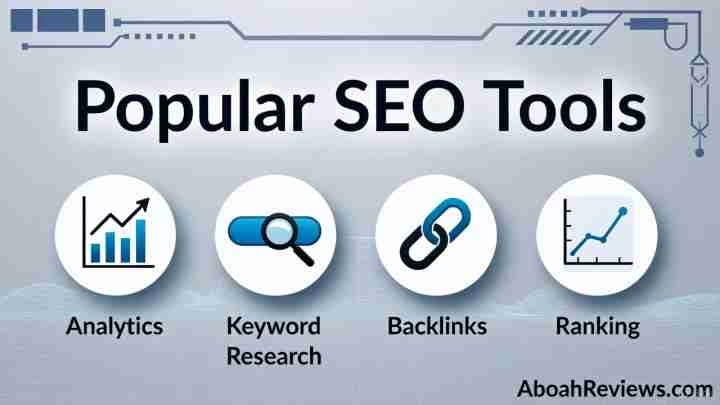
Below is a list of the most popular and best SEO tools for 2026.
- Surfer SEO
- Ahrefs
- Semrush
- Google Analytics
- Google Search Console
- Google Keyword Planner
- Yoast SEO
- SE Ranking
- Screaming Frog
- AlsoAsked
- AnswerThePublic
- Google Trends
- Ubersuggest
- Moz
- ChatGPT
- SpyFu
- Keywords Everywhere
1. Surfer SEO

Surfer SEO stands out among popular SEO tools as a specialized content optimization platform. I’ve found it particularly useful for creating content that ranks while maintaining readability.
Surfer SEO key features

After testing numerous content optimization tools, I can confirm Surfer offers real-time optimization feedback as you write.
The Content Editor analyzes top-ranking pages and provides live content scores based on over 500 ranking metrics.
Furthermore, it suggests keywords in order of importance, preventing keyword stuffing and promoting natural content flow.
The SERP Analyzer breaks down what’s working for top-ranking pages, essentially reverse-engineering success.
Additionally, Surfer integrates seamlessly with Google Docs, WordPress, ChatGPT, and Jasper, fitting into most content workflows.
What impressed me most was Surfer’s AI capabilities – their AI Tracker monitors your brand’s visibility in tools like ChatGPT, Google AI, and Perplexity.
Surfer SEO pros and cons
Pros:
- Data-driven approach with real-time content feedback
- Intuitive interface with minimal learning curve
- Strong WordPress and Google Docs integration
- Balanced keyword recommendations that maintain readability
Cons:
- Pricing may be prohibitive for small businesses
- Limited keyword research capabilities compared to specialized tools
- Can sometimes promote formulaic content approaches
- Usage caps on pricing plans may limit larger sites
Surfer SEO pricing
According to Surfer’s official site, they offer three pricing tiers:
- Essential: $99/month ($79/month billed annually) – Designed for individuals and small teams
- Scale: $219/month ($175/month billed annually) – For growing teams ready to publish at scale
- Enterprise: From $999/month – For agencies and brands with high-volume needs
An additional AI Tracker add-on is available for $95/month.
Surfer SEO best for
In my experience, Surfer works exceptionally well for content writers and SEO professionals who need data-backed content strategies.
Moreover, it’s ideal for marketing teams seeking to standardize their SEO approach.
I’ve found it most valuable for optimizing existing content and creating new articles with strong ranking potential.
Consequently, it’s perfect for businesses focused on content-driven SEO strategies rather than technical SEO or link building.
2. Ahrefs

Among the arsenal of popular SEO tools I’ve tested, Ahrefs stands as the heavyweight champion for comprehensive backlink analysis.
This robust SEO platform has evolved significantly since its 2010 launch as a site explorer tool into a full-scale SEO powerhouse.
Ahrefs key features
What makes Ahrefs exceptional in my experience is their massive backlink database powered by the world’s second most active web crawler after Google.
Their crawler processes an impressive 5 million pages every minute, providing unmatched backlink data.
The Site Explorer lets me analyze any website’s backlink profile, organic traffic, and ranking keywords with incredible depth.
I’ve found the Content Gap tool especially valuable for identifying keywords competitors rank for that I don’t.
Additionally, Ahrefs’ keyword database contains 7.8 billion keywords across 10 search engines in 170 countries.
Their Traffic Potential metric goes beyond basic search volume to show estimated clicks and traffic – a game-changer for realistic keyword prioritization.
The Content Explorer functions as a mini search engine for discovering top-performing content in any niche, while the Site Audit feature checks for over 170 technical SEO issues.
Ahrefs pros and cons
Pros:
- Unmatched backlink data quality with daily updates
- Exceptionally user-friendly interface with visual reports
- Unlimited verified domains for managing multiple projects
- Daily granularity in backlink tracking
Cons:
- Credit-based pricing on lower plans can feel restrictive
- No free trial, only a 7-day $7 trial option
- Limited PPC features compared to competitors
- Rank tracking requires a pricey add-on for daily updates
Ahrefs pricing
Based on Ahrefs’ official pricing page, these are the current plans:
- Starter: $29/month (basic access to core tools)
- Lite: $129/month ($99 annually)
- Standard: $249/month ($199 annually)
- Advanced: $449/month ($399 annually)
- Enterprise: $1499/month ($999 annually)
Ahrefs best for
In my years working with various SEO tools, I’ve found Ahrefs indispensable for in-depth competitive research.
It truly excels for SEO professionals managing multiple websites, especially when backlink analysis is crucial to your strategy.
Furthermore, it’s perfectly suited for content marketers seeking untapped keyword opportunities and detecting gaps in content strategy.
The tool shines brightest when you need to analyze competitor backlinks and understand why specific pages rank well.
Lastly, Ahrefs proves essential for agencies working across numerous client projects, thanks to its unlimited verified domains capability and comprehensive reporting features.
3. Semrush
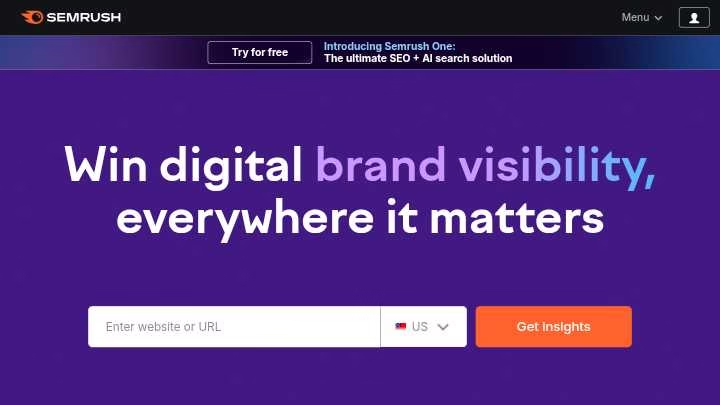
Semrush emerged in my SEO toolkit as the ultimate Swiss Army knife – a comprehensive platform that handles virtually every aspect of digital marketing.
In fact, with over 50 different SEO tools under one roof, it’s possibly the most complete SEO software I’ve encountered.
Semrush key features
The backbone of Semrush is its extensive keyword database, with over 21 billion keywords spanning 170 countries.
What separates it from other popular SEO tools is its unmatched competitor analysis capabilities.
I’ve found the Domain Overview particularly valuable for quickly assessing any website’s SEO performance at a glance.
The Traffic & Market toolkit provides detailed competitor benchmarking that reveals not just what keywords they rank for, but also their traffic sources and audience insights.
Another standout feature is the Keyword Gap tool, which highlights keywords your competitors rank for that you don’t.
Beyond SEO, Semrush offers AI Visibility tools that monitor your brand’s presence across AI platforms like ChatGPT and Google’s AI Overviews.
Semrush pros and cons
Pros:
- Enormous databases with 21.1 billion keywords and 43 trillion backlinks
- Comprehensive toolkit covering SEO, content, social media, and PPC
- Generous usage allowances with 3,000 daily reports on the lowest plan
- Powerful link-building features with detailed backlink metrics
Cons:
- Traffic analytics data isn’t always accurate compared to actual analytics
- Interface can feel cluttered due to the abundance of features
- Data primarily covers Google, with limited insights for other search engines
- Steeper learning curve for beginners
Semrush pricing
According to Semrush’s official pricing, they offer three main plans:
- Pro: $139.95/month ($117.33/month billed annually) – For freelancers and small teams
- Guru: $249.95/month – Ideal for growing businesses and small agencies
- Business: $499.95/month – Designed for large agencies and enterprises
Additionally, there’s a new Semrush One bundle starting at $165.17/month when paid annually, combining the SEO toolkit with AI Visibility tools.
Semrush best for
Throughout my testing, I found Semrush excels for agencies managing multiple clients, given its comprehensive reporting and unlimited verified domains capability.
Simultaneously, it’s perfect for in-house marketing teams requiring a complete digital marketing solution rather than specialized tools.
Despite the higher price point, marketers seeking robust competitor intelligence will find Semrush unmatched, particularly for analyzing competitor backlinks, keywords, and traffic patterns.
4. Google Analytics
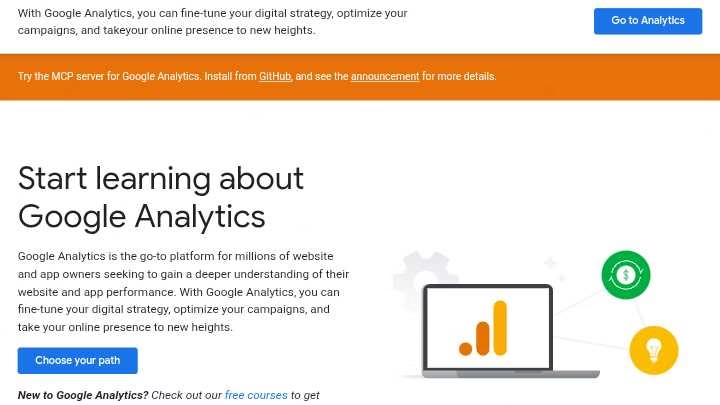
Google Analytics deserves a special place in my collection of popular SEO tools because it focuses on what happens after visitors land on your site.
Unlike pure SEO tools, Google Analytics tracks user behavior once they’ve already found you.
Google Analytics key features
At its core, Google Analytics helps me understand how visitors interact with my websites.
The platform uses machine learning models to analyze data and predict future actions like purchases.
The real-time monitoring shows visitor activity as it happens, helping me spot unusual traffic spikes immediately.
What I appreciate most is how it breaks down traffic sources, showing exactly how users discover my site through different paid and organic channels.
The Events Report provides detailed insights into specific user actions, while the Conversion Report demonstrates how marketing channels work together.
For more advanced analysis, the Explorations feature lets me drag and drop variables onto a canvas for instant data visualization. This helps me identify patterns I’d otherwise miss.
Google Analytics pros and cons
Pros:
- Free plan available for basic features
- Intuitive interface accessible to beginners
- Robust customization options for goals and events
- Seamless integration with other Google products
- Accurate tracking of website metrics
Cons:
- Focus on anonymous data limits user identification
- Data sampling issues for high-traffic sites
- Limited real-time reporting compared to paid alternatives
- Restricted customer support for free users
- Privacy compliance challenges in some regions
Google Analytics pricing
The standard Google Analytics 4 is completely free. This includes up to 10 million events tracked monthly before data sampling kicks in.
For enterprise needs, Google Analytics 360 starts around $50,000 annually, offering advanced features like higher limits (125 custom dimensions vs. 50 in the free version), unsampled data, and data retention for up to 50 months instead of 14 months.
Google Analytics best for
I’ve found Google Analytics most valuable for understanding audience behavior patterns and optimizing website performance.
It’s particularly suited for marketing teams needing to measure campaign effectiveness across channels.
Small business owners will benefit from the free version to track basic website metrics, while data-driven organizations requiring deeper insights should consider the 360 version.
Above all, it’s essential for anyone wanting to connect website performance directly to business outcomes.
5. Google Search Console
In my SEO toolkit, Google Search Console serves as the direct line of communication between my websites and Google.
This free SEO tool provides invaluable insights directly from the search engine itself, making it essential for anyone serious about search engine optimization.
Google Search Console key features
What makes Google Search Console stand out is its ability to show exactly how Google views your site.
I regularly use the Performance report to track search queries bringing visitors to my websites, including impressions, clicks, click-through rates, and average positions.
The tool also helps identify which queries come from mobile devices, improving my mobile targeting strategy.
Additionally, I’ve found the URL inspection tool extremely helpful for checking index status of individual pages and troubleshooting issues preventing them from appearing in search results.
The Page Indexing monitors indexing status and detects crawl errors that might affect rankings.
Google Search Console pros and cons
Pros:
- Completely free service from Google
- Provides data-driven insights about search performance
- Detects crawl errors for prompt resolution
- Offers sitemap submission for faster indexing
Cons:
- Data sometimes limited or delayed
- Lacks real-time analytics capabilities
- No competitor analysis features
- Interface can be complex for beginners
Google Search Console pricing
Undeniably the best part about Search Console is its price; it’s completely free.
Google offers this powerful tool at zero cost to help website owners improve their sites’ visibility.
Even the API access comes without charge, though it does have usage limits.
Google Search Console best for
I’ve found Google Search Console essential for website owners needing to monitor organic search performance.
It’s particularly valuable for identifying technical SEO issues before they impact rankings and for understanding which keywords actually drive traffic.
For marketers and SEO professionals, it helps track performance metrics and optimize search visibility through actionable insights. Site administrators benefit from monitoring server errors and security issues, whereas web developers can use it to validate structured data implementation.
6. Google Keyword Planner
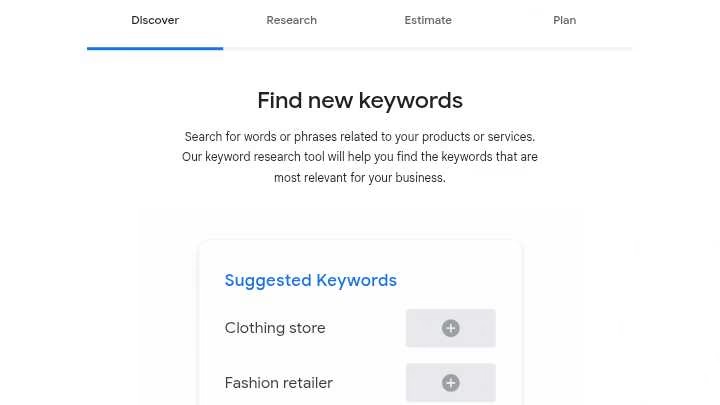
For basic keyword research that costs nothing, Google Keyword Planner remains my go-to resource in the world of popular SEO tools.
This free tool provides direct access to Google’s own search data, making it invaluable for both advertisers and SEO professionals alike.
Google Keyword Planner key features
Google Keyword Planner offers two primary functions that I use regularly: “Discover New Keywords” and “Get search volume and forecasts“.
The tool helps me find related keywords, understand monthly search volumes, and estimate potential costs for Google Ads campaigns.
Indeed, I can filter results by location, language, and search networks to tailor keyword suggestions to specific markets.
Additionally, it provides keyword grouping capabilities to organize terms into thematic clusters.
Google Keyword Planner pros and cons
Pros:
- Completely free with a Google Ads account
- Data comes directly from Google
- Excellent for discovering seasonal trends
- Helps identify high-volume, low-competition keywords
Cons:
- Shows broad search volume ranges rather than exact numbers for non-advertisers
- Combines keyword variants (plurals, singulars) in volume data
- Limited data history of only 12 months
- Primarily focused on commercial/advertising terms
Google Keyword Planner pricing
Obviously, the biggest advantage is that Google Keyword Planner is completely free to use.
You only need a Google Ads account to access it.
Generally, I recommend creating an account even if you don’t plan to run ads, as the tool provides valuable keyword data at no cost.
Google Keyword Planner best for
I’ve found this tool especially useful for keyword discovery and initial research before looking into more specialized SEO software.
It’s perfect for beginners, small businesses, and those with limited marketing budgets.
Specifically, it excels at identifying relevant keywords for content creation and understanding search trends over time.
7. Yoast SEO
With over 13 million active installations and 850 million downloads, Yoast SEO has become the backbone of WordPress on-page optimization in my testing of popular SEO tools.
This plugin simplifies the technical aspects of SEO while providing real-time content improvement suggestions.
Yoast SEO key features
Firstly, Yoast’s traffic light system provides instant feedback on your content’s SEO health with green, orange, and red indicators.
The readability analysis evaluates factors like sentence length, passive voice usage, and transition words to ensure your content is user-friendly.
I’ve found the Schema markup functionality particularly valuable – it automatically structures your data for search engines without requiring technical knowledge.
The plugin also generates XML sitemaps, manages canonical URLs, and offers social preview capabilities to control how your content appears on platforms like Facebook and X.
Yoast SEO pros and cons
Pros:
- Simplified technical SEO with automatic sitemaps and structured data
- Comprehensive free version with essential optimization features
- Real-time content analysis during writing
- Integration with Google Search Console
- Support for multiple languages (27 languages available)
Cons:
- Potential over-reliance on the plugin for SEO tasks
- Limited support for custom post types
- Can slow down website performance if hosting resources are limited
- Intrusive premium upgrade prompts in free version
- Sometimes overly focused on keyword density
Yoast SEO pricing
The standard version of Yoast SEO is completely free.
Yoast SEO Premium costs €118.80/USD 118.80/£118.80 per year and includes additional features like redirect management, internal linking suggestions, and multiple focus keyword optimization.
Yoast SEO best for
Throughout my testing, I’ve found Yoast SEO ideal for WordPress site owners seeking simplified on-page optimization.
It’s perfect for content creators who want real-time SEO guidance without technical expertise.
Small business owners benefit from its free version’s comprehensive capabilities, while bloggers appreciate its readability analysis for creating user-friendly content.
8. SE Ranking

SE Ranking entered my popular SEO tools collection as an all-in-one platform that balances powerful features with user-friendliness.
After testing numerous SEO software options, I found this suite particularly appealing for those seeking comprehensive functionality without overwhelming complexity.
SE Ranking key features
What makes SE Ranking stand out is its robust rank tracking capabilities that monitor keyword positions across Google, Bing, Yahoo, YouTube, and mobile search with impressive accuracy.
The Website Audit tool examines over 120 technical parameters to identify issues affecting your site’s performance.
Primarily, I value their backlink monitoring system that tracks up to 6000 links per project on the Essential plan.
The platform’s competitor research function analyzes up to 20 competitors per project on higher plans, revealing their organic and paid search strategies.
Subsequently, SE Ranking introduced AI tools that monitor your presence in AI-generated answers from ChatGPT, Google AI, and other platforms.
Their content optimization tools include an editor and AI writer that helps create SEO-friendly content based on top-ranking pages.
SE Ranking pros and cons
Pros:
- Excellent value for money compared to similar tools
- Comprehensive toolset covering all SEO aspects
- User-friendly interface with intuitive navigation
- Responsive customer support with fast resolution
Cons:
- Smaller backlink database than top competitors
- Learning curve for accessing advanced features
- Limited keywords in lower-tier plans
- AI writing functionality has word limitations
SE Ranking pricing
Based on SE Ranking’s official site, they offer three main plans:
- Essential: $52/month annually ($65/month monthly) – 500 keywords, 5 projects
- Pro: $95.20/month annually ($119/month monthly) – 2,000 keywords, 30 projects
- Business: $207.20/month annually ($259/month monthly) – 5,000 keywords, unlimited projects
Every plan includes a 14-day free trial without requiring credit card information.
SE Ranking best for
Throughout my testing, I found SE Ranking perfectly suited for freelancers and small agencies seeking affordable yet comprehensive SEO solutions.
Likewise, businesses managing multiple websites benefit from its project management capabilities.
Digital marketers focused on rank tracking will appreciate its accurate position monitoring across multiple search engines.
9. Screaming Frog
 Screaming Frog occupies the technical expert position among popular SEO tools, serving as my go-to desktop crawler for detailed website audits.
This powerful SEO Spider tool systematically crawls websites to uncover hidden technical issues affecting search performance.
Screaming Frog key features
The tool excels at finding broken links, errors, and redirects while thoroughly analyzing metadata.
Remarkably, it renders JavaScript pages to crawl dynamic websites built with frameworks like Angular and React.
Beyond basic crawling, it offers custom extraction capabilities to pull specific page elements using XPath or CSS selectors.
The visual site architecture feature helps evaluate internal linking structure through interactive diagrams.
Screaming Frog pros and cons
Pros:
- Comprehensive technical auditing with over 120 parameters
- Flexible crawl configuration options
- Integration with Google Analytics and Search Console
- Powerful custom search and extraction capabilities
Cons:
- Steeper learning curve for beginners
- Resource-intensive for large websites
- Limited to 500 URLs in the free version
- Desktop-based rather than cloud solution
Screaming Frog pricing
The free version allows crawling up to 500 URLs with basic functionality.
The paid license costs £199 per year (approximately $230) for unlimited crawling and advanced features.
Bulk discounts start at 5+ licenses, reducing to £189 per license annually.
Screaming Frog best for
Primarily useful for technical SEO specialists handling website migrations or large-scale audits.
Whenever I need to identify duplicate content, analyze redirect chains, or generate XML sitemaps, this tool delivers unmatched precision.
10. AlsoAsked
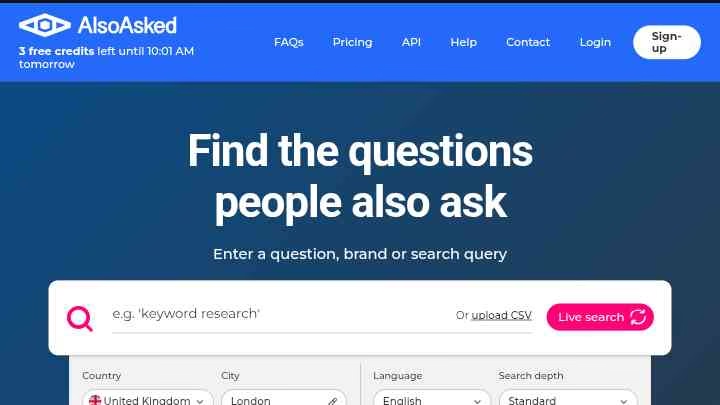
When researching user questions became my priority, I discovered AlsoAsked among the collection of popular SEO tools.
This unique tool specializes in visualizing real questions people ask on Google, offering valuable insights for content planning and keyword research.
AlsoAsked key features
AlsoAsked extracts data directly from Google’s “People Also Ask” feature, transforming it into interactive visual maps.
The tool creates colorful, branching mind maps showing how questions relate to each other, making topic clustering intuitive.
I type in a phrase and within seconds see an interactive web of actual user queries organized in color-coded clusters.
The interface remains clean and welcoming for both beginners and professionals, with a prominent search bar and helpful tooltips.
AlsoAsked also supports multiple languages and regions, making it valuable for global SEO campaigns.
Exporting options include PNG images, CSV files, and SVG formats, although CSV exports require paid plans.
The deep search function surfaces approximately 150 real user questions per query.
AlsoAsked pros and cons
Pros:
- Instant visual clarity with colorful, interactive question maps
- Pulls data directly from what people actually ask on Google
- Supports multiple languages and geographical targeting
- Exports available in various formats for team collaboration
- Flexible pricing plans for different needs and budgets
Cons:
- Free plan limits the number of keyword searches
- High-volume queries can be slow to process
- No direct integration with workflow or project management tools
- Only sources data from Google’s ‘People Also Ask’ feature
AlsoAsked pricing
AlsoAsked offers a free option with 3 searches per day without registration. Paid plans include:
- Basic: $12/month – 100 credits, unlimited users, all regions/languages, PNG exports, 24-hour search history
- Lite: $23/month – 300 credits, unlimited users, PNG+CSV exports, 1-month search history, deep search
- Pro: $47/month – 1,000 credits, unlimited users, 1-year search history, bulk search support, API access
AlsoAsked best for
Yet my experience shows AlsoAsked excels for SEO professionals seeking to understand search intent and develop topic clusters.
Content creators benefit from discovering untapped questions for idea generation.
Marketing teams use it to spot content gaps in published material.
Furthermore, bloggers and SEO consultants find it invaluable for content ideation based on real user questions.
11. AnswerThePublic
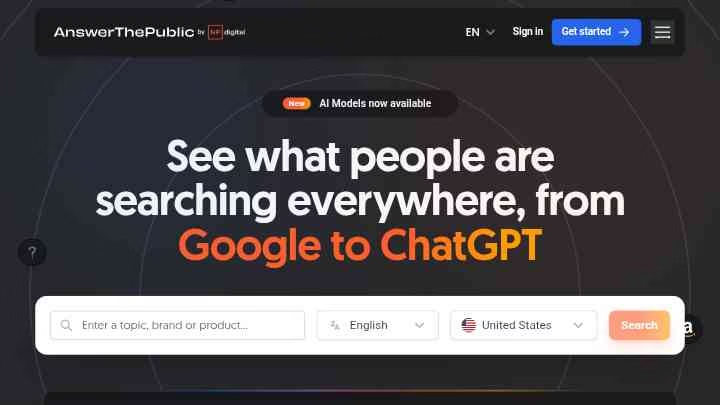
In the vast ocean of popular SEO tools, AnswerThePublic functions as my specialized search listening companion.
This unique tool visualizes exactly what questions people ask online, offering unparalleled insight into the customer journey.
AnswerThePublic key features
Initially, what attracted me to AnswerThePublic was its ability to transform Google and Bing autocomplete data into vivid visual wheels of questions, prepositions, and comparisons.
The tool has expanded beyond Google to include YouTube, Amazon, TikTok, and Instagram search data.
Each search yields comprehensive question clusters organized by who, what, where, when, why, and how – essentially creating instant content roadmaps.
For content strategy, AnswerThePublic provides CPC data and search volume metrics for each keyword, helping prioritize topics by potential impact.
Practically speaking, I can export these visualizations as high-resolution images or CSV files for team collaboration.
AnswerThePublic pros and cons
Pros:
- Visual keyword maps provide immediate topic clarity
- Data comes directly from real user searches
- Supports multiple languages and geographical targeting
- Quick insights without technical expertise
Cons:
- Free version limited to only 3 searches per day
- No competitor analysis capabilities
- Processing high-volume queries can be slow
- Limited to “People Also Ask” data only
AnswerThePublic pricing
The free version offers 3 daily searches with basic features. Paid plans include:
- Individual: $11/month or $199/lifetime
- Pro: $99/month or $990/lifetime
- Expert: $199/month or $199,000/lifetime
Each plan progressively unlocks more features – from unlimited searches to priority support.
AnswerThePublic best for
Currently, I find AnswerThePublic invaluable for content strategists developing topic clusters based on real audience questions.
Small businesses benefit from discovering untapped content opportunities without complex keyword research.
In relation to my workflow, it serves as an excellent starting point before moving to more comprehensive SEO tools.
12. Google Trends

Google Trends stands as my favorite free data visualization tool among popular SEO tools, offering unique insights into what the world is searching for in near real-time.
Google Trends key features
Google Trends transforms search data into interactive graphs that display popularity on a scale from 0-100, where 100 represents peak popularity.
In particular, I value how it analyzes a sample of Google searches across multiple platforms including Google Search, News, Images, Shopping, and YouTube.
The tool provides data stretching back to 2004, allowing for extensive historical trend analysis.
One feature I frequently use is the ability to compare up to five search terms simultaneously, making competitive keyword analysis straightforward.
The tool also excels at showing geographical interest breakdown by country, region, city, or metro area.
Google Trends pros and cons
Pros:
- Completely free access to arguably the most interesting dataset of our lifetimes
- Real-time insights that detect emerging trends before they appear in other tools
- Massive dataset from billions of daily Google users making over 8.5 billion searches daily
- Minimal regional bias as Google dominates search globally (except Russia, China, Korea)
Cons:
- Shows relative search interest only, not absolute search volumes
- Data sampling can lead to inconsistencies for niche topics
- Potential ambiguity with search terms that have multiple meanings
- Limited trend discovery for unknown emerging topics
Google Trends pricing
The entire Google Trends platform is completely free to use.
For developers needing programmatic access, the Google Trends API offers two pricing options:
- Standard Queue at $0.00 per task ($450 per million keywords)
- Live Mode at $0.01 per task ($180 per million keywords).
Google Trends best for
I’ve found Google Trends primarily valuable for identifying seasonal patterns in search behavior and discovering emerging topics before they become mainstream.
Marketing teams use it effectively for campaign timing based on historical interest peaks.
Product research benefits from its ability to validate demand trends over multiple years.
13. Ubersuggest
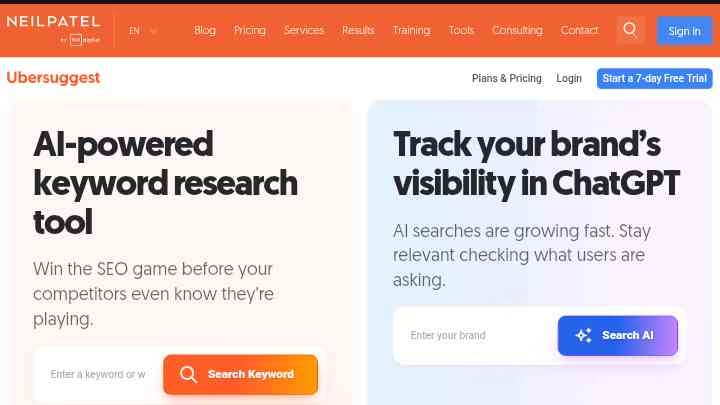
In the realm of affordable popular SEO tools, Ubersuggest presents an enticing option designed by marketing expert Neil Patel.
Originally purchased for $120,000 in 2017, this platform has evolved into an all-in-one SEO solution that balances functionality with user-friendliness.
Ubersuggest key features
The Dashboard functions as your SEO control center, allowing you to track website rankings across multiple locations while monitoring traffic performance.
What I find most valuable is the AI Search Visibility feature that reveals how your brand appears in large language models like ChatGPT. This goes beyond traditional metrics by showing your brand’s visibility percentage in AI responses.
The Site Audit tool scans for SEO errors and usability problems, providing an overall SEO Health Score with prioritized issues.
I’ve utilized the Rank Tracking report extensively to monitor keyword positions over time, which helps visualize ranking evolution by country and language.
For competitor research, Ubersuggest excels at identifying top-ranking competitors, viewing their profitable keywords, and analyzing their backlink profiles.
Furthermore, the Chrome extension integrates directly into search results, displaying SEO data on any page you visit.
Ubersuggest pros and cons
Pros:
- Free plan available with basic features
- Intuitive interface ideal for beginners
- AI Writer generates content in 63 languages
- Traffic analyzer shows competitors’ top-performing pages
- Chrome extension provides instant insights
Cons:
- Limited keyword research database compared to premium alternatives
- Less comprehensive backlink analysis than specialized tools
- Restricted content research insights
- Data sampling on higher-traffic sites
- Keyword research limits except for site audit
Ubersuggest pricing
Ubersuggest offers three main plans:
- Individual: $12/month monthly ($120 lifetime) – 1 user, 1 domain, 150 daily searches
- Business: $20/month monthly ($200 lifetime) – 2 users, 7 domains, 300 daily searches
- Enterprise: $40/month monthly ($400 lifetime) – 5 users, 15 domains, 900 daily searches
Importantly, all paid plans include access to AI Writer 2.0 with 10,000 monthly words.
Ubersuggest best for
Overall, I’ve found Ubersuggest perfect for beginners or small businesses with limited budgets seeking a comprehensive SEO solution.
The lifetime pricing makes it exceptionally cost-effective for long-term use.
Meanwhile, content creators benefit from the AI Writer feature that generates high-quality content in multiple languages.
Finally, it’s well-suited for digital marketers needing quick competitor insights without the steep learning curve of more complex tools.
14. Moz
Moz pioneered many SEO practices we now take for granted, solidifying its position as an industry cornerstone among popular SEO tools.
From their Domain Authority metric to comprehensive crawling capabilities, I’ve found their tools particularly valuable for foundational SEO work.
Moz key features
At its core, Moz Pro offers a complete SEO toolkit with several standout capabilities. Their Site Crawler automatically checks every page weekly, sending alerts about issues prioritized by impact level using metrics like page authority.
Moz’s metrics have become industry standards even among marketers using other tools. The Link Explorer tool has replaced their older Open Site Explorer with a much larger link index totaling 35.5 trillion links.
Currently, Moz AI powers new content briefs that help structure content better and target high-performing keywords.
Moz pros and cons
Pros:
- Complete, beginner-friendly SEO toolset
- Industry-standard metrics like Domain Authority that predict ranking power
- Strong educational resources including MozCon events and certifications
- MozBar Chrome extension provides on-the-go SEO insights
Cons:
- Backlink database not as robust as Ahrefs or SEMrush
- Sometimes logs out after switching off the PC
- SERP analysis data occasionally less accurate than leading competitors
- Higher pricing compared to some alternatives
Moz pricing
Moz Pro offers tiered pricing based on needs.
The Standard plan starts at $99/month with limited features.
The Medium plan ($179/month billed annually) provides 10 user seats, 5,000 keyword reports monthly, plus branded reports.
The Large plan ($199/month annually) increases limits to 25 campaigns, 25 seats, and 1,900 keyword rankings.
For enterprise needs, the Premium plan ($479/month annually) supports up to 100 campaigns and 7,500 keyword rankings.
Moz best for
Based on my testing, Moz works exceptionally well for SEO beginners needing a user-friendly platform with educational resources.
The interface simplifies technical SEO aspects while providing actionable recommendations.
Furthermore, it’s ideal for marketing teams requiring comprehensive reporting capabilities with drag-and-drop customization.
Smaller businesses benefit from the medium plan’s balance of features and affordability.
15. ChatGPT

Unlike dedicated SEO platforms, ChatGPT has emerged as my versatile AI companion for streamlining countless SEO tasks.
This large language model from OpenAI has rapidly become an essential productivity booster in my SEO workflow.
ChatGPT key features
ChatGPT excels at semantic clustering, promptly organizing keywords with similar themes into logical categories.
Remarkably, its predictive model can estimate what FAQs people might ask about a topic, tremendously helpful for content planning.
For keyword research, I’ve found it offers free keyword ideas around virtually any topic.
Currently, ChatGPT functions as both a research assistant and a productivity tool.
When I need technical SEO help, it effortlessly generates action plans and organizes technical checklists for site optimization.
Beyond content creation, it analyzes data sets effectively. I’ve used it to process SERP data across multiple keywords to investigate ranking factors.
ChatGPT pros and cons
Pros:
- Accelerates SEO workflows significantly
- Generates content outlines and briefs rapidly
- Provides free keyword clustering capabilities
- Helps with technical SEO checklist creation
- Accessible 24/7 for immediate assistance
Cons:
- Occasionally hallucinates facts with conviction
- Limited to data before September 2021
- Cannot add unique, original insights
- Output quality heavily dependent on prompt quality
- Potential over-reliance reducing critical thinking skills
ChatGPT pricing
The free version provides basic access with limited features.
ChatGPT Plus costs $20.00 monthly, offering faster responses and priority access during peak times.
For teams, ChatGPT Team ranges from $25.00-$30.00 per user monthly depending on billing cycle.
ChatGPT Pro runs $200.00 monthly with advanced capabilities.
Enterprise plans feature custom pricing with enhanced security and support.
ChatGPT best for
From personal experience, ChatGPT works wonderfully as a junior strategist rather than a content mill.
It’s ideal for SEO professionals needing to accelerate workflow processes or looking to generate initial content drafts.
Content creators benefit from its ability to suggest outlines, create briefs, and brainstorm topic ideas.
Digital marketers handling technical SEO tasks can use it to develop implementation checklists and troubleshoot issues quickly.
16. SpyFu
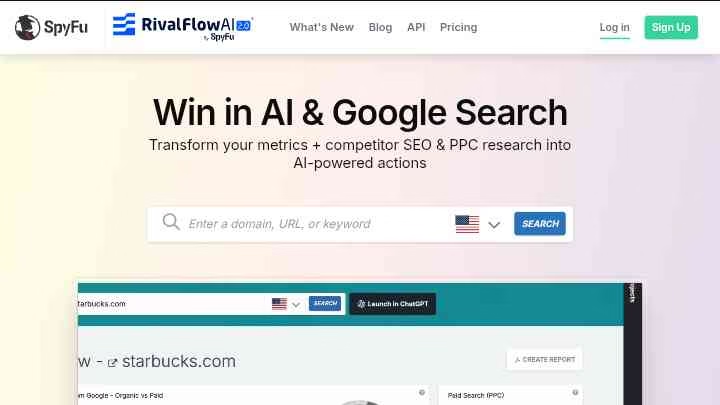
In my exploration of popular SEO tools, SpyFu has earned its place as my go-to platform for competitive intelligence.
This specialized tool lets me peek behind the curtain of competitors’ search marketing strategies for both SEO and PPC campaigns.
SpyFu key features
SpyFu’s most powerful feature is undoubtedly its Kombat tool, which compares keywords I rank for against my competitors.
I can view competitors’ most clicked pages from search results and analyze their complete ad history.
Besides tracking organic rankings, SpyFu excels at uncovering competitors’ paid keywords and ad groups.
Most importantly, the platform stores over 15 years of historical data, allowing me to spot long-term trends in competitor strategies.
SpyFu pros and cons
Pros:
- Affordable pricing compared to similar tools
- Unlimited searches even on basic plans
- Exceptional competitor analysis depth
- Effective for both SEO and PPC research
Cons:
- No site audit functionality
- Data primarily limited to US and UK markets
- Interface can overwhelm SEO beginners
- Some features have steep learning curves
SpyFu pricing
SpyFu offers three pricing options. The Free plan provides unlimited searches with 10 search results per query.
The Basic plan costs $39/month monthly or $33/month annually, including 10,000 row search results and 5,000 weekly tracked keywords.
For more demanding needs, the Professional plan runs $79/month monthly or $58/month annually with unlimited search results and 15,000 weekly tracked keywords.
SpyFu best for
From my testing, SpyFu works exceptionally well for digital marketers focusing on competitor research.
Small-to-medium businesses benefit from its affordable plans and comprehensive competitor insights.
PPC specialists find tremendous value in analyzing competitors’ ad strategies and budgets.
However, larger enterprises might need additional tools to complement SpyFu’s capabilities, particularly for technical SEO work.
17. Keywords Everywhere
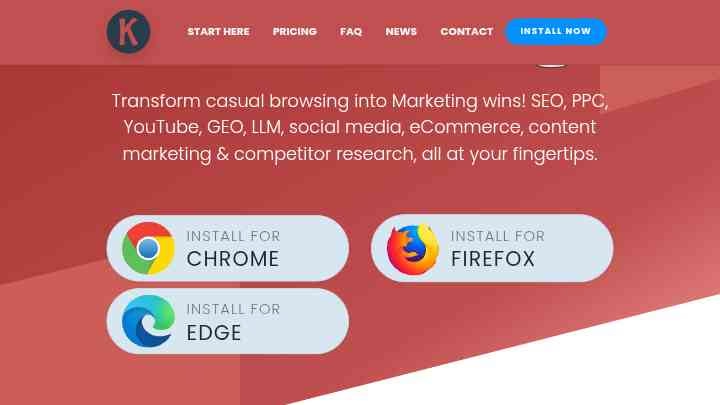
As a freemium browser extension for Chrome, Firefox, and Edge, Keywords Everywhere displays vital keyword metrics directly alongside search results.
Throughout my testing of popular SEO tools, I’ve appreciated how this extension seamlessly integrates into my browsing experience.
Keywords Everywhere key features
Keywords Everywhere displays search volume, CPC, and competition data right inside Google searches and across 15+ websites including YouTube, Amazon, and eBay.
The free version offers multiple features like Website Traffic Metrics, Moz Link Metrics, and SEO Metrics.
Certainly, what makes it stand out is its ability to show related keywords, “People Also Search For” suggestions, and long-tail keywords as you search.
Recently, the tool introduced AI features like ChatGPT integration with 200+ optimized prompt templates and the ability to see hidden ChatGPT Fanout Queries.
For local SEO, it provides business categories and behind-the-scenes data like Knowledge Graph IDs and Place IDs.
Keywords Everywhere pros and cons
Pros:
- Shows keyword data directly in search results without platform switching
- Works across multiple platforms (Google, YouTube, Amazon, eBay, Etsy)
- Offers valuable free features even without paid credits
- Integration with multiple AI platforms including ChatGPT
Cons:
- Credits expire after one year from purchase date
- Easy to accidentally use credits when browsing normally
- Limited keyword data on the free plan
- Interface can get cluttered with too many metrics
Keywords Everywhere pricing
Keywords Everywhere offers four annual subscription plans:
- Bronze: $84/year (100,000 credits/year) – 1 user seat
- Silver: $168/year (400,000 credits/year) – 3 user seats
- Gold: $480/year (2 million credits/year) – 10 user seats
- Platinum: $1,440/year (8 million credits/year) – 20 user seats
Each credit provides volume, CPC, competition, and trend data for one keyword. Straightaway turning off the extension when not in use helps preserve credits.
Keywords Everywhere best for
From my testing, Keywords Everywhere works exceptionally well for SEO beginners who want instant keyword insights without complex interfaces.
Small business owners benefit from the free version’s comprehensive capabilities.
Content creators appreciate seeing keyword opportunities during normal browsing sessions rather than switching to dedicated research tools.
Comparison Table for 17 Popular SEO Tools for 2026
Tool Name | StartingPrice | Key Features | Best For | Notable Pros | Notable Cons |
| Surfer SEO | $79/month (annual) | – Real-time optimization feedback – Content Editor with 500+ ranking metrics – SERP Analyzer – AI Tracker | Content writers and SEO professionals | – Data-driven approach – Intuitive interface – Strong WordPress integration | – Expensive for small businesses – Limited keyword research – Usage caps on plans |
| Ahrefs | $29/month | – Massive backlink database – Site Explorer – Content Gap tool – 7.8B keyword database | SEO professionals managing multiple websites | – Unmatched backlink data quality – User-friendly interface – Unlimited verified domains | – Credit-based pricing restrictions – No free trial – Limited PPC features |
| Semrush | $139.95/month | – 21B keyword database – Traffic & Market toolkit – Keyword Gap tool – AI Visibility tools | Agencies managing multiple clients | – Enormous databases – Comprehensive toolkit – Generous usage allowances | – Traffic analytics accuracy issues – Cluttered interface – Steeper learning curve |
| Google Analytics | Free | – Real-time monitoring – Traffic source analysis – Events tracking – Conversion reporting | Understanding audience behavior patterns | – Free basic features – Intuitive interface – Robust customization | – Limited user identification – Data sampling issues – Limited real-time reporting |
| Google Search Console | Free | – Performance reporting – URL inspection tool – Coverage monitoring – Sitemap management | Website owners monitoring organic search | – Free service – Direct Google insights – Crawl error detection | – Limited/delayed data – No real-time analytics – No competitor analysis |
| Google Keyword Planner | Free | – Keyword discovery – Search volume data – Forecast estimates – Location filtering | Beginners and small businesses | – Free with Google Ads – Direct Google data – Seasonal trend insights | – Broad search volumes – Combined keyword variants – Limited data history |
| Yoast SEO | Free (Premium: $118.80/year) | – Traffic light system – Readability analysis – Schema markup – XML sitemaps | WordPress site owners | – Simplified technical SEO – Comprehensive free version – Real-time analysis | – Over-reliance risk – Limited custom post types – Can slow website |
| SE Ranking | $52/month (annual) | – Rank tracking – Website audit – Backlink monitoring – AI tools | Freelancers and small agencies | – Good value for money – Comprehensive toolset – User-friendly interface | – Smaller backlink database – Learning curve – Limited keywords in lower tiers |
| Screaming Frog | Free (£199/year paid) | – Technical site auditing – JavaScript rendering – Custom extraction – Visual site architecture | Technical SEO specialists | – Comprehensive auditing – Flexible configuration – Integration capabilities | – Steep learning curve – Resource-intensive – Limited free version |
| AlsoAsked | Free (Basic: $12/month) | – Visual question maps – Deep search function – Multiple export formats – Multi-language support | SEO professionals seeking search intent | – Visual clarity – Real user questions – Multiple language support | – Limited free searches – Slow processing – No direct integrations |
| AnswerThePublic | Free ($11/month paid) | – Visual search wheels – Multi-platform data – CPC data – Search volume metrics | Content strategists | – Visual keyword maps – Real user search data – Multiple language support | – 3 daily free searches – Slow query processing – Limited to specific data |
| Google Trends | Free | – Real-time search data – Multi-platform analysis – Historical data since 2004 – Geographic breakdown | Marketing teams and trend analysis | – Free access – Real-time insights – Global data coverage | – Relative data only – Data sampling issues – Term ambiguity |
| Ubersuggest | $12/month | – AI Search Visibility – Site Audit tool – Rank tracking – Chrome extension | Beginners and small businesses | – Free plan available – Intuitive interface – Multi-language AI writer | – Limited keyword database – Basic backlink analysis – Restricted content research |
| Moz | $99/month | – Site Crawler – Link Explorer – Domain Authority metrics – Moz AI content briefs | SEO beginners needing education | – Complete toolset – Industry-standard metrics – Strong educational resources | – Smaller backlink database – Login persistence issues – Less accurate SERP analysis |
| ChatGPT | Free ($20/month Plus) | – Semantic clustering – FAQ prediction – Technical SEO planning – Data analysis | SEO workflow acceleration | – Fast workflow assistance – 24/7 availability – Multiple use cases | – Potential hallucinations – Limited recent data – No original insights |
| SpyFu | Free ($39/month Basic) | – Kombat comparison tool – Ad history tracking – 15+ years historical data – Competitor analysis | Digital marketers focusing on competition | – Affordable pricing – Unlimited searches – Deep competitor analysis | – No site audit tools – Limited market coverage – Complex interface |
| Keywords Everywhere | $84/year | – Browser extension – Multi-platform support – AI integration – Local SEO data | SEO beginners wanting instant insights | – Direct search integration – Multi-platform support – Free features available | – Credit expiration – Accidental credit use – Limited free data |
Final Thoughts On Popular SEO Tools for 2026
Finding the right SEO tools can feel overwhelming with so many options available. After testing these 17 popular SEO tools extensively, I’ve learned that each serves different purposes depending on your specific needs.
Therefore, matching the tool to your situation matters more than chasing the “best” overall platform.
Undoubtedly, comprehensive tools like Semrush and Ahrefs work well for agencies and larger businesses needing all-in-one solutions.
However, specialized tools like Surfer SEO excel for content optimization while Screaming Frog remains unmatched for technical site audits.
Free options such as Google Search Console and Analytics provide essential data directly from Google without cost barriers.
The SEO market has shifted dramatically with AI tools taking more prominence.
ChatGPT helps streamline workflows while tools like Surfer and Semrush now offer AI visibility tracking to monitor how your brand appears in AI search results. This trend will likely continue growing through 2026 and beyond.
Budget constraints? Tools like Ubersuggest and Keywords Everywhere offer affordable alternatives with respectable functionality.
Small business owners might actually benefit more from these targeted solutions rather than paying for enterprise features they’ll never use.
Throughout my career optimizing sites both large and small, I’ve found that most successful SEO professionals use multiple tools together rather than relying on just one.
For instance, I pair Google Search Console data with Ahrefs for competitor research, then use Surfer SEO for content optimization, creating a powerful stack that covers all bases.
What matters most isn’t how many tools you use but whether they deliver actionable insights for your specific goals.
Start with fundamentals like keyword research and technical auditing, then add specialized tools as your needs evolve.
Finally, remember that even the best SEO tools require human judgment – they inform your strategy but shouldn’t dictate it entirely.
Frequently Asked Questions About Popular SEO Tools for 2026
1. Is SEO still relevant in 2026?
Yes, SEO remains highly relevant in 2026. While search engines and user behavior continue to evolve, optimizing for organic search visibility is still crucial for driving traffic and business growth. The focus has shifted towards user intent, content quality, and technical performance, with AI playing an increasingly important role in search algorithms.
2. Which SEO tool offers the best value for small businesses?
For small businesses, Ubersuggest provides excellent value. It offers a user-friendly interface, essential SEO features like keyword research and site audits, and an AI writer – all at an affordable price point. The free plan also provides useful functionality for those just starting out with SEO.
3. How important are AI-focused SEO tools in 2026?
AI-focused SEO tools have become increasingly important in 2026. Many platforms now offer AI visibility tracking to monitor brand presence in AI-generated search results. Tools like Surfer SEO and Semrush have integrated AI capabilities to help optimize content and track performance in evolving search landscapes.
4. Can free SEO tools provide enough functionality for effective optimization?
Yes, free SEO tools can provide significant functionality for effective optimization, especially for beginners and small businesses. Google’s suite of free tools (Search Console, Analytics, and Keyword Planner) offers essential data directly from the source. Combining these with free versions of other tools can create a powerful SEO toolkit without any cost.
5. How often should I update my SEO toolset?
It’s advisable to review and potentially update your SEO toolset annually. The SEO landscape evolves rapidly, with new features and tools emerging regularly. Stay informed about industry trends and periodically assess whether your current tools meet your evolving needs. However, consistency in data tracking is also important, so avoid changing core tools too frequently.

His in-depth reviews have been featured on Hubpages, Vocal.Media and Hackernoon, where he helps businesses and content creators choose affordable, high-performing solutions for SEO, lead generation, and growth.
Aboah’s analyses emphasize accuracy, usability, and ROI, making his insights trusted by small business owners, marketers, and professionals looking to scale their online presence with data-driven strategies.
- White Label SEO Report 2026: Templates, Examples + Best Tools - December 25, 2025
- Best White Label SEO Tools for Agencies in 2026: Boost Branding & Client Trust - December 16, 2025
- 20 Etsy SEO Tools That Doubled My Clients’ Shop Sales (Seller‑Tested) - December 8, 2025