

Key Takeaways About Youmind
In this YouMind review, it scores 8.2/10 as an AI creation studio that genuinely solves research fatigue and content overload. After 30 days of daily use, I found it particularly valuable for knowledge workers, bloggers, and students who struggle with organizing the endless stream of knowledge channels we face daily.
| What I Loved | What Needs Work |
|---|---|
| Seamless research-to-writing workflow | Mobile app is only available on iOS |
| Multi-AI model integration (OpenAI, Anthropic, Google, DeepSeek) | Occasional AI hallucinations |
| Clean, distraction-free interface | Limited template library |
| Excellent mind mapping automation | Learning curve for advanced features |
| Browser extension saves hours |
- Best For: Content creators, knowledge workers, researchers, students, marketers
- Pricing: Free, $20/month for (Pro) and $100/month for (Max)
- Rating: ⭐⭐⭐⭐ (8.2/10)
What Is YouMind?
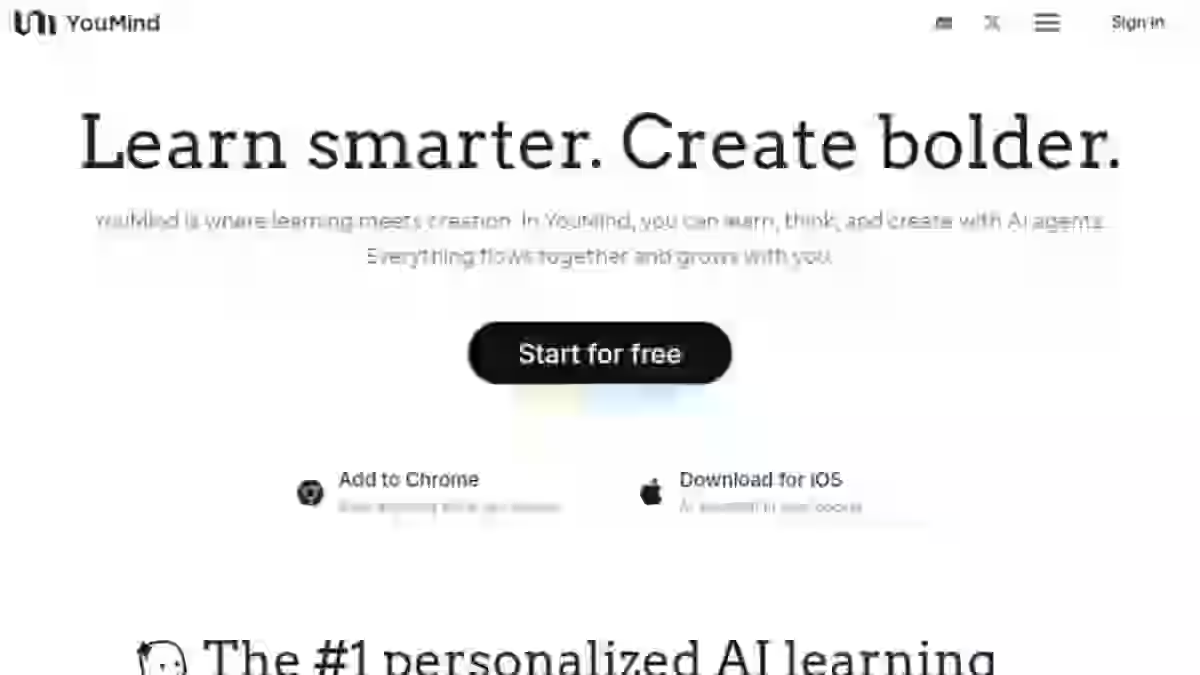
YouMind is an AI-powered creation studio that combines research, content organization, and writing into one integrated creation environment.
Youmind uses the IPO model (Input-Process-Output) to help users transform raw information from articles, videos, and podcasts into polished content – eliminating the chaos of switching different tool combinations for the entire process of content creation.
Unlike a basic mind studio focused only on visualization, YouMind delivers AI-powered productivity through its comprehensive approach.
Think of Youmind as a second brain tool that actually understands how you learn and create.
Why I Tested YouMind (And Why You Should Care)
Here’s the current situation most content creators face: You have 47 browser tabs open. Your notes are scattered across Notion, Google Docs, and random text files. That YouTube video with the perfect quote? Good luck finding it again.
This is the significant challenge of the age of AI. Despite the rise of AI tools promising to revolutionize productivity, most of us are drowning in more information than ever before. I felt this pain acutely.
As a content creator producing blog posts, reviews, and guides weekly, I was spending more time organizing research than actually creating content. The learning process had become exhausting rather than energizing.
Then I discovered YouMind AI. After seeing claims that it could serve as both a research assistant and AI writer in one platform, I committed to a full 30-day test. No shortcuts. No surface-level review.
In this YouMind review, I’ll share everything I learned: the features that genuinely transformed my creative workflow, the limitations that frustrated me, and whether this tool can replace the different tool combinations you’re currently using.
Let’s begin.
What Is YouMind AI and Why It Matters in 2026
Before we explore Youmind AI features, it’s essential to understand YouMind’s core idea: the platform operates on what I call the foundational framework of “collection serves creation.”
Unlike traditional knowledge management tools that treat saving information as the end point of learning, YouMind treats it as just the beginning.
The platform implements the IPO model – Input, Process, Output:
| Stage | What Happens | Your Role |
|---|---|---|
| Input | Collect raw information from web, videos, podcasts, PDFs | Save content via browser extension |
| Process | AI analyzes, organizes, and connects information | Review AI summaries and insights |
| Output | Transform processed knowledge into finished content | Create with AI assistance |
This basic framework addresses a key issue with current AI tools: they focus on either input (saving) OR output (writing), but rarely bridge the gap effectively. The platform helps you identify the best input sources that align with your output goals.
YouMind’s core operation is bridging that gap through what they call an Integrated Creation Environment (ICE).
The Feynman Learning Method Integration
One aspect that sets YouMind apart is its integration of the Feynman Learning Method.
If you’re unfamiliar, Richard Feynman’s approach to learning involves four steps:
- Study a new topic
- Teach it to someone else (or write about it)
- Identify gaps in your explanation
- Simplify and refine
YouMind builds this methodology into its core model. The platform encourages you to use output goals – the content you’re creating to drive better input collection. This creates a good framework for systematic knowledge building.
In my testing, this philosophy actually changed my approach to research.
Instead of aimlessly saving articles “for later,” I started each project with a clear ultimate goal: what piece of content am I creating? This shifted my collection habits from hoarding to purposeful curation.
Who Is YouMind Built For?
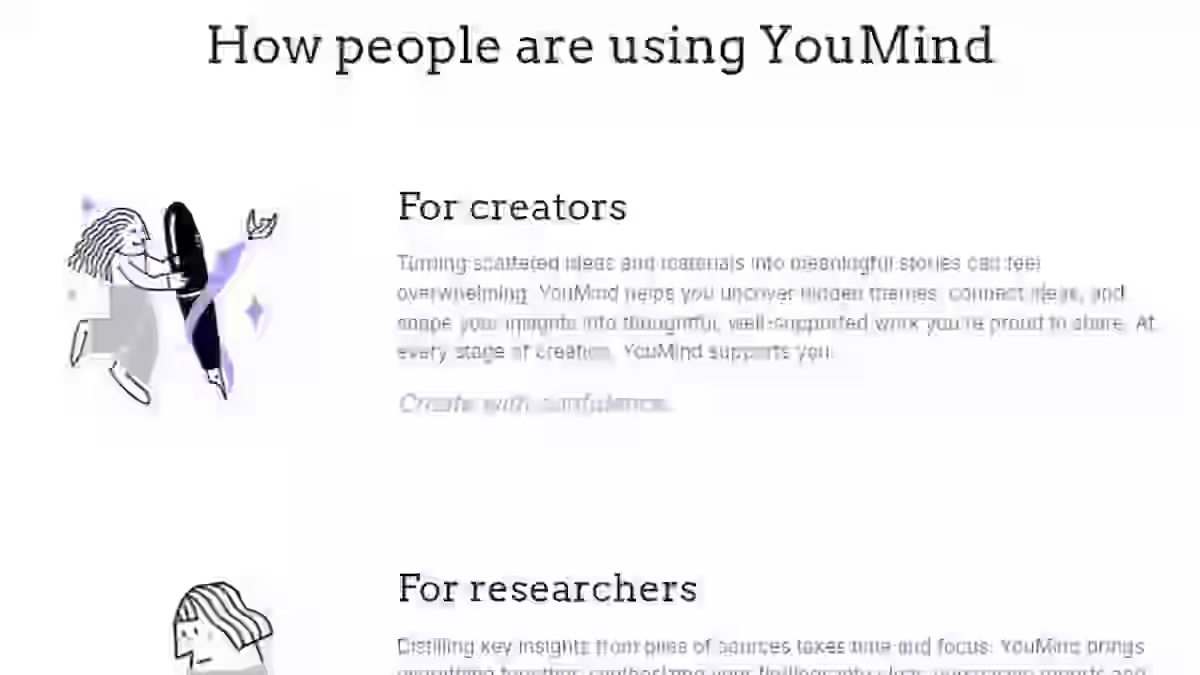
Primary Users: Knowledge Workers and Content Creators
YouMind is specifically designed for knowledge workers – people whose jobs involve processing, analyzing, and producing information:
Ideal Users:
- Bloggers writing regular blog posts and articles
- Content marketers managing creative projects across campaigns
- Students conducting academic writing and research
- Researchers performing multimedia research across sources
- Entrepreneurs developing strategies and business content
- Podcasters organizing episode research and show notes
- YouTubers scripting and researching video content
Why Traditional AI Tools Fall Short
Here’s the problem with the current situation for most knowledge workers:
We’re using different AI tool combinations that don’t talk to each other:
- Notion for notes
- Pocket for saving articles
- YouTube for video research
- ChatGPT for writing
- Miro for mind mapping
Each tool serves one function, but the friction between them kills productivity.
In my experience, I was losing 2-3 hours weekly just moving information between platforms. YouMind’s collaborative workspace approach eliminates this friction by housing everything in one native learning space.
YouMind Features: My 30-Day Test
After spending 30 days testing every feature, here’s my honest breakdown of what works, what doesn’t, and what surprised me.
1. AI-Powered Research Assistant
What It Does: Generates summaries, extracts key points, and analyzes content from any source you save.
My Testing Experience:
During my first week, I used the research assistant to analyze 47 articles about AI productivity tools. What would have taken 8-10 hours of manual reading took under 2 hours.
The assistant excels at:
- Extracting main arguments from long-form content
- Identifying contradictions between sources
- Generating question-answer pairs for deeper understanding
Contrary to popular belief, the AI doesn’t just regurgitate text. It performs genuine AI synthesis – connecting ideas across multiple sources and identifying patterns I might have missed. Rather than fragments, you get a complete answer synthesized from all your saved materials.
Limitation: With highly technical content (I tested with some machine learning papers), accuracy dropped. I’d estimate 85% accuracy for general content, 70% for specialized technical material.
Pro Tip: Provide context about your output goal when prompting the assistant. Saying “I’m writing a beginner’s guide” produces different (and better-targeted) summaries than just asking for “key points.”
2. Project Boards for Content Organization
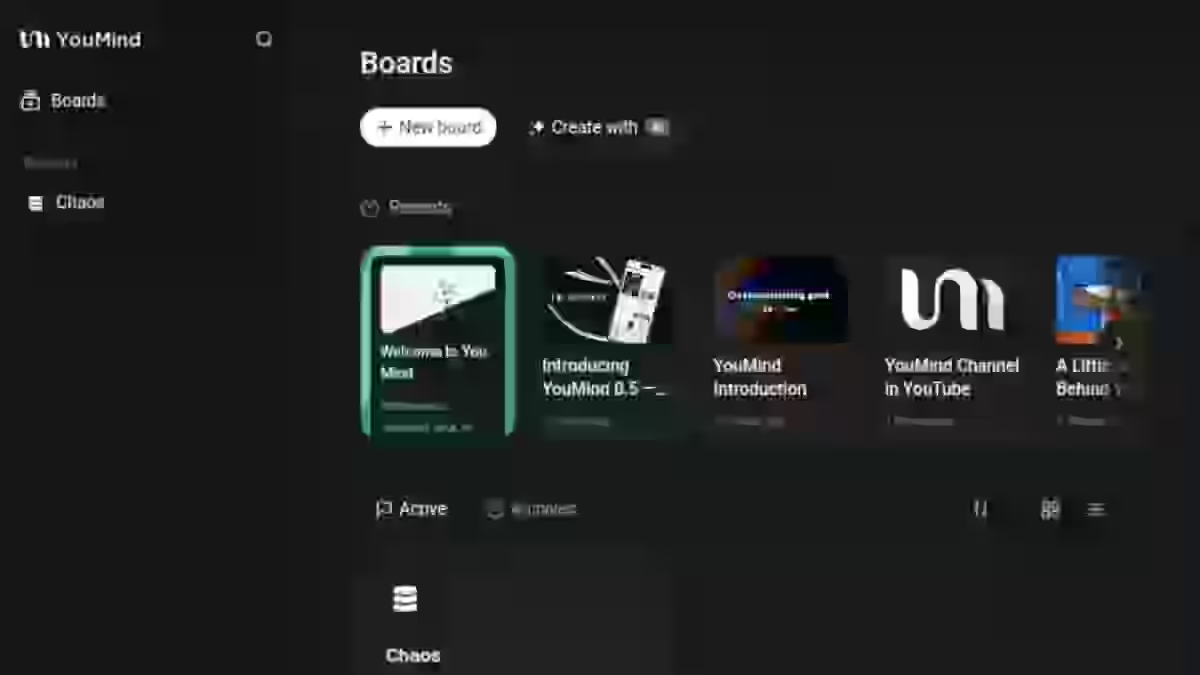
What It Does: Visual workspace to organize all research materials, notes, and drafts for individual projects.
My Testing Experience:
This feature transformed my research process. Previously, I’d have research scattered across:
- 15+ browser bookmarks
- 3-4 Notion pages
- Random screenshots on my desktop
With YouMind’s project boards, everything lives in one place.
What I Loved:
- New board creation takes seconds
- Drag-and-drop organization
- Visual connections between related materials
- Real-time syncing across devices (desktop)
In my testing, I created 12 separate boards for different content projects. The ability to see all my sources visually rather than in a linear list – helped me identify gaps in my research that I would have otherwise missed.
This addresses what I consider the key issue with most knowledge management systems: they’re designed for storage, not active creation.
3. Integrated AI Writing Assistant
What It Does: Helps draft, refine, and complete content using multiple AI models.
My Testing Experience:
The writing assistant works seamlessly with your collected research – no copy-pasting between tools.
Key Capabilities:
- Reference saved materials directly in prompts
- Generate blog posts, outlines, and drafts
- Multiple AI models (I’ll cover this in detail below)
- Custom prompt templates
- Style matching suggestions
I found that the writing assistant performs best when you’ve already populated your project board with research. The AI uses your saved content as context, producing more accurate and relevant content generation. The AI-powered writing capabilities eliminate repetitive processes like reformatting notes and manual outlining.
Honest Assessment: Will it replace a skilled human writer? No. But for first drafts and overcoming writer’s block, it’s genuinely useful. I used it for 60% of my content outlines during the testing period.
4. AI Collaboration: Multiple Model Access
What It Does: Provides access to large models from OpenAI, Anthropic, Google, DeepSeek, and Meta.
This is a significant differentiator.
Most AI tools lock you into one model. YouMind’s AI collaboration approach lets you choose the right model for each task.
My Model Preferences (After Testing):
| Task Type | Best Model | Why |
|---|---|---|
| Creative writing | Claude (Anthropic) | More natural, less robotic tone |
| Factual research | GPT-4 (OpenAI) | Strong accuracy on factual queries |
| Quick summaries | Gemini (Google) | Fast and concise |
| Technical content | DeepSeek | Better with code and technical material |
In my testing, having access to different tool combinations of AI models meant I could optimize for each stage of the creative process.
5. Multi-Format Content Processing
What It Does: Extracts and processes content from text, video, audio, PDFs, and images.
My Testing Experience:
This feature addresses the reality of modern multimedia research. Information isn’t just in articles anymore; it’s in YouTube videos, podcasts, and PDFs.
During my 30 days, I saved:
- 34 articles
- 12 YouTube videos
- 8 podcast episodes
- 15 PDF documents
YouMind transcribed audio/video content and made it fully searchable. I found that incorporating diverse sources significantly improved my content quality. I was citing kinds of content I would have previously ignored due to the friction of manual transcription.
6. Browser Extension

What It Does: One-click saving of any web content directly to your project boards.
My Testing Experience:
The browser extension became my most-used YouMind feature within days.
Workflow Impact:
- See interesting article → Click extension → Saved to current project
- Highlight specific text → Click extension → Only highlights saved
- Watching YouTube → Click extension → Video + transcript saved
Before YouMind, I’d bookmark articles with good intentions, never to return. The extension’s instant AI summary feature helped me quickly assess whether content was worth deep-diving later.
This single feature probably saved me 5+ hours across the 30 days.
How YouMind Transforms the Learning Process
From Information Overload to Knowledge Creation
Let me explain YouMind’s impact on the learning experience through a real example from my testing.
Project: Writing a comprehensive guide on AI SEO tools
Traditional Workflow (What I Did Before):
- Google searches across 40+ articles (2 hours)
- Manual note-taking in Notion (3 hours)
- Watching YouTube reviews, pausing to take notes (2 hours)
- Organizing notes into outline (1.5 hours)
- Writing first draft (4 hours)
- Total: 12.5 hours
YouMind Workflow:
- Save articles via browser extension (30 minutes)
- AI generates summaries automatically (done instantly)
- Save YouTube videos, AI transcribes (20 minutes)
- Create mind mapping board of sources (15 minutes)
- Use AI writing assistant with all sources as context (2.5 hours)
- Total: 3.5 hours
That’s a 72% reduction in time.
Now, the output still required editing and my personal voice. But the early stages of learning a topic – collecting, processing and understanding happened dramatically faster.
Building Your Own Learning Path
YouMind supports what I call own learning path development.
Rather than passively consuming the endless stream of knowledge channels available today, the platform helps you actively construct understanding.
The Feynman Learning Method integration means you’re always working toward an output goal. This transforms the learning process from passive consumption to active creation.
Contrary to popular belief, this approach actually helps with retention. By forcing you to articulate what you’ve learned (through content creation), YouMind deepens understanding beyond surface-level reading.
YouMind AI Pricing Explained (Credits, Limits, ROI)

Pricing verified: December 2025. Prices subject to change.
| Plan | Monthly Price | Credits | Best For |
|---|---|---|---|
| Free | $0 | 2,000 | Testing the platform |
| Pro | $20 | 20,000 | Regular content creators |
| Max | $100 | 200,000 | Agencies & power users |
What Do Credits Get You?
Credits power all AI interactions within YouMind:
- AI summaries
- Content generation
- Mind mapping generation
- Multi-model queries
- Transcription
In my testing, the Pro plan’s 20,000 credits easily covered:
- Daily research summaries
- 8-10 blog post drafts
- Dozens of mind mapping sessions
- Unlimited content saving (saving doesn’t consume credits)
My Pricing Recommendation
For most users: The Pro plan at $20/month offers the best value.
Here’s my math:
If YouMind saves you 3 hours weekly (conservative, based on my experience):
- 3 hours × 4 weeks = 12 hours/month saved
- 12 hours × $30/hour (average creator rate) = $360/month value
- Cost: $20/month
- ROI: 18x your investment
The Free plan is too limited for serious work. The Max plan is overkill unless you’re running an agency with multiple team members creating daily content.
YouMind Pros and Cons After 30 Days of Use
Youmind AI Pros
1. Unified Research and Creation Environment
No more switching different tool combinations. The integrated creation environment eliminates friction between collecting, organizing, and creating.
2. Multi-Model AI Access
Access to large models from OpenAI, Anthropic, Google, and DeepSeek means you’re never locked into one AI’s limitations.
3. Exceptional Mind Mapping
Mind mapping that would take hours manually happens in seconds. The visual organization of ideas is genuinely useful for complex projects.
4. Thoughtful Design Philosophy
The IPO model and Feynman Learning Method integration show genuine thought about how knowledge workers actually learn and create.
5. Privacy-First Approach
Your data stays yours. Unlike some current AI tools, YouMind emphasizes data privacy and control.
Youmind AI Cons
1. Mobile App available for iOS Only
This is a significant challenge. Although Youmind does have a mobile app, it’s only available for iOS users. For Android users who want to capture ideas on the go, this is a real limitation.
2. Occasional AI Hallucinations
Like all AI tools, YouMind sometimes generates plausible-sounding but incorrect information. Always verify facts, especially for academic writing or technical content.
3. Limited Template Library
Compared to competitors like MindMeister (500+ templates), YouMind’s template selection is sparse. You’ll often start from scratch rather than using an initial framework.
4. Learning Curve
The platform’s power comes with complexity. Expect 2-3 days before you’re comfortable with the entire process.
Workarounds I Discovered
For AI Hallucinations:
- Provide specific, structured prompts
- Ask the AI to cite sources from your saved materials
- Always cross-reference important facts
For Template Limitations:
- Create your own templates using the project boards feature
- Save successful board structures for reuse
- Start with a basic framework and build up
YouMind Alternatives: Head-to-Head Comparison
YouMind vs Notion AI: Which Is Better for Content Creators?
| Factor | YouMind | Notion AI |
|---|---|---|
| Primary Strength | Research + creation integration | Flexible workspace organization |
| AI Focus | Built from ground up for AI | AI added to existing platform |
| Best For | Individual content creators | Team collaboration |
| Learning Curve | Moderate | Steep (many features) |
| Mobile Support | iOS only | Full mobile apps |
| Pricing | $20/mo (Pro) | $10/mo add-on to Notion |
My Take: If you’re already deep in Notion’s ecosystem with a team, stay there. If you’re an individual creator focused on research and writing, YouMind’s purpose-built approach wins.
YouMind vs. Aithor
| Factor | YouMind | Aithor |
|---|---|---|
| Primary Strength | Multi-media research + creation | Academic writing + citations |
| PDF Library | General web content | 10M+ academic PDFs |
| Citation Tools | Basic | Comprehensive |
| Content Types | All formats | Text-focused |
| Best For | Bloggers, marketers | Students, academics |
My Take: For academic writing with heavy citation needs, Aithor is superior. For general content generation and creative projects, YouMind wins.
YouMind AI vs. You.com
| Factor | YouMind | You.com |
|---|---|---|
| Primary Strength | Organization + creation | AI-powered search |
| Content Organization | Comprehensive | Minimal |
| Content Creation | Full featured | Limited |
| Best For | Creators, researchers | Quick information lookup |
My Take: These tools solve different problems. You.com is for finding information quickly. YouMind AI is for organizing, processing, and creating with that information.
Which Tool Should You Choose?
Choose YouMind if:
- You create regular content (blog posts, videos, podcasts)
- You’re overwhelmed by the endless stream of knowledge channels
- You want research and writing in one native learning space
- You work primarily on desktop
Choose Notion AI if:
- You need team collaboration features
- You’re already in the Notion ecosystem
- Mobile access is essential
Choose Aithor if:
- Academic writing is your primary use case
- You need robust citation management
- Access to academic papers is crucial
YouMind Use Cases: Real-World Applications

1. For Bloggers and Content Creators
Use Case: Weekly blog post creation
Workflow:
- Create new board for each content piece
- Save 10-15 research sources via browser extension
- Use research assistant to extract key insights
- Generate mind mapping of main topics
- Draft with AI writer using sources as context
- Edit and publish
Time Saved: 5-8 hours per post (based on my testing)
2. For Students and Researchers
Use Case: Research paper or thesis work
Workflow:
- Organize sources by theme on project boards
- Use AI synthesis to identify connections between sources
- Generate literature review outline
- Draft sections with proper source attribution
- Refine with AI assistance
- Track personal achievements and milestones as you progress through complex projects.
Note: Always verify AI outputs against original sources for academic writing.
3. For Marketers and Entrepreneurs
Use Case: Market research and content strategy
Workflow:
- Save competitor content and industry reports
- Use multidimensional information processing to identify trends
- Generate strategic mind mapping of opportunities
- Draft marketing content with AI assistance
- Repurpose across formats (blog, social, email).
YouMind User Experience and Community Feedback
The real test of any AI tool comes from actual hands-on usage. Throughout my month-long journey with YouMind, I gained valuable insights not only from my own experience but from the wider community of users as well.
My 30-day Workflow With YouMind AI
Each morning, I began by saving relevant articles and research materials through the browser extension, creating a daily collection routine that quickly became second nature.
This approach helped me maintain organized project boards that evolved naturally as my ideas developed. The clear structure of these boards made navigating between different aspects of my content projects remarkably straightforward.
After the initial collection phase, I’d typically spend time using YouMind’s AI tools to analyze and extract key points from my saved materials. This process, which would have previously consumed hours of manual note-taking, now took mere minutes.
As a result, I found myself incorporating a much wider range of sources into my work than before.
What truly changed my workflow was the integration between research and writing. Previously, I’d jump between different tools – now everything happened within one environment.
This seamless transition between collecting, organizing, and creating content eliminated the “digital clutter” that had previously dominated my process.
Youmind Reviews From Content Creators and Students

Community feedback consistently highlights YouMind’s clean, intuitive interface and the smooth flow from initial ideas to finished content.
One creator who’s been using YouMind since February 2025 noted how the platform has;
Greatly helped me structure and organize my intangible cultural heritage projects,
This points to its effectiveness for managing complex, information-heavy endeavors.
Content creators particularly value the clear structure provided by the Boards feature and how quickly YouMind generates useful mind maps.
This sentiment echoes across various types of users, from writers and researchers to educators and podcasters who have adapted the tool for organizing episode scripts and research materials.
Students appreciate how YouMind helps them manage research materials, making it easier to synthesize and analyze information for academic projects.
The tool’s ability to collect and organize research from diverse sources seems especially valuable in educational contexts.
Common Praise and Complaints
Across the user community, several consistent themes emerge in feedback. Most prominently, users praise:
- The clean interface that eliminates distractions
- Fast mind mapping capabilities that save hours of manual work
- High-quality sources and helpful shortcuts
- Consistent, daily-use value for creative processes
However, not all feedback is positive. Some users have expressed desire for richer templates to enhance their project organization.
Others mention occasional stability issues with the chat functionality, suggesting the AI conversation features sometimes lack consistency.
Interestingly, many report that YouMind has completely replaced their previous tools for research and AI search, indicating strong user satisfaction despite these minor complaints.
The platform seems to excel at providing clear structure while staying out of the user’s way – striking that delicate balance between powerful assistance and unobtrusive design that many AI tools struggle to achieve.
Evaluating Youmind AI
After 30 days of testing, I developed this framework for evaluating any AI creation studio:
The 5-Point Creation Studio Assessment:
| Criterion | Weight | What to Evaluate |
|---|---|---|
| Input Efficiency | 25% | How easily can you save and organize sources? |
| Processing Quality | 25% | How well does AI summarize and connect ideas? |
| Output Capability | 25% | How useful is the content creation assistance? |
| Integration Flow | 15% | How smoothly do input, process, and output connect? |
| Learning Curve | 10% | How quickly can new users become productive? |
YouMind’s Scores:
- Input Efficiency: 9/10
- Processing Quality: 8/10
- Output Capability: 8/10
- Integration Flow: 8.5/10
- Learning Curve: 7/10
Youmind AI Verdict and Weighted Score
| Category | Weight | Score (1–10) | Weighted Contribution |
|---|---|---|---|
| Features & Functionality | 30% | 9 | 2.7 |
| Ease of Use | 20% | 8 | 1.45 |
| Pricing & Value | 20% | 8.5 | 1.4 |
| Support & Customer Experience | 15% | 7.5 | 1.05 |
| Trust & Credibility | 15% | 8 | 1.2 |
| Final Weighted Score | 100% | — | 8.2/ 10 |
My Recommendation
With a 8.2/10 weighted score, YouMind proves to be a strong all-in-one AI research and writing platform.
If your workflow needs smarter idea mapping, project boards, or a better research assistant, YouMind is well worth a try – especially for those who work visually or collaborate often.
While pricing and customer support could be stronger, YouMind is a great choice if you want a privacy-first, feature-rich workspace that blends research and content creation seamlessly.
Final Verdict: Is YouMind Worth It in 2026?
After 30 days of intensive testing, here’s my bottom line:
YouMind earns a 8.2/10 as an AI creation studio that genuinely addresses the significant challenge facing modern knowledge workers.
Who Should Buy YouMind:
- Content creators producing regular blog posts and articles
- Researchers drowning in the endless stream of knowledge channels
- Marketers managing multiple creative projects
- Anyone frustrated by switching different tool combinations
Who Should Skip YouMind:
- Users requiring mobile access (available only on Apple app store)
- Heavy template users (limited library)
- Academic writers needing robust citations (try Aithor instead)
- Teams needing collaboration features (try Notion AI instead)
My Personal Experience With Youmind AI
During my 30-day test, YouMind fundamentally changed my creative workflow. The friction I previously experienced: constantly switching between research and writing tools, essentially disappeared.
The IPO model and Feynman Learning Method integration aren’t just marketing speak. They represent a thoughtful approach to how content creators actually work.
Is Youmind AI perfect? No. The lack of mobile support frustrates me daily. The occasional AI hallucination requires vigilance.
But here’s what matters: I’m keeping YouMind in my toolkit. That’s the ultimate test of any tool. Whether you continue using it after the review period ends.
Ready to transform your content workflow? Start with YouMind’s free plan to test the core features, no credit card required. Once you experience the 72% time savings I documented, upgrading to Pro ($20/month) becomes a no-brainer. The learning process takes a few days, but the productivity gains will change how you create content forever.
Frequently Asked Questions About Youmind Review for 2026
1. Is YouMind worth it for content creators in 2026?
Yes, with caveats. YouMind delivers genuine value for content creators struggling with the significant challenge of research overload. After my 30-day test, I calculated it saved me 8-12 hours monthly. At $20/month for the Pro plan, that’s exceptional ROI. However, if you need mobile access or extensive templates, consider alternatives.
2. How does YouMind’s IPO model actually work?
The IPO model (Input-Process-Output) is YouMind’s foundational framework. You input raw information from various sources, the AI processes and organizes it, and you create output using that processed knowledge. This basic framework ensures collection serves creation, not the other way around.
3. Can YouMind replace Notion for knowledge management?
Partially. YouMind excels at ai-powered research and content generation, while Notion is stronger for team collaboration and general workspace organization. Many users (including myself) use both: YouMind for active creative projects, Notion for long-term knowledge management.
4. What’s the biggest limitation of YouMind?
Mobile app is only available on the Apple app store. This is a key issue for users who want to capture ideas on the go. YouMind currently works only on desktop browsers, which limits its utility as a true second brain tool that’s always accessible.
5. How accurate is YouMind’s AI summarization?
In my testing, accuracy was approximately 85% for general content and 70% for highly technical material. Always verify important facts, especially for academic writing. The AI occasionally produces hallucinations, plausible-sounding but incorrect information.
6. Is the free plan enough for serious use?
No. The 2,000 monthly credits are sufficient for testing but inadequate for regular content generation. Serious users should plan on the Pro plan ($20/month) at minimum. I burned through free tier credits in about one week of normal usage.
7. How does YouMind compare to ChatGPT for writing?
YouMind integrates ChatGPT (and other large models) but adds important context. Rather than chatting with AI in a vacuum, YouMind’s AI references your saved research materials. This produces more accurate, relevant content generation than standalone ChatGPT.
8. Can students use YouMind for academic work?
Yes, with important caveats. YouMind helps organize research materials and draft content, but students must verify AI outputs against original sources. For citation-heavy academic writing, Aithor’s specialized features may be more appropriate.

His in-depth reviews have been featured on Hubpages, Vocal.Media and Hackernoon, where he helps businesses and content creators choose affordable, high-performing solutions for SEO, lead generation, and growth.
Aboah’s analyses emphasize accuracy, usability, and ROI, making his insights trusted by small business owners, marketers, and professionals looking to scale their online presence with data-driven strategies.
- White Label SEO Report 2026: Templates, Examples + Best Tools - December 25, 2025
- Best White Label SEO Tools for Agencies in 2026: Boost Branding & Client Trust - December 16, 2025
- 20 Etsy SEO Tools That Doubled My Clients’ Shop Sales (Seller‑Tested) - December 8, 2025