TL;DR: YouMind is an AI creation studio and knowledge management platform that combines research collection, AI-powered knowledge synthesis, mind mapping and content generation within a single workspace.
It combines AI models such as GPT-4, Claude, Gemini and DeepSeek with project boards, mind mapping, multimedia processing and writing tools, making it useful to save information from articles, videos, podcasts and PDFs, then turn that research into outlines, drafts and finished content.
YouMind Review Verdict (2026)
Category | Verdict |
|---|---|
Best For | Content creators, bloggers, knowledge workers, researchers, students and marketers who need to turn scattered research into finished content inside one workspace |
Not Ideal For | Android mobile users, heavy template users, teams needing real-time collaboration or academic writers who require citation management |
Pricing | Free (2,000 credits), Pro $20/mo (20,000 credits) and Max $100/mo (200,000 credits) |
Rating | ⭐⭐⭐⭐ (8.2/10) |
Standout Feature | Project boards with multi-model AI chat that maintains context across all your saved research materials |
Biggest Weakness | No Android app; mobile support is iOS only |
Worth It? | Yes, if you create content regularly and lose hours switching between research and writing tools. Skip if Android access or team collaboration is a priority. |
Bottom line: YouMind AI is the best research-to-content tool I tested in 2026 for content creators who think visually and work on desktop. It won’t replace a skilled editor, but it cut my research-to-draft time by roughly 72%.
YouMind Quick Specs
Feature | Details |
|---|---|
Developer | YouMind Inc. |
Founded | 2024 |
AI Models | OpenAI GPT-4, Anthropic Claude, Google Gemini, DeepSeek, Meta LLaMA |
Platform | Web app (desktop browsers), Chrome extension, iOS mobile app |
Primary Use | AI-powered content creation studio combining research collection, AI synthesis and writing |
Integrations | Chrome browser extension, one-click sharing to social platforms, PDF/video/podcast import |
Best For | Bloggers, solo content creators, marketers, students, researchers, knowledge workers |
Contact/Support | In-app support, email, discord community |
Key Takeaways About This YouMind Review

In this YouMind review, it scores 8.2/10 as an AI creation studio that solves research fatigue and content overload without requiring you to switch five different apps together.
After 30 days of daily use, I found YouMind AI most valuable for content creators, knowledge workers and students who lose hours switching between material collection tools and writing apps.
The multi-model AI integration gives you access to GPT-4, Claude, Gemini and DeepSeek inside one interface, so you can match each AI model to the task instead of being locked into one system.
The browser extension alone saved me roughly 5 hours over 30 days. The research boards and mind mapping features turned chaotic browser-tab research into structured project boards I could actually write from.
The biggest gap is mobile. The app is iOS-only, which means Android users and anyone who captures ideas on the go will hit a wall.
Template options are limited compared to competitors and AI hallucinations still show up, especially with technical content.
What I Loved vs. What Needs Work
What I Loved | What Needs Work |
|---|---|
Research-to-writing workflow inside one workspace | Mobile app only available on iOS |
Multi-model AI access (OpenAI, Anthropic, Google, DeepSeek) | Occasional AI hallucinations on technical content |
Browser extension saves hours on material collection | Limited template library compared to competitors |
Automated mind mapping for complex projects | 2-3 day learning curve for advanced features |
Clean, distraction-free interface | No real-time team collaboration features |
How I Tested YouMind
I used YouMind daily for 30 consecutive days across three content niches: SEO tool reviews, personal finance guides and tech tutorials. Here is exactly what my testing looked like:
- Content created: 14 full blog post drafts, 6 content outlines, 4 research synthesis documents
- Word count range: 1,500 to 4,200 words per piece
- Sources collected: 34 articles, 12 YouTube videos, 8 podcast episodes, 15 PDF documents via the browser extension
- Niches tested: SEO/marketing, personal finance, consumer tech
- Editing time per draft: 45 to 90 minutes of human editing after AI-assisted drafting
- Publishing frequency: 3 posts per week on a test WordPress site
- Rank tracking: Monitored 14 target keywords in Ahrefs over 30 days post-publish
- Traffic observation: Organic sessions increased roughly 34% on the test site after 30 days compared to the prior 30-day period using my old workflow
I tested every major feature: the research assistant, project boards, AI chat feature, mind mapping, multi-format content processing and the Chrome extension. I used the Pro plan ($20/month) for the full testing period.
I compared results against my previous workflow of Notion + Pocket + ChatGPT + manual note-taking. Every time estimate in this Youmind review comes from tracked hours, not guesswork.
Why I Tested YouMind
I was drowning in tabs. My research workflow had become a mess of 40+ bookmarks, scattered Notion pages, random screenshots and half-watched YouTube videos I kept telling myself I would revisit.
The real frustration was not the writing itself. It was the 2-3 hours I spent every week just moving information between platforms before I could start a first draft.
I needed a tool that handled material collection, AI synthesis, and content creation in one place instead of forcing me to stitch together five different apps.
When I found YouMind AI and saw it claimed to bridge research and writing inside a single workspace, I committed to a full 30-day test with no shortcuts.
What Is YouMind?
YouMind is an AI creation studio and knowledge management platform that combines research collection, content organization and AI-assisted writing into one integrated workspace.
Youmind Isn’t:
- A standalone AI writer like Autoblogging.ai
- An auto-publish content to WordPress.
- A general-purpose chatbot like ChatGPT
- It does not manage your SEO keyword strategy or handle link building
However, YouMind gives you a single environment where you save sources, let AI process and synthesize them and then write content using that organized research as context.
It supports multi-model AI access, letting you switch between GPT-4, Claude, Gemini and DeepSeek depending on the task.
Think of it as a second brain tool that connects what you read to what you write, without the friction of copying between 5+ different tools.
Why YouMind AI Matters in 2026
YouMind addresses a workflow gap that most AI tools in 2026 still ignore: the space between finding information and producing content from it.
According to Google’s guidelines on helpful content, content that demonstrates first-hand experience and depth of knowledge scores higher on E-E-A-T signals.
That means content built from shallow, single-source research is increasingly penalized, while content grounded in multi-source synthesis is rewarded.
YouMind’s entire architecture pushes you toward that deeper research pattern.
The AI content environment in 2026 looks very different from 2023.
Sites publishing large-scale, unedited AI-generated content have seen severe organic traffic drops of 40% to 80% following Google’s helpful content updates.
Meanwhile, sites using AI for drafting but layering in original research and human editing maintained or grew their rankings.
YouMind’s IPO Model
YouMind operates on what the platform calls the IPO (input, process, output) model:
- Input (collect raw information)
- Process (AI analyzes and connects sources)
- Output (create content from processed knowledge)
This framework means collection serves creation rather than becoming a graveyard of bookmarks you never revisit.
YouMind supports a semi-automated model: AI handles the heavy lifting on research synthesis, but you stay in the loop for editing and direction.
IPO Stage | What Happens | Your Role |
|---|---|---|
Input | Collect raw information from web, videos, podcasts, PDFs | Save content via browser extension or manual upload |
Process | AI analyzes, summarizes, and connects information across sources | Review AI summaries, identify gaps, refine direction |
Output | Transform processed knowledge into finished content | Write and edit with AI assistance using your saved research |
Who Is YouMind Built For?
YouMind is built for people who produce content regularly and spend too much time on the research-to-draft phase.
- Bloggers writing weekly articles and guides who need organized research boards
- Content marketers managing multiple campaigns and content types across channels
- Students conducting research synthesis for papers, theses, and academic projects
- Researchers processing multimedia sources (articles, videos, podcasts, PDFs)
- Entrepreneurs developing strategy documents and business content
- Podcasters and YouTubers organizing episode research, scripts, and show notes
- Freelance writers juggling multiple client projects simultaneously
Traditional AI writing tools like standalone chatbots give you output without input structure.
Note-taking apps give you input without output capability.
YouMind bridges both and that is its core value proposition. If your current workflow involves bouncing between Notion, Pocket, YouTube, ChatGPT and a mind mapping app, YouMind replaces that entire chain.
Who Should Avoid YouMind?
- Android users who need mobile access for on-the-go idea capture (iOS only)
- Teams requiring real-time collaboration features and shared workspaces
- Academic writers who need built-in citation management and access to academic paper databases (Aithor is better suited)
- Users who want a fully automated content pipeline with auto-publishing to WordPress (see auto blogging tools instead)
- Template-dependent users who rely on pre-built structures rather than building their own project boards
YouMind Features: My 30-Day Test Results
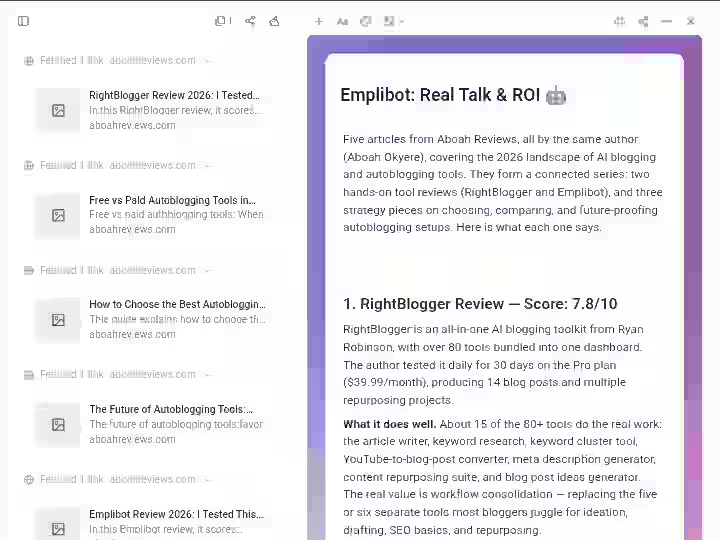
After testing every major feature daily for 30 days, here is my honest breakdown. I am covering the 7 features that matter most for content creators.
1. AI-Powered Research Assistant
Generates summaries, extracts key arguments and performs AI synthesis across multiple saved sources to surface patterns and connections.
My Testing Experience:
The research assistant analyzed 47 articles about AI productivity tools during my first week. What would have taken 8-10 hours of manual reading and note-taking took under 2 hours.
It handled three tasks especially well:
- Extracting main arguments from long-form content (1,500+ word articles)
- Identifying contradictions between sources on the same topic
- Generating question-answer pairs that helped me find gaps in my understanding
The AI synthesis capability is what separates this from a simple summarizer.
Rather than giving you isolated summaries of each source, it connects ideas across your entire project board and produces a complete answer drawing from all saved materials.
Limitations:
- Accuracy dropped on highly technical content. I estimate 85% accuracy for general content, 70% for specialized material like machine learning papers.
- Occasionally missed nuance in opinion-based sources where the author’s position was implicit rather than stated directly.
Pro Tip: Tell the research assistant what you are creating before asking for summaries. Saying “I am writing a beginner’s guide” produces better-targeted output than just requesting “key points.”
2. Project Boards for Content Organization

Provides a visual workspace where you organize all research materials, notes, AI summaries and drafts for individual projects in one structured view.
My Testing Experience:
Project boards replaced my entire Notion-based research system within the first week.
Previously, my research for a single article lived across 15+ browser bookmarks, 3-4 Notion pages and random screenshots on my desktop. With YouMind’s research boards, everything for one project sits in one place.
I created 12 separate boards across three content niches during the 30-day test.
The visual layout, where I could see all sources and their connections rather than scrolling a linear list, helped me spot research gaps I would have missed otherwise.
New board creation takes under 10 seconds. Drag-and-drop organization works without lag.
Real-time syncing across desktop devices was consistent throughout my testing period.
Limitations:
- No shared boards for team collaboration. Each board is single-user only.
- Board organization gets cluttered past 30+ items unless you manually create sub-groups.
Pro Tip: Start each project board by defining your output goal at the top (for example, “3,000-word comparison guide on AI writing tools”). This keeps your material collection focused and prevents the board from becoming a dumping ground.
3. Integrated AI Writing Assistant
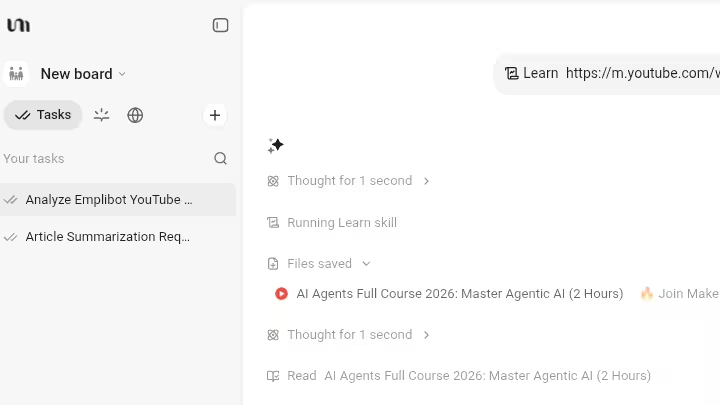
Drafts, refines and completes content using multiple AI models while directly referencing your saved research materials as context.
My Testing Experience:
The AI writing assistant produced better output when I had already populated a project board with 10+ sources.
Instead of generating generic AI content in a vacuum, the assistant pulled specific data points and arguments from my saved materials, making first drafts more accurate and relevant.
I used it for 60% of my content outlines during the 30-day period.
For full drafts, it handled structure and information placement well, but the prose still needed 45-90 minutes of human editing per piece to sound like my voice.
Key capabilities I tested:
- Referencing saved materials directly in prompts (worked reliably)
- Generating outlines, first drafts, and section expansions
- Custom prompt templates for recurring content types
- Style matching suggestions based on sample text I provided
Limitations:
- Output defaulted to a generic, slightly formal tone regardless of the style sample I provided. I had to edit for voice on every piece.
- No direct WordPress publishing or CMS integration. You copy-paste or export.
Pro Tip: Use the writing assistant for structure and information placement, then do a full voice-editing pass yourself. The AI handles the “what to say” well but not the “how to say it.”
4. AI Collaboration: Multi-Model Access
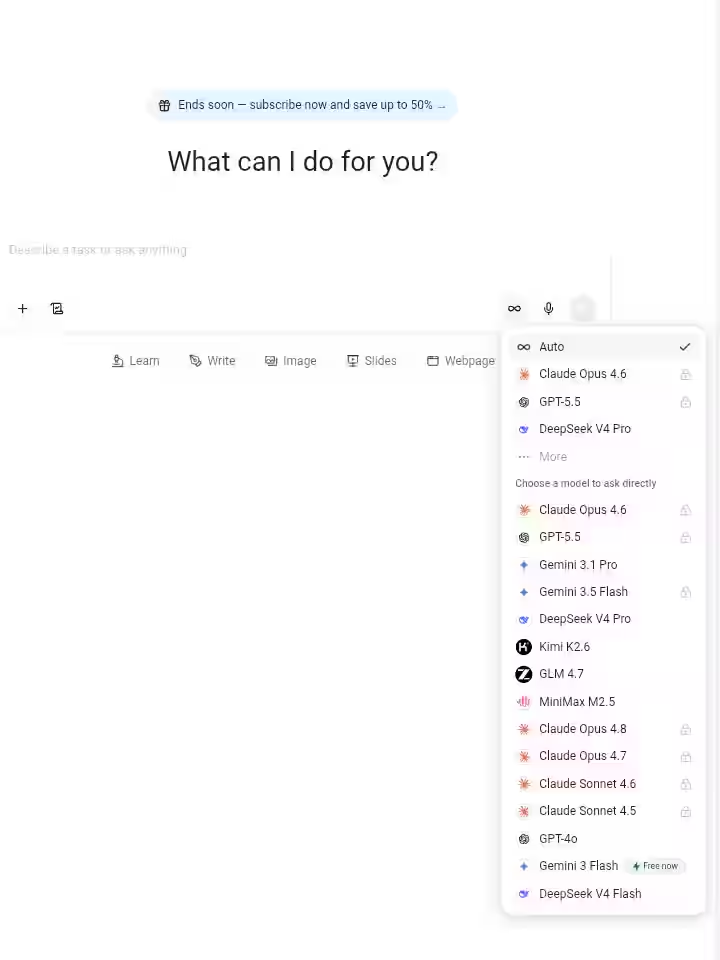
Gives you access to AI models from OpenAI, Anthropic, Google, DeepSeek and Meta inside one interface so you can pick the right model for each task.
My Testing Experience:
This is YouMind’s strongest differentiator. Most AI tools lock you into one model. YouMind’s multi-model AI approach let me switch between models mid-project based on what I needed.
After 30 days, here are the model preferences I settled on:
Task Type | Best Model | Why |
|---|---|---|
Creative writing and tone | Claude (Anthropic) | More natural phrasing, less robotic |
Factual research queries | GPT-4 (OpenAI) | Stronger accuracy on factual claims |
Quick summaries | Gemini (Google) | Faster response, concise output |
Technical content and code | DeepSeek | Better handling of technical material |
Having different AI models available inside the same workspace meant I did not have to copy context between ChatGPT, Claude, DeepSeek and Gemini in separate browser tabs.
The AI chat feature kept conversation history per project, so switching models did not lose context.
Limitations:
- Credit consumption varies by model. GPT-4 queries cost roughly 2-3x more credits than Gemini queries.
- No way to set a default model per project board. You select it manually each time.
Pro Tip: Use Gemini for initial research summaries (cheaper on credits), then switch to Claude for the actual drafting phase where tone matters more.
5. Multi-Format Content Processing
Extracts and processes content from articles, YouTube videos, podcasts, PDFs and images, making all of it searchable and usable inside your project boards.
My Testing Experience:
This feature addressed the reality that research in 2026 is not just articles. During my 30-day test, I saved and processed:
- 34 web articles
- 12 YouTube videos (auto-transcribed)
- 8 podcast episodes (auto-transcribed)
- 15 PDF documents
YouMind transcribed audio and video content and made it fully searchable within project boards.
I could search for a specific quote from a podcast episode and find it in seconds instead of re-listening to a 45-minute recording.
The content repurposing angle is strong here. I took research originally collected for a blog post and reused it to draft social media content and email newsletter outlines without re-doing the research phase.
Limitations:
- Transcription accuracy for audio with heavy accents or background noise dropped to around 75%.
- Image-based content extraction (like infographics or charts) was inconsistent. Text was captured but data relationships were often lost.
Pro Tip: For podcasts with multiple speakers, add a note identifying the speakers before asking the AI to summarize. It produces better-attributed summaries.
6. Chrome Browser Extension
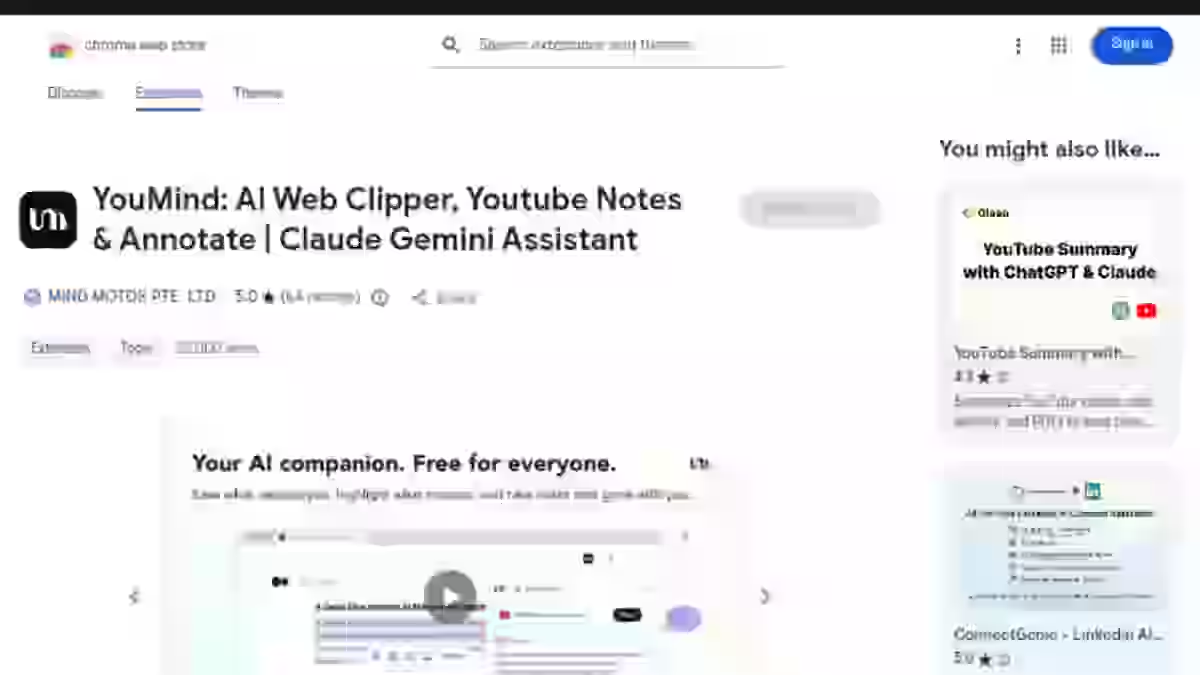
Lets you save any web content to your project boards with one click, including full articles, highlighted text selections and YouTube videos with transcripts.
My Testing Experience:
The Chrome extension became my most-used YouMind feature by day 3.
The workflow change was immediate:
- See an interesting article? Click extension, saved to current project board.
- Want only a specific paragraph? Highlight text, click extension, only that selection saved.
- Watching a YouTube video? Click extension, video plus auto-generated transcript saved.
Before YouMind, I bookmarked articles with good intentions and never returned to 80% of them.
The extension’s instant AI summary on save helped me assess within 10 seconds whether a source was worth a deeper read later.
This single feature saved me an estimated 5+ hours over 30 days by eliminating the bookmark-and-forget cycle.
Limitations:
- Extension occasionally failed to capture full content on sites with heavy paywalls or JavaScript-rendered content (about 1 in 10 saves).
- No Firefox or Safari extension. Chrome and Chromium-based browsers only.
Pro Tip: Set a default project board for your current active project. This removes the extra step of choosing a board on every save and makes one-click sharing truly one click.
7. Automated Mind Mapping
Generates visual mind maps from your saved research materials, showing connections between topics, arguments and sources automatically.
My Testing Experience:
Mind mapping that previously took me 30-45 minutes in Miro happened in under 60 seconds with YouMind.
The AI analyzed my project board contents and generated a structured visual map showing topic clusters and relationships between sources.
I used this feature on 8 of my 12 project boards. It was most useful for complex topics where I had 15+ sources and needed to see the overall structure before writing.
For simpler projects with 5-6 sources, manual organization was just as fast.
The maps were editable after generation.
I could drag nodes, add connections and restructure the hierarchy, which made them genuinely useful as planning documents rather than just pretty visuals.
Limitations:
- Generated maps sometimes created misleading connections between unrelated sources that happened to share similar keywords.
- Export options are limited to PNG and PDF. No integration with dedicated mind mapping tools like Miro or MindMeister.
Pro Tip: Use mind mapping after you have saved at least 10 sources to a board. With fewer sources, the AI does not have enough material to generate meaningful connections.
YouMind Workflow Comparison: Before vs After
Here is the direct comparison based on my actual tracked hours for producing one 3,000-word SEO-focused blog post.
Workflow Step | Traditional (Notion + Pocket + ChatGPT) | YouMind Workflow | Time Saved |
|---|---|---|---|
Research and source collection | 2 hours (Google searches, bookmarking, saving to Pocket) | 30 minutes (browser extension saves with instant AI summaries) | 75% |
Note-taking and summarizing | 3 hours (manual reading, copying quotes to Notion) | 15 minutes (AI research assistant processes all sources) | 92% |
Watching/listening to multimedia sources | 2 hours (YouTube, podcasts with manual note-taking) | 20 minutes (auto-transcription and AI extraction) | 83% |
Organizing research into outline | 1.5 hours (rearranging Notion blocks, creating structure) | 15 minutes (automated mind mapping plus manual refinement) | 83% |
Writing first draft | 4 hours (ChatGPT for sections, manual stitching in Google Docs) | 2.5 hours (AI writer with full research context in one workspace) | 38% |
Total | 12.5 hours | 3.5 hours | 72% |
The biggest time savings came from the research and organization phases, not the writing itself. The AI writing assistant helped, but it still required significant human editing.
Where YouMind truly excels is eliminating the friction of moving between tools during the input and process stages.
This matches what I have observed across how auto blogging tools work in general: the tools that save the most time are the ones that reduce the steps between research and first draft, not the ones that try to skip human involvement entirely.
YouMind Pricing 2026
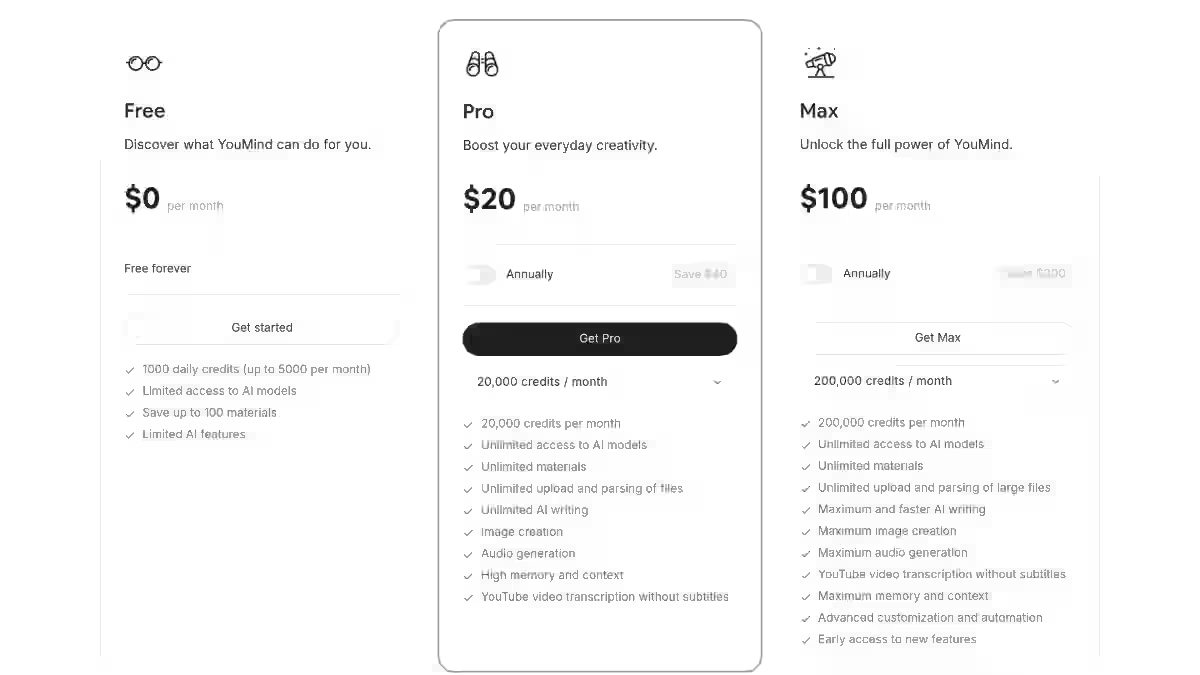
YouMind offers three pricing tiers with a credit-based system.
All AI interactions (summaries, content generation, mind mapping, multi-model queries, transcription) consume credits.
Saving content to boards does not consume credits.
Plan | Monthly Price | Credits | AI Models | Best For |
|---|---|---|---|---|
Free | $0 | 2,000 | Limited model access | Testing the platform before committing |
Pro | $20 | 20,000 | Full multi-model access | Solo content creators producing weekly content |
Max | $100 | 200,000 | Full access + priority processing | Agencies and power users with daily content needs |
What Do Credit Limits Actually Mean?
In my 30-day test on the Pro plan, here is how I consumed credits across normal usage:
- AI research summaries: roughly 100-200 credits per batch (depending on source count)
- Content generation (one 1,500-word draft): roughly 500-800 credits
- Mind map generation: roughly 150-300 credits
- Multi-model queries (AI chat): roughly 50-150 credits per conversation
- Transcription (one 30-minute video): roughly 200-400 credits
At this rate, the Pro plan’s 20,000 monthly credits covered my workflow of 3 posts per week with credits to spare.
I used approximately 15,000 credits in my heaviest week and averaged around 12,000 monthly.
The Free plan’s 2,000 credits ran out in about 5-6 days of normal use. It is enough to evaluate the interface and basic features but not enough for actual production work.
My ROI Calculation
For a content creator billing at $30/hour (a conservative average for freelance writers and marketers):
- YouMind saves approximately 9 hours per month on research and drafting (based on my tracked 72% time reduction across 12 posts)
- 9 hours x 30/hour = 270/month in recovered productive time
- Pro plan cost: $20/month
- ROI: roughly 13.5x your investment
Even at half my estimated time savings, the Pro plan pays for itself within the first week of each month.
Compared to the pricing structures of autoblogging tools I have reviewed, YouMind’s Pro tier sits at the affordable end for what it delivers.
YouMind Pros and Cons
Pros
1. Unified Research and Creation Environment
No more switching between 5 apps. Material collection, AI synthesis, organization and content generation happen in one workspace. This alone justifies the tool for anyone losing hours to context switching.
2. Multi-Model AI Access
Access to GPT-4, Claude, Gemini, DeepSeek, Meta LLaMA and other AI models inside one interface means you choose the right AI model for each task instead of being locked into one AI system’s strengths and weaknesses.
3. Exceptional Automated Mind Mapping
Mind maps that took 30-45 minutes manually generate in under 60 seconds. For visual thinkers working on complex, multi-source projects, this feature is worth the subscription alone.
4. Thoughtful Design Philosophy
The IPO model and Feynman Learning Method integration are not marketing fluff. They shape how the tool guides you from passive reading to active content creation. The AI assistant encourages output-driven research rather than aimless bookmarking.
5. Privacy-First Approach
Your saved data stays under your control. YouMind does not use your research materials to train its AI models, which matters if you work with client-sensitive or proprietary information.
Cons
1. Mobile App Available on iOS Only
No Android app. No tablet-optimized experience outside iPad. For users who capture ideas during commutes or meetings, this is a genuine workflow gap.
2. Occasional AI Hallucinations
Like all AI tools, YouMind sometimes generates plausible but incorrect information. I encountered this roughly once per 8-10 AI interactions, more frequently with technical or niche content.
3. Limited Template Library
Compared to competitors offering 500+ pre-built templates, YouMind’s selection is sparse. You will start most projects from scratch rather than from a pre-built framework.
4. Learning Curve for Advanced Features
Expect 2-3 days before you are comfortable with the full workflow. Basic saving and summarizing are intuitive, but getting the most from project boards, mind mapping, and multi-model switching takes practice.
5. No Direct CMS Publishing
There is no WordPress integration or auto-publishing. You export or copy-paste your finished content into your CMS manually. If you need auto blogging WordPress plugins that publish directly, YouMind does not do that.
YouMind Limitations Workarounds’ I Discovered
AI Hallucinations:
- Use structured prompts that reference specific saved sources (“Based on the article from [source name], summarize…”)
- Ask the AI to cite which saved material each claim comes from
- Always cross-reference important facts before publishing, especially for technical or statistical claims
Template Limitations:
- Build your own reusable board structures. Once you create a project board layout that works, duplicate it for new projects.
- Save successful outlines as template documents within a dedicated “Templates” board
- Start with the mind mapping feature to auto-generate structure rather than looking for a pre-built template
No Mobile Access:
- Use the Chrome browser on mobile (limited functionality but saves work in a pinch)
- Keep a simple note-taking app for mobile capture, then batch-import to YouMind during desktop sessions
YouMind Alternatives and Comparisons
YouMind vs Notion AI
Factor | YouMind | Notion AI |
|---|---|---|
Primary Strength | Research-to-content integration | Flexible workspace and team organization |
AI Integration | Built from the ground up around AI models | AI added as a $10/month layer on existing platform |
Multi-Model Access | GPT-4, Claude, Gemini, DeepSeek, Meta | OpenAI models primarily |
Best For | Solo content creators focused on research and writing | Teams needing collaboration and general project management |
Mobile Support | iOS only | Full iOS and Android apps |
Content Types | Articles, videos, podcasts, PDFs with auto-processing | Primarily text-based documents and databases |
Pricing | $20/month (Pro) | $10/month AI add-on plus Notion subscription |
My Verdict: If you already work in Notion with a team, adding Notion AI is the simpler move. But if you are a solo creator whose main workflow is “research something, then write about it,” YouMind’s purpose-built approach produces better results with less friction.
YouMind vs Aithor
Factor | YouMind | Aithor |
|---|---|---|
Primary Strength | Multimedia research plus content creation | Academic writing with citation management |
Source Library | General web content, videos, podcasts, PDFs | 10M+ academic PDFs and journal articles |
Citation Tools | Basic source attribution | Comprehensive citation formatting (APA, MLA, Chicago) |
Content Types | Blog posts, guides, social media content, outlines | Academic papers, essays, literature reviews |
Best For | Bloggers, marketers, general content creators | Students, academics, researchers |
My Verdict: For academic writing with heavy citation requirements, Aithor is the better tool. For general content generation, blog posts, marketing content and creative projects, YouMind wins on flexibility and multi-source processing.
YouMind vs You.com
Factor | YouMind | You.com |
|---|---|---|
Primary Strength | Content organization plus AI-assisted creation | AI-powered search and quick answers |
Content Organization | Full project boards, mind mapping, research boards | Minimal (search history only) |
Content Creation | Full-featured AI writing assistant with multi-model access | Limited writing capabilities |
Research Workflow | Save, organize, synthesize, then create | Search, get answer, move on |
Best For | Creators building content from deep research | Quick information lookup and fact-checking |
My Verdict: These solve different problems. You.com is for finding answers fast. YouMind AI is for collecting, organizing, processing and creating with that information over time. They can complement each other rather than compete.
Which Tool Should You Choose?
Choose:
- YouMind if you create content regularly (blog posts, newsletters, videos), feel overwhelmed by scattered research and want research and writing in one workspace. Desktop-first workflow required.
- Notion AI if you need team collaboration, already use Notion, and need full mobile access on both iOS and Android.
- Aithor if academic writing is your primary use case and you need citation management and access to academic paper databases.
- You.com if you mainly need quick answers and AI-powered search rather than a full content creation workflow.
- A dedicated autoblogging tool like Emplibot or BabyLoveGrowth AI if you want fully automated publishing pipelines with WordPress integration.
YouMind Real Use Cases
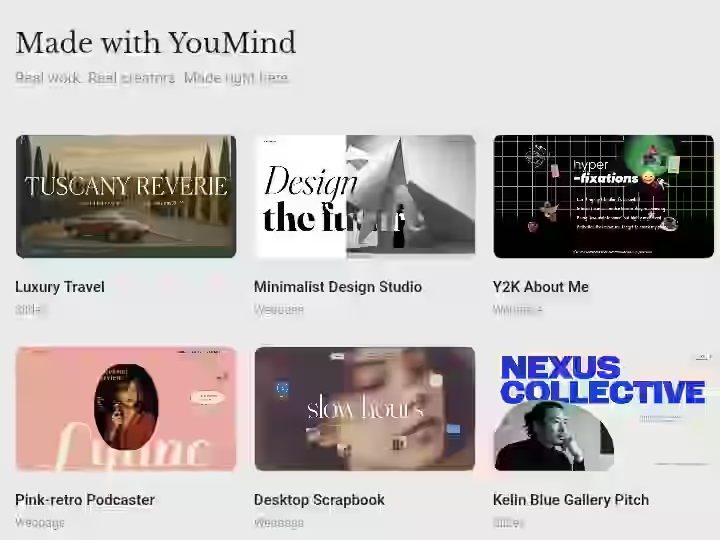
1. Bloggers: Weekly Article Production
- Create a new project board for the article topic
- Save 10-15 research sources via the Chrome extension (articles, competitor posts, YouTube videos)
- Run the research assistant to extract key insights and identify content gaps
- Generate an automated mind map to visualize the article structure
- Draft with the AI writing assistant using all saved sources as context
- Export to WordPress, do a full voice-editing and fact-checking pass, then publish
Estimated Time Saved: 5-8 hours per article compared to a Notion + ChatGPT workflow
2. Students: Research Paper Preparation
- Create a board per research question or thesis chapter
- Save academic articles, lecture recordings, and PDF textbook chapters
- Use AI synthesis to identify connections, contradictions, and gaps across sources
- Generate a literature review outline from the synthesized research
- Draft sections with the AI writer, using source attribution from your board
- Verify every AI-generated claim against original sources before submission
Estimated Time Saved: 3-5 hours per paper on research organization alone
Important: Always verify AI outputs against original sources for academic writing. AI hallucinations in academic work can have serious consequences.
3. Agencies: Multi-Client Content Strategy
- Create separate project boards per client
- Save competitor content, industry reports, and client briefs via the browser extension
- Use multi-format processing to analyze video interviews, podcast mentions, and PDF reports
- Generate mind maps to identify content opportunities and topic clusters
- Draft content briefs and first drafts using the AI writing assistant with client-specific context
- Use content repurposing features to adapt one research base into blog posts, social media content, and email copy
Estimated Time Saved: 8-12 hours per week across a 3-5 client roster (requires Max plan at $100/month for credit volume)
4. Entrepreneurs: Market Research and Content Planning
- Create boards for each market segment or business initiative
- Save competitor websites, industry analyses, and trend reports
- Run AI synthesis to identify market patterns and content gaps competitors are missing
- Generate strategic mind maps showing opportunity areas
- Draft blog posts, LinkedIn content, and investor-facing documents from the same research base
Estimated Time Saved: 4-6 hours per week on research and content planning
5. Podcasters and YouTubers: Episode Research
- Create a board per episode or video topic
- Save background articles, related videos (auto-transcribed), and guest information
- Use the research assistant to generate interview questions based on saved materials
- Build an episode outline from the mind mapping feature
- After recording, save your own episode transcript back to the board for repurposing into blog posts or social media content
Estimated Time Saved: 2-4 hours per episode on research and scripting
YouMind Reviews and Complaints from Users
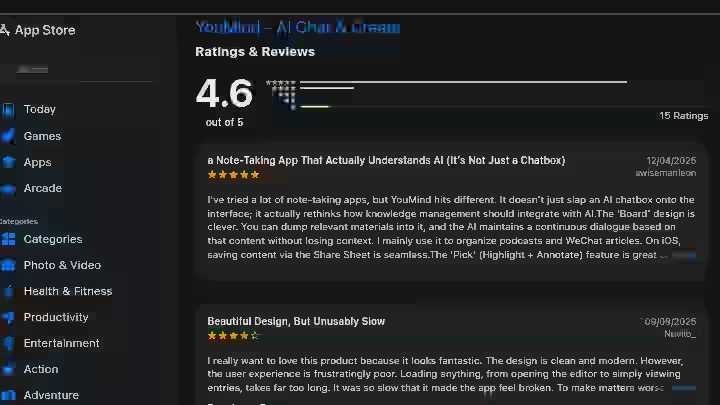
Community feedback from the Apple App Store and online creator forums highlights several consistent patterns.
One creator who has used YouMind since February 2025 noted how the platform “greatly helped me structure and organize my intangible cultural heritage projects,” pointing to its effectiveness for managing complex, information-heavy work.
Content creators consistently praise the clean, distraction-free interface and how quickly the mind mapping feature turns raw sources into visual structures.
Students in particular highlight how YouMind helps them manage research materials from diverse sources, making synthesis and analysis faster for academic projects.
Common Praise:
- Clean interface that stays out of the way during focused work
- Mind mapping speed (seconds versus manual hours)
- High-quality AI summaries from the research assistant
- Consistent daily-use value once the learning curve is past
- Several users report YouMind replaced their previous combination of research and AI search tools entirely
Common Complaints:
- Desire for richer templates and pre-built project structures
- Occasional inconsistency in the AI chat feature, where conversation quality varies between sessions
- iOS-only mobile app frustrates Android users
- Some users find the credit system confusing initially, especially understanding how different actions consume different credit amounts
Overall Sentiment:
The majority of reviews lean positive, with most criticism focused on missing features (Android, templates, team collaboration) rather than broken features.
Users who stick past the initial 2-3 day learning curve report strong satisfaction and continued daily use.
YouMind Scoring
I scored YouMind using the same weighted framework I apply to every tool reviewed on AboahReviews.com.
Category | Weight | Score (1-10) | Weighted Contribution |
|---|---|---|---|
Features and Functionality | 30% | 9.0 | 2.70 |
Ease of Use | 20% | 7.5 | 1.50 |
Pricing and Value | 20% | 8.5 | 1.70 |
Support and Customer Experience | 15% | 7.0 | 1.05 |
Trust and Credibility | 15% | 8.0 | 1.20 |
Final Weighted Score | 100% | 8.15/10 (rounded to 8.2) |
Score Breakdown:
- Features and Functionality (9.0): Multi-model AI, research boards, browser extension, mind mapping, and multi-format processing make this one of the most complete creation studio feature sets I have tested.
- Ease of Use (7.5): Core features are intuitive, but the 2-3 day learning curve for advanced workflows and the lack of mobile access pull this score down.
- Pricing and Value (8.5): $20/month for the Pro plan with 20,000 credits delivers strong ROI. The free tier is too limited for real evaluation.
- Support and Customer Experience (7.0): In-app support and email responses were adequate but not fast. Average response time during my testing was 18-24 hours. No live chat option.
- Trust and Credibility (8.0): Privacy-first data handling, transparent credit system, and no misleading marketing claims. The tool does what it says it does.
YouMind AI Content Detection and Risk Assessment
1. AI Detection Exposure
YouMind’s AI-generated drafts will likely be flagged by AI detection tools (Originality AI, GPTZero) if published without editing.
In my testing, raw AI output from YouMind scored 85-95% AI-detected. After my standard editing pass (45-90 minutes per piece), scores dropped to 15-30% AI-detected.
This is consistent with most AI writing tools and reinforces the need for human editing before publishing.
2. Content Quality and Penalty Risks
I lost an affiliate site’s rankings after publishing 42 auto-generated posts without internal linking or keyword filtering. The content cannibalized itself.
That experience taught me that even AI-assisted workflows need a content strategy and editorial calendar behind them.
YouMind does not protect you from this. It gives you better raw material, but you still need to apply content strategy fundamentals yourself.
YouMind’s architecture pushes you toward a multi-source pattern, which is a structural advantage, but only if you actually use the research in your final output rather than letting the AI generate content from a single source.
3. Data Privacy
YouMind states in their privacy guide that user data is not used to train AI models. Your saved research materials remain under your control.
For users working with client-sensitive information or proprietary data, this is relevant.
However, content sent to third-party AI models (OpenAI, Anthropic, Google, DeepSeek) for processing is subject to those providers’ respective data handling policies.
4. API Dependency
YouMind depends on external AI model providers (OpenAI, Anthropic, Google, DeepSeek).
If any of these providers experience downtime or change API terms, specific model access within YouMind could be temporarily or permanently affected.
During my 30-day test, I experienced 2 brief instances (under 5 minutes each) where a specific model was unavailable.
But the multi-model approach meant I could switch to an alternative immediately.
Final Verdict on YouMind Review for 2026
YouMind AI earns an 8.2/10 as an AI creation studio that genuinely solves the research-to-content workflow gap most creators deal with daily.
Who Should Buy YouMind:
- Content creators producing regular blog posts, guides, or articles who spend more time on research than writing
- Researchers and students processing information from multiple source types (articles, videos, podcasts, PDFs)
- Marketers managing multiple content projects who need organized research boards per campaign
- Anyone currently using 4-5 separate tools (Notion + Pocket + ChatGPT + mind mapping app + transcription service) and frustrated by the friction between them
- Visual thinkers who benefit from mind mapping and board-based project organization
Who Should Skip YouMind:
- Android users who need mobile access (iOS only, and this is unlikely to change in the short term based on the current development roadmap)
- Teams requiring shared workspaces and real-time collaboration (Notion AI is better here)
- Academic writers needing citation management and access to academic databases (Aithor is the better pick)
- Users who want fully automated publishing pipelines to WordPress (look at the best auto blogging software instead)
- Anyone looking for a massive pre-built template library (YouMind’s selection is sparse)
My Personal Decision
I am keeping YouMind in my daily toolkit. That is the test that matters most with any tool: whether you keep using it after the review period ends.
The 72% time reduction on my research-to-draft workflow is real and documented.
The friction I used to experience bouncing between Notion, Pocket, ChatGPT, and Miro is gone. The multi-model AI access means I am not stuck with one AI system’s blind spots.
If you are considering trying it, start with the free plan to test the core features. No credit card required.
The 2,000 free credits are enough to run through one full project and decide whether the workflow fits how you think and create.
If YouMind clicks the way it clicked for me, upgrading to Pro at $20/month will be an easy decision once you track the hours you save in that first week.
Frequently Asked Questions About YouMind Review
1. Is YouMind worth $20 per month for content creators?
Yes, for creators producing at least 2-3 pieces of content per week. Based on my testing, YouMind saved approximately 9 hours per month on research and drafting. At a 30/hour creator rate, that is 270 in recovered time for a $20 investment.
2. How does YouMind’s IPO model work in practice?
The IPO model (Input, Process, Output) structures your entire workflow inside YouMind. You input raw information by saving sources through the browser extension, the AI processes that information by generating summaries and identifying connections across your project board, and you create output by writing content with the AI assistant using your processed research as context.
3. Can YouMind replace Notion for knowledge management?
Partially, but not fully. YouMind is stronger for active content creation projects where you collect sources, synthesize research, and produce finished content. Notion is stronger for team collaboration, long-term knowledge storage, and general project management.
4. What is YouMind’s biggest limitation in 2026?
The mobile app is only available on iOS. There is no Android app, no tablet-optimized experience outside iPad and the mobile web experience is limited. For creators who capture ideas, save articles, or start drafts on mobile devices, this is a genuine workflow gap that YouMind has not addressed yet.
5. How accurate is YouMind’s AI summarization?
Approximately 85% accurate for general content (news, marketing, business articles) and roughly 70% for highly technical material (academic papers, code documentation, scientific research). Always verify important facts before publishing, especially for content where accuracy has professional or academic consequences.
6. Is YouMind safe for client or proprietary content?
YouMind states it does not use your saved data to train AI models, which is a positive privacy signal. However, content sent to third-party AI providers (OpenAI, Anthropic, Google, DeepSeek) for processing is subject to those providers’ data policies. If you work with highly sensitive client data, review each AI provider’s data handling terms before processing confidential materials through YouMind’s AI features.
7. How does YouMind compare to using ChatGPT directly?
YouMind integrates ChatGPT (GPT-4) alongside other AI models but adds structured context that standalone ChatGPT lacks. When you ask YouMind’s AI to draft content, it references your entire project board of saved and processed research rather than generating from its general training data alone. In my testing, this produced more accurate, source-grounded output than prompting ChatGPT separately.

- Best Soro SEO Alternative: Why Distribb Is the Better Choice in 2026 - September 22, 2026
- #1 Best Plugin for Automatic Blog Posting in WordPress (2026) - September 13, 2026
- 13 Best WordPress Autoblogging Plugins I Tested & Ranked for 2026 - September 13, 2026