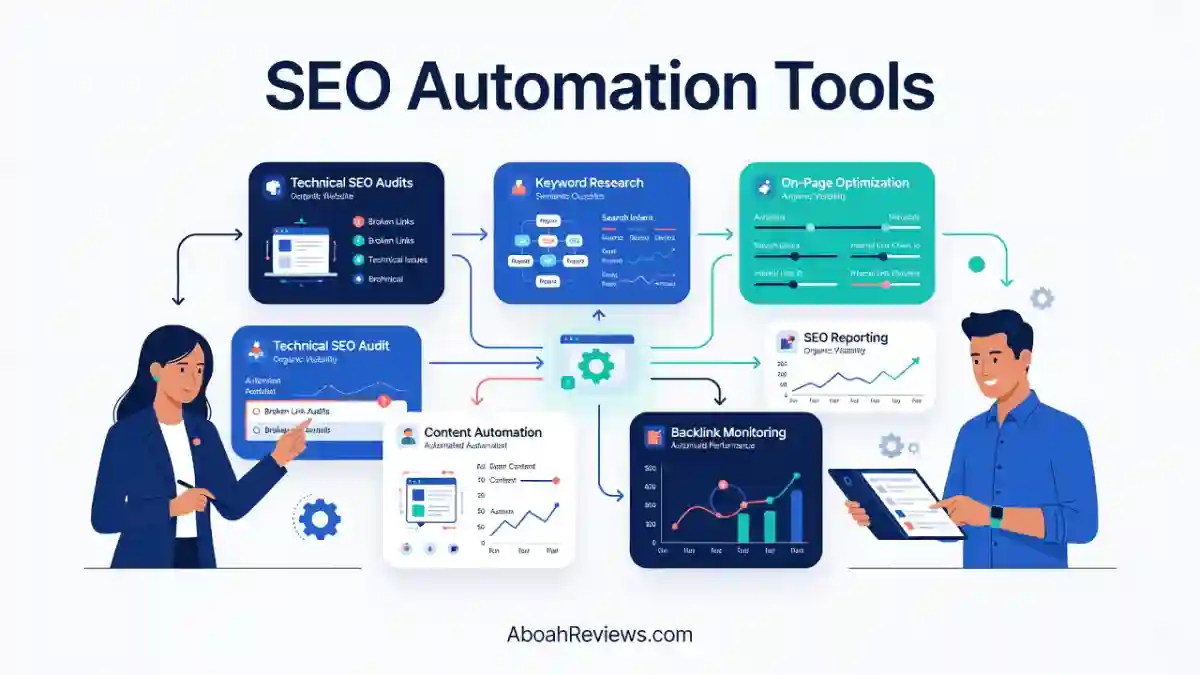
TL;DR: This article reviews 15 SEO automation tools across content, technical SEO, link building, rank tracking and AI search visibility. Prices and limits come from official vendor pages checked on October 15, 2026. The short version: pick a tool based on the one task that eats your time and review every automated output before it touches your site.
What Are The Best SEO Automation Tools in 2026?
1. Overall best SEO automation tool: Distribb at $97/month
The only tool on this list that combines buyer-intent keywords, competitor analysis, daily AI article publishing, a backlink exchange network, existing content improvement, Google Business Profile reviews management, and social distribution in one subscription.
2. Best for AI search visibility tracking + GEO auditing + content drafting: Searchable at $125/month
Monitors how your brand appears across ChatGPT, Claude, Perplexity, and other AI engines at the individual prompt level, not just a single aggregate score. If you need to know which prompts trigger a mention and which sources get cited, this is the most granular option in the category.
3. Best for automated on-page SEO fixes: ClickRank AI at $59/month
Connects directly to Google Search Console and applies one-click fixes to titles, meta descriptions, schema markup and internal links based on your actual indexed data. Saves the manual page-by-page metadata editing without requiring you to export anything first.
4. Best for programmatic SEO + AI visibility tracking + agentic workflows + multi-site management: Massblogger at $59/month
Built for bulk page generation across keyword datasets and multiple sites using templates, not one article at a time. Test a small batch before scaling to catch near-duplicate content before it compounds across thousands of pages.
5. Best for automated SEO reporting: SEOcrawl AI at $53/month
Pulls Google Search Console and GA4 data into one dashboard automatically, layers AI visibility tracking on top, and generates white-label client reports from the Pro tier. Best for agencies that want to kill the weekly spreadsheet-assembly task without switching their entire SEO stack.
6. Best for automated backlinks exchange + AI visibility tracking + SEO optimized content + reddit marketing: BabyLoveGrowth AI at $99/month
Bundles AI content generation, backlink acquisition and GEO/AI visibility tracking in one subscription, with native support for 20+ languages. Model your budget at the standard rate, not the promotional price as the gap between the two is significant.
7. Best all-in-one SEO suite: Semrush
Research, monitoring, rank tracking, and AI visibility tracking across ChatGPT, Perplexity, Google.and Gemini all under one login. Worth the higher price if you’d otherwise be paying for three or four separate tools; less worth it if you only need one function.
8. Best for budget-friendly content automation: WordRocket AI at $10/month
Bring-your-own-API-key model keeps the platform fee low while you control the AI spend separately. One documented test produced roughly 17,500 words for about $0.80 in API costs. Best for bloggers comfortable managing an API key who want the lowest cost-per-article on the list.
9. Best for backlink research: Ahrefs
One of the largest backlink indexes available, with scheduled crawls, rank tracking, and Brand Radar for AI citation monitoring built in. No free trial, but free access is available through Ahrefs Webmaster Tools for verified site owners before committing to a paid plan.
10. Best for content optimization scoring: Surfer SEO
Scores drafts in real time against top-ranking competitor pages for a target keyword, giving writers a concrete target rather than vague guidance. It optimizes drafts; it doesn’t generate or publish them so it sits inside a larger workflow, not in place of one.
11. Best for technical SEO auditing: Screaming Frog
Still the most thorough crawler for detecting broken links, redirect chains, missing metadata, and duplicate content, with scheduled crawl automation so audits run without a manual trigger. It flags issues but doesn’t fix them; pair it with something else for the execution side.
12. Best dedicated rank tracker: Wincher
Straightforward keyword position monitoring and alerts without the overhead of a full SEO suite. Best if you already have research and content tools and just need a clean rank tracking layer on top.
13. Best for custom SEO workflows: Gumloop
A no-code AI workflow builder for automations that packaged SEO tools don’t support natively: custom content brief pipelines, scheduled Search Console exports, chained research steps. Requires setup time and comfort connecting APIs; it’s not plug-and-play.
14. Best for hands-off content publishing + backlinks + Site guard for fixing weak content: RankYak at $99/month
Generates and publishes articles on a schedule with minimal daily input. Useful for maintaining a consistent content cadence but add a manual review step even if the tool supports fully automated publishing, because hands-off output without review is where the most common automated content problems compound.
15. Best for technical SEOs who want no frills: Screaming Frog (free tier)
The free version crawls up to 500 URLs with no account setup beyond a download. Lowest barrier to entry for technical SEO diagnostics on the entire list.
Introduction
SEO work still involves a lot of repetitive tasks: pulling keyword data, checking technical issues, optimizing pages, building reports, and tracking rankings. SEO automation software handle those steps so you spend less time jumping between spreadsheets and dashboards.
I spent 30 days running automated SEO workflows across 3 sites and comparing them against my normal manual process, then ran a separate 21-day test comparing manual versus automated execution on 25 specific tasks. I also tracked AI search visibility for 30 days across more than 50 prompts to see how that category of tool actually performs.
Those three tests shape how I judge every tool on this list: not by feature count, but by how much real work they remove without creating cleanup afterward.
Best SEO Automation Tools at a Glance
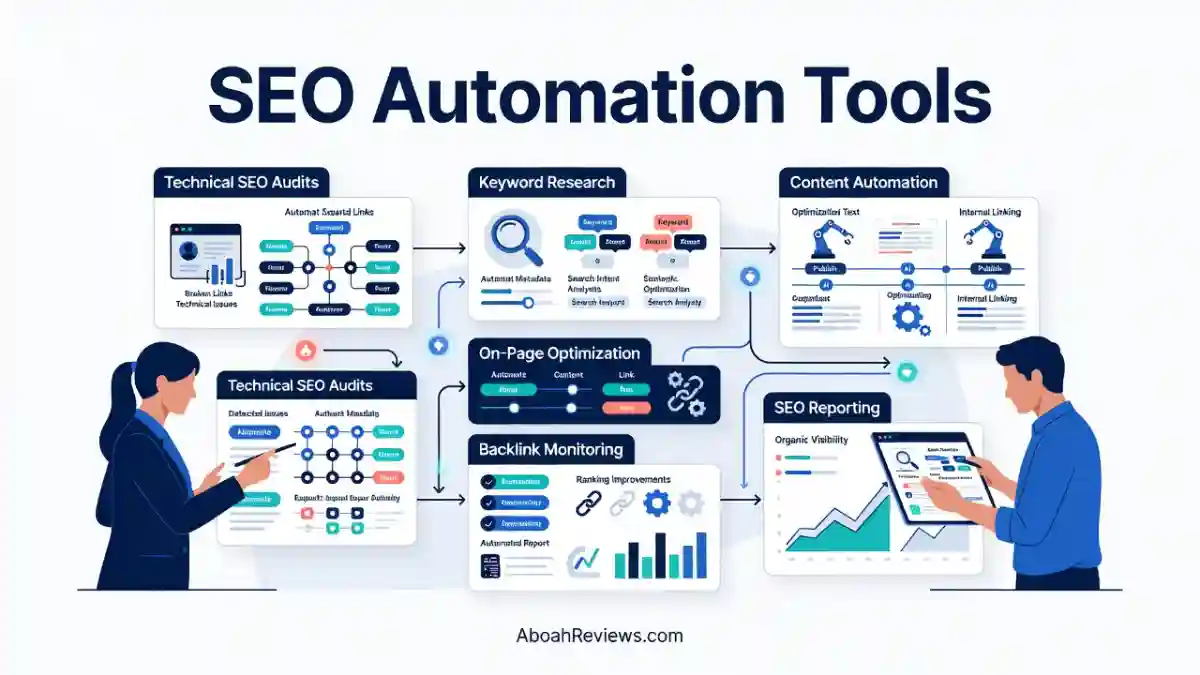
Here is a quick comparison of the 15 tools. Confirm current capabilities and pricing on official pages, as features evolve.
| Tool | Best For | Primary Automation Capability | AI Search Visibility |
|---|---|---|---|
| Distribb | Content + backlink acquisition + social repurposing | Daily article publishing, backlink exchange, distribution | Yes (AI citation tracking) |
| Searchable | AI search visibility tracking | Prompt-level brand monitoring across LLMs | Yes (core feature) |
| SEOcrawl AI | SEO performance monitoring and reporting | GSC/GA4 data automation, AI tracker, reporting | Yes |
| ClickRank AI | Automated on-page SEO fixes | One-click title, meta, schema, and link fixes | Limited |
| Semrush | Comprehensive SEO management | Research, monitoring, and reporting workflows | Yes (add-on/bundle) |
| WordRocket AI | Automated content production at scale | AI article generation and publishing | No |
| Ahrefs | Backlink analysis and SEO research | Monitoring and recurring crawl/rank data | Yes (Brand Radar) |
| Massblogger | Programmatic SEO and multi-site publishing | Bulk page creation | Not verified |
| Surfer SEO | Content optimization | Content scoring and optimization workflows | No |
| Ryze AI | Marketing and SEO operations | Not independently verified | Not verified |
| Screaming Frog | Technical SEO auditing | Scheduled crawling and issue detection | No |
| BabyLoveGrowth AI | Backlink building and AI visibility | Link acquisition + visibility monitoring | Yes |
| Wincher | Keyword rank tracking | Position monitoring and alerts | No |
| Gumloop | Custom workflow automation | Connected task orchestration | Depends on setup |
| RankYak | Automated content publishing | Scheduled article generation and publishing | No |
Pricing and feature specifics for each tool are covered in the individual reviews below, since plans change and some of these products update pricing more than once a year.
What Are SEO Automation Tools?
SEO automation tools are software platforms that take repetitive SEO tasks, like keyword research, content optimization, technical audits, internal linking, and reporting, and run them with less manual input.
The best ones save real time on data collection and reporting. None of them replace the judgment needed to catch bad recommendations before they go live.
Instead of manually pulling keyword data, writing briefs, or compiling a client report every week, the software runs the process on a schedule, with varying levels of human review built in.
How SEO Automation Works
Most automation tools handle one or more of these functions:
- Keyword research and clustering: pulling search volume, grouping related terms, and mapping them to pages.
- Content creation and optimization: generating drafts or scoring existing content against competitors.
- Technical SEO audits: crawling a site on a schedule and flagging new issues.
- Internal linking: suggesting or inserting links between related pages.
- Backlink acquisition and monitoring: tracking new and lost links, or facilitating link exchanges.
- Rank tracking: checking keyword positions daily or weekly.
- Automated SEO reporting: compiling data into a dashboard or PDF on a recurring basis.
- AI search visibility monitoring: checking whether a brand is mentioned or cited in AI-generated answers.
SEO Automation Tools vs. Traditional SEO Tools
The difference comes down to whether a tool reports data or executes tasks.
Traditional platforms like a basic rank tracker show you what’s happening. Automation tools take the next step and act on that data, or at least package it into something ready to use without manual assembly.
| Feature | Traditional SEO Tools | SEO Automation Tools |
|---|---|---|
| Keyword research | Identify keyword opportunities | Can connect research directly to content workflows |
| Technical SEO | Report website issues | Can automate recurring audits and some fixes |
| Content optimization | Provide recommendations | Can integrate recommendations into content generation |
| Reporting | Display SEO metrics | Can schedule and distribute reports automatically |
| Publishing | Usually requires manual publishing | Can support automated publishing via native features |
Most modern platforms blur this line. Semrush and Ahrefs are traditional research tools that have added automated reporting and AI visibility tracking. Distribb and RankYak were built around automation first. Neither category is strictly better. It depends on whether your hindrance is data or execution.
What SEO Tasks Should You Automate First?
Automate repetitive, measurable tasks before you automate anything involving judgment.
Keyword data collection, rank tracking, and recurring technical crawls are low-risk because the output is factual and easy to verify.
Content strategy, search intent interpretation, and link quality assessment are higher-risk because a wrong automated decision can affect how a page performs for months before anyone notices.
This matches what I found in my own 21-day comparison: data collection and reporting automated cleanly, while anything involving page targeting or content judgment still needed a manual pass.
How I Evaluated the Best SEO Automation Tools
I evaluated each tool against five criteria built from my own testing experience and supplemented with vendor documentation and third-party pricing sources where I didn’t have hands-on access.
Automation Capabilities
A tool’s automation capability is judged by how much of a task it completes without a human clicking through each step.
In my 30-day workflow test, I found a meaningful gap between tools that automate data collection (easy) and tools that automate decisions like which keyword to target or which internal link to add (harder, and more prone to irrelevant suggestions).
SEO Features and Integrations
I looked at whether each tool connects to Google Search Console, GA4, WordPress, or other CMS platforms, since a tool that can’t push data in or out of your existing stack creates manual work rather than removing it.
Ease of Use
Setup time and the learning curve matter more than feature count for most solo operators and small agencies, since a complex tool that takes a week to configure properly can erase the time savings automation is supposed to deliver.
Pricing and Value
I compared entry-level plans against what each plan actually includes: article volume, keyword limits, project counts, and whether add-ons are required to get core functionality.
Reliability and Control
This is the criterion my 30-day and 21-day tests changed the most. I now weigh a tool’s approval and review process as heavily as its output quality, because I personally ran into irrelevant keyword suggestions, overlapping intent targeting, and recommendations that looked correct on the surface but didn’t fit the page.
A tool that lets you review before publishing scores higher here than one that auto-publishes everything.
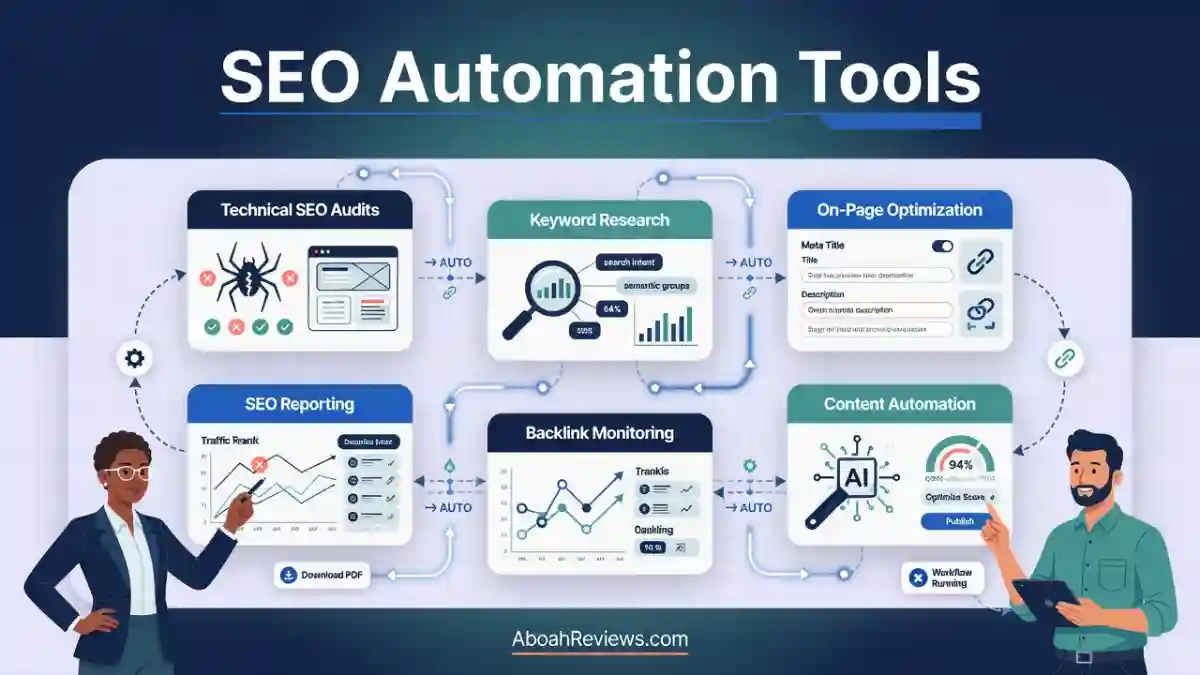
15 Best SEO Automation Tools Reviewed
1. Distribb
Distribb automates end-to-end organic growth: buy-intent keyword research, long-form article writing and publishing, backlink exchange from real businesses, social/AI distribution, and AI visibility tracking.
It acts like an SEO agent. Connect your CMS once, and it keeps a rolling content calendar, writes articles (often 4,000–5,000 words with original research tables and citations), publishes, builds contextual backlinks via exchange, and tracks mentions in AI answers.
You can approve drafts or auto-publish. It also supports Google Business Profile posts and review replies on some plans.
Key features:
- Buy-intent keyword discovery and clustering
- 30-day content calendar
- AI agent for plain-English commands
- Daily AI article generation and CMS publishing (WordPress, Webflow, Shopify, and others)
- Backlink exchange network
- Drafted or managed link outreach
- AI visibility across ChatGPT/Perplexity/Google AI
- Original research in articles
- Internal linking
- Multi-language support
- GSC analytics
- Social distribution across platforms such as YouTube, Quora and Instagram
Pricing:
- Pro at $97/month (30 articles)
- Accelerator at $495/month (90 articles plus videos plus managed outreach)
- Agentic plan at $49/month for API and agent access
- 7 days free trial available
Pros:
- Strong for consistent publishing without switching multiple tools
- One of the few tools combining content, link acquisition, and distribution in one subscription
- Content and audit tools are useful for small teams that can’t afford to run each function separately
Cons:
- The backlink exchange model means links come from other Distribb customers’ sites rather than independently vetted placements, which is worth scrutinizing if link quality is a priority
- It also does not cover crawl errors, Core Web Vitals, or structured data as deeply as a dedicated technical SEO tool
- Content still needs review for brand voice and accuracy
Best for: Founders, small agencies, or sites that want content + authority building + AI visibility without heavy manual work
Consider an alternative if: You operate in a regulated niche requiring professional review of every published claim, or you need deep technical crawl diagnostics.
2. Searchable
Searchable focuses on AI search visibility (AEO/GEO) while supporting SEO workflows, content and AEO audits.
It automates AI search visibility tracking by monitoring how a brand appears across ChatGPT, Claude, Perplexity, and other AI engines for a defined set of prompts.
Searchable also includes competitor visibility, average position, share of voice, citation, source, and sentiment analysis.
Key features:
- Prompt tracking (ChatGPT, Google AI Overviews, Perplexity, and add-ons)
- Citation and visibility reports
- Content studio
- Technical optimization/audits
- MCP/API
- White-label reports
- Looker Studio on higher plans
Pricing:
- Pro from about $125/mo (100 prompts, 20 articles, 200 audits)
- Scale $400/mo (500 prompts, 80 articles)
- Enterprise $999/mo and custom higher
- 14-day trials on all plans
Pros:
- Strong query-level AI visibility data with historical trends and competitor views
- Useful content and audit features tied to visibility goals
- Agency-friendly reporting
Cons:
- Pricing scales with prompts and volume
- Content volume is limited on lower plans relative to pure content tools
- Full capabilities lean toward AI-focused teams
- Like every AI visibility tool, it can tell you whether you’re currently appearing, not guarantee future inclusion, since AI answers change with every model update
Best for: Brands and agencies prioritizing AI search visibility tracking and optimization alongside SEO
Consider an alternative if: You need AI visibility bundled with traditional rank tracking in one subscription (see Semrush or Ahrefs below).
3. SEOcrawl AI
SEOcrawl AI is an all-in-one on SEO intelligence and AI visibility platform for brands, agencies and in-house teams with performance monitoring, GSC/GA4 data warehousing, reporting, and AI search tracking.
It stores Search Console and Analytics data without the usual limits, builds dashboards, sets alerts, supports rank tracking and audits, and adds AI/LLM tracking plus MCP for automation.
Key features:
- Unlimited rank tracking with clustering
- GSC and GA4 integration
- An MCP server for querying data through AI assistants
- White-label client reporting from the Pro tier
- Automated report generation
Pricing:
- Starter plan is $53 per month, covering 5 projects, up to 100k clicks per month and 1 LLM
- Growth is $107 monthly for 25 projects
- Pro is $215 monthly for 100 projects and a SEO Reporting Book
- Agency is $431 monthly for 200 projects
- Enterprise is custom
- 14-day free trial on all plans
Pros:
- Excellent for ongoing performance monitoring and automated reporting
- Good integration of traditional SEO data with AI visibility
- API/MCP support helps custom workflows
Cons:
- No emphasis on content generation or backlink building compared with all-in-one content tools
- Keyword research is not part of its verified offering, so you’ll still need a separate research tool alongside it
Best for: Agencies managing multiple client GSC/GA4 accounts who want automated, white-labeled reporting and AI search tracking.
Consider an alternative if: Keyword research, pure technical auditing and content planning need to live in the same platform.
4. ClickRank AI
ClickRank AI automates on-page SEO fixes by connecting to Google Search Console and applying changes to titles, meta descriptions, schema markup and internal links.
It connects GSC, crawl the site, and it suggests or applies optimizations for titles, meta descriptions, alt text, schema, headings, content, and internal links.
An AI agent lets you query your data in natural language. It works via JS snippet or WordPress plugin alongside existing SEO plugins.
Key features:
- One-click on-page fixes
- Real-time GSC-based scanning
- Image alt text generation
- AI search engine tracking for ChatGPT and Perplexity
- AI Overview tracker and model compatibility checks
- Keyword tools, reports, multi-CMS support
Pricing:
- Solo from about $59/mo (1 site, 2,000 pages)
- Business $79/mo (3 sites)
- Agency $399/mo
- Annual discounts
Pros:
- Practical one-click or guided on-page fixes grounded in real GSC data
- Easy no-code deployment
- AI agent is useful for quick insights
Cons:
- Content writer features have been noted as weaker in some tests
- Best as an optimization layer rather than full content engine
- Users have reported crawling issues on larger websites and limited customer support quality
Best for: Site owners who want automated on-page fixes without manually editing metadata page by page.
Consider an alternative if: You need backlink analysis or competitor research in the same tool.
5. Semrush
Semrush is a comprehensive platform covering research, audits, tracking, content and now stronger AI search visibility.
It remains one of the broadest SEO toolkits. Automation comes through scheduled reports, site audits, position tracking, content optimization workflows, and AI visibility prompt tracking on higher SEO + AI Search plans.
Key features:
- Keyword Magic and research
- Site Audit
- Position Tracking
- Backlink Analytics
- Content tools
- AI visibility (prompts, sentiment, reports)
- MCP access on some plans
- Multi-location tracking
Pricing:
- Pro plan start at $139.95/month
- SEO + AI Search Starter ~$199/month
- Guru plan at $249.95/month
- Business $499.95/month
- Advanced custom
- Free limited plan available
Pros:
- Deep data and wide feature set for almost every SEO task
- Strong reporting and agency tools
- Growing AI search capabilities
Cons:
- You’re paying for a full suite even if you only need two or three of its functions
- Pricing adds up with users and add-ons
- Full automation of execution (vs. recommendations) is more limited than pure agent tools
- The interface feels overwhelming
Best for: Agencies and in-house teams that want research, monitoring, reporting and AI visibility in a single platform.
Consider an alternative if: You only need one function (like backlink research or AI visibility) and want to pay for that alone.
6. WordRocket AI
WordRocket AI is a bring-your-own-key AI SEO content automation platform that generates research-grounded, LLM-structured articles and publishes them to WordPress or Ghost in one click.
Research uses models like Claude, Gemini, Perplexity.
It supports bulk generation, brand voices, sitemap for internal linking.
Key features:
- SERP analysis
- Brand voice training
- Sitemap internal linking automation
- CSV bulk generation for 20+ articles at once
- AI image generation
- Competitor analysis
- Multi-language supported
Pricing:
- Free plan ($0/month, 10 articles/month)
- Starter plan ($10/month)
- Pro ($20/month)
- Premium ($49.99/month), plus your own AI API costs on top
- Lifetime Pro ~$199, Premium ~$249, Agency ~$399.99 (one-time)
Pros:
- Real cost per word is extremely low, with one documented test generating roughly 17,500 words across four article formats for about $0.80 in API costs
- The BYOK model keeps the platform fee low because you control the AI spend separately
- Low long-term cost via lifetime deals
Cons:
- You supply (and pay for) API keys on all plans
- Quality still requires editorial review
- Less native backlink or deep technical audit focus
Best for: Bloggers, affiliates, small content teams and publishers who want high-volume content production and are comfortable managing their own API key at the lowest cost-per-article in this list.
Consider an alternative if: Your team needs heavy technical SEO or enterprise reporting without content focus.
7. Ahrefs
Ahrefs automates recurring backlink monitoring, rank tracking, and site crawling, and has added its own AI visibility layer called Brand Radar.
Its crawler and index power Site Explorer, Keywords Explorer, Site Audit, Rank Tracker, and Content Explorer. Automation includes scheduled crawls, tracking, and some AI prompts. Strong for ongoing monitoring rather than full content publishing.
Key features:
- Site Explorer for competitor and backlink analysis
- Rank Tracker
- Site Audit for scheduled technical crawls
- Content Explorer
- Brand Radar for AI citation tracking
- API/MCP on higher plans
Pricing:
- Starter ~$29/mo
- Lite ~$129/mo
- Standard ~$249/mo
- Advanced ~$449/mo
- Enterprise from ~$1,499/mo
- Free plan limited for verified sites
Pros:
- Industry-leading link and competitive data accuracy for many users
- Reliable crawling and tracking reduce the need to manually re-run reports
- Good for research-heavy workflows
Cons:
- User seats and credits add cost
- Steeper learning curve for pure beginners.l
Best for: Teams whose primary concern is backlink research and competitor link analysis.
Consider an alternative if: Your main need is content optimization or bulk content production rather than link data.
8. Massblogger
Massblogger is positioned for programmatic SEO and multi-site content management, generating bulk pages across templates.
Manage multiple WordPress sites from one place, generate blogs or pSEO pages from templates/variables, enrich existing thin pages, track keywords to avoid cannibalization, run GSC experiments and use MCP/agent access. IndexNow support helps indexing.
Key Features
- pSEO builder and enrichment
- Multi-site WordPress manager
- Topic clustering
- Keyword tracker
- SEO tests with GSC
- MCP server, webhooks/API
- AI crawler tracking
Pros:
- Strong for scaling structured pages without pure thin content
- Multi-site control and agentic access
- Practical enrichment for existing pSEO setups
Cons:
- Best for WordPress-heavy users
- Quality control remains essential for large volumes
- Programmatic SEO tools in general carry a real risk of producing near-duplicate pages if templates aren’t differentiated carefully, something worth testing on a small batch before scaling.
Best for: Agencies and publishers running programmatic SEO or many sites who need bulk creation with quality controls.
Consider an alternative if: You are a solo blogger who do not need pSEO or multi-site tools.
9. Surfer SEO
Surfer SEO automates content analysis and optimization by scoring drafts against top-ranking pages for a target keyword.
The Content Editor scores pages against top results and guides writers on terms, structure, and coverage.
Content Audit finds opportunities on existing pages. Newer AI Search Analytics tracks prompts and mentions. MCP support helps agent workflows.
Key features:
- Content Editor with real-time scoring
- SERP Analyzer
- NLP-based term suggestions pulled from top-ranking competitors
- Topical Map
- AI Tracker (ChatGPT, Perplexity, Google AI, etc.)
- Internal linking suggestions
Pricing
- Discovery $59/month: 10 documents, 10 tracked pages, AI SEO optimization guidelines, Surfy AI assistant & humanizer. Best for testing the platform before committing.
- Track AI Visibility $95/month: Tracks your brand across ChatGPT, Gemini, AI Overviews, and other AI models. Includes 50 AI prompts refreshed daily, mention gap and brand sentiments, 5 brand spaces, brand knowledge, and MCP access. No content creation included.
- Standard $119/month: 25 AI prompts refreshed weekly, 30 documents, integrations (WordPress, Google Docs), brand knowledge, 1-click content optimization, team collaboration, plagiarism checker, and rank drop detection.
- Pro $219/month: Everything in Standard, plus 50 AI prompts refreshed daily, 5 brand spaces, 1-click internal linking, content ideas and coverage gap, cannibalization report, custom voices, 10 templates, and MCP access.
- Peace of Mind $359/month: Everything in Pro, plus 100 AI prompts refreshed daily, unlimited documents, unlimited brand spaces, advanced SERP analysis, personalized onboarding, a dedicated success manager, and API access.
- Enterprise Custom pricing: SSO, enterprise-grade security, white-label, priority support, custom limits, advisory program, legal onboarding assistance, and early feature access.
All plans include a free trial option except Enterprise, which requires contacting Surfer directly.
Pros:
- Practical, data-driven content optimization that improves on-page performance
- Clear scores help teams and expanding AI visibility tools
Cons:
- Document and prompt limits by plan
- No technical crawling or backlink acquisition
Best for: Content teams and writers who want automated optimization guidance tied to real SERPs and AI visibility.
Consider an alternative if: You need full technical audits or automated publishing pipelines.
10. Ryze AI
Ryze AI runs autonomous SEO (and separate paid ads) agents that audit and execute fixes.
SEO plans crawl, optimize on-page elements, generate content, and track AI visibility.
Higher plans add backlinks, guest posts, and PR. It emphasizes execution over pure recommendations. Separate Paid Ads plans exist.
- Key features
Continuous technical audits and fixes - Content generation (90 articles on Starter)
- GEO/AI citation tracking
- Backlinks and PR on higher tiers
- White-label options
Pros
- True “execute” approach for on-page and content
- Combines SEO with broader marketing automation
Cons
- SEO and ads are separate products
- Higher full-service tiers are expensive
- Review automated changes carefully
Pricing
- Paid Ads $89/month (7-day free trial): AI autopilot for Google, Meta, TikTok, LinkedIn, and 50+ integrations. Includes AI ad creative generation, Meta Ads Library competitor analysis, unlimited ad accounts, and Claude integration.
- SEO Starter $129/month (3-day free trial): Full SEO and GEO optimization completed in 1 day. Includes 90 pages generated per month, tech SEO/GEO optimization, content optimized for ChatGPT and AI search, competitors’ best pages rewritten onto your site, and data analysis across 39 sources.
- Traffic Printer $599/month: Everything in SEO Starter, plus 50+ high-quality backlinks per month, 3 editorial guest posts per month, 100+ PR placements in magazines cited by ChatGPT, and hundreds of content pieces per month built to rank in Google and ChatGPT.
- Shopify CRO $1,499/month: Everything in Traffic Printer, plus Paid Ads included, A/B and split tests on pages, titles, and content — set up and applied by Ryze’s engineering team — with conversion impact measured and reported from your data.
- Agency $279/month (7-day free trial): Everything in Paid Ads for every client. Includes unlimited client workspaces, 3,000 credits per month, and full white-label support (your logo, colors, domain, and email sender).
All plans can be cancelled anytime and include email support.
Best for: Teams wanting an autonomous SEO agent that makes changes, plus optional ads or full-service support.
Consider an alternative if: You need recommendation-only tools with full manual control over every change.
11. Screaming Frog
Screaming Frog is the classic desktop that automates technical SEO auditing by crawling a website and flagging broken links, redirect chains, missing metadata, and duplicate content.
It crawls sites for broken links, redirects, missing tags, duplicate content, page speed signals, structured data issues, and more.
You can schedule crawls, use JS rendering and custom extraction.
Key features:
- JS rendering
- Custom extraction
- Database storage for large sites
- Deep site crawling
- Scheduled crawl automation
- XML sitemap generation
- Integration with Google Analytics and Search Console data during a crawl
Pricing:
- Free (500 URLs)
- Paid license ~£199 / ~$279 per user per year (volume discounts)
Pros:
- Deep, flexible technical analysis at low cost
- Runs locally with full control over data
- It remains one of the most thorough crawlers for technical issue detection
- Scheduled crawls mean you don’t have to remember to run audits manually
Cons:
- Desktop software (not pure cloud SaaS)
- Steeper learning curve for advanced features
- No native content generation or rank tracking
- It doesn’t automate fixes or reporting distribution on its own; it’s a data collection and detection tool that needs pairing with something else for the execution side
Best for: Technical SEOs who need deep crawl data and are comfortable acting on it manually or exporting it into another system.
Consider an alternative if: You want a tool that also automates fixes, not just detection.
12. BabyLoveGrowth AI
BabyLoveGrowth AI combines automated content, a backlink network, and AI visibility tracking.
It generates and auto-publishes branded AEO/SEO articles, places contextual backlinks from a partner network, tracks AI prompts/citations, runs site audits, and handles some social/Reddit/Quora activity.
Keyword research and clustering are included.
Key features:
- 30 articles/month on entry plan
- Backlink acquisition
- GEO/AI visibility tracking
- Native multilingual support across 20+ languages
- Site auditing
Pricing:
- Grow plan at $99/month
- Scale plan at $399/month
- All plans include a 3-day plan
- Custom enterprise pricing available
Pros
- Bundles content, links, and AI visibility
- Hands-off publishing option
- Clear focus on both Google and AI search
Cons
- Content quality and link relevance still need review
- Stated backlink “value” is vendor framing
- Less deep research data than Ahrefs/Semrush
Best for: SaaS founders and small agencies that want content, backlinks, and AI visibility tracking bundled together.
Consider an alternative if: You need a lower entry price and are willing to run backlinks and AI visibility tracking as separate tools (see Distribb and Searchable above).
13. Wincher
Wincher specializes in automated keyword rank tracking and reporting.
It automates keyword rank tracking by monitoring positions and sending alerts when rankings change.
You can track positions daily (or on-demand), monitor competitors, get share of voice, keyword gap insights, local/Maps tracking, and white-label or Looker Studio reports.
Key features
- Daily/on-demand ranking updates
- Competitor tracking
- Share of voice
- Keyword explorer/gap
- Landing page overviews
- Scheduled reports
- API on higher plans
Pros:
- Clean, focused rank tracking with good reporting options
- Affordable entry for the keyword volume
- Easy for client dashboards
Cons:
- Limits on keywords and competitors by plan
- It doesn’t cover keyword research, content optimization, or technical audits
Pricing
- Basic $49/mo (500 keywords)
- Standard higher ($89)
- Professional ($319 / higher keyword floors)
- Custom pricing available
Best for: Teams or freelancers who already have research and content tools and just need dedicated rank monitoring and client-ready reporting.
Consider an alternative if: You want rank tracking bundled with research and reporting in one subscription, which Semrush or Ahrefs already provide.
14. Gumloop
Gumloop is a custom AI agent and workflow platform that can automate SEO processes.
You can use it to build agents that connect to your tools (DataForSEO, Ahrefs, GSC, CMS, 100+ connectors/MCP), research keywords, audit pages, generate briefs, optimize content, track ranks, and orchestrate multi-step workflows.
Key features
- AI agents with skills, connectors/MCP, scheduling
- Multi-agent handoffs
- Model choice (OpenAI/Anthropic/etc.)
- Brain for knowledge
- SEO-specific use cases (briefs, internal links, pSEO blueprints, dashboards)
Pros:
- No-code/low-code agent building
- Good for connecting existing tools into automated pipelines
- Highly flexible for custom SEO automation
Cons:
- Credit consumption can add up with heavy AI use
- Requires setup time to build useful agents
- Not a turnkey SEO suite with its own deep data index
Pricing
- Pro from $37/month (credits included)
- Higher/custom plans
- 14-day trial
Best for: Agencies or in-house teams with the time and skill to build custom automations that off-the-shelf SEO tools don’t support.
Consider an alternative if: You want pre-built SEO automation without configuring your own workflow logic from scratch.
15. RankYak
RankYak runs hands-off daily automated SEO content publishing with research, writing and backlinks.
It researches keywords, builds topical maps and monthly plans, generates one researched article per day (up to 5,000 words with citations, images, links), publishes to CMS and includes a backlink exchange.
Site Guard add-on monitors existing pages and fixes issues on autopilot.
Key features
- Daily article pipeline
- Keyword discovery and competitor analysis
- Topical maps
- Auto or draft publishing
- Backlink exchange
- Performance tracking and refreshes
Pros:
- True set-and-forget daily content engine for one site
- Includes research through publishing and link
- The hands-off publishing model suits site owners who want a steady content cadence without managing a writer or reviewing every draft personally
Cons:
- One article per day limit on the core plan
- Quality review still recommended
Best for: Site owners who want a consistent content cadence and light link building without managing writers.
Consider an alternative if: You want tighter editorial control before each piece goes live or deep technical tools.
Best SEO Automation Tools by Use Case
| Use Case | Recommended Tool | Why |
|---|---|---|
| Content + backlink acquisition | Distribb | Combines daily publishing, link exchange, and distribution in one subscription |
| On-page SEO automation | ClickRank AI | Direct GSC integration for one-click metadata and schema fixes |
| Comprehensive SEO management | Semrush | Research, monitoring, reporting, and AI visibility in one login |
| Backlink research | Ahrefs | Largest backlink index with scheduled crawling and rank tracking |
| Programmatic SEO | Massblogger | Built for bulk, template-based page generation |
| Content optimization | Surfer SEO | Scoring system against top-ranking competitors |
| Technical SEO auditing | Screaming Frog | Deep crawl data and scheduled audits |
| Keyword rank tracking | Wincher | Dedicated rank monitoring without a full suite |
| Custom SEO workflows | Gumloop | Build automations packaged tools don’t offer |
| Automated daily publishing | RankYak | Hands-off content calendar and CMS publishing |
| Budget-friendly content automation | WordRocket AI | BYOK model keeps per-article cost low |
| Backlinks and AI visibility | BabyLoveGrowth AI | Bundles link building with GEO tracking |
Best SEO Automation Tool for Bloggers
For bloggers, the deciding factor is usually cost per article and editorial control, which makes WordRocket AI’s BYOK pricing worth testing first, since it keeps the platform fee low while giving you control over each generation step before publishing.
Best SEO Automation Tool for Agencies
For agencies, client reporting and multi-project management matter more than raw content volume, which is why SEOcrawl AI’s white-label reporting and Semrush’s all-in-one monitoring tend to fit agency workflows better than single-function tools.
Best SEO Automation Tool for Affiliate Marketers
For affiliate marketers, content volume, internal linking, and backlink visibility all need to work together, which makes Distribb’s combined content-and-link model worth testing against a WordRocket AI plus Ahrefs stack depending on budget.
Best SEO Automation Tool for Technical SEO
For technical SEO, scheduled crawling and issue detection are the core requirement, and Screaming Frog remains the most thorough option for that specific job, even though it doesn’t automate fixes itself.
Best SEO Automation Tool for AI Search Visibility
For AI search visibility, prompt-level data and source tracking matter more than a single score, which is why Searchable’s query-level reporting and Ahrefs’ Brand Radar are both worth testing against your actual target prompts rather than relying on a vendor’s example dashboard.
SEO Automation Tools vs. Manual SEO: Which Approach Is Better?
The better approach depends on the task: automation wins for repetitive, data-heavy work, while manual review stays necessary for anything involving judgment about search intent or content quality. My 21-day side-by-side test of manual versus automated workflows across 25 tasks backs this up directly.
Benefits of SEO Automation
- Reduces repetitive work like data collection and report assembly.
- Makes recurring monitoring (crawls, rank checks, AI visibility scans) easier to run consistently.
- Improves consistency across large websites where manual checks would miss pages.
- Helps a small team manage more keywords and pages than manual work alone would allow.
- Supports standardized reporting formats across multiple clients or projects.
Limitations of SEO Automation
Automation does not remove the need for review, and in my testing it sometimes created more work than it saved. Specifically, I found issues such as irrelevant keyword suggestions, pages targeting overlapping search intent, and recommendations that looked technically correct but did not make sense for the page during my 30-day test. A few other patterns to watch for:
- Content can become repetitive or lack original insight if generation runs unsupervised.
- Incorrect configurations can affect many pages at once when automation runs at scale.
- Some platforms require separate paid integrations to connect research, content, and publishing.
- Automation does not guarantee rankings, backlinks, traffic, or AI search citations, regardless of what a vendor’s marketing page claims.
Which SEO Tasks Should Remain Under Human Control?
Strategy, search intent interpretation, factual verification, editorial judgment, link quality assessment, and any high-impact technical change should stay under human review before they go live. This isn’t a theoretical caution. During my 21-day comparison, I found that automation could create additional work when I accepted recommendations without reviewing them, which is exactly the scenario these task categories create if left unchecked.
How to Choose the Right SEO Automation Software
1. Identify Your Biggest SEO Bottleneck
Start by figuring out whether your actual problem is content production, technical SEO, link building, reporting, or rank monitoring, since no single tool in this list solves all five equally well.
2. Prioritize Native Automation
Distinguish between what a tool automates natively (built into the core product) versus what requires an external API, a Zapier/Make connection, or custom development, since the total setup cost changes significantly depending on the answer.
3. Check CMS and Data Integrations
Confirm compatibility with WordPress, Google Search Console, and GA4 specifically, since most of the tools reviewed here depend on at least one of those integrations to function as advertised.
4. Calculate the Total Cost
Add up the subscription fee, any required add-ons, API usage costs for BYOK tools, and the editorial review time you’ll still need, since a cheap platform fee can hide a higher total cost once review time is factored in.
5. Evaluate Quality Controls
Check whether automated actions can be reviewed, approved, or reversed before they affect your live site, since this single factor determines how much risk a tool actually carries.
6. Test Before Scaling
Run a small batch, a handful of pages or a single keyword cluster, before committing to a larger volume plan, and compare the output against what Search Console shows two to four weeks later.
How to Build an SEO Automation Workflow
Step 1: Automate Keyword Research and Clustering
Collect keyword data, group related queries by topic, and map clusters to specific pages before any content gets created.
Step 2: Automate Content Brief Creation
Use the clustered keyword data and identified search intent to generate a structured brief covering target headings, questions to answer, and competitor gaps.
Step 3: Generate and Optimize Content
Use a content tool to produce a draft, then run it through an optimization scorer to check coverage against top-ranking pages for the target keyword.
Step 4: Add Human Editorial Review
Verify factual claims, check for originality, confirm the content actually answers the search intent, and assess whether it demonstrates real expertise before it gets published.
Step 5: Automate Publishing and Internal Linking
Publish approved content automatically and apply internal linking rules, while checking that suggested links are topically relevant rather than just technically available.
Step 6: Monitor Technical SEO and Rankings
Schedule recurring crawls and rank checks so issues and position changes surface without a manual check every time.
Step 7: Automate Reporting and Improvement
Combine performance data into a recurring report and flag pages that need further optimization based on traffic or ranking trends, not just publication date.
Common SEO Automation Mistakes to Avoid
Publishing AI Content Without Editorial Review
Unreviewed AI content risks factual errors, generic information, and pages that add little value beyond what’s already ranking, which is the single biggest risk across every content automation tool on this list.
Automating SEO Without a Keyword Strategy
Automation applied without a clear keyword and intent strategy tends to produce pages that compete with each other or target the wrong search intent, something I directly encountered in my own testing with overlapping intent targeting across automated suggestions.
Building Too Many Similar Programmatic Pages
Programmatic SEO without meaningful differentiation between pages creates duplication and thin content risk, which is one of the most common failure modes in this category and worth testing on a small batch before scaling to thousands of pages. Google’s own guidance on scaled content abuse addresses this directly for anyone generating pages at volume.
Ignoring Internal Linking and Technical SEO
Publishing content alone, without internal linking and basic technical health, leaves pages isolated and harder for both search engines and users to find.
Measuring Automation by Output Volume Instead of Results
Article count and page count are not success metrics on their own; qualified organic traffic, conversions, ranking improvements, indexation rate, and actual time saved are the numbers that matter.
Using Automated Backlink Strategies Without Quality Controls
Automated link building without relevance and editorial standards risks violating Google’s spam policies on link schemes, so any backlink automation feature (including link exchanges like Distribb’s) should be evaluated against Google’s current guidance rather than a vendor’s internal description of “quality.”
Final Verdict: Which SEO Automation Tool Should You Choose?
The right SEO automation tool depends on which task is your actual bottleneck, not which product has the longest feature list.
- Content and backlink workflows: Distribb
- Comprehensive SEO management: Semrush
- Backlink research: Ahrefs
- Programmatic SEO: Massblogger
- On-page optimization: ClickRank AI
- Technical SEO audits: Screaming Frog
- Content optimization: Surfer SEO
- Custom workflow automation: Gumloop
- Automated publishing: RankYak
- Rank tracking: Wincher
- Budget-conscious content production: WordRocket AI
- Backlinks and AI visibility: BabyLoveGrowth AI
Choose based on the specific SEO tasks eating up your time, what’s already in your software stack, and how much human review you can realistically keep in place once automation is running. None of these categories are mutually exclusive, and most real SEO workflows end up combining two or three tools rather than relying on one.
FAQs
What are the 5 best SEO tools?
There’s no single universal answer, since “best” depends on the task. For a well-rounded stack, Semrush and Ahrefs cover research and monitoring, Surfer SEO covers content optimization, Screaming Frog covers technical audits, and a dedicated AI visibility tool like Searchable covers AI search tracking.
What are the best SEO automation tools?
The best SEO automation tools depend on whether your priority is content production, technical audits, reporting, or AI visibility tracking. Distribb and WordRocket AI lead for content automation, SEOcrawl AI and Semrush lead for reporting, and Screaming Frog leads for technical audits.
What are the top 5 automation tools?
Across SEO specifically, the top automation tools by category are Distribb (content and links), Semrush (all-in-one), ClickRank AI (on-page fixes), Ahrefs (backlink monitoring), and SEOcrawl AI (reporting). Outside SEO, general automation platforms like Gumloop, Zapier, and Make serve a broader workflow-building purpose.
Is SEO dead now with AI?
No, SEO is not dead, but search visibility now spans both traditional rankings and AI-generated answers. My own 30-day AI visibility test showed that brands can rank well traditionally while still having inconsistent visibility in AI answers, which means both channels need separate tracking rather than assuming one guarantees the other.
Can ChatGPT do SEO?
ChatGPT can help with keyword brainstorming, content drafts, and meta description ideas, but it cannot crawl your site, pull live ranking data, or verify factual accuracy against current search results on its own. It works best as one component inside a larger SEO workflow, not as a replacement for dedicated SEO tools.
What is the simplest SEO tool?
Screaming Frog’s free version is one of the simplest entry points for technical SEO, since it requires no account setup beyond a download and works immediately on up to 500 URLs. For content, a free-tier tool like WordRocket AI’s free plan offers a similarly low barrier to entry.
Which AI tool is best for SEO?
It depends on the task: WordRocket AI and Distribb for content generation, Surfer SEO for content optimization scoring, and Searchable or Ahrefs’ Brand Radar for AI search visibility tracking. No single AI tool currently covers all of these functions equally well.

- SEO Instant Appear HighSoftware99.com: Full Breakdown - October 18, 2026
- SEO by HighSoftware99.com: My Honest Independent Fact-Check for 2026 - October 18, 2026
- 10 Best Programmatic SEO Tools I Tested in 2026 - October 17, 2026