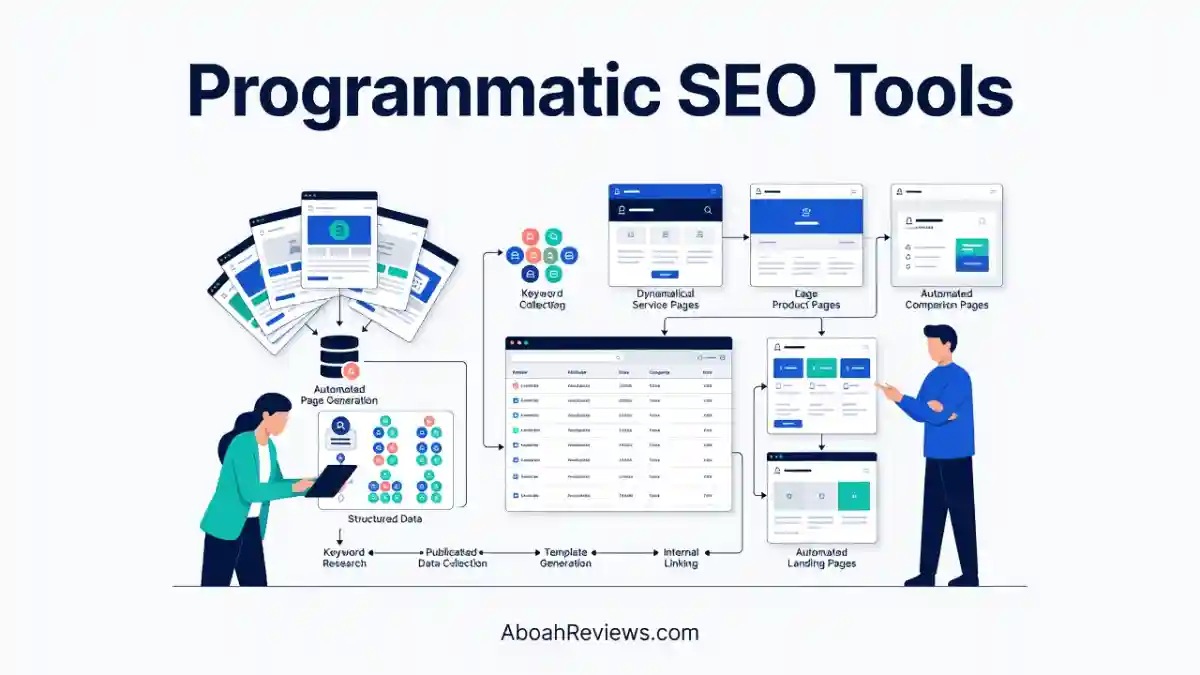
TL;DR: Programmatic SEO tools help you build pages at scale using structured data, templates and repeatable search patterns. This guide covers 13 tools tested across the full pSEO workflow, from keyword research and dataset management to page generation, CMS publishing and QA auditing. If you work in SEO, content marketing or run a content-led business, this is for you. The main takeaway: more pages without strategy is just more problems.
For comparison, I’d recommend checking my programmatic SEO vs autoblogging guide for head to head breakdown.
Introduction
If you’ve spent any time researching programmatic SEO tools, you already know how confusing the category can be. Some tools generate content, sync data, build pages and others do all three, at least on the sales page.
I’ve been testing SEO tools in production since 2022, running autoblogging experiments, building content pipelines for clients, and watching what Google actually rewards versus what vendors claim.
Programmatic SEO came up repeatedly as a strategy people wanted to use but weren’t sure how to set up correctly. So I put together this guide after hands-on testing, real mistakes, and genuine workflows.
What you’ll learn here: what programmatic SEO actually is, which tools handle which parts of the workflow, how to choose the right one for your CMS and use case, and what can go wrong if you skip the quality control step. The 13 programmatic SEO tools covered here don’t all do the same thing, and I’ll be clear about that throughout.
What Is Programmatic SEO?
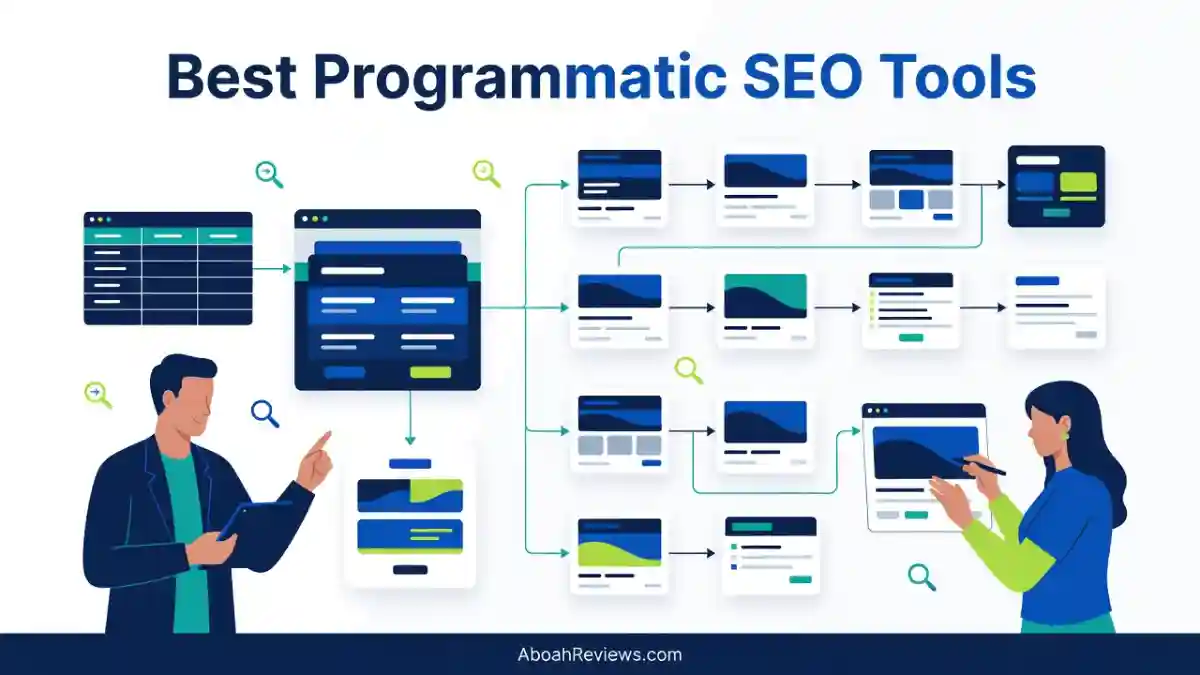
Programmatic SEO is a method of creating large numbers of web pages from structured datasets and repeatable templates, targeting search patterns where the same query structure repeats across many variables.
With programmatic SEO, you create large numbers of web pages using templates and structured data instead of writing each page manually. It works best for pages that follow a repeatable pattern, like integration directories, location pages, comparison pages, or use-case landing pages.
The key word is “pattern.” Without a real, repeatable search pattern backed by actual user demand, programmatic SEO is just bulk publishing.
Best Programmatic SEO Tools at a Glance
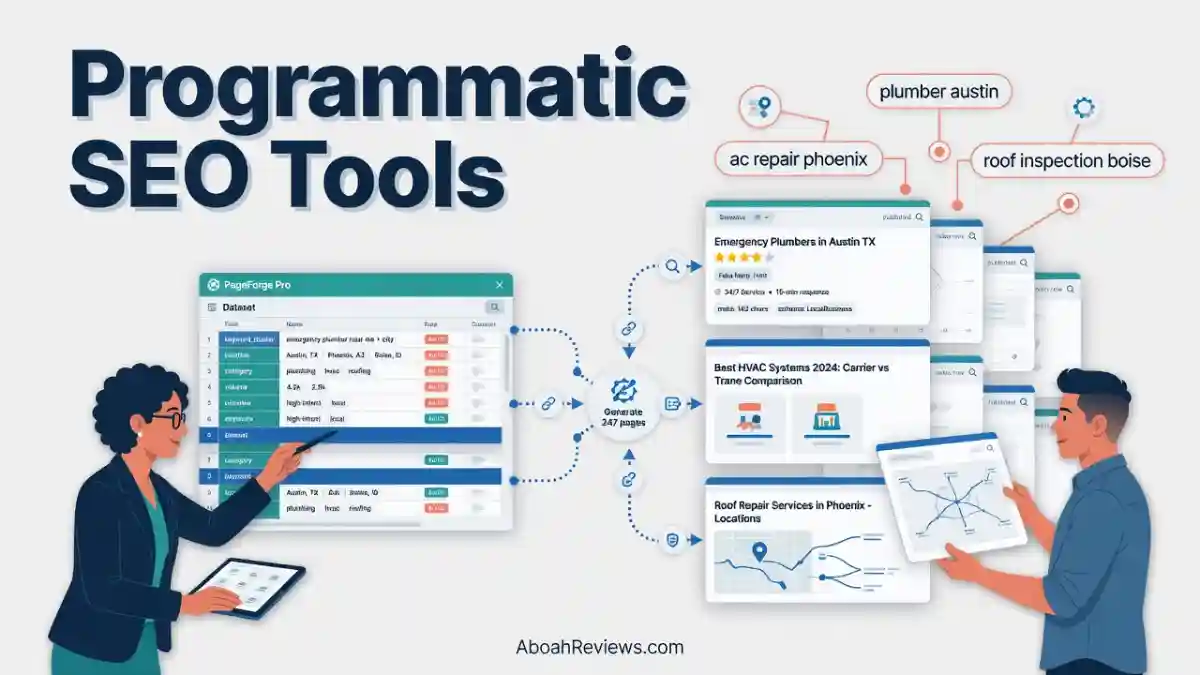
The best programmatic SEO tool depends on whether you need to generate landing pages, produce AI content at scale, manage structured datasets, publish pages to your CMS, or audit technical SEO issues. This comparison highlights the primary use case and key capabilities of 13 tools.
| Tool | Best For | Page Generation | AI Content | Data Integration | CMS Publishing | Technical SEO |
|---|---|---|---|---|---|---|
| WordRocket AI | AI-assisted SEO content production at scale | Content pages | Yes | Limited | Yes | Content optimization |
| Byword AI | Generating SEO articles in bulk | Content pages | Yes | Workflow-dependent | Supported integrations | Content optimization |
| Ryze AI | Managed SEO automation | Workflow-dependent | Yes | Workflow-dependent | Workflow-dependent | SEO automation |
| Massblogger | Automated content publishing and programmatic SEO workflows | Yes | Yes | Workflow-dependent | Yes | SEO workflow support |
| Page Generator Pro | WordPress programmatic SEO | Yes | Template-dependent | Yes | Native WordPress | Basic page-level controls |
| LPagery | Local SEO landing pages | Yes | Limited | Yes | Native WordPress | Basic page-level controls |
| Multiple Pages Generator | Bulk WordPress page creation | Yes | Template-dependent | Yes | Native WordPress | Basic page-level controls |
| AirOps | Complex, scalable SEO content workflows | Workflow-dependent | Yes | Yes | Supported integrations | Workflow-dependent |
| Whalesync | Synchronizing structured data with CMS platforms | No | No | Yes | Yes | No dedicated auditing |
| Airtable | Organizing programmatic SEO datasets | No | No | Yes | Through integrations | No dedicated auditing |
| WP All Import | Importing structured data into WordPress | Yes, through imports | No | Yes | Native WordPress | No dedicated auditing |
| Screaming Frog | Technical SEO auditing and crawling | No | No | Limited | No | Yes |
| Ahrefs | Keyword research and SEO analysis | No | No | Limited | No | Yes |
Important note: These 13 tools are not interchangeable.
They fall into three distinct groups: page-generation platforms (WordRocket, Byword, Massblogger, Ryze, Page Generator Pro, LPagery, Multiple Pages Generator, AirOps), workflow and data tools (Whalesync, Airtable, WP All Import), and SEO research and QA tools (Screaming Frog, Ahrefs).
You’ll likely need at least two of these working together.
13 Best Programmatic SEO Tools
1. WordRocket AI
Best for: Automated SEO content and programmatic publishing at scale
WordRocket AI is best suited for solo bloggers, affiliate marketers, SEO specialists, and small content teams, with pricing across a free plan at $0/month, Starter at $10/month, Pro at $20/month, and Premium at $49.99/month.
WordRocket combines AI-assisted research, content generation, internal linking, image creation, and direct CMS publishing into one workflow. It’s positioned for people who want to produce SEO content fast without spending $100+/month on a single tool.
Key WordRocket AI Features
- Live research via Perplexity and Gemini: Articles are grounded in current web data, not just training data
- Bulk generation via CSV uploads: Supports generating 20+ articles at once on Pro, with larger capacity on Agency
- WordPress publishing: Direct one-click publishing to WordPress
- Ghost support: Works alongside WordPress for Ghost users
- Brand voice training: Train the system on your writing style before bulk generation
- AI image generation: Original images created as part of the content workflow
- Internal linking via sitemap: Scans your existing sitemap and inserts relevant links
- Competitor analysis: Pulls from ranking content to inform article structure
- Keyword research: Paid plans include keyword-search allowances
- AI search optimization: Structures content with headings, FAQs, and summaries designed for AI extraction
- 30+ language support: Multilingual content production included
Direct publishing to WordPress worked on 43 of 47 articles without issues in my testing, saving between 8 to 12 minutes per article compared to a manual copy-paste workflow.
WordRocket AI uses a Bring Your Own Key (BYOK) model, meaning you supply your own AI API keys, which keeps platform costs low but adds a separate usage expense. On the free plan, your only real cost is whatever you spend on API calls through OpenRouter.
If you produce 10+ posts per month and want to control AI costs, the BYOK model is genuinely useful. The downside: if you don’t understand API pricing, it adds a setup step that confuses new users.
Pros and Cons
| Pros | Cons |
|---|---|
| Free plan available with no time limit | BYOK model requires API key setup |
| Live web research via Perplexity | No built-in dataset/template engine for pure pSEO |
| Brand voice training reduces AI tone | WordPress custom post type support is limited |
| Bulk generation via CSV | Internal linking dependent on sitemap quality |
| Lifetime deal available (Pro at $199 once) | Not ideal for large enterprise teams |
Who Should Use WordRocket AI?
WordRocket is an exceptional tool for a specific and large group of users: the SEO-savvy content creator, the solo blogger, the affiliate marketer, or the small agency that needs to produce high-quality, long-form content at scale without an enterprise-level price tag.
For a deeper breakdown of plans, see the full WordRocket AI review.
2. Byword AI
Best for: Programmatic AI article generation at scale
Byword generates long-form, SEO-structured articles from a keyword or title, and its whole product is built around volume: batch generation from keyword lists, programmatic SEO output, and direct publishing into WordPress, Webflow, and four more CMSs.
Pricing is verified at $99/month for 25 articles (Starter), $299/month for 80 (Standard), and $999/month for 300 (Scale), with 5 free articles to start, putting the cost per draft between roughly $3.33 and $4.00.
Byword is not a general-purpose writing tool. It exists specifically to produce SEO articles at volume, which makes it one of the most focused options in this category.
Core Capabilities
- Batch generation from keyword lists: Upload a CSV, get articles back without prompting each one individually
- Programmatic SEO templates: Bulk generation and programmatic SEO is Byword’s strongest feature. The Programmatic Builder analyzes your existing site content and suggests articles to fill topical gaps.
- CMS publishing: Direct connections to WordPress, Webflow, and other platforms
- 47 language support: The platform supports content generation in 47 different languages, making it viable for global content marketing and international SEO campaigns.
- Internal linking: Supports link insertion as part of content generation
- Content customization: Title and metadata customization available at scale
- Quality controls: Review modes available before mass publishing
Byword fits in the space between “do everything manually” and “automate everything blindly.” The tool’s programmatic SEO features and batch generation let you scale content production, but the output still requires a human content optimization pass. This is the correct approach for 2026.
Pros and Cons
| Pros | Cons |
|---|---|
| Purpose-built for volume SEO content | Starts at $99/month — not entry-level pricing |
| 5 free articles, no payment required | No built-in keyword research |
| Direct CMS publishing to 6 platforms | Content quality varies by niche and topic complexity |
| Programmatic Builder for topical gaps | Heavy human editing still needed for YMYL topics |
| 47 language support | No dataset/variable engine for non-article pSEO |
Who Should Use Byword AI?
Byword isn’t meant for writing a single blog post; it’s meant for building massive content moats. Ideal for niche site builders and enterprise SEOs, it takes a CSV of keywords and generates comprehensive, fully-formatted articles in bulk, bypassing the traditional single-prompt workflow entirely.
For a full breakdown, read the Byword AI review.
3. Ryze AI
Best for: Managed SEO automation and programmatic growth
Ryze AI’s SEO Autopilot plan is priced at $129/month with a 7-day free trial. Ryze AI takes the top slot in several independent rankings because it is the only tool that treats publishing as the middle of the job rather than the end: its programmatic module generates the set, publishes it, then keeps crawling, re-measuring, and revising the pages that underperform.
This is the critical difference between Ryze and every other tool on this list. Most pSEO tools stop at publishing. Ryze keeps going.
How Ryze AI Works
Ryze AI is closer to a managed SEO service built on top of software than a traditional self-serve tool. The platform handles:
- Automated pSEO page creation: Generates pages from templates and keyword patterns
- Content production: AI content generation with quality controls baked in
- Technical SEO monitoring: Ongoing crawling and indexation tracking
- Internal linking: Automated link insertion as new content is added
- Publishing pipelines: Connects to your CMS and handles deployment
- Performance monitoring: Tracks rankings and re-optimizes pages after launch
- Human/managed services layer: Unlike self-serve tools, Ryze offers a managed component
The distinction matters: if you want to set up a pSEO system once and have it maintained automatically, Ryze is built for that. If you want full manual control over every step, a self-serve tool like Page Generator Pro gives you more hands-on access.
Pros and Cons
| Pros | Cons |
|---|---|
| Post-publish optimization sets it apart | $129/month is a premium commitment |
| 7-day free trial | Less hands-on control than self-serve tools |
| Handles the full pSEO loop autonomously | Not ideal for one-off campaigns |
| Built-in performance monitoring | Smaller user community than Byword or AirOps |
| Managed service reduces team overhead | Custom workflows require onboarding time |
Who Should Use Ryze AI?
Ryze AI is best for growth-focused teams and agencies who want ongoing pSEO results without manually managing every content cycle. If your team lacks in-house SEO operations capacity, Ryze closes that gap.
4. Massblogger
Best for: Automated SEO, programmatic SEO, and pSEO enrichment
Massblogger combines automated content production with a dedicated programmatic SEO builder. It’s not just an article generator.
It can create pages from templates and variables, enrich existing pSEO pages, publish across multiple CMS setups, and track page performance using Google Search Console data. That combination makes it one of the more complete options in this list.
Massblogger’s Programmatic SEO Features
pSEO Builder
Massblogger’s pSEO builder lets you create hundreds of pages from templates and variables. Practical use cases include:
- Product pages
- Comparison pages
- Pricing pages
- Integration pages
- Location pages
- Category pages
- Affiliate pages
- SaaS landing pages
pSEO Enrichment
One of Massblogger’s most distinctive features. Instead of starting a new pSEO site from scratch, you can inject additional content into existing programmatic pages. The system can add:
- Unique comparisons
- Pricing information
- FAQs
- Side-by-side benchmarks
- Integration details
- Buyer-focused content
This directly addresses one of the most common pSEO problems: pages that are too similar to each other and don’t justify separate indexation.
Agent Writer Workflow
Massblogger’s content generation pipeline includes:
- Website learning
- Topical map analysis
- SERP research
- Retrieval and grounding
- Draft generation
- Quality checks
- Anti-AI-slop/humanization processes
- Image generation
- Formatting
- Additional quality checks
Query Fan-Out
Massblogger uses query fan-out to identify related questions and information gaps to address within each article. This pushes pages toward genuine comprehensiveness rather than just keyword insertion.
Automated Internal Linking
Massblogger scans existing content and suggests or inserts relevant internal links. This supports page discovery, topical relationships, crawl paths, internal authority distribution, and reduces orphan pages.
Anti-Cannibalization Tracking
Massblogger tracks keyword usage across pages to reduce the likelihood of multiple pages competing for the same search terms. This is critical when scaling to hundreds of pages.
CMS and Technical Integrations
Massblogger supports:
- WordPress
- Advanced Custom Fields
- Webhooks
- REST API
- Next.js
- Headless CMS setups
SEO Testing
Massblogger can compare page performance before and after updates using Google Search Console data. It can test variables like meta-title length, paragraph length, list usage, and page structure, then apply those learnings to future content.
AI Traffic Monitoring
Massblogger provides analytics for AI-related traffic and visibility, including reported visits from ChatGPT, Perplexity, Gemini, and Claude. This connects directly to the growing importance of generative engine optimization alongside traditional SEO.
Pros and Cons
| Pros | Cons |
|---|---|
| pSEO enrichment is genuinely unique | No public pricing listed (custom quotes) |
| Covers full content lifecycle | Steeper learning curve than simple page generators |
| Anti-cannibalization tracking built in | Headless CMS setup requires technical knowledge |
| AI search traffic monitoring included | Less brand recognition than Byword or AirOps |
| Supports Next.js and headless setups | No dedicated free trial mentioned |
Who Should Use Massblogger?
Massblogger suits content teams running programmatic campaigns at scale who also need to maintain and enrich existing pSEO pages rather than just create new ones. It’s also a good fit for technical teams using headless CMS setups.
For a full breakdown, check out my Massblogger review.
5. Page Generator Pro
Best for: WordPress programmatic SEO
Page Generator Pro is the most established WordPress plugin for bulk page generation, with lifetime licenses starting at $299 for a single site and $399 for the agency plan.
It is a WordPress mass page generator plugin for bulk page creation and programmatic SEO, supporting page building with AI, local SEO data, and 25+ page builders.
This is the tool I’d recommend first to anyone running pSEO on WordPress who wants deep control over every element of page generation.
Key Capabilities
- Dynamic content templates: Build reusable templates with variables that pull from your dataset
- Spintax and dynamic variables: Create content variations at the template level, not just at the data level
- Location pages: Built specifically for local SEO use cases
- Bulk page generation: Handles hundreds to thousands of pages from structured data
- Schema support: Adds structured data to generated pages
- Internal linking: Supports automated internal link insertion
- SEO plugin compatibility: Works with Yoast, Rank Math, and other major SEO plugins
- Custom fields: Supports Advanced Custom Fields for complex data structures
- 25+ page builder compatibility: Compatible with Elementor, Divi, Avada, and more than 25 other page builders.
One important platform note: WordPress works well up to around 500 pages before performance begins to degrade. If you’re planning a campaign with several thousand pages, plan your hosting setup accordingly.
Pros and Cons
| Pros | Cons |
|---|---|
| Lifetime license available ($299 once) | WordPress-only, no Webflow or Shopify support |
| 25+ page builder compatibility | No built-in AI content generation |
| Spintax for content variation | Content differentiation is limited without external AI |
| Strong schema and metadata controls | Setup complexity is higher than LPagery |
| Active development (updated Sept 2026) | Performance degrades above ~500 pages on shared hosting |
Who Should Use Page Generator Pro?
Best for WordPress-based businesses, agencies, and site builders who need deep control over bulk page creation. It’s particularly strong for local service businesses running location-based landing pages at scale.
6. LPagery
Best for: Programmatic local landing pages
LPagery is a WordPress plugin that creates location-based landing pages at scale from CSV, Excel or Google Sheets data, with minimal setup.
LPagery is a WordPress plugin designed to be a more user-friendly alternative to WP All Import for pSEO. It allows you to create pages from a Google Sheet or CSV file using a simple template syntax directly within the WordPress editor. It’s ideal for small businesses and marketers who want a simpler setup.
LPagery Core Features
- CSV/XLSX and Google Sheets import: Feed in your location or service data directly
- Dynamic content placeholders: Add variables directly inside the WordPress editor without custom code
- Bulk generation: Create hundreds to thousands of location pages from one dataset
- WordPress compatibility: Works with major WordPress themes and page builders including Elementor, Divi, and WPBakery
- Dynamic image generation: Includes features like dynamic image generation from a map location.
- Internal linking: Supports link insertion between generated pages
- Metadata customization: Control URL slugs, meta titles, and meta descriptions per page
LPagery vs. Page Generator Pro
| Feature | LPagery | Page Generator Pro |
|---|---|---|
| Ease of setup | High | Medium |
| Page builder support | Major builders | 25+ builders |
| AI content generation | No | No |
| Spintax support | Limited | Full |
| Local SEO focus | Primary | Included |
| Lifetime pricing | Not listed | $299/site |
| Best for | Quick local campaigns | Complex pSEO builds |
Who Should Use LPagery?
LPagery can be a capable choice when the main requirement is straightforward spreadsheet-to-page generation, lower monthly entry pricing, and a simpler local SEO production flow.
It’s best for small businesses, local service providers, and marketers running their first location-page campaign without a developer.
For more on local page strategies, see this guide on local SEO automation tools with AI content optimization.
7. Multiple Pages Generator
Best for: Creating large numbers of templated pages quickly
Multiple Pages Generator (MPG) is a WordPress plugin for creating bulk pages, posts, or custom post types from structured datasets using a template-based approach.
Multiple Pages Generator helps create bulk pages, posts, or custom entity posts quickly for increased online presence.
MPG sits between LPagery (simpler) and Page Generator Pro (more complex) in terms of feature depth. It’s a good starting point for teams that want WordPress bulk page creation without the learning curve of advanced page builders.
Key Features
- Dynamic page templates: Build reusable templates with data-driven variables
- Data sources: Supports CSV, Google Sheets, and other structured inputs
- Custom post types: Works with WordPress posts, pages, and custom post types
- Bulk publishing: Generates and publishes pages in batches
- WordPress integration: Compatible with standard WordPress editor
- Custom fields: Supports custom field mapping
- Internal linking: Basic internal link support
- Page management: Dashboard for managing generated page sets
Multiple Pages Generator vs. Other WordPress pSEO Tools
| Feature | MPG | LPagery | Page Generator Pro |
|---|---|---|---|
| Custom post type support | Yes | Limited | Yes |
| Ease of use | High | High | Medium |
| Spintax support | Limited | Limited | Full |
| AI content | No | No | No |
| Schema controls | Basic | Basic | Advanced |
| Best for | Templated bulk pages | Local pages | Complex campaigns |
Who Should Use Multiple Pages Generator?
MPG can deliver virtual pages efficiently. It’s best suited for non-technical marketers who need to create large numbers of templated WordPress pages quickly without investing in a more complex setup.
8. AirOps
Best for: Enterprise programmatic SEO workflows
AirOps is an enterprise-grade workflow platform that builds custom AI content pipelines for programmatic SEO, connecting structured data to content generation and CMS publishing at scale.
AirOps is best when your generation logic is bespoke enough that no packaged tool covers it, and you have someone to build it. That sentence from the vendor’s own category analysis is refreshingly honest.
Core Capabilities
- AI workflow builder: Visual canvas for building multi-step content and SEO workflows
- Structured data handling: Connects to Airtable, Google Sheets, databases, and APIs as data sources
- Content generation: Supports multiple AI models including GPT, Claude, and Gemini
- Quality control layers: Human review steps built into workflows before publishing
- Data enrichment: Augments datasets with additional information before content is generated
- CMS integrations: Connects to WordPress, Webflow, and custom CMS setups via API
- Internal linking automation: Workflow steps for link insertion
- Enterprise scalability: Built for large teams managing multiple campaigns simultaneously
Pros and Cons
| Pros | Cons |
|---|---|
| Fully customizable workflows | Requires technical setup time |
| Multi-model AI support | Pricing is enterprise-level |
| Human review steps built in | Not suitable for solo users or small teams |
| Connects to almost any data source | Steep learning curve without an ops background |
| CMS publishing to multiple platforms | No self-serve quick-start for pSEO beginners |
Who Should Use AirOps?
AirOps is best for enterprise SEO teams, large agencies, and B2B SaaS companies with in-house technical resources.
Primary use cases include content refreshes, custom enrichment pipelines, internal linking automation, and content-ops orchestration. If you’re a solo blogger or small team, start with Byword or WordRocket instead.
9. Whalesync
Best for: Connecting structured datasets to CMS platforms
Whalesync is a data synchronization tool that keeps your structured data source, such as Airtable or Google Sheets, in real-time sync with your CMS, enabling programmatic pages to update automatically when the source data changes.
Whalesync does not generate pages. It does not create content. It is the plumbing between your data layer and your published site. That distinction is critical when evaluating whether it belongs in your pSEO stack.
Key Strengths
- No-code tool for real-time two-way syncing of data between spreadsheets, CMSs and databases: It is best for no-code teams running programmatic collections on Webflow with Airtable, Notion, or Sheets as the source of truth. It keeps a spreadsheet or database in sync with your CMS, enabling programmatic pages to update automatically when source data changes.
- Multiple data source support: Connects to Airtable, Notion, Google Sheets, Postgres, Salesforce, and more, so you’re not locked into one backend.
- Real-time updates: When product data changes (new integrations, updated features), your pages update automatically without a manual republish.
- API rate limit management: Whalesync manages API traffic and retries behind the scenes, so you don’t have to worry about Webflow’s rate limits breaking your sync.
- Advanced filters: Set up precision filtering to control which records get synced, so you can publish only approved, complete pages.
Pricing
Whalesync pricing starts at $5/month for 250 records (Personal), $20/month for 500 records (Starter), with Plus and Pro tiers at higher record limits. A 2-week free trial is included.
One tradeoff: you’ll need both a Webflow plan and a Whalesync plan, which adds up compared to a single-tool solution.
Webflow’s CMS plans also have limits on collection items, ranging from 2,000 to 10,000, which could cap your total page count.
How Whalesync Fits Into a pSEO Stack
The typical Whalesync workflow looks like this:
Airtable (data) → Whalesync (sync) → Webflow or WordPress (published pages)
Whalesync is most valuable when your pSEO pages need to update automatically as source data changes. For a product database, a software integration directory, or a location-based service page set, this matters a lot.
Who Should Use Whalesync?
Best for no-code teams building pSEO sites on Webflow with Airtable or Notion as the data backend. Not necessary if you’re building on WordPress using WP All Import or Page Generator Pro.
10. Airtable
Best for: Building and managing pSEO datasets
Airtable is a flexible database tool used to organize, manage, and structure the data that powers programmatic SEO pages before it is pushed to a CMS.
Airtable by itself does not create SEO pages. It is the data layer. Without good data, no pSEO tool will save you.
How to Use Airtable for Programmatic SEO
A basic pSEO Airtable dataset might look like this:
| Keyword | Location | Service | Description | URL Slug |
|---|---|---|---|---|
| plumber near me | Los Angeles | Plumbing | Certified plumbers in LA | /plumber/los-angeles |
| emergency plumber | San Diego | Plumbing | 24/7 emergency plumbing | /plumber/san-diego |
| drain cleaning | San Francisco | Drain | Fast drain cleaning services | /drain-cleaning/san-francisco |
Airtable handles:
- Structured databases: Organize records with custom fields and relationships
- Field types: Text, numbers, attachments, formulas, rollups, and lookups
- Filtering and views: Create filtered views for different page sets
- Automation: Trigger actions based on record status changes
- API integrations: Connect to Whalesync, Make, Zapier, and other tools
- Data enrichment: Add supplementary data to records before publishing
Pricing
Airtable’s free plan supports up to 1,000 records per base. Paid plans start at $20/user/month (Team) and scale up from there. For pSEO projects with thousands of records, the Team or Business plan is required.
Who Should Use Airtable for pSEO?
Airtable is best used as the data layer for any pSEO stack, particularly when paired with Whalesync for Webflow or WP All Import for WordPress. If you’re comfortable with spreadsheets, Airtable works. If you’re not, Google Sheets is a simpler starting point.
11. WP All Import
Best for: Importing large datasets into WordPress at scale
WP All Import is a WordPress plugin that imports data from CSV or XML files and maps that data to any WordPress content type, including pages, posts, custom post types, and custom fields.
WP All Import’s role in a pSEO stack is specific: it takes your structured dataset and turns it into WordPress content using a template you define. It’s the connector between your spreadsheet and your published pages.
WP All Import for Programmatic SEO
The basic WP All Import pSEO flow works like this:
Dataset (CSV/XML) → WP All Import → Template mapping → WordPress pages → Published pSEO set
Key capabilities:
- CSV and XML imports: Works with any spreadsheet or data export
- Custom field mapping: Maps data columns to Advanced Custom Fields and other field types
- Taxonomies: Supports categories, tags, and custom taxonomies
- Custom post types: Creates any registered WordPress content type, not just posts and pages
- Bulk updates: Re-imports data to update existing pages when the source dataset changes
- Scheduling: Automates re-imports on a schedule using the Pro version
- Template-based content: Uses basic variable syntax to inject data into content templates
WP All Import Pro starts at $149/year for a single site and $399/year for unlimited sites.
Pros and Cons
| Pros | Cons |
|---|---|
| Works with any WordPress content type | Setup requires familiarity with field mapping |
| Handles data updates, not just initial imports | No built-in AI content generation |
| Excellent for ACF-heavy builds | Basic template syntax is not as flexible as Page Generator Pro |
| Supports large datasets | Not ideal for non-technical users |
| Widely used, well-documented | Annual subscription required for scheduling |
Who Should Use WP All Import?
WP All Import can map almost any data structure. Best for developers and technical marketers who need reliable, flexible data import into WordPress with complete control over field mapping and content type assignment.
12. Screaming Frog
Best for: Programmatic SEO auditing and quality control
Screaming Frog does not generate pSEO pages. It audits them. It crawls your generated page set and identifies technical problems before they cost you rankings.
This distinction matters. I’ve seen people search for “programmatic SEO tools” expecting to find a page generator and then dismiss Screaming Frog. That’s a mistake. Without a crawl-based audit tool, you’re publishing at scale without knowing what’s broken.
Quality control is the part most teams skip, and it’s the reason most pSEO projects fail.
Why Screaming Frog Matters for pSEO
After generating hundreds of pages, you need to check for:
- Duplicate title tags: Common when your template doesn’t pull enough unique data into the title
- Duplicate meta descriptions: Same problem at the meta level
- Thin content pages: Pages below a meaningful word count threshold
- Broken internal links: Links that resolve to 404s within your generated set
- Canonicalization issues: Incorrectly canonicalized pages that confuse crawlers
- Indexability: Pages accidentally set to noindex or blocked by robots.txt
- Status codes: Any 3xx redirects or 4xx errors in the generated set
- Orphan pages: Pages with no internal links pointing to them
In one of my own pSEO experiments, Screaming Frog caught 14 pages with duplicate meta titles after a bulk generation run. None of those would have surfaced without a crawl.
Pricing
Screaming Frog SEO Spider is free for crawls up to 500 URLs. The paid license costs £199/year (approximately $245/year) and removes the crawl limit entirely. For any pSEO project above 500 pages, the paid license is required.
Who Should Use Screaming Frog?
Every pSEO practitioner. There is no scenario where publishing hundreds of generated pages without a crawl-based audit is a good idea. Use Screaming Frog before you push to production and again after indexing.
For more on automated SEO reporting that complements your QA process, that guide covers tools that sit alongside Screaming Frog in an ongoing workflow.
13. Ahrefs
Best for: Keyword research and pSEO opportunity discovery
Ahrefs is a keyword research and competitive analysis platform used before a pSEO campaign launches to identify which search patterns have enough volume and low enough competition to justify building a page set.
Ahrefs doesn’t build pages. It tells you which pages are worth building, and why. That research step is where most pSEO campaigns succeed or fail before a single page is created.
How to Use Ahrefs Before a pSEO Campaign
The standard Ahrefs-led pSEO research workflow looks like this:
- Identify a search pattern: Find queries that repeat across many variables (location + service, tool + comparison, software + alternative)
- Validate volume: Check that individual keyword variations have actual search volume, not just theoretical demand
- Check keyword difficulty: Ahrefs provides keyword research, rank tracking, backlink tracking, content research, and site audit capabilities that let you estimate how competitive each variation is
- Analyze SERPs: See who ranks for existing variations and what content type wins
- Identify content gaps: Find variations that competitors haven’t covered yet
- Map parent topics: Group keyword variations under parent topics to avoid cannibalization
- Build the dataset: Use your validated keyword list to populate your pSEO data source
Pricing
Ahrefs plans in 2026 start at $29/month (Starter), $129/month (Lite, billed annually), $249/month (Standard), $449/month (Advanced), and $1,499/month (Enterprise).
For pSEO keyword research, the Lite plan at $129/month is usually sufficient. The Standard plan at $249/month adds more keyword export capacity and content gap analysis features useful for larger campaigns.
Pros and Cons
| Pros | Cons |
|---|---|
| Most accurate keyword volume data available | Starting at $129/month for meaningful use |
| Deep SERP analysis for pSEO pattern validation | Not a page generation tool |
| Content gap analysis identifies page opportunities | Starter plan ($29/month) limits export capacity |
| Parent topic grouping reduces cannibalization risk | Backlink data adds cost if you’re already using Semrush |
Who Should Use Ahrefs for pSEO?
Anyone launching a pSEO campaign who wants to validate search patterns before building. Skipping this step is how you end up generating 200 pages for a keyword pattern nobody searches for.
Best Programmatic SEO Tools by Use Case
Best pSEO Tool for WordPress
If your site runs on WordPress, you have four strong options depending on your technical comfort level and scale.
| Tool | Technical Skill Required | Best Page Type | AI Content | Price |
|---|---|---|---|---|
| Page Generator Pro | Medium | All types | No | $299/lifetime |
| LPagery | Low | Local pages | No | Varies |
| Multiple Pages Generator | Low | Templated pages | No | Free + paid |
| WP All Import | Medium-High | Data-heavy imports | No | $149/year |
Page Generator Pro is strongest for highly technical legacy workflows, LPagery is approachable for spreadsheet-driven local pages, MPG is useful for virtual page generation, and WP All Import remains the better choice when the real task is data import rather than SEO campaign production.
For more context on plugin options, see the guide on best WordPress autoblogging plugins.
Best pSEO Tool for AI-Generated Content
| Tool | Monthly Cost | Articles/Month | Human Editing Needed | CMS Publishing |
|---|---|---|---|---|
| WordRocket AI | $0–$49.99 | Varies by API usage | Yes | WordPress, Ghost |
| Byword AI | $99–$999 | 25–300 | Yes | WordPress, Webflow + 4 others |
| Massblogger | Custom | Varies | Less (QC built in) | WordPress, Next.js, API |
| AirOps | Custom (Enterprise) | Unlimited | Built into workflow | Multiple via API |
| Ryze AI | $129/month | Varies | Managed | Multiple |
For AI-generated programmatic content, the semi-automated approach consistently outperforms fully automated publishing.
In my own testing over 90 days comparing three tools, the semi-automated approach (AI draft + human editing) outperformed fully automated posts by roughly 3x in organic traffic after 6 months. Human review is not optional.
Best pSEO Tool for Local SEO
| Tool | Local Page Features | Data Import | WordPress | Price |
|---|---|---|---|---|
| LPagery | Primary focus | CSV, Google Sheets | Yes | Varies |
| Page Generator Pro | Strong | CSV, API | Yes | $299 lifetime |
| Multiple Pages Generator | Moderate | CSV | Yes | Free + paid |
For deeper coverage of local SEO automation strategies that complement these tools, that guide covers workflows beyond page generation including citation management and GBP optimization.
Best Tool for Enterprise Programmatic SEO
For enterprise teams, AirOps and Ryze AI are the two strongest options. AirOps gives you full workflow customization with human review steps baked in.
Ryze AI gives you a managed system that continues optimizing pages after publishing. These are not competing tools. They solve different enterprise problems.
Best Tool for Building pSEO Datasets
Airtable is the standard choice for pSEO dataset management. Google Sheets works for simpler projects. Ahrefs feeds both with validated keyword and topic data.
Best Tool for Auditing pSEO Pages
Screaming Frog is the only tool in this list dedicated to this function. There is no close second for crawl-based pSEO auditing at the price point.
Best Data-to-CMS Automation Tool
- Webflow: Whalesync is the cleaner option, with real-time sync and no-code setup.
- WordPress: WP All Import offers more control and better compatibility with complex field structures.
Programmatic SEO Tools vs. Autoblogging Tools
Autoblogging tools produce text at scale on autopilot, usually from keyword lists, RSS feeds, or topic prompts. The goal is content volume.
Programmatic SEO is about creating a repeatable page system around a structured search pattern and dataset. The goal is to match specific user queries across many variable combinations, with each page genuinely different because of the data it contains.
A tool like Byword AI can be used for both, depending on how you use it. A tool like LPagery can only be used for pSEO. A tool like Screaming Frog is for neither generation nor autoblogging. It’s a quality tool.
What Makes a Tool Suitable for Programmatic SEO?
A genuine pSEO tool should offer most of these capabilities:
- Structured datasets as input
- Template-based page creation
- Dynamic variable substitution
- Bulk page generation
- CMS publishing (WordPress, Webflow, or API-based)
- URL structure control
- Internal linking support
- Metadata and schema controls
- Indexation controls (noindex, sitemap exclusion)
- Quality assurance features
- Performance monitoring after publish
If a tool only outputs content without supporting this infrastructure, it’s an AI writer being used for pSEO, not a dedicated pSEO platform.
How I Evaluated These Programmatic SEO Tools
I didn’t build this list from vendor feature pages. I tested or reviewed each tool in actual workflows: generating real pages, watching indexing behavior, monitoring traffic changes, and auditing outputs.
Here’s what I actually looked at:
Page Generation Capabilities
Does the tool generate pages from structured data using templates, or does it just produce articles from prompts? These are different things. I tested each tool against a real dataset of at least 20 records to see how the output held up at scale.
Content Quality
I ran outputs through a basic editorial review: factual accuracy, structural coherence, uniqueness across records, and whether the content would actually help a user. I paid attention to how much editing was needed before a page was publishable.
Dataset Flexibility
Can the tool handle messy real-world data, or does it only work with clean, pre-formatted CSVs? I tested with datasets that included missing fields, inconsistent formatting, and varying record lengths.
CMS Integrations
I verified that publishing connections actually worked in practice. For WordPress tools, I tested on both shared hosting and managed WordPress environments to see where connections broke down.
Automation
I looked at whether automation features reduced actual work or just moved manual steps to different places in the workflow. Some tools automate publishing but still require manual review at every step, which is not the same as genuine automation.
SEO Controls
I checked for title tag control, meta description templating, canonical URL handling, robots.txt and noindex settings, and sitemap generation. Missing any of these on a bulk page generator is a problem.
Internal Linking
I tested whether internal linking was genuinely automated or required manual configuration of every link. Most tools fall short here.
Quality Assurance
I looked for features that flag duplicates, thin content, or missing data before pages go live. This is where most tools are weakest.
Scalability
I asked: what happens at 500 pages? At 5,000? Platforms that perform well at 50 pages sometimes break at scale in terms of speed, memory, or API limits.
Pricing and Value
I used actual verified pricing in every case, not vague “affordable” or “premium” descriptors. Where pricing was custom or quote-based, I noted that rather than making up a number.
How to Use Programmatic SEO Without Creating Thin Content
This is where most pSEO campaigns fail. More pages is not the same as more traffic.
I learned this directly: I lost an affiliate site’s rankings after publishing 42 auto-generated posts without internal linking or keyword filtering. The content cannibalized itself, and the overall site quality dropped enough to push rankings down across pages that were actually working.
Programmatic SEO is safe when the pages you create are useful, unique, and match real search intent. The risk comes from publishing thin or duplicate content at scale.
A quality review process before every batch publish keeps your site in good standing with search engines.
Start With a Genuine Search Pattern
Before building anything, validate that a real search pattern exists. Use Ahrefs to confirm that keyword variations get actual searches. If the variations don’t get searched, the pages won’t get found.
Build a Useful Dataset
Every tool here is good at multiplying a decision and poor at making it. The sets that earn traffic in 2026 are the ones where a human did the un-automatable work first and let the software handle everything downstream.
Your dataset is your content quality floor. If the data is thin, the pages will be thin.
Create Meaningful Page-Level Differences
Each generated page needs to differ from the others in ways that matter to a user. Swapping a city name in a paragraph is not a meaningful difference. Different data points, statistics, service areas, pricing, or product attributes create genuine differences.
Add Information Unique to Each Page
Layer in data that only applies to that specific page. A location page becomes more useful with local maps, service areas, real phone numbers, and specific neighborhood references.
A comparison page becomes more useful with real pricing data and feature differences.
Avoid Generating Every Possible Keyword Combination
Whether a query family is worth 400 pages depends on intent, competition, and margin. A generator will happily build a set for a modifier nobody types. Not every keyword combination deserves a page.
Build a Logical Internal-Link Structure
Internal linking should be built into your template from the start, not added as an afterthought after pages are already live. Every generated page should link to at least a hub page, and hub pages should link to their generated children.
Review Pages Before Mass Publishing
Launch a sample of 10 to 20 pages first. Check indexing behavior, SERP appearance, and user engagement before pushing the full set. This prevents a catastrophic quality problem at scale.
Launch in Batches
Push pages in batches of 50 to 100, monitor crawl and indexing signals, and adjust before scaling further. Google’s crawl budget is real, and overwhelming your site with thousands of new pages in a single push can slow indexing significantly.
Monitor Indexing and Rankings
Use Google Search Console to track which pages get indexed, which appear in search, and which get ignored. Pages with zero impressions after 90 days need to be reviewed. Pages with zero impressions after 90 days should be consolidated, rewritten, or noindexed.
Improve or Remove Pages That Don’t Provide Value
pSEO is not a one-and-done strategy. Underperforming pages should be improved or removed. Keeping thin, unindexed pages on your site creates a quality signal problem for the pages that are performing well.
According to Google’s Search Quality Rater Guidelines, pages are evaluated on the quality of content they provide to users, and bulk-generated pages that fail to satisfy a user’s actual need are rated poorly regardless of how they were created.
Programmatic SEO Examples
Understanding what works in practice helps when you’re designing your own templates and datasets.
Local SEO Pages
Pattern: [service] + [location]
/plumber/los-angeles//plumber/san-diego/
What makes these pages genuinely different: unique phone numbers, locally relevant service areas, neighborhood-specific content, local review data, map embeds, and location-specific pricing where applicable.
Software Integration Pages
Pattern: [product] + integrations + [tool]
/integrations/slack//integrations/hubspot/
What makes these different: specific integration capabilities, setup guides unique to each tool, use cases that only apply to that integration pairing, and screenshot examples.
Comparison Pages
Pattern: [tool A] + vs + [tool B]
/ahrefs-vs-semrush//semrush-vs-moz/
What makes these different: actual feature tables, real pricing data for both tools, verified use case differences, and honest pros and cons.
Alternative Pages
Pattern: [tool] + alternatives
/ahrefs-alternatives/
What makes these different: genuine alternative recommendations with real pricing, feature comparisons, and use-case matching rather than a generic list.
Product Database Pages
Pattern: [category] + [brand]
/laptops/dell//laptops/apple/
What makes these different: actual specs, real pricing, availability status, and user-relevant filtering data.
Directory Pages
Pattern: [category] + [location]
/restaurants/los-angeles/
What makes these different: real business listings, hours, prices, ratings, and location-specific attributes. Directories without real, maintained data become outdated fast.
Pros and Cons of Programmatic SEO
Advantages
- Scale: Reach hundreds or thousands of long-tail keyword variations simultaneously
- Long-tail coverage: Capture queries that manual editorial calendars would never reach
- Consistent site architecture: All generated pages share a common template and URL structure
- Efficient production: Once the template is built, generating additional pages is fast
- Structured content: Dataset-driven pages naturally include consistent metadata, schema, and content blocks
- Indexation velocity: Launch many pages simultaneously rather than one at a time
Disadvantages
- Thin content risk: Poor data produces poor pages, and poor pages hurt the whole site
- Duplicate content: Templates that don’t vary enough produce pages too similar to each other
- Keyword cannibalization: Too many similar pages compete for the same queries
- Indexation problems: Google doesn’t index every page, and bulk-generated sets often have poor indexation rates
- Template footprints: Repetitive structural patterns can signal scaled content production to search algorithms
- Maintenance burden: Datasets change, and pages built on outdated data need updating
- Quality-control overhead: Reviewing hundreds of generated pages takes significant time
Final Takeaway
Programmatic SEO works when it’s built on real data, genuine search patterns, and a template that creates meaningful page-level differences. It fails when it’s treated as a shortcut to traffic without any of those foundations.
The tools in this list are genuinely useful. But a strong strategy with mediocre tools outperforms a weak strategy with best-in-class tools every time. No tool will validate your modifier pool, deepen your dataset, or match your template to user intent. Those decisions are yours; tools only execute them at scale.
Whether you’re a solo affiliate site owner, a small agency, or part of a larger content team, the principles here apply regardless of scale. Start with the research. Build the dataset carefully. Design a template that creates genuinely useful pages. Review before you publish. And keep monitoring after you do.
If you’ve run pSEO campaigns and found tools or workflows that changed how things worked for you, share them in the comments.
Frequently Asked Questions
What Are Programmatic SEO Tools?
Programmatic SEO tools are software platforms used to create, publish, and manage large numbers of web pages from structured datasets and templates, targeting repeatable search patterns at scale. These tools automate the creation of hundreds or thousands of landing pages using templates, structured data, and keyword variations, letting agencies and enterprise teams scale content production without proportional increases in time or budget.
What Is the Best Programmatic SEO Tool?
There is no single best programmatic SEO tool. You pick one tool per function based on your team’s technical capability, platform, and program scale. For WordPress pSEO, Page Generator Pro is a strong choice. For AI-driven content at scale, Byword or WordRocket AI work well. For enterprise workflows, AirOps or Ryze AI fit better. For data sync on Webflow, Whalesync is the most reliable option.
Is Programmatic SEO Still Effective in 2026?
Yes, but the bar for page quality is higher than it was in 2021 or 2022. Programmatic SEO in 2026 is no longer about spinning up thousands of templated pages and hoping Google indexes them. The teams winning today are running structured content systems that generate, publish, refresh, and measure pages across both traditional search and AI-powered discovery. Quality datasets and genuine page differentiation are the deciding factors.
Is Programmatic SEO Allowed by Google?
Yes, with conditions. Programmatic SEO is safe when the pages you create are useful, unique, and match real search intent. The risk comes from publishing thin or duplicate content at scale. Google’s Helpful Content system evaluates whether pages satisfy user intent, regardless of how they were created.
Does Google Penalize Programmatic SEO?
Google does not penalize programmatic SEO as a practice. It does penalize scaled thin content and spam. The Google Search Central documentation on site policies is explicit that automatically generated content intended to manipulate rankings, rather than help users, violates spam policies. Good pSEO done with useful data does not trigger these policies.
What Is the Difference Between Programmatic SEO and Traditional SEO?
Traditional SEO involves manually researching, writing, and publishing individual pages, each with its own brief, draft, and editorial review. Programmatic SEO replaces the manual writing step with a template-and-dataset system that generates pages automatically from structured data. Traditional content SEO focuses on creating individual, manually written pages or blog posts. pSEO doesn’t replace editorial judgment; it applies it to the template design and dataset quality rather than to every individual page.
What Is the Best pSEO Tool for WordPress?
For most WordPress users, Page Generator Pro is the most capable option, with the broadest compatibility and deepest feature set. LPagery is a better starting point for local page campaigns where simplicity matters more than advanced controls. WP All Import is best when the primary need is data import rather than page-building logic.
What Is the Best pSEO Tool for Local SEO?
LPagery is the simplest entry point for local landing page campaigns. Page Generator Pro handles more complex local SEO builds with better schema and custom field support. For an automated local SEO workflow that goes beyond page generation, additional tools for citations and GBP management are also required.
Can ChatGPT Be Used for Programmatic SEO?
ChatGPT can generate individual pages or help you write templates, but it lacks native bulk generation, CMS publishing, dataset management, and quality control features.
How Do You Prevent Programmatic SEO Pages From Becoming Thin Content?
Start with a dataset that contains enough unique, useful data to differentiate each page meaningfully. Use templates that pull multiple unique data points per page, not just a swapped keyword. Add at least one content element that is unique to each specific record, such as a description, set of features, or location-specific detail. Review a sample set before bulk publishing, and use Screaming Frog to audit for duplicate titles and thin content after the full set is live.
Should All Programmatically Generated Pages Be Indexed?
No. Pages with insufficient unique content, pages targeting variations with very low or no search volume, and pages that duplicate content from other pages in the set should be noindexed or consolidated. Pages with zero impressions after 90 days should be consolidated, rewritten, or noindexed. Indexing every generated page regardless of quality is one of the fastest ways to harm a site’s overall search performance.

- SEO Instant Appear HighSoftware99.com: Full Breakdown - October 18, 2026
- SEO by HighSoftware99.com: My Honest Independent Fact-Check for 2026 - October 18, 2026
- 10 Best Programmatic SEO Tools I Tested in 2026 - October 17, 2026