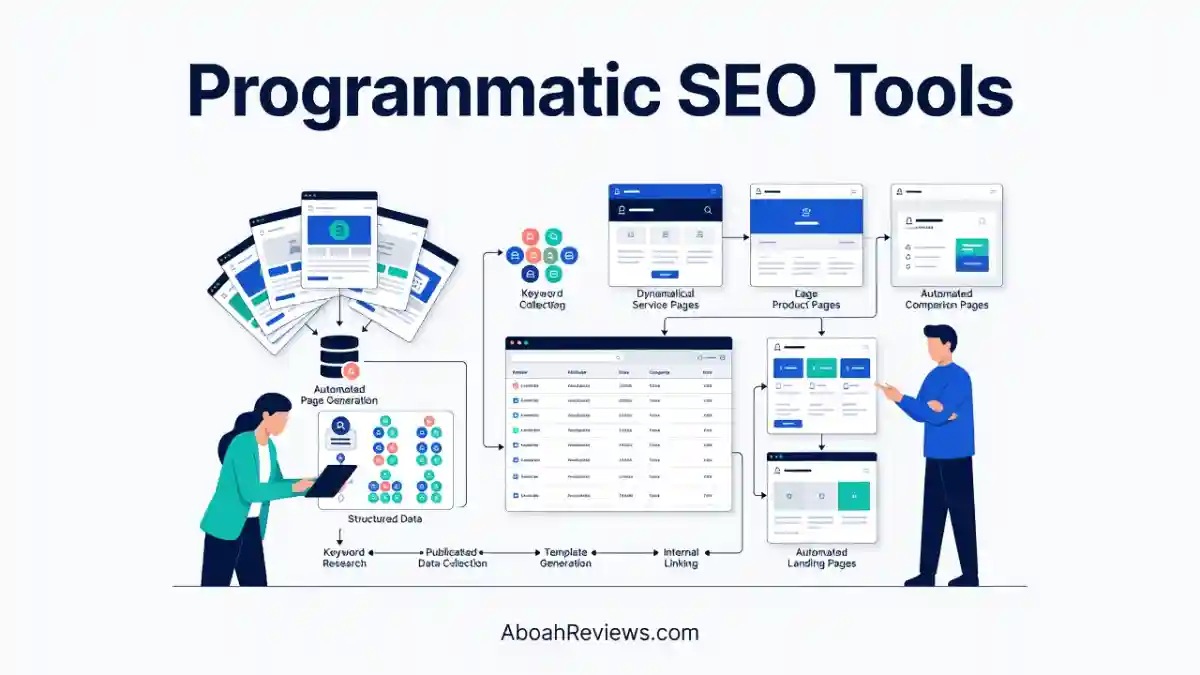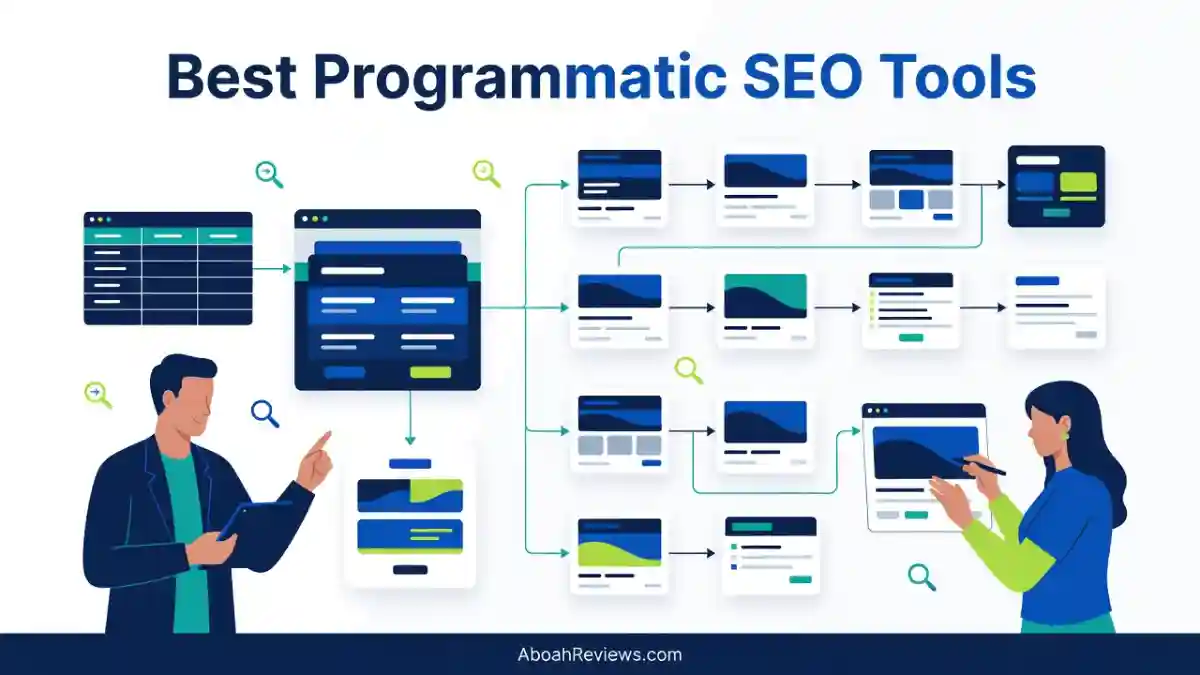
TL;DR: This guide reviews the best programmatic SEO tools for 2026, covering page generators, content engines, data managers, and technical auditing tools. The main takeaway: no single tool covers the entire pSEO workflow. The best results come from combining the right tools for keyword research, data management, page generation, content enrichment and technical auditing.
For a broader list of tools in this category, see full programmatic SEO tools list.
Introduction
Programmatic SEO is one of the most practical ways to scale organic search visibility. The idea is straightforward: instead of writing each page individually, you build reusable templates and connect them to structured datasets to generate hundreds or thousands of targeted landing pages.
Done well, this lets a small team capture long-tail search demand that would take years to address manually. Done poorly, it produces thin, duplicate or cannibalizing pages that Google quietly stops indexing.
Best Programmatic SEO Tools at a Glance
The best programmatic SEO tools are the ones that help you avoid thin content and keyword cannibalization while still scaling page output, and that distinction matters more than raw volume.
This list includes both dedicated page-generation platforms and the supporting tools (data management, research, and auditing) that a real pSEO workflow depends on.
| Tool | Best For | Primary Capability | Content Generation | Page Creation | SEO Analysis |
|---|---|---|---|---|---|
| Massblogger | pSEO enrichment and automation | Enriching existing pages and generating new programmatic pages | Yes | Yes | Yes |
| Byword AI | Programmatic AI articles at scale | Generating articles from templates and structured datasets | Yes | Yes, through its content workflow | Content-focused |
| LPagery | Local SEO landing pages | Generating WordPress pages from spreadsheet data | AI-assisted | Yes | Page-level SEO controls |
| Page Generator Pro | WordPress programmatic SEO | Creating pages and posts from templates and data | Template-based content | Yes | SEO plugin integrations |
| Multiple Pages Generator (MPG) | Bulk WordPress page creation | Rendering programmatic pages from structured data | Template-based content | Yes, including virtual pages | SEO plugin integrations |
| Whalesync | Structured data synchronization | Synchronizing records between supported platforms | No native AI article generation focus | Indirectly, through connected CMS workflows | Depends on connected tools |
| Airtable | Organizing pSEO datasets | Managing structured records and content variables | No native pSEO article generation focus | No native page-generation engine | Data management |
| WP All Import | Importing structured data into WordPress | Mapping imported data to WordPress fields | No native AI article generation focus | Creates or updates WordPress content from imports | Depends on configuration and integrations |
| Ahrefs | Keyword research and SEO analysis | Finding keywords and researching competing pages | Not its primary function | No native pSEO page-generation engine | Yes |
| Screaming Frog | Technical SEO auditing and crawling | Identifying crawl, indexability, linking, and technical issues | No | No | Yes |
Verify current features, integrations, and plan limitations against each vendor’s documentation before publishing a large batch of pages. I distinguish native functionality from capabilities that require a separate integration throughout this guide.
How I Evaluated the Best Programmatic SEO Tools
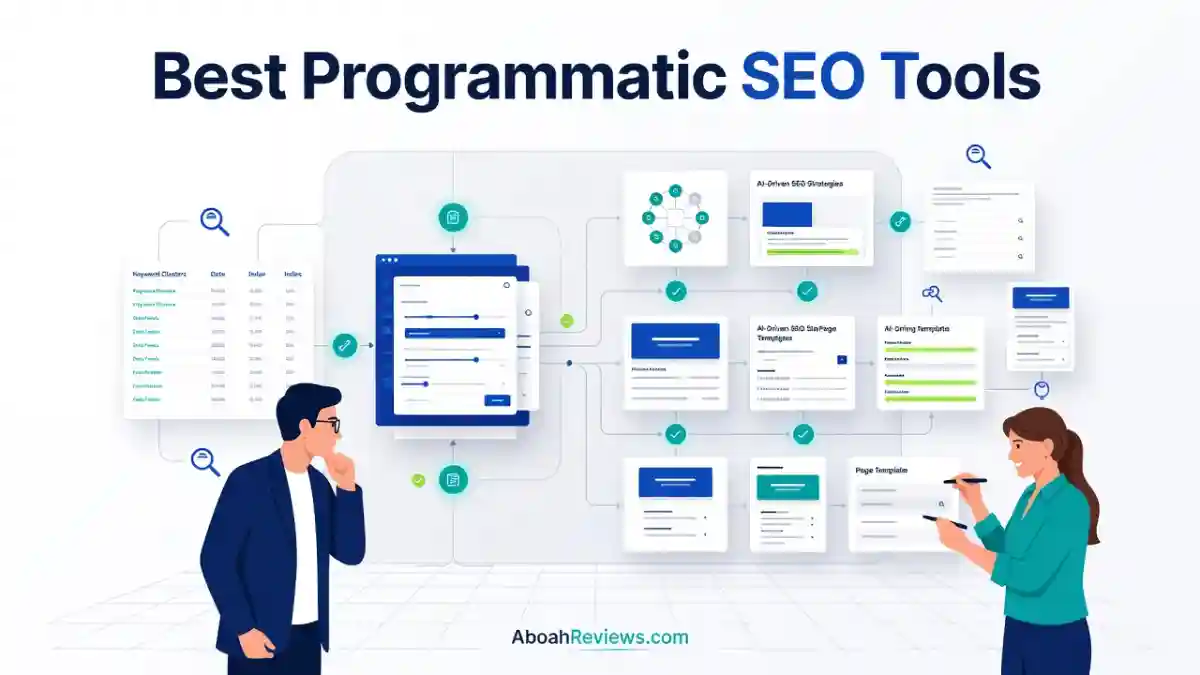
A programmatic SEO tool is only useful if it fits into a workflow that produces pages people and search engines actually want to find. I scored each tool against five practical criteria instead of a feature checklist.
Programmatic Page Generation
The core question here is whether the tool can create pages from reusable templates and structured datasets without manual page-by-page work.
I looked at whether each platform supports variables, custom fields, and bulk publishing, since that determines how far a single template can scale before it needs to be rebuilt.
Content Generation and Enrichment
Page generation and content quality are two different problems, and a tool that handles one does not automatically handle the other.
I checked whether each platform can produce genuinely differentiated content per page, whether it can improve existing programmatic pages that are underperforming, and whether it allows editorial review before anything goes live.
Data Management and Integrations
A pSEO workflow lives or dies on its data source, so I looked at CSV imports, spreadsheet connections, APIs, webhooks, and CMS synchronization support.
The more cleanly a tool fits into an existing stack (WordPress, Webflow, a headless CMS), the less custom development a team needs before launch.
SEO Quality Control
This is where most pSEO projects actually fail. I checked whether the workflow supports unique titles and metadata by default, whether internal linking is handled automatically or manually, and whether the tool gives any visibility into duplicate pages, indexing problems, or keyword cannibalization across the generated set.
Scalability, Pricing and Ease of Use
Finally, I looked at how many pages each tool realistically supports, how complex the setup is, and what ongoing maintenance looks like. Some tools are built for beginners running a single WordPress site; others assume an agency managing data pipelines across multiple properties.
1. Massblogger: Overall Best Programmatic SEO Tool for pSEO Enrichment
Massblogger is the strongest overall pick in this guide because it is one of the few platforms that handles both new page generation and enrichment of an existing pSEO setup from the same dashboard.
What Is Massblogger?
Massblogger is a multi-site SEO automation platform built around programmatic page generation and content enrichment, with WordPress publishing and API access for custom setups.
Its pSEO builder lets you create hundreds of pages directly from the app using templates and variables, and a pSEO enrichment feature lets you add high-quality content to every page in an existing pSEO setup.
That enrichment angle matters because most pSEO failures aren’t about generating pages, they’re about pages that already exist but never earned a reason to rank.
Massblogger’s Key Features
- Programmatic SEO page builder using templates and variables
- pSEO enrichment for pages that already exist
- AI content generation with keyword-based article writing
- WordPress publishing with Advanced Custom Fields support
- Webhooks and REST API for custom, non-WordPress setups
- Automatic keyword tracking to avoid keyword cannibalization across sites
- Google Search Console integration that enables a workflow where you find underperforming pages, enrich them, and measure the improvement
What I Like About Massblogger
- The combination of page creation and enrichment stood out as a genuine differentiator
- The platform scored well on features and functionality, with multi-site WordPress management and programmatic SEO cited as core differentiators
- Multi-site WordPress management worked without needing to switch dashboards, managing 12 sites from one interface
- Automatic keyword tracking helped prevent cannibalization across sites
Limitations to Consider
- Content consistency varied by topic in testing
- Content quality was inconsistent across niches, requiring heavier editing for some topics than others
- Weigh whether the feature set (multi-site management, agentic access, GSC testing) is more than a simple, single-site page-generation project actually needs before committing to a paid tier
Who Should Use Massblogger?
- Agencies managing multiple WordPress sites that need pSEO at scale
- Affiliate or comparison sites with large page libraries that are underperforming
- SaaS companies that already have a programmatic setup and need to fix thin pages rather than rebuild them
Massblogger Pricing
Massblogger offers a free plan at $0/month, Discovery plan at $59/month and a Pro plan at $99/month, with a full refund available after the first article if unsatisfied.
My Verdict on Massblogger
Massblogger earns the top spot in this guide because it addresses a problem most page generators ignore: what happens to the pages after they’re published and start underperforming.
If your main need is enrichment of an existing pSEO setup rather than building one from scratch, it is the first tool worth testing.
2. Byword AI: Best for Generating Programmatic AI Articles at Scale
Byword AI is built for teams that need to generate a large volume of structured articles from templates and datasets rather than manage WordPress pages directly.
Key Features
- A programmatic SEO engine that builds content from datasets and templates to generate hundreds or thousands of articles in a single batch, designed for location pages, product catalogs, and comparison grids
- CSV uploads and Google Sheets/Airtable data connections for structured input
- Multilingual language support and 26 content templates
- Brand voice matching to keep output consistent across a large batch
- WordPress integration with scheduled publishing over 3-180 days
Pros and Cons
Pros: Byword is purpose-built for bulk article production, and it wins on keyword research, competitor analysis, SEO article generation, bulk campaigns, programmatic templates, internal linking, and metadata, with publishing and export integrations across 10 platforms.
Cons: Generating content at volume does not guarantee a page deserves to rank. Output quality dropping for nuanced topics, with the biggest weakness being editorial review needed for voice and originality. Editorial review and genuinely differentiated source data per page remain non-negotiable.
Who Should Use Byword AI?
- Publishers building structured article libraries around repeatable formats
- SaaS teams targeting clusters of related long-tail queries
- Agencies producing comparison or location-based content for multiple clients
Byword AI Pricing
- Starter costs $99 per month and includes 25 articles.
- Standard costs $299 per month and includes 80 articles, while
- Scale costs $999 per month and includes 300 articles.
- A free plan with 5 articles is available to test the workflow before committing.
My Verdict on Byword AI
Byword makes more sense than a WordPress plugin when the project is article-shaped (long-form, keyword-driven content) rather than page-shaped (structured landing pages with forms, maps, or product data).
For a deeper breakdown, see the full Byword AI review.
3. LPagery: Best for Local SEO Landing Pages
LPagery generates real, editable WordPress pages from a spreadsheet, which makes it the most practical option for multi-location and service-area businesses.
What Is LPagery?
LPagery is a WordPress plugin designed to create and update landing pages in bulk, using a template page with placeholders filled by importing a CSV, XLSX file, or Google Sheets.
Key Features
- Bulk page generation from CSV, Excel, or Google Sheets
- Placeholders, Spintax, and LPagery AI to generate unique headlines, copy, and CTAs for every page
- Local SEO and radius targeting, with location-based content and automatic internal linking
- Compatibility with major themes and page builders (Elementor, Divi, Bricks, WPBakery, Rank Math, Yoast) where all generated pages remain regular WordPress pages you can edit, redesign, or delete anytime
Best Use Cases
- City and service landing pages for local businesses
- Multi-location franchises
- Local SEO agencies managing several client sites
- Service-area businesses expanding into new zip codes or radii
Pros
The spreadsheet-to-WordPress workflow is approachable for non-developers, and the fact that generated pages are standard WordPress pages (not virtual renders) means they survive even if the plugin is deactivated later.
Cons
The tradeoff is editorial responsibility: a radius feature that auto-generates pages for every nearby city can create near-duplicate content quickly if the underlying copy isn’t varied enough per location.
Pricing
- Free plan with no credit card or account required
- $19/month for 1 site or $39/month for 3 sites (Standard plan)
- $27/month for 1 site or $47/month for 3 sites (Extended plan)
- $77/month for unlimited sites and it includes 7 days money back guarantee (Ultimate plan)
My Verdict on LPagery
LPagery is the most accessible option in this list for WordPress users who need local or service-area pages without learning a separate platform.
It is not independently verified whether its AI-assisted copy variation is sufficient on its own to avoid thin content at very high page counts, so budget time for manual review of a sample batch before scaling to hundreds of locations.
4. Page Generator Pro: Best for WordPress Programmatic SEO
Page Generator Pro is a dedicated WordPress plugin for generating pages, posts, and custom post types from templates, keyword lists, and external data sources.
What Is Page Generator Pro?
It is a WordPress mass page generator plugin for bulk page creation and programmatic SEO, built to build pages with AI, local SEO data, and 25+ page builders. Unlike credit-based SaaS tools, generated pages live directly in WordPress as real content you own.
Key Features
- Dynamic placeholder data from Airtable, CSV files, databases, Google Sheets, Notion, an RSS feed, or spreadsheets
- Built-in location data covering 2.6 million locations, plus 45,000 counties and 250 countries
- Automatic internal linking between generated pages and unique variation controls to avoid duplicate content
- 10+ AI provider integrations including OpenAI, Claude, Gemini, Grok, and Deepseek
- SEO meta field integration with Yoast, Rank Math, and AIOSEO
Advantages and Limitations
The plugin is WordPress-native, so pages are real posts you fully own, with no per-credit fees. It is a powerful template and spintax engine where you supply the strategy, the keyword lists, and your own AI API keys, which means the planning and quality control work falls entirely on you rather than on the software.
Page Generator Pro Pricing
Pricing starts from $99/year or $299 as a one-time purchase, with a 14-day money-back guarantee. AI content generation costs are separate, since you connect your own API keys to providers like OpenAI or Claude.
Who Should Use Page Generator Pro?
WordPress site owners and agencies who want a dedicated plugin for structured page generation without paying monthly SaaS fees, and who are comfortable managing their own keyword strategy and AI provider costs.
My Verdict on Page Generator Pro
This is the best value option for teams that already know their keyword strategy and just need a reliable engine to execute it inside WordPress. It is not the right choice if you want a platform that also does the strategic thinking for you.
5. Multiple Pages Generator (MPG): Best for Bulk WordPress Page Creation
MPG generates large volumes of WordPress pages from structured data, with an architectural choice between stored pages and dynamically rendered virtual pages that affects long-term maintenance.
What Is Multiple Pages Generator?
MPG is a WordPress plugin category built around spreadsheet-driven, template-based page creation, similar in concept to LPagery and Page Generator Pro but with its own approach to how generated URLs are stored and rendered.
Real WordPress Pages vs. Dynamically Rendered Pages
This distinction matters more than most buyers realize. Tools that create stored WordPress posts keep every page independently editable and intact even if the plugin is later deactivated.
Tools that render pages on the fly from a database table can generate URLs faster at scale, but those pages may disappear or break if the generating plugin is removed, and some SEO plugins may not fully recognize virtually rendered content the same way they handle stored posts.
Pros and Cons
MPG-style tools are useful for very large datasets where storing every page as an individual post would bloat the WordPress database.
The tradeoff is that virtually rendered pages can complicate editing workflows and require more careful testing with your SEO plugin and caching setup.
Pricing
- Starter at $99/year for 1 site
- Growth at $199/year for 5 sites
- Agency at $399/year for unlimited sites
My Verdict on MPG
MPG-style tools make sense for large-scale WordPress projects where database size and generation speed outweigh the need for every page to be independently edited by hand.
If editorial control over each individual page matters more, a generator that creates standard stored pages (like LPagery or Page Generator Pro) is the safer choice.
6. Whalesync: Best for Synchronizing Structured Data With CMS Platforms
Whalesync keeps structured records in sync across connected applications, which makes it a workflow component rather than a complete programmatic SEO platform on its own.
What Is Whalesync?
Whalesync synchronizes data between supported applications (such as Airtable, Notion, and various CMS platforms), mapping fields automatically so that updates in one tool propagate to another.
Key Features
- Structured record synchronization across supported platforms
- Automated field mapping between a database and a CMS
- Scheduled, automated data updates rather than manual exports and imports
- Tiered plans starting at a Personal tier supporting 250 records, up to higher Plus and Pro tiers, with a 2-week free trial
How Whalesync Fits Into a Programmatic SEO Workflow
- Maintain structured content data (locations, products, comparisons) in a source application like Airtable
- Synchronize supported fields with a CMS such as Webflow or WordPress
- Use the CMS’s templating system to publish pages from that data
- Keep content records consistent automatically when the source data changes, rather than re-exporting manually
Advantages and Limitations
Synchronization reduces the manual data-entry work that causes pSEO datasets to drift out of date, but it does not generate pages, write content, or handle internal linking on its own.
It is best understood as the connective layer between a dataset and a publishing platform, not a replacement for either.
Who Should Use Whalesync?
Teams already running a dataset in Airtable or Notion that needs to stay synchronized with a CMS without manual re-import every time a record changes.
My Verdict on Whalesync
Whalesync solves a real maintenance problem for pSEO projects with frequently changing data, but it should be budgeted as one piece of a larger stack rather than evaluated as a standalone page-generation tool.
7. Airtable: Best for Organizing Programmatic SEO Datasets
Airtable serves as the structured data foundation for a pSEO project, organizing the records that a separate generator or publishing tool later turns into pages.
What Is Airtable?
Airtable is a structured data management platform combining spreadsheet-style editing with database-level relationships, custom fields, and views, which makes it a common source of truth for pSEO datasets before they’re fed into a generator.
Key Features
- Structured records with customizable field types (text, linked records, attachments, formulas)
- Relational data organization across multiple connected tables
- Views for managing content production status (draft, in review, published)
- Automation and validation rules for required fields
How to Use Airtable for Programmatic SEO
- Create a table for target pages (one row per planned URL)
- Add fields for primary keyword, location or product variable, description, and target URL
- Organize related records and flag any rows missing required data before generation
- Connect the dataset to a compatible page generator or publishing workflow (directly or via a sync tool like Whalesync)
- Review generated pages against the source data before publishing
Pros and Cons
Airtable’s flexibility for collaboration and structured datasets is a genuine advantage for teams planning page sets before writing a single line of template code.
The limitation is that Airtable has no native page-generation engine, so it always requires pairing with a separate publishing or automation layer.
Airtable Pricing
- Free plan for 500 AI credits
- Team plan at $20/month billed annually
- Business plan at $45/month billed annually
- Enterprise plan (custom)
My Verdict on Airtable
Airtable is indispensable as the data layer for a pSEO project, particularly when multiple people need to review and validate records before anything goes live, even though it is not a page generator by itself.
8. WP All Import: Best for Importing Structured Data Into WordPress
WP All Import maps structured CSV or XML files directly to WordPress posts, pages, custom post types, and custom fields, making it the most flexible option when your data doesn’t fit a pre-built template system.
What Is WP All Import?
It is an import tool that reads external files and maps each column or node to a specific WordPress field, supporting both new content creation and bulk updates to existing records.
Key Features
- CSV and XML imports with visual field mapping
- Custom post type and custom field support
- Scheduled, repeatable import workflows for recurring data updates
- Add-on integrations for ACF, WooCommerce, and SEO plugins depending on the configuration
How WP All Import Supports Programmatic SEO
- Prepare a clean dataset with one row per intended page
- Map data fields to WordPress title, content, and custom field slots
- Configure the import to create new records or update existing ones
- Review generated content and metadata in a sample batch
- Validate URLs and publishing behavior before running the full import
Pros and Cons
WP All Import is better suited to teams that already have a dataset and need precise control over how it lands in WordPress, rather than teams that want a built-in templating engine with spintax or AI writing baked in.
WP All Import Pricing
- Pricing includes an Import Standalone plan at $8.25/mo ($99/yr)
- Import + Export Standalone at $14.08/mo ($169/yr)
- Import Pro Package at $16.58/mo ($199/yr)
- Import + Export Pro Package at $24.92/mo ($299/yr)
- Lifetime license available at $1,299 one-time and a free version available
My Verdict on WP All Import
This is the right tool when your data source is messier or more custom than a typical pSEO template system expects, and you need granular control over field mapping rather than a pre-built generation workflow.
9. Ahrefs: Best for Keyword Research and SEO Analysis
Ahrefs is a research tool, not a page generator, but no pSEO project should launch without the keyword and competitor analysis it provides.
What Is Ahrefs?
Ahrefs supports keyword discovery, search demand analysis, competitor research, backlink analysis, and site auditing, functioning as the planning layer before any pages are built.
Key Features for Programmatic SEO
- Keyword discovery with search volume and difficulty scoring
- SERP and competitor research to see what’s currently ranking for a target pattern
- Backlink analysis to gauge the authority required to compete
- Site auditing for organic performance research depending on the plan
How to Use Ahrefs Before Launching a pSEO Campaign
- Identify recurring keyword patterns (e.g., “[service] in [city]”)
- Research search intent for each keyword group to confirm pages won’t overlap
- Analyze ranking pages and competing websites for each pattern
- Group keywords by page type to define your template structure
- Prioritize opportunities using demand, competition, relevance, and business value
Pros and Cons
Ahrefs’ value is in planning, not execution, it will tell you which 200 of your planned 2,000 pages are worth building, but it will not build them for you.
Ahrefs Pricing
- Lite at $129/mo
- Standard at $249/mo
- Advanced at $449/mo
- Enterprise at $1,499/mo
- Free tier available for limited use
My Verdict on Ahrefs
Ahrefs is the tool that prevents a pSEO project from wasting a page-generation budget on keyword patterns with no real search demand behind them.
10. Screaming Frog: Best for Technical SEO Auditing and Crawling
Screaming Frog crawls a website to surface the technical and on-page problems that programmatic page sets create at scale, from broken internal links to accidental noindex tags.
What Is Screaming Frog SEO Spider?
It is a desktop website crawler used to audit crawlability, indexability, metadata, and internal linking across a site, widely used as the standard technical SEO tool for validating large page sets after they go live.
Key Features
- Full website crawling with JavaScript rendering support
- Broken-link detection and redirect chain analysis
- Title and meta description checks across the entire crawled set
- Canonical and indexability directive analysis
- Duplicate-content investigation across templated pages
- XML sitemap analysis and AI integration for classifying crawl data with LLMs
How to Audit a Programmatic SEO Website
- Crawl the website immediately after publishing a new page batch
- Identify broken links and redirect chains introduced by the new URLs
- Review canonical tags and indexability directives for accidental noindex flags
- Check titles, metadata, and heading patterns for unintended duplication
- Investigate duplicate or near-duplicate content across the template
- Verify internal links and sitemap coverage for the new pages
- Prioritize fixing issues on the highest-value landing pages first
Pros and Cons
Screaming Frog provides deep, raw technical data, but it requires the user to interpret findings and implement fixes manually, it does not generate recommendations in plain language the way an all-in-one audit tool might.
Screaming Frog Pricing
Screaming Frog uses a flat per-user annual license with unlimited crawling once you step up from the free tier, which crawls up to 500 URLs per crawl but locks JavaScript rendering, custom extraction, and API integrations. The paid license costs $279/£199/€245 per year for a single seat, with discounts starting at five seats.
My Verdict on Screaming Frog
Technical crawling is non-negotiable for any pSEO project publishing more than a handful of pages at once, but it is strictly a validation tool, it does nothing to generate or enrich content.
How to Choose the Best Programmatic SEO Tool for Your Website
The right choice depends on whether your main bottleneck is page generation, content quality, data organization, or technical validation, since no single tool in this list solves all four.
- Choose Massblogger for pSEO enrichment and broader automation if you want programmatic page generation, content enrichment, and wider SEO workflow automation in one platform rather than stitching together separate tools.
- Select Byword AI for programmatic article generation if your project is article-shaped (long-form, keyword-driven content at volume) rather than structured landing pages with forms or product data.
- Pick LPagery for local SEO pages if you’re a WordPress user building city, service, or location-specific landing pages and want generated pages to remain standard, editable WordPress content.
- Settle on Page Generator Pro or MPG for WordPress page generation based on architecture: Page Generator Pro creates real, individually editable posts, while MPG-style virtual rendering suits very large datasets where database size matters more than per-page editing.
- Go for Whalesync or Airtable for data management based on the job: Whalesync when you need records synchronized automatically across connected apps, Airtable when you need a structured, collaborative source of truth for the dataset itself.
- Choose WP All Import for structured WordPress imports when your data is messier or more custom than a pre-built template system can handle and you need precise field-by-field mapping.
- Opt for Ahrefs for keyword research when you need to validate search demand and competitive difficulty for a pattern before committing a generation budget to it.
- Pick Screaming Frog for technical SEO validation any time you publish a batch of programmatic pages and need to confirm they’re crawlable, indexable, and free of broken links or accidental noindex tags.
Best Programmatic SEO Tools by Use Case
| Use Case | Recommended Tool | Why |
|---|---|---|
| pSEO enrichment and broader automation | Massblogger | Combines programmatic page creation with content enrichment |
| Generating AI articles at scale | Byword AI | Supports reusable templates and structured data |
| Local SEO landing pages | LPagery | Generates WordPress pages from spreadsheet data |
| WordPress template-based page generation | Page Generator Pro | Provides a dedicated page-generation workflow |
| Large-scale virtual WordPress pages | Multiple Pages Generator | Supports data-driven page rendering |
| Synchronizing content data | Whalesync | Connects structured records across supported applications |
| Managing pSEO datasets | Airtable | Organizes page variables and structured content records |
| Importing data into WordPress | WP All Import | Maps structured data to WordPress fields |
| Keyword and competitor research | Ahrefs | Supports keyword discovery and SEO analysis |
| Technical SEO audits | Screaming Frog | Crawls websites to identify technical issues |
If you’re deciding between pSEO and simpler content automation, this comparison of autoblogging vs programmatic SEO explains the key differences.
How to Build a Programmatic SEO Workflow Using These Tools
A real pSEO workflow combines several of these tools in sequence rather than relying on one platform to do everything.
Step 1: Find scalable keyword opportunities
Use Ahrefs to research search demand, ranking competitors, and recurring keyword patterns before building anything.
Step 2: Build and validate your dataset
Use Airtable (or another structured data source) to organize page variables, flag missing fields, and get stakeholder sign-off on the dataset before generation starts.
Step 3: Synchronize data where necessary
Use Whalesync when the project requires supported cross-platform synchronization between the dataset and the CMS.
Step 4: Generate pages or articles
Choose Massblogger, Byword AI, LPagery, Page Generator Pro, or MPG according to the page format (article vs. structured landing page) and your publishing architecture (SaaS platform vs. WordPress-native).
Step 5: Import existing structured data
Use WP All Import when data must be mapped into WordPress content types and custom fields outside a pre-built template system.
Step 6: Enrich pages with unique, useful information
This is where most projects need the most discipline. Add information that helps each page satisfy its specific search intent, rather than generating a large collection of pages that differ only by a location or keyword substitution.
Step 7: Audit the website before and after publishing
Use Screaming Frog to identify technical problems and verify that important pages can actually be crawled and indexed.
Step 8: Monitor performance and improve weak pages
Use Google Search Console and GA4 to track indexing, impressions, clicks, and landing-page performance over time, then update, consolidate, or remove pages that provide little value. This matches what a 21-day comparison of manual and automated SEO work across 25 tasks found: automation reduced manual effort unevenly, simple data collection and reporting automated well, but decisions involving search intent and content quality still required review, and accepting recommendations without checking them created extra cleanup work later.
For a closer look at how reporting automation fits into this step, see this guide to automated SEO reporting.
Common Programmatic SEO Mistakes to Avoid
Publishing Hundreds of Thin Pages
Replacing a city or product name in an otherwise generic template is not enough to create useful content. If two generated pages read identically except for one swapped variable, neither is likely to satisfy a specific search query or hold a ranking long-term.
Targeting Keywords Without Distinct Search Intent
Overlapping pages built for closely related queries compete against each other in search results, a problem known as keyword cannibalization. Mapping each keyword pattern to a single, clearly distinct page before generation starts avoids this.
Using Inaccurate or Incomplete Data
Outdated prices, incorrect locations, missing fields, and inconsistent product information undermine every page built from that dataset simultaneously, since the error propagates across the entire template.
Ignoring Internal Linking
Generated pages need a logical site structure connecting them to each other and to the rest of the site. Without deliberate internal linking, search engines and users have no clear path to discover individual pages inside a large programmatic set.
Publishing Without Technical Validation
Broken URLs, incorrect canonical tags, accidental noindex directives, redirect errors, and sitemap gaps are common at scale and often invisible without a crawl. This is why Screaming Frog (or an equivalent crawler) should run immediately after any large publish.
Automating Content Without Editorial Review
Human review catches factual errors, repetitive copy, unsupported claims, and pages that technically exist but don’t actually satisfy search intent.
In my own testing of automated SEO workflows, the issues I caught before publishing (irrelevant suggestions, overlapping intent, recommendations that looked correct but didn’t make sense for the page) were exactly the kind of problems that only surface when a person reviews the output.
For a broader look at where automation helps and where it doesn’t, see this guide to SEO automation.
Final Verdict: Which Programmatic SEO Tool Should You Choose?
Massblogger is the strongest overall pick in this guide for projects that need pSEO enrichment alongside broader automation, since it addresses existing thin pages rather than only generating new ones.
Byword AI is the better choice for teams generating large volumes of AI articles rather than structured landing pages, and LPagery remains the most accessible option for WordPress users building local SEO pages from a spreadsheet.
WordPress page-generation tools (Page Generator Pro, MPG, LPagery) differ meaningfully from data-management tools (Airtable, Whalesync) and technical SEO tools (Screaming Frog), and a successful pSEO workflow typically draws from all three categories rather than treating them as competing alternatives.
Keyword research, reliable structured data, genuinely useful page content, deliberate internal linking, and technical validation all have to work together, no single tool replaces that combination.
The practical recommendation: pick the tool that solves your project’s actual bottleneck. If you already have pages but they’re thin or underperforming, enrichment matters more than generation. If you have no dataset yet, start with research and data organization before touching a page generator at all.
Frequently Asked Questions About Programmatic SEO Tools
What is the best programmatic SEO tool?
Massblogger is the leading choice in this guide because it combines programmatic page generation with pSEO enrichment for existing pages in one platform. The best option for your specific project still depends on whether you need new page generation, content enrichment, data management, or technical validation.
What are the key differences between programmatic SEO and traditional SEO?
Traditional SEO typically involves researching and writing individual pages one at a time, while programmatic SEO uses templates and structured datasets to generate many pages following a repeatable pattern. The tradeoff is scale versus per-page customization: programmatic pages can cover far more search queries, but each one needs enough distinct, useful content to avoid being treated as thin or duplicate.
Can AI tools automate programmatic SEO?
AI tools can automate keyword research, content generation, page creation, publishing, and some monitoring tasks, but quality control still requires human oversight. Based on my own testing of automated SEO workflows, automation removed repetitive work but did not remove the need to manually review recommendations before they went live.
What is the best programmatic SEO tool for WordPress?
Massblogger, LPagery, Page Generator Pro, MPG, and WP All Import all work within WordPress but serve different functions. Massblogger adds AI content and enrichment on top of page generation, LPagery and Page Generator Pro focus on template-based page creation with local SEO features, MPG handles very large datasets through virtual page rendering, and WP All Import specializes in mapping custom data into WordPress fields.
What is the best tool for generating thousands of SEO landing pages?
The answer depends on the CMS, data source, page architecture, and editorial workflow a project uses, there is no single universal answer. A WordPress site with a clean spreadsheet might use Page Generator Pro or LPagery, while a headless or multi-CMS setup might rely on Airtable paired with Whalesync and a custom publishing layer.
Can I use Airtable for programmatic SEO?
Yes, Airtable can organize page datasets with custom fields, relational tables, and validation rules, feeding that structured data into a compatible content-generation or publishing workflow. It has no native page-generation engine of its own, so it always needs to be paired with a separate tool to actually publish pages.
What is the difference between programmatic SEO and AI content generation?
Programmatic SEO is a broader strategy involving repeatable page creation from structured data, while AI content generation is one possible component used to write the text that fills each page. You can run programmatic SEO without AI at all, using deterministic templates and rule-based data substitution instead.
Is programmatic SEO still effective in 2026?
Yes, when pages serve genuinely distinct search needs and provide accurate, useful information rather than copying a template with one variable swapped. Automation alone does not guarantee rankings, search engines evaluate page quality individually regardless of how the page was produced.
Does programmatic SEO create duplicate content?
Duplicate or near-duplicate content can arise from poorly differentiated templates, but programmatic page generation does not inherently require duplicate content. Pages that pull in genuinely different data per record (different prices, reviews, specifications, or local details) can be substantively unique even when they share a layout.
How many pages should I publish in a programmatic SEO campaign?
Page count should follow the number of useful, distinct search opportunities a business can actually serve, not an arbitrary publishing target. Publishing fewer, well-differentiated pages generally outperforms publishing a larger batch where many pages barely differ from each other.
Can programmatic SEO work without AI?
Yes, conventional templates, databases, structured datasets, and deterministic rules (such as those used by WP All Import or Page Generator Pro’s spintax system) can generate pages without any AI-written content. AI is one option for filling in the unique text per page, not a requirement of the approach itself.
Pick the tool that matches your actual bottleneck rather than the one with the longest feature list, and keep a human in the review loop before anything publishes at scale. For related reading on keeping automated workflows accountable, see this guide to AI SEO automation and this breakdown of local SEO automation.

- SEO Instant Appear HighSoftware99.com: Full Breakdown - October 18, 2026
- SEO by HighSoftware99.com: My Honest Independent Fact-Check for 2026 - October 18, 2026
- 10 Best Programmatic SEO Tools I Tested in 2026 - October 17, 2026