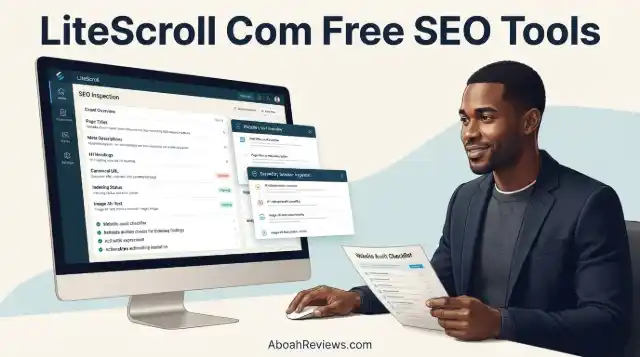
TL;DR: LiteScroll com free SEO tools are the LiteScroll SEO Crawler for site-wide audits and the LiteScroll SEO Inspector Chrome extension for single-page checks, alongside a paid LiteScroll Pro SEO Audit option.
Free Tools
- LiteScroll SEO Crawler: Scans up to 25 pages per crawl. Checks title tags, meta descriptions, headings, canonical tags, image alt text and noindex signals, then outputs an SEO score, priority issues and exportable reports.
- LiteScroll SEO Inspector: A free Chrome extension for inspecting the active webpage. Reviews headings (H1–H6), links, images, schema, social tags and keyword usage, with options to copy summaries, headings or export JSON, HTML or PDF reports.
Paid Option
- LiteScroll Pro SEO Audit: A deeper custom audit covering up to 100 pages with priority recommendations and a broader SEO improvement plan.
It won’t replace a professional technical crawler, but for small sites and routine checks, it’s a genuinely usable free option.
If you’ve been searching for free SEO tools that don’t require a credit card, a lengthy setup or a university degree in technical SEO to understand, you’ve probably come across LiteScroll.
Litescroll com free SEO tools is a lightweight toolkit built around a free website crawler and a Chrome browser extension. This article covers exactly what LiteScroll offers, what each tool actually does, its real limitations, how it compares with alternatives like Screaming Frog and who it makes sense for.
What Is LiteScroll com Free SEO Tools?
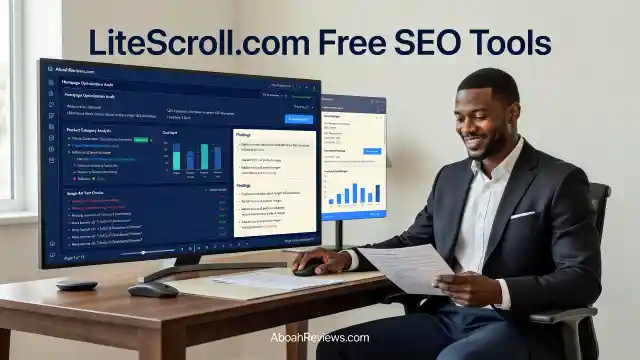
LiteScroll is a free SEO toolkit focused on two main branded tools: one for website-wide crawling and one for current-page Chrome inspection.
The idea behind the platform is to make common SEO problem-finding faster without requiring you to work through a complex professional tool.
It doesn’t compete with Semrush or Ahrefs. Those platforms combine keyword research databases, backlink analysis, rank tracking, competitor intelligence and much more.
Unlike established technical SEO platforms that come with hundreds of features and a steeper learning curve, LiteScroll appears designed around a simpler idea: find common SEO problems quickly without requiring an advanced SEO toolkit.
The target audience is small-business website owners, bloggers, freelancers, and content marketers who want to catch basic SEO mistakes without paying for another monthly subscription.
It also makes sense for SEO beginners learning how technical auditing works.
What Free SEO Tools Does LiteScroll Offer?
LiteScroll offers 2 main branded SEO tools: one for website-wide crawling and one for current-page Chrome inspection.
The LiteScroll SEO Crawler helps users scan a website, find SEO issues, and download clean reports. The LiteScroll SEO Inspector is the free Chrome extension for inspecting the current page inside Chrome.
There’s also a third option, the LiteScroll Pro SEO Audit, which is a custom-request service rather than a self-service subscription upgrade.
| Tool | Purpose | Cost | Crawl scope |
|---|---|---|---|
| LiteScroll SEO Crawler | Multi-page technical and on-page SEO audit | Free | Up to 25 pages per scan |
| LiteScroll SEO Inspector | Chrome extension for individual webpage analysis | Free | One page at a time |
| LiteScroll Pro SEO Audit | Deeper requested audit with prioritized recommendations | Custom pricing (not publicly listed) | Up to 100 pages |
LiteScroll SEO Crawler
LiteScroll SEO Crawler is a free SEO crawler that scans website pages and checks common on-page and technical SEO signals. The free scan is designed for up to 25 pages per scan.
For larger websites or deeper review, you can request a LiteScroll Pro SEO Audit.
What it checks includes missing or weak meta descriptions, canonical URLs, noindex signals, robots meta tags, crawlability, and basic indexing warnings.
It also covers page titles, heading structure (H1 and hierarchy issues), image alt attributes, and internal and external links.
LiteScroll SEO Crawler keeps the audit process simple: enter a website, scan important pages, then review issues in a clean report.
The 25-page limit is the most important thing to understand upfront. It’s enough for a small local business site, a portfolio, a compact blog or a set of key landing pages.
A website with 100+ pages will hit that ceiling almost immediately.
LiteScroll SEO Inspector
LiteScroll SEO Inspector is a branded Chrome SEO extension that lets you inspect the current page, review SEO signals, copy headings, and export reports without leaving your browser.
It’s useful when you want to review a single page quickly, copy its heading structure, check metadata, review links, inspect image alt text, or export a short SEO report.
What it checks includes meta title, description, headings, links, images, schema, and social tags. It also allows you to copy headings, copy a summary, export JSON, and export HTML or PDF-style reports.
One thing worth knowing before you install it: at the time of this review, SEO Inspector wasn’t available as a normal one-click installation through the Chrome Web Store.
Instead, LiteScroll provides the extension as a ZIP file. After downloading it, you have to extract the files, open Chrome’s extension settings, enable Developer Mode, choose Load unpacked, and select the extracted LiteScroll folder.
That’s not difficult if you’re comfortable with Chrome extensions, but it creates friction for less technical users who expect an “Add to Chrome” button.
LiteScroll Pro SEO Audit
LiteScroll Pro SEO Audit is for deeper review when you want a clearer fix plan for more important pages. It is designed for a deeper review than the free scan, especially when your website needs a clearer SEO fix plan.
LiteScroll Pro isn’t a traditional paid SaaS subscription or upgraded version of the crawler. It’s a custom audit service that users request when they want a more extensive review than the free tools provide.
LiteScroll does not currently publish a fixed price for its Pro SEO Audit. The website lists it as a custom-request audit rather than showing a standard monthly fee or one-time package price.
You submit your website details and LiteScroll scopes the audit from there. Pro audits can cover up to 100 pages.
Key Features of LiteScroll com Free SEO Tools
Website-Wide SEO Analysis
The SEO Crawler handles the site-wide picture. It discovers multiple pages from a submitted URL and runs checks across them.
In a simulated 25-page test, the crawler discovered 31 URLs but analyzed 25 pages, reached the limit of the free crawl, took approximately 42 seconds, and returned an overall SEO score of 78/100.
It identified 6 critical issues and another 17 warnings across the pages analyzed.
That kind of output: a score, a list of critical issues, and a warnings breakdown, is easy to understand without SEO expertise.
On-Page SEO Inspection
The SEO Inspector is best for checking the current page. The crawler is best for scanning multiple pages. The best workflow is to use both tools together.
For page-level work, Inspector handles metadata, headings, links, images, schema, and social tags without you needing to open Chrome DevTools or view page source.
Technical SEO Issue Detection
The crawler reviews canonical URLs, noindex signals, robots meta tags, crawlability, and basic indexing warnings. These are the signals that determine whether Google can find, crawl, and index your pages correctly.
Metadata and Heading Analysis
Both tools cover title tags, meta descriptions, and heading structure. It helps you review title length, description length, and missing metadata quickly.
The heading view in Inspector is particularly useful for quick content audits since you see the full H1 through H6 hierarchy in one place rather than hunting through the page HTML.
Image SEO Checks
Both tools flag missing image alt attributes. These are easy to miss during publishing, especially on pages with a lot of images.
Structured Data Inspection
The area where LiteScroll fell short in testing was the more advanced structured-data issue.
That’s an important distinction because it helps establish where a lightweight crawler like LiteScroll fits compared with more sophisticated technical SEO software.
It can detect that schema exists, but it’s not a substitute for dedicated schema validation tools.
Is LiteScroll Free to Use?
LiteScroll SEO Crawler includes a free scan option for up to 25 pages per scan on litescroll.com. LiteScroll SEO Inspector is presented as a free extension for current-page SEO inspection.
No registration is required to run a crawl. You enter a URL and go.
The Pro SEO Audit is best for larger sites, business websites, client projects, and users who want deeper review beyond the free LiteScroll scan. It includes deeper technical and on-page SEO review and priority SEO fix recommendations for important pages.
The honest answer to “is LiteScroll free?” is yes for most things you’d want to try first. A 25-page crawl can cover an entire small local-business website, a smaller blog, a portfolio site, or a group of important landing pages without immediately running into a paywall.
How to Use LiteScroll Free SEO Tools
Step 1: Visit LiteScroll.com
Go to litescroll.com and find the SEO Crawler tool. No account creation is required for the free crawl.
Step 2: Enter Your Website URL
Type in your website’s root domain. LiteScroll SEO Crawler can help you run a quick website crawl and review common SEO signals in a clean report format.
Step 3: Run an SEO Crawl
The crawler discovers internal pages and starts checking them. LiteScroll will find pages, check common SEO issues, and show what to fix first. Based on the third-party test, a 25-page crawl takes roughly 40-50 seconds.
Step 4: Review the Audit Results
You get an SEO score, a list of critical issues, and warnings. Each issue points to a specific page and element. The report can be exported.
Step 5: Fix Identified SEO Issues
Work through the issues in order of priority. Common quick wins include missing title tags, missing meta descriptions, broken internal links, and pages with multiple H1 tags.
Step 6: Verify Changes Using Google Search Console
After fixing issues, check Google Search Console to confirm pages are indexing correctly and there are no new crawl errors. LiteScroll doesn’t connect to Search Console, so this verification step is manual.
Benefits of Using LiteScroll com Free SEO Tools
The clearest benefit is free access to two functioning SEO audit tools without a subscription. For a beginner or someone managing a small website, that’s genuinely useful.
The free tools are actually usable. A 25-page crawl isn’t just a demo feature designed to push you toward a paid plan. It’s enough to cover many real small-business websites completely.
The simplified output also matters.
When I ran through 50+ SEO automation tasks across multiple websites, one thing that became obvious was how much time gets wasted interpreting dense crawl data that most website owners don’t need.
LiteScroll strips that back to the SEO issues that actually matter to a small-site owner: missing metadata, broken links, heading problems, indexing signals.
Having the SEO Inspector available means you can review a single page quickly, copy its heading structure, check metadata, review links, inspect image alt text, or export a short SEO report without opening a separate desktop application or logging into a paid platform.
For agencies doing quick prospect audits or freelancers doing a first pass on a client’s small site, it removes friction from a common task.
Limitations of LiteScroll com Free SEO Tools
Limited Website Crawling Capacity
The 25-page free limit is the most obvious limitation. That’s perfectly workable for a 10- or 20-page local-business website, but it becomes restrictive quickly.
A 100-page service website, a mid-size blog, or any e-commerce site with product categories will hit the ceiling fast.
There isn’t currently an obvious self-service paid tier for someone who simply wants to crawl 250, 500, or 1,000 pages without requesting a custom audit. That’s probably the biggest product gap.
No Comprehensive Keyword Research Database
LiteScroll has no keyword research functionality. It won’t tell you what queries you should target, how difficult keywords are, or how much search volume any term gets.
For keyword planning, you still need a tool like Semrush, Ahrefs, or even Google’s free Keyword Planner.
Limited Backlink Intelligence
There’s no backlink data in LiteScroll. You can’t see which sites link to yours, the authority of those links, or whether you’re losing links over time.
For anything involving link building and backlink analysis, you need a different platform entirely.
Not a Replacement for Advanced Technical SEO Crawlers
There is a substantial gap between LiteScroll and a professional technical crawler when the audit becomes more complicated.
We’d still reach for a deeper crawler when investigating things like large-scale internal-link architecture, JavaScript rendering, redirect chains, complex canonicalization, custom extraction, faceted navigation, or technical problems across thousands of URLs.
If you work on large sites, audit clients with complex setups, or need crawl data beyond the basics, LiteScroll isn’t designed for that work.
Browser Extension Installation Considerations
At the time of this review, the SEO Inspector extension isn’t installed directly through the Chrome Web Store.
Users have to download a ZIP, extract it, enable Chrome Developer Mode, and manually load the unpacked extension.
That’s manageable for an SEO professional, but it’s unnecessary friction for a product that otherwise emphasizes simplicity.
Enabling Developer Mode on Chrome also gives some users pause, since it’s the same mode used to install unofficial extensions.
LiteScroll doesn’t appear to be doing anything suspicious, but it’s worth being aware of what you’re installing and where it comes from.
LiteScroll SEO Tools vs Screaming Frog SEO Spider
Both tools crawl websites and surface technical SEO issues. That’s where the similarities mostly end.
LiteScroll is built around simplicity. Its free crawler is designed to scan a relatively small website, identify common SEO problems, assign an SEO score, and present the findings in a format that doesn’t require much technical SEO knowledge to understand.
Screaming Frog SEO Spider is a much deeper technical crawler designed for SEOs who want access to the underlying crawl data and significantly more control over how a website is crawled, filtered, analyzed, and exported.
| Feature | LiteScroll | Screaming Frog |
|---|---|---|
| Free crawl limit | 25 pages per scan | 500 URLs |
| Technical SEO checks | Common on-page and technical issues | Extensive technical analysis |
| JavaScript rendering | Not a core feature | Yes (paid license) |
| Custom extraction | Limited | Yes |
| Structured data | Basic detection | Detailed extraction and validation |
| Redirect analysis | Basic URL-level checks | Detailed redirect chains and loops |
| Internal link analysis | Basic inspection | Full inlink/outlink architecture |
| Report exporting | Yes | Extensive, with bulk export |
| Learning curve | Low | Moderate to high |
| Paid option | Custom Pro SEO Audit (no published price) | £199 per year (approx. $259 USD) |
| Best suited for | Quick audits, smaller websites | Deep technical audits, larger sites |
The Screaming Frog SEO Spider is free to download and use. Without a licence, the SEO Spider is limited to crawling a maximum of 500 URLs each crawl, crawls can’t be saved, and advanced features and the configuration are restricted.
That 500-URL free limit versus LiteScroll’s 25-page limit is a meaningful difference. If crawl capacity is your main concern, Screaming Frog’s free version covers 20x more pages.
However, Screaming Frog is a desktop application. You download it, install it, and run it on your computer. LiteScroll’s crawler is web-based. For users who don’t want to install software, that’s a real distinction.
For quick audits of smaller websites, LiteScroll is easier to approach. For professional technical SEO audits, Screaming Frog offers substantially more depth and control.
We wouldn’t replace Screaming Frog with LiteScroll for deeper technical SEO work. But we also wouldn’t dismiss LiteScroll simply because it can’t match Screaming Frog feature-for-feature. They’re solving slightly different problems.
Who Should Use LiteScroll’s Free SEO Tools?
Bloggers and Content Creators
The SEO Inspector is a sensible pre-publication and post-publication QA tool.
Checking that a new article has the right title, correct canonical, properly structured headings, alt text on images, and no missing meta description takes two minutes with the extension.
That’s a workflow check I’d actually do, not something I’d open a full crawler for.
Small Business Website Owners
A local plumber, dentist, or restaurant with a 10-20 page website is exactly the audience LiteScroll is built for.
A small-business owner can enter a domain, run a crawl, and receive a relatively straightforward list of problems such as missing meta descriptions, duplicate titles, missing alt attributes, heading issues, canonical problems, and indexability concerns.
Freelance SEO Specialists
For quick prospect audits or a first pass on a new client’s small site, LiteScroll removes the friction of configuring a more complex crawler for a 15-minute job.
I wouldn’t replace my main audit tools with it, but I’d keep it available for fast checks.
Digital Marketing Agencies
Useful for initial site assessments on smaller accounts. It’s not a replacement for a proper technical audit workflow, but it’s faster than firing up Screaming Frog for a 20-page brochure site.
Beginners Learning Technical SEO
The simplified output makes LiteScroll one of the more approachable starting points for understanding what a technical SEO audit actually looks at.
If you’ve never run a site crawl before, starting here makes more sense than starting with Screaming Frog’s data-heavy interface.
Is LiteScroll Legit and Safe?
Based on what I found, LiteScroll is a legitimate, functioning SEO tool rather than a placeholder website built around SEO-related search terms.
The site offers an operational website crawler, a downloadable SEO Inspector Chrome extension, documentation explaining how the tools work, and a separate request process for its Pro SEO Audit.
That said, there are a few things to know before using it.
The biggest area where more transparency would help is who operates LiteScroll. There isn’t enough reliable public information available to confidently attribute LiteScroll to a particular operator.
That’s not unusual for a newer independent tool, but it’s worth noting.
When you submit a URL to any web-based crawler, you’re sharing that URL with the tool’s servers. That’s standard practice across SEO tools, but it’s worth being aware of.
The Chrome extension installation process, which requires enabling Developer Mode, is also something to approach with the same level of care you’d apply to any extension not distributed through the Chrome Web Store.
For most users doing basic SEO checks on their own sites, LiteScroll looks fine to use. LiteScroll is still a relatively new and lightly documented SEO product with a much smaller independent track record than established tools such as Screaming Frog.
Best Alternatives to LiteScroll com Free SEO Tools
Screaming Frog SEO Spider
The go-to free alternative for anyone who needs more than 25 pages. The SEO Spider is free to download and use, limited to crawling a maximum of 500 URLs each crawl without a licence.
It’s a desktop application with a steeper learning curve, but it covers far more technical ground. If you’re doing any serious SEO automation work, you’ll want Screaming Frog in your toolkit eventually.
Google Search Console
Completely free, and it’s the most direct source of data about how Google sees your site.
It won’t crawl your pages like LiteScroll does, but it shows indexing status, crawl errors, Core Web Vitals issues, and which queries drive traffic.
For fixing real Google-visible problems, it’s the first place to look. See how AI Overviews are changing SEO for context on why first-party search data matters more than ever.
Ahrefs Free (formerly Ahrefs Webmaster Tools)
Ahrefs Free gives you free access to Site Audit, which scans your website for 170+ common technical and on-page SEO issues and helps you fix them.
It also includes Site Explorer for checking which pages and keywords bring the most organic traffic, and who links to your website. You get 5,000 crawl credits per verified project per month.
You need to verify ownership of your site, but once you do, you get substantially more crawl capacity than LiteScroll’s 25-page limit, plus backlink data. This is the strongest free alternative for anyone who owns the site they’re auditing.
SEOptimer
A web-based SEO audit tool with a free version that covers on-page analysis, speed, mobile-friendliness, social signals, and security basics.
Good for a broad snapshot without getting into technical depth. Useful when you want a quicker overview report than Screaming Frog provides.
SEOquake
A free Chrome extension from Semrush that covers page-level metrics including SEO parameters, internal/external links, keyword density, social shares, and more.
Similar territory to LiteScroll SEO Inspector, but with a longer track record and Chrome Web Store distribution.
Final Verdict: Is LiteScroll Worth Using?
LiteScroll isn’t trying to replace an enterprise SEO stack, and that’s not the right standard for evaluating it.
The more useful question is whether its free crawler and SEO Inspector make common SEO checks faster or easier than the tools you’re already using.
For a small website with under 25 pages, it’s a free, functional option that actually works. The crawler is free for up to 25 pages, requires relatively little setup, and focuses on SEO issues that website owners regularly need to identify.
SEO Inspector complements that by giving users a way to investigate individual pages directly inside Chrome.
For experienced SEO practitioners and larger websites, the gaps are meaningful. No keyword research, no backlink data, a 25-page crawl cap, non-Chrome Web Store extension distribution, no published Pro pricing, and limited advanced technical features.
Those aren’t reasons to dismiss it, they’re just reasons it doesn’t replace established SEO automation tools that handle more demanding work.
The biggest improvements needed are: a Chrome Web Store version of SEO Inspector, greater crawl capacity or a self-service paid crawler tier, clearer information about who’s behind the product, and more independent testing as LiteScroll matures.
The best-fit scenario for LiteScroll.com is a blogger, small-business owner or SEO beginner who wants to run a quick technical check without signing up for a paid platform.
For that use case, it delivers what it promises. For anything more complex, start with Ahrefs Webmaster Tools or Screaming Frog’s free version, both of which cover more ground at no cost.
That said, it’s worth keeping an eye on. Lightweight tools with a clear focus can improve quickly, and LiteScroll has a sensible two-tool workflow that makes practical sense. The question is whether it fills in the product gaps between its free crawler and its custom Pro audit.

- LiteScroll com Free SEO Tools: Features, Benefits and Honest Review (2026) - November 20, 2026
- SEO Agency Interamplify: Services, Pricing and Alternatives for 2026 - November 19, 2026
- Otterly AI Review 2026: Is It Worth $29/Month for AI Search Visibility? - November 18, 2026