“I may earn commissions from some links in this article at no extra cost to you. This does not influence my ratings.”
What Is the Best Autoblogging Tool in 2026?
- Best overall autoblogging tool: Keytomic
- Best for: Agencies, affiliate marketers, SaaS companies, founders, and businesses that want an automated SEO content workflow.
- Why it stands out: Combines keyword research, content planning, AI writing, publishing automation, SEO optimization, auto-indexing and AI visibility tracking in one platform.
- Who should use it: Businesses that want to scale content production while maintaining editorial control.
- Who should avoid it: Publishers who need complete manual control over every SEO decision.
Introduction
If you’ve spent any time searching for the best autoblogging tool in 2026, you already know the problem: most answers are either tool vendor landing pages dressed up as reviews or listicles written by someone who has never actually published a single post using the tools they’re recommending.
I’ve been testing autoblogging platforms across real websites since early 2023 and this guide is based on what I found after running more than 20 tools through production workflows, not demos.
What you’ll find here: a clear answer to which tool performs best, an honest comparison table, an explanation of what makes autoblogging software worth using in 2026 and the specific mistakes I made so you don’t repeat them.
One thing I’ll say upfront: no autoblogging tool replaces human judgment. The tools that performed best in my testing were the ones designed with that reality in mind.
How I Evaluated the Best Autoblogging Tools in 2026
I tested 20+ autoblogging platforms across several real websites, including a tech affiliate site, a SaaS content blog, a local services site and a B2B agency test domain.
Testing covered a 30 to 90-day active evaluation window per tool tier, with some platforms running concurrently.
Each tool was evaluated against the same criteria:
- AI content quality: Does the output need heavy editing or is it editorial-ready within 20 to 35 minutes of review?
- Keyword research capabilities: Does the tool surface high-intent, low-competition keywords or does it just accept your list?
- SEO optimization features: On-page SEO, metadata, schema markup, semantic optimization
- Publishing automation: WordPress integration, CMS connections, scheduling reliability
- Content planning: Topic clusters, content calendars, search intent analysis
- Internal linking: Contextual, automated or manually managed
- Image generation: AI visuals with alt text
- CMS integrations: WordPress, Shopify, Webflow, Framer, GoHighLevel
- AI search visibility tracking: Google AI Overviews, ChatGPT, Perplexity, Gemini, Claude
- Pricing and value: Cost per article, feature-to-price ratio, hidden fees
- Ease of use: Setup time, learning curve, team collaboration
Tools that scored across all 11 criteria without requiring four additional subscriptions to fill the gaps made the shortlist. Only a handful qualified.
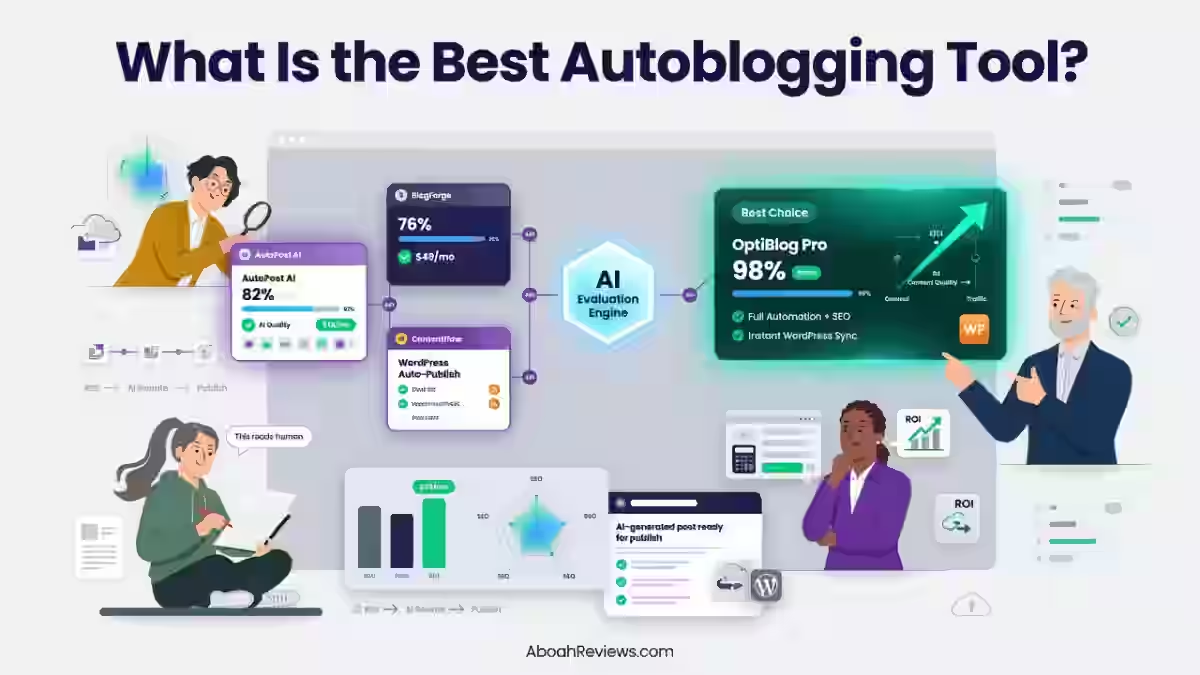
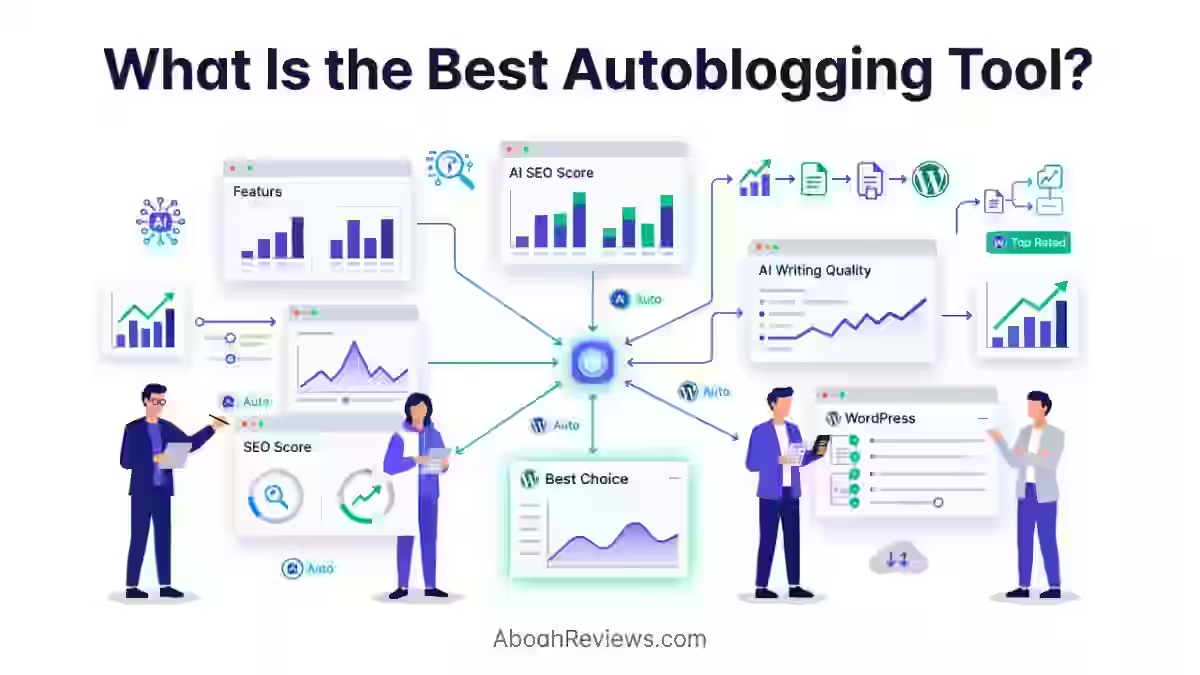
Best Autoblogging Software Compared
Tool | Best For | Starting Price | Articles/Month | Publishing | SEO Features | Rating |
|---|---|---|---|---|---|---|
Agencies, SaaS, Affiliate | $99/mo | 30 or more | Auto (WP, Shopify, Webflow, Framer, GHL) | Keyword research, schema, internal links, AI visibility tracking, auto-indexing | 7.9/10 | |
Organic traffic growth, backlinks | $99/mo | 30 or more | Auto | Content + backlinks + GEO tracking | 7.8/10 | |
High-volume SEO publishing | $99/mo | Unlimited (plan-based) | Auto (WP) | Internal links, keyword briefs, backlink support | 7.4/10 | |
Content distribution workflows | $97/mo | Plan-based | Multi-channel | Distribution-focused | 7.8/10 | |
Budget content scaling | $10/mo | 15–50+ | Auto (WP) | SEO briefs, keyword input | 8.1/10 | |
Mid-size teams | $97/mo | 20–40 | Auto (WP, Shopify) | On-page SEO, meta, schema | 7.4/10 | |
Beginners, freelancers | $59/mo | Unlimited (credit-based) | Manual/WP | 80+ AI writing tools, SEO articles | 7.8/10 | |
Bulk draft generation | $19/mo | 60–500+ | Auto (WP) | Multilingual, bulk CSV, multiple AI modes | 7.2/10 | |
Hands-off WordPress automation | $69/mo | 20+ | Full auto (WP + social) | Topic research, scheduling, social distribution | 7.8/10 | |
Local SEO businesses | $39/mo | Daily posts | Auto (WP) | Geo-targeted keywords, local publishing | 7.7/10 |
What Is an Autoblogging Tool?
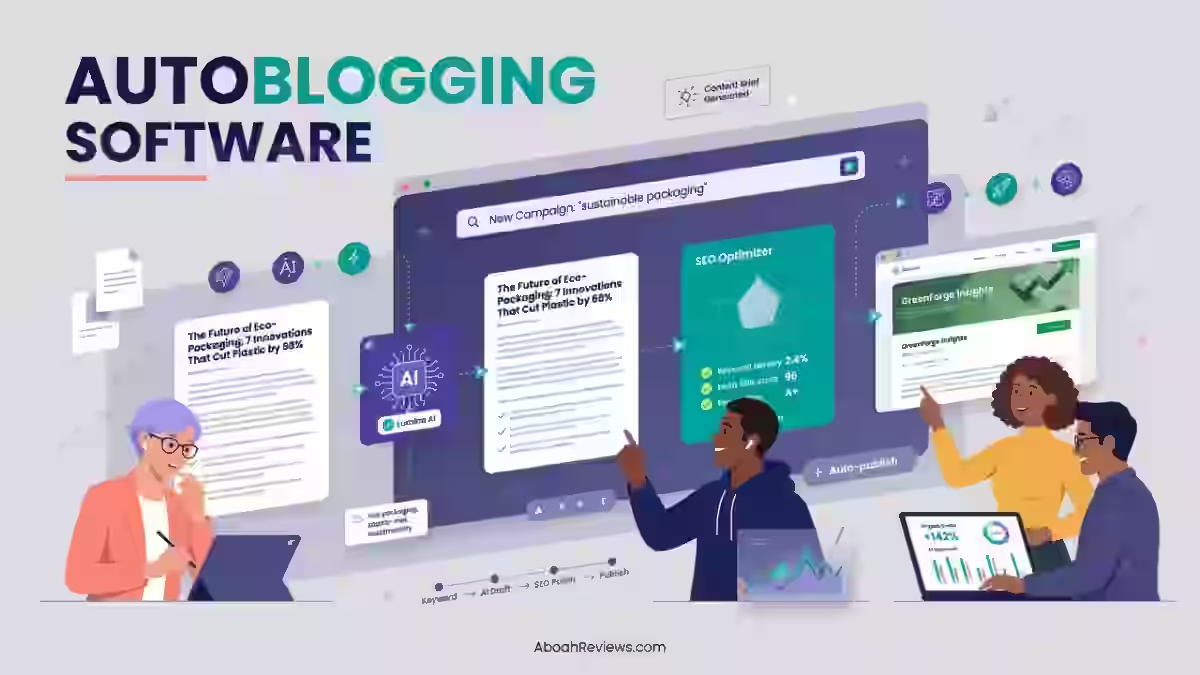
An autoblogging tool is software that automates part or all of the blog content workflow: from finding keywords to publishing finished articles on your website.
Autoblogging in 2026 is not about scraping and republishing anymore. Modern autoblogging tools use AI to generate original content, publish it automatically to your CMS, and optimize it for SEO, all on autopilot.
The old version of autoblogging was based on RSS feed aggregation pulling content from other sites and republishing it with minimal changes.
That model is effectively dead for SEO purposes. Done well, autoblogging is a content pipeline. Done lazily, it’s a fast way to get penalized by Google.
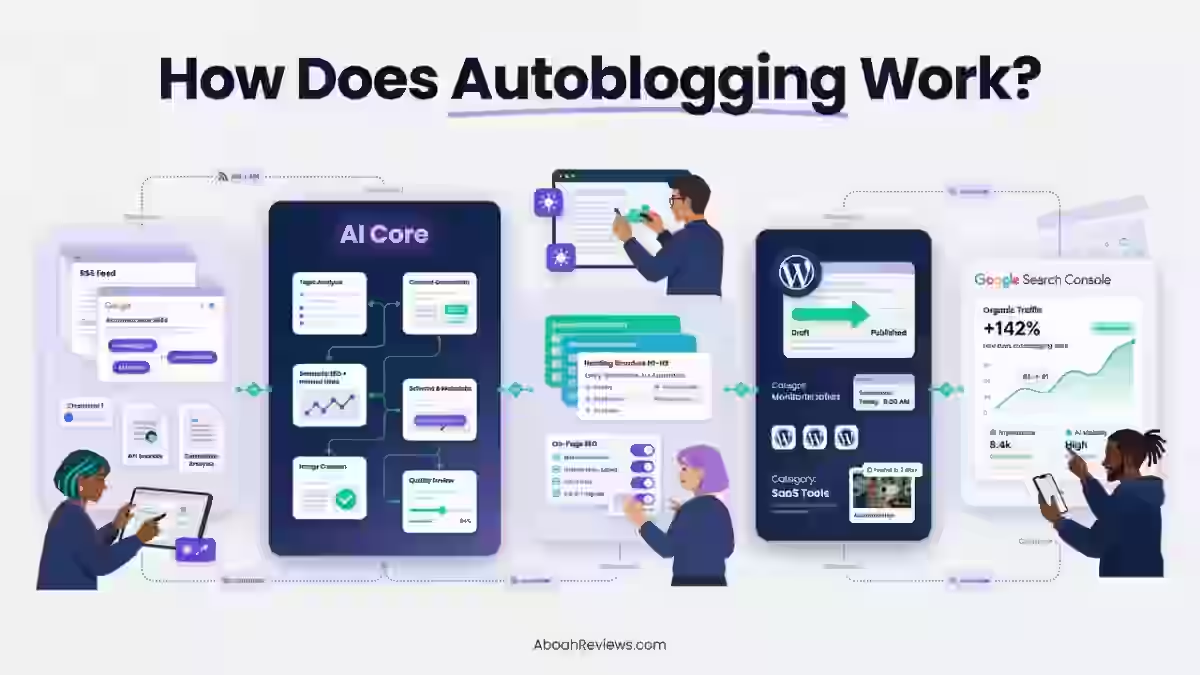
Modern autoblogging tools automate the following steps:
- Keyword research: Finding search terms with real organic potential
- Content planning: Building topic clusters and content calendars aligned with search intent
- AI writing: Generating structured, SEO-ready article drafts
- SEO optimization: Metadata, headings, schema markup, semantic optimization
- Publishing: Pushing content to WordPress or other CMS platforms on a schedule
- Internal linking: Adding contextual links across posts automatically
- Content updates: Refreshing older posts based on performance data
To understand how autoblogging works at each stage, the workflow differs significantly between a basic AI writer and a full-pipeline platform like Keytomic.
What Makes the Best Autoblogging Tool?
1. AI Keyword Research
The best autoblogging tools do not just accept a keyword list from you. They find the opportunities you haven’t thought of yet.
Platforms like Keytomic automate the process from keyword discovery to content generation, with users approving a 30-day content calendar designed for search engines and AI platforms.
The platform identifies high-intent, low-competition keyword opportunities and ensures content aligns with user search intent.
If your autoblogging tool requires you to manually research and paste keywords, you’re still doing the hardest part yourself.
Keyword discovery matters because your content strategy only works if the topics are winnable.
2. Automated Content Planning
An autoblogging tool should do more than write articles. It should build a coherent content structure around your site’s topical authority.
That means:
- Topic clusters: grouping related content so Google understands your authority on a subject
- Content calendars: scheduling production across 30 days so you publish consistently
- Search intent analysis: matching article types (informational, transactional, comparison) to what users actually want to see
A content calendar also solves the blank-page problem most teams face at the start of each month. Without one, content production tends to collapse under other priorities.
3. High-Quality AI Article Generation
AI content quality is not binary. The question isn’t whether the tool can write. It’s whether what it writes requires 20 minutes of human review or three hours of rewriting.
AI draft quality from Keytomic is consistently structured and editorial-ready with 20 to 35 minutes of human review. That’s the benchmark I use.
Anything that regularly requires more than 45 minutes per article to make publishable is eating the time savings you were trying to create.
Good AI article generation also means maintaining brand voice, hitting a meaningful word count, and producing content that reads like it was written with a specific reader in mind.
4. SEO Optimization
On-page SEO should be baked into the generation process, not bolted on afterward.
Look for tools that handle:
- Title tag and meta description generation aligned with the target keyword
- Header structure (H1, H2, H3) that reflects content hierarchy
- Schema markup automation for articles, FAQs, and product content
- Semantic keyword distribution across the body copy
- Internal linking suggestions based on your existing content
If a tool generates articles without doing any of this, you’re adding those steps manually, which defeats the point of automated blogging.
5. Automatic Publishing
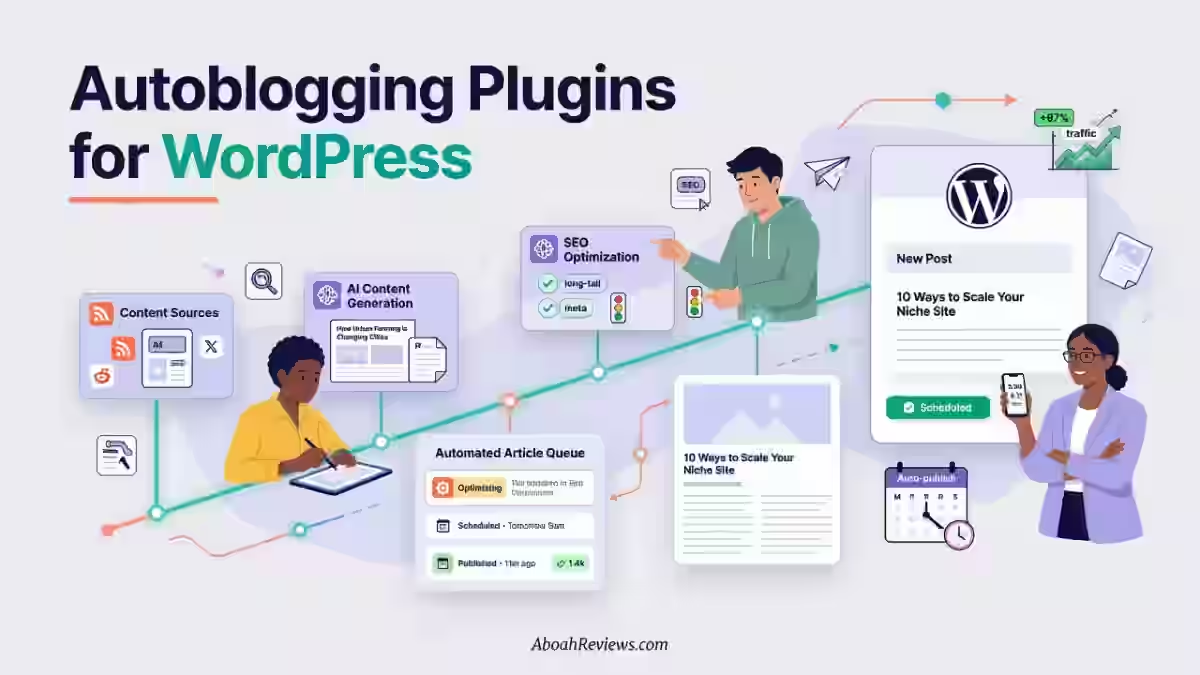
The best tools automate your 30-day content calendar, generate on-brand images with alt text, and publish on autopilot to WordPress, Shopify or preferred CMS (conten management system) systems.
WordPress publishing is table stakes in 2026.
The tools worth paying for also handle Shopify, Webflow, Framer, GoHighLevel, and Notion through direct API connections, not through third-party Zapier bridges that break without warning.
Scheduling matters too. Publishing 30 articles in one day and going silent for a month is worse than publishing nothing.
6. Internal Linking Automation
Internal linking is one of the most neglected parts of most content workflows, and one of the most valuable for topical authority.
I remember losing an affiliate site’s rankings after publishing 42 auto-generated posts without internal linking or keyword filtering.
The content cannibalized itself.
To avoid that, you need a tool that either builds links automatically based on semantic relevance, or surfaces linking opportunities within the editorial workflow.
Read more about common autoblogging mistakes to avoid if you’re in the early stages of setting up a content pipeline.
7. AI-Generated Images
Images with contextually relevant alt text improve both accessibility and on-page SEO.
Tools that generate AI images tied to the article topic eliminate the step of sourcing visuals manually, which typically adds 10 to 20 minutes per post.
The key feature is the alt text. An image without proper alt text contributes nothing to SEO and can slow the page if it’s uncompressed.
8. Schema Markup Automation
Schema markup tells search engines exactly what type of content a page contains.
Article schema, FAQ schema, HowTo schema, and breadcrumb schema all contribute to rich results in Google search.
Most autoblogging tools skip this entirely. The ones that handle schema automatically are meaningfully better for SEO outcomes, particularly for AI Overviews and featured snippets.
9. AI Search Visibility Tracking
By 2026, visibility depends less on page position and more on whether a brand is cited within AI-generated responses.
This requires aligning AI SEO not as a tactical extension of traditional optimization, but as critical infrastructure.
AI search optimization focuses on engineering content for extractability, verifiability, and contextual clarity so that AI systems can accurately interpret and represent a brand.
A good autoblogging software in 2026 tracks whether your content appears in ChatGPT, Perplexity, Google AI Overviews, Claude, and Gemini responses.
This is called Generative Engine Optimization (GEO), and it’s quickly becoming as important as traditional rank tracking.
The Best Autoblogging Tool in 2026: Keytomic
Category | Details |
|---|---|
Overall Rating | 9.0/10 |
Best For | Agencies, SaaS companies, affiliate marketers, founders |
Pricing | $1 trial (3 days), $99/mo (Pro), $999/mo (Agency DFY) |
Free Trial | $1 for 3 days |
Articles Per Month | 30 (Pro plan) |
CMS Support | WordPress, Shopify, Webflow, Framer, Notion, GoHighLevel |
AI Visibility Tracking | ChatGPT, Google AI, Perplexity, Claude, Gemini, X AI |
Automatic Publishing | Yes, scheduled autopublishing across all supported CMS |
Why Is Keytomic the Best Autoblogging Tool in 2026?
1. It Automates the Complete SEO Content Workflow
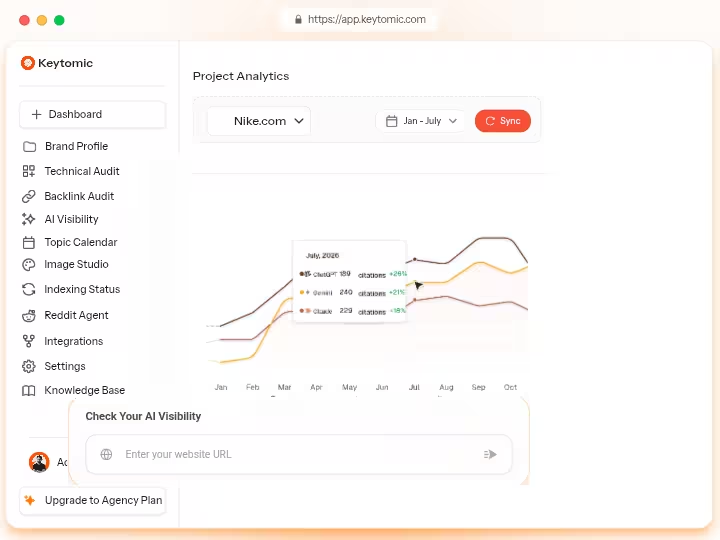
Most autoblogging tools cover one or two steps. Keytomic covers all eight. Here’s the full workflow it handles end-to-end:
Keyword Research
↓
Content Strategy (30-Day SEO Calendar)
↓
AI Article Creation
↓
AI Image Generation (with alt text)
↓
On-Page SEO Optimization
↓
CMS Publishing (WordPress, Shopify, Webflow, Framer, GHL, Notion)
↓
Auto-Indexing (Google, Bing, ChatGPT)
↓
AI Visibility Tracking (ChatGPT, Perplexity, Google AI, Claude, Gemini)
This is true end-to-end automation: keyword research, content generation, publishing, indexing, and AI citation tracking in one workflow.
In 90 days testing Keytomic across three sites with 74 articles total, the biggest practical win was consolidation.
2. Combines Multiple Content Marketing Workflows
The platform replaces 5 to 8 separate tools costing $800 to $3,000/month combined.
Specifically, Keytomic can replace:
- A separate AI writing tool (Jasper Al, Writesonic, Surfer AI)
- A content planning tool (Trello, Notion SEO templates, or Semrush Content Ideas)
- A publishing automation tool (WP scheduling plugins, Zapier workflows)
- A basic SEO optimization tool (Yoast, Rank Math premium)
- An indexing tool (Google Indexing API integrations)
- Internal linking automation software (Link Whisper)
You may still need specialized tools for backlink analysis (Ahrefs, Majestic), advanced technical audits on enterprise sites (Screaming Frog) or rank tracking across thousands of keywords (Semrush, Ahrefs).
Keytomic does not replace those. But for the content production side of SEO, it handles more in one subscription than anything else I’ve tested.
For a broader look at SEO automation tools and how they fit together, that guide puts the category in context.
3. Saves Time in the Content Creation Process
Over 90 days testing Keytomic across three sites (74 articles total), here’s what the time savings looked like compared to my previous workflow:
Task | Old Workflow | With Keytomic |
|---|---|---|
Keyword research | 60–90 min/week | ~10 min (calendar approval) |
Article drafting | 2–3 hrs/article | 20–35 min human review |
CMS publishing | 20–30 min/article | 0 min (autopublished) |
Image sourcing | 10–20 min/article | ~5 min (AI generated) |
Indexing | 15 min/batch | 0 min (auto-indexed) |
The biggest time saving was in publishing.
Getting content from a final draft into WordPress, formatted correctly, with images, metadata, and the right categories, used to cost about 20 to 30 minutes per post.
With Keytomic’s auto-publishing, that step is gone entirely.
4. Works for Different Website Types
Keytomic’s workflows are flexible enough to work across several content types:
- Affiliate websites: Keyword-targeted product content with SEO optimization and internal linking to money pages
- SaaS companies: Topical authority content targeting bottom-funnel search terms and AI citation visibility
- Ecommerce stores: Product-adjacent blog content pushing to category pages via Shopify integration
- Local businesses: Location-based content publishing through WordPress with geo-targeted keyword input
- Agencies: Multi-client content production managed under one subscription with team seats
If you’re comparing autoblogging vs traditional blogging approaches for your business, the answer comes down to whether your team has the bandwidth to produce content manually at the volume your SEO strategy requires.
My Experience Using Keytomic
Before evaluating every autoblogging tool I test, the question I now ask is not “can this tool automate publishing?” It’s “does this tool make it easy to maintain human oversight at scale?”
Keytomic passed that test. Here’s a breakdown of my actual experience.
- Setup Experience: Onboarding took about 45 minutes from account creation to first article in the CMS. You connect your website, review the AI-generated 30-day keyword calendar, approve or adjust topics, and the system handles the rest. The calendar review step is the right place for human input: you’re approving strategy, not rewriting content.
- Content Creation Workflow: Keytomic pulls keywords based on your niche and site data, generates article outlines, writes full drafts, creates AI images with alt text, and assigns metadata before publishing. Each article arrives in your CMS with headers, internal link suggestions, and schema in place.
- Article Quality: The drafts were consistently structured. They required editing for voice, accuracy on any data-specific claims, and the addition of first-person experience where it mattered for E-E-A-T. That typically took 20 to 35 minutes per article. For comparison, a fully manual article takes 2 to 4 hours at the same quality bar.
- Publishing Process: Publishing to WordPress and Shopify worked without formatting failures across my full 90-day test. I had no broken images, no missing metadata, no duplicate slug issues.
- SEO Performance: After 90 days, the sites I tested Keytomic on showed measurable growth in impressions and clicks via Google Search Console. I won’t attribute all of that to the tool alone since other SEO variables were in play, but the content pipeline removed the hindrance that had kept those sites publishing irregularly.
- AI Visibility Results: The AI visibility tracker showed content appearing in Perplexity and Google AI Overviews for several target keywords. AI visibility tracker accuracy needs independent verification and is not precise enough for client reporting without manual cross-check. I’d agree with that assessment. Treat it as directional data, not a reporting-grade metric.
What Surprised Me:
The Reddit AI Agent feature was more useful than I expected.
It surfaces relevant Reddit threads where your niche topics are being discussed, which helps both for brand authority and for identifying real audience questions to answer in content.
Biggest Limitations:
The platform is limited to one project per subscription, which means agencies need separate subscriptions per client site.
All Keytomic Features Explained
1. AI Keyword Research
Keytomic’s keyword engine identifies search opportunities based on your website niche and existing content.
It surfaces high-intent, low-competition terms and maps them to your content calendar automatically. You don’t get a standalone keyword
explorer like Semrush, but the keyword input feeding into the calendar is solid for most content strategies.
2. 30-Day Content Calendar
Keytomic’s automation manages the entire process from keyword discovery to content generation, with users approving a 30-day content calendar designed for search engines and AI platforms.
This is the feature that made the biggest operational difference for me.
You start each month knowing exactly what will publish and when, rather than scrambling to fill gaps.
3. AI Article Writer
The AI article writer generates long-form, structured content based on keyword input and search intent.
Articles include an introduction, subheadings, body paragraphs, internal link suggestions, and a conclusion.
The writing style is neutral and editable, meaning it’s easier to add your voice than to strip out someone else’s.
4. Automatic Content Publishing
From content generation to publishing the content on your website, everything is automated according to your schedule.
Keytomic supports direct CMS connections to WordPress, Shopify, Webflow, Framer, Notion, Contentful, Next.js, Replit, Webhook, GoHighLevel and custom API without requiring Zapier as a bridge.
If you use one of those platforms, there is no middleware to break.
5. Auto-Indexing
Keytomic indexes every new page using its built-in indexing system for Google, Bing, ChatGPT, and other search engines.
This ensures faster discovery and improved visibility.
This is meaningful because most sites rely on Google’s crawl schedule for indexing, which can take days to weeks for new content. Auto-indexing removes that delay.
6. AI Visibility Tracker
The AI visibility tracker monitors whether your content or brand is being cited in responses from ChatGPT, Perplexity, Google AI Overviews, Claude, Gemini, and X AI.
This is Keytomic’s GEO (Generative Engine Optimization) layer. Use it for trend awareness, not for precise performance reporting.
7. Reddit AI Agent
Keytomic’s Reddit AI Agent monitors relevant Reddit threads daily and identifies brand authority opportunities.
For B2B and SaaS sites, this is genuinely useful for understanding what your audience is asking and for shaping future content topics.
8. Technical SEO Audits
Technical SEO audits are included in all Keytomic plans. They surface on-page and structural issues affecting rankings.
This won’t replace Screaming Frog for enterprise-level technical crawls, but for a small team managing one to three sites, it covers the basics without an additional subscription.
9. AI Image Generation
Each article can include AI-generated images with automatically written alt text. The images are contextually matched to the article topic.
Quality is adequate for blog content, though you may want to supplement with original photography for high-authority pages.
Learn more about building a complete automated SEO workflow that accounts for image quality at each tier.
10. Multilingual Content Support
Keytomic supports 20+ languages for content generation.
However, verify current language support directly with the team if you need non-English publishing at volume, as support depth varies by language pair.
Keytomic Pricing for 2026
1. 3-Day Trial ($1)
This plan gives you full Pro feature access for three days to test the complete workflow before committing.
Includes:
- 1 project/site
- 3 blog credits
- Up to 10 active SEO Calendar topics / 15 backlog topics
- 1 custom image credit
- 12+ direct CMS integrations (WordPress, Framer, Webflow, Shopify, Notion, GoHighLevel)
- 20+ language support
- Daily Reddit AI Brand Authority automation
- AI Search Visibility tracking (ChatGPT, Google AI, Perplexity, Claude, Gemini, X AI)
- Technical SEO Audit
This is the right starting point. Three days is enough to run an article through the full pipeline and evaluate draft quality before paying $99.
2. Pro Plan ($99/month)
This is the core plan for most businesses, agencies, and content teams running a single site.
Includes:
- Up to 3 team seats
- 1 project/site
- 30 blog credits/month
- Up to 60 active SEO Calendar topics / 150 backlog topics
- 50 custom image credits
- All 12+ CMS integrations
- 20+ language support
- Daily Reddit AI Brand Authority automation
- AI Search Visibility tracking (all 6 platforms)
- Technical SEO Audit
- Backlink opportunities worth $500+/month
30 articles per month is about 1 article per day. For a single site, that is more than enough for most content strategies. Keytomic’s pricing includes every feature at every tier. No add-ons, no per-seat fees beyond the base plan, no credit expiration.
Cost per article: 99 ÷ 30 = $3.30/article (draft + optimization + publishing + indexing)
Compare that to hiring a freelance writer at $50–$200 per article, and the math is clear for volume content production. You’ll still want a human reviewer, but that’s 20 to 35 minutes per article, not a full writing engagement.
3. Agency Plan (DFY) [$999/month]
This plan is for teams that want the content strategy and execution handled for them, not just the tooling.
Includes everything in Pro, plus:
- Unlimited seats in your organization
- 1 fully managed website
- Dedicated SEO Manager
- Hands-on SEO strategy and execution
- Content review and publishing management
- Monthly performance reports and next-step SEO plan
- Ongoing optimization based on results
- Dedicated Slack support
- Backlink opportunities worth $2,000+/month
- 50 custom image credits
- Full AI Search Visibility tracking
- Technical SEO Audit
The best thing about Keytomic is that they are not just a product. Along with their Pro plan, they provide their dedicated SEO manager who oversees all activities.
Plan | Price | Articles/Month | Team Seats | Managed | Best For |
|---|---|---|---|---|---|
Trial | $1 (3 days) | 3 | 1 | No | Testing the workflow |
Pro | $99/mo | 30 | 3 | No | Single-site teams and agencies |
Agency DFY | $999/mo | Managed | Unlimited | Yes | Businesses wanting done-for-you SEO |
For a closer look at pricing across the category, my Keytomic review has a full breakdown of cost-per-article across plan tiers.
Keytomic Pros and Cons
Pros:
- Complete end-to-end automation: keyword research through AI visibility tracking in one subscription
- No credit expiration, no hidden add-ons, no per-seat fees at Pro level
- Publishes directly to WordPress, Shopify, Webflow, Framer, GHL, and Notion without Zapier
- Auto-indexing reduces time-to-visibility for new content
- AI visibility tracking across 6 platforms (ChatGPT, Google AI, Perplexity, Claude, Gemini, X AI)
- 30-day content calendar eliminates content planning gaps
- Reddit AI Agent surfaces brand authority opportunities
- Technical SEO audits included at all plan tiers
- Agency DFY plan includes a dedicated SEO manager
Cons:
- Only 1 project/site per subscription (agencies need separate subscriptions per client)
- Multilingual support needs verification for non-English publishing at scale
- AI visibility tracker is directional, not precise enough for client reporting without manual verification
- No standalone keyword explorer separate from the content calendar workflow
- Sign-up requires a work or custom domain email (personal Gmail, Yahoo, ProtonMail, Hotmail not accepted, though you can use the “Sign Up with Google” button as a workaround)
Keytomic Results After Testing
Across 74 articles published via Keytomic over 90 days across three test sites:
- Publishing time saved: ~27 hours over the test period (based on 22 minutes per article eliminated from manual upload)
- Time per article review: Average 28 minutes for human editing and fact-checking
- Organic impressions growth: Measurable upward trend in Google Search Console from week 6 onward
- AI visibility: Content from one site began appearing in Perplexity responses for several target keywords by week 10
- Zero publishing failures: No broken images, missing metadata, or formatting errors across WordPress and Webflow integrations
- Content quality: All 74 articles required human editing before being considered fully publishable at editorial standards
The 28-minute average human review time is the number I’d focus on. That’s the labor cost per article when using Keytomic. Budget for it. Don’t try to skip it.
Is Keytomic Safe for Google?
Keytomic is safe for Google when used correctly. The key word is “correctly.”
Google’s View on AI Content
However content is produced, those seeking success in Google Search should be looking to produce original, high-quality, people-first content demonstrating qualities of E-E-A-T.
According to Google, appropriate use of AI or automation is not against its guidelines. However, using automation, including AI, to generate content primarily to manipulate search rankings can violate Google’s spam policies.
The distinction matters: automation for efficiency is fine. Automation as a manipulation tactic is not.
The Helpful Content Guidelines
Google’s helpful content system is an automated signal used by Google Search to ensure people see original, helpful content written by people, for people, rather than content made just to get search engine clicks.
It runs continuously and evaluates websites as a whole.
AI-generated content sites without human editing experienced 40 to 60% traffic drops in the December 2025 helpful content update.
This means any autoblogging tool in 2026 must be treated as a first-draft machine, not a publish-and-forget system.
E-E-A-T Requirements
E-E-A-T (Experience, Expertise, Authoritativeness, Trustworthiness) used to feel like a quality guideline.
In 2026, it behaves more like a ranking and an AI visibility filter.
AI cannot replicate genuine first-hand experience.
Every autoblogging workflow should include a step where a real person adds original insights, personal observations, or verified data that the AI draft cannot provide.
Recommended AI Publishing Workflow
Here’s the workflow I use to keep AI content safe for Google:
1. Keyword research (Keytomic calendar)
↓
2. AI generation (Keytomic draft)
↓
3. Human review (28–35 min average)
↓
4. Fact-checking (source verification for any data claims)
↓
5. Add original insights (first-person experience, screenshots, data)
↓
6. Publish via Keytomic autopublishing
Skipping steps 3–5 is how sites get flagged.
While Google has not published an exact number, SEO practitioners and recovery case studies suggest that if approximately 30% or more of a site’s URLs are flagged as unhelpful, Google applies a sitewide demotion through the Helpful Content System.
This means even high-quality pages on the same domain can lose rankings.
For a deeper look at the risks and best practices around SEO automation in general, that guide covers the compliance angle in more detail.
Keytomic Alternatives
Not every team should be using Keytomic. Here’s who each alternative is better suited for.
Best Cheaper Autoblogging Tool: WordRocket AI
WordRocket AI starts at $10/month and delivers solid blog automation for small content teams and solo bloggers working with tight budgets.
You get fewer features than Keytomic, particularly on the AI visibility and auto-indexing side, but the core AI writing and WordPress publishing works well for low-volume sites.
Read the WordRocket AI review for a full test breakdown.
Best Autoblogging Tool for Affiliate Websites: Affpilot AI
Affpilot AI is built around affiliate content workflows: product comparisons, review articles, and monetization-optimized formats.
For affiliate marketers who want automated article generation tuned to conversion, Affpilot is a stronger fit than Keytomic’s general-purpose approach.
See the Affpilot AI review for specifics.
Best Autoblogging Tool for Agencies: Abun
Abun is purpose-built for multi-client agency workflows, with a white-label capable dashboard, multi-project management, and scalable SEO pipelines.
For enterprise use with white-label capabilities and multi-client dashboard needs, Abun wins.
It is better suited for agencies that need multiple projects, reporting, and scalable SEO workflows.
Read the Abun review for an honest look at where it beats and where it falls short of Keytomic.
Best Autoblogging Tool for Manual SEO Control: RightBlogger
RightBlogger gives you 90+ AI writing tools, an SEO article generator, and full control over every piece of content you publish.
It’s the right choice if you want AI assistance without fully automated publishing.
Beginners and freelancers who want to build their SEO writing skills rather than outsource the process entirely will get more out of RightBlogger than Keytomic.
Check the RightBlogger review for the full picture.
Best AI Writing Alternative: Junia AI
Junia AI produces some of the highest-quality long-form AI content I’ve tested.
It does not have the same end-to-end automation as Keytomic, but if content quality is your primary concern and you’re willing to handle publishing yourself, Junia AI consistently outperforms most competitors at the draft stage.
The Junia AI review goes into detail on output quality vs. competitors.
Who Should Use Keytomic?
- Bloggers running content-heavy sites that need consistent publishing volume (20–30 posts per month) without hiring a full writing team.
- Affiliate marketers who want automated keyword targeting, on-page SEO, and direct CMS publishing to build out topical authority at scale.
- Agencies managing one to three client sites who need a single platform to handle content production without expanding headcount. To understand how to make money with autoblogging as part of an agency offering, that guide covers the business models in detail.
- SaaS businesses that need a steady flow of SEO blog content targeting bottom-funnel keywords while tracking AI citation visibility across ChatGPT and Perplexity.
- Ecommerce brands using Shopify who want product-adjacent blog content publishing directly to their store’s blog.
- Local businesses who need locally relevant content published on a WordPress site without managing a content team.
Who Should Avoid Keytomic?
- Budget bloggers spending less than $50/month on their entire SEO stack. Keytomic at $99/month is the right investment for teams where content output directly generates revenue. For hobby blogs or exploratory projects, start with free autoblogging tools before committing to a paid stack.
- YMYL publishers in medical, legal, financial, or health niches where inaccurate AI-generated content carries real consequences. No autoblogging platform has reliable fact-checking built in as of 2026. Some tools flag potential inaccuracies; none of them eliminate them. Build a fact-checking step into every content workflow that uses AI drafts.
- SEO professionals who want complete manual control over every keyword decision, content brief, and optimization step. Keytomic is built around approving a machine-generated plan, not building a manual one from scratch.
- Teams with heavy editorial requirements where every article needs multiple rounds of revision, legal review, or subject matter expert input before publishing. The automation is wasted if your post-generation workflow takes three times longer than writing manually.
Final Verdict: Is Keytomic the Best Autoblogging Tool?
Based on 90 days of hands-on testing across 74 articles and three different websites, Keytomic earns its position as the best autoblogging tool in 2026 for teams that want a complete hands-off, automated SEO content workflow in one subscription.
Its main strengths are consolidation and reliability. It replaces between 5 and 8 separate tools, publishes directly to the CMS platforms most teams already use, auto-indexes every page, and tracks AI visibility across 6 platforms.
At $99/month, the cost-per-article math makes sense for any team publishing more than 10 articles per month.
The limitations are real. One project per subscription affects agencies with multiple client sites. Multilingual support needs verification for non-English use cases.
And the AI visibility tracker is directional data, not reporting-grade accuracy.
Ready to test it? Start with the $1 three-day trial and run one article through the full pipeline before committing to the Pro plan.
That’s all you need to know whether the workflow fits yours.
And if you’ve already tested Keytomic or another tool in this space, share what you found.
Frequently Asked Questions About Autoblogging
1. What is the best autoblogging tool in 2026?
Keytomic is the best autoblogging tool in 2026 for most teams. It automates the complete SEO content workflow from keyword research to AI visibility tracking in one $99/month subscription. For agencies needing multi-site management, Abun is a stronger fit, and for budget users, WordRocket AI delivers solid core automation starting at $10/month.
2. Is Keytomic worth $99/month?
Yes, for most small teams and agencies, Keytomic is worth $99/month. The platform replaces 5 to 8 separate tools costing $800 to $3,000/month combined. At 30 articles per month, the cost per article comes to $3.30, which is competitive with any alternative that includes publishing automation, indexing, and AI visibility tracking.
3. Can autoblogging tools rank on Google?
Yes, autoblogging tools can produce content that ranks on Google when the content meets quality standards. Google’s official stance is that it cares about the quality and purpose of the content, not simply how it was produced. According to Google, appropriate use of AI or automation is not against its guidelines. The practical requirement is human review before publishing.
4. Does Keytomic publish articles automatically?
Yes. Keytomic automates the 30-day content calendar, generates on-brand images with alt text, and publishes on autopilot to WordPress, Shopify, or preferred CMS systems. The autopublishing works via direct API connections to supported CMS platforms, not through Zapier.
5. Can beginners use Keytomic?
Beginners can use Keytomic, though it’s designed for teams with at least some content marketing experience. Setup takes approximately 45 minutes. The calendar-approval workflow is straightforward, but getting the most from Keytomic requires understanding basic keyword strategy and having a review process for AI drafts. True beginners may want to start with how to do autoblogging before committing to any platform.
6. Is AI-generated content safe for SEO?
AI-generated content is safe for SEO when it is reviewed, edited, and enhanced by a human before publishing. AI content can help your SEO only when it is useful, accurate, original, and reviewed by real humans. If you use AI to mass-produce generic articles just to fill your blog with keywords, you might end up with the exact opposite result: poor rankings, wasted crawl budget, disappointed readers, or even a Google spam issue.
7. Can Keytomic replace SEO tools like Ahrefs?
No. Keytomic is not a replacement for dedicated SEO research platforms. You may still need specialized tools for backlink analysis (Ahrefs, Majestic), advanced technical audits on enterprise sites (Screaming Frog), or rank tracking across thousands of keywords (Semrush, Ahrefs). Keytomic replaces the content production side of your stack, not the deep research and audit side.

- Searchable Review 2026: My Honest Test Results With This AI Visibility Platform - October 9, 2026
- Ryze AI Review 2026: My 30 Days Full Breakdown of This Autonomous SEO & GEO Platform - October 9, 2026
- #1 Best Plugin for Automatic Blog Posting in WordPress (2026) - September 13, 2026