TL;DR: This guide explains how to choose the best autoblogging tool based on your goals, content sources, SEO features and quality controls. It’s written for SEO professionals, bloggers, and agencies who want to scale content without sacrificing rankings.
The main takeaway: automation works when you pick a tool that matches your workflow and keeps humans in the loop.
Introduction on How to Choose the Best Autoblogging Tool

Choosing the right autoblogging tool can save you a lot of hours per week or hurt your site’s rankings. I’ve seen both outcomes firsthand.
Two years ago, I set up an autoblogging system on a niche test site. Within three months, it had 200 posts and zero organic traffic. The content was technically unique, but it read like a robot summarizing Wikipedia. That failure taught me something important: the tool you choose matters less than how well it fits your actual workflow.
This article walks through how to choose the best autoblogging tool for your specific situation. You’ll learn what to evaluate, what to avoid, and how to set up automation that actually supports your SEO goals. I’m writing this for people who’ve been burned by hype or who are starting fresh and want to get it right the first time.
By the end, you’ll have a clear framework for comparing autoblogging software, whether you’re scaling a programmatic SEO project, testing niche sites, or building an ai writing assistant into your editorial process.
The Short Answer: How to Choose the Best Autoblogging Tool

If you’re short on time, here are the non-negotiable criteria I use when testing autoblogging software for client sites:
- Source Flexibility: Does it just scrape RSS feeds, or does it use an AI content writer (like GPT-4 or Claude) to synthesize new, original drafts?
- Editorial Control: Can you inject your own brand voice, custom prompts, and factual data before the AI writes?
- SEO Integration: Does the content automation platform handle meta descriptions, alt text, and schema markup automatically?
- Safety features: Does it include plagiarism checks and “human-in-the-loop” settings to prevent publishing hallucinations?
- CMS Connection: How seamless is the WordPress integration? Does it require complex Webhooks or a simple plugin?
The right autoblogging tool won’t replace your editorial judgment; it will amplify the work you’re already doing well.
What Is an Autoblogging Tool?

An autoblogging tool automates some or all of the content creation and publishing process. These tools pull content from various sources and publish it to your content management system with minimal manual work.
There are three main types:
- RSS-based tools pull content from feeds and republish it (often with rewriting or summarization).
- AI-based tools generate original content using large language models like GPT-4 or Claude.
- API-driven tools pull structured data from sources like product databases, weather feeds, or stock APIs to create templated content.
Most modern autoblogging software combines elements from all three categories.
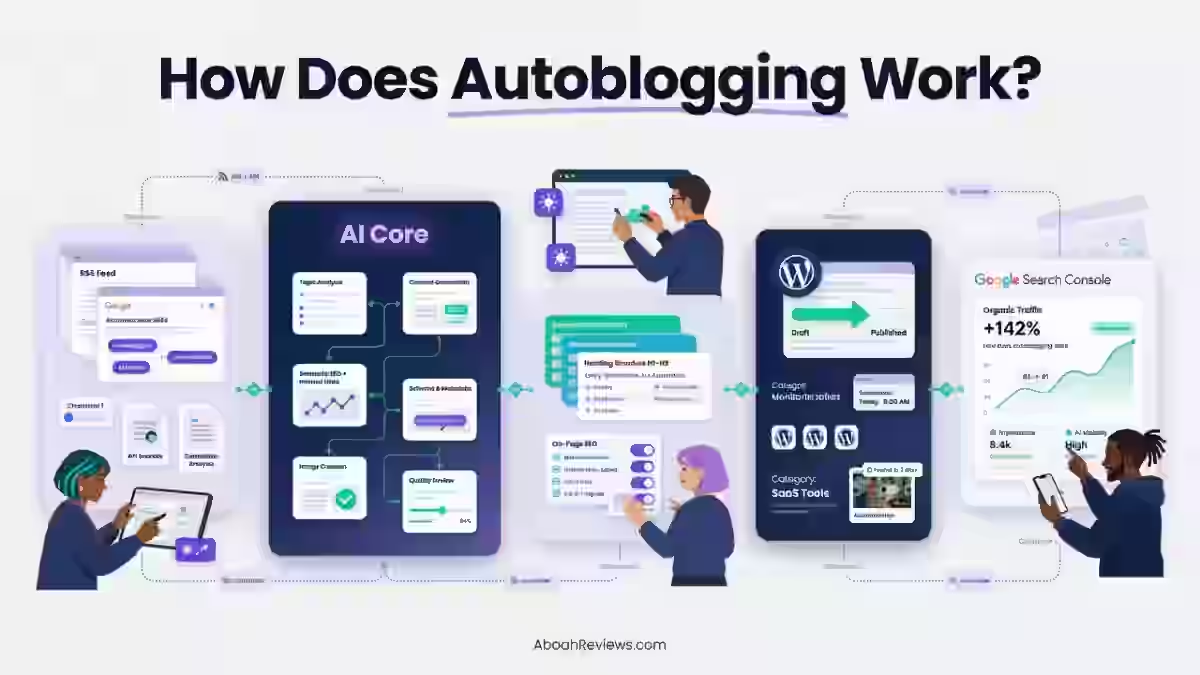
How Autoblogging Tools Work

This is how autoblogging tools work in practice:
- You configure content sources (feeds, prompts, APIs).
- The tool generates or aggregates content based on your settings.
- Content is formatted according to your templates.
- Posts are sent to your CMS as drafts or published automatically.
Some tools handle everything in one dashboard. Others require plugins, Zapier connections, or custom code. The level of control varies widely.
Autoblogging vs Manual Blogging vs AI-Assisted Blogging
These three approaches exist on a spectrum:
Approach | Speed | Quality Control | Best For |
|---|---|---|---|
Manual blogging | Slow | High | Authority content, thought leadership |
AI-assisted blogging | Moderate | Medium-high | Scaling with oversight |
Full autoblogging | Fast | Variable | Programmatic SEO, news aggregation |
I’ve used all three:
- Manual blogging works best when every piece needs original research or personal experience
- AI-assisted blogging fits most scaling situations
- Full automation makes sense only when you have strong quality filters in place.
Step 1: Identify Your Autoblogging Goal
Before comparing tools, get clear on why you want automated content creation. Your goal shapes everything else.
Content Scaling for SEO
If you’re building a large content library around keyword clusters, you need bulk content generation features. This is common for programmatic SEO projects targeting long-tail queries.
I worked with an agency that needed 500 location pages. We used a templated approach with an ai article writer to generate unique intros for each city. Without automation, that project would have taken months instead of weeks.
Niche Testing & MVP Sites
For testing new niches quickly, speed matters more than polish. You want to validate whether a topic can attract traffic before investing in premium content.
Free or low-cost autoblogging tools work fine here. The goal isn’t perfection; it’s learning fast.
News Aggregation & Curation
News sites and industry blogs often need to republish or summarize content from multiple sources. RSS-based wordpress autoblogging plugins handle this well.
The risk here is duplicate content. I’ll cover that later, but the short version: always add original commentary or rewrite summaries.
AI-Assisted Draft Creation
Some teams don’t want full automation. They want ai writing tools that create first drafts for human editors to refine.
This hybrid approach keeps humans in control while speeding up production. It’s what I recommend for most content teams.
Step 2: Evaluate Content Source Options
The content source determines the ceiling on your quality. Choose carefully.
RSS Feed Import & Filtering
RSS-based tools like WP RSS Aggregator let you pull content from feeds, filter by keywords, and republish with attribution.
Pros:
- Real-time content from trusted sources
- Good for news and curation sites
- Low cost
Cons:
- Risk of duplicate content penalties
- Requires heavy rewriting for SEO value
- Limited originality
I used RSS aggregation for a sports news site in 2021. It worked for traffic, but affiliate monetization flopped because the content felt thin.
Lesson: aggregated content struggles to convert.
AI Content Generation
Tools like Junia AI, Rightblogger, and Writesonic generate original posts using ai content generation. You provide prompts or keywords, and the tool produces drafts.
According to Google’s Search Central documentation, “appropriate use of AI or automation is not against our guidelines.” The focus is on quality, not production method.
Pros:
- Unique content by default
- Scalable with prompt templates
- Can match brand voice with customization
Cons:
- Hallucination risk on factual topics
- Quality varies by tool and prompt
- Requires review for accuracy
For a TechOnHills.com project comparing AI writing tools for SEO, I tested five different ai content writer platforms. The output quality ranged from publishable to embarrassing, sometimes within the same tool.
API & Data-Driven Content
Some autoblogging tools connect to APIs to generate content from structured data. Think product listings, real estate data, or event calendars.
This approach powers many programmatic SEO projects. You build templates, connect to a data source, and generate hundreds or thousands of pages.
The Ahrefs blog has documented case studies of this approach working at scale.
Hybrid Automation (AI + Feeds)
The most flexible content automation platforms combine RSS, AI, and manual inputs. You might pull headlines from feeds, generate AI summaries, and add editorial intros.
Tools like Autoblogging.ai and some custom Zapier workflows support this hybrid approach.
Step 3: Assess AI Quality & Customization
Not all ai writing software is equal. The difference often comes down to how much control you have over the output.
Prompt Customization & Templates
The best ai blogging tool options let you customize prompts at the template level. You can specify:
- Target audience
- Content structure
- Tone and formality
- Required sections or elements
I spent a frustrating week with a tool that only accepted keywords as input. The output was generic and ignored my niche context. Tools with robust prompt customization saved me hours of editing.
Tone, Style, and Brand Voice Control
Look for tone sliders, style presets, or the ability to paste sample content for voice matching.
Some tools let you define a brand voice profile that applies across all generated content. This matters if you’re publishing to an established blog with a distinct personality.
Factual Accuracy & Hallucination Risk
AI models sometimes invent facts, citations, or statistics. This is a real problem for YMYL topics (your money, your life).
According to OpenAI’s usage policies, users are responsible for verifying AI-generated content. Don’t assume accuracy.
Mitigation strategies:
- Use tools with fact-checking integrations
- Limit automation on sensitive topics
- Build human review into your workflow
Human-in-the-Loop Editing Options
The safest autoblogging setups keep humans involved. Look for:
- Draft mode (review before publishing)
- Approval workflows
- Easy editing interfaces
- Revision history
Step 4: Essential SEO Features to Look For
Automation without seo optimization is just fast publishing. Make sure your tool handles the basics.
Meta Titles, Descriptions & Headings Control
You should be able to:
- Customize meta title templates
- Generate or edit meta descriptions
- Control H1/H2/H3 structure
Some tools auto-generate metadata poorly. Others let you define patterns like “[Keyword] | [Brand Name]” that apply consistently.
Internal Linking Automation
Internal links matter for crawlability and topical authority. Look for tools that:
- Suggest relevant internal links
- Insert links based on keyword mapping
- Allow manual link rules
I tested a tool that added random internal links with no relevance logic. It actually hurt user experience. Smart internal linking automation considers context.
Image & Alt Text Handling
Automated blog content often ships without images or with generic stock photos. Better tools:
- Pull relevant images from free libraries
- Generate featured images with AI
- Auto-write alt text based on content
For accessibility and SEO, alt text matters. Make sure your tool doesn’t leave it blank.
Schema Support (FAQ, Article)
Structured data helps Google understand your content. Look for:
- Article schema by default
- FAQ schema for relevant posts
- Author and organization markup
This schema for SEO video explains implementation in more detail.
Canonical & Indexation Controls
For sites with syndicated or similar content, canonicals prevent duplicate content issues. Your tool should:
- Set canonical URLs correctly
- Allow noindex on low-value pages
- Support custom robots meta tags
Step 5: Publishing Workflow & Automation Control
The publishing workflow determines how much oversight you maintain. More control isn’t always better, but it should be available.
Draft vs Auto-Publish Settings
Most autoblogging tools let you choose:
- Auto-publish: Content goes live immediately
- Draft mode: Content waits for review
- Scheduled publish: Content queues for future dates
I default to draft mode for anything client-facing. For test sites, auto-publish saves time.
Scheduling & Frequency Control
Content scheduling prevents the “200 posts in one day” pattern that looks unnatural to Google. Look for:
- Daily, weekly, or custom frequency caps
- Time-of-day scheduling
- Randomized intervals for natural posting patterns
Category, Tag & Post Type Mapping
Automated blog posts need proper taxonomy assignment. Your tool should:
- Auto-assign categories based on content or keywords
- Apply relevant tags
- Support custom post types if you use them
Poor category mapping creates messy archives and hurts site structure.
Multi-Site & Bulk Publishing Support
Agencies and portfolio site owners need tools that handle multiple sites from one dashboard. Features to look for:
- Multi-site management
- WordPress integration across installs
- Bulk content generation queues
Step 6: Platform & CMS Compatibility
Your autoblogging tool needs to work with your tech stack.
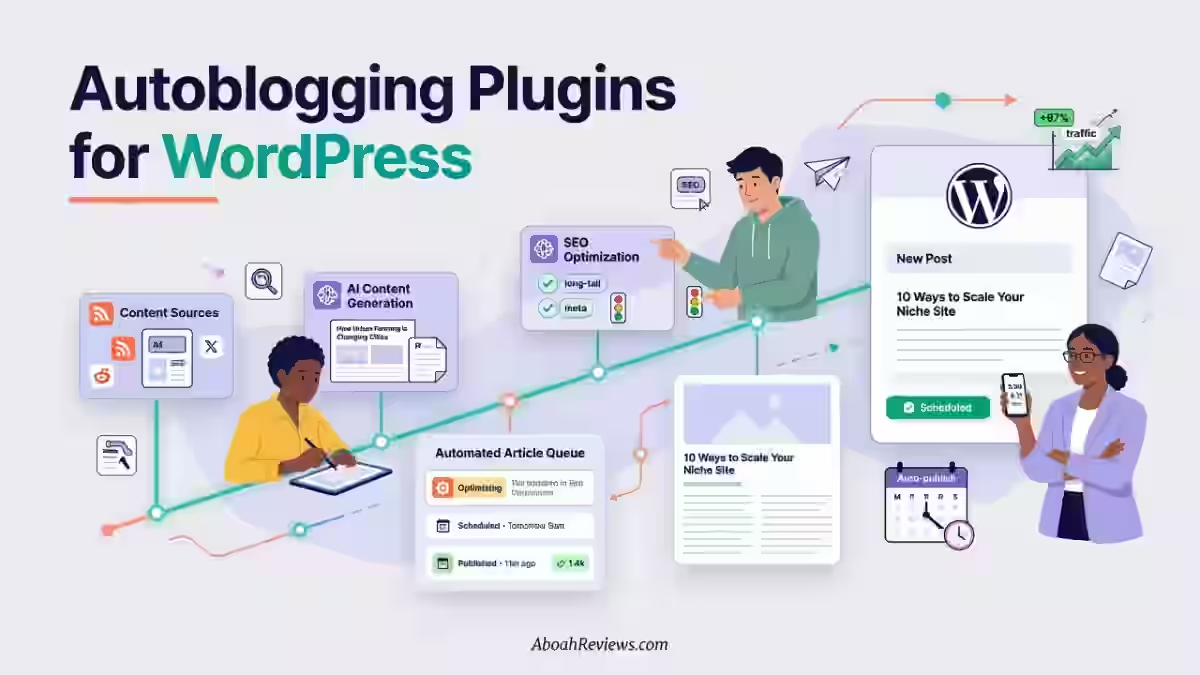
WordPress Plugins vs SaaS Tools
WordPress autoblogging plugins (like WP Robot or CyberSEO) integrate directly with your install. SaaS tools (like Junia AI or WordRocket) work through APIs or direct publishing.
Type | Pros | Cons |
|---|---|---|
Plugins | Full WP integration, one-time cost | Updates lag, can slow sites |
SaaS | Cloud processing, regular updates | Subscription cost, API limits |
For most users, I recommend SaaS tools. They’re updated more frequently and don’t impact site performance.
Custom CMS & API Integrations
If you’re not on WordPress, check for:
- REST API support
- Webhook integrations
- Zapier/Make connections
- Custom CMS plugins
Some tools only support WordPress. Others publish anywhere with an API.
Hosting, Speed & Performance Impact
Autoblogging plugins can slow down WordPress sites, especially during content generation. Consider:
- Offloading processing to external servers
- Using staging environments for bulk generation
- Monitoring Core Web Vitals after implementation
Google’s PageSpeed documentation offers guidance on measuring performance impact.
Step 7: Content Safety, Legal & SEO Risk Factors
Automated blogging carries real risks. Understand them before scaling.
Duplicate Content Risks
If you’re republishing RSS content or using templates without variation, you risk duplicate content penalties.
Solutions:
- Always rewrite or summarize aggregated content
- Use AI to add unique elements
- Check with Copyscape or Siteliner before publishing
Plagiarism & Copyright Concerns
Scraping content without permission can create legal liability. Even unintentional copying matters.
I once had a client receive a DMCA takedown because their aggregation tool republished full articles without attribution. The fix cost more than the tool saved.
Google Search Essentials Compliance
Google’s Search Essentials (formerly Webmaster Guidelines) are clear: automation is fine if it produces helpful content for users.
Red flags include:
- Auto-generated content with no original value
- Doorway pages targeting locations or queries
- Scraped content presented as original
Long-Term Ranking Sustainability
Some autoblogged sites rank quickly and crash hard. Others build sustainable traffic. The difference usually comes down to:
- Content quality and depth
- User engagement signals
- Regular content updates
- Link acquisition
A Search Engine Journal analysis found that sites relying entirely on automated content often see volatility after core updates. Human oversight stabilizes rankings.
Step 8: Free vs Paid Autoblogging Tools

Budget matters, but free tools come with tradeoffs.
When Free Tools Make Sense
Free autoblogging tools work for:
- Testing concepts before investing
- Very small sites with low stakes
- Learning how automation works
- Hobbyist projects
I started with free tools. They taught me what features I actually needed before spending money.
Limitations of Free Autoblogging Software
Common limitations include:
- Usage caps (posts per day/month)
- No AI content generation (RSS only)
- Limited seo optimization features
- No support or updates
- Branding on output
Free tools often lack the quality controls that protect your site’s reputation.
What Paid Tools Do Better
Paid autoblogging tools typically offer:
- Higher quality AI models
- Better prompt customization
- Full SEO feature sets
- Multi-site support
- Priority support
- Regular updates
For my content creation tools comparison on free vs paid autoblogging tools, I found paid tools consistently produced more rankable content.
ROI Considerations for SEO Sites
Calculate ROI based on:
- Hours saved per month
- Cost of equivalent freelance writing
- Traffic value of additional content
- Conversion rates from automated content
A $100/month tool that saves 20 hours of writing time pays for itself quickly. But only if the content performs.
Step 9: Tool Reputation & Long-Term Viability
Autoblogging tools come and go. Pick one that will still exist next year.
Update Frequency & Product Roadmap
Check:
- When was the last update?
- Is there a public changelog?
- Do they communicate product plans?
Tools that haven’t been updated in 6+ months are risky. AI and SEO change fast.
Community, Support & Documentation
Look for:
- Active user communities (Facebook groups, Discord)
- Responsive support channels
- Comprehensive documentation
- Video tutorials
I’ve abandoned tools with great features but terrible support. When something breaks during a campaign, you need help fast.
Case Studies & Real-World Results
The best ai content tools share real results from real users. Look for:
- Traffic screenshots
- Revenue data
- Before/after comparisons
- Specific use cases
Be skeptical of tools that only show promotional testimonials.
Autoblogging Tool Comparison Criteria (Table Section)
Use this framework when comparing options:
Criteria | What to Evaluate | Why It Matters |
|---|---|---|
Pricing | Monthly cost, usage limits, per-post fees | Budget alignment and scalability |
Content source types | RSS, AI, API, hybrid | Determines content originality |
AI quality | Model used, customization options, output consistency | Directly impacts rankings |
SEO features | Meta control, schema, internal links, image handling | On-page optimization |
Publishing control | Draft mode, scheduling, multi-site | Workflow fit |
Best use case | News, niche sites, programmatic SEO, content assist | Match to your goals |
For a detailed breakdown, see my autoblogging tools test.
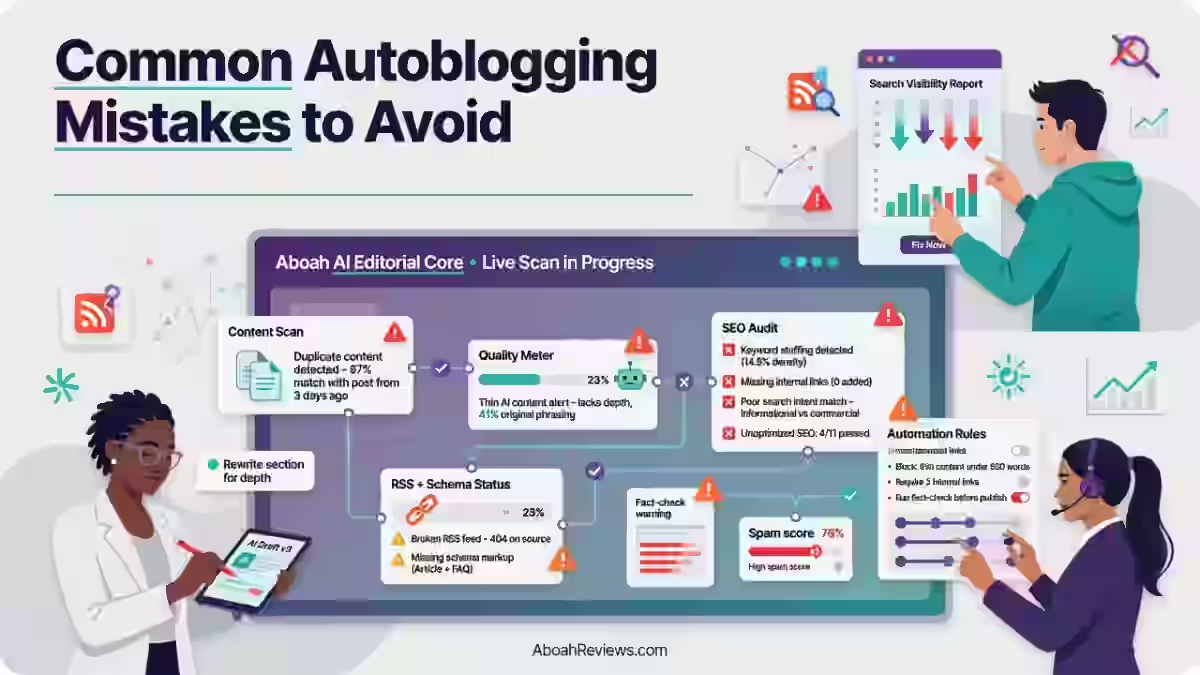
Common Mistakes When Choosing an Autoblogging Tool and How to Avoid Them

I’ve made most of the common mistakes with autoblogging tools, but you don’t have to.
1. Over-Automation Without Review
The fastest way to damage a site is publishing hundreds of unreviewed posts. I did this on a test domain in 2022. Traffic spiked briefly, then flatlined after a core update.
Fix: Start with human review on every post. Reduce oversight only after you trust the output quality.
2. Ignoring SEO Controls
Some tools produce content but ignore basics like meta descriptions, headings, and internal links. Publishing content without on-page optimization is wasted effort.
Fix: Confirm SEO features before committing to any tool.
3. Choosing Speed Over Quality
Generating 50 posts per day means nothing if none of them rank. Volume without value just clutters your index.
Fix: Measure success by traffic and conversions, not post count.
4. Relying on Scraped Content
Scraped content is easy to generate and easy to penalize. It adds no unique value and creates legal risk.
Fix: Use scraped feeds only as inputs for original content, not as final output.
Final Checklist on How to Choose the Best Autoblogging Tool
Before committing to any content generation tool, confirm these five factors:
- Goal Alignment: Does this tool support your specific use case?
- Content Originality: Will the output pass duplicate content checks?
- SEO Readiness: Are on-page optimization features included?
- Human Control: Can you review and edit before publishing?
- Scalability: Will this tool grow with your needs?
Final Thoughts On How to Choose the Best Autoblogging Tool
Choosing the right autoblogging tool isn’t about finding the “best” option overall; it’s about finding the best fit for your workflow, goals, and risk tolerance.
The tools that work for a 10-site portfolio won’t suit a single authority blog. The features that matter for programmatic SEO differ from what news aggregators need.
- Start with your goal
- Evaluate content sources and AI quality
- Confirm SEO features exist
- Test publishing workflows
- Check for long-term viability
- Most importantly: keep humans involved.
The sites I’ve seen fail with automation all share one trait: they removed human oversight too early. The ones succeeding treat ai writing assistant tools as exactly that, “assistants,” not replacements.
If you’ve tested autoblogging tools, I’d like to hear what worked and what didn’t. Drop your experiences in the comments or reach out directly. Real-world feedback makes these reviews better for everyone.
Frequently Asked Questions About How to Choose the Best Autoblogging Tool
1. Are autoblogging tools safe for SEO?
They can be, with proper controls. The risk comes from publishing low-quality or duplicate content at scale. Tools with strong AI, customization options, and human review workflows are safer than basic RSS scrapers.
Safe practices include:
- Review content before publishing
- Use original AI generation rather than scraping
- Monitor rankings and traffic for warning signs
- Follow Google’s Search Essentials
2. Can autoblogging content rank on Google?
Yes. I have sites with thousands of semi-automated posts that rank for competitive terms. The key is quality, not production method. Thin or generic content won’t rank whether human or AI-written.
3. Is AI autoblogging allowed by Google?
Google does not prohibit AI content. Their guidelines focus on quality and user value, not production method.
From Google’s documentation: “Our focus on the quality of content, rather than how content is produced, is a useful guide that has helped us deliver reliable, high quality results to users for years.”
The risk comes from producing unhelpful content at scale, not from using AI.
4. How much automation is too much?
There’s no universal threshold. It depends on:
- Your quality controls
- Your niche’s content standards
- Your ability to review output
- Your site’s existing authority
My rule of thumb: automate at the pace you can maintain quality. If quality drops, slow down.

- Searchable Review 2026: My Honest Test Results With This AI Visibility Platform - October 9, 2026
- Ryze AI Review 2026: My 30 Days Full Breakdown of This Autonomous SEO & GEO Platform - October 9, 2026
- #1 Best Plugin for Automatic Blog Posting in WordPress (2026) - September 13, 2026