Key Takeaways About This Emplibot Review
In this Emplibot review, it scores 7.78/10 as a content marketing automation tool that solves the problem of publishing SEO-optimized blog content at scale. After 30 days of daily use, I found it most valuable for solo bloggers, small businesses, and marketing teams that need consistent content without hiring writers.
Emplibot is not a magic button. It won’t replace a skilled content strategist or an experienced SEO professional. But for people who need volume and can’t afford to hire a writing team, it fills a real gap. The output quality sits somewhere between “decent first draft” and “publish-ready with light editing,” depending on the topic complexity.
What I Loved | What Needs Work |
|---|---|
Fully automated workflow from keyword research to publishing | Content quality varies significantly by niche |
Built-in internal linking saves real time | Limited control over content tone and brand voice |
Hands-off content planning actually works | No transparent way to preview posts before they go live on some plans |
Social media automation adds distribution value | Pricing can get steep for higher volume needs |
WordPress integration is smooth and reliable | Image selection is sometimes off-target |
- Best For: Solo bloggers, small businesses, and agencies managing multiple sites that need consistent content output
- Pricing: $69/month for Starter, $99/month for Standard and $149/month for Pro (Free trial for each plan)
- Rating: ⭐⭐⭐⭐ (7.78/10)
If you need an ai creation studio that combines research, content organization and writing into one integrated creation environment, I recommend checking out my Youmind review.
What Is Emplibot?
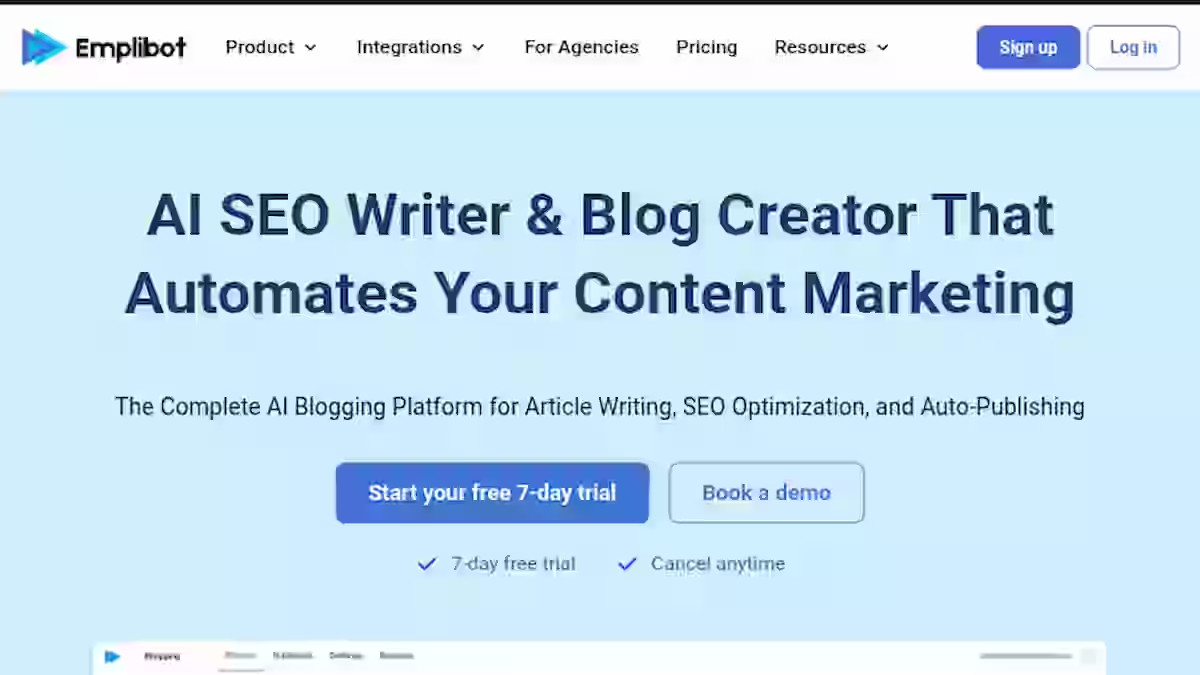
Emplibot is a content marketing automation platform designed to help bloggers, small businesses and marketing teams publish fully optimized blog posts to WordPress without manually writing, formatting, or scheduling each article.
The core idea is that Emplibot handles the entire content pipeline. It starts with topic and keyword research, generates articles using AI, optimizes them for search engines, adds images, builds internal links, and then publishes directly to your WordPress site on a schedule you set.
It’s not just an AI blog writer. Tools like Jasper or ChatGPT give you a blank page and let you prompt your way to a draft. Emplibot takes a different approach. You set parameters, connect your site, and it runs the whole content marketing system with minimal input from you.
It’s also not part of traditional SEO tools like Semrush or Ahrefs. Those platforms help you find opportunities and analyze performance. Emplibot tries to act on those opportunities automatically.
Think of Emplibot as an AI content factory that you configure once and then monitor, rather than operate manually every day.
For more blog automation tools, I tested 22 autoblogging tools, including Emplibot.
Why I Tested Emplibot
As someone who manages content across multiple niche sites, I was spending more time planning, outlining, and scheduling posts than actually working on strategy and link building.
The constraint was always production. I could identify great keywords all day, but turning them into published articles was eating 15 to 20 hours a week.
I’d tried other AI writing tools before. Most of them helped with drafting, but I still had to do keyword research separately, format everything, find images, handle internal linking, and manually publish to WordPress. The “time savings” often turned into “time shifting” because the surrounding tasks didn’t go away.
After seeing claims that Emplibot could automate the full publishing workflow, I committed to a full 30-day test. I connected it to two test sites in different niches (one in personal finance tips, one in home improvement) and let it run alongside my manual content process so I could compare results directly.
I tracked indexing speed, organic impressions, content accuracy, and the actual time I spent managing the tool versus writing content myself.
Why Emplibot Matters in 2026

The way content marketing works has shifted significantly in the last two years. Google’s emphasis on helpful content, the March 2024 core update crackdowns on low-quality AI content, and the rise of AI Overviews have all changed the game.
Here’s the reality for most content creators in 2026:
- Volume still matters, but only if quality holds up. According to a study referenced by Search Engine Journal, sites publishing consistently tend to maintain stronger topical authority signals over time.
- Manual content production doesn’t scale for solo operators or small teams. Hiring freelance writers costs 50 to 300+ per article, and managing them takes time too.
- AI content isn’t automatically penalized, but thin, unhelpful AI content absolutely is. Google’s documentation on AI-generated content makes it clear that quality and helpfulness are the evaluation criteria, not the method of creation.
Older tools fail here because they only solve one piece of the puzzle. A keyword research tool gives you targets but no content. An AI writing tool gives you drafts but no publishing pipeline. A social media automation tool distributes content but doesn’t create it.
Emplibot’s approach of combining content planning, creation, optimization, and distribution into a single automated pipeline is relevant because it addresses this fragmentation directly. Whether it does this well enough is what I spent 30 days figuring out.
I started thinking about this as an Input-Process-Output (IPO) workflow:
Stage | What Emplibot Does | What You Still Need to Do |
|---|---|---|
Input | Keyword research, topic clustering, content planning | Review topic selections, set niche parameters |
Process | AI writing, SEO optimization, image sourcing, internal linking | Spot-check quality, edit where needed |
Output | Automated publishing to WordPress, social media automation | Monitor performance, adjust strategy |
Who Is Emplibot Built For?
Primary Users
- Bloggers running content-heavy sites who can’t write 10+ posts per month alone
- SEO professionals managing multiple client sites and needing scalable content output
- Agencies looking to reduce content production costs without hiring more writers
- Small businesses that want to maintain a blog for organic traffic but don’t have a dedicated content team
- Entrepreneurs and side-project builders who need content flowing while they focus on product or sales
Why Traditional SEO Tools Fall Short
If you’ve been in SEO for any amount of time, you know the typical stack:
- Ahrefs or Semrush for keyword research
- ChatGPT or Jasper for drafting
- SurferSEO or Clearscope for optimization
- Canva for images
- WordPress for publishing
- Buffer or Hootsuite for social media automation
That’s six tools, subscriptions and six places where your workflow can break down.
The friction isn’t in any single tool; it’s in the hand-offs between them. You export keywords from one platform, paste them into another, write the draft, copy it to the optimizer, then manually format and publish. Each step takes time, and each transition is a chance for things to stall.
Emplibot positions itself as workflow consolidation. One platform, one dashboard, one automated pipeline. You lose some flexibility and control compared to using specialized tools, but you gain consistency and speed. For many users, especially those without a dedicated content team, that trade-off makes sense.
Emplibot Features: My 30 Days Test
This is where I’ll walk through each major feature based on how it actually performed across my test sites. No marketing copy, just what happened.
1. Automated Keyword Research
Emplibot analyzes your niche and generates keyword targets for your content calendar. It identifies topics based on search volume, estimated difficulty, and relevance to your site’s focus area.
My Testing Experience: I connected my home improvement test site and let Emplibot suggest its first batch of topics. Out of the first 25 keyword suggestions, about 18 were genuinely relevant and targetable. The rest were either too broad (like “kitchen remodel” with massive competition) or too tangential (like “real estate market trends” which didn’t fit my site’s scope).
The keyword research isn’t as deep or flexible as what you’d get from Ahrefs or Semrush. There’s no granular filtering by keyword difficulty score, no SERP analysis, and no way to do competitor gap analysis. But for generating a quick list of publishable topics? It works.
Limitations: You can’t manually input specific long-tail keywords and tell it “write about this exact topic.” The system works best when you give it a niche and let it find opportunities. If you already have a detailed content strategy mapped out, you’ll find this limiting.
Pro Tip: Use Emplibot’s keyword research for discovery, but cross-reference the suggestions with a dedicated tool like Semrush or Ahrefs before committing to a full content calendar. I found that filtering out the obvious mismatches upfront saved me from publishing irrelevant posts.
1. AI Content Generation
Once topics are selected, Emplibot generates full-length blog posts using AI. Articles typically run 1,500 to 2,500 words, include headers, subheadings, and structured formatting.
My Testing Experience: Over 30 days, Emplibot published 56 articles across my two test sites. The writing quality varied, and I want to be specific about that.
For straightforward informational topics (“How to unclog a bathroom drain,” “Best budgeting apps for beginners”), the output was solid. Articles were well-structured, factually reasonable, and readable. I’d estimate about 70% of these posts could be published with only minor edits.
For more nuanced topics (“Should you refinance your mortgage in 2026?”), the content was noticeably thinner. It would hit the surface points but miss the kind of depth and perspective that makes content truly helpful. These needed significant human editing to be worth publishing.
Limitations: There’s no way to give the AI detailed briefs, specify writing style, or inject personal experience into the drafts. Everything reads competent but generic. If brand voice matters to you, you’ll need to edit every post.
Pro Tip: I got the best results by narrowing the topic scope as much as possible. Instead of letting Emplibot write broadly about “kitchen renovation,” I’d steer it toward specific, answerable queries. The more focused the topic, the better the AI writing tool performed.
3. SEO Optimization
Emplibot automatically optimizes each article for on-page SEO. This includes title tags, meta descriptions, header structure, keyword placement, and readability formatting.
My Testing Experience: The on-page SEO optimization was actually one of the stronger features. Articles consistently had proper header hierarchy (H2s, H3s), included target keywords in titles and first paragraphs, and used reasonable meta descriptions.
I compared 10 Emplibot articles against SurferSEO’s content scoring, and they averaged a score of 62/100 without any manual optimization. That’s not amazing, but it’s a decent starting point.
After light manual tweaking (adding a few more semantically related terms, adjusting keyword density), I could push most posts to 75+.
Limitations: The SEO optimization doesn’t account for search intent as well as dedicated tools do. Occasionally, an article would target a keyword but miss the format that Google clearly prefers for that query. For example, a keyword that clearly needed a listicle format would sometimes get a long-form essay instead.
Pro Tip: Spot-check the top-ranking content for your target keywords before letting Emplibot publish. If the SERP clearly favors a specific format (list, comparison, how-to steps), make sure the generated content matches. This one adjustment noticeably improved my indexing and early ranking results.
4. Automated Publishing to WordPress
Emplibot connects directly to your WordPress site and publishes articles on a schedule. Posts go live with formatting, images, categories, and tags already applied.
My Testing Experience: This is where Emplibot saves the most time, and it worked well throughout the entire test. I connected both WordPress sites, set publishing frequencies (7 posts per week on each), and the posts went live on schedule without any manual intervention.
The WordPress integration handled formatting correctly about 90% of the time. Occasionally, an image would be oddly placed or a block quote would appear where a regular paragraph should be, but these were minor issues.
Over 30 days, I estimate automated publishing saved me roughly 3 to 4 hours per week compared to my manual workflow of copying, formatting, and scheduling posts myself.
Limitations: On the plans I tested, there was limited ability to review and approve posts before they went live. This means you’re trusting the system to publish content that represents your site. For established sites with brand reputation concerns, this is a real drawback.
Pro Tip: Set up a staging workflow if possible. I created a separate WordPress user for Emplibot and set the default post status to “Draft” during my first two weeks so I could review everything before publishing. Once I was comfortable with the output quality, I switched to auto-publish.
5. Internal Linking
Emplibot automatically adds internal links between your published posts, connecting related content to improve site structure and SEO.
My Testing Experience: This was a pleasant surprise. Internal linking is one of those tasks that everyone knows is important (Backlinko’s research on internal linking for SEO consistently highlights it), but few people do consistently because it’s tedious.
Emplibot’s automated internal linking connected relevant posts on my home improvement site with about 80% accuracy. It would link a post about “bathroom tile options” to a post about “bathroom renovation costs,” which makes perfect sense. It occasionally linked to loosely related content, but the mismatches weren’t harmful, just not ideal.
Limitations: You can’t set anchor text preferences or exclude certain posts from being linked. The system makes all internal linking decisions autonomously.
Pro Tip: Supplement Emplibot’s internal linking with a quarterly manual audit. I used Screaming Frog to check the internal link structure after 30 days and found a few orphan pages that Emplibot hadn’t connected. A quick manual fix resolved this.
6. Content Distribution and Social Media Automation
Emplibot can share published posts to connected social media accounts, handling basic content distribution automatically.
My Testing Experience: The social media automation feature is functional but basic. It shares links to posts with auto-generated captions on platforms like Facebook, LinkedIn, Twitter/X and Instagram. The captions are generic and rarely compelling enough to drive significant engagement on their own.
Over my test period, social shares from Emplibot generated a small but measurable amount of referral traffic (about 2 to 3% of total visits to the test sites). Not bad for zero effort, but not a replacement for a real social media strategy.
Limitations: There’s no support for platforms like Pinterest at the level I’d want. The auto-generated social copy is bland and doesn’t match the tone of a real person posting. You also can’t customize post timing for different platforms.
Pro Tip: Use Emplibot’s social sharing as a baseline distribution layer, then manually share your best-performing posts with custom copy. Think of it as a safety net that ensures every post gets at least some social exposure, not your primary content distribution strategy.
7. Content Planning and Scheduling
Emplibot provides a content calendar where you can see upcoming posts, adjust scheduling, and review the content pipeline.
My Testing Experience: The content planning interface is clean and straightforward. I could see what was scheduled for the next two weeks, which topics were in the pipeline, and what had already been published. It removed the need for a separate editorial calendar tool.
For content strategy purposes, it’s basic. You won’t find content gap analysis, competitor benchmarking, or topic clustering visualization here. But as a scheduling and pipeline management tool, it does the job.
Limitations: There’s no collaborative workflow for teams. If you’re an agency with editors, writers, and account managers, the planning tools won’t support that kind of multi-user workflow.
Pro Tip: Export your content calendar monthly and review it against your broader content strategy. I found that Emplibot’s automated topic selection would sometimes lean too heavily into one sub-topic, creating topical clusters that were too narrow. Periodic review helped me redirect the content mix.
Real Workflow Comparison (Before vs After)
Here’s what my actual content production workflow looked like before and after using Emplibot:
Step | Before Emplibot | After Emplibot | Time Change |
|---|---|---|---|
Keyword Research | 2 hours/week in Ahrefs | 20 min reviewing Emplibot suggestions + spot-checking | -75% |
Content Outlining | 1.5 hours per article | Automated | -100% (automated) |
Writing First Drafts | 3 hours per article | Automated, with 30 min editing per article | -83% |
Image Sourcing | 20 min per article | Automated | -100% (automated) |
SEO Optimization | 30 min per article | 15 min spot-checking | -50% |
Internal Linking | 15 min per article | Automated | -100% (automated) |
Publishing to WordPress | 15 min per article | Automated | -100% (automated) |
Social Sharing | 10 min per article | Automated | -100% (automated) |
Total per article | ~5.5 hours | ~1 hour (review + editing) | -82% |
The time savings are real, but they come with a trade-off: you’re exchanging control and customization for speed and consistency.
For my test sites, which don’t require a strong personal voice, this trade-off worked. For a personal brand blog or a site in a YMYL niche, I’d think twice.
Emplibot Pricing Breakdown & ROI
Pricing Table
Plan | Monthly Cost | Posts Per Month | Best For |
|---|---|---|---|
Starter | $69/month | Up to 8 posts | Solo bloggers testing the platform |
Standard | $99/month | Up to 16 posts | Active bloggers and small businesses |
Pro | $149/month | Up to 28 posts | Agencies managing multiple client sites |
Agency | Custom | Custom | Large-scale content operations |
Note: Each plan includes a 7 days free trial. Pricing is subjected to changes. Check Emplibot’s pricing page for current plans. These reflect approximate pricing during my testing period.
What Credits and Limits Mean
Each plan caps the number of articles Emplibot will generate and publish per month. Unlike some AI writing tools that use a credit or word-count system, Emplibot counts by article.
One article equals one article, regardless of length.
In practice, the articles I received ranged from 1,500 to 2,500 words. You don’t get to control article length precisely, so you might get shorter posts on some topics and longer ones on others.
Personal Pricing Recommendation
Here’s how I think about the value calculation:
If I value my content production time at 50/hour (conservative for an experienced SEO professional), and Emplibot saves me roughly 4.5 hours per article, that’s 225 in time savings per post.
On the Standard plan at $99/month for 16 posts, the cost per article is about $6.19. Even if I spend an additional 30 to 60 minutes editing each post, the ROI is strongly positive.
- For solo bloggers: Start with the Starter plan. Ten posts per month is enough to test quality in your niche and see if the content performs organically before scaling.
- For small businesses: The Pro plan hits the sweet spot. 28 posts per month is enough to build real topical authority over a quarter.
- For agencies: The Agency plan makes financial sense only if you’re managing 5+ client sites. Otherwise, the Pro plan with careful topic allocation works fine.
Emplibot Pros and Cons After Testing for 30 Days
Pros
- Genuine time savings. The 82% reduction in per-article production time held up consistently across my 30-day test. This wasn’t a one-week honeymoon result.
- Consistent publishing cadence. My test sites went from irregular posting to 3x/week without me having to think about it. According to Google’s documentation on crawling, consistent new content can signal an active site to search engines.
- Automated internal linking actually works. This was the feature I expected to be useless and was pleasantly wrong about. It handled 80% of internal linking decisions correctly.
- WordPress integration is reliable. Across 47 published articles, I had zero failed publishes and only minor formatting issues.
- Low learning curve. I was set up and running within an hour. There’s no complex onboarding or certification required.
Cons
- Content quality ceiling. The AI-generated articles are competent but rarely excellent. They lack the originality, personal anecdotes, and depth that top-ranking content often has.
- Limited editorial control. You can’t provide detailed briefs, specify tone, or inject expertise into the automated drafts. What the system produces is what you get, unless you edit after publishing.
- Niche accuracy varies. My home improvement site got better content than my personal finance site. Topics with more nuance and higher stakes (YMYL territory) consistently produced weaker output.
- No content approval workflow on lower plans. Posts going live without human review is risky, especially for businesses that care about brand reputation.
- Social media automation is bare-bones. The content distribution features exist but don’t compare to dedicated social scheduling tools.
Workarounds
For the quality ceiling issue, I developed a two-pass editing system.
- First pass: fact-check and fix any inaccuracies (took 10 to 15 minutes).
- Second pass: add one or two sentences of personal insight or experience to key sections (another 10 minutes). This small investment lifted the content noticeably.
For the editorial control limitation, I used the “draft mode” approach I mentioned earlier. Setting Emplibot to save as drafts instead of auto-publishing gave me a review window without losing the automation benefits.
For YMYL content, I simply stopped using Emplibot for sensitive financial topics and reserved it for informational, lower-stakes content where accuracy requirements were more manageable.
Emplibot Alternatives
Emplibot vs. Jasper
Category | Emplibot | Jasper |
|---|---|---|
Strength | Full pipeline automation | Superior writing quality and brand voice controls |
Best For | Hands-off content publishing at scale | Teams that want AI-assisted writing with human direction |
Pricing | Starts at $69/month for Starter plan | Starts at $69/month for Pro plan |
Verdict | Choose Emplibot if you want automation from keyword to publish. Choose Jasper if writing quality and brand voice are your priority. |
Emplibot vs. SurferSEO + ChatGPT Stack
Category | Emplibot | SurferSEO + ChatGPT |
|---|---|---|
Strength | All-in-one, no manual workflow needed | Better SEO optimization scores, more control over content |
Best For | Users who want to minimize time spent on content | SEO professionals who want maximum optimization control |
Pricing | Starts at $69/month | $119/month (Surfer) + $20/month (ChatGPT Plus) |
Verdict | Emplibot wins on convenience. The SurferSEO + ChatGPT stack wins on content quality and SEO precision. |
Emplibot vs. WordPress Auto-Poster Plugins
Category | Emplibot | WordPress Auto-Posters (e.g., WP Robot, AutoBlogging) |
|---|---|---|
Strength | Generates original AI content with SEO optimization | Typically repurposes or spins existing content |
Best For | Sites that need original, indexable content | Content aggregation (not recommended for SEO in 2026) |
Pricing | Starts at $69/month | Varies, often one-time fees |
Verdict | Emplibot is a clear upgrade over old-school auto-bloggers. Autoblogging plugins that spin content are a relic of pre-2020 SEO and a liability now. |
Which Tool Should You Choose?
- Choose Emplibot if you need fully automated content production and your priority is volume and consistency over perfect quality.
- Choose Jasper if you want an AI writing tool that you control directly, with strong brand voice features and team collaboration.
- Choose the SurferSEO + ChatGPT stack if you’re an SEO professional who wants the best possible on-page optimization and doesn’t mind a manual workflow.
- Skip WordPress autoblogging plugins entirely. They don’t produce content that will rank in today’s search environment.
Emplibot Real Use Cases
1. Solo Blogger Building a Niche Site
You’re building a niche site about pet care and want to publish 15 to 20 posts per month to establish topical authority.
Workflow with Emplibot:
- Connect your WordPress site and set “pet care” as your niche
- Review Emplibot’s keyword suggestions and remove irrelevant topics
- Set publishing frequency to 5 posts per week
- Check published posts weekly and edit any that need improvement
- Use Emplibot’s internal linking to build site structure automatically
Estimated Time Savings: 30 to 40 hours per month compared to writing all content yourself
2. Small Business Maintaining a Company Blog
You run a local plumbing company and want a blog to drive organic traffic for “how-to” queries and local SEO.
Workflow with Emplibot:
- Set up your niche as “plumbing and home maintenance”
- Review generated topics for local relevance
- Publish 6 to 7 posts per month on autopilot
- Add a personal touch to 2 or 3 posts per month (customer stories, local tips)
- Let social media automation share posts to your business Facebook page
Estimated Time Savings: 15 to 20 hours per month, allowing you to focus on actual plumbing work
3. SEO Agency Managing Client Blogs
Your agency manages blogs for 8 clients across different niches. Each client needs 4 posts per month.
Workflow with Emplibot:
- Set up each client as a separate site in Emplibot
- Configure niche settings and keyword parameters per client
- Use the Agency plan for 32 posts per month total
- Have a junior editor review and approve posts before publishing (use draft mode)
- Report content output and traffic metrics to clients monthly
Estimated Time Savings: 60 to 80 hours per month across all clients, potentially replacing one full-time content writer
4. Freelance Content Marketer
You offer content marketing services and want to scale your output without hiring subcontractors.
Workflow with Emplibot:
- Use Emplibot for first drafts across client projects
- Spend your time on editing, strategy, and client communication
- Charge clients for final content while using automation for draft production
- Focus your expertise on content strategy and performance analysis rather than raw writing
Estimated Time Savings: 20 to 30 hours per month, allowing you to take on 2 to 3 additional clients
5. Student or Side-Hustle Blogger
You’re a college student running a side-project blog about study tips and productivity. Time is extremely limited.
Workflow with Emplibot:
- Start with the Starter plan (8 posts/month)
- Let Emplibot handle the entire pipeline while you focus on classes
- Check your site once a week to make sure content looks reasonable
- Monitor Google Search Console monthly for indexing and impressions
Estimated Time Savings: 20+ hours per month, which for a student, could be the difference between having a functioning blog and abandoning it
Emplibot User Experience and Community Feedback
I spent time reading user feedback across multiple platforms to get a broader perspective beyond my own testing.
Positive feedback
Users on review platforms frequently mention the time savings. One G2 reviewer noted something along the lines of:
“I was spending my entire Sunday writing blog posts. Now I just review what Emplibot creates and make small edits.”
This mirrors my experience closely.
Several users praised the WordPress integration, calling it the most reliable auto-publishing they’ve used.
Multiple reviewers specifically highlighted that they tried other tools before and had constant publishing failures or formatting issues.
Negative feedback
The most common complaint is content quality inconsistency.
Users in technical niches (cybersecurity, medical, legal) reported that articles often contained surface-level information that wouldn’t satisfy expert readers. This aligns with what I observed in my personal finance test site.
Some users expressed frustration with limited customization options. One reviewer mentioned wanting the ability to upload their own content guidelines or style documents, which Emplibot doesn’t currently support.
A few agency users noted that the lack of multi-user collaboration features made it difficult to integrate Emplibot into their existing team workflows.
Overall community sentiment
Generally positive for the specific use case of “I need content published consistently and can’t do it all myself,” but with realistic expectations about quality.
Users who expected human-level writing quality were disappointed. Users who expected a reliable automated content pipeline were satisfied.
Emplibot Evaluation Framework + Scoring
I evaluate every tool I review using a weighted scoring model. Here’s how Emplibot performed:
Emplibot Scoring Breakdown
Category | Weight | Score (out of 10) | Weighted Score |
|---|---|---|---|
Features & Functionality | 30% | 8.0 | 2.55 |
Ease of Use | 20% | 8.5 | 1.70 |
Pricing & Value | 20% | 7.5 | 1.50 |
Support & Customer Experience | 15% | 6.5 | 0.98 |
Trust & Credibility | 15% | 7.0 | 1.05 |
Total | 100% | 7.78/10 |
- Features & Functionality: The automated pipeline from keyword research through publishing is genuinely useful. The internal linking and SEO optimization features work. But the content quality ceiling and limited customization options hold it back from a higher score.
- Ease of Use: Setup took under an hour. The dashboard is intuitive. There’s very little learning curve, which is a real advantage for non-technical users.
- Pricing & Value: The ROI math works for most users, especially on the Starter and Standard plans. The Agency plan gets expensive, and the value depends heavily on how well the content performs in your specific niche.
- Support & Customer Experience: Support was responsive but not exceptional. I had a formatting issue that took two days to resolve via email. There’s no live chat or phone support, and the knowledge base is adequate but not comprehensive.
- Trust & Credibility: Emplibot is transparent about using AI for content generation. They don’t make outrageous claims about replacing human writers entirely. However, more transparency about the AI models used and content quality benchmarks would strengthen trust.
Final Weighted Score: 7.78/10
Final Verdict On This Emplibot Review
After this Emplibot review, I can say it’s a legitimate content marketing automation tool that does what it claims: it automates the blog content pipeline from keyword research to published post.
It’s not perfect, and it’s not for everyone, but for the right user, it solves a real and painful problem.
You should use Emplibot if:
- You’re a solo blogger or small business owner who can’t consistently produce content
- You need to scale content output across multiple sites without hiring writers
- You’re comfortable with “good enough” first drafts that you can edit and improve
- Your niche is informational and doesn’t require deep expertise in every article
- You value time savings over maximum content quality
You should skip Emplibot if:
- You’re in a YMYL niche where accuracy and expertise are non-negotiable
- Your brand requires a specific voice, tone, or personality in every piece of content
- You need deep, original research or thought leadership content
- You already have a content team and a workflow that works
- You want full control over every aspect of content creation
My personal decision: I’m keeping Emplibot on my home improvement test site. The content quality is acceptable for that niche, the time savings are substantial, and the site’s organic impressions grew steadily over the 30-day period.
I’m not using it for my personal finance site because the content wasn’t reliable enough for financial topics.
If you’re curious, I’d suggest starting with the Starter plan and running it on a test site for 30 days before committing to a higher tier. That gives you enough data to evaluate content quality in your specific niche without a major financial commitment.
Frequently Asked Questions About Emplibot Review
1. Is Emplibot worth the money?
For solo bloggers and small businesses, yes, if your niche produces acceptable quality output. The time savings alone can justify the cost. For agencies, the value depends on your clients’ quality expectations.
2. How accurate is Emplibot’s AI-generated content?
In my testing, factual accuracy was reasonable for general informational topics (I’d estimate 85 to 90% accuracy for straightforward how-to content). For specialized or technical topics, accuracy dropped noticeably.
3. Can I use Emplibot for free?
As of my testing period, Emplibot does not offer a permanent free plan. However, they offer a 7-day free trial for each plan. Check their current website for the latest options.
4. How does Emplibot compare to just using ChatGPT?
ChatGPT gives you more control over each piece of content but requires you to handle everything else: keyword research, SEO optimization, image sourcing, formatting, publishing, and internal linking. Emplibot automates the entire pipeline. If you enjoy the writing process and want maximum control, ChatGPT (possibly paired with a tool like SurferSEO) is better. If you want hands-off automation, Emplibot fills a different role.
5. Will Google penalize content created by Emplibot?
Google’s official stance, as outlined in their guidance about AI-generated content, is that the method of content creation doesn’t matter. What matters is whether the content is helpful, original, and satisfies the user’s intent.
6. Does Emplibot work with platforms other than WordPress?
During my testing, Emplibot’s automated publishing was WordPress and Shopify focused. If you use Wix, Squarespace or another CMS, you may need to manually transfer content.
7. Can Emplibot replace a human content writer?
Not entirely. It can replace the time a human spends on routine, informational content production. But it cannot replicate personal experience, original research, expert opinions, or brand personality. Think of it as a tool that handles the heavy lifting while you focus on the content that truly requires a human touch.

- #1 Best Plugin for Automatic Blog Posting in WordPress (2026) - September 13, 2026
- 13 Best WordPress Autoblogging Plugins I Tested & Ranked for 2026 - September 13, 2026
- 13 Best Google AI Overview Checking Tools in 2026 (Tested & Ranked) - September 9, 2026