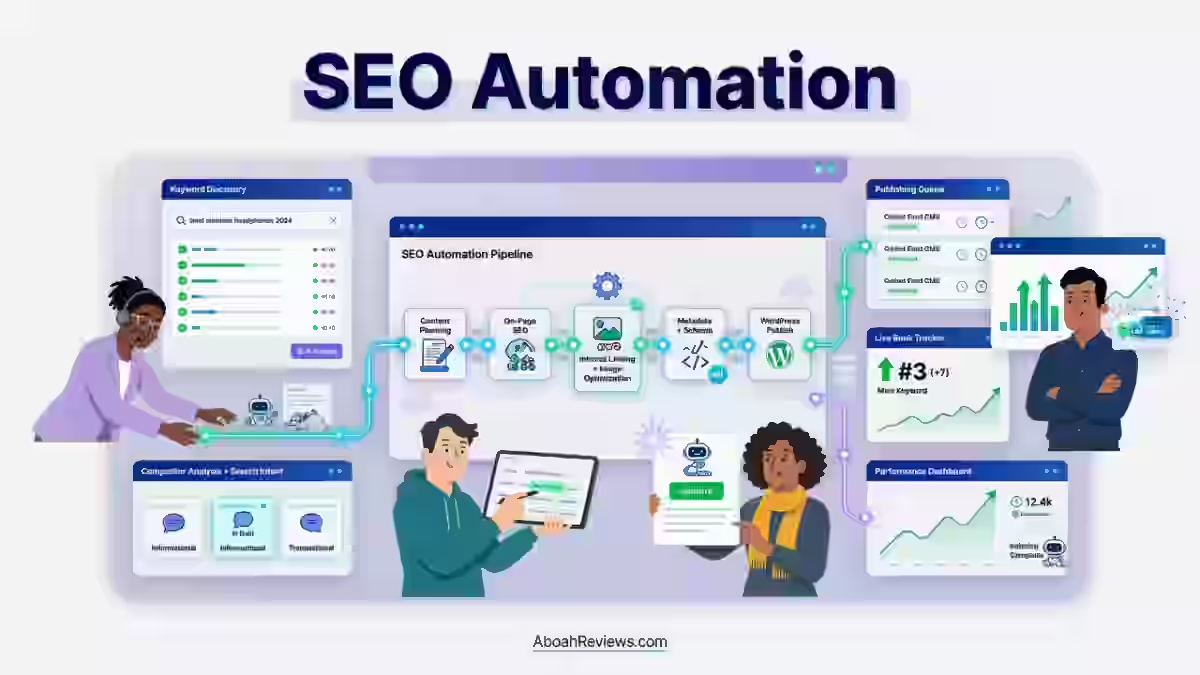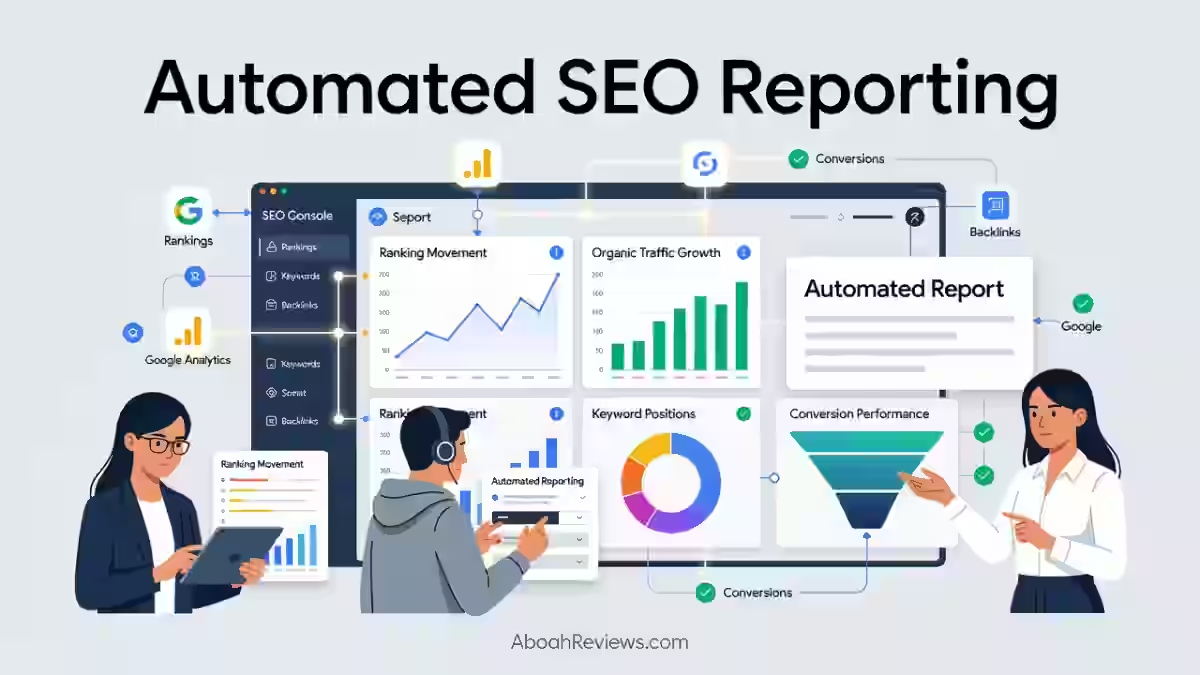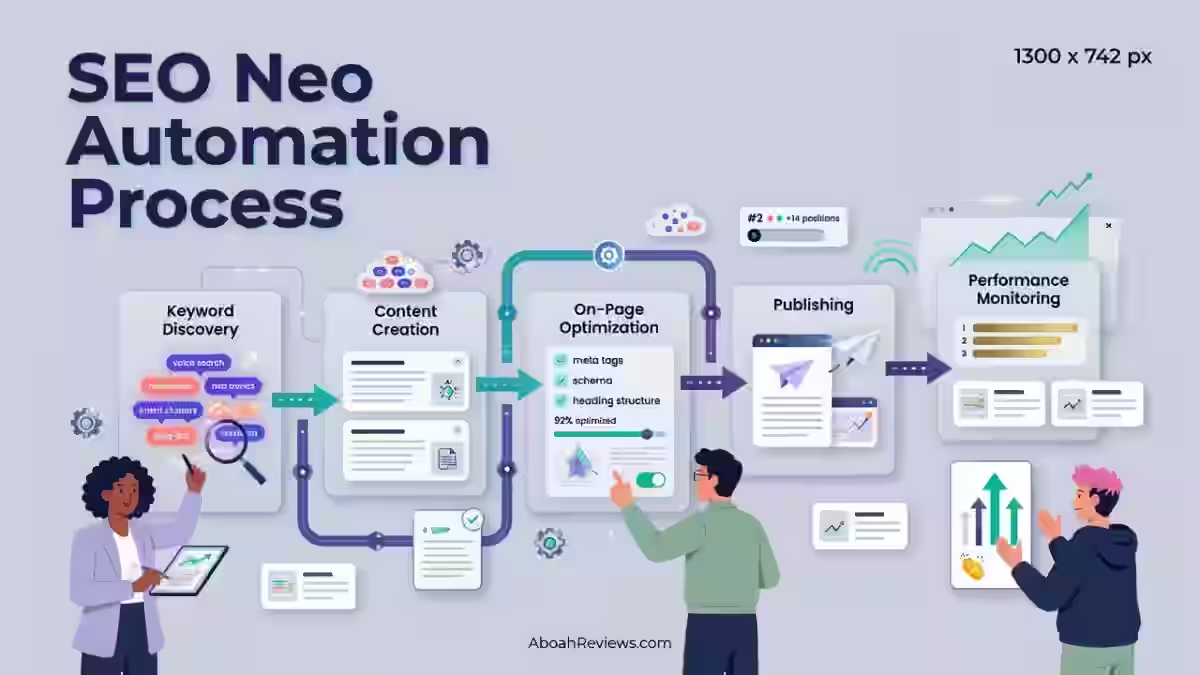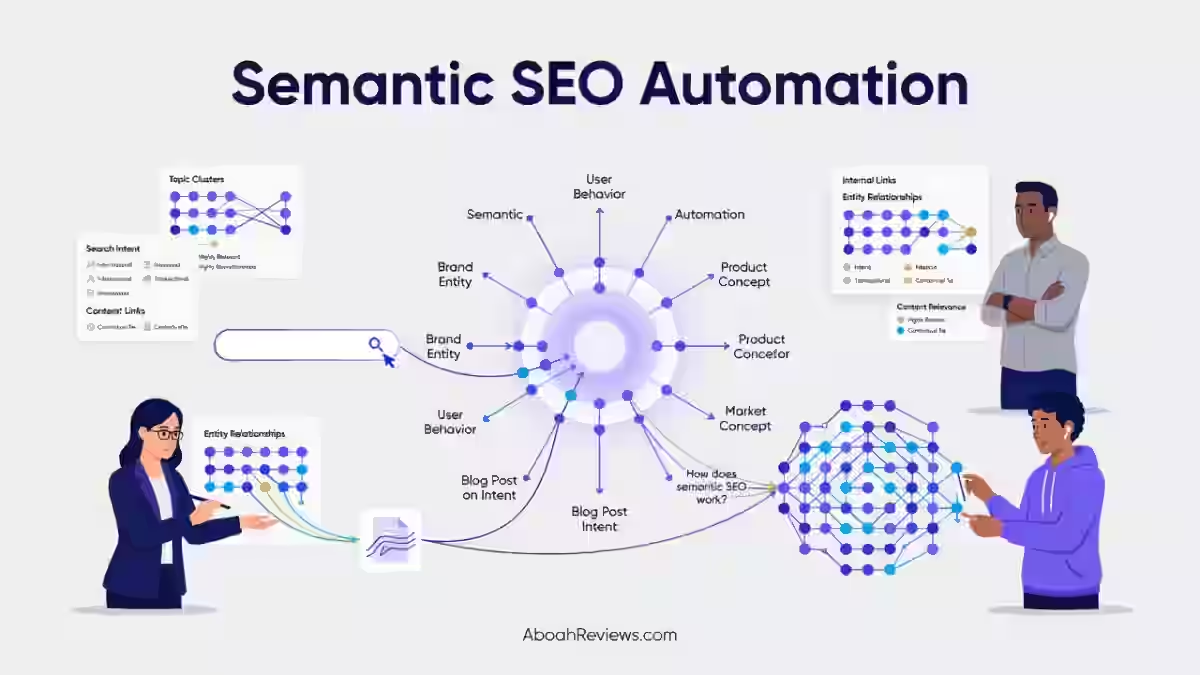
TL;DR: AI SEO automation uses AI models and workflow tools to handle repeatable search engine optimization tasks such as technical audits, keyword clustering, internal linking, schema generation and reporting, with limited manual input.
It works best on pattern-based tasks and poorly on work that needs brand context, first-hand evidence or business judgment.
This guide is for SEO specialists, content teams, agencies and small businesses. It shows where AI SEO automation helps, where it creates risk and how to build review gates.
The main takeaway: automate data processing and recommendations, but keep humans responsible for strategy, facts and publishing.
What Is AI SEO Automation?
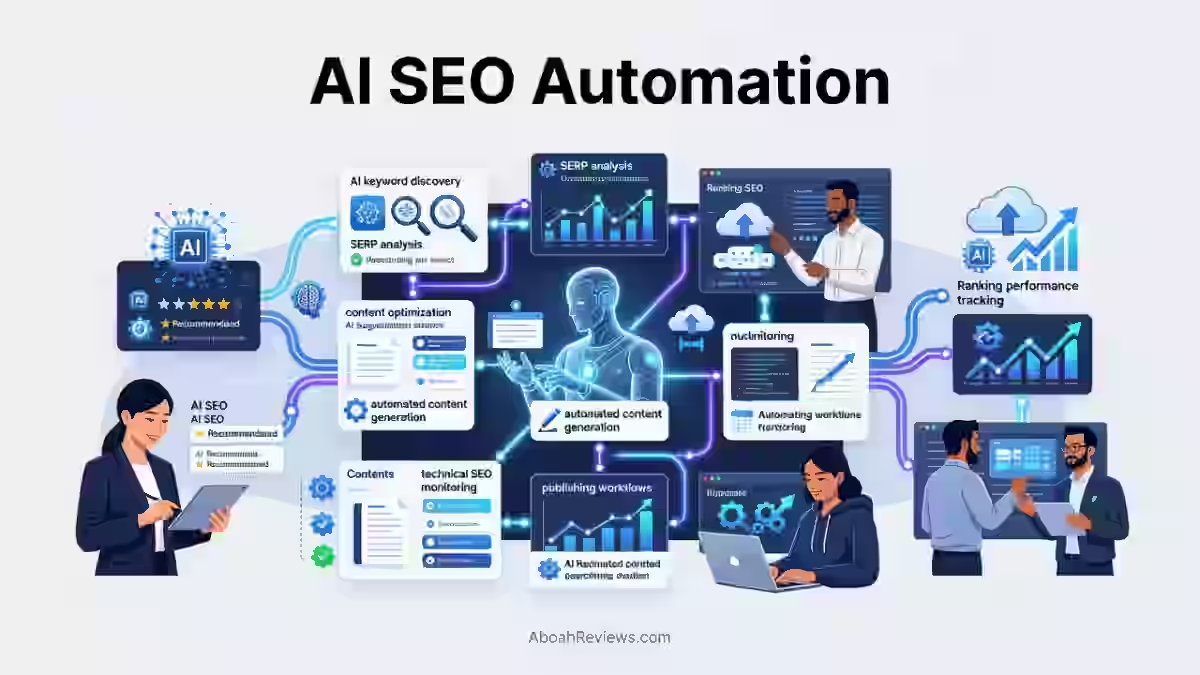
AI SEO automation is a workflow that combines SEO data, rules, AI models and human approvals to complete repeatable SEO optimization tasks.
Traditional automated SEO tools usually follow fixed rules. An AI SEO workflow can classify messy data, group similar keywords, summarize crawl problems, draft recommendations and send the result to another system.
A typical workflow might look like this:
- Google Search Console reports a fall in clicks for a page.
- Google Analytics 4 shows whether engaged sessions or conversions also changed.
- A crawler checks technical changes, broken links, canonical tags, and site speed.
- An AI model groups the evidence and writes an SEO recommendation.
- An editor or SEO specialist approves the action.
- The workflow creates a ticket, updates a content brief, or sends a report.
This is different from asking an AI writing assistant to produce an article and publishing it without review. Content creation is only one part of SEO, and it is often not the safest place to start.
For readers working in autoblogging, the distinction matters. An RSS feed, AI content generation tool, and WordPress plugin can create a publishing pipeline, but that pipeline does not automatically provide original research, useful editorial content, accurate facts, or good content strategy.
My guide to autoblogging explains the publishing side in more detail.
AI SEO automation can support:
- Keyword research and keyword analysis
- Competitor analysis and content gap analysis
- Technical SEO checks
- Content briefs and content optimization
- Rank tracking and SERP analysis
- Internal-link recommendations
- Schema markup and structured data validation
- Content decay monitoring
- Client reporting
- SEO data analysis across multiple sites
The practical goal is not to automate every SEO task. It is to reduce repetitive work so that people can spend more time on SEO strategy, audience understanding, content authority, and commercial priorities.
How AI SEO Automation Actually Works: The Five-layer Stack
The five-layer stack moves an SEO signal from a trigger through data processing, review and an approved action.
- Trigger: A schedule, crawl completion, Google Search Console data drop, or rank-change threshold starts the workflow.
- Data layer: The workflow collects GSC API data, GA4 data, crawl exports, SERP APIs, backlink data, or log files.
- Processing layer: An LLM, embeddings model, or rule-based system classifies, compares, summarizes, and prioritizes the data.
- Human review gate: A person approves high-risk actions and checks a sample of lower-risk outputs.
- Action layer: The system creates a ticket, pushes a CMS change, sends a Slack alert, or updates a dashboard.
The review gate is the part many vendors leave out of their diagrams. It prevents a wrong keyword mapping, bad schema template, or incorrect SEO recommendation from spreading across thousands of pages.
Common AI SEO Automation Myths
The common myths about AI SEO automation come from treating faster task execution as a replacement for SEO judgment.
1. AI SEO Automation Can Replace SEO Specialists
AI SEO automation improves execution speed, but it does not replace SEO specialists who understand business context, brand positioning, audiences, and strategic priorities.
A model can identify that a page lost organic clicks. It cannot reliably decide whether the correct response is:
- Updating the page
- Changing the target query
- Building a new landing page
- Fixing a conversion problem
- Stopping work on the topic
- Responding to a product or market change
The role of an SEO specialist shifts from checking every row manually to setting the rules, reviewing exceptions, and deciding which recommendations matter commercially.
2. More Automation Automatically Means Better Rankings
More automation increases the number of SEO changes a team can make, but it does not guarantee better search rankings.
Poor automation can scale:
- Incorrect internal links
- Low-quality content updates
- Bad schema deployment
- Incorrect keyword targeting
- Duplicate title tags
- Over-optimized anchor text
- Irrelevant SEO recommendations
A useful workflow measures SEO results after each change. It should also let the team pause or reverse a rollout when search visibility, conversions, or indexing declines.
3. AI-Generated Content Can Be Published Without Human Review
AI-generated content should be reviewed for accuracy, originality, brand fit, and user value before publication.
Google states that the use of AI is not automatically a violation, but content created primarily to manipulate search rankings can violate its spam policies.
Google’s guidance on AI-generated content says the focus is on content quality and user value, not the production method alone.
Fully automated publishing can introduce:
- Hallucinated information
- Generic explanations
- Missing first-hand experience
- Unsupported medical, legal, or financial claims
- Repetitive content patterns
- Incorrect author details
The safer workflow is AI draft, human fact-checking, editorial revision, on-page SEO review, and then publication.
4. AI Understands SEO Strategy Like a Human Expert
AI can recognize patterns in available data, but it does not understand SEO strategy in the same way as a human who knows the business.
AI can analyze search volume, ranking changes, competitor pages, and keyword performance. It may still recommend a technically correct action that does not support the company’s margins, audience, product, or sales process.
For example, a model may suggest targeting a high-volume query when the business needs qualified leads from a lower-volume commercial term.
5. AI SEO Automation Is Only Useful for Enterprise Websites
Small businesses can benefit from AI SEO automation when they start with narrow workflows such as reporting, keyword clustering, content briefs, and technical monitoring.
A small site might use:
- Google Search Console alerts for sudden click changes
- A scheduled crawl for crawl errors and broken links
- A spreadsheet script for keyword clustering
- A monthly content decay report
- A reusable content brief template
An enterprise SEO team may connect the same ideas to warehouses, APIs, ticketing systems, and multiple CMS platforms. The difference is the number of data sources and approval levels, not the basic principle.
6. AI SEO Automation Removes the Need for SEO Knowledge
AI SEO automation still requires SEO knowledge because someone must choose the inputs, define acceptable outputs, and judge whether a recommendation makes sense.
Inexperienced implementation can lead to:
- Automating the wrong process
- Misreading analytics data
- Ignoring search intent
- Creating poor workflow design
- Deploying changes without quality control
A person who does not understand canonical tags, search intent, structured data, or content mapping cannot reliably check an AI recommendation about those areas.
7. AI SEO Automation Means Fully Autonomous SEO
Automation runs defined actions, while autonomous SEO systems attempt to choose and execute multi-step actions toward a goal.
The human-in-the-loop model is safer for most teams. Approval checkpoints matter before:
- Content publishing
- Technical changes
- Website-wide updates
- Client reporting
- Changes to canonical tags, redirects, or structured data
AI agents may eventually handle more connected steps, but they still need permissions, limits, logs, and rollback controls.
AI SEO Automation vs. Traditional SEO Tools vs. Agentic SEO
Traditional SEO tools use fixed rules, AI SEO automation combines rules with model inference, and agentic SEO attempts autonomous goal-seeking across several steps.
Area | Traditional SEO tools | AI SEO automation | Agentic SEO |
|---|---|---|---|
Logic | Fixed rules | Rules plus model inference | Autonomous goal-seeking |
Human input | Manual interpretation | Review gate | Oversight only |
Best for | Diagnostics | Repetitive execution | Multi-step research |
Main risk | Time cost | Bad inputs at scale | Unpredictable actions |
Maturity in 2026 | Mature | Production-ready for defined workflows | Early and experimental |
I would use traditional SEO tools for crawling and measurement, AI SEO automation for classification and repetitive execution, and agentic SEO only in sandboxed experiments with narrow permissions.
What SEO Tasks Can Actually Be Automated With AI?
The safest SEO tasks to automate are repetitive, measurable, reversible, and based on reliable data.
The following tiers are a practical way to decide where automation belongs.
Tier 1: Safe to Fully Automate
Tier 1 tasks are low-judgment, high-volume activities where the output can be checked against a clear rule.
The time ranges below are planning estimates for a normal site or recurring workflow, not guaranteed savings.
Task | Typical time saved | Tools and stack | Risk level |
|---|---|---|---|
Crawl-error triage | 2 to 6 hours per crawl | Screaming Frog or Sitebulb, rules, ticket system | Low |
Redirect-chain detection | 1 to 3 hours per 1,000 URLs | Crawler, status-code parser | Low |
XML sitemap validation | 30 to 90 minutes per run | Crawler, XML parser, Search Console | Low |
Hreflang conflict checks | 1 to 4 hours per site section | Crawler, URL rules, spreadsheet | Low |
Schema markup generation for fixed templates | 2 to 8 hours per template | CMS fields, JSON-LD rules, validator | Medium |
Rank and SERP-feature monitoring | 2 to 5 hours per week | Rank tracker, SERP API, alerts | Low |
GSC anomaly alerts | 1 to 3 hours per week | Google Search Console API, BigQuery, Slack | Low |
Log-file bot analysis | 4 to 12 hours per month | Server logs, BigQuery, scripts | Medium |
Report assembly | 3 to 10 hours per client per month | GSC, Google Analytics 4, Looker Studio | Low |
These tasks still need sensible thresholds. A crawl-error workflow can safely create a ticket for a 500 status code, but it should not automatically delete a URL or change a redirect without review.
Tier 2: Automate With Human Review
Tier 2 tasks can produce useful drafts and recommendations, but an SEO specialist should approve the final output.
Task | Typical time saved | Draft output | Review needed |
|---|---|---|---|
Keyword clustering and intent labeling | 3 to 12 hours per 1,000 keywords | Topic groups, intent, page type | Check search intent and duplicates |
Internal-link recommendations | 4 to 20 hours per 1,000 URLs | Source, target, anchor suggestion | Check relevance and anchor variety |
Title and meta description drafting | 2 to 8 hours per 100 pages | Draft title, description, character count | Check accuracy and click appeal |
Content brief generation | 1 to 3 hours per topic | SERP analysis, headings, questions | Add brand and audience context |
Content decay detection | 2 to 6 hours per week | Decline score and refresh queue | Check seasonality and business value |
Image alt text | 1 to 4 hours per 100 images | Descriptive alt text | Confirm image meaning |
FAQ extraction from support tickets | 2 to 8 hours per batch | Candidate questions and answers | Remove private or unsupported claims |
Competitor gap analysis | 3 to 10 hours per competitor set | Missing topics and page types | Check relevance and quality |
For example, a model can find pages that mention the same entities and suggest interlinking opportunities. It cannot always tell whether a link distracts from the page’s primary conversion path.
Keyword density also belongs in review rather than automatic enforcement.
Repeating a keyword to satisfy a numeric density target often damages readability and does not prove that a page answers the query.
Tier 3: Never Fully Automate
Some SEO tasks should not run without qualified human review because the cost of a wrong decision is high.
- Publishing content with no human editing: This can conflict with Google’s scaled content abuse policy when the content exists mainly to manipulate rankings.
- YMYL claims: Medical, legal, and financial content requires credentialed review and reliable source checking.
- Original research and first-hand experience: Models can summarize available material, but they cannot create genuine testing, interviews, or customer experience.
- SEO strategy and prioritization: These depend on business context, margins, capacity, and customer value.
- Link outreach at scale: Repetitive outreach patterns can damage reputation and attract low-quality links.
- Disavow file decisions: A mistaken disavow file can remove the value of legitimate links and should never be treated as a routine AI action.
The 80/20 Rule of SEO Automation
The 80/20 rule is to automate the data-to-decision pipeline while keeping the decision-to-publish step human.
Automate the evidence and recommendations; keep people responsible for irreversible SEO actions.
8 AI SEO Automation Workflows You Can Build This Week
The most practical AI SEO automation workflows connect a clear trigger to one measurable action and one named reviewer.
1. Automated technical SEO audit triage
Automated technical SEO audit triage turns crawl findings into ranked tickets without requiring an analyst to inspect every row manually.
Goal: Prioritize technical issues by severity, affected URLs, templates, and likely business impact.
Stack: Screaming Frog scheduled crawl, CSV or API export, BigQuery, an LLM classifier, Jira or Linear.
Trigger: A scheduled crawl finishes or a new crawl export arrives.
Steps:
- Export status codes, canonical tags, indexability, title tags, broken links, and redirect data.
- Group issues by URL pattern and template.
- Ask the model to classify each issue as urgent, scheduled, monitor, or ignore.
- Create a Jira or Linear ticket with affected URL samples and evidence.
- Attach the crawl date and source row to each ticket.
Human checkpoint: A technical SEO specialist approves the priority rules before tickets are assigned to developers.
Time saved: A recurring workflow can save approximately 2 to 6 analyst hours per crawl.
Failure mode: The model may treat a harmless parameter URL as an indexation problem, so URL-pattern rules should override free-form interpretation.
Screaming Frog is a strong fit for teams that need detailed crawl data and scheduled exports. Its paid license is more useful than the free 500-URL limit for larger sites, but it does not decide business priority on its own.
Jira is better for teams already using structured development tickets. Linear is simpler for smaller product and content teams. Both are action systems, not SEO analysis tools.
2. Content decay detection and refresh queue
Content decay detection uses a rolling performance comparison to identify pages that deserve review before they become invisible.
Goal: Find pages with declining clicks, impressions, rankings, or conversions and turn them into a refresh queue.
Stack: Google Search Console API, Google Analytics 4, a 90-day comparison, a database or spreadsheet, an LLM, and an editorial queue.
Trigger: A weekly or monthly GSC data pull completes.
Steps:
- Compare the latest 90 days with the previous 90 days.
- Flag pages with a meaningful fall in clicks, impressions, keyword performance, or conversions.
- Exclude seasonal pages and pages with too little data.
- Ask the model to summarize likely causes from queries, competitors, and page changes.
- Generate a refresh brief with evidence, not just a list of new keywords.
- Send the brief to an editor.
Human checkpoint: The editor checks whether the decline is caused by seasonality, a changed product, an algorithm change, or a technical error.
Time saved: A site with 500 to 5,000 pages may save 2 to 6 hours per reporting cycle.
Failure mode: A seasonal page may be incorrectly flagged as decayed if the workflow compares the wrong months.
The result should be a content inventory with priority, owner, last update, target query, conversion role, and next action.
A page should not be refreshed merely because an AI system gave it a low content score.
3. AI-assisted internal linking at scale
AI-assisted internal linking finds relevant source and destination pages, then sends suggested links to a human reviewer before CMS insertion.
Goal: Surface relevant internal-link opportunities across a large content inventory.
Stack: URL embeddings, page titles and body text, cosine similarity matching, link rules, a CMS API, and an approval queue.
Trigger: A new page is published or the content inventory is refreshed.
Steps:
- Create an embedding for each indexable URL.
- Compare new and updated pages with existing pages.
- Remove candidates that are noindex, redirected, irrelevant, or already heavily linked.
- Generate a suggested source sentence, target URL, and anchor text.
- Let an editor approve, edit, or reject the suggestion.
- Insert approved links through the CMS.
Human checkpoint: An editor checks whether the link helps the reader and whether the anchor text is natural.
Time saved: A site with 1,000 to 10,000 URLs may save 4 to 20 hours per linking sprint.
Failure mode: Similar language does not always mean similar intent, so embeddings must be combined with page type and business rules.
Why embeddings beat keyword-match internal linking
Embeddings often beat simple keyword matching because they compare meaning and related concepts rather than requiring the same phrase to appear on both pages.
A keyword matcher may connect two pages because both use “software.”
An embedding workflow can also consider topic, entities, audience, and context, but it still needs rules to prevent irrelevant or excessive links.
4. Keyword clustering and intent classification
Keyword clustering turns a raw keyword export into topic groups, search intent labels, and a proposed site architecture map.
Goal: Reduce duplicate targeting and assign keywords to the right page type.
Stack: Keyword export, search volume, current rankings, embeddings, an LLM, and a spreadsheet or database.
Trigger: A new keyword research project or monthly keyword export.
Steps:
- Remove duplicates, misspellings, and keywords outside the target market.
- Group terms by semantic similarity and SERP overlap.
- Label intent as informational, commercial, transactional, navigational, or local.
- Assign a likely page type such as article, category, product page, or landing page.
- Compare groups with the existing content inventory.
- Flag cannibalization and content gaps.
Human checkpoint: An SEO specialist checks actual SERPs before approving the site architecture.
Time saved: Clustering 1,000 keywords may save 3 to 12 hours compared with manual grouping.
Failure mode: Similar wording can hide different search intent, particularly for brand, product, and local queries.
Search volume is useful for estimating demand, but it should not decide the entire SEO strategy. Business value, conversion data, competitive difficulty, and content authority also matter.
5. Schema markup generation and validation
Schema markup automation can generate and validate structured data for fixed page templates before a controlled deployment.
Goal: Reduce repetitive JSON-LD work while limiting invalid or misleading rich-result markup.
Stack: Page-type detection, CMS fields, JSON-LD templates, a schema validator, the Google Rich Results Test, and a deployment system.
Trigger: A new page type is created or a template changes.
Steps:
- Detect the page type from the CMS template.
- Pull verified fields such as title, author, date, price, or review data.
- Generate the relevant schema markup.
- Validate required properties and values.
- Test representative pages.
- Deploy through the CMS or Google Tag Manager only after approval.
Human checkpoint: A technical SEO reviewer confirms that the markup describes visible page content.
Time saved: A repeatable template can save 2 to 8 hours during implementation and testing.
Failure mode: A schema template may publish false review, price, or author data across every page if the source fields are incomplete.
Schema markup can support eligibility for rich snippets, but it does not guarantee that Google will display them.
6. SERP and AI Overview monitoring
SERP and AI Overview monitoring tracks changes in rankings, search features, citation sources, and the presence of your pages in generated answers.
Goal: Detect changes in search visibility and understand whether a site is appearing in Google AI Overviews.
Stack: A daily SERP API pull, rank tracking, query groups, AI Overview detection, citation extraction, and Slack alerts.
Trigger: A daily or weekly SERP collection completes.
Steps:
- Pull the same queries by country, device, and search intent.
- Record rankings, featured snippets, discussions, video results, and AI Overview presence.
- Record cited domains and URLs where the SERP provider exposes them.
- Compare the result with the previous collection.
- Alert the SEO team when citation sources, rankings, or result types change.
- Sample important queries manually before changing content.
Human checkpoint: An SEO specialist confirms that a SERP change is real and not a provider parsing error.
Time saved: A team monitoring 500 to 5,000 queries may save 2 to 5 hours per week.
Failure mode: AI Overview layouts and SERP APIs can change, so citation data should be treated as a sample rather than a complete official record.
How to track whether AI Overviews cite your site
You can track AI Overview citations by collecting a fixed query set, recording whether an overview appears, identifying cited sources, and calculating your citation share over time.
There is no single public report that gives every site a complete AI Overview citation database.
Use consistent queries, locations, devices, timestamps, and manual checks for the pages that matter most.
7. Automated cannibalization detection
Automated cannibalization detection maps queries to ranking URLs and flags cases where several pages compete for the same search demand.
Goal: Identify whether pages should be consolidated, differentiated, redirected, or left alone.
Stack: GSC query-page data, rank history, page embeddings, canonical data, and an LLM recommendation layer.
Trigger: A weekly GSC export or a major content update.
Steps:
- Group queries that have multiple ranking URLs.
- Check impressions, clicks, average position, and conversion value.
- Compare page intent, format, audience, and internal links.
- Ask the model to recommend consolidate, differentiate, canonicalize, or monitor.
- Send the recommendation to an SEO specialist.
- Record the final decision and expected outcome.
Human checkpoint: The reviewer checks whether multiple pages serve genuinely different intents.
Time saved: A medium site may save 3 to 8 hours per audit cycle.
Failure mode: Two pages may rank for the same phrase while serving different stages of the buying journey, so combining them can reduce coverage.
8. Client and stakeholder reporting
Automated client reporting combines data sources and uses AI only for the commentary layer, not for inventing SEO results.
Goal: Produce consistent reports with accurate metrics and useful explanations.
Stack: Google Search Console, Google Analytics 4, rank data, Looker Studio, a data warehouse, and an LLM for draft commentary.
Trigger: Monthly data processing completes.
Steps:
- Pull clicks, impressions, conversions, rankings, landing-page data, and technical alerts.
- Compare the period with the previous period and the same period last year.
- Add notes about releases, content updates, algorithm changes, and known tracking issues.
- Ask the model to draft commentary using only supplied data.
- Highlight missing data and confidence limits.
- Send the report to the account lead for editing.
Human checkpoint: The account lead verifies every number and removes explanations that are not supported by the data.
Time saved: A standardized report can save 3 to 10 hours per client each month.
Failure mode: A model may describe correlation as causation, such as claiming that a blog update caused a traffic increase when several changes happened together.
Best AI SEO Automation Tools Compared
The best AI SEO automation tools depend on whether you need broad SEO data, content guidance, technical monitoring, or a custom workflow layer.
A useful starting point is the best autoblogging software comparison if your main need is automated article drafting and publishing.
For broader SEO operations, I would separate tools into four groups.
1. All-in-one AI SEO platforms
- Semrush is best for agencies that need keyword research, competitor analysis, backlink analysis, rank tracking, site audits, and client reporting in one account.
Its advantages are broad data coverage, report templates, and many integrations. Its drawbacks are monthly cost, credit limits on some features, and the need for human interpretation.
- Ahrefs is best for teams that prioritize backlink analysis, content gap analysis, keyword research, and competitor research.
Its link data is useful for competitive intelligence, but it is not a complete hands-off publishing system. It works well when an SEO specialist wants evidence for content and link decisions.
- seoClarity is best for large agencies and enterprise teams managing many sites, keywords, and workflows.
It offers large-scale rank tracking, reporting, content analysis, and workflow controls. The tradeoff is a higher setup burden and custom pricing.
- Conductor is best for enterprise content and technical teams that need SEO recommendations connected to content operations.
It supports content guidance, monitoring, reporting, and governance. It is usually more than a small business needs and often involves a sales-led implementation.
- Botify is best for large websites where crawl data, log files, indexation, and technical SEO need to be analyzed together.
It can handle complex technical datasets, but it requires technical resources and is not the easiest first tool for a small content team.
2. Content optimization and brief automation
- Surfer SEO is best for editors who want a content editor, SERP analysis, term suggestions, and content briefs in one interface.
Its benefit is a clear writing workflow. Its limitation is that inexperienced users may treat suggested terms or word counts as strict targets, which can create unnatural copy and a misleading focus on keyword density.
- Clearscope is best for editorial teams that want structured briefs and a clean content optimization process.
It gives editors a shared way to review topic coverage and terminology. The main drawback is price, particularly for a small content team producing fewer than 10 articles per month.
- MarketMuse is best for teams with a large content inventory that need topic research, content prioritization, and authority planning.
It can help connect content gaps with existing pages, but setup and interpretation take more time than a simple content editor.
- Frase is best for small teams that want lower-cost briefs, SERP analysis, question discovery, and an AI writing assistant.
It is easier to start with than enterprise platforms, but its outputs still need fact-checking, editing, and brand review.
3. Technical SEO automation and monitoring
- Screaming Frog is best for detailed technical audits, crawl exports, redirect checks, broken-link discovery, and custom extraction.
The free version is limited to 500 URLs, while the paid license supports larger crawls and scheduled work. It produces strong evidence, but the team still needs to prioritize and fix the issues.
- Sitebulb is best for teams that prefer visual audit explanations and guided technical reports.
It is easier for some non-technical stakeholders to understand than raw crawl exports. Its automation is useful for recurring audits, but advanced custom pipelines may still require scripts.
- Lumar is best for enterprise sites that need ongoing technical monitoring, crawl data, and collaboration between SEO and development teams.
Its enterprise focus supports governance, but custom pricing and setup make it less suitable for a small site.
- Conductor Website Monitoring is best for organizations already using Conductor that need website-change alerts and technical oversight.
It can fit an existing enterprise workflow, but buying it separately may not make sense for a small business.
4. Workflow builders and custom automation
- n8n is best for teams that want flexible, self-hosted or cloud-based multi-step workflows connecting APIs, databases, and models.
Its advantages are control and customization. Its disadvantages are maintenance, hosting decisions, and a steeper learning curve than simple automation tools.
- Make is best for visual workflows that connect SEO tools, spreadsheets, email, Slack, and CMS systems.
It is suitable for small agencies that want more control than basic trigger-action tools. Usage limits and scenario maintenance can become difficult as client volume grows.
- Zapier is best for simple integrations such as sending a GSC alert to Slack or creating a task from a form submission.
It is quick to understand, but task pricing can become expensive when a workflow processes thousands of URLs or rows.
- Google Apps Script is best for lightweight automation inside Google Sheets, Google Analytics, Google Search Console exports, and Google Workspace.
It has no separate software price for many use cases, but scripts need maintenance and may run into execution limits.
- Python combined with OpenAI, Claude, or Gemini APIs is best for teams with development support and proprietary workflows.
It provides the most control over data processing, embeddings, validation, and logging. The cost is build time, testing, security work, and ongoing model and API management.
Tool comparison table
Tool | Category | Best for | Automation depth | Starting price | Learning curve |
|---|---|---|---|---|---|
Semrush | All-in-one SEO | Agencies managing several sites | Scheduled audits, reports, alerts, API exports | $139.95/mo | 3/5 |
Ahrefs | All-in-one SEO | Link-led SEO and competitor research | Exports, rank alerts, scheduled audits | $29/mo | 3/5 |
seoClarity | Enterprise SEO | Large multi-site programs | Workflows, forecasting, reporting, APIs | Custom, often $1,000+/mo | 5/5 |
Conductor | Enterprise SEO | Enterprise content governance | Recommendations, monitoring, reporting | Custom, often $2,000+/mo | 4/5 |
Botify | Technical enterprise SEO | Large crawl and log datasets | Crawl, log analysis, technical workflows | Custom, often $1,000+/mo | 5/5 |
Surfer SEO | Content optimization | Editors producing briefs and drafts | Content editor, SERP terms, templates | $119/mo | 2/5 |
Clearscope | Content optimization | Editorial teams | Briefs, term analysis, content grading | $189/mo | 2/5 |
MarketMuse | Content intelligence | Large content inventories | Topic modeling, gap analysis, prioritization | $149/mo | 4/5 |
Frase | Content briefs | Small content teams | Briefs, question research, AI drafts | $15/mo | 2/5 |
Screaming Frog | Technical SEO | Detailed crawls and exports | Scheduled crawls and extraction | £259/year | 3/5 |
Sitebulb | Technical SEO | Visual audits and recurring checks | Scheduled audit reports | $13.50/mo annual plan | 2/5 |
Lumar | Technical monitoring | Enterprise site monitoring | Continuous checks and alerts | Custom, often $500+/mo | 4/5 |
n8n | Workflow builder | Custom API workflows | Multi-step, self-hosted or cloud | €24/mo cloud plan | 4/5 |
Make | Workflow builder | Visual agency automations | Multi-step integrations | $9/mo | 2/5 |
Zapier | Workflow builder | Simple triggers and alerts | Trigger-action workflows | $19.99/mo annual plan | 1/5 |
Google Apps Script | Custom scripting | Google Workspace automation | Spreadsheet and API scripts | $0 for many use cases | 3/5 |
Python plus model APIs | Custom development | Proprietary SEO systems | Full custom pipeline | $10 to $100+/mo API use, plus build cost | 5/5 |
Note: Prices change by billing period, usage, seats, and location. Enterprise figures marked as estimates are planning ranges rather than published vendor quotes, so check the vendor’s current pricing page before purchase.
Build vs. Buy: Which Makes Sense for Your Team?
Off-the-shelf SaaS usually makes sense when the workflow is common and the team needs a working system quickly.
Choose off-the-shelf if you:
- Manage fewer than 5 sites.
- Do not have a developer available for maintenance.
- Need reports, briefs, crawls, or alerts within days rather than months.
Build custom if you:
- Have proprietary data that standard tools cannot model.
- Manage more than 50,000 URLs.
- Need unique approval rules, CMS actions, or client workflows.
A small SaaS stack may cost between $100 and $600 per month for a team. Enterprise tools can exceed $1,000 per month.
A custom prototype may use $10 to $100 per month in API tokens, but 20 to 80 development hours at 75 to 150 per hour can create an initial build cost of $1,500 to $12,000 before maintenance.
Is AI SEO Automation Safe? Google’s Rules Explained
AI SEO automation is safe when it produces useful work, uses reliable data, includes human review, and is not designed mainly to manipulate rankings.
What Google actually says about AI-generated content
Google’s guidance says content quality matters more than whether a human or AI system produced the first draft.
Google Search Liaison Danny Sullivan has summarized the position this way:
“Our focus is on the quality of content, rather than how content is produced.”
The Google Search Quality Rater Guidelines also provide useful language around experience, expertise, authoritativeness, and trustworthiness.
These guidelines help human quality raters evaluate results, but they are not a simple ranking checklist or a guarantee of rankings.
The practical test is whether the page helps the user, presents accurate information, shows appropriate expertise, and has a clear reason to exist beyond attracting search traffic.
The scaled content abuse policy and how automation crosses the line
Scaled content abuse is the production of many pages, whether created by humans, AI or a mix of both, mainly to manipulate search rankings rather than help users.
Example | Violating automation | Compliant automation |
|---|---|---|
Product pages | Creates hundreds of near-duplicate pages with empty descriptions | Uses verified product data and adds meaningful differences between pages |
Local pages | Generates city pages with swapped place names and no local value | Publishes pages with real services, local proof, staff details, and useful information |
Editorial articles | Publishes AI drafts with no fact-checking or editing | Uses AI for research organization, then adds human review and original analysis |
Google’s scaled content abuse policy is the relevant reference when an automated publishing system creates large volumes of low-value pages.
7 Guardrails to Keep Automation Compliant
The following guardrails reduce the chance that an AI SEO workflow creates low-quality or misleading output.
- Human review before publishing: No content should move directly from a model to a live CMS.
- Fact-checking for claims and statistics: Every number, quote, product claim, and source should be verified.
- Original data or commentary: Add screenshots, tests, interviews, analysis, or first-hand observations where appropriate.
- Volume caps: Set a limit for automated outputs per site per week, such as 10, 25, or 50 items depending on review capacity.
- Named author attribution: Use a real author with verifiable qualifications and a relevant editorial role.
- Sampling QA: Manually review at least 20% of lower-risk automated outputs during the first rollout.
- Rollback and change logging: Keep previous versions, approval records, timestamps, and a clear reversal process.
Common failure modes and what they cost
Common failure modes include:
- Hallucinated statistics that damage trust
- Duplicate meta descriptions across thousands of pages
- Broken schema deployed sitewide
- Over-optimized anchor text
- Thin programmatic pages entering the index
- Incorrect canonical tags
- Unverified author information
- Misleading SEO metrics in client reports
How to Implement AI SEO Automation: A 5-Step Rollout
A safe AI SEO automation rollout starts with time tracking, clean data, low-risk workflows, review gates, and measurable SEO outcomes.
Step 1: Audit where your team’s time actually goes
A two-week time log shows which SEO tasks consume hours and repeat often enough to justify automation.
Rank each task by:
- Hours spent per month
- Repeatability
- Data quality
- Error cost
- Reversibility
- Business value
Reporting, crawl-error triage, and data cleanup usually rank better than fully automated article publishing.
Step 2: Start with reporting, not content
Reporting is often the lowest-risk starting point because it can save visible time without changing live pages.
Build a report that combines Google Search Console, Google Analytics, rank data, conversions, technical issues, and content updates.
Once the team trusts the data pipeline, add recommendations and editorial workflows.
Step 3: Connect your data sources first
Connect Google Search Console, GA4, crawl data, and rank data into one warehouse or controlled reporting layer before adding model logic.
The Search Console API documentation explains the basic API access pattern. Keep source timestamps, property names, country, device, filters, and data freshness with every export.
Step 4: Add a human review gate to every workflow
Define approval thresholds before building the workflow.
For example:
- Low risk: Create a report or alert automatically.
- Medium risk: Draft a title, brief, or internal link for review.
- High risk: Require named approval for redirects, canonical tags, schema, publishing, and sitewide changes.
Step 5: Measure time saved and output quality, not volume
Measure whether the workflow reduces useful work while keeping the error rate within an agreed limit.
The metrics that matter include hours reclaimed per week, error rate of automated outputs, time-to-fix for technical issues, and the percentage of automated recommendations approved.
Also track:
- Organic traffic by page type
- Conversion rate
- Ranking changes
- Search visibility
- Indexation
- Content decay recovery
- Manual review time
- Rollback frequency
Pros and Cons of AI SEO Automation
AI SEO automation can reduce repetitive work and expose patterns, but it also increases the speed and scale of mistakes.
Pros | Cons |
|---|---|
Can cut repetitive task time by 40% to 70% in suitable workflows | Errors can replicate at scale instantly |
Creates consistent QA checks across large sites | Setup and maintenance create overhead |
Detects technical issues and content decay earlier | APIs and model usage create ongoing costs |
Frees senior time for strategy and editorial decisions | Model outputs can drift as versions change |
Scales SEO across many sites and clients | Compliance and brand-voice risks increase |
Surfaces patterns humans may miss in large datasets | Over-reliance can weaken team skills |
The 40% to 70% range should be treated as a planning target for repetitive work, not a guaranteed result for every SEO team.
How AI Automation Changes When You’re Optimizing for AI Overviews
AI SEO automation changes when the goal includes visibility in Google AI Overviews because a page must be easy for systems to extract, understand, and cite.
Why extractability matters more than keyword density now
Extractability matters because AI Overviews and other answer systems need clear, self-contained passages that directly answer a question.
Keyword density is a weak editing target. A page can repeat a phrase many times and still fail to explain the topic, while a well-structured page can answer the question using related language and clear entities.
Useful page structures include:
- A direct answer near the top
- Descriptive H2 and H3 headings
- Short paragraphs
- Numbered processes
- Comparison tables
- Definitions with context
- Sources for statistics
- Clear author information
- Relevant structured data
Automating the AI-visibility audit
An AI-visibility audit can track AI Overview presence per query, citation sources, your citation share, and answer-block coverage on important pages.
A practical system records:
- Query and search intent
- Country, device, and date
- Whether an AI Overview appeared
- Which domains and pages were cited
- Whether your page contained a direct answer
- Whether the answer was supported by sources
- Changes after a content update
Google’s documentation on AI features and websites explains that normal SEO fundamentals still apply.
Do not assume that appearing in an AI Overview replaces the need to measure clicks, conversions, and brand searches.
What to automate for LLM citation
The most useful automation targets for LLM citation are self-contained answer blocks, schema checks, entity consistency, freshness timestamps, and statistics with attribution.
AI agents can check whether a page has:
- A clear definition
- A direct answer to the target question
- Consistent organization and product names
- Correct author and date fields
- Sources for claims
- Relevant internal links
- Valid structured data
- Updated examples and screenshots
Some vendors call this AI powered SEO. I treat that phrase as a workflow label rather than a promise. Citation and AI Overview visibility still depend on page quality, query context, search features, and factors outside the publisher’s control.
AI SEO Automation Mistakes to Avoid
The biggest AI SEO automation mistakes happen when teams automate a poorly understood process, use unreliable data or measure activity instead of SEO results.
For a related checklist, see these common autoblogging mistakes, especially if your workflow connects AI content generation to WordPress.
1. Automating SEO Tasks Before Understanding the Process
Automation should improve a documented SEO workflow, not hide a broken one.
If a team cannot explain how a page moves from discovery to review to publication, automation may create wrong outputs, duplicate work, and poor prioritization.
For example, automating content updates before understanding why pages lost traffic can lead to unnecessary rewrites. The real cause may be a broken template, a changed search intent, a technical indexing issue, or a product page that no longer matches the offer.
2. Publishing AI-Generated Content Without Human Review
Publishing AI-generated content without human review increases the risk of factual errors, generic explanations, missing expertise, and repetitive page patterns.
My first autoblog in early 2023 failed and it got exactly what it deserved: poor traffic, thin content, and eventually a drop in search rankings.
Google flagged the site for thin content, and I had to manually rewrite 40+ posts before the site recovered.
The fix was not a new prompt. It was a better editorial workflow:
- Filter topics before drafting.
- Check facts against primary sources.
- Add original context and examples.
- Remove repeated or unnecessary sections.
- Review the reader experience before publishing.
3. Automating Too Many SEO Changes at Once
Large-scale automated changes should start with a small test group and a controlled rollout.
Risky examples include:
- Updating thousands of title tags
- Changing internal links sitewide
- Deploying schema across every template
- Rewriting category pages in one batch
- Changing redirects without checking destination status codes
Test changes on 10 to 50 pages first, compare the results for at least 2 to 4 weeks where possible, and keep a version history.
4. Using Poor-Quality Data as an Automation Input
Bad data creates bad automation because the system can only classify and act on the information it receives.
Common input problems include:
- Incorrect keyword data
- Incomplete crawl data
- Wrong Google Analytics tracking
- Outdated SEO reports
- Missing conversion events
- Search Console properties that exclude important folders
- Rank tracking that uses the wrong country or device
Before building an AI workflow, check whether URLs, clicks, impressions, conversions, crawl status, and keyword data are complete and consistent.
5. Ignoring Human Quality Control
Every AI SEO workflow needs review checkpoints, even when the final action appears low risk.
Useful review stages include:
- Before publishing content
- Before technical changes
- Before changing internal links
- Before sending client reports
- Before deploying sitewide structured data
- Before changing a page’s target keyword
Approval thresholds can vary by risk. A GSC anomaly alert may only need sampling, while a canonical change should require named approval from an SEO specialist.
6. Focusing on Content Generation Instead of SEO Operations
Many teams misuse AI automation by focusing on producing more articles instead of improving content operations.
Higher-value automation opportunities often include:
- Reporting
- Technical audits
- Content decay monitoring
- Internal linking
- Data analysis
- Content inventory maintenance
- Crawl-error triage
- SEO task assignment
The useful rule is: Automate the workflow, not just the words.
A content team that generates 100 articles but cannot track updates, links, conversions, and content decay has increased its maintenance problem.
7. No Monitoring or Rollback System
AI SEO automation needs change logs, version history, performance monitoring, and rollback procedures.
Without these safeguards, a team may not know:
- Which titles changed
- Which schema template was deployed
- Which internal links were inserted
- Which pages lost indexation
- Which model produced a recommendation
- Who approved the change
Monitor search rankings, organic traffic, indexing, crawl errors, and conversions after each significant rollout. Broken templates and ranking drops are much easier to diagnose when every action has a timestamp and owner.
8. Choosing Tools Without Matching Business Needs
The right automation tool depends on website size, SEO maturity, team skills, budget, and workflow requirements.
A practical fit looks like this:
- Small businesses: Ready-made SaaS tools with simple reports and limited setup
- SEO agencies: Workflow automation platforms with reusable client templates
- Large enterprises: Custom systems connected to warehouses, APIs, CMS platforms, and ticketing tools
Before choosing a platform, document the task, input data, output, reviewer, error cost, and expected time saved.
The advice in this guide to choosing the best autoblogging tool applies to AI SEO automation tools as well.
9. Measuring Output Instead of SEO Results
The number of automated tasks completed is not the same as better SEO results.
Avoid treating these as primary success metrics:
- Number of articles created
- Number of automated tasks completed
- Number of AI recommendations generated
- Number of keywords added to a dashboard
- Number of pages assigned a content score
Track:
- Organic traffic growth
- Ranking improvements
- Conversion impact
- Time saved
- Error rate
- Approved recommendations
- Time-to-fix for technical issues
- Search visibility by topic and page type
A workflow that creates 500 recommendations and gets only 2 useful approvals may be less valuable than a workflow that creates 40 recommendations with a 70% approval rate.
10. Treating AI SEO Automation as a Set-and-Forget System
AI SEO automation requires ongoing review because models, search behavior, website templates, and algorithm changes change over time.
A workflow may need adjustment when:
- A model version changes
- Search features change
- The website adds a new template
- Conversion tracking breaks
- Keyword performance shifts
- A client changes its business priorities
- Google changes how a result type is displayed
Treat each SEO workflow as a maintained process with an owner, test data, error logs, and a review date.
Key Takeaways
The key takeaway is that AI SEO automation should remove repetitive analysis while leaving strategy, facts, publishing, and high-risk changes with qualified people.
- AI SEO automation works best for crawl triage, reporting, alerts, clustering, and other repeatable tasks.
- Human review remains necessary for content, strategy, YMYL claims, technical deployments, and client communication.
- Automating a broken process usually creates more errors, not better SEO.
- Data quality matters more than model choice in many SEO workflows.
- Start with reporting and monitoring before automating live content or technical changes.
- Measure hours saved, error rates, approvals, conversions, rankings, and search visibility instead of output volume.
- A small business may need a few connected tools, while an agency or enterprise may need shared data, permissions, and custom workflows.
For a one-person site, use simple tools and keep the review process short. For a content team, document owners and approval thresholds.
For an SEO agency, create reusable client workflows with separate data access and change logs. Responsible AI SEO automation supports human judgment rather than removing it.
Have you tested an AI SEO workflow that worked well or caused a ranking problem? Share the workflow, tool, and result so other SEO professionals can compare real outcomes.
Frequently Asked Questions
These FAQs answer the most common questions about AI SEO automation, tool selection, costs, and human oversight.
1. Can AI fully automate SEO?
AI cannot fully automate responsible SEO because strategy, fact-checking, brand judgment, and high-risk publishing decisions still need people. It can automate repeatable work such as reporting, crawl-error triage, keyword clustering, anomaly alerts, and draft recommendations when the inputs and approval rules are clear.
2. Will AI replace SEO specialists?
AI is unlikely to replace SEO specialists because businesses still need people to set priorities, understand audiences, evaluate commercial value, and approve changes. The role may shift toward workflow design, quality control, data interpretation, and strategic decision-making rather than manual spreadsheet work.
3. Is AI-generated SEO content penalized by Google?
AI-generated content is not automatically penalized by Google, but low-quality content created mainly to manipulate rankings can violate Google’s spam policies. Review the facts, add original value, show appropriate expertise, and avoid publishing large batches of near-duplicate pages without editorial oversight.
4. What’s the best AI SEO automation tool for a small team?
Frase is a practical starting point for a small content team that needs briefs, question research, and assisted drafting, while Screaming Frog covers technical audits. A team that needs connections between GSC, spreadsheets, alerts, and a CMS may add Make, Zapier, or Google Apps Script.
5. How much does AI SEO automation cost?
AI SEO automation can cost $0 to $600 per month for a small team using Google Apps Script, low-cost workflow tools, and selected SaaS products. Enterprise platforms often cost $1,000 to $5,000 or more per month, while a custom build may require $1,500 to $12,000 in initial development work.
6. How long does it take to see results from SEO automation?
Technical monitoring and reporting benefits can appear within 1 to 4 weeks, while ranking and content improvements commonly need 3 to 6 months to evaluate. The time depends on site authority, competition, crawl frequency, content quality, implementation speed, and whether the workflow fixes real problems.
7. What’s the difference between AI SEO automation and programmatic SEO?
AI SEO automation uses models and workflows to analyze data or execute repeatable SEO tasks, while programmatic SEO creates many pages from structured templates and datasets. They can be combined, but programmatic pages still need unique value, accurate data, useful intent matching, and quality control.
8. Do I need to know Python to automate SEO?
You do not need Python because Make, Zapier, n8n, Google Apps Script, spreadsheets, and SaaS integrations can handle many workflows. Python becomes useful when you need custom crawling, embeddings, large datasets, proprietary rules, or tighter control over APIs and logging.
9. How do agencies use AI SEO automation across multiple clients?
Agencies use reusable workflows for audits, keyword mapping, content briefs, rank tracking, content decay, and client reporting while keeping each client’s data and approval permissions separate. The strongest setups include client-specific rules, volume limits, change logs, human review, and a commentary check before reports are sent.

- Searchable Review 2026: My Honest Test Results With This AI Visibility Platform - October 9, 2026
- Ryze AI Review 2026: My 30 Days Full Breakdown of This Autonomous SEO & GEO Platform - October 9, 2026
- #1 Best Plugin for Automatic Blog Posting in WordPress (2026) - September 13, 2026