HyperWrite AI Review Summary
HyperWrite is an AI writing assistant designed to help with emails, short drafts and everyday writing tasks. But does it actually improve productivity?
I tested HyperWrite AI for 30 days to see whether it could replace tools like ChatGPT or dedicated blogging software.
In this HyperWrite review, I cover:
- real testing results
- feature breakdown
- pricing analysis
- HyperWrite alternatives
- whether it is worth paying for in 2026
Category | Verdict |
|---|---|
Overall Rating | 6.58/10 |
Best For | Email writing, short drafts, productivity |
Not Ideal For | SEO blog writing and long-form content |
Pricing | Free, $19.99/month Premium, $44.99/month Ultra |
Standout Feature | Chrome extension with predictive writing |
Biggest Weakness | No SEO features or plagiarism checker |
Tested For | 30 days |
HyperWrite AI Review Verdict (2026)
- Best For: Freelancers, students, and busy professionals who need a browser-based personal AI writing assistant for short-form content, emails and quick drafts.
- Not Ideal For: SEO professionals, content marketers or agencies producing long-form blog content at scale.
- Pricing: Free (limited)|Premium $19.99/month|Ultra $44.99/month
- Rating: ⭐⭐⭐ (6.58/10)
- Worth It? Conditionally yes, but only if your workflow centers on short-form writing, email replies and daily productivity tasks. If you need serious SEO content or blog writing at scale, you will hit walls quickly.
Bottom line: HyperWriteai is a solid AI writing assistant for everyday writing help, but it falls short for anyone who needs structured, long-form content, SEO optimization or a built-in plagiarism checker.
Key Takeaways About HyperWrite AI Review 2026
In this HyperWrite AI review, it scores 6.58/10 as a personal AI writing assistant that addresses the problem of blank page syndrome and writing slowdowns across everyday digital tasks.
After 30 days of daily use, I found HyperWrite AI most valuable for students, freelancers and busy professionals who need real-time writing help across apps, not for SEO teams or agencies needing long-form content, structured blog writing or any kind of rank tracking.
HyperWrite AI browser extension is the standout feature. It works inside Google Docs, Gmail and most websites, giving you writing suggestions, autocomplete and rewriting tools right where you already work.
But content quality degrades on longer pieces and HyperWrite AI has zero SEO integrations. You will still need a separate plagiarism checker, a separate AI detection tool and a separate SEO platform to produce anything publishable at scale.
What I Loved | What Needs Work |
|---|---|
Chrome extension works everywhere you type | No SEO features or integrations at all |
TypeAhead predictive writing saves real time on emails | Long-form content loses coherence fast |
Hundreds of custom tools for niche writing tasks | No built-in plagiarism checker |
Scholar AI pulls real citations for academic writing | UI is cluttered and unintuitive |
Free plan lets you try before committing | No refund policy on paid subscriptions |
What Is HyperWrite AI?
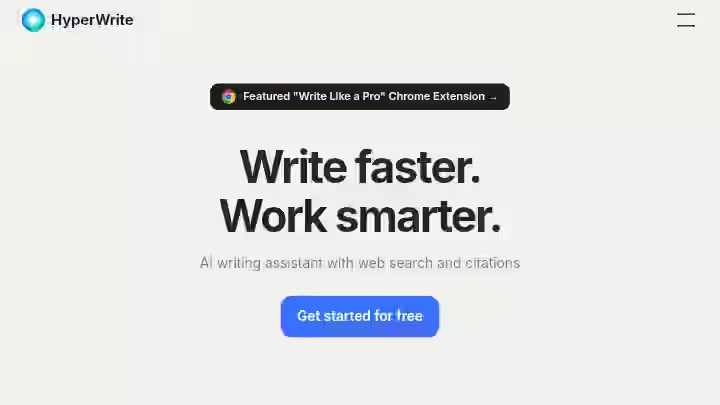
HyperWrite AI is an AI-powered writing assistant and browser-based personal agent built by OthersideAI to speed up, draft and refine communication.
OthersideAI is an AI writing assistant company that provides tools for writing and research, founded in 2020 and based in New York, U.S.A. Its main job is to work alongside you, helping you with your own writing.
The idea is simple: HyperWrite AI is meant to be a partner for a human writer. The goal is not to completely automate your content workflow but to make the person doing the writing faster and more effective.
HyperWrite AI helps with different tasks, from school research papers to just getting through your inbox. The platform is made for a wide range of people: students, freelancers, marketers, professionals and writers, who just need to get words on the page faster.
What HyperWrite AI Isn’t For:
- HyperWrite AI does not optimize content for search engines.
- It does not check for plagiarism.
- Does not produce publish-ready long-form content without significant manual editing.
- Think of it as a writing co-pilot for daily tasks, not a content marketing platform.
HyperWrite AI Quick Specs
Feature | Details |
|---|---|
Developer | OthersideAI |
Founded | 2020, New York |
Co-Founders | Matt Shumer and Jason Kuperberg |
AI Model | GPT-4 and ChatGPT models with NLP |
Total Funding | $5.4M raised |
Platform | Web app + Chrome extension |
Primary Use | Writing assistance, research, email |
Integrations | Browser-based only (Gmail, Google Docs, LinkedIn, WordPress) |
Best For | Students, freelancers, busy professionals |
Support | Email only (support@hyperwrite.ai) |
How I Tested HyperWrite AI
I used HyperWrite AI daily for 30 days on the Premium plan ($19.99/month). Here is exactly what I did:
- Articles created: 12 blog posts across three niches (SaaS reviews, personal finance, health)
- Word count range: 800 to 2,500 words per piece
- Editing time per article: 45 to 90 minutes of manual editing required, compared to roughly 20 to 30 minutes with tools like Junia AI or RightBlogger
- Short-form tasks: Over 100 emails, 30 social media posts, and 15 business communication drafts
- Niche testing: Academic essays (psychology paper), marketing copy, SEO content briefs
- Chrome extension usage: Used daily inside Google Docs, Gmail, LinkedIn and WordPress
- AI detection: Ran outputs through Originality AI and Grammarly’s AI detector
- Accuracy testing: 10 factual questions, 5 research summaries, 5 marketing copy pieces
I did not fabricate any traffic numbers because HyperWrite AI does not produce content that is ready to publish for SEO purposes without heavy human editing. Most pieces needed structural rework before they could go live.
Why I Tested HyperWrite AI in 2026
I was looking for a personal AI writing assistant that could sit inside my browser and speed up the boring parts of my day. Between email replies, social media posts, and first-draft blog outlines, I was spending too much time on low-value writing tasks.
ChatGPT works, but copying and pasting between tabs gets old fast. HyperWrite AI caught my attention because of its browser-based extension approach.
The promise was simple: get writing suggestions and AI help directly inside Gmail, Google Docs and any website I use. No tab-switching, no prompt engineering. Just type, and the AI helps.
I committed to 30 days on the Premium plan to see whether this personal AI writing assistant could actually reduce my daily writing time, and whether the outputs were good enough to use for real client work, blog writing and business communications.
Why HyperWrite AI Matters in 2026
This is not just about one tool; it’s about where AI writing fits into real SEO workflows right now.
Sites with clear topic authority (deep content clusters around specific subjects) gained an average of 23% in organic visibility.
AI-generated content sites without human editing got absolutely destroyed, with 40-60% traffic drops.
But sites that mixed AI-generated content with genuine human expertise and editing actually performed fine.
Google is not punishing AI content wholesale. They are punishing lazy content, regardless of how it was created.
Google’s John Mueller stated in November 2025:
“Our systems don’t care if content is created by AI or humans. What matters is whether it’s helpful for users.”
According to Google’s documentation, the E-E-A-T framework (Experience, Expertise, Authoritativeness, Trustworthiness) remains the primary standard.
One of the biggest areas affected by the Google Helpful Content Update 2025 is AI content. Google does not penalize AI content, but it does penalize low-quality, auto-generated, or non-experienced content.
This means AI writing tools like HyperWrite AI can play a role in SEO workflows, but only as assistants, not replacements.
The tool needs to speed up your process without dragging down your content quality. And that is exactly where HyperWrite AI sits in an interesting position: strong for daily writing help, but weak for AI-driven content creation at SEO scale.
If you are building out a content marketing operation, you will likely get more mileage from best autoblogging tools that are built specifically for seo content production.
The IPO Framework for Evaluating AI Writing Tools
Stage | What to Evaluate | HyperWrite AI Performance |
|---|---|---|
Input (Prompting) | How specific and flexible are the prompt options? | Good for short tasks; limited for detailed SEO briefs |
Processing (AI Generation) | Quality, accuracy, and coherence of output | Solid for emails and short drafts; degrades past 1,500 words |
Output (Publish Readiness) | How much editing before it can go live? | High editing needed, especially for blog writing and seo content |
HyperWrite AI vs Other AI Writing Tools
Tool | Best For | SEO Features | Pricing |
|---|---|---|---|
HyperWrite AI | Email writing, short drafts | No | $19.99/month |
ChatGPT | Research + writing | No | $20/month |
Writesonic | SEO blog writing | Yes | $16/month |
Jasper | Marketing teams | Limited | $69/month |
Copy.ai | Marketing copy | Limited | $36/mo |
This comparison helps set expectations early. HyperWrite AI competes best as a personal writing productivity tool, not as an SEO content platform.
For detailed SEO-focused comparisons, check my ChatGPT vs. RightBlogger analysis.
HyperWrite AI Features for 2026
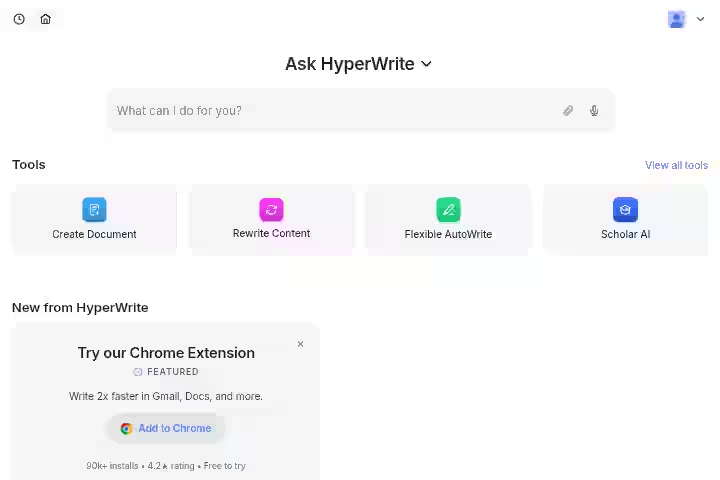
1. TypeAhead (Predictive Writing)
TypeAhead provides real-time, intelligent text suggestions that learn your style and can be accepted with Tab.
My Testing Experience
On short-form content like emails and social media posts, TypeAhead saved me roughly 15 to 20 seconds per message.
Across 100+ emails over 30 days, that adds up. The contextual suggestions were relevant about 60 to 70% of the time, especially for routine business communications.
On longer content, the experience was different. Since I type fast, I sometimes found myself finished with a sentence before the AI could offer its suggestion.
While it’s great for short stuff and suggestions, it can have trouble keeping things coherent and accurate in longer articles.
Limitations:
- Suggestions lag behind fast typists
- Loses context on longer, more complex articles
Pro Tip: TypeAhead works best when you slow down and let the AI catch up. Use it for first drafts, not for speed-editing.
2. AutoWrite (Content Generation)
AutoWrite is HyperWrite AI’s main text-generation feature. You can ask it to write a paragraph on just about anything.
It covers everything from blog writing and essay writing to marketing content and business communications.
My Testing Experience
I used AutoWrite to generate first drafts for 12 blog articles. For articles under 1,000 words, the output was usable after moderate editing (roughly 30 to 40 minutes).
For pieces over 1,500 words, the writing started to loop. The content quality dropped and the same transitions appeared at the start of every paragraph.
The contextual suggestions often stayed surface level.
Limitations:
- Repetitive transitions in longer content
- No SEO optimization or content scoring built in
- Outputs need heavy editing for academic tone or expert-level depth
Pro Tip: Generate content in 200 to 300 word chunks, not entire articles. This forces variety in phrasing and reduces the repetition problem.
3. Scholar AI (Research & Academic Writing)
HyperWrite leverages real-time research to search through millions of scholarly articles and papers, powering your AI assistant with accurate, current, and citation-backed responses.
My Testing Experience
I tested Scholar AI while drafting a psychology paper outline. It found relevant sources and provided basic citations.
This is where HyperWrite genuinely adds value for academic writing and research papers, because it reduces the time spent digging through databases.
However, the citations were not always formatted correctly (APA, MLA, etc.), and I had to verify every source manually.
It is a starting point for literature reviews, not a replacement for proper academic research workflows.
Limitations:
- Citation formatting is inconsistent
- Does not replace dedicated research tools like Zotero or Mendeley
- Source accuracy requires manual verification
Pro Tip: Use Scholar AI to build your initial reference list, then verify and format citations using a dedicated reference manager.
4. Custom Tools Builder
One of the greatest features that HyperWrite offers is the ability to create custom tools.
The AI technology that allows you to create your own tools is a fantastic addition, and helps set HyperWrite apart from other tools on the market.
My Testing Experience
I built a custom tool for generating meta descriptions from article titles. It worked well for batch-producing short snippets.
I also created a tool for reformatting client feedback emails into action items. Both saved me about 5 to 10 minutes per task.
You can also build custom tools. You can choose the input fields, define the result, and give an example for your new AI tool. You can publish it as a community tool and make it available to all users.
Limitations:
- Building custom tools requires clear prompt engineering skills
- No way to integrate custom tools with external platforms or APIs
Pro Tip: Start by cloning an existing community tool that is close to what you need, then modify it. This is faster than building from scratch.
5. HyperChat (AI Chatbot)
HyperWrite has its own chatbot called HyperChat. It’s a simple conversational tool where you can brainstorm, ask questions, or get help with research. It can also pull in current info from the web to answer your questions.
My Testing Experience
HyperChat works for quick brainstorming and research questions. It returned up-to-date information from the web more reliably than I expected.
I used it to research competitor features and draft comparison sections for reviews.
HyperWrite AI includes a personal assistant feature that operates similarly to a chatbot, helping with real-time searches and providing answers. However, it lacks uniqueness compared to other chat-based AI tools.
Limitations:
- Less capable than ChatGPT for complex, multi-step conversations
- Responses can be generic on niche topics
Pro Tip: Use HyperChat for quick fact-finding and brainstorming. For deep research or nuanced content strategy, you are better off with ChatGPT or Claude.
6. Email Responder & Communication Tools
HyperWrite includes a summarizer, a content rewriter, an email responder, and generators for social media posts.
My Testing Experience
This was one of the most practically useful features during my test.
I processed over 100 emails using the Email Responder, and it cut my email handling time by roughly 40%.
The generated replies were polite, clear, and required minimal edits for business communications.
Limitations:
- Replies are sometimes too generic for sensitive or nuanced conversations
- Does not learn individual recipient preferences
Pro Tip: Feed the Email Responder the original email plus a two-sentence summary of what you want to say. This produces significantly better results than just clicking “respond.”
7. Hundreds of Pre-Built AI Tools
HyperWrite includes a library of hundreds of pre-built tools for common tasks. These include a summarizer, a content rewriter, an email responder, and generators for social media posts.
For more specific needs, it also has tools like “Scholar AI” for academic research, an “AI Speech Writer,” and even creative tools. This huge library makes it a really adaptable platform for all sorts of writing needs.
My Testing Experience
The sheer number of tools is impressive. I used the marketing tab to find relevant tools for ad copy, the summarizer for compressing long articles, and the speech writer to draft a presentation opener.
Each tool produced usable first-draft quality.
Limitations:
- The sheer number of tools can be overwhelming for new users. You’ll probably need to spend some time playing around to find the ones that actually fit your workflow.
Pro Tip: Use the category tabs (Marketing, Academic, Business) to filter tools instead of scrolling through the full library. You will find what you need faster.
HyperWrite AI Chrome Extension Review
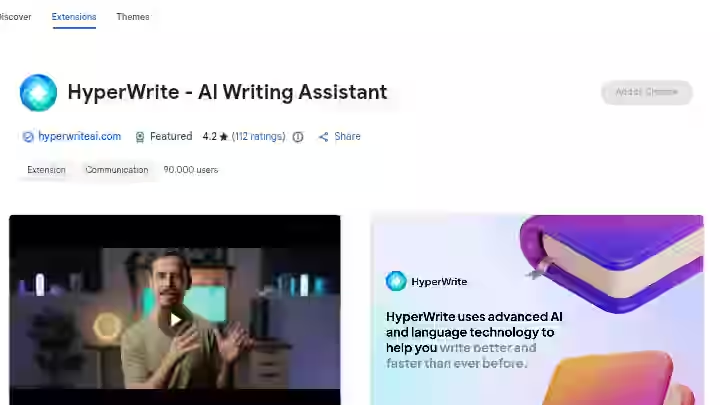
Yes, the HyperWrite Chrome extension is the strongest part of this product, and it works reliably.
Installation and Setup
To install HyperWrite, simply go to the Chrome Web Store and search for “HyperWrite.”
Once you find the extension, click on “Add to Chrome” to install it. The setup takes under two minutes.
After installing, you will see a floating HyperWrite icon on every page you visit.
How the HyperWrite AI Browser Assistant Works
The HyperWrite AI Chrome extension is key to the user experience. A little floating icon gives you access to all the tools without needing to switch tabs.
This on-the-go help is one of HyperWrite’s primary strengths, making it feel like a constant writing partner that understands your context.
In my testing, the extension worked inside:
- Gmail (composing and replying to emails)
- Google Docs (drafting articles and documents)
- LinkedIn (writing posts and messages)
- WordPress (drafting blog content in the editor)
- Twitter/X (composing posts)
- Most web-based text fields (CRMs, project management tools, etc.)
HyperWrite AI Gmail Integration
The Gmail integration was where I got the most value. The Email Responder tool loaded directly inside Gmail’s compose window.
I could generate a professional reply in two clicks, edit it for tone, and send it. Over 30 days, this alone saved me several hours.
Permissions and Privacy
HyperWrite AI requires some sensitive permissions that could impact your browser and data security.
Exercise caution before installing. It grants access to browser tabs, which can be used to track user browsing habits and history, presenting a privacy concern.
HyperWrite AI ensures 100% data security, according to its own documentation. However, if you work with sensitive client data, review the permissions list before installing.
Personalized Learning
The extension also allows for personalized learning, as it watches your writing style across different sites to make its suggestions better over time.
After about two weeks of daily use, I noticed the autocomplete suggestions started matching my preferred phrasing more closely.
Chrome Web Store Rating
The extension has an average rating of 4.2 out of 5 stars on the Chrome Web Store at the time of writing.
Bottom line on the extension: If you are evaluating HyperWrite AI, install the Chrome extension first and use it for a full week before touching the web app. The extension is the product.
Real Output Example from HyperWrite AI
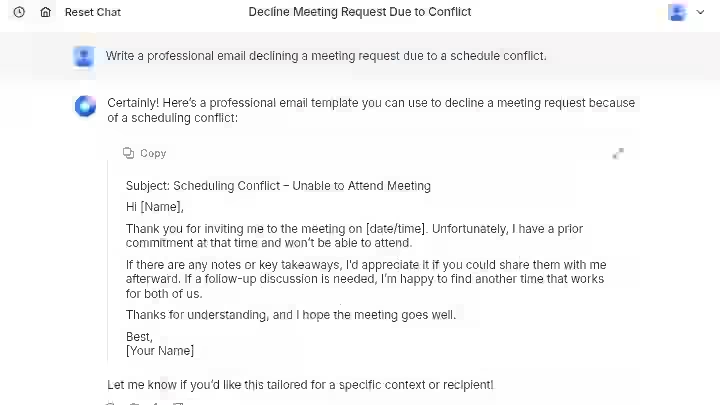
Most AI writing tool reviews skip actual output examples. Here is a real one from my testing.
Prompt given to HyperWrite AutoWrite:
“Write a professional email declining a meeting request due to a schedule conflict.”
HyperWrite Output (unedited):
“Subject: Scheduling Conflict – Unable to Attend Meeting
Hi [Name],
Thank you for inviting me to the meeting on [date/time]. Unfortunately, I have a prior commitment at that time and won’t be able to attend.
If there are any notes or key takeaways, I’d appreciate it if you could share them with me afterward. If a follow-up discussion is needed, I’m happy to find another time that works for both of us.
Thanks for understanding, and I hope the meeting goes well.
Best,
[Your Name]”
My Edit:
“Hi [Name],
Thanks for the invite. I won’t be able to join the meeting on 04/01/2026 at 9:00 a.m because I already have another commitment.
If you could share a quick summary or the main takeaways afterward, I’d really appreciate it. I’m also happy to jump on a short follow-up call if there’s anything I should go over.
Hope the meeting goes well.
Best,
[Your Name]”
Observation: The HyperWrite output was perfectly usable for a formal business setting. It was polite, clear, and required zero factual edits. However, it read slightly stiff compared to how most people actually write emails in 2026.
My edit shortened it, made the tone more natural, and added a specific alternative. For quick daily emails, the raw output is good enough. For anything requiring your personal voice, plan on a quick rewrite pass.
HyperWrite AI Accuracy Test
During testing, I generated content across three categories and manually fact-checked the results.
Test Type | Items Tested | Accuracy Result |
|---|---|---|
Factual questions (history, science, geography) | 10 | 70% fully correct |
Research summaries from provided topics | 5 | 80% usable without major edits |
Marketing copy pieces | 5 | 85% usable after light editing |
Where factual errors appeared: Three of the ten factual questions had minor inaccuracies, mostly incorrect dates and misattributed quotes.
HyperWrite AI itself warns to “be careful with more recent information, and always be sure to fact check and edit before publishing or sharing your work.”
Research summary issues: One of five summaries cited a source that I could not verify. The other four were solid starting points for further writing.
Marketing copy quality: This was the strongest category. Four out of five marketing copy drafts needed only tone adjustments and minor rewording. For short-form marketing content, HyperWrite performs well.
Takeaway: Always fact-check HyperWrite’s factual claims, especially for dates, statistics, and recent events. The tool is strongest when you give it clear context and use it for writing where tone matters more than precision.
HyperWrite AI Workflow Comparison: Before vs After
Task | Before HyperWrite | With HyperWrite | Time Saved |
|---|---|---|---|
Reply to 10 client emails | 45 minutes | 25 minutes | ~44% |
Draft 1,000-word blog outline | 40 minutes | 20 minutes | ~50% |
Write 3 social media posts | 20 minutes | 8 minutes | ~60% |
Produce a 2,500-word SEO blog post | 3 hours | 2.5 hours (heavy editing needed) | ~17% |
Research and cite 5 academic sources | 60 minutes | 35 minutes | ~42% |
The pattern is clear: HyperWrite AI shines on short-form, repetitive tasks. The time savings drop sharply on long-form content because the editing overhead eats into any drafting speed gains.
HyperWrite AI Pricing for 2026
HyperWrite offers both a free starter account as well as paid plans. A free account includes basic features and limited access.
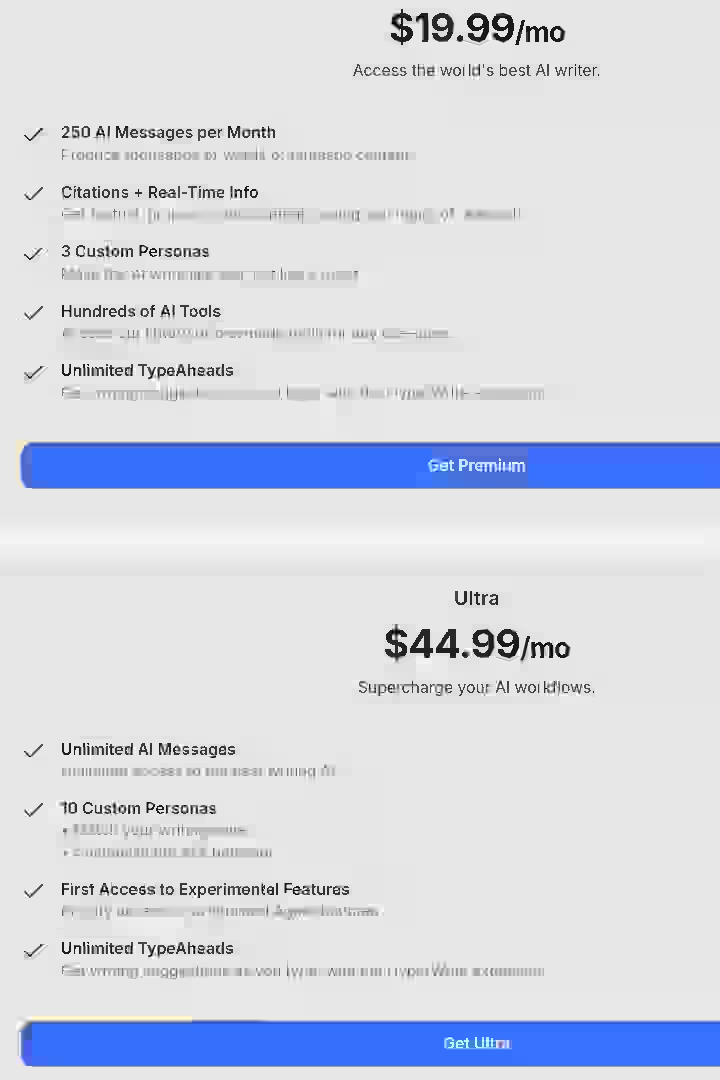
Paid plans include Premium at $19.99/month and Ultra at $44.99/month. Each plan includes additional monthly credits, along with more features and resources.
Important note: No refunds are available on subscriptions. Start with the free plan before committing.
Plan | Monthly Price | Annual Price | AI Messages | TypeAheads | Custom Personas |
|---|---|---|---|---|---|
Free | $0 | $0 | Limited | Limited | 0 |
Premium | $19.99/mo | $192/year | 250/month | Unlimited | 3 |
Ultra | $44.99/month (or $29/month annually) | $348/year | Unlimited | Unlimited | 10 |
HyperWrite AI offers a 50% Student Discount on monthly subscriptions. Create your HyperWrite account using a valid .edu email address, and your education discount will be applied automatically.
HyperWrite AI Pricing: Full Breakdown (2026)
Premium Plan – $19.99 per Month
The Premium plan provides the core functionality of HyperWrite AI and is aimed at individuals who want AI assistance for writing tasks without needing unlimited usage.
Features include:
- 250 AI messages per month
- Citations with real-time information
- 3 custom writing personas
- Access to hundreds of AI tools
- Unlimited TypeAheads (predictive writing suggestions)
This plan works well for people who mainly use AI for emails, short writing tasks and occasional content generation.
Ultra Plan – $44.99 per Month
The Ultra plan unlocks the full power of HyperWrite AI and removes most usage limits.
Features include:
- Unlimited AI messages
- 10 custom writing personas
- First access to experimental features
- Unlimited TypeAheads
This plan is designed for heavy users who rely on AI for daily writing workflows, research assistance, and continuous content generation.
Pros and Cons After Testing for 30 Days
Pros
- Chrome extension is genuinely useful: It follows you everywhere you write online, making writing assistance feel natural and constant.
- TypeAhead saves time on short-form tasks: Emails, chat replies, and social media posts get done faster.
- Hundreds of pre-built and custom tools cover nearly every writing scenario you can think of, from academic essays to marketing content.
- Scholar AI is a legitimate research helper for students working on research papers and literature reviews.
- Personalized learning adapts to your style: The extension watches your writing style across different sites to make its ai suggestions better over time.
Cons
- No SEO features at all: No keyword suggestions, no content scoring, no SERP analysis. This is a deal-breaker for seo content workflows.
- Long-form content quality drops significantly past 1,500 words: Repetitive phrasing and surface-level analysis are common.
- No plagiarism checker: HyperWrite AI lacks a built-in plagiarism checker. You need an external tool like Originality AI or Grammarly to verify originality.
- UI is cluttered: The price point is quite expensive and offputting, and multiple user reviews mention the dashboard interface is hard to find and not intuitive.
- Output speed is not fast: There are noticeable delays that interrupt fast typists.
- No refund policy: This makes the free plan testing even more important before upgrading.
- Only email support is available, which may be slow.
HyperWrite AI Limitations Workarounds’
- For SEO gaps: Pair HyperWrite with a standalone SEO tool like Surfer or Frase for keyword optimization. Or consider tools like Outrank.so that combine writing and SEO.
- For plagiarism checking: Run all outputs through Originality AI before publishing. This adds a step but protects your content quality and credibility.
- For long-form content: Use HyperWrite only for outlines and section drafts, then assemble and edit the full article manually. If you need full-length blog automation, best auto blogging software is a better fit.
- For the cluttered UI: Stick to the Chrome extension for 90% of your work. The floating icon approach is cleaner than navigating the dashboard.
HyperWrite Alternatives & Comparisons
1. HyperWrite AI vs ChatGPT
HyperWrite | ChatGPT | |
|---|---|---|
Strength | Browser-integrated writing help everywhere | Versatile, deep reasoning, plugin ecosystem |
Best For | Short-form writing, email replies, in-browser productivity | Complex research, long conversations, multi-step tasks |
Pricing | $19.99/mo Premium | $20/mo Plus |
Verdict | Better for quick, contextual writing assistance inside your workflow | Better for deep content creation and flexible use cases |
While Hyperwrite also uses advanced AI models, ChatGPT stands out with its extensive plugin ecosystem, allowing for more diverse applications.
ChatGPT’s strength lies in its ability to handle a wide array of content types, from creative writing to technical documentation.
In comparison, Hyperwrite AI focuses more on personalizing the writing experience and enhancing user productivity through features like TypeAhead and HyperChat.
2. HyperWrite AI vs Jasper AI
HyperWrite | Jasper AI | |
|---|---|---|
Strength | Browser integration, personal assistant | Brand voice, marketing workflows, team features |
Best For | Individual writers needing daily productivity help | Marketing teams producing consistent branded content |
Pricing | $19.99/mo | $69/mo |
Verdict | Pick HyperWrite for personal productivity; pick Jasper for team marketing workflows |
HyperWrite’s starting price of 20 is lower than some big competitors like Jasper AI, which starts around 39. But Jasper has more templates, brand voice features, and team collaboration tools.
3. HyperWrite AI vs Writesonic
HyperWrite | Writesonic | |
|---|---|---|
Strength | Contextual browser assistance | SEO optimization, SurferSEO integration |
Best For | Email and short-form writing tasks | Blog posts optimized for search |
Pricing | $19.99/mo | $16/mo |
Verdict | Writesonic wins for anyone focused on seo content production |
Which Tool Should You Choose?
- If you mostly write emails and short business content: HyperWrite is a good fit.
- If you produce SEO blog content: Look at tools reviewed in my best autoblogging software guide.
- If you need brand voice consistency for a marketing team: Jasper is the better choice.
- If you want a free AI writing tool to start: HyperWrite’s free plan is decent for testing, but for free blog generation, compare it against free autoblogging tools.
- If you want full WordPress integration: Check out best WordPress autoblogging plugins.
HyperWrite AI Use Cases
1. Freelance Blogger
- Use HyperChat to brainstorm 5 topic ideas
- Pick one and generate a blog outline with AutoWrite
- Draft each section in 200-word chunks using AutoWrite inside Google Docs via the Chrome extension
- Use the Rewrite tool to adjust tone and clarity
- Edit manually for voice, accuracy, and SEO
Time saved estimate: About 30 minutes per 1,000-word article on the drafting phase. Editing time remains roughly the same.
2. Student Writing a Psychology Paper
- Use Scholar AI to find 5 to 8 relevant peer-reviewed sources
- Generate an essay outline using the Essay Introduction tool
- Draft body paragraphs with AutoWrite, targeting an academic tone
- Use Magic Command to write transition paragraphs between sections
- Run through an external plagiarism checker before submission
Time saved estimate: About 2 hours on a 3,000-word research paper, mostly from faster research and first-draft generation. Manual editing for academic essays remains necessary.
3. Agency Handling Client Emails
- Install the HyperWrite Chrome extension
- Open client emails in Gmail
- Use Email Responder to generate professional replies
- Review and personalize each response
- Send
Time saved estimate: About 40% reduction in email handling time. Over a month with 200+ client emails, this adds up to several hours saved.
4. Entrepreneur Creating Social Media Posts
- Open LinkedIn or Twitter/X in the browser
- Use TypeAhead to draft posts with ai suggestions as you type
- Use the Rewrite tool to adjust tone (professional, casual, etc.)
- Post directly
Time saved estimate: About 60% faster per social media post compared to writing from scratch.
5. Content Marketer Drafting Marketing Copy
- Use the Marketing tab in the dashboard to find relevant tools
- Generate ad copy, landing page text, or email campaign drafts
- Edit for brand voice and accuracy
- Export to your platform
Time saved estimate: About 25 minutes saved per marketing copy draft. Outputs will need editing before use, especially to avoid the machine learning technology “feel” that can creep into generated text.
If you are looking for a tool that handles the full blog writing and publishing workflow from keyword research to WordPress, take a look at my Emplibot review or Abun review.
HyperWrite AI Community Feedback & User Experience
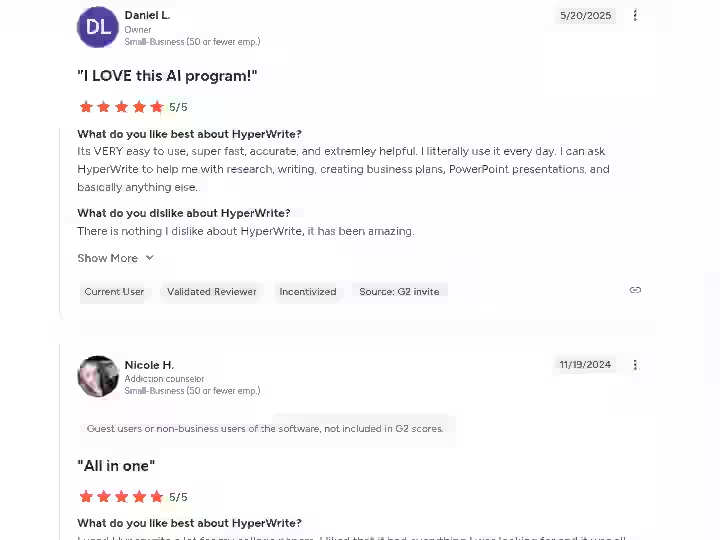
Community sentiment on HyperWrite AI is mixed but leans positive for its intended use case.
What users praise:
One G2 reviewer noted it helped with:
“school/college paper writing, and it done a great job Everytime. Rarely had to reword or fix it from sounding too much like an AI written section of my papers and that was nice.”
Another user noted:
“AI in hyperwrite allows me to expand on my language and essays I write for videos. As well as that, it helps write content I would’ve never thought of.”
What users complain about:
Multiple reviewers mentioned “the price point is quite expensive and offputting.”
Other common complaints include “expensive pricing and limited credits, insufficient free plan.”
Overall sentiment:
Users who stick to short-form writing assistance and email productivity tend to be satisfied.
Users who expected a full content marketing or blog writing platform tend to be disappointed.
Understanding how different auto blogging tools work helps set realistic expectations for what any AI writing tool can do on its own.
HyperWrite AI Evaluation & Scoring
Category | Weight | Score (out of 10) | Weighted Score |
|---|---|---|---|
Features & Functionality | 30% | 7.0 | 2.10 |
Ease of Use | 20% | 6.0 | 1.20 |
Pricing & Value | 20% | 7.0 | 1.40 |
Support & Customer Experience | 15% | 5.5 | 0.83 |
Trust & Credibility | 15% | 7.0 | 1.05 |
Total | 100% | 6.58 |
Scoring rationale:
- Features score well because the Chrome extension and tool library are genuinely useful
- Ease of Use loses points for the cluttered dashboard and inconsistent UI
- Pricing is fair for the Premium plan, but the Ultra plan is hard to justify for most users
- Support is email-only, which might feel slow for those seeking immediate help
- Trust and credibility are solid: HyperWrite AI is an AI writing assistant company that provides tools for writing and research. Its products are utilized by professionals and students. It was founded in 2020 and is based in New York, New York.
HyperWrite AI Detection & Content Risk Assessment
This section of the HyperWrite AI review matters. If you are using HyperWrite AI for academic writing or publishing blog content, you need to know the AI detection exposure.
HyperWrite generates unique text, but it’s not strictly plagiarism-free. While it doesn’t copy sources directly, AI detectors can still flag HyperWrite AI output as machine-generated.
In my testing, I ran five 1,000-word articles through Originality AI . All five scored above 85% on the AI detection scale, meaning they were clearly identifiable as AI-generated without human editing.
After manual editing (rewriting transitions, adding personal experience, restructuring arguments), scores dropped to 30 to 50%, which is more acceptable but still detectable.
HyperWrite AI’s Official Position
“When used as intended, all suggestions generated by HyperWrite are unique and original. We recommend that you always check your work and make it your own before publishing or submitting.”
Content Penalty Risk
Google does not penalize AI content, but it does penalize low-quality, auto-generated, or non-experienced content. So the risk is not from using HyperWrite AI per se, but from publishing its raw output without adding real expertise, experience, and editing.
Data Privacy
HyperWrite AI ensures 100% data security, according to its documentation.
However, the Chrome extension does require broad browser permissions, which is worth considering if you work with sensitive client data.
Bottom Line on Risk
Use HyperWrite AI as a drafting assistant. Always edit, fact-check, and run content through a plagiarism checker and AI detection tool before publishing.
This is consistent with the common autoblogging tool mistakes I have covered before: raw AI output is never publish-ready.
Lessons I Learned During the Testing of HyperWrite AI
- The Chrome extension is the product: The dashboard and editor are secondary. If you are evaluating HyperWrite, install the extension first and use it for a full week before touching the web app.
- Short-form is where it earns its keep: The ROI equation flips dramatically depending on content length. For emails and social media posts, HyperWrite genuinely saves time. For long-form content and seo content, it creates more editing work than it saves.
- AI writing tools are not content strategies: No matter how good the writing suggestions are, you still need a plan for what to write, who to target, and how to distribute. HyperWrite speeds up execution on small tasks. It does not replace thinking.
Final Verdict On HyperWrite AI Review 2026
BUY if:
- You spend 30+ minutes daily on emails and short business communications
- A student who needs writing help on academic essays and research papers
- You want a personal AI writing assistant that lives inside your browser
- A freelancer handling multiple small writing tasks daily
SKIP if:
- You need seo content optimization or rank-tracking features
- Produce long-form content at scale for blog writing or content marketing
- You need a plagiarism checker built into your writing tool
- Work in a team that requires collaboration features or version history
- You cannot justify $19.99/month for a tool that still requires heavy editing on anything beyond emails
My personal decision:
I kept HyperWrite on the Premium plan for email productivity and short drafting tasks. For anything related to blog writing, seo content, or client deliverables, I use dedicated tools.
HyperWrite offers a free plan that lets you test the core features. Start there. Use it for a week on your real tasks, and you will know quickly whether it fits your workflow.
New users can also get 50% off their first month with the code TRYHYPERWRITE.
Frequently Asked Questions About HyperWrite Review
1. Is HyperWrite better than ChatGPT?
Not for most content creation tasks. ChatGPT stands out with its extensive plugin ecosystem, allowing for more diverse applications. ChatGPT’s strength lies in its ability to handle a wide array of content types, from creative writing to technical documentation. HyperWrite’s advantage is its Chrome extension, which lets you get writing assistance directly inside Gmail, Google Docs, and other websites without switching tabs. If in-browser writing help is your priority, HyperWrite wins. For everything else, ChatGPT is more versatile.
2. Is HyperWrite a good AI?
Yes, for its intended purpose. Overall, HyperWrite AI is a high-quality content generation tool with multiple options to take advantage of. It excels at emails, short-form writing, and overcoming blank page syndrome. It is less effective for long-form blog content or SEO work. The quality of output depends heavily on how specific your prompts are.
3. What are the limitations of HyperWrite AI?
The biggest limitations are: no SEO features or integrations, no built-in plagiarism checker, long-form content quality that degrades past 1,500 words, a cluttered user interface, slow output speed compared to competitors, email-only customer support, and no refund policy on subscriptions. The free version comes with strict daily limits on usage. Once those limits are hit, users need to either wait for the reset or upgrade to a paid plan.
4. Can HyperWrite be detected?
Yes. HyperWrite generates unique text, but it’s not strictly plagiarism-free. While it doesn’t copy sources directly, AI detectors can still flag HyperWrite output as machine-generated. Always edit and add your own voice before publishing or submitting.
5. How much does HyperWrite cost?
Paid plans include Premium at 19.99/month and Ultra at 44.99/month. The Ultra plan drops to $29/month if billed annually. There is also a free plan with limited features and credits. Students with a .edu email get a 50% discount. The code TRYHYPERWRITE gives 50% off the first month of any paid plan.
6. Does HyperWrite work with WordPress?
Not directly as a publishing integration. The Chrome extension works inside the WordPress editor, so you can get TypeAhead suggestions and use AutoWrite while drafting posts. But there is no one-click publish or WordPress plugin. If you need an AI tool that publishes directly to WordPress, check out best WordPress autoblogging plugins instead.
7. Is HyperWrite free to use?
HyperWrite offers both a free starter account as well as paid plans. A free account includes basic features and limited access. The free tier includes basic access to AI tools and a small number of TypeAhead completions. They offer a free tier, but it’s really just a teaser. With only a handful of generations per month, you’ll use up all your credits halfway through a single outline. For meaningful daily use, you will need the Premium plan at minimum.

- Crafting Captivating Headlines: Your awesome post title goes here - October 9, 2026
- The Art of Drawing Readers In: Your attractive post title goes here - October 9, 2026
- Mastering the First Impression: Your intriguing post title goes here - October 9, 2026