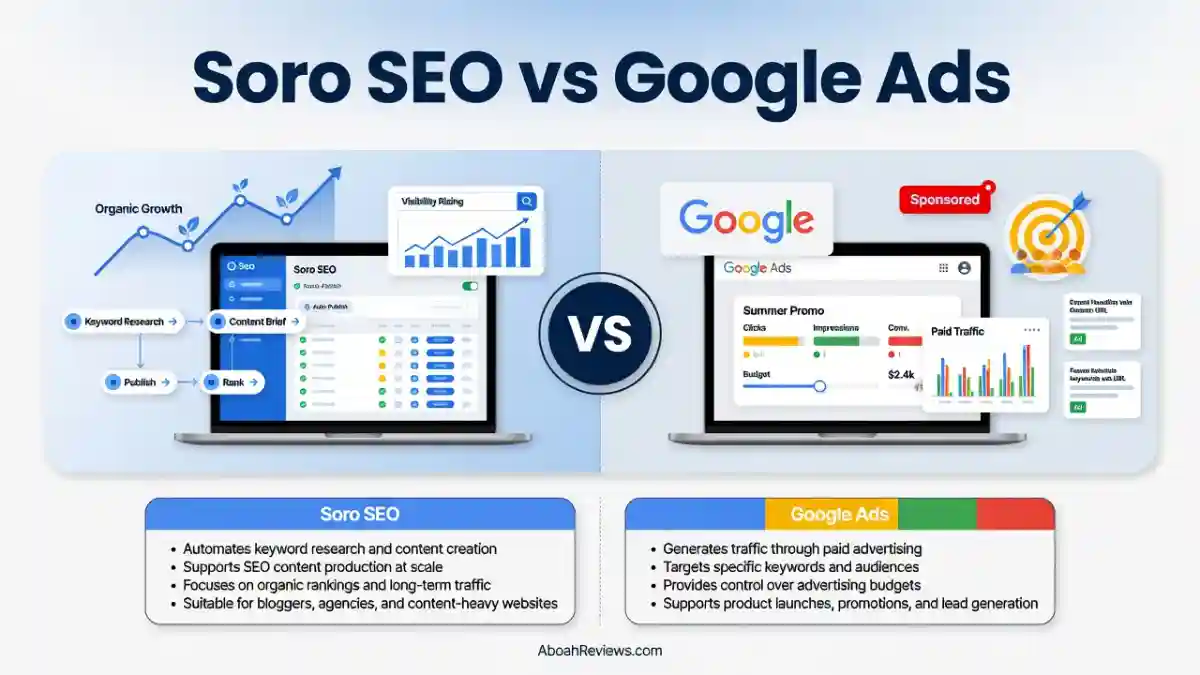
TL;DR: Soro SEO is a true set-and-forget autopilot starting at $39/month that publishes up to 30 articles a month with zero manual input.
RightBlogger costs more (from $59/month) but adds site auditing, social automation, unlimited content, and a site agent that keeps older posts ranking.
If you want the cheapest hands-off publishing, Soro wins. If you want a full blog-growth platform you can actually control, RightBlogger is the stronger choice.
Soro SEO vs RightBlogger: What’s the Difference?
Soro SEO is a minimal blogging automation platform. You connect your site, let it scan your existing content to pick up your brand voice, and from then on it handles keyword research, writing, and publishing on its own.
There is no dashboard full of tabs. The idea is that you should not have to touch it at day-to-day level.
RightBlogger is a full automation blog-growth platform.
It also does keyword research, writing, and publishing, but it adds a site agent that audits your existing posts, social scheduling to X, LinkedIn, Facebook, and Threads, an SEO report system tied to Google Search Console, white-label reporting, and a backlink exchange feature.
There is a lot more surface area, and that is a feature, not a bug, for the right user.
The biggest difference: Soro is built for people who want to disappear from the content workflow entirely. RightBlogger is built for people who want automation with oversight and additional SEO levers to pull.
Soro SEO vs RightBlogger at a Glance

Comparison Criteria | Soro SEO | RightBlogger |
|---|---|---|
Best For | Solo founders, small businesses wanting full automation | Bloggers, freelancers, and agencies wanting more control |
Starting Price (Monthly) | $39/month | $59/month |
Starting Price (Annual) | ~$18/month ($216/yr) | $49/month ($588/yr) |
Free Plan | No | No (limited free account with 2,000 AI words) |
Free Trial | 14-day money-back guarantee (max 14 articles generated) | 7-day free trial, 30-day money-back guarantee |
Autopublishing | Yes (up to 30 articles/month) | Yes (unlimited on paid plans) |
Brand Voice Learning | Yes (scans your site) | Yes (MyTone styles) |
Site Auditing / Maintenance | No | Yes (Site Agent) |
Social Automation | No | Yes (X, LinkedIn, Facebook, Threads) |
Google Search Console Integration | Not confirmed | Yes |
Keyword Research | Yes (automated) | Yes (manual + automated) |
CMS Integrations | WordPress, Shopify, Webflow, Ghost, Wix, HubSpot, Notion | WordPress, Shopify, Webflow, Ghost, Wix, Framer, Duda, HighLevel, Notion + webhooks |
Multi-site Support | Not publicly documented | Yes (3 sites on Pro, 10+ on Agency) |
Team Seats | Not publicly documented | Yes (from Pro plan) |
White-label Reporting | No | Yes (Agency plan) |
Overall Rating | 7.7/10 | 8.5/10 |
What Is Soro SEO & How Does It Work?

Soro SEO is an SEO content automation platform based in Estonia, founded in 2025.
The pitch is simple: connect your website, and Soro takes care of the rest. It scans your existing content to learn your tone, identifies high-value keywords for your niche, writes long-form SEO articles daily, and publishes them directly to your CMS, all without you touching anything.
The entire feature set ships on one flat-rate plan. There is no tiered access where basic users miss out on key features. What changes between billing cycles is the effective monthly price, not what you get.
At $39/month on a monthly plan or $18/month on an annual plan, it is one of the cheapest end-to-end SEO content tools available.
Soro uses multiple AI writing models including Claude, ChatGPT, and Gemini according to its pricing page. It supports over 50 languages, generates images, handles auto-linking, and integrates with WordPress, Shopify, Webflow, Ghost, Wix, HubSpot, and Notion.
Who it is built for: solo founders, consultants, coaches, small business owners, and e-commerce brands that need a consistent flow of blog content but cannot spend 10-plus hours a week managing it.
It is not the right tool for SEO professionals who want keyword-level control, pillar-cluster architecture, rank tracking, or technical auditing.
You can read a full breakdown in my Soro SEO review.
What Is RightBlogger & How Does It Work?
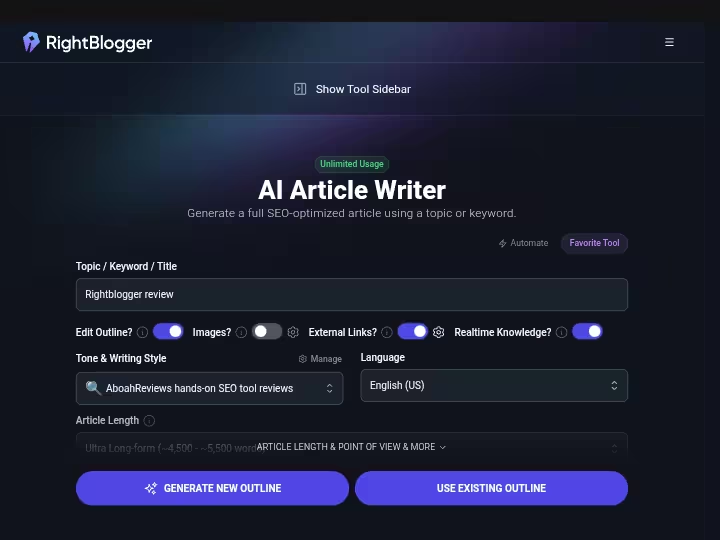
RightBlogger is an AI blog automation platform built by bloggers Ryan Robinson and Andy Feliciotti. It was designed by people who actually use it to run their own sites, which shows in the feature set.
The pitch is that it handles the full blog lifecycle: research, write, publish, promote, and maintain.
Beyond automated publishing, RightBlogger adds a Site Agent, which scans your connected site on a recurring schedule (weekly for most plans, daily on Agency), reads your Google Search Console data, and proposes specific fixes: internal links to add, low-CTR meta descriptions to rewrite, broken links to remove, and stale dates to update.
Every change can be approved or undone with a 30-day undo window.
The platform also includes 90+ tools covering keyword research, SEO reports, AI image generation, brand voice (called MyTone), social automation to four platforms, a backlink exchange, blogging courses, and an MCP connector for Claude, ChatGPT, and Cursor.
Who it is built for: individual bloggers running one or two sites, freelancers managing content for clients, and marketing agencies that need white-label reports and multi-site management.
Read the full Rightblogger review in my 90 days test.
Soro SEO vs RightBlogger: Feature Comparison
Both platforms handle keyword research, content creation, and CMS publishing.
The differences that actually matter are in depth of automation, post-publication maintenance, and how much control you want over the process.
1. Core Features and Capabilities
Soro SEO: The core loop is keyword discovery, article generation, and auto-publishing. Soro scans your website to learn your brand voice, then continuously identifies high-value, low-competition keywords and generates SEO-optimized articles.
It supports over 50 languages, includes image generation, handles internal and external auto-linking, and publishes through native CMS connections.
What it does not do is let you direct individual articles, choose specific keyword targets, or run any kind of on-site audit after articles are published.
RightBlogger: The core loop is similar but everything has more surface area. You can run it in fully automated mode, or you can use it as a manual writing assistant and publish individual posts on demand.
The SEO report feature analyzes the top-ranking pages for a given keyword and shows what your article may need to compete. Auto Optimize adds relevant semantic terms used by those top-ranking pages.
And the Site Agent runs continuously after publication, keeping your older content from decaying.
Winner: RightBlogger for breadth of capabilities. Soro wins if you genuinely want zero involvement and are comfortable with that trade-off.
2. SEO Automation Capabilities
Soro SEO handles the publishing side of SEO automation well. Keyword research runs automatically, articles are generated and published on a daily schedule, and internal links are added automatically.
What it does not cover: rank tracking, backlink analysis, technical site auditing, competitor gap analysis, or any kind of reporting that connects publishing activity to actual traffic or ranking outcomes.
RightBlogger has a tighter automation loop. The Google Search Console integration means its Site Agent is using real performance data, not just scanning your HTML, to decide which pages need attention.
The automated SEO reporting pulls live Search Console data into a weekly performance email. Auto-publishing workflows can run on a full hands-off schedule, but you can also approve changes before they go live or use the 30-day undo if something the agent applied looks wrong.
Winner: RightBlogger. The Search Console integration and Site Agent create a feedback loop that Soro does not have.
3. Ease of Use and User Experience
Soro SEO is genuinely one of the simpler tools in this category to get started with. You connect your site, let the brand voice scan run, and that is about it for initial setup. The simplicity is the point.
There is not much to configure, which means there is not much you can customize either. For someone who wants to start a content workflow and then stop thinking about it, this is an advantage.
RightBlogger has a steeper learning curve because it has more features. The dashboard covers automations, the Site Agent, keyword research, SEO reports, social scheduling, and 80-plus individual tools.
Getting comfortable with all of it takes more than an afternoon. That said, the core workflow of research, write, and publish is laid out clearly.
Winner: Soro SEO for beginners who just want to get started quickly. RightBlogger is the better choice if you want a tool you can grow with over time.
4. Integrations and Compatibility
Soro SEO integrates directly with WordPress, Shopify, Webflow, Ghost, HubSpot, Notion, and Wix. No API access is publicly documented for custom integrations. There is no confirmed Google Search Console or Google Analytics connection.
RightBlogger supports WordPress (with a dedicated plugin), Shopify, Webflow, Ghost, Wix, Framer, Duda, Blogmaker, HighLevel, and Notion, plus webhooks for platforms not on that list.
It integrates with Google Search Console natively, which powers the Site Agent. It also offers an MCP connector for Claude, ChatGPT, and Cursor, which opens it up for developers building custom workflows.
Winner: RightBlogger on integration depth, particularly for teams that rely on Search Console data or want webhook flexibility.
5. Reporting and Analytics
Soro SEO does not have a built-in reporting dashboard based on publicly available information. There is no rank tracking, no traffic reporting, and no connection to Search Console or Analytics.
What you see is publishing output, not performance outcomes. For anyone running a site they care about measuring, this is a gap.
RightBlogger includes SEO reports that compare your content against what the top-ranking pages for a keyword contain. It pulls performance data from Google Search Console and sends a weekly blog performance report email.
The Agency plan includes white-label reporting for client delivery.
Winner: RightBlogger by a wide margin. Soro SEO has essentially no reporting.
6. Customer Support and Documentation
Soro SEO has a knowledge base and email support. Its Trustpilot score is 4.7 from 1,240+ reviews, which is a strong signal for a relatively new tool.
One caveat: the 14-day money-back guarantee stops applying once 14 articles have been generated, and at one article per day that is exactly 14 days.
RightBlogger was built by Ryan Robinson and Andy Feliciotti, who run public blogs and are well known in the creator community. It has 4.8 star ratings on Trustpilot from 45+ reviews, at the time of writing.
There is public documentation, tutorials, and a feedback board where users can track feature requests. For agencies on the Agency plan, additional onboarding is part of the pitch.
Winner: Tie. Soro has strong user sentiment. RightBlogger has more documentation depth and a more transparent development process.
Soro SEO vs RightBlogger: Pricing Comparison
Both tools look affordable until you factor in what you actually get at each price point. Soro has a simpler pricing structure. RightBlogger has more tiers and more features, which makes the per-dollar comparison less straightforward.
Soro SEO Pricing
Plan | Monthly Price | Billing Cycle | Best For |
|---|---|---|---|
Monthly | $39/month | Every 30 days | Testing before committing |
Quarterly | ~$27/month | Every 3 months | Sites already growing with SEO |
Annual | ~$18/month ($216/year) | Once per year | Long-term content investment |
All plans include the same feature set: daily article generation, keyword research, brand voice learning, auto-linking, image generation, content calendar, 50-plus language support, and CMS publishing. Multi-site pricing is not publicly documented.
There is no free trial. The 14-day money-back guarantee applies to new subscribers but becomes void once 14 articles have been generated, which at one article per day is exactly 14 days. Read that policy carefully before subscribing.
The best value plan is the annual at $18/month, but only if you have already tested the tool and are confident in the output quality. The monthly plan is the safest entry point.
Full pricing details in my Soro SEO pricing breakdown.
RightBlogger Pricing
Plan | Monthly Price | Annual Price | Main Limits | Best For |
|---|---|---|---|---|
Solo | $59/month | $49/month ($588/yr) | 1 site, 30 SEO reports/month, 1 blog automation | Solo bloggers, one site |
Pro | $89/month | $69/month ($828/yr) | 3 sites, 3 team seats, 90 SEO reports/month | Growing teams and freelancers |
Agency | $299/month | $199/month ($2,388/yr) | 10+ sites, 5 team seats, daily Site Agent audits, 10 blog automations | Agencies managing multiple clients |
All paid plans include unlimited AI words, full blog automation, brand voices, AI image generation, the Site Agent, and a 30-day money-back guarantee. A 7-day free trial is available on all paid plans with no credit card required.
There is also a limited free account with 2,000 AI words per month and access to some tools, but autoblogging and advanced SEO features require a paid plan.
The best value plan depends on your use case. For a single site, the annual Solo plan at $49/month gives you everything that matters. For agencies, the Agency plan at $199/month covers up to 10 sites, working out to roughly $20 per site.
Which Tool Offers Better Value for Money?
Pricing winner: Soro SEO for single-site, low-budget users. At $39/month for up to 30 articles, the per-article cost is roughly $1.30, which is significantly cheaper than hiring a freelance writer.
RightBlogger gives significantly better value when you factor in the reporting, site maintenance, and social features that Soro does not have. If you are running an established blog or managing multiple client sites, the extra cost per month is easy to justify.
My Experience Testing Soro SEO and RightBlogger
I tested both platforms as part of a broader SEO automation testing process across three websites over 30 days, running 50-plus automated tasks to compare how different tools perform in real publishing workflows.
Testing Methodology
For this comparison I used:
- Soro SEO on a monthly plan, connected to a WordPress test site in a mid-competition niche
- RightBlogger on the Solo plan, connected to a Webflow site in a similar niche
- Testing period: 30 days
- Evaluation criteria: setup speed, article quality consistency, keyword targeting accuracy, publishing reliability, and how much time the tool actually saved on weekly review
- I also ran both tools’ auto-linking and checked for the broken link issue multiple independent reviewers flagged with Soro
Soro SEO Testing Results
Setup was genuinely fast. I connected the WordPress site, let the brand voice scan run for about 10 minutes, and the first article was queued within the same session.
By the end of the first week, 7 articles had been published with no manual intervention.
What worked well: the brand voice matching was noticeably better than I expected for an automated tool. Articles read more like the existing site content than generic AI output.
Keyword targeting was reasonable, though it tended toward easier, lower-volume terms rather than the more competitive phrases I would have prioritized manually.
What did not work well: I found one article on day 9 with a broken internal link, consistent with what other reviewers have reported. The article also included a couple of factual claims I would want to verify before publishing on a site I cared about reputation-wise.
The lack of any reporting meant I had no way to see whether the published articles were picking up impressions in Search Console through Soro itself.
RightBlogger Testing Results
Setup on RightBlogger took longer, mainly because there is more to configure.
Connecting the Webflow site, setting up a MyTone brand voice, and creating the first automation took about 45 minutes compared to Soro’s 15. That is a one-time cost.
The Site Agent was the feature I found most useful in practice. After 10 days of publishing, it flagged 4 internal linking opportunities across older posts and rewrote 2 meta descriptions that Search Console showed had below-average CTR.
Each proposed change came with the reason (the Search Console stat behind it) and a one-click apply or ignore option.
Content quality was broadly comparable to Soro on individual articles. Where RightBlogger pulled ahead was in the SEO report feature, which showed what the top-ranking pages for each target keyword contained and let me close gaps before publishing rather than after.
The 7-day free trial gave me enough time to actually see the tool in action before committing, which is a meaningful advantage over Soro’s 14-day refund policy.
Side-by-Side Testing Results
Testing Criteria | Soro SEO | RightBlogger |
|---|---|---|
Setup Time | ~15 minutes | ~45 minutes |
First Article Published | Same session | Same session |
Article Quality Consistency | Good, occasional fact errors | Good, SEO report helps close gaps |
Brand Voice Matching | Strong | Strong (MyTone styles) |
Post-publication Maintenance | None | Site Agent handled 6 fixes over 30 days |
Keyword Targeting Control | Fully automated, no manual input | Automated or manual, your choice |
Search Console Integration | None | Yes, drives Site Agent decisions |
Broken Link Issues | 1 found in 30 days | 0 found (Site Agent caught 1 and auto-fixed it) |
Reporting | None | Weekly Search Console email |
What I Learned From Testing Both Platforms
Soro does what it says. If you want to connect a site and walk away, the articles arrive, they read reasonably well, and they are genuinely cheaper than hiring a writer.
The lack of feedback and control becomes a real issue only when something goes wrong or when you want to understand whether any of it is working.
RightBlogger is more expensive, but it also does more. The Site Agent alone justified the price difference on a site that had not been maintained properly in several months. The 7-day trial is a better entry point than Soro’s refund policy.
My overall testing finding aligns with what my 30-day AI search visibility tracking showed: automation saves the most time on data collection, briefs, and repetitive publishing tasks, but the decisions that most affect ranking outcomes (targeting, depth, internal linking strategy) still benefit from a human check.
Soro SEO Pros and Cons
Pros:
- Cheapest full-pipeline SEO autopilot available, starting at $39/month ($18/month on annual billing)
- Setup takes under 20 minutes; no technical skills needed
- Brand voice learning is effective at matching existing site tone
- Publishes up to 30 articles per month with zero manual involvement
- Supports 50-plus languages, covering markets most tools neglect
- Uses multiple AI models (Claude, ChatGPT, Gemini) for content generation
- Strong Trustpilot rating (4.7 from ~1,150 reviews)
Cons:
- No free trial; the 14-day money-back guarantee expires after 14 generated articles
- No rank tracking, Search Console integration, or any performance reporting
- Multi-site pricing is not publicly documented
- No post-publication auditing or site maintenance features
- Article quotas above the base plan are not clearly published
- Broken internal links and occasional factual errors require a weekly review pass
- No API for custom integrations
RightBlogger Pros and Cons
Pros:
- 7-day free trial with no credit card required, plus a 30-day money-back guarantee
- Site Agent does ongoing maintenance on published posts using real Search Console data
- Unlimited AI words on all paid plans
- Multi-site support from the Solo plan upward
- Social automation to X, LinkedIn, Facebook, and Threads built in
- Google Search Console integration drives meaningful SEO decisions
- White-label reporting on Agency plan for client work
- MCP connector for Claude, ChatGPT, and Cursor opens custom workflow options
Cons:
- More expensive than Soro; Solo plan starts at $59/month ($49/month annually)
- More to configure at setup; not as hands-off as Soro by default
- Key features like autoblogging and full SEO reports require a paid plan
- Not a replacement for specialized tools like Ahrefs, Semrush, or a dedicated rank tracker
- Agency pricing ($199-$299/month) is a significant jump for smaller operations
Who Should Use Soro SEO?
Choose Soro SEO if you:
- Want the cheapest possible way to maintain a steady publishing schedule without hiring a writer
- Run a single site in a low-to-mid competition niche and are comfortable with less control
- Have a budget of $18-$39/month and want the full feature set at that price
- Work as a founder, coach, consultant, or small business owner and want to genuinely step away from content production
- Publish in a non-English language (50-plus language support is a real advantage here)
- Do not need rank tracking, site auditing, or performance reporting inside the tool
Read about Soro SEO alternatives if it’s not quite right with your workflow.
Who Should Use RightBlogger?
Choose RightBlogger if you:
- Manage an established blog with older content that needs ongoing maintenance
- Want a tool that improves existing posts, not just publishes new ones
- Need multi-site management, team seats, or client reporting
- Value a proper free trial before committing to a subscription
- Run social channels alongside your blog and want automated cross-posting
- Have a budget of $49-$89/month on an annual plan and want more than just automated publishing
- Work as a freelance SEO, content manager, or small agency
Learn more about how to make money on Rightblogger.
Which Tool Is Better for Different SEO Professionals?
User Type | Recommended Tool | Reason |
|---|---|---|
Freelance SEO consultant | RightBlogger | Multi-site management and white-label reports on Agency plan |
SEO agency | RightBlogger | Agency plan covers up to 10 sites, team seats, daily audits |
SaaS company | Soro SEO | Cheap content volume for content marketing without hiring writers |
Small business | Soro SEO | Easiest entry point, lowest cost, minimal maintenance required |
Solo blogger | RightBlogger | Site Agent protects existing content; better reporting for growth |
E-commerce brand | Soro SEO | Good CMS support for Shopify/Webflow, affordable volume publishing |
Enterprise SEO team | Neither on its own | Both lack the technical auditing and rank tracking that enterprise needs; consider pairing with Semrush |
Alternatives to Soro SEO and RightBlogger
If neither platform fits your needs, here are three alternatives worth considering.
BabyLoveGrowth AI is an AI blogging and SEO automation platform with its own programmatic content approach. It sits between Soro (too minimal) and RightBlogger (too broad) for some use cases. Good for teams that want structured content production with more template control.
See the BabyLoveGrowth AI vs Soro SEO comparison for a direct head-to-head.
Distribb is worth considering if distribution and content syndication matter as much as creation. It handles multi-channel publishing and content distribution across external outlets, something neither Soro nor RightBlogger covers.
See Soro SEO vs Distribb for more detail.
WordRocket AI is a solid option for bloggers who want more editorial control over individual articles than Soro offers, without paying RightBlogger’s Agency-level pricing. It works well alongside a programmatic SEO workflow.
Soro SEO vs RightBlogger: Which One Should You Choose?
The short version: Soro SEO wins on price and simplicity. RightBlogger wins on almost everything else.
Choose Soro SEO if:
- Budget is the main constraint and $39/month is the ceiling
- You want full hands-off publishing with no dashboard to manage
- You are comfortable with an autopilot that has no feedback loop or reporting
- You are running a niche site or business blog where content volume matters more than precision
Choose RightBlogger if:
- You run an established site with older content that needs maintenance
- You want a 7-day free trial before spending money
- You need multi-site management, team access, or agency reporting
- You want your publishing automation to be connected to real performance data
- You are willing to pay $49-$89/month annually for a materially better set of tools
Overall Winner: RightBlogger
For most bloggers, freelancers, and small agencies, RightBlogger delivers more. The Site Agent is a differentiator that Soro cannot match. The Search Console integration, unlimited content, social automation, and 7-day free trial combine to make it the stronger long-term choice.
Soro SEO remains a legitimate option for the specific user who wants the absolute cheapest way to maintain a publishing schedule and genuinely does not want to be involved.
At $18/month annually, the value for that use case is real. But for anyone with an existing site they want to actually grow, RightBlogger is the platform to use.
Final recommendation: Start with RightBlogger’s 7-day free trial and test the Site Agent on your existing content. If the price point does not work after the trial,
Soro is a reasonable fallback for single-site, low-budget publishing. Use the SEO automation tools roundup to compare both against the wider market before committing.
Frequently Asked Questions About Soro SEO vs Rightblogger
1. Is Soro SEO better than RightBlogger?
It depends on what you need. Soro SEO is better for users who want the cheapest possible hands-off content publishing with minimal setup. RightBlogger is better for bloggers and agencies who want ongoing site maintenance, multi-site management, reporting, and a proper free trial before paying.
2. Which is cheaper, Soro SEO or RightBlogger?
Soro SEO is cheaper. It starts at $39/month on a monthly plan or $18/month on an annual plan. RightBlogger’s most affordable paid plan starts at $59/month ($49/month annually). Both tools offer money-back guarantees, but RightBlogger’s 7-day free trial is easier to use than Soro’s 14-day refund policy, which expires after 14 articles are generated.
3. Which tool is better for beginners?
Soro SEO is simpler to get started with, requiring about 15 minutes to set up and no ongoing configuration. RightBlogger has more features and a steeper learning curve, though its core publishing workflow is straightforward. Both are suitable for beginners, but Soro requires less time investment to reach the first published post.
4. Can I use Soro SEO and RightBlogger together?
You could use them on different sites, but there is significant feature overlap. Soro handles keyword research, writing, and publishing. RightBlogger handles the same things plus post-publication maintenance. Running both on the same site would be redundant and expensive.
5. Which tool is better for SEO agencies?
RightBlogger is better for agencies. Its Agency plan at $299/month ($199/month annually) covers 10 or more sites, 5 team seats, daily Site Agent audits, and white-label reporting. Soro does not publicly document multi-site pricing or team features, and its lack of reporting makes it unsuitable for client-facing work.
6. Does Soro SEO or RightBlogger support AI visibility tracking?
Rightblogger currently offers dedicated AI visibility checker in the same way as specialist GEO platforms. For serious AI visibility tracking, you would need a dedicated tool alongside either platform.
7. Is RightBlogger worth paying for in 2026?
Yes, for bloggers and small agencies managing one to ten sites. The Site Agent, unlimited content, and Search Console integration make it one of the more complete blog automation tools at its price point. The 7-day free trial makes it easy to verify that before spending anything.

- What Is the Best SEO Automation Tool? My #1 Top Pick in 2026 - November 14, 2026
- Soro SEO vs RightBlogger: Which Is Better for Blog SEO Automation in 2026? - November 14, 2026
- Soro SEO vs Distribb: Which Is Better for Automated SEO Content and AI Visibility in 2026? - November 14, 2026