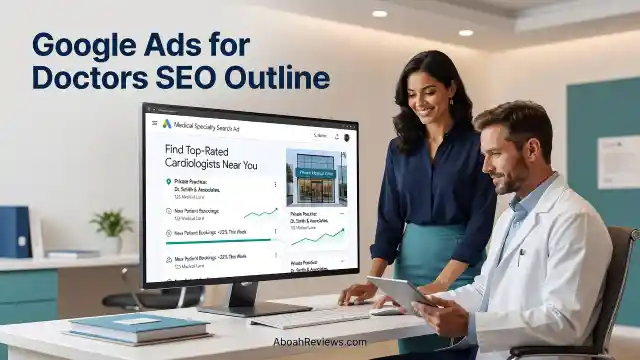
TL;DR: Google ads for doctors SEO outline is a strategic framework that combines paid search data, local SEO and organic optimization to turn patient-intent traffic into booked appointments.
This guide is best for medical practices, healthcare marketers and agencies that want to run paid search campaigns that actually book patients, not just generate clicks.
The main takeaway: without a proper structure behind your campaigns, medical Google Ads spend disappears fast.
The Google Ads for Doctors Industry
Most patients who need a doctor, specialist or clinic start with a Google search. That’s not an assumption.
Former Google Health Vice President Dr. David Feinberg stated in a March 2019 report by The Telegraph that roughly 7% of Google’s daily searches are health-related and that number keeps growing.
When someone types “knee surgeon near me” or “dermatologist accepting new patients in Atlanta,” they’re not browsing. They’re ready to book.
Google Ads puts your practice at the top of those searches immediately. But running ads without a proper Google Ads for doctors SEO outline is expensive.
I’ve looked at healthcare PPC setups where practices were spending $3,000+ per month with no call tracking, no negative keywords, and every ad pointing to the homepage. The clicks were there. The patients weren’t.
An effective Google Ads strategy for doctors combines patient-intent keyword research, segmented campaigns, service-specific landing pages, conversion tracking, and ongoing optimization.
Done properly, it generates a measurable flow of appointment inquiries. Done poorly, it burns through budget and delivers nothing useful.
What Is a Google Ads for Doctors SEO Outline?

A Google Ads for doctors SEO outline is a strategic framework that connects paid search advertising with organic search optimization for medical practices.
It’s not just a campaign checklist. It’s a system for making sure your ads reach the right patients, landing pages convert them, tracking captures the data, and your organic content benefits from what the ads reveal.
Healthcare PPC advertising refers to pay-per-click ads that medical practices run on Google Search. Each time a potential patient searches for a relevant term and clicks your ad, you pay.
The goal is that click turns into a phone call, a form submission, or a booked appointment.
The difference between Google Ads and organic SEO comes down to timing. Google ads give you visibility the same day you launch. Organic rankings take months to build.
Neither is a substitute for the other, which is why the strongest medical practices use both.
Search intent matters enormously in medical PPC. Someone searching “what causes knee pain” is looking for information.
Others searching “orthopedic surgeon near me” is looking for a provider. Your ads should target the second group.
How Google Ads Works for Medical Practices
Google Ads runs on an auction system. When a patient searches for something like “cardiologist in Phoenix,” Google runs an instant auction among advertisers bidding on related keywords.
The advertiser who wins doesn’t simply pay the most. Google uses Ad Rank, which factors in your bid, your Quality Score (which includes expected click-through rate, ad relevance, and landing page experience), and other signals.
Higher Quality Scores mean you pay less per click for the same position. A well-structured medical campaign with relevant ad copy and a good landing page will often outperform a competitor with a higher bid but a weaker setup.
Winning ads appear above organic results on the search page. Patients see your practice name, a headline, a description, and in many cases your phone number and location.
Clicks go to your chosen landing page, where the conversion happens (or doesn’t).
Google Ads vs. SEO for Doctors
Both matter. Here’s how they differ:
| Factor | Google Ads | SEO |
|---|---|---|
| Visibility | Paid placements, immediate | Organic placements, built over time |
| Traffic timing | Starts after campaign goes live | Grows gradually, often over months |
| Cost structure | Advertising spend per click | Investment in content, links, and technical SEO |
| Sustainability | Stops when budget stops | Can continue generating traffic without ongoing spend |
| Targeting | Keyword, location, and eligible audience settings | Content aligned to search intent |
| Best use case | Immediate patient acquisition | Long-term search visibility |
One point that comes up often: Google Ads does not directly improve your organic rankings. Running paid campaigns does not boost your position in unpaid search results.
The benefit flows the other way. Ads can reveal which keywords convert, and that data can shape your organic content strategy.
Why Doctors Should Invest in Google Ads

Google Ads works for medical practices because it matches your advertisement to patients who are actively searching for what you offer at the moment they’re searching.
That’s different from a billboard or a local magazine ad, which interrupts people who may have no current need.
The core benefits for a medical practice:
- Reach patients who are already searching for your specialty or services
- Generate appointment inquiries directly from search
- Promote specific high-revenue services, such as dental implants, cosmetic procedures, or orthopedic consultations
- Target a defined geographic area, so you’re not paying for clicks from patients who can’t reach you
- Control how much you spend and adjust budgets based on performance
- Measure every click, call, and form submission
Benefits for Small and Independent Medical Practices
A solo family physician or a small specialty clinic can compete with larger health systems on Google Search in a way that isn’t possible in many other channels.
If your landing page is good and your campaign is structured properly, you can appear alongside large hospital networks for the same local search queries.
Small practices also benefit from the precision of local targeting. You can limit your ads to a specific radius around your office, to a list of zip codes, or to a city.
That means your budget goes toward patients who can actually book with you.
Benefits for Multi-Location Clinics and Specialty Hospitals
Multi-location practices have a different challenge: maintaining consistent performance across locations without letting one high-spending campaign cannibalize the others.
Properly structured campaigns, segmented by location and specialty, make this manageable. Each location can have its own budget, its own keywords, and its own landing page.
Specialty hospitals benefit from being able to promote individual high-margin services.
A hospital group that offers advanced cardiac care or robotic surgery can run targeted campaigns specifically for those services without paying for clicks that have nothing to do with their specialty mix.
When Google Ads Makes More Sense Than Traditional Advertising
Consider a dental clinic trying to fill its appointment book after a slow quarter. A local radio ad will reach a broad audience, most of whom have no current need.
A Google Ads campaign targeting “dentist near me” or “emergency dentist in [city]” reaches only the people actively searching for dental care right now.
The same logic applies to a dermatology clinic promoting skin cancer screenings, an orthopedic practice launching a sports medicine service, or a primary care physician who just opened a new location and needs to establish a patient base quickly.
For any situation where you need measurable results in a defined timeframe, Google Ads is a better tool than most traditional advertising options.
How to Set Up a Google Ads Campaign for Doctors
This is where most medical practices go wrong. They set up an account, add some keywords, write a few lines of ad copy, and send traffic to their homepage. Then they wonder why the clicks don’t turn into patients.
Proper campaign setup takes more work upfront, but it’s what separates campaigns that generate consistent appointment inquiries from ones that waste budget.
Step 1: Define Your Patient Acquisition Goals
Before you open Google Ads, decide what you’re trying to accomplish. The most common goals for medical practices:
- Appointment bookings (the most direct measure of success)
- Phone inquiries from potential patients
- New patient registrations
- Consultation requests for a specific service
- Promotion of a specific medical service or seasonal offering
Your goal determines how you structure your campaigns, which conversions you track, and how you evaluate performance.
A practice trying to fill a specific procedure’s schedule will set up differently than one trying to grow its general patient base.
Step 2: Identify Your Target Patients and Service Areas
Define your specialty and the specific services you want to advertise. A general “medical practice” campaign doesn’t work. Patients search by condition, treatment, or specialty. Your campaigns should reflect that.
Identify your geographic service area carefully. If your practice is in suburban Philadelphia and patients typically travel from within a 15-mile radius, your geographic targeting should reflect that.
Paying for clicks from patients an hour away who will never book is a simple budget drain.
Think about which patients you’re trying to reach. Who searches for your specific services? What language do they use? What are they worried about? Those insights should shape your keyword choices and your ad copy.
Step 3: Create Your Google Ads Account
Account setup covers:
- Creating your Google Ads account with an appropriate business email
- Setting up billing with a credit card or bank account
- Configuring your conversion goals (phone calls, form submissions, appointment bookings)
- Linking Google Analytics 4 for deeper reporting
- Linking Google Search Console if you want to see organic data alongside paid data
Take the conversion tracking seriously at this stage. Many practices skip it and then have no way to measure whether the campaign is working. Without conversion data, you’re managing blind.
Step 4: Choose the Right Google Ads Campaign Type
For most medical practices, Search campaigns are the right starting point. Here’s why: Search campaigns show your ads when patients type specific queries into Google.
The intent is explicit. You know they’re looking for something specific right now.
Other campaign types worth understanding:
Display campaigns show banner ads across websites in Google’s Display Network. They can be useful for brand awareness but tend to have lower intent and lower conversion rates for direct patient acquisition. I would not start here.
Video campaigns run on YouTube and can work for brand building or for explaining complex procedures. They require video production and are better suited for practices with an existing content and media budget.
Performance Max campaigns run across all Google channels automatically using machine learning. They can work once you have strong conversion data, but they’re difficult to control and analyze early on.
For a new medical campaign with limited conversion history, they can generate irrelevant traffic.
For most practices I’ve looked at, a Search campaign focused on the highest-intent keywords in your specialty and geography is the clearest path to patient acquisition.
Step 5: Organize Campaigns and Ad Groups
Campaign structure is one of the biggest factors in whether a medical Google Ads account performs well or burns through budget.
The rule is simple: segment by specialty and by geography. Never lump different medical specialties into one campaign. It makes it impossible to control budgets by specialty, it creates irrelevant keyword matches, and it destroys Quality Scores.
Here’s an example structure for a multi-specialty clinic:
| Campaign | Ad Groups |
|---|---|
| Orthopedic Surgery | Knee surgery, hip replacement, sports injuries |
| Dermatology | Acne treatment, skin cancer screening, cosmetic dermatology |
| Primary Care | Family doctor, annual physical, preventive care |
| Dental Services | Dental implants, teeth cleaning, emergency dentist |
| Cardiology | Heart doctor near me, cardiologist new patients |
Within each campaign, ad groups should be tightly themed around a single service or condition.
Each ad group gets its own set of keywords, its own ad copy, and its own landing page. Tight themes mean higher ad relevance, better Quality Scores, and lower cost per click.
Google Ads Keyword Research for Doctors
Keyword research for medical PPC is not the same as keyword research for content. You’re looking for terms that patients use when they’re ready to find a provider, not when they’re trying to understand their symptoms.
Types of Medical Keywords to Target
- Specialty keywords: Broad searches by specialty. “Dermatologist near me,” “orthopedic surgeon Houston,” “cardiologist accepting new patients.”
- Service-specific keywords: Searches for a specific treatment or procedure. “Knee replacement surgery,” “dental implants cost,” “Botox treatment.”
- Location-based keywords: Searches that include a city, neighborhood, or “near me.” These are often your highest-converting keywords.
- Appointment-intent keywords: Terms that signal the patient is ready to book. “Same day doctor appointment,” “urgent care near me open now,” “new patient appointment family doctor.”
- Treatment-related keywords: Patients searching for solutions to a specific condition. “Sciatic nerve pain treatment,” “psoriasis specialist near me.”
- Brand keywords: Your own practice name. Worth bidding on to protect your branded search results, especially if competitors are bidding on your name.
Examples of High-Intent Google Ads Keywords for Doctors
| Specialty | Example keyword |
|---|---|
| Dermatology | Dermatologist near me |
| Orthopedics | Orthopedic surgeon in Houston |
| Dentistry | Emergency dentist near me |
| Cardiology | Cardiologist accepting new patients |
| Primary care | Family doctor near me |
| Ophthalmology | Eye doctor in Chicago |
| Cosmetic surgery | Rhinoplasty surgeon near me |
| Obstetrics | OB-GYN accepting new patients |
Understanding Google Ads Keyword Match Types
Google offers three main keyword match types. Each controls how closely a patient’s search needs to match your keyword for your ad to appear.
- Broad match: Your ad can appear for searches related to your keyword, including synonyms and variations. Broad match gives Google the most control. For medical campaigns, this can generate a lot of irrelevant traffic. Use carefully.
- Phrase match: Your ad appears when a search contains your keyword phrase (in any order with other words around it). More controlled than broad match.
- Exact match: Your ad appears only when the search closely matches your exact keyword. Gives you the most control, usually at higher CPCs and lower volume.
For most medical campaigns, I’d start with a combination of phrase match and exact match. That gives you reasonable volume while limiting irrelevant traffic. Add broad match keywords selectively, and monitor search terms closely.
How to Build a Negative Keyword List for Medical Campaigns
Negative keywords prevent your ads from showing for irrelevant searches. For medical practices, this list matters a lot.
Searches you will typically want to investigate and exclude:
- Jobs-related terms: “medical jobs,” “nurse careers,” “doctor salary”
- Education-related terms: “medical school,” “how to become a doctor,” “nursing degree”
- DIY treatment terms: “how to treat knee pain at home,” “home remedy for acne”
- Research-only terms: “symptoms of,” “what is [condition]” (depending on your strategy)
- Competitor-specific terms that have no relevance to your specialty
- Terms indicating patients are looking for free or charity care if that doesn’t apply to you
One important caution: don’t add negative keywords indiscriminately. Review your actual search terms report first.
Some informational queries can precede booking intent. Someone searching “how much does a dental implant cost” is not far from “dental implant near me.”
Build your negative keyword list from real data, not just assumptions.
Tools for Medical PPC Keyword Research
- Google Keyword Planner: Shows estimated search volumes and CPC ranges for specific keywords. Free within a Google Ads account. The best starting point for identifying how patients phrase searches in your specialty.
- Google Ads Search Terms Report: Shows the actual searches that triggered your ads. This is your most important keyword research tool once campaigns are live. Real patient language, not estimates.
- Google Search Console: Shows which organic searches brought patients to your website. Useful for identifying additional paid search opportunities and for understanding how paid and organic performance compare.
- Semrush and Ahrefs: Both tools provide keyword data, competitor analysis, and search volume estimates. Useful for identifying keyword gaps and for understanding what competitors are bidding on. The organic and PPC data serve different purposes, so treat them separately.
How to Write Google Ads for Doctors That Generate Patient Inquiries
An ad that shows up for the right search query but has poor copy is a wasted impression. Medical ad copy has to work in a few lines.
Patients scanning search results decide in seconds whether to click or scroll past.
Writing Effective Medical Search Ad Headlines
Google Search ads allow up to three headlines of 30 characters each. Use them to communicate:
- Your medical specialty or service
- Your location
- A relevant differentiator (board certified, accepting new patients, same-day appointments, in-network with [insurance])
- A direct call to action
Examples of strong headline components:
- “Board-Certified Dermatologist”
- “Accepting New Patients in Atlanta”
- “Same-Day Appointments Available”
- “Knee Pain Specialist, Houston TX”
- “In-Network With Blue Cross”
Avoid vague headlines like “Quality Healthcare” or “Expert Medical Care.” Those say nothing specific and they’re interchangeable with every other practice’s ad.
Writing Descriptions That Encourage Patients to Take Action
Your two description lines (90 characters each) should:
- Reinforce what the headline promised
- Mention the specific service or condition
- Include a clear call to action
- Address a common patient concern (wait times, insurance, new patient acceptance)
Example for an orthopedic practice: “Treating knee, hip, and sports injuries in Phoenix since 2008. Call now to schedule a consultation with our orthopedic team.”
Google Ads Assets for Medical Practices
Assets (formerly called extensions) add more information to your ads at no extra cost and usually improve click-through rates.
- Sitelink assets: Additional links below your main ad, pointing to specific service pages. For a dental practice: “Dental Implants,” “Teeth Cleaning,” “Emergency Dental,” “Patient Reviews.”
- Call assets: Displays your phone number directly in the ad. Click-to-call on mobile. For medical practices, this is one of the most valuable assets because many patients prefer to call rather than fill out a form.
- Location assets: Shows your practice address and links to Google Maps. Important for local searches.
- Structured snippet assets: Highlight specific services, specialties, or amenities. Example: “Services: Primary Care, Preventive Care, Chronic Disease Management.”
Medical Google Ads Examples
The following are illustrative examples, not performance-tested campaigns:
Local dentist:
- Headline 1: “Dentist in [City]: New Patients Welcome”
- Headline 2: “Same-Day Emergency Appointments”
- Headline 3: “Most Dental Insurance Accepted”
- Description: “Comprehensive dental care including cleanings, implants, and cosmetic services. Book online or call our [City] office today.”
Orthopedic surgeon:
- Headline 1: “Orthopedic Surgeon in [City]”
- Headline 2: “Knee, Hip & Sports Injury Specialist”
- Headline 3: “Board Certified, 15+ Years Experience”
- Description: “Treating knee replacements, sports injuries, and joint pain in [City]. Call to schedule your consultation.”
Primary care clinic:
- Headline 1: “Family Doctor Accepting New Patients”
- Headline 2: “Preventive Care & Chronic Disease Mgmt”
- Headline 3: “Evening & Weekend Hours Available”
- Description: “Comprehensive primary care for adults and children in [City]. In-network with most major insurance plans. Book your appointment today.”
Creating High-Converting Landing Pages for Medical Google Ads
Clicking your ad is step one. Converting that click into a booked appointment is step two, and it happens (or doesn’t) on your landing page. Most medical Google Ads campaigns lose patients here.
Why Doctors Need Dedicated PPC Landing Pages
Sending every ad to your homepage is a common and costly mistake.
Your homepage has to do too many things: introduce your practice, explain your services, describe your team, handle multiple specialties.
A patient who clicked an ad for “knee replacement surgeon” and lands on a general homepage has to work to find what they’re looking for. Many don’t bother.
A dedicated PPC landing page is built for one purpose: convert a patient who already has a specific intent. The ad promised something specific. The landing page delivers that exact thing.
Essential Elements of a Medical Landing Page
- Relevant headline: Matches the ad they clicked. If the ad said “Knee Replacement Specialist in Phoenix,” the headline should reinforce that immediately.
- Clear service description: What does the practice offer? What makes it the right choice?
- Physician credentials: Name, training, board certification, years of experience, hospital affiliations. Trust matters enormously in healthcare decisions.
- Practice location and hours: Patients need to know where you are before they book.
- Primary call to action: One clear action above the fold. Book an appointment, call now, or request a consultation.
- Click-to-call button: Essential on mobile, where most searches happen.
- Contact form: Short. Name, phone number, service of interest, preferred time. The longer the form, the lower the conversion rate.
- Patient reviews and trust signals: Verified reviews, ratings, and professional affiliations. Patients look for social proof before booking healthcare.
- Privacy information: A brief note on how patient information is handled builds trust and is good practice.
Medical Landing Page SEO Best Practices
A landing page used for paid search should also be useful to patients who arrive from organic search. That means:
- Write a descriptive title tag that includes the service and location
- Include genuinely useful information about the service or procedure
- Add internal links to related service pages or provider bios
- Make sure the page loads quickly on mobile
- Use appropriate structured data for medical practices (LocalBusiness, Physician, MedicalClinic)
For local SEO automation tools that can help surface technical issues with landing pages, there are several options worth evaluating alongside your PPC setup.
How to Test and Improve Medical PPC Landing Pages
Landing pages are not set-and-forget. Run tests on:
- Main headline variants
- Placement of the call-to-action button (above vs. below the fold)
- Form length (3 fields vs. 5 fields)
- Mobile layout and usability
- Video vs. static photos of the physician or practice
- Trust signal placement
Track conversion rates (form submissions and calls) for each variant. Give tests enough data before drawing conclusions. A landing page with 20 clicks does not have enough data to evaluate.
Google Ads Budget for Doctors: How Much Should You Spend?
There’s no universal number that’s right for every medical practice. The right budget depends on your specialty, your geography, your conversion goals, and your patient lifetime value.
Factors That Influence Medical Google Ads Costs
Healthcare is one of the more competitive categories in Google Ads.
Industry benchmarks suggest average CPCs in medical categories can range from roughly $5 to $15+, with high-competition specialties like cosmetic surgery, dental implants, or personal injury (adjacent to medical) running considerably higher.
Factors that drive costs up or down:
- Specialty competition: A dermatologist in Manhattan competes with many practices. A specialist in a smaller market may have far less competition.
- Geographic location: Major metro areas cost more than rural markets. This applies to nearly every specialty.
- Keyword competition: Broad terms like “doctor near me” attract more bidders. Specific terms like “pediatric cardiologist in Sacramento” may have lower CPCs and higher conversion rates.
- Patient lifetime value: A patient who visits once for a minor issue has a different value than a patient who becomes a chronic care patient for years. Higher lifetime value justifies a higher cost per acquisition.
- Landing page performance: A better landing page means more conversions per click. That lowers your cost per booked appointment without reducing spend.
How to Calculate a Google Ads Budget
Work backwards from your patient acquisition goal:
- How many new patients do you want per month from Google Ads? (Example: 20)
- What is your expected conversion rate from lead to booked appointment? (Example: 50%, so you need 40 qualified leads)
- What is your expected lead rate from landing page visits? (Example: 10%, so you need 400 landing page visits)
- What is your expected average CPC? (Example: $8)
- Estimated monthly budget: 400 clicks x $8 = $3,200/month
This is a framework, not a guarantee. Early campaigns often have lower conversion rates until you’ve optimized keywords, ad copy, and landing pages. Build in room for optimization.
Google Ads Budget Allocation by Medical Specialty
Budgets vary considerably by specialty. Rather than presenting fixed industry figures, the more useful approach is to research CPCs for your specific keywords and geography using Google Keyword Planner before committing to a budget.
As a general observation:
- General practitioners and family medicine: Moderate competition in most markets, manageable CPCs
- Dentists: Competitive, particularly for implants and cosmetic procedures
- Dermatologists: Moderate to high competition in urban markets
- Orthopedic surgeons: High competition in major metros, particularly for joint replacement
- Cosmetic surgeons: Among the most competitive in the healthcare category
The right budget for your practice is the one that generates a positive return on advertising spend at your patient acquisition costs.
Choosing the Right Google Ads Bidding Strategy
Bidding strategy affects how Google spends your budget.
- Manual CPC: You set maximum bids for each keyword. Gives you maximum control. Most useful when you have specific keyword-level insights or when volume is low enough to manage manually.
- Maximize Clicks: Google spends your budget to get the most clicks possible within your budget. No conversion optimization. Useful only for traffic if you don’t yet have conversion tracking set up.
- Maximize Conversions: Google uses machine learning to optimize bids for the most conversions within your budget. Works well once you have enough conversion data (Google typically recommends at least 30-50 conversions per month for the algorithm to learn effectively).
- Target CPA (Cost Per Acquisition): You tell Google your target cost per conversion. The system optimizes bids to hit that target. Requires substantial conversion history to function well.
For new medical campaigns with limited data, start with Manual CPC or Maximize Clicks to gather data. Move to conversion-based bidding once you have a meaningful conversion history.
Local SEO for Doctors: Supporting Your Google Ads Campaigns
Google Ads and local SEO are not competing channels. They work better together. The most effective medical practices run paid campaigns while simultaneously building their organic and local search presence.
For a detailed look at local SEO automation tools that can support this effort, there are options specifically designed for multi-location healthcare practices.
Optimize Your Google Business Profile
Your Google Business Profile (GBP) controls how your practice appears in Google Maps and in the local pack of search results. It’s separate from your website and your ads, but patients see it constantly.
Key optimizations:
- Claim and verify your profile if you haven’t already
- Select the correct primary category (e.g., “Physician,” “Dentist,” “Dermatologist,” not just “Medical Clinic”)
- Add secondary categories for specific services where applicable
- Keep your hours accurate, including holiday hours
- Add all services you offer to the services menu
- Upload photos of your office, your team, and your facilities
- Add a direct link to your appointment booking page
- Respond professionally to all patient reviews, positive and negative
A well-maintained GBP improves your visibility in map searches and adds credibility when patients compare local providers.
Build Location-Specific Medical Service Pages
Multi-location practices should have individual pages for each location rather than a single general “Locations” page. Each location page should include:
- The specific address, phone number, and hours for that location
- The services available at that specific location (they may differ)
- Directions and parking information
- Physician bios for providers at that location
- Patient reviews specific to that location where possible
The goal is to give each location’s page enough unique, locally relevant information that it can rank independently for local searches in its area. Thin location pages that only repeat the same content with the city name swapped out don’t work well in search.
Manage Patient Reviews and Online Reputation
Patient reviews affect both your local search rankings and your conversion rate. Patients read reviews before booking.
Best practices:
- Ask satisfied patients for reviews at the point of care or through post-visit follow-up
- Make it easy by providing a direct link to your Google review page
- Respond to every review, positive and negative, professionally and without disclosing any patient information
- Never incentivize reviews, as this violates Google’s policies and healthcare ethics standards
- Never respond to a review in a way that could be interpreted as confirming the person was a patient (a HIPAA consideration)
A steady flow of recent, genuine reviews signals to Google that your practice is active and trusted. It also converts more patients who see you in search results.
Medical Local SEO and Google Maps Visibility
Google’s local search algorithm considers three main factors for Maps rankings:
- Relevance (does your profile match what was searched?)
- Distance (how close is your practice to the searcher?)
- Prominence (how well-known and trusted is your practice based on reviews, links, and citations?).
Build local citations by ensuring your practice information (name, address, phone number) is consistent across medical directories: Healthgrades, Vitals, WebMD, Zocdoc, US News Health, and your state medical board’s directory.
Inconsistent NAP information across directories hurts local rankings.
For more on managing this alongside your paid campaigns, the local SEO automation overview covers tools that can help maintain citation consistency at scale.
How to Use Google Ads Data to Improve Your Medical SEO Strategy
This is one of the most practical and underused applications of medical Google Ads. Your paid campaigns generate real data about which patient queries convert. That data is a roadmap for your organic content strategy.
My experience testing automated SEO workflows across multiple websites showed me that the best keyword insights don’t always come from traditional keyword research tools.
They come from real conversion data. Google Ads gives you that in a way that organic keyword research alone can’t.
Find High-Converting Keywords in Google Ads
Open your Google Ads Search Terms Report. This shows the exact queries patients typed before clicking your ad. Filter for queries that resulted in conversions (phone calls, form submissions, appointment bookings).
You’re looking for patterns:
- Which service-specific queries converted well?
- Which location-based queries drove the most calls?
- Which queries appeared repeatedly across different ad groups?
- Which queries surprised you with their conversion rate?
Export those terms. Group them by specialty and intent. This list is your highest-confidence keyword set because it’s based on actual patient behavior, not estimates.
Turn Paid Search Keywords into SEO Content
Once you’ve identified high-converting search queries from paid campaigns, build organic content around them.
| Paid search query | Potential SEO asset |
|---|---|
| Cost of dental implants | Dental implant pricing guide |
| Dermatologist near me | Location-specific dermatology page |
| Knee replacement surgeon | Knee replacement service page |
| Pediatrician accepting patients | Pediatric practice page |
| LASIK eye surgery cost | LASIK cost and financing guide |
| Sports medicine doctor near me | Sports medicine service and location page |
The logic is simple: if a query converts in paid search, ranking organically for it removes the cost of each click.
For SEO automation tools that can help scale content production around these insights, there are options designed to accelerate this process.
Use Google Search Console to Find Organic Opportunities
Google Search Console shows you which queries are bringing patients to your site organically, and where you’re ranking for those queries.
Look for:
- Queries where you’re getting impressions but low click-through rates (you’re appearing but not attracting clicks, possibly because your title or meta description isn’t compelling)
- Pages ranking in positions 4-15 (you’re close enough to push into higher visibility with targeted optimization)
- Queries where your ad is converting but you have no meaningful organic ranking (priority candidates for content investment)
The combination of paid and organic data gives you a complete picture of your search visibility.
Identify Keywords Where SEO Can Reduce Paid Search Dependency
The long-term goal is not to run paid campaigns forever for every keyword.
As your organic rankings improve for high-converting queries, you can shift budget toward new specialties, new locations, or more competitive terms.
To identify candidates: compare your paid CPC for a term against the estimated search volume and ranking difficulty.
If you’re paying $12 per click for “dental implants near me” and you have a reasonable chance of ranking organically within 6-9 months with the right content investment, that content investment may deliver a better long-term return.
One important note: ranking organically for a keyword does not automatically mean you should pause the paid campaign.
Many practices find that running ads alongside a top organic position increases total click share more than losing the paid ad reduces costs. Test carefully rather than assuming paid becomes unnecessary once organic improves.
Conversion Tracking for Medical Google Ads Campaigns
Without conversion tracking, you’re managing a campaign on the basis of clicks and impressions. Those metrics don’t tell you whether a single patient booked an appointment.
Proper tracking connects ad spend to patient inquiries, and that connection is what separates a managed campaign from an educated guess.
Which Conversions Should Doctors Track?
The goal is to track actions that represent genuine patient intent, not just website activity:
- Phone calls from ads: Calls generated directly by clicking the phone number in a search ad
- Phone calls from landing pages: Calls from patients who visited your landing page and then called the number displayed
- Appointment form submissions: Completed contact or appointment request forms
- Online booking completions: Completed actions in an online scheduling tool (Zocdoc, your EHR’s patient portal, etc.)
- Consultation requests: Submissions specifically requesting a consultation for a high-value service
- Qualified patient inquiries: A subset of all conversions that meet your definition of a qualified lead
Tracking all of these separately lets you evaluate which campaigns and keywords drive valuable inquiries versus low-quality or irrelevant contact.
Google Ads Conversion Tracking Setup
Practical setup involves several tools working together:
- Google Tag Manager: A tag management system that makes it easier to add conversion tracking code to your website without editing code directly. Set up GTM first, then deploy your conversion tracking tags through it.
- Google Ads conversion tracking: Configure conversion actions in your Google Ads account for form submissions and goal completions. Import these into your campaigns so Google’s bidding algorithms can optimize toward actual conversions.
- Google Analytics 4: Set up GA4 and link it to your Google Ads account. GA4 provides deeper behavioral data about how patients interact with your site before converting.
- Call tracking: Use Google’s call forwarding for call tracking on ads. For landing page calls, consider a dedicated call tracking solution (there are several designed for healthcare) that can record call duration and report qualified calls separately from wrong numbers or existing patients.
- Offline conversion imports: If your practice qualifies patients before booking appointments, you can import data about which leads became actual patients back into Google Ads. This tells the algorithm what a true conversion looks like, not just a form submission.
How to Measure Patient Acquisition Costs
Define your measurement hierarchy clearly:
| Metric | What it measures |
|---|---|
| Cost per click (CPC) | How much you pay for each ad click |
| Cost per lead (CPL) | How much you pay for each form submission or call |
| Cost per qualified lead | How much you pay for each genuinely interested patient inquiry |
| Cost per booked appointment | How much you pay for each confirmed appointment |
| Patient acquisition cost | Total cost to acquire a new patient who actually attends |
| Return on ad spend (ROAS) | Revenue generated per dollar of ad spend |
Track each of these. CPL looks very different from cost per booked appointment for most practices, because not every lead becomes a patient.
Why Tracking Leads Is Not the Same as Tracking Patients
This is worth being direct about. A form submission is not a patient. A phone call is not a patient. A clicked ad is definitely not a patient.
A submitted form might be from someone who called four other practices and booked elsewhere, a patient asking about a service you don’t offer, an existing patient, a competitor checking your forms, or a genuinely interested new patient who needs follow-up.
Your front desk or patient coordinator is part of the conversion funnel. The quality of your follow-up phone calls and your scheduling process affects how many leads become actual appointments.
Here’s what a sample conversion funnel might look like for an orthopedic practice:
| Stage | Volume | Rate |
|---|---|---|
| Ad clicks | 500 | – |
| Landing page visits | 480 | 96% |
| Form submissions / calls | 72 | 15% |
| Qualified new patient inquiries | 43 | 60% of leads |
| Scheduled appointments | 28 | 65% of qualified |
| Completed appointments | 24 | 86% of scheduled |
In this example, 500 clicks became 24 actual appointments. Your cost per booked appointment is what matters, not cost per click.
Healthcare Advertising Policies, HIPAA, and Patient Privacy
Healthcare is a regulated category in Google Ads. Advertisers in this space face restrictions that don’t apply to other industries. These are not optional. Policy violations result in ad disapprovals and account suspensions.
Google Ads Healthcare and Medicines Policies
Google restricts or requires certification for several healthcare-related categories:
- Prescription drug advertising requires certification and is restricted to licensed pharmacies and specific certified advertisers
- Some categories of medical devices, supplements, and treatments face restrictions depending on market
- Clinical trial recruitment, fertility services, and certain mental health categories have specific requirements
- Healthcare-related ads may face restrictions on the audience targeting options available compared to other industries
Review Google’s healthcare and medicines policy documentation directly before launching any medical campaign. The policy is updated periodically and varies by country.
HIPAA Considerations When Using Google Ads
This is a separate set of requirements from Google’s advertising policies.
HIPAA (the Health Insurance Portability and Accountability Act) governs how covered entities and their business associates handle protected health information (PHI).
If you’re a U.S. healthcare provider, HIPAA applies to how you collect, process, and store patient data.
Specific areas to review carefully:
- Website tracking technologies: Standard Google Analytics, Google Ads conversion tracking, and Meta Pixel implementations can transmit patient data to third-party platforms in ways that may not be HIPAA-compliant. The HHS Office for Civil Rights has issued guidance on tracking technology and PHI.
- Form submissions: If your contact or appointment forms collect information that could be classified as PHI (a patient’s name combined with their healthcare inquiry), how that data is handled and where it’s transmitted matters.
- URL parameters: Some tracking setups pass information like search queries or form values into URLs, which can then be collected by third-party tracking tools. This is a known risk area for healthcare advertisers.
- Vendor agreements: If you use third-party tools for tracking, analytics, or advertising, those vendors may need to sign a Business Associate Agreement (BAA) under HIPAA. Many standard advertising platforms do not offer BAAs.
How to Protect Patient Information in PPC Campaigns
Practical steps:
- Review every tracking pixel and third-party script on your website with someone who understands HIPAA requirements
- Use consent management tools appropriate for your jurisdiction and regulatory obligations
- Avoid passing PHI through URL parameters or tracking events
- Work with legal counsel or a healthcare compliance specialist before deploying new tracking technologies
- Ask your advertising agency or consultant directly how they handle patient data privacy
Important editorial distinction: HIPAA compliance and Google Ads policy compliance are separate requirements. Being compliant with one does not guarantee compliance with the other.
This article does not constitute legal or compliance advice. Work with qualified counsel on your specific situation.
Healthcare Remarketing Restrictions
Standard remarketing involves showing ads to people who visited your website previously. For most industries, this is unremarkable. For healthcare, it’s complicated.
Showing ads based on a person’s visit to a page about depression treatment, cancer screening, or addiction services can reveal that they were researching those conditions. That’s sensitive.
Google’s ad policies restrict certain types of remarketing based on sensitive health conditions.
Review Google’s personalized advertising policies related to sensitive health categories before building remarketing audiences for any healthcare campaign.
Common Google Ads Mistakes Doctors Should Avoid
These mistakes appear across medical Google Ads accounts at all budget levels. Each one has a clear fix.
Targeting broad keywords without filtering
Bidding on “doctor” or “healthcare” without location targeting or negative keywords generates massive irrelevant traffic. Fix: start with specific, intent-driven keyword terms and add broader terms only as you gather data.
Ignoring the negative keyword list
Without negatives, your budget funds searches from people applying for jobs, medical students, researchers, and patients looking for services you don’t offer. Fix: build a negative keyword list before launch and update it weekly from your search terms report.
Sending every ad to the homepage
Patients who click a knee surgeon ad and land on a general “Welcome to Our Clinic” page leave immediately. Fix: build a dedicated landing page for each major service or specialty.
Combining unrelated specialties in one campaign
One campaign for orthopedics, dermatology, and primary care has no coherent budget allocation, ad relevance, or optimization path. Fix: separate campaigns by specialty.
Targeting locations outside your service area
Paying for clicks from patients who can’t reach you is straightforward waste. Fix: set precise geographic targeting to your actual service radius.
Failing to track phone calls
Most medical patients call rather than fill out a form. If you’re not tracking calls from both your ads and your landing pages, you’re missing most of your conversion data. Fix: set up call tracking before launch.
Optimizing for cheap leads instead of qualified patients
A low CPC and high click volume look good in a report but mean nothing if the leads don’t become patients. Fix: define what a qualified patient inquiry looks like and optimize toward that.
Ignoring mobile landing page performance
Most medical searches happen on mobile. A landing page that works on desktop but is slow or hard to navigate on a phone loses patients before they ever contact you. Fix: test your landing pages on mobile before launch and monitor mobile conversion rates separately.
Using misleading medical advertising claims
Claims like “best surgeon in the city” or “guaranteed results” can violate FTC guidelines and state medical advertising regulations. Fix: use specific, verifiable credentials and avoid superlatives you cannot substantiate.
Neglecting organic SEO and GBP
Paid search fills appointment books faster. Organic search and a strong Google Business Profile provide the credibility layer that makes patients trust your practice. Fix: treat both as complementary rather than alternatives.
How to Optimize Google Ads Campaigns for Better Results
Launching a campaign is the beginning, not the end. The practices that get the best return from Google Ads are the ones that treat campaign management as an ongoing process.
Daily Campaign Monitoring
Daily checks don’t need to take long. Look for:
- Budget pacing: Is the daily budget being spent at a reasonable rate? Under-pacing may mean bids are too low or keywords are too restrictive. Over-pacing may require budget adjustment.
- Disapproved ads: Google can disapprove ads for policy violations. Catch these quickly so your campaigns aren’t running without active ads.
- Unexpected spikes in spend: If spend jumps sharply without a corresponding increase in conversions, something may have changed in your targeting or your bids.
- Conversion tracking issues: If conversions stop recording suddenly, the tracking tag may have broken. This is easy to miss if you’re not watching.
Weekly Campaign Optimization
Each week:
- Review the search terms report: Add converting queries as keywords. Add irrelevant queries as negative keywords.
- Review geographic performance: Are certain cities or zip codes performing significantly better or worse? Adjust bids accordingly.
- Review ad performance: Which headlines and descriptions generate the most clicks and conversions? Pause consistently underperforming ads.
- Check lead quality: Talk to your front desk. Are the calls and form submissions from qualified new patients? Or are you attracting a lot of irrelevant inquiries? The answer affects your keyword and negative keyword decisions.
Monthly Performance Reviews
Monthly reviews are for strategic decisions:
- Cost per qualified lead and cost per booked appointment: Are these trending in the right direction?
- Landing page conversion rates: Compare pages and identify which ones underperform.
- Keyword performance: Which keywords are generating valuable conversions at acceptable costs? Which are spending budget without results?
- Budget allocation: Should any specialty campaigns get more budget based on performance? Should any be scaled back?
- Organic progress: Has any organic ranking improvement reduced the need for paid coverage on specific terms?
When to Pause, Adjust, or Expand a Campaign
Pause a keyword or ad group when: it has spent enough to generate meaningful data, conversion quality is consistently poor, and the search terms it’s triggering are not relevant to your patients.
Adjust bids, copy, or landing pages when: the click-through rate or conversion rate is significantly below your campaign average. Data should drive changes, not intuition.
Expand campaigns when: existing campaigns are profitable, budget is capped by daily limits, and you have additional services or locations that aren’t yet covered. Expand into a new area of the account only when the existing structure is performing consistently.
How to Choose a Google Ads Agency for Doctors
Many medical practices hand off Google Ads management to an agency. The right agency can accelerate results. The wrong one burns budget on campaigns that don’t reflect your specialty, your patients, or your market.
What to Look for in a Healthcare PPC Agency
- Healthcare advertising experience: Generic PPC agencies are not all equipped for the specific requirements of medical advertising. Ask for examples of medical practice campaigns they’ve managed.
- Google Ads campaign management: Current Google Ads certification matters less than demonstrated results. Look for agencies that can show you real campaign performance data, not just impressions.
- Medical SEO knowledge: An agency that understands how paid and organic search interact will serve you better than one that manages ads in isolation.
- Conversion tracking expertise: If an agency can’t explain how they track phone calls and appointment bookings separately, they’re not measuring what matters.
- Healthcare privacy awareness: Ask directly how they handle patient data, tracking pixels, and HIPAA considerations.
- Transparent reporting: You should own your Google Ads account, not the agency. Reports should show you cost per lead and cost per booked appointment, not just click volume.
Questions to Ask Before Hiring a Medical PPC Agency
- Have you managed campaigns for my specific specialty? Can you show me examples?
- How do you measure booked appointments, not just form submissions?
- Who owns the Google Ads account? (It should be yours.)
- How do you approach negative keyword management?
- What is your process for landing page optimization?
- How do you handle HIPAA considerations when setting up tracking?
- How often do you report, and what do the reports include?
- How do you integrate paid search with organic SEO strategy?
In-House Google Ads Management vs. Hiring an Agency
| Factor | In-House Management | Agency Management |
|---|---|---|
| Cost | Salary or time cost for trained staff | Management fee, typically 10-20% of spend or a flat monthly rate |
| Expertise | Depends on hiring; variable | Specialized, but varies by agency |
| Control | Full | Dependent on agency responsiveness |
| Workload | Adds to existing responsibilities | Offloaded from practice staff |
| Healthcare knowledge | Deep practice-specific knowledge | Broad cross-client experience |
| Scalability | Limited to individual capacity | Agency can scale with budget |
The right choice depends on your practice size, budget, and internal capabilities.
A solo practice with a modest advertising budget may find a freelance specialist or small healthcare-focused agency more cost-effective than a large agency with high minimums.
Multi-location group may benefit from agency resources and broader expertise.
If you work with an agency, retain ownership of your Google Ads account from day one. Never let an agency own your account on your behalf. If the relationship ends, you need to keep your data, your conversion history, and your campaign structure.
Final Thoughts
A Google Ads for doctors SEO outline is not a one-time setup. It’s a framework that connects paid patient acquisition to your organic SEO strategy, your local search presence, your conversion tracking, and your ongoing campaign optimization.
The practices that get the most from medical Google Ads are not necessarily the ones spending the most.
They’re the ones with the most coherent campaign structure: the right keywords for the right specialties, landing pages built to convert, tracking in place to measure real patient inquiries, and a feedback loop between paid data and organic content.
If you’re starting from scratch, focus on three things first: build a properly segmented campaign for your highest-priority specialty, create a dedicated landing page for each service, and set up conversion tracking for both phone calls and form submissions before you spend a dollar.
Everything else can be optimized once you have data.
For practices already running campaigns, the Search Terms Report is worth reviewing immediately. It almost always contains both valuable keywords to add and irrelevant terms draining budget that should have been excluded months ago.
Disclaimer: AboahReviews.com is an independent resource covering SEO automation and AI search visibility tools. This article contains editorial analysis and does not constitute legal, compliance, or medical advice. Always consult qualified legal counsel on HIPAA compliance and advertising regulations.

- Google Ads for Doctors SEO Outline: Complete Breakdown for 2026 - November 24, 2026
- LiteScroll com Free SEO Tools: Features, Benefits and Honest Review (2026) - November 20, 2026
- SEO Agency Interamplify: Services, Pricing and Alternatives for 2026 - November 19, 2026