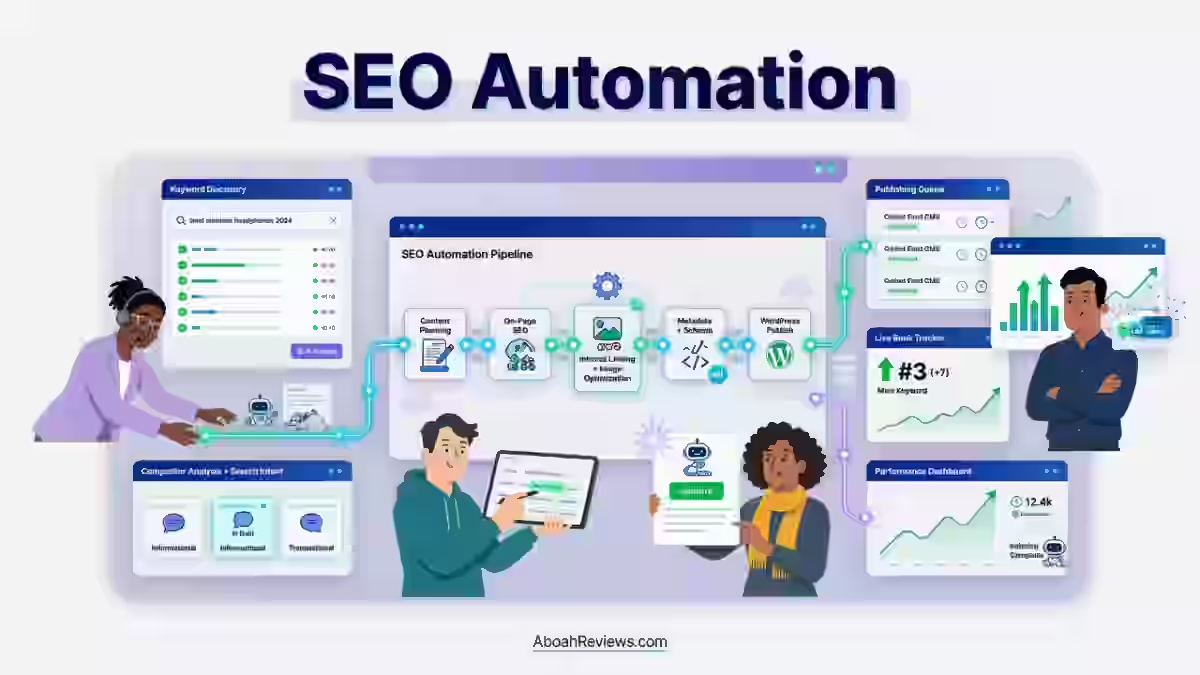
TL;DR: The SEO Neo automation process is a structured workflow that takes a website from keyword research through content creation, publishing, backlink building, and performance tracking, mostly on autopilot. This guide is for SEO professionals, agencies, and content marketers who want to understand what SEO Neo actually automates, where it falls short, and how to use it without wrecking your site.
Introduction
If you’ve spent any time trying to scale SEO manually, you know exactly how exhausting it gets. Keyword research, content creation, publishing, internal linking, backlink outreach, performance tracking.
Each task alone is manageable. All of them together, week after week, across multiple sites or clients? That’s where most people start looking for automation.
That’s what brought me to the SEO Neo automation process. Not out of curiosity, but out of genuine need to streamline a workflow that was eating 30+ hours a week for a three-site operation. And like most tools in this space, the reality of using SEO Neo is more implicated than the sales page suggests.
This guide walks through exactly how the automation process works, what’s genuinely useful, where the risks sit, and what I’d do differently if I were setting it up again today.
You’ll also find a practical setup checklist, honest comparison tables, and answers to the questions I see come up most often in SEO forums and communities.
If you’re newer to automation in general, start with this overview of SEO automation before reading on. It’ll give you the foundation to make sense of what SEO Neo is actually doing.
What Is the SEO Neo Automation Process?

The SEO Neo automation process is a guided, campaign-based SEO workflow that handles keyword research, content generation, link building, and publishing from inside a single platform.
Instead of logging into five different tools, you define your goals once and let the system handle execution across multiple layers of the campaign.
SEO Neo is automated backlink software from the creators of SEO Autopilot. It includes cloud blogs, visual campaign strategies, AI integrations, WordPress publishing, GBP tools, indexing integrations, and white-label reports.
It’s built by Stealth Code Ltd., the same team behind SEO Autopilot (SEOap), and positions itself as the next generation of that product.
Developed by Stealth Code Ltd., the creators of SEOap, SEO Neo addresses the technological constraints of its predecessor. While SEOap was a strong link-building tool, it couldn’t keep up with modern SEO demands, such as speed, algorithm updates, and automation efficiency.
What separates SEO Neo from generic SEO automation is its visual diagram-based campaign builder, which lets you map out multi-tier link structures and content strategies before running anything.
Most tools either focus on content or links. SEO Neo tries to connect both within one workflow, which is ambitious and, in my experience, genuinely useful when configured correctly.
That said, “automation process” here doesn’t mean press one button and rank. It means reducing the repetitive manual tasks across each stage of an SEO campaign so you can focus on strategy and quality review. The SEO strategy still needs to come from you.
How the SEO Neo Automation Process Works
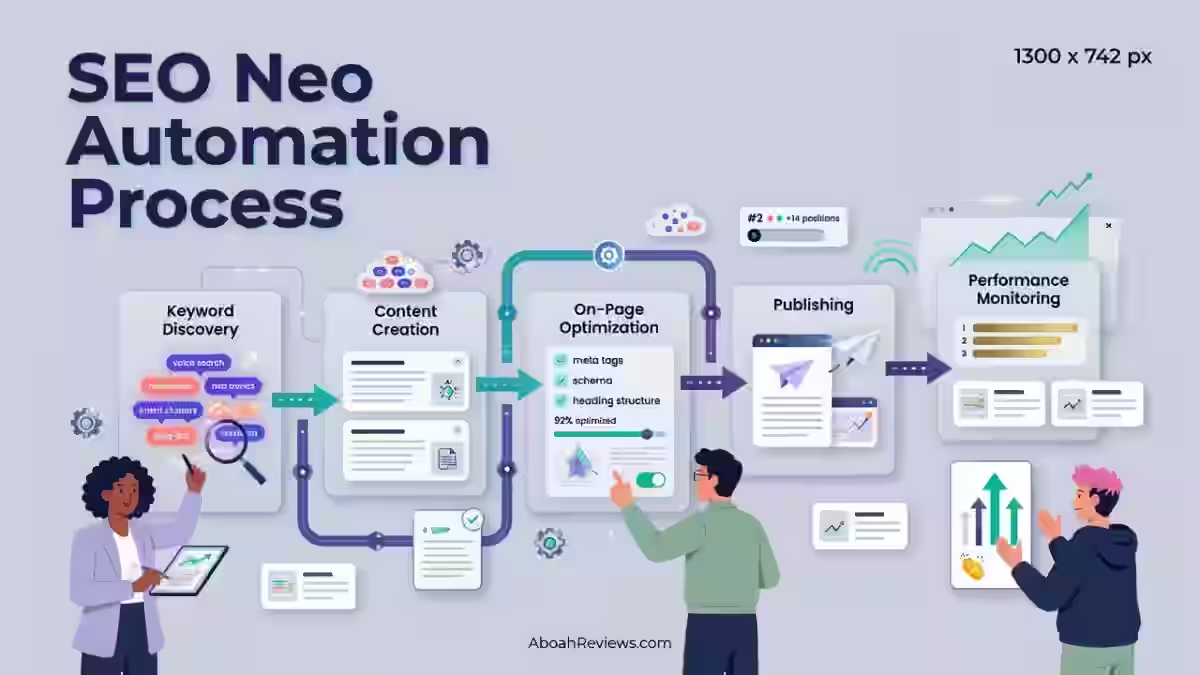
The workflow inside SEO Neo follows a logical sequence. Here’s how each stage works in practice.
1. Define the SEO Campaign and Business Goals
Before touching any feature, you need to define what you’re actually trying to accomplish. SEO Neo gives you campaign setup fields where you input:
- Target website URL
- Target audience and location (city, region, country)
- Products or services you’re ranking for
- Conversion goals (leads, calls, purchases)
- Primary competitors
This step is 100% human. No tool can tell you who your customer is or what a conversion looks like for your business. If you skip this part or treat it casually, everything downstream will be misaligned.
I’ve seen people jump straight to the backlink modules without this clarity and end up ranking for terms that send zero qualified traffic.
2. Discover and Prioritize Keyword Opportunities
Keyword discovery in SEO Neo is partially automated. The platform helps surface keyword ideas based on your site’s topic, but for serious keyword research, you’ll want to pull data from Ahrefs or Semrush and then import your prioritized targets into the campaign.
Good keyword prioritization means looking at:
- Search intent (informational, commercial, transactional, navigational)
- Topical relevance to your site’s existing authority
- Commercial value relative to the conversion goal
- Competition measured by domain authority of pages currently ranking
- Keyword clustering to group related terms under one page rather than splitting them
Skipping keyword clustering is one of the most common reasons automated campaigns produce content that competes with itself. I know this first-hand.
I lost an affiliate site’s rankings after publishing 42 auto-generated posts without internal linking or keyword filtering. The content cannibalized itself. Related keywords that should have been on one page were scattered across six thin articles instead.
For a closer look at keyword-led content strategy for autoblogging, this guide on common autoblogging mistakes to avoid covers the specific errors I see most often.
3. Build the Content and SEO Strategy
This is where SEO Neo’s visual diagram editor earns its keep. You can map out topic clusters, plan pillar pages and supporting articles, define internal linking paths, and sequence your publishing priorities visually before anything goes live.
A well-built content strategy inside SEO Neo should include:
- 1 pillar page per broad topic cluster (e.g., “local SEO for dentists”)
- 4 to 8 supporting articles per pillar, targeting specific long-tail variations
- Internal links mapped between supporting articles and the pillar page
- Content gap analysis based on what competitors are ranking for that you’re not
This planning phase is where human judgment matters most. The diagram templates SEO Neo offers are a starting point, not a finished strategy. Use them as scaffolding, not as a replacement for thinking through your site’s actual gaps.
4. Create and Optimize Content
SEO Neo simplifies the content creation process through integrations with OpenAI and Article Forge. These tools generate high-quality, SEO-optimized content, saving you time and resources while maintaining relevance and engagement.
That’s the optimistic version. The honest version: AI-generated content from these integrations still needs a human review pass before publishing.
OpenAI required heavy editing of content to avoid footprint issues. It’s good for tiered link setup, but I wouldn’t rely on it for client-facing projects without manual oversight.
What you should check on every piece before publishing:
- Search intent match — does the article answer what the searcher actually wants?
- On-page SEO — H1, H2 structure, title tag, meta description, URL slug
- Entities and key terms — are the right named entities included naturally?
- Internal links — does this article link to the pillar page and relevant supporting articles?
- Information gain — does the content say something original, or is it just rewording what’s already ranking?
Google uses the E-E-A-T framework from its Search Quality Rater Guidelines to evaluate the overall quality, credibility and reliability of web pages. Automated content that lacks any of these signals is unlikely to hold rankings, regardless of how efficiently it was produced.
5. Publish and Manage Content
For users who prefer hosting their own websites, SEO Neo provides integration with WordPress. This feature allows for easy customization and management of self-hosted WordPress sites, giving users control over their content and SEO strategies.
Publishing through SEO Neo to WordPress means you can schedule posts, manage metadata, set URL structures, and handle content formatting inside the platform without needing to log into WordPress separately for each article.
For agencies managing multiple client sites, this centralization saves real time.
What you still need to manage manually:
- Image selection and alt text — automated publishing rarely handles this well
- Schema markup — especially for local businesses and product pages
- Category and tag assignment — if your site uses these for navigation
- Canonical tags — especially important for sites with overlapping content
If you want to understand how WordPress autoblogging plugins fit into a broader automation workflow, this roundup of AI blog automation WordPress plugins is worth checking before configuring your publishing settings.
6. Build and Manage Backlinks
This is SEO Neo’s most prominent feature and also its highest-risk area. SEO Neo offers a huge variety of backlinks from different sources.
In addition to high-domain authority websites, SEO Neo also supports cloud-based properties like Cloud Blogs. This gives the user the ability to include cloud-staking strategies to boost rankings.
The link-building module lets you configure multi-tier link structures: Tier 1 links pointing directly to your money site, Tier 2 links pointing to Tier 1, and so on. It integrates with OpenAI for content within the link-building workflow.
It also integrates with several indexing services. Specifically, the Omega Indexer integration is designed to help backlinks get crawled and indexed faster.
Before running any backlink campaign, read the risk discussion in the backlink section below. Automated link acquisition without proper oversight has caused real ranking drops for real sites. This isn’t a hypothetical.
7. Monitor, Measure and Iterate
Monitoring inside SEO Neo covers:
- Rankings per keyword and per page
- GBP rankings for local campaigns (using the GBP module)
- Backlink indexing status through integrated services
- Campaign performance across active link-building runs
What SEO Neo doesn’t natively show you: clicks, impressions, organic traffic, conversions, CTR, or revenue. For those, you need Google Search Console and Google Analytics 4 running alongside the platform.
Treating SEO Neo’s ranking data as your only performance signal will leave you blind to whether rankings are actually generating business results.
What SEO Neo Can Automate
Here’s a straightforward breakdown of what the platform handles, and where human oversight is still needed:
SEO Task | Automation Level | Human Oversight Needed |
|---|---|---|
Keyword discovery | Partial | Yes — for intent and prioritization |
Content generation | High (via OpenAI/Article Forge) | Yes — editing before publishing |
Publishing to WordPress | High | Recommended — metadata and images |
Metadata creation | High | Recommended — review for accuracy |
Internal linking | Medium | Yes — especially for pillar-to-spoke mapping |
Technical SEO | Low | Essential — not a core feature |
Backlink acquisition | High | Essential — quality and risk review |
Local GBP optimization | Medium | Yes — strategy and positioning |
Strategy development | Low | Essential — comes from you |
Conversion optimization | Not applicable | Essential — external to the tool |
Key SEO Neo Features You Should Know
1. GBP Ranking Module
The GBP (Google Business Profile) Ranking Module is a powerful feature designed to optimize and enhance your local SEO efforts.
SEO Neo includes powerful and unique features for local SEO, including tracking your GBP rankings using the GBP module and using wizards like GBP Blast and GBP Sniper to boost your local business rankings.
This is genuinely one of the more differentiated features in the platform. Most link-building tools don’t touch Google Business Profile at all.
SEO Neo’s GBP module gives you visibility into where your profile ranks on the local map pack, then runs targeted campaigns to support that profile through associated link signals.
It includes a GBP ranking module, but it cannot guarantee map rankings, Knowledge Panels, or protection from profile suspension. Worth keeping that in mind before running aggressive GBP campaigns for a client account.
2. Cloud Blogs
When you generate a cloud blog, SEO Neo stores blog files locally. After blog generation, you can easily upload the blog on your preferred cloud service within SEO Neo.
SEO Neo supports 12 different cloud services including Azure, Google Cloud, IBM, and others.
Cloud blogs function as hosted content properties that can point links back to your money site or Tier 1 links. The Cloud Blogs Generator offers advanced customization options for blog appearance, format, and content.
Users can select from various templates, add logos and cover images, and customize blog sections such as menus, sitemaps, and social links.
In practice, cloud blog quality varies. Cloud blogs indexed quickly, but link quality was mixed. Some platforms had good DA, others seemed redundant.
Don’t assume all 12 cloud providers carry equal link value. Review which ones are actually getting indexed and generating domain authority signals before scaling.
3. WordPress Support
SEO Neo integrates directly with self-hosted WordPress installations. You connect your site via credentials inside the platform, and SEO Neo can then publish, schedule, and manage content without you touching the WordPress dashboard for every post.
This is particularly useful for agencies running content campaigns across multiple client sites.
The alternative, logging into each WordPress site manually, can easily add 3 to 5 hours per week to an already full content calendar.
4. Wizards and Diagram Templates
SEO Neo simplifies complex SEO tasks with Wizards and Diagram Templates. The Wizards guide you through campaign setup step by step, which makes the platform more approachable if you’re new to multi-tier SEO campaigns.
Right within the software, there is a module called Learn SEO Neo that has videos explaining all of the basics that you need to know.
The Diagram Templates show you pre-built link structures that other users have found effective for different campaign types: general rankings, local map pack campaigns, GBP boosting, and so on.
Think of them as starting frameworks, not guaranteed strategies. Your site’s situation, niche, and competition level all affect whether a given template structure will perform.
5. Third-Party Integrations
SEO Neo has integrated several top-tier third-party services, such as OpenAI for content generation and Omega Indexer for indexing needs. Here’s how those integrations break down by function:
Content generation:
- OpenAI (GPT models) — for writing article content within campaigns
- Article Forge — for spinning and generating content variations
Indexing:
- Omega Indexer — for submitting backlinks and pages for faster indexing
CAPTCHA handling:
- 2Captcha, Anti-Captcha, CapMonster — for handling CAPTCHAs during link-building automation
Content spinning:
- WordAI, SpinRewriter — for creating content variations that reduce footprint across link tiers
Important: these are integrations with third-party services, not features SEO Neo built internally. Some (like OpenAI) require separate API keys and carry their own usage costs on top of your SEO Neo subscription.
SEO Neo for Local SEO
Local SEO is one of SEO Neo’s strongest and most differentiated use cases. Most link-building tools are built for broad organic rankings. SEO Neo specifically includes local-focused tooling that most competitors don’t.
Local SEO is a digital marketing approach focused on enhancing your website’s visibility in search results to connect with your local audience.
By targeting specific city and address keywords, you make it easier for potential customers to discover your business online.
Inside a local SEO campaign in SEO Neo, you’d typically:
- Set up location-based keywords (e.g., “dentist in Austin TX” or “roofing contractor Dallas”)
- Run the GBP module to track current map pack positions
- Use the GBP Blast or GBP Sniper wizards to build supporting link signals
- Create location pages or blog content targeting city-specific search terms
- Monitor GBP ranking movement over 2 to 4 weeks
One real community user reported that their GBP ranking increased after running the DAS > Sniper > Blast sequence for 2 to 3 weeks on a competitive web design keyword in a new market, which is a faster timeline than most organic SEO efforts would show.
That said, one data point isn’t a guarantee, and local ranking results vary significantly by niche and competition level.
Who Can Benefit From SEO Neo Local SEO Automation?
Local SEO automation through SEO Neo is most practical for:
- Dentists, chiropractors, and medical practices targeting patients in specific zip codes
- Home service contractors (plumbers, electricians, roofers) competing in city-level map packs
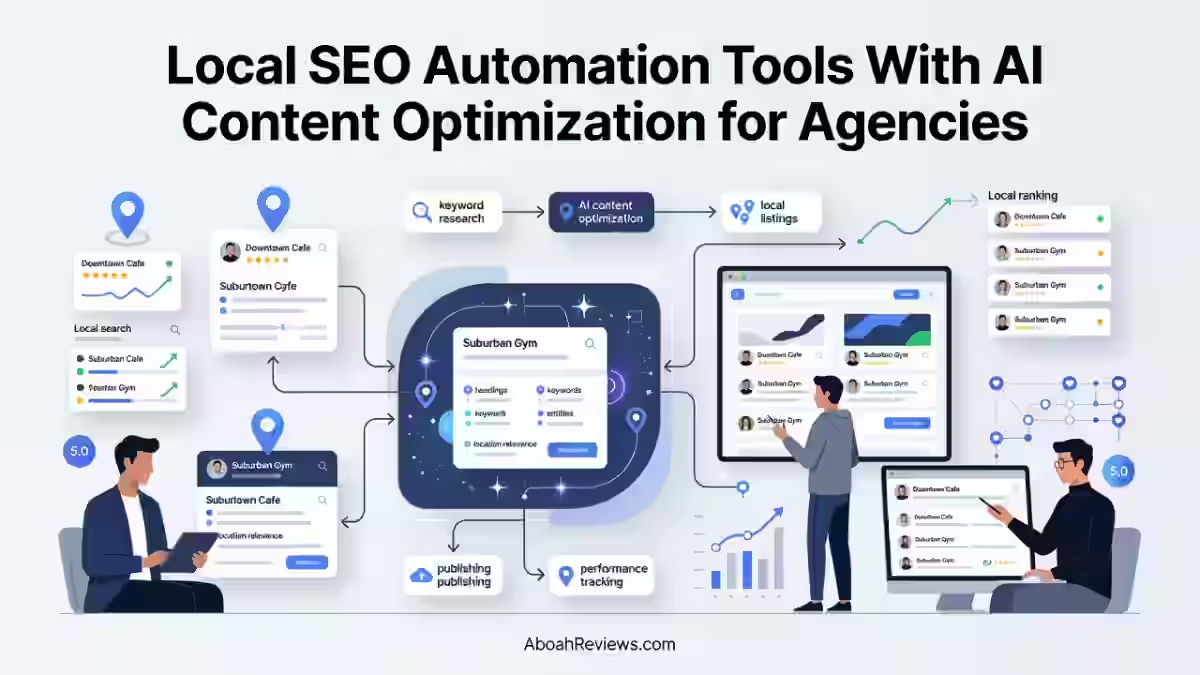
- SEO agencies managing GBP campaigns for 5 to 20+ local business clients simultaneously
- Multi-location businesses that need the same campaign structure replicated across multiple markets
- Service businesses where a Google Maps ranking directly drives phone calls or form submissions
It’s less suitable for purely informational sites, e-commerce at scale, or national brands where local signals are irrelevant to the ranking strategy.
SEO Neo for Content and Blog Automation
Beyond link building, SEO Neo can be used as a content automation platform when connected to OpenAI and your WordPress site. The workflow looks roughly like this:
- Input your target keywords into the content campaign
- SEO Neo prompts OpenAI to generate a draft article
- The draft is reviewed (or not more on this in a moment)
- The article is published to WordPress, either immediately or on a schedule
This is faster than a manual writing workflow. But speed without quality control creates a specific type of problem that I’ve seen across multiple sites, including my own.
The tool can draft the article. Only you can tell whether that draft actually answers the reader’s question in a way that’s useful, original, and worth ranking.
Why Publishing More Content Doesn’t Automatically Mean Better SEO
Publishing volume and ranking ability are not the same thing.
According to Ahrefs’ content research, a significant percentage (96.55%) of published web content gets zero organic traffic at all, regardless of how efficiently it was produced.
Here’s what actually determines whether automated content can rank:
- Search intent match — the article answers what the searcher was actually looking for
- Information gain — the content adds something that isn’t already covered by the top 5 results
- Internal linking — supporting articles connect back to relevant pillar pages
- Topical relevance — the article fits within the site’s established authority areas
- Helpfulness — the reader finishes the article having learned something actionable
None of these things happen automatically. You can produce 100 articles with SEO Neo in a week. If they don’t satisfy these criteria, they’ll sit there accumulating crawl budget without generating impressions, clicks, or conversions.
For a broader look at content automation approaches and their trade-offs, the comparison between autoblogging vs AI blogging is worth reading alongside this guide.
SEO Neo and Backlink Automation
Backlink building is the core of what SEO Neo was built to do. The platform automates the discovery, creation, and submission of links across web properties, cloud blogs, and WordPress-hosted sites.
SEO Neo’s integration with top-tier indexing services like Omega Indexer ensures that your backlinks are indexed quickly, maximizing their impact on your SEO performance.
This integration enables users to use cloud-staking strategies, potentially boosting their search engine rankings by diversifying their backlink profile with cloud-hosted content.
In practice, a typical SEO Neo backlink campaign involves:
- Setting your money site as the Tier 1 target
- Choosing cloud blogs or web 2.0 properties as Tier 1 link sources
- Pointing Tier 2 links at the Tier 1 properties to strengthen them
- Submitting all created links to Omega Indexer for faster crawling
Are Automated Backlinks Safe?
Automated backlinks carry real risk, and anyone telling you otherwise is selling something.
Many typical SEO Neo campaigns overlap with black-hat or aggressive gray-hat SEO because they automate links for ranking purposes. Direct automated-link campaigns carry significant risk, particularly for valuable business or client websites.
Google’s documentation on link spam is clear: links created primarily for ranking manipulation violate their policies, regardless of whether they’re created manually or through software.
That doesn’t mean no one uses automated links or that they never work. It means:
- The risk is real and disproportionately high for sites you can’t afford to lose
- Automated link quality is inconsistent. Cloud blogs can help diversify links but carry some risk, and AI content usually needs editing.
- Manual review of link placement, anchor text, and source quality is not optional if you care about longevity
- Tiered link structures are higher risk for newer sites with thin authority profiles
If you’re running client campaigns, I’d treat SEO Neo’s automated backlink features as supplementary to editorial link building, not as a replacement for it.
SEO Neo vs Manual SEO
Here’s how a typical SEO campaign compares when run manually versus through SEO Neo’s automation workflow:
Factor | Manual SEO | SEO Neo Automated Workflow |
|---|---|---|
Keyword research | 4 to 8 hours per project | Partially assisted, still needs human input |
Content production | 2 to 4 hours per article | 15 to 30 minutes with AI draft + review |
Publishing to WordPress | 20 to 40 minutes per article | Under 5 minutes with automated publishing |
Backlink outreach | 3 to 6 hours per week | Automatable, but quality review needed |
Campaign monitoring | Daily manual checks | Automated ranking tracking built in |
Scalability | Limited by team capacity | Higher with automation |
Strategic decisions | Human | Human — automation doesn’t replace this |
Quality control | Human | Requires active human oversight |
Risk level | Lower (if done correctly) | Higher if automated links are used aggressively |
Where automation clearly helps: repetitive, volume-dependent tasks like publishing, metadata, scheduling, and backlink submission.
Where humans remain essential: strategy, quality review, intent matching, brand positioning, and anything where a mistake has a significant cost.
Benefits of the SEO Neo Automation Process
1. Reduced Repetitive Work
The most immediate benefit is time. Tasks that previously required logging into multiple tools, such as content drafting, publishing, backlink submission, and indexing, happen from one interface.
For a solo SEO consultant managing 5 to 10 sites, that alone can save 8 to 12 hours per week.
2. Faster SEO Execution
Campaigns that used to take a week to set up can be configured in a few hours inside SEO Neo.
The diagram templates especially accelerate the planning phase, so you’re not starting from a blank page each time.
3. Greater Workflow Consistency
When you’re running campaigns manually across multiple sites or clients, small inconsistencies add up.
Automation enforces the same process every time, which matters for agencies where quality needs to be predictable.
4. Easier Scaling
Adding a new site to your workflow doesn’t require hiring another person. You duplicate the campaign structure, adjust the target URLs and keywords, and run the same sequence.
Effective SEO automation deploys intelligent software to handle repetitive tasks, such as keyword research, technical scans, and content optimizations.
These tools pull data directly from your analytics and CMS, creating a smooth-running SEO workflow that shifts your team’s focus from manual labor to strategic growth.
5. Centralized SEO Operations
Having content creation, publishing, backlink management, GBP tracking, and reporting in one platform reduces tool-switching and the context-loss that comes with it. Especially for agencies, this centralization matters.
6. Lower Tool-Management Overhead
Running a full manual SEO stack typically involves 5 to 8 separate tools: a keyword tool, a content brief tool, a writing tool, a publishing tool, a rank tracker, a backlink tool, and a reporting tool. SEO Neo consolidates several of these, though it doesn’t fully replace all of them.
Limitations and Risks of SEO Neo Automation Process
No tool section is complete without an honest look at what can go wrong. Here’s what I’ve either experienced directly or seen consistently in community discussions:
- Automation errors: Automated campaigns can publish to wrong URLs, submit links with incorrect anchor text, or miss metadata fields if the configuration isn’t double-checked before running.
- Inaccurate AI-generated content: OpenAI-generated content can contain factual errors, especially in specialized niches like health, finance, or law. Publishing this without review is a serious E-E-A-T risk.
- Over-publishing: Producing more content than your site’s topical authority can support leads to index bloat, thin content penalties, and wasted crawl budget.
- Backlink quality variance: Cloud blogs indexed quickly in tests, but link quality was mixed. Some platforms had good DA, others seemed redundant.
- Third-party dependencies: SEO Neo relies on OpenAI, Article Forge, Omega Indexer, and CAPTCHA services. If any of those APIs change pricing, limits, or policies, your campaign workflow is affected.
- Technical configuration overhead: The vendor recommends eight CPU cores, 16 GB of RAM, and an NVMe SSD for running the software effectively. This is a desktop application, not a cloud-based SaaS tool, which adds its own infrastructure considerations.
- No refund policy: Its current public license agreement states that all sales are final and refund requests will not be honored. Test the free trial thoroughly before committing to an annual plan.
When Manual SEO Is Still Better
Manual SEO remains the better choice in these situations:
- Highly regulated industries (healthcare, legal, financial) where inaccurate content carries real liability
- Reputation-sensitive brands where a single poor-quality automated post can cause public relations issues
- Major enterprise websites where technical SEO complexity requires human audit and oversight
- Complex technical SEO like JavaScript rendering, crawl budget optimization, or site migrations
- Strategic digital PR and editorial link building where relationship quality determines link value
- High-value commercial pages like product pages, service pages, and landing pages where conversion rate matters more than publishing speed
How to Set Up an SEO Neo Campaign

Here’s a step-by-step sequence for getting your first campaign running without making the most common setup mistakes.
Step 1: Define Your Website and Goals
Before opening SEO Neo, write down:
- The primary URL you’re trying to rank
- The top 3 to 5 keywords you’re targeting first
- The conversion goal for each keyword (call, form, purchase)
- Your current ranking position for each keyword
Step 2: Configure Your SEO Tools and Integrations
Set up your API connections inside SEO Neo:
- OpenAI API key for content generation
- Omega Indexer account for backlink indexing
- CAPTCHA service (2Captcha or CapMonster) for automated link building
- WordPress credentials for the sites you’re publishing to
- Cloud service API keys (Azure, Google Cloud, etc.) if using cloud blogs
Step 3: Set Up Keyword and Content Campaigns
- Import your prioritized keywords
- Group them into clusters (one cluster per pillar topic)
- Use the diagram editor to map out the content structure
- Assign internal linking paths before creating any content
Step 4: Configure Publishing
- Connect your WordPress site(s)
- Set publishing schedule (I recommend 3 to 5 posts per week max per site initially)
- Review the first 5 published articles manually before setting scheduling to run fully automatically
Step 5: Configure Link-Building Workflows
- Choose a diagram template appropriate for your campaign type (local, general organic, tiered)
- Set anchor text ratios: no more than 20% exact-match anchors; mix branded, partial-match, and generic
- Start conservatively — 10 to 20 links per day rather than hundreds — until you see how your site responds
Step 6: Review the First Outputs
Before scaling anything:
- Read every piece of AI-generated content before it goes live
- Check that internal links are pointing to the right pages
- Verify that published URLs are correct and indexable
- Review the first batch of backlinks for source quality
Step 7: Monitor Performance and Adjust
- Check Google Search Console weekly for impressions, clicks, and indexing status
- Use SEO Neo’s ranking module to track position changes
- After 30 days, review which content is getting impressions but not clicks (title/meta fix), and which content is getting clicks but not converting (page optimization needed)
First-Campaign Checklist:
How to Measure Whether SEO Neo Is Working
Ranking movement is the most visible signal, but it’s not enough to tell you whether the platform is generating value.
Track these metrics across two categories:
SEO metrics (from Google Search Console + SEO Neo):
Metric | What to Track | Review Frequency |
|---|---|---|
Indexed pages | How many pages are actually in the index | Monthly |
Impressions | How often your pages appear in search | Weekly |
Clicks | How many searchers actually visit | Weekly |
Average position | Where you rank for target keywords | Weekly |
Referring domains | New domains linking to your site | Monthly |
Content-level CTR | Click-through rate per page | Monthly |
Business metrics (from GA4 + CRM):
Metric | What to Track | Review Frequency |
|---|---|---|
Organic traffic | Sessions from Google | Weekly |
Conversions | Form fills, calls, purchases | Weekly |
Revenue or leads | Dollar value or lead count | Monthly |
Cost per lead | SEO Neo cost / leads generated | Monthly |
SEO Metrics vs Business Metrics
Ranking high doesn’t automatically mean winning.
A page ranking #3 for a keyword but generating zero leads may be less valuable than a page ranking #8 that produces 15 qualified inquiries per month. Always tie ranking data back to a business outcome.
The most meaningful SEO metrics are the ones tied directly to business outcomes, not ranking positions in isolation.
That principle applies whether you’re running campaigns manually or through a platform like SEO Neo.
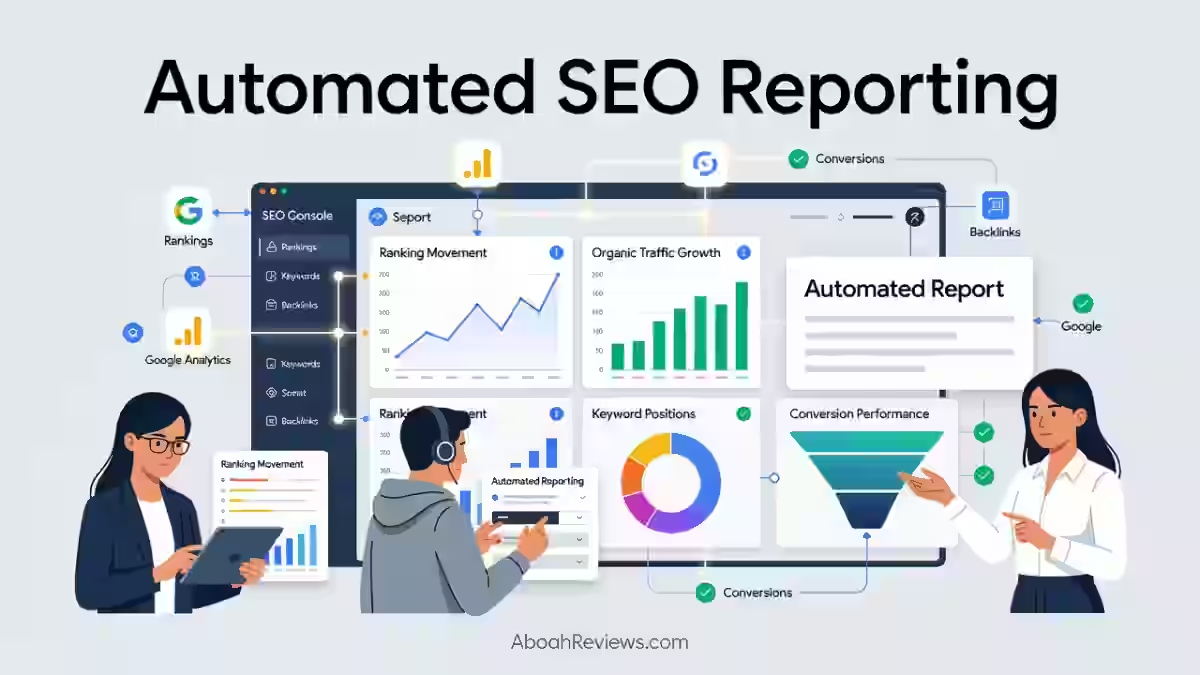
If you want a broader framework for tracking SEO performance across automated workflows, the automated SEO reporting guide covers the specific metrics and reporting structures worth implementing.
SEO Neo and AI Search in 2026
Here’s something SEO Neo doesn’t currently handle well, and it’s worth knowing before you invest: AI search visibility.
According to a 2026 report from Search Engine Journal, approximately 37% of U.S. adults now use AI chatbots as their primary search tool at least once per week.
Platforms like ChatGPT, Google Gemini, Perplexity, and Claude don’t just link to websites; they synthesize answers and recommend brands directly.
Tracking visibility in AI tools like ChatGPT, Perplexity, and Gemini, as well as monitoring for Google’s AI Overviews, is increasingly important. SEO Neo is currently blind to this local AI ecosystem.
That’s a meaningful gap if AI search is part of your traffic strategy in 2026.
Does Traditional SEO Still Matter for AI Search?
Yes, with nuance. Google AI Overviews still pull largely from pages that rank well in traditional organic search. ChatGPT and Perplexity also tend to cite authoritative sources that have strong backlink profiles and clear content structures.
So the core SEO fundamentals that SEO Neo helps with (content, links, technical signals) still matter for AI visibility.
What’s different is how the content needs to be structured to be cited in AI-generated answers.
How to Make Automated Content More Useful for AI Search
If you want AI systems to cite your content:
- Lead with a direct answer — the first sentence under any subheading should answer the question in that heading without preamble
- Use structured content — clear H2/H3 hierarchy, bullet lists, and tables make it easier for AI to parse and extract
- Include factual, verifiable statements — AI systems prefer citing content with specific data, not vague claims
- Write concise explanations — AI Overviews tend to pull short, self-contained paragraphs rather than long narrative sections
- Add original insights — review your own experience, quote real outcomes, or include data that isn’t already in the top 10 results
For a closer look at how automated content can be structured for AI search engines and generative platforms, the generative engine automation guide covers the technical and structural requirements worth knowing.
Common SEO Neo Automation Mistakes to Avoid
These are the ones I’ve made or watched others make, and they’re all avoidable:
- Automating before developing a strategy — running campaigns without clear keyword targets or content structure leads to scattered, low-value output
- Publishing too much low-value content — volume doesn’t compensate for thin, unhelpful articles
- Ignoring search intent — ranking for “what is X” when your page is trying to sell X to someone who already knows what X is
- Skipping human review — treating AI-drafted content as final content is the single most common mistake
- Automating backlinks indiscriminately — running aggressive link campaigns without reviewing source quality, anchor text ratios, or link velocity
- Ignoring technical SEO — SEO Neo doesn’t audit your site’s crawlability, page speed, or schema markup
- Measuring rankings instead of conversions — a ranking that doesn’t produce leads or revenue isn’t working
- Failing to update underperforming content — automated publishing doesn’t include automated content refreshing; old posts need manual review cycles
- Treating AI content as finished content — every piece that comes out of OpenAI needs a human read before publishing
- Assuming automation guarantees rankings — no tool does. Rankings come from relevance, authority, and quality, not from automation itself
SEO Neo Pricing
The two payment packages that are available are $149 per month and $1,499 per year. That works out to roughly $124.90/month on the annual plan, saving about 16% compared to monthly billing.
At its current price, SEO Neo is significantly more expensive than many older desktop backlink tools. Factor in additional costs for:
- OpenAI API usage — billed separately based on tokens used
- Article Forge — separate subscription if used for content spinning
- Omega Indexer — indexing credits billed separately
- Proxies — recommended for link-building campaigns, additional monthly cost
- CAPTCHA solving services — 2Captcha or CapMonster, typically 5 to 15/month depending on volume
Realistically, a fully operational SEO Neo setup can run between $180 and $300/month when all connected services are included.
SEO Neo’s website displays “Try for FREE Today!” However, its publicly accessible pages do not clearly state the trial terms. All sales are final, and the company will not honor refund requests.
A free trial and a refund guarantee are not the same thing. Use whatever free access is available to fully test the platform before committing to an annual plan.
Plan | Monthly Cost | Annual Cost | Savings |
|---|---|---|---|
Monthly | $149/month | — | — |
Annual | ~$124.90/month | $1,499/year | ~16% |
Refund policy | No refunds | No refunds | — |
Free trial | Advertised but terms unclear | — | — |
Final Takeaway
The SEO Neo automation process is a genuinely capable platform for SEO professionals and agencies who want to run link-building and content campaigns at scale without stitching together a dozen separate tools.
Its GBP module, cloud blog system, diagram-based campaign builder, and WordPress integration are real differentiators from older tools in the same category.
It’s also a platform that can cause real damage to real sites if you run automated backlink campaigns without understanding the risks, publish AI-generated content without editorial review, or treat ranking movement as the only measure of success.
If you’re an agency managing local business clients, a freelance SEO handling 5 to 15 sites simultaneously, or an in-house team trying to scale content production without headcount growth, SEO Neo is worth a serious look.
If you’re a beginner with one site and no SEO background, spend time on fundamentals first. Whatever your team size, the principle is the same: use the automation to handle execution, keep the thinking human.
The best workflows I’ve seen with tools like this are ones where the SEO specialist spends less time on repetitive tasks and more time reviewing outputs, adjusting strategy, and connecting rankings to business outcomes.
Have you used SEO Neo in production? Drop your experience in the comments.
Frequently Asked Questions About SEO Neo Automation Process
What is SEO Neo?
SEO Neo is automated backlink software that employs advanced AI and machine learning algorithms to automate the creation of high-quality backlinks on authoritative websites. It manages various types of web properties, including Web 2.0 blogs, cloud blogs, and self-hosted WordPress sites. It was built by Stealth Code Ltd., the creators of SEO Autopilot.
What does SEO Neo automate?
SEO Neo automates backlink creation, cloud blog generation, content drafting (via OpenAI and Article Forge), WordPress publishing, backlink indexing, and GBP ranking tracking. It does not automate SEO strategy, technical site audits, conversion optimization, or content quality review.
Is SEO Neo an SEO tool or an SEO automation platform?
SEO Neo is best described as an SEO automation platform with a primary focus on link building. It includes content and publishing automation as supporting features, but its core workflow is built around creating and managing backlinks at scale through tiered campaign structures.
Can SEO Neo automate content publishing?
Yes. SEO Neo integrates directly with self-hosted WordPress sites and can publish, schedule, and manage articles without manual WordPress access. Human review of content before publishing is still strongly recommended.
Does SEO Neo work with WordPress?
For users who prefer hosting their own websites, SEO Neo provides integration with WordPress. This feature allows for easy customization and management of self-hosted WordPress sites, giving users control over their content and SEO strategies. It works with self-hosted WordPress installations, not WordPress.com hosted accounts.
Can SEO Neo help with local SEO?
SEO Neo includes some very powerful and unique features for local SEO, including tracking your GBP rankings using the GBP module and using wizards like GBP Blast and GBP Sniper to boost your local business rankings. It’s one of the few link-building tools that includes dedicated Google Business Profile optimization tooling.
Does SEO Neo build backlinks?
Yes. Backlink building is SEO Neo’s primary function. It automates link creation across web 2.0 properties, cloud blogs, and WordPress-hosted sites using multi-tier campaign structures. All sales are final per the license agreement, so test the platform thoroughly before purchasing.
Is SEO Neo suitable for beginners?
SEO Neo is accessible, and if you face any issues, there is content specifically made to help users. Right within the software, there is a module called Learn SEO Neo that has videos explaining all of the basics. That said, the concepts behind tiered link building, anchor text ratios, and cloud staking require some SEO background to apply safely. Beginners with no SEO experience should build foundational knowledge first.
Does SEO automation replace an SEO specialist?
No. Automation handles repetitive execution tasks. An SEO specialist is still needed for strategy, keyword prioritization, content quality review, technical audits, performance analysis, and client communication. The tool removes busywork, not judgment.
How long does SEO automation take to produce results?
Most SEO campaigns, automated or otherwise, take 3 to 6 months to show meaningful ranking movement for competitive keywords. Lower-competition local keywords can show movement in 4 to 8 weeks. Backlink campaigns may show indexing within days, but ranking impact typically lags by 4 to 12 weeks depending on the site’s existing authority and the quality of links built.

- HighSoftware99 Review 2026: Is It Legit or a Risk to Your Website? - October 21, 2026
- SEO Instant Appear HighSoftware99.com: Full Breakdown - October 18, 2026
- SEO by HighSoftware99.com: My Honest Independent Fact-Check for 2026 - October 18, 2026