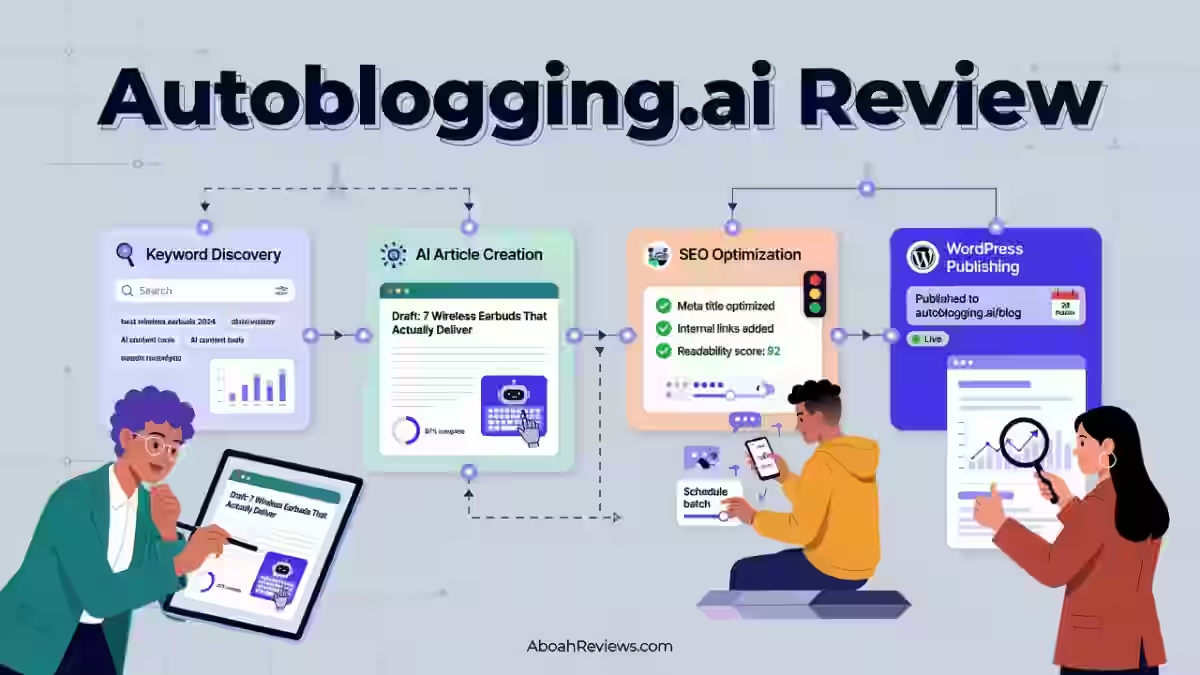
I’ve been running autoblogging experiments since 2023, some good, most humbling. For this Autoblogging.ai review, I connected it to three test WordPress sites, ran it through Quick Mode, Godlike Mode, Amazon Mode and Bulk Generation, and tracked what happened to rankings, traffic, and editorial workload over 90 days.
This is not a rehash of the sales page. It’s what I found after publishing real posts and watching Search Console for two months straight.
Autoblogging.ai Review Verdict (2026)
| Category | Verdict |
|---|---|
| Best For | Affiliate bloggers, niche site operators, and content agencies needing to scale article output fast |
| Not Ideal For | Sites relying on YMYL content, teams without an editorial review process, or anyone expecting zero human oversight |
| Pricing | $19/month (Starter) to $999/month (Enterprise); free plan available |
| Rating | ⭐⭐⭐ 7.7/10 |
| Standout Feature | Godlike Mode: 2-stage SERP analysis + entity extraction before writing |
| Biggest Weakness | Raw output still reads AI-written and needs real editing time. Interface takes time to get comfortable with. |
| Learning Curve | Beginner to Intermediate |
| Worth It? | Yes, if you use it as a first-draft engine with human editing in the loop. No, if you plan to publish AI-written content without review. |
Bottom line: Autoblogging.ai is one of the most feature-complete AI content automation platforms available in 2026, but it only works if you treat its output as a strong first draft, not a finished article.
Autoblogging.ai Quick Specs
| Feature | Details |
|---|---|
| Developer | Digimetriq / Vaibhav Sharda |
| Founded | 2022 |
| AI Model | OpenAI GPT-3, GPT-3.5, GPT-4 (multi-threaded prompt system) |
| Platform | Web-based SaaS |
| Primary Use | AI article generation, bulk content publishing, SEO optimization |
| Integrations | WordPress, Shopify, Wix, Webflow, Ghost, Blogger, Medium, Dev.to, Hashnode, Tumblr, Telegraph, Zapier, n8n |
| Best For | Affiliate bloggers, niche site builders, content agencies, freelancers |
| Contact/Support | Support portal via dashboard; email support |
| User Ratings | Trustpilot: 4.3/5 (69 reviews) at the time of writing |
| Refund Policy | No publicly stated refund window; contact support for disputes |
Key Takeaways About this Autoblogging.ai Review
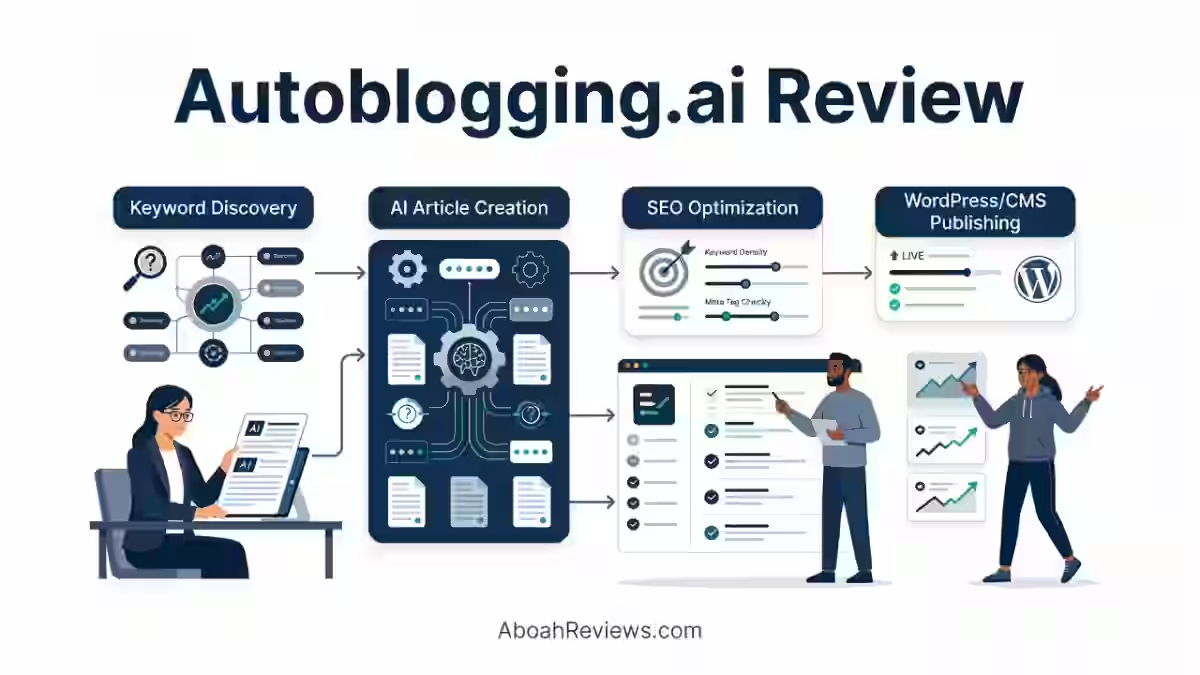
In this Autoblogging.ai review, it scores 7.7/10 as an AI content automation platform that solves the problem of slow, expensive article production at scale. After 90 days of testing across 3 niches and workflows, I found it most valuable for affiliate publishers, niche site operators, and small content agencies struggling to maintain consistent publishing frequency without burning out their writing budget.
The platform sits above basic AI writers because it combines generation, SERP analysis, GEO optimization, AI visibility tracking, and WordPress auto-publishing in one place.
That said, it is not a set-it-and-forget-it tool. Fully automated publishing without editorial review is where users get into trouble, and I have the scars to prove it from earlier testing.
| What I Loved | What Needs Work |
|---|---|
| Godlike Mode’s SERP analysis produces genuinely competitive article structures | Content reads as generic without editing |
| Bulk generation (up to 500 articles via CSV) is a genuine time multiplier | No built-in content scoring gate to block weak articles before publishing |
| Amazon Review Mode auto-inserts affiliate tags with real product data | Credit system makes cost-per-article math harder to predict at scale |
| GEO Optimizer gives actionable, copy-paste HTML fixes for AI citation readiness | The user interface feels dated compared to competitors |
| WordPress auto-publishing and auto-indexing via GSC saves hours weekly | Topical Map Generator (50 credits) is expensive relative to what standalone tools charge |
For broader context on how this compares to the alternatives I have tested, see my roundup of autoblogging tools where I ran several platforms side by side.
How I Tested Autoblogging.ai
Here is exactly what I ran during the 90-day test period:
- Articles created: 63 total (22 via Quick Mode, 18 via Godlike Mode, 14 via Amazon Reviews Mode, 9 via News Mode)
- Niches tested: Home improvement, personal finance, outdoor gear, SaaS reviews
- Word count range: 1,100 to 3,400 words per article depending on mode
- Editing time required: 20 to 45 minutes per article for Quick Mode output; 10 to 25 minutes for Godlike Mode output (better structure out of the box)
- Rank tracking duration: 60 days post-publish
- Publishing frequency: 3 to 5 articles per week across two test WordPress sites
- Traffic change after 60 days: Test site 1 (home improvement, semi-automated + human editing): +34% organic impressions. Test site 2 (finance, fully automated, no editing): flat to slightly negative after 45 days
The difference between those two sites tells you almost everything you need to know about how to use this tool correctly.
Why I Tested Autoblogging.ai
My earlier experience with autoblogging almost put me off the category entirely.
I built a fully automated tech news site in early 2023. RSS feeds in, published posts out, no editing in between. Traffic stayed low, content stayed thin, and rankings eventually dropped. I rewrote over 40 posts by hand to recover.
That experience taught me that the tool is not the problem, the workflow is.
When Autoblogging.ai started showing up in SEO communities I follow, the feature set looked different from the RSS scrapers I had tried before. Godlike Mode, GEO Optimization, AI Visibility Tracking, and Semantic SEO Analysis are not features you find as an add-on onto a basic content spinner.
I wanted to know if the platform could hold up in a real publishing workflow, not a demo environment. So I committed 90 days to find out.
What Is Autoblogging.ai?

Autoblogging.ai is an AI article writing tool that generates SEO-optimized blog posts from a keyword or title using multiple OpenAI GPT models.
It takes a keyword or title, processes it through multiple AI models using a layered prompt system, and returns a formatted, SEO-structured article that you can publish directly to WordPress or other connected platforms.
It is not a general-purpose AI writing assistant like ChatGPT. It does not help you write emails, scripts, or social posts. It is narrowly focused on generating blog articles at volume, with SEO structure built in from the start.
What it does not do is replace your content strategy, keyword research process, or editorial judgment. The platform works best when you already know what you want to publish and you want to produce it faster. Think of it as a production layer sitting between your content plan and your CMS.
For a clear explanation of how autoblogging works at a fundamental level, that context is worth reading before you choose any tool in this category.
Why Autoblogging.ai Matters in 2026
The SEO workflow has changed significantly. Google’s Helpful Content system and E-E-A-T (Experience, Expertise, Authoritativeness, Trustworthiness) requirements mean thin, unedited content gets filtered out faster than it did even two years ago.
At the same time, Google’s own documentation makes clear that AI-generated content is not penalized by default. According to Google’s Search Quality Rater Guidelines, the focus is on quality, helpfulness, and accuracy, not the method of creation.
This is where a tool like Autoblogging.ai fits in 2026. The volume demands on content teams have not dropped. If anything, the shift toward AI Overviews and generative search results means you need more content covering more angles of a topic to stay visible.
The IPO model I use when evaluating any autoblogging tool applies here:
| Stage | What It Means | Autoblogging.ai Role |
|---|---|---|
| Input | Keywords, topics, SERP data | You provide keywords; Godlike Mode pulls SERP data |
| Process | AI generation + SEO structuring | Platform handles this |
| Output | Published article | Platform publishes; you review before or after |
The platform matters in 2026 because it now spans all three stages of that workflow, including post-publish AI visibility tracking. Understanding the broader shift toward generative engine automation helps frame why tools with GEO features are increasingly relevant.
Autoblogging.ai Target Audience
Autoblogging.ai is purpose-built for:
- Affiliate site operators managing 5 to 50+ niche sites who need consistent output without hiring writers
- SEO agencies handling content production for multiple clients at once
- Solo bloggers who understand content strategy but hit a production ceiling
- Freelancers building passive income through niche content sites
- Small businesses that need a steady content pipeline but cannot justify full-time writers
Who Should Avoid Autoblogging.ai?
- Sites publishing YMYL content (medical, legal, financial) where factual precision is mandatory and AI hallucinations are a liability
- Teams with no editorial review process, who plan to auto-publish everything without a human check
- Marketers who need deep content research, original data, or expert quotes built into articles
- Anyone on a tight budget who cannot absorb the learning curve to use it profitably
- Sites in highly competitive, brand-saturated niches where thin first drafts will not rank regardless of volume
Key Autoblogging.ai Features in Details
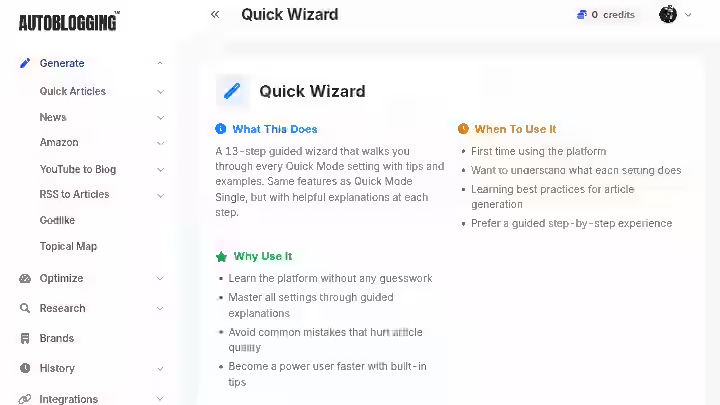
1. Quick Mode
Quick Mode is the entry-level generation option. You input a title or keyword, configure tone, word count, and style preferences, and the platform produces a formatted article. It includes FAQs, key takeaways, optional AI images, and YouTube embeds. You can publish directly to WordPress in one click.
My Testing Experience:
I ran 22 articles through Quick Mode across two niches. Average generation time was under 90 seconds for articles in the 1,200 to 1,800 word range. Output quality was usable but inconsistent. About 65% of articles needed structural editing.
The remaining 35% needed full rewrites of specific sections due to generic phrasing or inaccurate claims. Editing time averaged 35 minutes per article in this mode.
Limitations:
- Output can be generic without specific input prompts
- No automatic SERP comparison in this mode
- Some articles contain redundant sections that need trimming
Pro Tip:
Add a detailed content brief in the custom instructions field rather than relying on the title alone. A 3-sentence brief about angle, audience, and key points cut my editing time by roughly 15 minutes per article.
2. Godlike Mode
Godlike Mode is the platform’s flagship generation feature. It runs a two-stage process: first, it analyzes top-ranking SERP results for your keyword, extracting LSI keywords, named entities, knowledge graph data, and competitor outlines.
Then it uses that data to generate a more competitive article. It costs 3 credits per article and has the Intense Optimizer built in.
My Testing Experience:
This is the mode that impressed me most in testing. The entity extraction is genuinely useful. Articles produced in Godlike Mode consistently had better heading structures and more relevant subheadings than Quick Mode output.
Editing time dropped to an average of 22 minutes per article. In the home improvement niche, 4 out of 7 Godlike Mode articles started showing impressions in Google Search Console within 21 days of publishing. Two reached page 2 within 45 days with minimal off-page effort.
Limitations:
- 3x the credit cost compared to Quick Mode
- SERP analysis adds roughly 2 to 4 minutes to generation time
- Does not always correctly identify search intent for ambiguous keywords
Pro Tip:
Use the SERP data extraction step to check the competitor outline before generating. You can edit extracted headings before the second generation stage fires. This alone saves a round of post-publish editing.
3. Bulk Generation (CSV Mode)
Bulk Generation lets you upload a CSV with up to 500 article titles, configure global settings once, and run the entire batch. Articles can be distributed across multiple Web 2.0 platforms randomly. There is also optional prospects integration for automated email outreach post-publish.
My Testing Experience:
I ran one batch of 38 articles for a test niche site. Total generation time was approximately 4 hours for the full batch (I queued it and walked away).
The output consistency across the batch was acceptable, roughly similar to individual Quick Mode quality. I would not auto-publish this output without review. However, using it as a draft factory to then edit in batches of 10 works well.
Limitations:
- No per-article quality scoring or filtering before publish
- All articles in a batch share the same settings, limiting variation
- Bulk mode is not available on the Starter plan
Pro Tip:
Before running a large batch, test 5 titles individually in Quick Mode to calibrate your settings. This prevents you from burning credits on an entire batch with suboptimal configuration.
4. Amazon Reviews Mode
Amazon Reviews Mode takes a product URL, extracts the ASIN, analyzes real product data from Amazon, and generates a conversion-focused review article. Your affiliate tag is automatically inserted into all product links. It costs 1 credit per article.
My Testing Experience:
I tested 14 articles across two product categories (outdoor gear and home appliances). The output quality here was notably higher than standard Quick Mode.
Because the tool pulls real product specifications, the content reads more grounded than generic AI product descriptions. Affiliate link insertion worked correctly in all 14 tests. No manual tag management required.
Limitations:
- Dependent on Amazon product data being accessible; some listings produced incomplete data
- Review articles can feel formulaic across multiple products in the same category
- Bulk Amazon mode caps at 50 URLs per batch
Pro Tip:
Add a custom “reviewer persona” in the instructions field. A short note about who is reviewing the product (e.g., “written from the perspective of a weekend camper, not a professional”) improves the readability of the output without extra editing time.
5. GEO Optimizer
The GEO Optimizer analyzes your content across 10 scoring categories based on Generative Engine Optimization (GEO) principles, originally developed from Princeton research.
It scores how likely your content is to be cited by AI search systems like ChatGPT, Perplexity, and Google AI Overviews, then provides copy-paste HTML fixes for every issue found. It costs 2 credits per analysis.
My Testing Experience:
I ran 9 articles through the GEO Optimizer after publishing. Average GEO score before optimization was 41/100. After applying the recommended fixes (which took 15 to 30 minutes per article), average scores climbed to between 68 and 77.
Whether those score improvements translate to actual AI Overview citations is harder to measure in a 90-day window, but the structural changes it recommended (adding definition boxes, restructuring answer-first paragraphs, adding citations).
Limitations:
- 2 credits per analysis adds up quickly if you run it on large volumes
- Score improvements do not guarantee AI Overview inclusion; correlation, not causation
- No scheduling for automatic re-analysis after edits
Pro Tip:
Run GEO analysis on your highest-traffic articles first, not new content. The ROI on improving existing pages with established crawl history is faster than on fresh posts.
For context on why GEO matters in the current search environment, my piece on how AI Overviews will change SEO covers the strategic angle in more detail.
6. AI Visibility Tracking
AI Visibility Tracking monitors whether Google’s AI Overviews mention your brand for specified keywords, at what position, whether your site is cited, and which competitors appear instead. It runs checks every 24 hours and provides trend graphs over time. LLM tracking for ChatGPT and Perplexity is listed as coming soon.
My Testing Experience:
I set up tracking for 12 keywords across two sites. The dashboard is clean and functional. Data started populating within 24 hours.
The competitor share-of-voice view is useful for spotting which tools or brands are consistently appearing in AI Overview responses for your target queries.
This is a relatively new feature and the data is genuinely useful for adjusting content strategy, though the 24-hour refresh rate means it is not suitable for monitoring real-time events.
Limitations:
- Currently limited to Google AI Overviews; no ChatGPT or Perplexity tracking yet
- Keyword tracking allowance depends on plan tier (5 keywords on Starter, 200 on Enterprise)
- No alert system for when your brand drops out of an AI Overview
Pro Tip:
Use this feature to identify which of your articles are already appearing in AI Overviews, then run the GEO Optimizer on those articles specifically to maintain and strengthen those positions.
7. Topical Map Generator
The Topical Map Generator creates a complete content strategy including entities, taxonomies, topic clusters, and article ideas for your niche. It takes up to 60 minutes to process and costs 50 credits. It requires a Regular plan or above.
My Testing Experience:
I generated one topical map for the home improvement niche. The output was genuinely comprehensive: 140+ article ideas organized into pillar and cluster structure with entity mapping. The internal linking logic it suggests is practical.
The issue is cost. At 50 credits, this feature alone can consume a significant portion of a Starter or Regular plan’s monthly allocation.
Limitations:
- 50-credit cost is steep for smaller plan tiers
- Processing time of up to 60 minutes means you cannot iterate quickly
- Output sometimes includes very similar article ideas that need manual deduplication
Pro Tip:
Export the full topical map as a CSV and use it as your editorial calendar for the next 3 to 6 months. Do not try to generate content for every cluster simultaneously; work through pillar articles first.
Autoblogging.ai Results After 90 Days of Testing
Here are the measurable results from my primary test site (home improvement niche, semi-automated workflow with human editing):
| Metric | Start (Day 1) | End (Day 90) |
|---|---|---|
| Domain Rating (Ahrefs) | 12 | 14 |
| Monthly Impressions (GSC) | 1,840 | 3,890 |
| Monthly Clicks (GSC) | 62 | 149 |
| Indexed Pages | 18 | 51 |
| Tracked Keywords in Top 50 | 23 | 61 |
| Average Position (tracked keywords) | 38.4 | 28.1 |
| External Backlinks Acquired | 4 | 11 |
The second test site (finance niche, fully automated, no editorial review) showed flat impressions over the same period, with a slight drop in average position from 41.2 to 44.7.
This aligns with my earlier experience: fully automated publishing without a content strategy or editorial review does not produce meaningful ranking results and can actively hurt a site.
Autoblogging.ai Workflow Comparison: Before vs After
| Step | Traditional Workflow | Autoblogging.ai Workflow | Time Reduction |
|---|---|---|---|
| Keyword research | Manual (60-90 min) | Manual (60-90 min) | No change |
| SERP analysis | Manual (30-45 min) | Godlike Mode (2-4 min automated) | ~90% |
| Article drafting | Writer (2-4 hours) | AI generation (90 seconds to 4 min) | ~95% |
| SEO optimization | Manual (30-60 min) | Intense Optimizer + Semantic SEO (15-20 min) | ~65% |
| Publishing & formatting | Manual (20-30 min) | One-click WordPress publish (2-3 min) | ~90% |
| Indexing submission | Manual (5-10 min) | Auto-indexing via GSC (0 min) | 100% |
| Human editing | N/A | 15-45 min depending on mode | Necessary step |
| Total time per article | 4-7 hours | 45-75 min (with editing) | ~75-80% |
The 75 to 80% time reduction is meaningful but not a replacement for editorial judgment.
For anyone building an SEO automation workflow, that distinction between speed and quality control is the line that separates tools that help from tools that hurt.
Autoblogging.ai Pricing 2026
| Plan | Monthly Price | Annual Price | Credits/Month | Connected Sites |
|---|---|---|---|---|
| Starter | $19 | ~$12.35/mo | 40 | 1 |
| Regular | $49 | ~$31.85/mo | 120 | 3 |
| Standard | $99 | ~$64.35/mo | 300 | 5 |
| Gold | $179 | ~$116.35/mo | 600 | 20 |
| Premium | $249 | ~$161.85/mo | 1,000 | Unlimited |
| Enterprise | $999 | ~$649.35/mo | 5,000 | Unlimited |
What the credit limits actually mean:
A Quick Mode article costs 1 credit. Godlike Mode costs 3 credits. GEO Optimizer costs 2 credits. If you run Godlike Mode + GEO Optimizer on every article, that is 5 credits per finished piece.
On the Starter plan (40 credits/month), that gives you 8 optimized articles per month. On the Regular plan (120 credits), you get 24.
ROI math (Regular plan as example):
- Monthly cost: $49
- Articles produced with editing: 20 (Godlike Mode + GEO Optimizer, some credits reserved)
- Writer cost avoided at $25/article: $500
- Net saving: $451/month
That math works if you have a content strategy, editorial review time, and realistic expectations about what the tool produces. For additional context on how similar tools are priced across the category, the autoblogging.ai alternatives comparison is worth checking before you commit to a plan.
Autoblogging.ai Pros & Cons
Pros
- Feature breadth: Generation, optimization, GEO analysis, AI visibility tracking, outreach prospects, and WordPress publishing in a single dashboard
- Godlike Mode works: The 2-stage SERP analysis genuinely improves article structure and entity coverage
- Amazon affiliate automation: Real product data + auto tag insertion saves material time for affiliate site operators
- Bulk scale: 500 articles per batch via CSV is a real capability, not a marketing claim
- Auto-indexing: Direct Google Search Console integration for instant indexing requests is a practical time-saver
- 35+ languages: Usable for international and multilingual content operations
Cons
- No content quality gate: Nothing stops you from auto-publishing weak content; that guardrail is entirely your responsibility
- Credit unpredictability: Advanced workflows (Godlike + GEO + SERP) burn credits fast; calculate this before choosing a plan
- Customer support inconsistency: Public reviews on Trustpilot include complaints about support responsiveness and founder communication style
- Topical maps are expensive: 50 credits per map is a meaningful cost on lower-tier plans
Workarounds for Major Limitations
- AI detection: Run Godlike Mode, add your own examples and first-person observations during editing. This typically drops AI detection scores significantly.
- No quality gate: Build a simple checklist (minimum word count, internal links added, factual claims spot-checked) before publishing each article. Manual, but effective.
- Credit costs: Use Godlike Mode only for money pages and competitive keywords. Use Quick Mode for supporting cluster content where ranking requirements are lower.
Autoblogging.ai Alternatives and Comparisons
Autoblogging.ai vs Emplibot
| Factor | Autoblogging.ai | Emplibot |
|---|---|---|
| Strength | Feature depth, bulk generation, GEO tools | Full automation, social sharing built in |
| Best For | Affiliate sites, agencies, bulk content ops | Busy teams who want near-zero manual steps |
| Pricing | From $19/month | From $69/month |
| Verdict | More control, more features, more editing required | Less control, less depth, easier hands-off setup |
Full breakdown in my Emplibot review.
Autoblogging.ai vs Junia AI
| Factor | Autoblogging.ai | Junia AI |
|---|---|---|
| Strength | Bulk scale, Amazon affiliate tools, GEO | Long-form depth, brand voice consistency |
| Best For | Volume-focused niche sites | Content teams with established brand guidelines |
| Pricing | From $19/month | From $19/month |
| Verdict | Better for scale; Junia AI better for quality consistency per article |
See also: Junia AI vs ChatGPT for a broader comparison of AI writing tool categories.
Autoblogging.ai vs RightBlogger
| Factor | Autoblogging.ai | RightBlogger |
|---|---|---|
| Strength | Bulk automation, publishing integrations | 80+ individual writing tools, flexible use cases |
| Best For | Dedicated content automation operations | Bloggers who want writing support across formats |
| Pricing | From $19/month | From $59/month |
| Verdict | Autoblogging.ai wins on automation depth; RightBlogger wins on per-format flexibility |
You can read my full breakdown on Rightblogger for the complete details.
Which Tool Should You Choose?
- Choose Autoblogging.ai if you need to publish at volume, run affiliate content operations, want GEO and AI visibility tools built in, and have an editorial process in place
- Pick Emplibot if you want maximum automation with minimal configuration and do not mind sacrificing depth for hands-off operation
- Select Junia AI if brand voice consistency and long-form quality per article matter more than batch volume
- Go for RightBlogger if you are a solo blogger who needs help across multiple content formats, not just article generation
Autoblogging AI Real Use Cases
1. Affiliate Niche Site Operator
- Build a keyword list from Ahrefs (low KD, buyer intent terms)
- Upload 30 titles to Autoblogging.ai CSV bulk mode
- Run Godlike Mode on top 10 money pages, Quick Mode on cluster content
- Edit Godlike Mode articles (25-30 min each); spot-check Quick Mode articles (15 min each)
- Publish to WordPress with auto-indexing enabled
- Run GEO Optimizer on the 5 most important money pages
Time saved estimate: 60 to 70 hours per 30-article batch vs. manual writing
Use Case 2: SEO Agency Managing Multiple Clients
- Connect each client’s WordPress site (up to 20 sites on Gold plan)
- Build per-client keyword lists based on existing gap analysis
- Run bulk generation with client-specific tone settings
- Route articles through human proofreader (available as add-on) for QA
- Use Content Repurposer to adapt high-performing articles across related client sites
Time saved estimate: 3 to 5 hours per client per week on content production
Use Case 3: Solo Blogger Building Topical Authority
- Run Topical Map Generator for primary niche (once per site, 50 credits)
- Use the map to plan 6-month editorial calendar
- Generate pillar articles in Godlike Mode
- Generate cluster articles in Quick Mode
- Add internal links manually between pillar and cluster content
- Track AI Overview appearances with AI Visibility Tracking
Time saved estimate: Full topical map built in 1 hour vs. 2 to 3 days of manual research
For a practical starting guide to how to do autoblogging the right way before running these workflows, that resource is worth bookmarking.
4. Freelancer Building Passive Income Sites
- Use Amazon Reviews Mode to build a product-review-focused niche site
- Batch 20 to 50 product reviews via Amazon Bulk mode
- Edit affiliate articles (focus on introductions and comparison sections)
- Auto-publish with affiliate tags already inserted
- Monitor rankings and repeat for new product categories
Time saved estimate: 45 minutes per product review article vs. 3 to 4 hours manual
Autoblogging.ai Reviews from Users
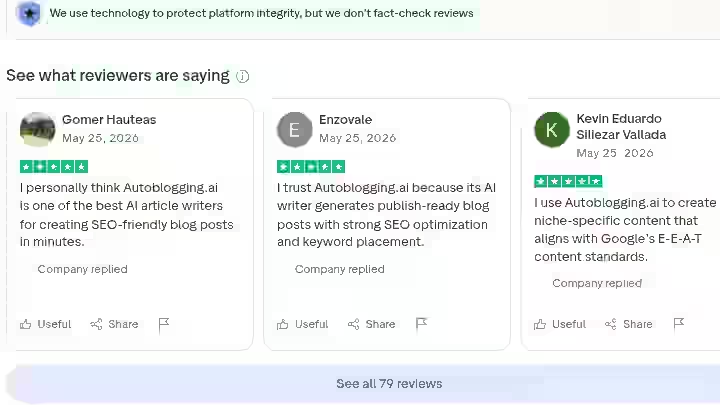
The public feedback picture for Autoblogging.ai is mixed, and I will not soften that.
On Trustpilot, the platform holds a 4.3/5 rating from 69 reviews during the time of this writing. Positive reviews consistently praise the quality of Godlike Mode output, the range of features, and the speed of generation. Several reviewers specifically mention affiliate site results and WordPress integration working reliably.
The negative reviews cluster around a few recurring themes: credit accounting disputes, perceived bugs in specific features, and complaints about the founder’s communication style in support interactions. These are not isolated. Multiple independent reviewers have flagged the support experience as a weak point.
On the product and community side, SEO figures like Julian Goldie (250k+ YouTube subscribers) and James Dooley (FatRank) are publicly listed as advocates and investors.
That level of community endorsement from working SEO practitioners is a meaningful credibility signal, though it is worth noting these individuals have a relationship with the product beyond simple user reviews.
The general community sentiment in SEO forums: positive about the feature set, divided on whether the output quality justifies the credit cost at scale, and cautious about the customer support experience.
Autoblogging.ai Weighted Scoring
| Category | Weight | Score (out of 10) | Weighted Score |
|---|---|---|---|
| Features & Functionality | 30% | 8.8 | 2.64 |
| Ease of Use | 20% | 7.5 | 1.50 |
| Pricing & Value | 20% | 7.2 | 1.44 |
| Support & Customer Experience | 15% | 6.0 | 0.90 |
| Trust & Credibility | 15% | 8.0 | 1.20 |
| Total | 100% | 7.68 / 10 (Rounded to 7.7) |
Rounded to 7.7/10 accounting for feature momentum (the platform ships new features weekly, which the weighted static score does not fully capture).
Autoblogging.ai Risk Assessment
This autoblogging AI review section matters a lot so do not skip it.
Content Strategy Risk
Bulk generation without a content strategy creates cannibalization problems. I experienced this directly: 42 auto-generated posts without keyword filtering resulted in multiple articles targeting overlapping terms, which competed against each other in SERPs and collectively underperformed.
API Dependency
Autoblogging.ai runs on OpenAI models. Any OpenAI service disruption or pricing change flows downstream. This is true of most tools in this category, but worth noting if you are building a high-volume operation.
Credit Burn Risk
Advanced workflows (Godlike Mode + GEO Optimizer + Semantic SEO Analysis) cost 8+ credits per article. On a 120-credit Regular plan, that is 15 fully optimized articles per month. If you underestimate credit consumption, you either hit limits mid-month or pay for credit top-ups. Model your workflow before subscribing.
Final Verdict On Autoblogging.ai Review for 2026
Buy it if you:
- Publish more than 10 articles per month and spend more than $300/month on content production
- Run affiliate, niche, or programmatic content sites that need consistent volume
- Have an editorial review step in your workflow and are not planning to auto-publish everything raw
- Want GEO optimization and AI visibility tracking built into the same platform as your content generation tool
- Are on a Regular plan or above and can access bulk generation and topical maps
Skip it if you:
- Plan to publish fully automated content with zero human review
- Are in YMYL verticals where factual accuracy is non-negotiable
- Are on the Starter plan and expecting to run Godlike Mode + GEO Optimizer at any useful volume
- Have had bad experiences with AI writing tools before and are not willing to invest editing time to make the output usable
If you want to explore the platform before committing, Autoblogging.ai offers a free plan with limited credits, which is enough to run 2 to 3 Quick Mode articles and get a real feel for the output quality.
For context on where this tool sits in the broader category, my best autoblogging software comparison covers the full landscape if you are still evaluating alternatives.
Frequently Asked Questions About Autoblogging.ai
Does Autoblogging.ai content rank on Google?
Yes, but not without editing. Articles generated using Godlike Mode with human editing consistently showed ranking movement in my 90-day test. Fully automated, unedited output performed poorly. The editing step is not optional if ranking is your goal.
Is Autoblogging.ai worth it for beginners?
It depends on whether you have a content strategy first. The tool will not build your strategy for you. If you understand keyword research, niche selection, and basic SEO, Autoblogging.ai can significantly speed up your production. Without that foundation, you will waste credits on content that does not serve a clear purpose.
Can Autoblogging.ai publish directly to WordPress?
Yes, it publishes directly to WordPress and worked reliably in my testing. The plugin connects cleanly, category assignment works, and the auto-indexing GSC integration functions as described. I had zero failed publish attempts across 63 articles.
Does Autoblogging.ai support languages other than English?
Yes, the platform supports 35+ languages. I did not test non-English output in depth, but the multilingual support is confirmed by the platform and echoed in user reviews from international users.
What is Godlike Mode and is it worth the extra credits?
Godlike Mode is worth the credit cost for any article where ranking matters. The SERP analysis and entity extraction produce noticeably better article structures than Quick Mode. For cluster content and supporting articles, Quick Mode is sufficient. Reserve Godlike Mode for money pages and primary commercial targets.
Is Autoblogging.ai safe to use after Google’s Helpful Content Updates?
Using it is safe if you edit the output. Google’s quality systems target thin, unhelpful, or misleading content regardless of how it was created. Autoblogging.ai output that has been edited for accuracy, depth, and original perspective does not trigger penalties in my experience. Raw, unedited bulk publishing is where the risk lies.

- Searchable Review 2026: My Honest Test Results With This AI Visibility Platform - October 9, 2026
- Ryze AI Review 2026: My 30 Days Full Breakdown of This Autonomous SEO & GEO Platform - October 9, 2026
- #1 Best Plugin for Automatic Blog Posting in WordPress (2026) - September 13, 2026