TL;DR: This article covers 10 best SEO automation tools tested and researched for practical use in 2026. It is for SEO professionals, content marketers, agencies, and small business owners who want to reduce repetitive manual work without losing control of quality. The main takeaway: the best tool depends on what you need to automate. No single platform does everything well.
Introduction
Manual SEO at any real scale is a grind. Pulling keyword data, checking rankings, writing content briefs, reviewing technical issues, generating client reports, then doing it all again the following week.
I have done it across multiple websites and the honest truth is that a large portion of that time is not strategic thinking. It is repetitive, low-level work that a well-configured tool can handle more consistently than I can.
That is where the best SEO automation tools actually earn their subscription cost. Not by thinking for you, but by handling the tasks that would otherwise eat hours you could spend on decisions that actually require judgment.
This article compares 10 tools across different automation categories: content automation, rank tracking, technical SEO, AI search visibility and full-workflow platforms. These are not interchangeable tools. They target different problems, different budgets and different team sizes. I will explain who each one is actually for.
Quick Comparison of the Best SEO Automation Tools
Tool | Best for | Key automation feature | Starting price |
|---|---|---|---|
Hands-off content, backlinks, social distribution, AI visibility tracking | Automated article publishing + passive backlink exchange | $97/month (7-day free trial) | |
AI search visibility tracking + content drafting | Tracks brand citations across 9 AI engines + AEO auditing | $125/month (14-day trial) | |
SEOcrawl AI | Technical SEO monitoring + AI visibility | GSC/GA4 unification, AI brand tracking, automated reports | €49/month (14-day trial) |
Automated content growth, Backlinks, Reddit marketing, AI visibility | Automated content drafts + AI search monitoring | $99/month (3-day trial) | |
On-page SEO optimization | GSC-connected on-page recommendations + automation | $59/month | |
Wincher | Rank tracking + automated reporting | Daily keyword rank updates + scheduled PDF reports | $49/month (14-day trial) |
SEO and GEO implementation | Audits, applies fixes with sign-off, AI citation tracking | $89/month | |
Gumloop | Custom no-code SEO workflows | Visual workflow builder for bespoke SEO automations | Free tier available |
Semrush | All-in-one SEO platform | Research, rank tracking, audits, content, AI visibility | $139.95/month |
Surfer SEO | Content optimization scoring | Real-time content editor scored against top SERP results | $119/month |
What Are SEO Automation Tools?
SEO automation tools reduce the repetitive manual work involved in researching, optimizing, monitoring and reporting on search performance. They do not replace strategic thinking; they remove the steps that do not require it.
There is an important distinction worth making before going further. Automation is not the same as AI-assisted recommendations and neither is it the same as AI-generated content.
A tool can automate the delivery of keyword data without using any AI. A tool can generate content using a large language model without automating a single workflow step. The best tools tend to combine both, but they are separate capabilities.
There is also a difference between a standalone SEO tool and a connected workflow.
A keyword rank tracker that reports positions is a standalone tool.
A platform that pulls Search Console data, identifies declining pages, generates optimization recommendations, queues a content rewrite, and pushes a report to your inbox automatically is a connected workflow.
Most tools sit somewhere in the middle.
Common areas where automation adds real value include:
- Technical site audits and issue alerts
- Keyword and ranking monitoring
- Content briefs and on-page recommendations
- Internal linking suggestions
- Report generation
- AI search visibility tracking
Which SEO Tasks Should You Automate?
The tasks below are good candidates for automation because they are repetitive, rule-based and do not require judgment calls each time they run:
- Technical audits and issue alerts: Checking for broken links, crawl errors, missing metadata, redirect chains and indexation problems does not need human attention every single time. Automated alerts for new issues do.
- Keyword and ranking monitoring: Daily rank checks across hundreds or thousands of keywords are not practical to do manually. Automation handles data collection cleanly.
- Content briefs and on-page recommendations: Pulling competitor data, identifying target keywords, and scoring a page against top-ranking results can be largely automated, though the output needs review.
- Internal linking suggestions: Identifying relevant link opportunities across a large site is time-consuming manually. Tools can surface candidates at scale.
- Reporting and performance notifications: Weekly and monthly performance summaries, ranking movement alerts and traffic anomalies are good automation targets.
- Content publishing and updates: Automating drafts, scheduling and CMS publishing can save significant time, but approval controls matter. Unreviewed automated publishing is a risk I cover in the mistakes section.
What SEO Tasks Still Need Human Oversight?
After 30 days of testing automated workflows, these were the tasks where automation consistently created more problems than it solved when I removed human review:
- Search intent interpretation: A tool can cluster keywords by topic. It cannot reliably decide whether a given page should be informational, transactional, or navigational or whether two keywords that look similar are actually targeting different buyer stages.
- Fact-checking and editorial review: I found automated content with incorrect statistics, outdated claims and plausible-sounding errors in roughly 15 to 20 percent of outputs I reviewed. Those are not acceptable error rates for published content.
- Strategic prioritization: A technical audit might flag 200 issues. Deciding which 10 to address first, based on business impact and available resources, requires human judgment.
- Reviewing risky technical changes: Automated meta rewrites, redirect implementation or canonical tag changes can break things if applied without testing. Staging environments and explicit approval are not optional.
- Backlink quality assessment: Automated link exchange tools can deliver links, but evaluating whether those links are actually beneficial, neutral or potentially harmful requires review.
- Evaluating business outcomes: Rankings and traffic are not the end goal. A tool can report clicks; it cannot tell you whether those clicks turned into customers.
How I Chose and Tested These SEO Automation Tools
Before I get into the individual tools, here is how I approached the evaluation:
SEO Tasks Automated
I evaluated how many meaningful SEO tasks each tool handles end-to-end: keyword research, content audits, on-page optimization, technical monitoring, internal linking, publishing, and reporting.
Tools that cover more stages of the workflow got more consideration, provided the quality was consistent.
Automation Depth
There is a big difference between a tool that gives you a list of recommendations and a tool that acts on them.
I gave more weight to tools that automate execution, not just analysis, as long as they include clear controls for human review before changes go live.
Ease of Setup and Workflow Integration
I looked at how quickly a tool connects to WordPress, Google Search Console, and GA4 since those are the most common integrations in a practical SEO workflow.
Tools that require hours of setup before delivering any value scored lower.
Pricing and Value for Money
I focused on actual subscription costs, keyword and page limits, and what additional features cost beyond the base plan. Vague pricing and credit systems that inflate the apparent cost got flagged.
Accuracy, Control and Reliability
In my 21-day manual-versus-automated comparison, I tracked how often automation produced outputs I could use directly versus outputs that needed significant correction. The tools that created the most cleanup work scored lower, even if their feature lists looked impressive.
AI Search Visibility Capabilities
Given the shift toward conversational AI search, I also evaluated whether each tool tracks brand mentions, citations, and AI answer appearances.
This is a newer capability and not all platforms include it. Where it exists, I tested how useful the data actually is at the query level.
The 10 Best SEO Automation Tools in 2026
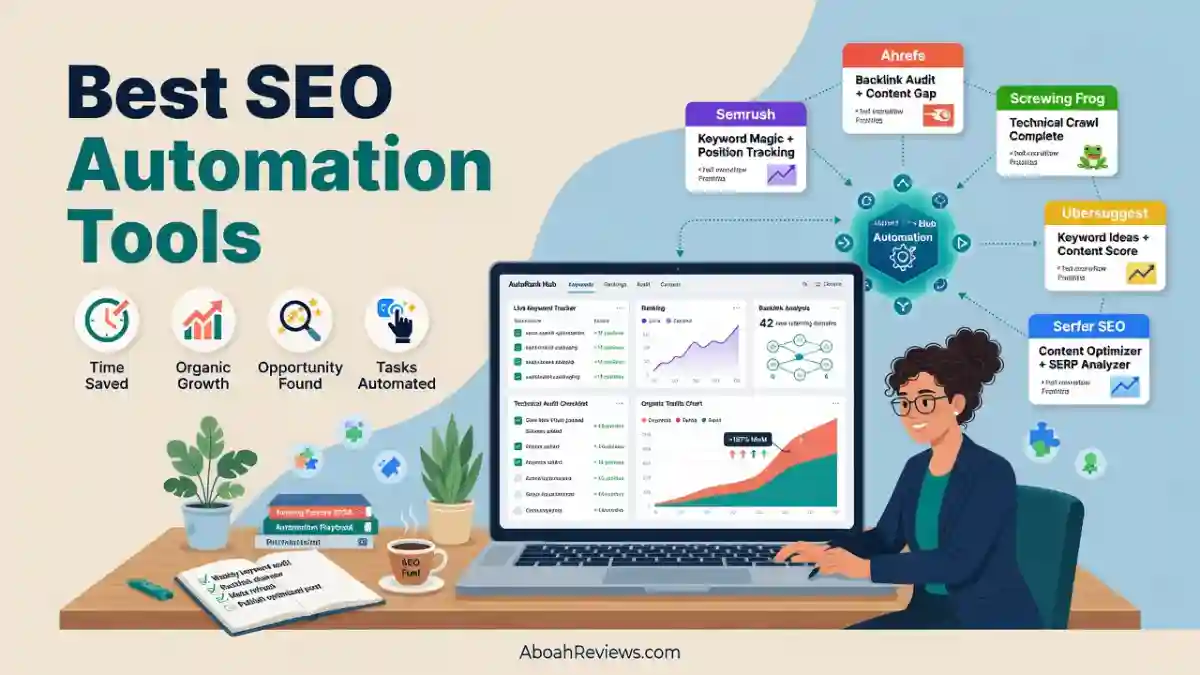
1. Distribb: Overall Best SEO Automation Tool
Best for: Founders, content marketers and small agencies who need automated content publishing, passive backlink building, out-dated content improvement, Google Business Profile management and social repurposing without assembling a separate toolchain for each task.
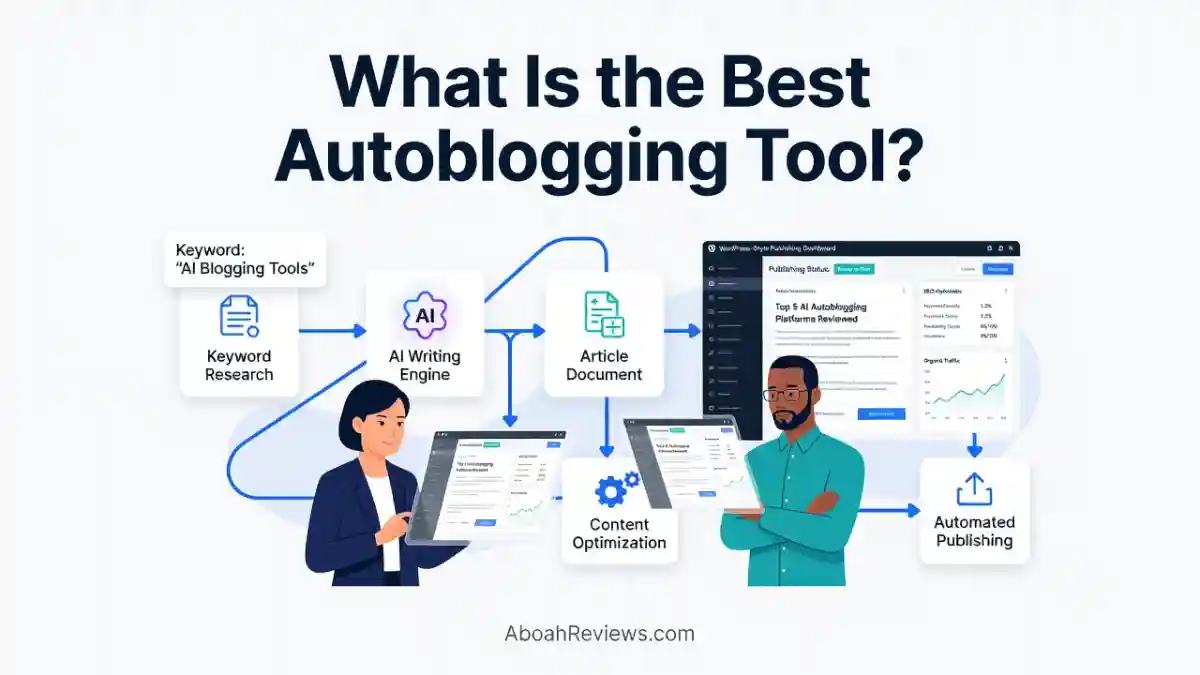
Distribb is the closest thing to a single-platform automated SEO workflow I have tested:
- It finds buyer-intent keywords on autopilot
- Writes SEO-optimized articles
- Publishes them to your CMS on a schedule
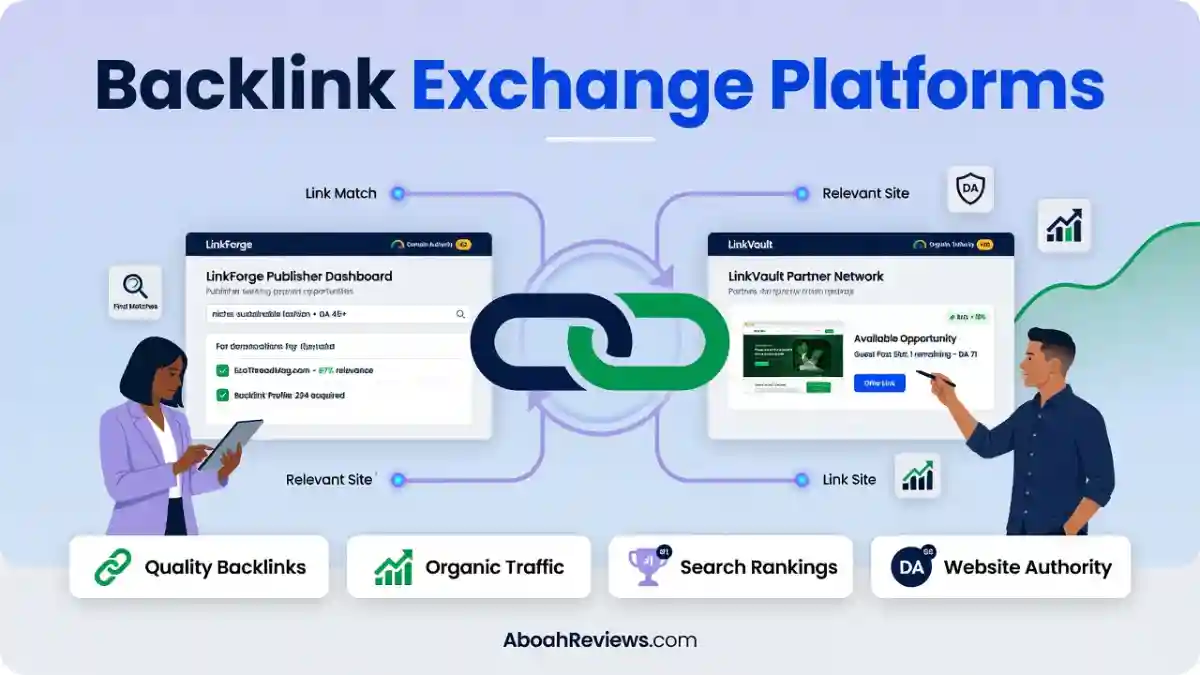
- Builds contextual backlinks through an exchange network of real business sites
- Syndicates content to Medium and social channels
- Includes an Optimizations scanner that re-reads your Google Search Console data weekly to find pages losing clicks.
I covered Distribb in a full 90-day review, and I will summarize the key findings here.
Key features:
- Distribb’s onboarding is among the fastest I have encountered in any SEO automation tool. The manual setup option reads your entire website, analyzes your competitors, identifies your target audience, and configures brand voice in 3 to 5 minutes.
- The standout feature is the automated ABC backlink exchange network that builds contextual links across real business sites with zero manual outreach.
- The Optimizations scanner re-reads your Google Search Console data weekly and proposes rewrites for pages losing clicks or impressions.
- Distribb integrates with WordPress, Webflow, Shopify, and Wix, with auto-publish functionality built in.
Pros:
- Content production, passive link building, and social distribution combined in one subscription
- GSC-connected optimization scanner surfaces pages needing attention automatically
- 7-day free trial, even though credit card is required
- CMS integrations cover the most common platforms
Cons:
- The backlink exchange model carries policy-level risk with Google’s link guidelines.
- Brand voice calibration takes 3 to 5 article cycles to become accurate.
- The Accelerator plan at $495/month is harder to justify unless content volume and social distribution are active priorities.
Pricing:
- Distribb offers a 7-day free trial with full access.
- The Pro plan is $97/month, which includes 30 articles per month, backlinks, CMS integrations, AI images, and support for 150+ languages.
- The Accelerator plan is $495/month and adds 90 articles per month, 8 videos, 8 Medium syndications, 8 carousels, managed outreach campaigns, and priority link placements.
Who should skip it: Teams in highly regulated industries or brand-sensitive niches where every published piece and every inbound link needs granular manual review. If you need to approve each link placement individually, Distribb’s exchange model will frustrate you.
Also, if your primary goal is keyword research or backlink analysis rather than content production, you will need a separate tool.
My verdict: Worth it at $97/month for sites that need steady publishing volume and passive link building. I rated Distribb 7.6/10 in my full test, primarily because the backlink exchange requires careful monitoring and the content quality benefits from an editorial pass before publishing.
2. Searchable: Best for AI Search Visibility Tracking, Content Drafting and AEO Auditing
Best for: SEO teams, content marketers, and agencies that need structured data on how their brand appears in AI-generated answers, alongside tools to draft and optimize content for AI search.
After spending 30 days monitoring AI search visibility across 50+ search prompts, I understand why query-level data matters more than a single visibility score.
Searchable is one of the more complete platforms I have researched for this specific task. It tracks brand appearances, competitor mentions, and cited sources across multiple AI engines, and it includes a content creation layer and site audit functionality built around AEO.
Key features:
- The Pro plan includes 100 tracked prompts, 9,000 AI answers analyzed per month, 20 articles per month, and 200 site audits per month.
- The Scale plan at $400/month covers 500 prompts, 45,000 answers, 80 articles, and 1,000 audits.
- All paid tiers include unlimited projects, countries, and seats with daily prompt tracking.
- Searchable tracks 9 answer engines: ChatGPT, Google AI Overviews, Google AI Mode, Perplexity, Microsoft Copilot, DeepSeek, Gemini, Grok and Claude.
- Searchable includes an AI agent that allows you to chat with your AI visibility data, asking questions about visibility, prompts, content or site health, with answers pulled from your own workspace data in plain language.
- Key capabilities include AI share of voice comparison against competitors, location-based tracking across 50+ locations and NLP and citation-led content recommendations using cited sources, entities and important terms from AI answers.
Pros:
- Broad AI engine coverage including Claude, DeepSeek, and Grok
- End-to-end platform: monitor, audit, and create content in one place
- 14-day free trial on all self-serve plans
- Agency-specific features including Pitch Workspaces for prospect audits
Cons:
- Agency plans are not cheap. You need to pay $250/month for five projects, and those agency tiers still track only the three base engines out of the box. If your clients care about Claude or Copilot, there are additional add-on costs on top of the sticker price.
- The Starter plan covers ChatGPT only.
- Content Studio requires human review since AI-generated content needs editing.
- Searchable is a relatively new platform, founded in 2025, with less of a track record than established tools.
Pricing:
- Pro is $125/month
- Scale is $400/month
- Enterprise is $999/month
Searchable raised $4 million in seed funding in December 2025.
Who should skip it: Teams whose primary concern is traditional keyword ranking and who have no current interest in tracking AI search visibility. At $125/month for the Pro plan, Searchable is priced above what most solo bloggers or very small sites can justify.
For more on how AI search visibility tracking fits into an SEO workflow, see the guide to optimizing for AI search.
3. SEOcrawl AI: Best for Technical SEO Automation and AI Visibility
Best for: Agencies, in-house SEO teams, and technical SEOs who need a unified dashboard combining GSC, GA4, rank tracking, site audits, automated reporting, and AI brand monitoring in one platform.
SEOcrawl AI is an all-in-one SEO intelligence and AI visibility platform for brands, agencies and in-house teams. Its AI Tracker monitors how your brand is mentioned, cited and recommended across ChatGPT, Claude, Gemini, Perplexity and Copilot.
It also unifies Google Analytics 4 and Google Search Console into one SEO dashboard, with rank tracking across Google, Bing and YouTube, automated weekly and monthly reporting, URL and keyword clustering, brand versus non-brand segmentation, site audits and indexation monitoring.
Key features:
- The platform includes a rank tracker with automatic keyword clustering
- Site audits with health scoring
- URL clustering to segment content by type
- Google Discover tracking, change annotations and 24/7 monitoring that flags shifts before they become problems.
- SEOcrawl AI automates weekly and monthly reports that translate raw search and AI data into clean, presentation-ready insight, with white-label options for agencies and API, MCP, and CLI access for teams that want to build on their own data.
- The platform also identifies keyword and page cannibalization, applies custom data taxonomy for Search Console segmentation, supports natural language task management for SEO workflow and allows querying of site crawl data to identify pages with specific technical issues like missing canonicals, 404 errors or missing H1 tags.
Pros:
- GSC and GA4 data combined in one dashboard reduces tool switching
- AI brand visibility tracking included at all paid tiers
- Strong automated reporting with white-label options for agencies
- MCP server integration allows piping SEO data into AI assistants like Claude and ChatGPT
- 14-day free trial, no credit card required
Cons:
- SEOcrawl AI has no free plan, paid plans start at €49 per month, and keyword research is not part of its verified offering.
- Its focus is strongest for teams that need technical oversight, reporting workflows, and visibility across conversational AI services rather than a standalone keyword research suite.
Pricing:
- The Starter plan is €49 per month or €396 per year, covering 5 projects, up to 100,000 clicks per month, up to 200,000 GA4 sessions, 10 credits, 1 LLM, and the GA4 AI Dashboard.
- Growth costs €99 monthly or €792 yearly for 25 projects and higher traffic limits.
- Pro is €199 per month
- Agency is €399 per month
Who should skip it: Solo bloggers with one small website who only need basic rank tracking. At €49 per month entry, SEOcrawl AI is priced for teams managing multiple properties, not single-site owners with minimal reporting needs.
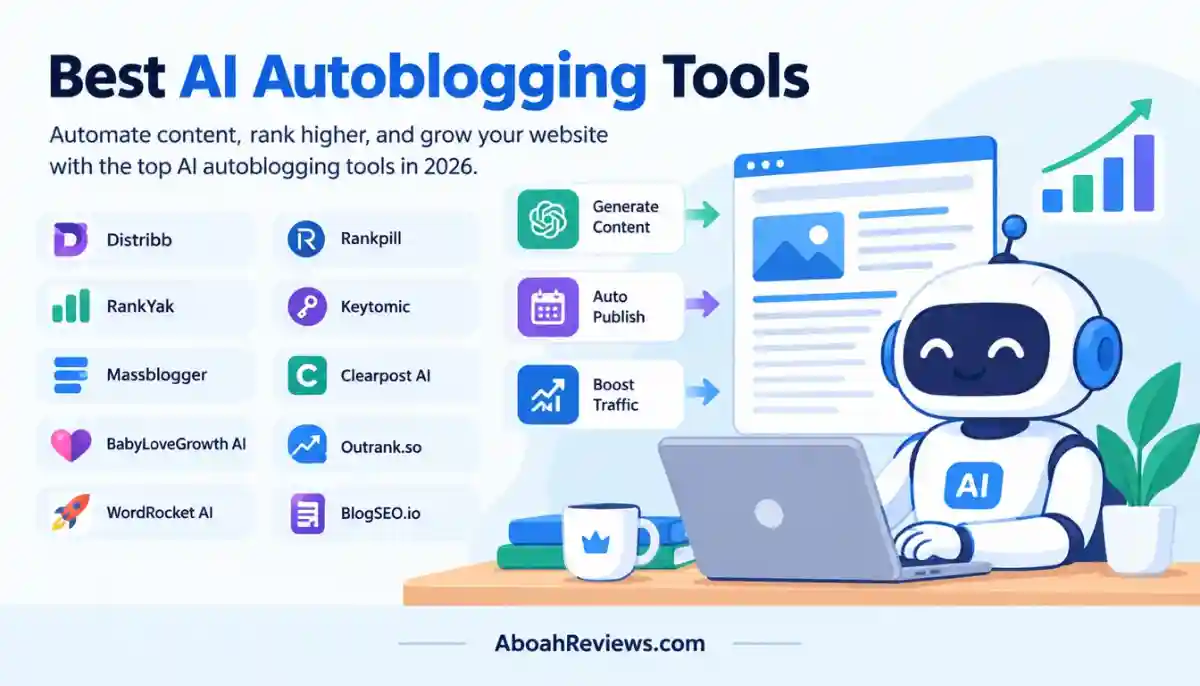
4. BabyLoveGrowth AI: Best for Hands-Off Content, Backlinks and AI Visibility Tracking
Best for: Content publishers, affiliate site owners, and small teams who need an automated pipeline from keyword targeting through content production to basic AI search monitoring.
You can read the full BabyLoveGrowth AI review or compare it against other platforms like BabyLoveGrowth AI vs Outrank.so.
The platform targets users who want automated content production with some degree of SEO optimization and GEO built into the workflow, without managing a multi-tool stack. Like Distribb, it covers the content-plus-links space, though the approaches differ in how link building is handled.
Key features:
- Automated content drafting with SEO targeting
- Automated backlink exchange network of 4,000 sites
- AI search visibility monitoring across major LLMs
- Keyword-to-content workflow automation
- CMS publishing integrations
Pros:
- Broad workflow automation from keyword research to publishing
- AI search visibility included in the product
- Accessible pricing for smaller publishers
Cons:
- Output quality requires editorial review before publishing
- AI visibility data lacks the query-level depth of dedicated tools like Searchable
- The $99/month may be too expensive for most solo bloggers
Pricing:
- Scale plan is $99/month
- Growth plan is $299/month
Who should skip it: Teams with significant budget allocated to content quality. If your workflow already includes experienced editors and a defined content process, the automation layers in BabyLoveGrowth AI may conflict with rather than support that process.
5. ClickRank AI: Best for On-Page SEO Optimization
Best for: Solo site owners, freelancers, and small agencies who want automated on-page SEO recommendations connected directly to Google Search Console data, without paying for a full-suite platform.
ClickRank AI focuses specifically on on-page optimization. You can read the full ClickRank AI review on AboahReviews.com.
ClickRank AI offers automated on-page optimizations, real-time Google Search Console integration, and AI-driven content optimization, starting at $38/month for the Solo plan covering one site.
The core logic is straightforward: connect your Search Console account, let the platform analyze your existing keyword rankings and page performance, then implement the recommendations it surfaces. For single-site owners who find Semrush or Ahrefs priced above their needs, ClickRank AI offers a more targeted entry point.
Key features:
- GSC-connected on-page analysis
- Automated optimization recommendations per page
- Keyword targeting suggestions based on existing rank data
Pros:
- Low entry price at $38/month
- Focused use case makes setup straightforward
- GSC integration means recommendations are based on actual performance data
Cons:
- Limited scope: on-page only, no backlink analysis, limited technical SEO capabilities
- No AI search visibility tracking
- Not suitable for multi-site agencies or teams needing broader workflow coverage
Pricing: The Solo plan starts at $38/month for one site. Check the tool’s pricing page for current multi-site or agency plan options.
Who should skip it: Anyone who needs competitive research, backlink analysis, or AI visibility tracking alongside on-page work. ClickRank AI is a focused tool for a focused problem.
6. Wincher: Best for Rank Tracking and Recurring Reporting
Best for: Small businesses, WordPress publishers, and solo SEOs who need clean, affordable daily rank tracking with scheduled reports and minimal complexity.
Wincher is a rank tracker that checks Google keyword positions daily and adds competitor tracking with on-page SEO checks. The platform also covers local map rankings, PDF reporting, and a Keyword Explorer with unlimited daily lookups on every plan.
Wincher is not trying to be an all-in-one tool, and that is part of why it works well for its target audience.
If you need rank data delivered reliably, with reports you can schedule and share without exporting CSVs manually, Wincher handles that at a lower price point than most platforms that claim to do the same thing alongside 40 other features.
Key features:
- Daily keyword rank tracking across Google
- Competitor tracking and comparison
- Scheduled PDF reports with white-label options on higher plans
- WordPress plugin for tracking inside the admin dashboard
- GSC integration on all plans
Pros:
Wincher stands out for its user-friendly interface and ease of navigation, making it particularly appealing for small businesses. Wincher’s pricing is more accessible for small businesses, with a lower entry-level price point compared to Semrush.
You can track 500 to 50,000 keyword rankings daily. Wincher also shares 2-year historical ranking data on all plans. You can choose to get notified via email when important changes happen.
Cons:
- Google-only rank tracking (no Bing or other engines on entry plans)
- No AI search visibility tracking
- No content optimization, technical audits, or backlink analysis
- Not suited for large agencies needing multi-client management at scale
Pricing:
Wincher lists three plans billed monthly. Basic costs $49 per month for 500 keywords, up to 10 websites, and 1 user. Standard costs $89 per month for 1,000 keywords, unlimited websites, and multiple users. Professional costs $319 per month for 5,000 keywords, external users, and project permissions.
Who should skip it: Anyone who needs rank tracking to be part of a broader SEO platform with audits, research, and content tools. Wincher does one thing well. If you need the broader stack, you will outgrow it quickly.
7. Ryze AI: Best for SEO Implementation and Growth Workflows
Best for: Small teams and founders who want SEO and GEO fixes applied automatically (with approval), not just listed as recommendations.
Ryze AI is an AI SEO tool that audits your site, applies title, meta, schema, and internal link fixes with your approval, publishes content, and tracks rankings and ChatGPT citations. The key distinction from most SEO tools is that it does the work rather than generating a list of things for you to do.
Ryze AI connects to your Search Console, analytics, and CMS, finds what to fix and what to publish, and does it with your approval on every change. It also tracks whether ChatGPT, Gemini, and Perplexity cite your site.
You can find the Ryze AI review on AboahReviews.com for a deeper look at how the implementation workflow operates in practice.
Key features:
- Continuous technical audits with automated fix deployment (approval required)
- AI citation tracking for ChatGPT, Gemini, and Perplexity
- Schema markup and llms.txt publishing
- On-page fixes for titles, meta descriptions, and internal links
Pros:
Ryze AI applies fixes to titles, meta descriptions, schema, and links with your sign-off, for $129 a month flat.
No percentage of spend, no setup fees, no contracts, with a 7-day free trial.
Cons:
Ryze AI is not a keyword and backlink research database. Semrush and Ahrefs are deeper for research.
Research data is thinner than Semrush or Ahrefs, and it needs access to your site.
Pricing:
The SEO Autopilot plan is $129 per month flat, covering autonomous SEO and GEO, including crawling, on-page fixes, re-measurement, and AI-visibility citation tracking. The Traffic Printer plan is $599 per month, adding full-service delivery with senior human strategists.
Who should skip it: In-house SEOs who live in keyword and backlink research data daily will find Ryze AI’s research capabilities limited. Teams that need granular control over every individual fix without an approval-based workflow may also prefer a more hands-on tool.
8. Gumloop: Best for Custom No-Code SEO Workflows
Best for: Technical SEOs, growth teams, and agencies who need to build custom automated workflows that no off-the-shelf tool covers exactly.
Gumloop is a no-code workflow builder that lets you connect APIs, data sources, and AI actions into automated pipelines.
For SEO, this means you can build workflows like: fetch Search Console data, identify pages with high impressions and low CTR, pass them to an AI for title rewrite suggestions, format the output into a spreadsheet, and send a Slack notification, all without writing code.
The appeal is flexibility. Most SEO automation tools are closed platforms that automate specific tasks in specific ways. Gumloop lets you define the task and the workflow yourself.
Key features:
- Visual drag-and-drop workflow builder
- Connects to APIs, Google Search Console, and data sources
- AI action nodes for content generation and data analysis
- Template library for common SEO automation tasks
Pros:
- Highly flexible for teams with specific workflow requirements
- Free tier available for getting started
- Not limited to SEO: can connect SEO automation to broader marketing workflows
- Scales to complex multi-step automations
Cons:
- Requires more setup time than purpose-built SEO tools
- No built-in SEO-specific features such as rank tracking or site audits
- Teams without technical confidence may find workflow building unfamiliar initially
- Pricing for higher usage tiers should be verified directly (the vendor does not publicly disclose all limits, so I could not independently verify the exact credit structure)
Pricing:
- A free tier is available
- Pro at $37/month with 7 days free trial
- Enterprise plan is set to custom
Who should skip it: Anyone who wants a ready-made tool where everything is pre-configured. Gumloop rewards people who know exactly what they want to automate and are willing to invest time building it.
9. Semrush: Best All-in-One SEO Automation Platform
Best for: Agencies, large in-house SEO teams, and marketing departments who need a single platform covering keyword research, rank tracking, site audits, content optimization, backlink analysis, and AI search visibility tracking.
Semrush is the broadest SEO platform on this list. It is also the most expensive at the entry level, and it does more things than most single-site owners will ever use. For agencies running SEO across multiple clients and sites, the breadth justifies the cost.
Key features:
Semrush connects to Google Search Console and Google Analytics 4 to deliver a live view of rankings, clicks, traffic, and conversions.
Its suite includes a rank tracker with automatic keyword clustering, site audits with health scoring, URL clustering to segment content by type, Google Discover tracking, change annotations, and 24/7 monitoring that flags shifts before they become problems.
Semrush’s AI Visibility Toolkit includes a Brand Performance feature with AI search monitoring, covering ChatGPT, Google AI Overviews, and Google AI Mode.
Pros:
- Comprehensive research database covering keywords and backlinks
- Site audit, rank tracking, and content optimization in one tool
- AI visibility toolkit available for teams moving into GEO
- 55+ integrated tools within one subscription
Cons:
One independent tester rated the AI Visibility Toolkit 2.6/5, describing it as a beta-quality product with critical bugs. The AI optimization suggestions have been criticized as standard SEO advice recycled under an AI label.
The SEO plan tracks 500 keywords and 5 websites at $139 per month. Agencies tracking 1,500 keywords need the $299 per month Pro+ plan.
Additional users start at $45 per month each, which raises costs for larger teams.
Pricing:
- Free plan with limited features available
- $139/month (500 keywords)
- Starter at $199/month (500 keywords)
- Pro+ at $299/month (1,500 keywords)
- Advanced at $549/month (5,000 keywords)
Who should skip it: Solo bloggers or small site owners who only need one or two specific capabilities. Semrush pricing at $139 per month for the entry plan is hard to justify if you only need rank tracking or a basic content optimizer. For that audience, Wincher or ClickRank AI are more proportionate choices.
10. Surfer SEO (Positive Surfer): Best for Automated Content Optimization
Best for: Content writers, editors, and SEO teams who want a real-time content scoring system that measures a draft against top-ranking SERP results and recommends specific improvements.
Surfer SEO’s content editor is one of the most widely used content optimization tools in SEO workflows.
You write or paste content, and the tool scores it in real time against the pages currently ranking for your target keyword. It identifies missing entities, recommended keyword usage, heading structures, and optimal content length based on what the top results include.
This is not the same as content automation. Surfer generates a brief and a scoring system. You or your writers still write the content.
What it automates is the competitive analysis process that would otherwise require you to manually read and analyze every top-ranking page.
Key features:
- Real-time content scoring against SERP competitors
- Automated content briefs with keyword and entity recommendations
- NLP analysis of top-ranking pages
- Integration with Google Docs and WordPress
Pros:
If you already write and only need the draft scored against the SERP, Surfer SEO does that better than any all-in-one platform.
- Widely adopted in agency and freelance content workflows
- Google Docs integration makes it accessible for writers who do not use SEO tools directly
- Content briefs can be generated quickly for scale
Cons:
- Not an automation tool in the execution sense: it recommends, it does not implement
- Limited technical SEO and rank tracking capabilities
- No AI search visibility tracking
- Pricing for higher content volumes increases significantly
Pricing:
- Standard plan at $119/month
- Peace of mind at $359/month
- Discovery is $59/month
- Enterprise plan is custom
Who should skip it: Teams who need automation beyond content scoring. Surfer tells you what to do; it does not do it for you. If you are looking for automated publishing, technical fixes, or rank monitoring, you need a different category of tool.
How to Choose the Right SEO Automation Tool
Choose Based on Your Primary SEO Goal
The best SEO automation tool is the one that covers what you actually need to automate, not the one with the longest feature list.
- For content production at scale: Distribb or BabyLoveGrowth AI
- For on-page content optimization: Surfer SEO or ClickRank AI
- For technical SEO monitoring and reporting: SEOcrawl AI or Semrush
- For rank tracking only: Wincher
- For AI search visibility tracking: Searchable or SEOcrawl AI
- For SEO implementation (fixes applied, not just listed): Ryze AI
- For custom automated workflows: Gumloop
- For a broad agency research platform: Semrush
Match the Tool to Your Budget and Team Size
A $49/month rank tracker makes sense for a solo blogger. A $139/month all-in-one platform makes sense for an agency with multiple clients. The mistake most buyers make is choosing a tool based on what they might use rather than what they will actually use in the next 90 days.
Watch for:
- Usage limits that force upgrades sooner than expected (keyword caps, article limits, site limits)
- Per-user pricing that scales quickly for larger teams (Semrush charges $45 per additional user)
- Credit systems that can make actual per-task costs opaque
- Overlapping subscriptions where two tools you already own cover the same capability
Check Integrations Before Purchasing
The most common integrations needed in a practical SEO workflow are WordPress, Google Search Console, and GA4. Verify each one before subscribing, specifically:
- Does the integration work with your WordPress theme and plugin stack?
- Does the GSC integration pull data in real time or on a delay?
- Does GA4 integration support goal and conversion tracking, or just sessions and pageviews?
Evaluate Human Oversight and Publishing Controls
This is the criterion most buyers ignore. If a tool can publish content to your site automatically, you need to know:
- Can you require approval before anything goes live?
- Is there a rollback option if an automated change breaks something?
- What happens to auto-published content if the tool’s AI produces inaccurate information?
I reviewed pages automatically published by automation tools during my 30-day test. Several contained factual errors that would have been visible to readers and potentially harmful to site credibility.
The tools that required explicit approval before publishing created noticeably fewer problems than the ones that defaulted to auto-publish.
Watch for SEO Automation Red Flags
These are patterns that should make you cautious before subscribing:
- Traffic guarantees: No tool can guarantee traffic or rankings. If a vendor promises specific organic traffic growth, that is a red flag.
- Unclear backlink methods: Automated link building can violate Google’s guidelines. Understand exactly how backlinks are acquired before any tool starts building them for your site.
- Unreviewed mass publishing: Any tool that publishes hundreds of pages without individual review is a quality control risk, not just a Google spam risk.
- Weak reporting: If a tool cannot show you what it changed, when, and what happened afterward, you cannot diagnose problems or confirm value.
Advantages and Disadvantages of SEO Automation
Benefits
- Less repetitive manual work: During my 21-day comparison test, the most consistent time savings came from data collection, report generation, and content brief creation. Tasks that required me to move between tools, compile data manually, and format outputs benefited most from automation.
- More consistent monitoring: A rank tracker that checks positions every day is more reliable than a human who checks positions when they remember to. Automated alerts for ranking drops, traffic anomalies, and technical issues catch problems faster than a periodic manual review.
- Faster execution of routine tasks: Once a workflow is configured correctly, automation completes tasks faster than manual execution. The setup cost is real, but the ongoing time savings compound.
- More scalable content and optimization workflows: Growing a site from 50 to 500 pages without automation means proportionally more human hours. With automation handling drafting, briefs, publishing, and optimization checks, the relationship between output volume and team size becomes less linear.
Limitations
- Subscription and usage costs: The tools on this list range from $38/month to $495/month and above. A three-tool stack for research, content, and tracking can easily reach $300 to $500 per month. That cost needs to be justified by actual time savings and measurable output improvement.
- Potential AI errors and generic content: In my testing, I reviewed outputs carefully before publishing. I found issues in roughly 15 to 20 percent of automated content: incorrect facts, thin explanations, generic phrasing, and occasionally irrelevant content. Automation scales these errors just as efficiently as it scales useful work.
- Setup and maintenance requirements: Configuring integrations, training brand voice models, setting up approval workflows, and maintaining data connections takes time upfront. Tools that look fast in a demo often require significant setup before they deliver consistent value.
- Risk from poorly controlled automated changes: A technical SEO automation that pushes changes to a live site without proper review can break things. I covered this risk specifically in the mistakes section below.
- Continued need for strategy and editorial oversight: No tool on this list removes the need for someone who understands SEO strategy, content quality, and business context. Automation handles tasks. It does not handle thinking.
How to Build an Effective SEO Automation Workflow
The most effective automation workflows I have seen (and built) follow a staged approach rather than trying to automate everything at once.
Step 1: Audit the Website and Establish Baseline Metrics
Before automating anything, establish what you are starting from. Connect Google Search Console and GA4 to a monitoring platform.
Document current rankings, organic traffic, conversion rates, and technical health scores. This gives you a comparison point when evaluating what automation actually changes.
Tools suited for this step: SEOcrawl AI, Semrush.
Step 2: Identify High-Impact Keywords and Content Gaps
Use keyword research to identify opportunities with realistic traffic potential relative to your site’s current authority. Prioritize by search intent, competition, and relevance to your actual business goals.
This step still benefits from human judgment, particularly in filtering out keyword suggestions that are technically relevant but commercially useless.
Tools suited for this step: Semrush, Ahrefs (not reviewed above but commonly used).
Step 3: Prioritize Technical and On-Page Improvements
A technical audit will surface more issues than you can fix at once. Prioritize by severity and business impact, not alphabetical order or the order a tool lists them.
Common high-impact issues include missing or duplicate title tags, indexation problems, slow page speed on critical pages, and broken internal links.
For a detailed look at how SEO automation tools handle technical work, see the semantic SEO automation guide.
Step 4: Create, Review, and Publish Useful Content
If you are automating content production, build the approval step into the workflow before it is optional.
Every piece of automated content should go through at least a basic factual check and readability review before publishing.
The time cost of that review is real, but it is far less than the cost of publishing inaccurate or thin content at scale.
Step 5: Automate Internal Linking and Approved Recurring Tasks
Internal linking is one of the better candidates for automation because the logic is consistent: link to relevant pages using descriptive anchor text, avoid orphan pages, and distribute link equity toward priority content.
Tools that suggest internal links based on content relevance can surface opportunities across large sites that would be impractical to identify manually.
Step 6: Track Rankings, Organic Traffic, Conversions, and AI Visibility
Set up automated reporting that covers what actually matters. Rankings are useful. Clicks from Search Console are more useful. Conversions and revenue are the most useful.
Add AI visibility tracking if your category is one where AI search answers are beginning to replace traditional blue-link clicks.
For AI visibility tracking resources, see AI Overview tracking.
Step 7: Review Automated Outputs and Refine the Workflow
The mistake most teams make after setting up automation is assuming it will keep working correctly without maintenance.
Keyword trends change, content quality drifts, integration connections break, and brand voice models need periodic recalibration.
Schedule a monthly review of what the automation is producing, whether those outputs are improving performance, and whether any step in the workflow needs adjustment.
A practical example of how to stack tools without paying for overlapping functionality:
A mid-size publisher running a 200-article site might use:
- Wincher ($49/month) for daily rank tracking and automated PDF reports
- Surfer SEO ($59/month) for content briefs and real-time scoring when writing new posts
- SEOcrawl AI ($49/month) for technical monitoring, GSC/GA4 data consolidation, and automated weekly reports
- Total cost: under $157/month, with no meaningful overlap between the three tools. Adding Distribb at $97/month for automated publishing would bring the stack to approximately $254/month while covering content production as well.
SEO Automation Mistakes to Avoid
Publishing AI Content Without Editorial Review
Automation can scale mistakes as easily as it scales good work. In my testing period, I found factual errors in automated content across multiple platforms. The errors were not always obvious. Some required domain knowledge to catch.
Publishing without a human read introduces reputational risk, user trust damage, and potential Google quality signal penalties that take longer to recover from than the time saved by skipping the review.
Automating Changes Without Testing or Rollback
If a tool is making changes to a live website (meta tags, redirects, canonical tags, internal links), you need a way to undo those changes quickly if something goes wrong.
Before enabling any automated website modification, confirm you have: a recent full-site backup, a staging environment for testing significant changes, explicit change logs showing what was modified and when, and a rollback plan.
Treating Every SEO Alert as Equally Important
Automated monitoring tools generate a lot of alerts. Not all of them matter. A missing alt tag on a decorative image is not the same priority as a canonical tag pointing to the wrong URL across 500 product pages.
Build a prioritization framework that distinguishes high-severity issues (indexation, crawl errors, major ranking drops) from low-severity issues that can be addressed in batch during scheduled maintenance.
Buying Overlapping Tools
If you are tracking rankings in both Semrush and Wincher, you are paying twice for the same data.
If your content platform already includes a keyword research function and you are also paying for Semrush keyword research, review whether both are necessary.
Overlapping subscriptions are one of the most common ways SEO tool budgets inflate without delivering proportional additional value.
Measuring Rankings Without Business Outcomes
Ranking for a keyword and generating revenue from that keyword are different things.
If your reporting tracks ranking position and organic sessions but not qualified leads, purchases, or revenue tied to specific pages, you are measuring activity rather than value.
Add conversion tracking to your automated reporting so that ranking improvements can be connected to actual business outcomes.
Final Verdict
After testing automated SEO workflows across multiple sites and evaluating these 10 tools based on practical use rather than feature lists, here is the summary:
- Best overall for hands-off content, backlinks, and workflow automation: Distribb at $97/month. It combines content production, passive link building, and GSC-connected optimization scanning in one platform. The backlink exchange model requires monitoring, and content benefits from an editorial pass, but the workflow coverage at that price is genuinely broad.
- Best all-in-one SEO platform: Semrush at $139/month. The broadest research database, the most feature coverage, and the most widely adopted platform for agencies. The AI Visibility Toolkit is still maturing, and the pricing escalates quickly for larger teams, but for full-stack SEO research and monitoring, nothing on this list matches its depth.
- Best for content optimization: Surfer SEO. If your primary workflow is writing and optimizing content to rank in traditional search, the real-time content scoring against SERP results is the most focused tool for that specific job.
- Best for rank tracking: Wincher at $49/month. Clean, reliable, affordable, and not trying to be something it is not. If daily rank tracking and automated reporting are what you need, Wincher is the most proportionate choice.
- Best for custom workflows: Gumloop. If no off-the-shelf tool does exactly what your workflow requires, Gumloop’s no-code builder is the most flexible option for building it yourself.
- Best for technical SEO monitoring and AI visibility: SEOcrawl AI at €49/month. The combination of GSC/GA4 unification, automated reporting, technical health monitoring, and AI brand tracking in one platform at that price point is hard to match for agencies and in-house teams.
- Best for SEO and GEO implementation: Ryze AI at $129/month flat. For small teams who want fixes applied to existing pages rather than a list of recommendations, Ryze AI’s approval-based implementation workflow is the clearest example of automation that actually does something.
The right choice depends on what problem you are actually trying to solve.
If you are building or refining your SEO automation stack, start with one specific problem, solve it with the most targeted tool available, and evaluate whether that tool’s cost is returned in time savings or measurable performance improvement before adding anything else.
Frequently Asked Questions About SEO Automation
What are the best SEO automation tools?
The best SEO automation tools depend on which tasks you need to automate. Distribb handles content production and backlink building. SEOcrawl AI covers technical monitoring and AI visibility. Wincher handles rank tracking. Ryze AI implements on-page fixes automatically. Semrush is the broadest all-in-one platform. There is no single tool that does everything well.
Is SEO dead now with AI?
SEO is not dead, but it is changing in significant ways. People increasingly get their answers from ChatGPT, Perplexity, Claude, and Google’s AI features instead of clicking through traditional search results. Businesses need to show up in these direct answers, which requires AI search visibility optimization alongside traditional SEO. Traditional search still drives substantial traffic, particularly for commercial, local, and navigational queries. The shift is gradual, not overnight, and the two disciplines overlap considerably.
What are the top 5 SEO tools?
The most widely used SEO tools in 2026 are Semrush, Ahrefs, Surfer SEO, Wincher, and Google Search Console. Google Search Console is free and provides the most accurate data on how Google specifically sees your site. The paid tools extend those capabilities into competitive research, content optimization, and broader reporting. For AI search visibility, Searchable and SEOcrawl AI are increasingly relevant additions to the stack.
What are the top 5 automation tools for SEO specifically?
The five tools with the strongest automation capabilities reviewed here are Distribb (content and backlinks), Ryze AI (on-page implementation), SEOcrawl AI (technical monitoring and reporting), Gumloop (custom workflow building), and Semrush (automated audits and reporting across the full SEO suite). Each covers a different part of the automation stack.
Can ChatGPT do SEO?
ChatGPT can assist with SEO tasks like drafting content, generating keyword ideas, writing meta descriptions, and suggesting internal linking anchor text. It does not connect to live data sources like Search Console or rank trackers, it cannot crawl your site, and it does not track rankings or AI visibility. It is a useful tool within an SEO workflow, but it is not an SEO platform.
What is the best SEO tool in 2026?
For agencies and teams needing the broadest coverage, Semrush remains the all-in-one agency choice with AI Visibility Toolkit and 55+ integrated SEO tools from $139/month on the SEO plan. For small businesses and solo publishers, Wincher for tracking and Surfer SEO for content optimization offer better value relative to what those users actually need. For pure SEO and GEO implementation, Ryze AI at $129/month flat is the most execution-focused tool reviewed here.
How do AI search visibility tools differ from traditional rank trackers?
AI search visibility tools track brand mentions and citations across ChatGPT, Gemini, Perplexity, and Google AI Overviews, not fixed search rankings. Traditional rank trackers report your keyword position in the standard search results pages.

- 10 Best SEO Automation Tools I Tested in 2026 - October 22, 2026
- HighSoftware99 Review 2026: Is It Legit or a Risk to Your Website? - October 21, 2026
- SEO Instant Appear HighSoftware99.com: Full Breakdown - October 18, 2026