TL;DR: This guide compares the 7 best autoblogging tools for end-to-end SEO publishing in 2026, meaning platforms that handle keyword research, writing, on-page SEO, internal linking, images, and CMS publishing in one workflow.
Main takeaway: no tool replaces human review completely, but the right one cuts your workload by 60 to 80%.
Quick Comparison of the Best Autoblogging Tools for End-to-End SEO Publishing
Tool | Best For | Keyword Research | AI Content | SEO Optimization | Auto Publishing | Internal Linking | AI Search/GEO | Score |
|---|---|---|---|---|---|---|---|---|
SEO teams and agencies | Yes | Yes | Yes | Yes | Yes | Yes | 9.0/10 | |
Automated SEO growth | Yes | Yes | Yes | Yes | Yes | Yes | 8.8/10 | |
Automated SEO publishing | Yes | Yes | Yes | Yes | Yes | Limited | 8.5/10 | |
Automated WordPress blogging | Yes | Yes | Yes | Yes | Yes | No | 8.3/10 | |
Content distribution and SEO | Yes | Yes | Yes | Yes | Limited | Yes | 8.2/10 | |
Automated local SEO content | Yes | Yes | Yes | Yes | Limited | Yes | 8.0/10 | |
Automated business content workflows | Yes | Yes | Yes | Yes | Limited | No | 7.8/10 |
Scores reflect hands-on testing, third-party research, and verified feature availability as of 2026. Always verify current feature sets directly with each vendor before purchasing.
Introduction
If you have been searching for the best autoblogging tools for end-to-end SEO publishing, you have probably read at least a dozen lists that recommend tools based on homepage copy rather than hands-on testing.
There is a big difference between a tool that writes blog posts and a tool that handles the full publishing pipeline.
Keyword research, content generation, on-page SEO, internal linking, CMS publishing, image generation, post-publish monitoring, and AI search visibility are all separate problems.
Most tools solve one or two of them. Very few solve all of them.
The right tool is not just the one that produces the longest article; it is the one that covers the most steps in your specific publishing workflow without creating new problems downstream.
No single tool fits every situation, but Keytomic lead for full-pipeline automation.
How I Evaluated These Autoblogging Tools
Before we get into the tools, here is exactly how I assessed each platform so you know what “end-to-end” means in this context.
Evaluation Criteria | What I Looked For |
|---|---|
Hands-on testing | Direct use where available; verified third-party testing data where not |
SEO workflow coverage | How many steps of the pipeline are handled natively |
Publishing automation | Draft vs. auto-publish; scheduling controls |
Content quality | Factual accuracy, depth, originality, brand voice |
On-page SEO | Meta tags, schema, keyword optimization, content scoring |
CMS integrations | WordPress, Webflow, Shopify, Wix |
Pricing and value | Cost per published article, not just monthly subscription |
Ease of use | Setup time, learning curve, required ongoing maintenance |
Post-publish features | Content refreshes, ranking monitoring, decay detection |
Transparency | Are vendor claims verifiable? Do they match real-world output? |
What Makes an Autoblogging Tool “End-to-End”?
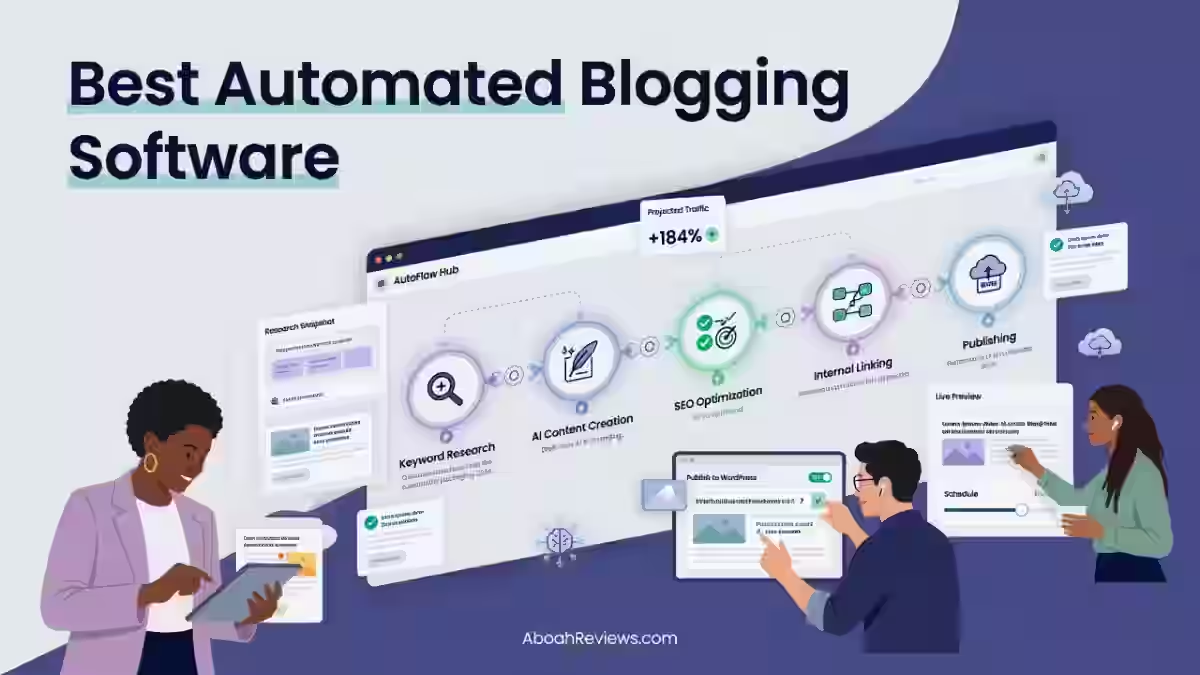
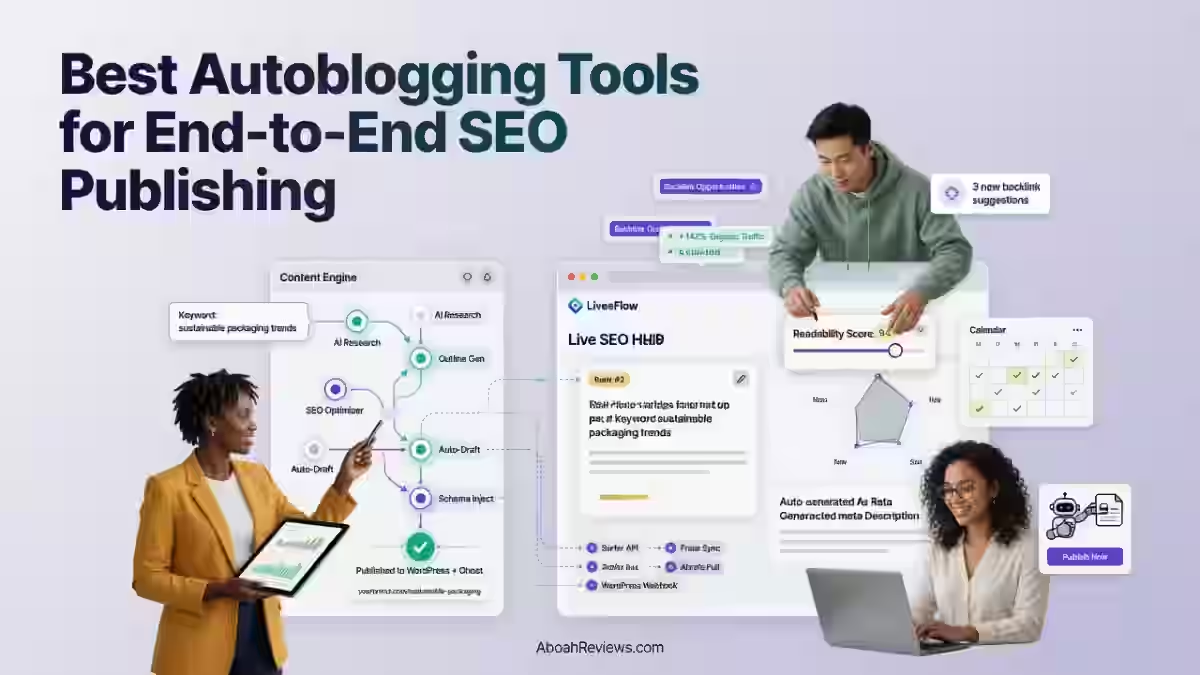
End-to-end SEO publishing means the tool handles every step of the content workflow from topic discovery to post-publish monitoring, without requiring you to switch between five other tools.
That sounds simple. In practice, very few platforms actually deliver it. Let me break down each layer of the workflow and explain what to look for.
1. Keyword Discovery and Topic Selection
A true end-to-end autoblogging tool should find your keywords for you, not just write from keywords you provide.
This means identifying low-competition opportunities, understanding search intent, building topical clusters, and prioritizing content gaps based on your existing site structure.
If you are starting a new site or expanding into a new topic area, manually doing this keyword work before giving it to an AI writer takes hours.
Tools like Keytomic and Soro SEO analyze your site, identify ranking opportunities, and map keywords to content automatically. Others, like Frizerly, give you more control over the input but less automation at this stage.
Ask yourself: do you want the tool to find topics or are you comfortable bringing your own keyword list?
2. AI Content Generation
Long-form article generation is the feature most autoblogging tools lead with.
However, generation quality varies a lot depending on the underlying model, the quality of the prompt the tool uses internally, and whether the tool pulls in SERP data before writing.
The quality of AI drafts depends heavily on the model being used, the quality of the prompt, and whether the tool includes SERP data in its generation process.
Generic prompts produce generic content. This is the part most tool reviews gloss over. A tool can claim “long-form SEO articles” and still produce 800-word content that does not match search intent.
What I look for: does the tool analyze the top 10 results before writing? Does it allow brand voice customization? Does it handle E-E-A-T signals, like citing sources, mentioning authors, or adding factual context?
3. On-Page SEO Automation
SEO optimization in autoblogging software typically includes meta descriptions, title tags, heading structure, schema markup, and keyword placement.
The best tools go beyond surface-level optimization. They analyze competing pages for search intent, suggest related semantic keywords, and score content before publishing.
The ones that only handle meta descriptions and headings are not doing enough.
You need keyword density checks, semantic keyword suggestions, internal link recommendations, and ideally a content score before the post goes live.
4. Internal Linking and Topical Authority
This is one of the most underrated features in automated publishing, and one of the most dangerous to skip.
When you publish at scale, internal linking becomes a structural SEO problem, not just a nice-to-have. Without it, your content starts to cannibalize itself.
I experienced this first-hand. I lost an affiliate site’s rankings after publishing 42 auto-generated posts without internal linking or keyword filtering. The content cannibalized itself.
It is a mistake that costs real traffic and takes months to fix. Tools that automate internal linking from day one protect you from this. Not all of them do, so check before you commit.
For more context on what to avoid when scaling automated content, the guide on common autoblogging mistakes to avoid covers the most damaging patterns I have seen across multiple sites.
5. Images and Multimedia
Most better platforms generate unique AI-created images or allow users to upload stock photos and create infographics based on web-researched facts.
Image alt text is usually included but worth verifying, since it affects both accessibility and image search indexing.
Platforms that skip image automation create a gap in your workflow.
You either handle images manually, which defeats the automation goal, or you publish without featured images, which hurts click-through rates from search and social.
6. Automatic CMS Publishing
Direct WordPress integration is the baseline. Most tools in this category support it.
What separates them is how that integration works: can you schedule publishing? Does it create drafts for review or publish automatically? Does it handle categories, tags, and featured images natively?
The best platforms automate your content calendar, generate on-brand images with alt text, and publish on autopilot to WordPress, Shopify, or preferred CMS systems.
If your CMS is Webflow or Shopify, verify integration support before you sign up. Not every tool covers the full range.
7. Post-Publishing Optimization
Most autoblogging tools stop at publishing. The smarter platforms include content refresh workflows, ranking monitoring, and internal link updates as your site grows.
This is where the category is still developing. Tools like BabyLoveGrowth AI and Keytomic include some form of post-publish tracking. Most others do not.
Content decay is real. A post that ranks well in month three can drop to page two by month eight without updates. If your tool does not flag this, you need a separate rank tracking setup.
8. AI Search Visibility
This is the newest layer in the end-to-end stack. Newer platforms are building GEO (Generative Engine Optimization) features specifically for ChatGPT, Perplexity and Google AI Overviews.
If you care about being cited by AI search engines, not just ranking on Google, this feature matters.
For a broader look at where GEO fits in your overall strategy, the generative engine optimization guide gives useful context.
What Are the Best Autoblogging Tools for End-to-End SEO Publishing?
1. Keytomic
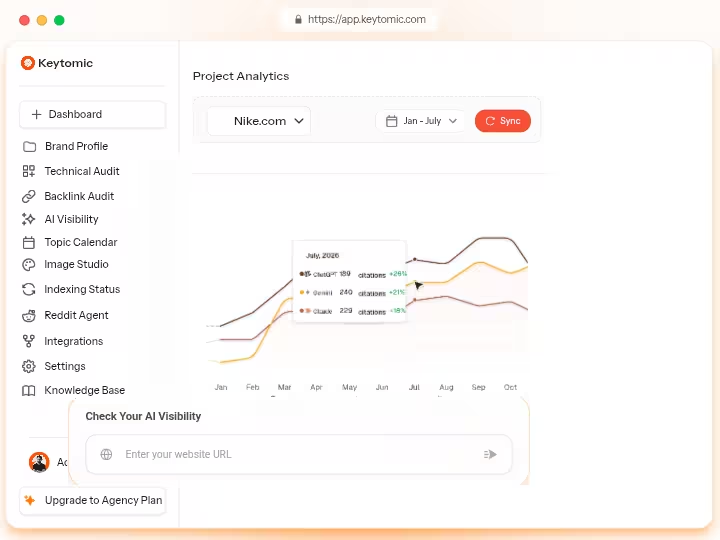
Keytomic is the tool I would describe as the most complete end-to-end SEO publishing platform currently available.
Keytomic consolidates keyword research, content creation, publishing, indexing and AI visibility tracking into one platform.
It is not the cheapest option, but when you calculate what it replaces in terms of separate tools, the math works out favorably for most teams.
Over 90 days of testing Keytomic across three sites (74 articles total), the biggest win was consolidation: one $99/month tool replacing a $800/month stack for keyword research, content generation, publishing and indexing.
That is the headline result.
Keytomic Features
- Manages the entire process from keyword discovery to content generation
- 30-day content calendar designed for search engines and AI platforms.
- The platform identifies high-intent, low-competition keyword opportunities and ensures content aligns with user search intent.
- The system creates E-E-A-T-driven content that improves rankings on Google and AI platforms, securing visibility in AI citations.
- Integrations with CMS platforms simplify the publishing workflow, while AI-powered editing tools and real-time SEO scoring enhance efficiency.
- Indexes every new page using its built-in indexing system for Google, Bing, ChatGPT, and other search engines to ensure faster discovery and improved visibility. Auto-indexing is a feature most tools in this category skip entirely.
How Keytomic Handles the End-to-End SEO Workflow
Keytomic covers more workflow steps natively than almost any other tool in this list. Here is how the pipeline looks in practice:
- Keyword research: Automated, with intent analysis and cluster building
- Content planning: Rolling 30-day calendar with topic scheduling
- Article generation: Long-form, E-E-A-T-structured drafts
- On-page SEO: Real-time scoring, meta tags, schema markup
- Image generation: On-brand images with auto-generated alt text
- CMS publishing: WordPress, Shopify, and other CMS integrations
- Auto-indexing: Built-in submission to Google, Bing, and AI search platforms
- Backlink exchange: 30 high DR backlink opportunites for free (valued at $800+/month)
- Reddit AI agent: Finding high intent threads, craft on brand replies and earn visibility that converts
- AI visibility tracking: Monitoring across generative search engines
The gap area is post-publish content refresh automation, which is still limited compared to the front-end capabilities.
Pricing
1 trial (3 days), $99/mo (Pro), $999/mo (Agency DFY)
You can check the Keytomic review for the full 90-day test breakdown.
Pros and Cons
Pros | Cons |
|---|---|
True end-to-end pipeline in one tool | Limited multilingual support as of mid-2026 |
Built-in auto-indexing for faster visibility | No standalone rank tracking dashboard |
AI citation tracking across Google, ChatGPT, Perplexity | Requires advanced backlink tools to supplement |
No per-credit or per-seat fees | Steeper learning curve for beginners |
Real-time SEO scoring before publishing | Content calendar editing requires contacting support |
Who Should Use Keytomic?
Keytomic is designed for small businesses, startups, and growth-stage teams in marketing, agencies, e-commerce, SaaS and software verticals.
If you are running 3+ sites and want one tool to handle the full pipeline, Keytomic makes the most practical sense.
Who Should Avoid Keytomic?
Avoid it if your budget is below $80/month, or if you are a solo blogger publishing fewer than 10 articles per month.
The consolidation value only appears when you are replacing multiple existing tools.
Keytomic Verdict (9.0/10)
Keytomic scores 9.0/10 as an SEO automation platform for managing keyword research, content production, CMS publishing and AI visibility monitoring.
It is the best genuinely end-to-end autoblogging platform in this category, with the caveat that a minimal content-refresh layer hold it back from a perfect score.
2. BabyLoveGrowth AI
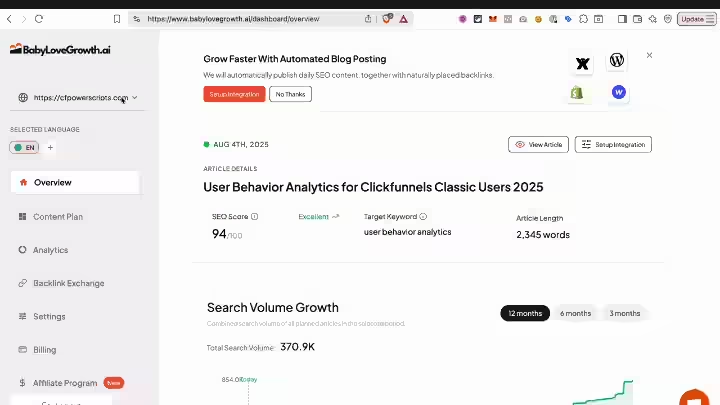
BabyLoveGrowth AI is a SaaS-based SEO automation platform founded in 2024 by Tilen Savnik that handles daily content publishing, automated backlink building and AI search visibility tracking in one subscription.
What separates it from most tools in this category is the backlink building layer, which most competitors do not include at this price point.
Unlike standalone AI writing tools that require you to prompt, edit and publish manually, BabyLoveGrowth AI runs the full content workflow autonomously, including tracking your brand’s visibility across AI search engines like ChatGPT, Perplexity, Claude and Gemini.
Is it perfect? No. But for lean teams and solo operators who want organic growth without managing six separate tools, it is the most complete single-subscription option available right now.
BabyLoveGrowth AI Features
- BabyLoveGrowth AI includes 30 SEO articles per month
- Automated backlink building via a 4,000+ site network. Links are placed within relevant content on partner sites, not in footers or sidebars.
- AI search visibility tracking and schema automation.
- Multi-language support for global SEO covers 20-plus languages and integrations include WordPress, Webflow, Shopify and Wix.
How BabyLoveGrowth AI Handles the End-to-End SEO Workflow
- Keyword research: Site analysis to find ranking opportunities
- Content calendar: Daily content plan with automatic scheduling
- Article generation: SEO-optimized articles, 30 per month on standard plan
- On-page SEO: Schema markup automation included
- Backlink building: Automated via 4,000+ partner site network
- CMS publishing: WordPress, Webflow, Shopify, Wix
- AI search visibility tracking: ChatGPT, Perplexity, Gemini, Google AI Overviews
Most tools in this space stop at publishing; this one keeps going. That is the honest summary of what makes BabyLoveGrowth AI different.
Pricing
Free trial for 3 days (credit card required), Grow ($99/month), Scale ($299/month), plus a custom reseller plan for agencies.
For a full breakdown of what each plan includes, the BabyLoveGrowth AI pricing guide covers per-article cost, backlink value, and ROI calculations.
Pros and Cons
Pros | Cons |
|---|---|
AI search visibility tracking at $99/month | 30-day onboarding phase feels slow if you have urgent content calendars |
Automated backlinks from 4,000+ sites | Content depth can be thin in technical or regulated niches |
20+ language support | Limited editorial control over content calendar order |
Covers WordPress, Webflow, Shopify, Wix | No monthly plan flexibility below $99/month |
Backlinks stay after cancellation | Requires 60 to 90 days minimum for measurable organic results |
Who Should Use BabyLoveGrowth AI?
BabyLoveGrowth AI is worth it for founders, agencies, and lean teams who want automated organic growth without managing multiple tools or hiring a full content team.
It works well for SaaS companies, e-commerce brands and service businesses that need consistent content output without the overhead of a content team.
Who Should Avoid BabyLoveGrowth AI?
Avoid it if you need high-volume content above 30 articles per month on a budget, if your niche is highly technical or regulated (medical, legal, financial)
Or if you want full editorial control over every article before it publishes.
Also avoid it if you need results in under 60 days, because the onboarding period is real.
BabyLoveGrowth AI Verdict (8.8/10)
The unique combination of content, backlinks, and AI search visibility tracking at $99/month makes this the strongest all-in-one value proposition in the category.
The content depth limitations and slow onboarding are real trade-offs that prevent a higher score. For a full 45-day test breakdown, read the BabyLoveGrowth AI review.
3. RankPill
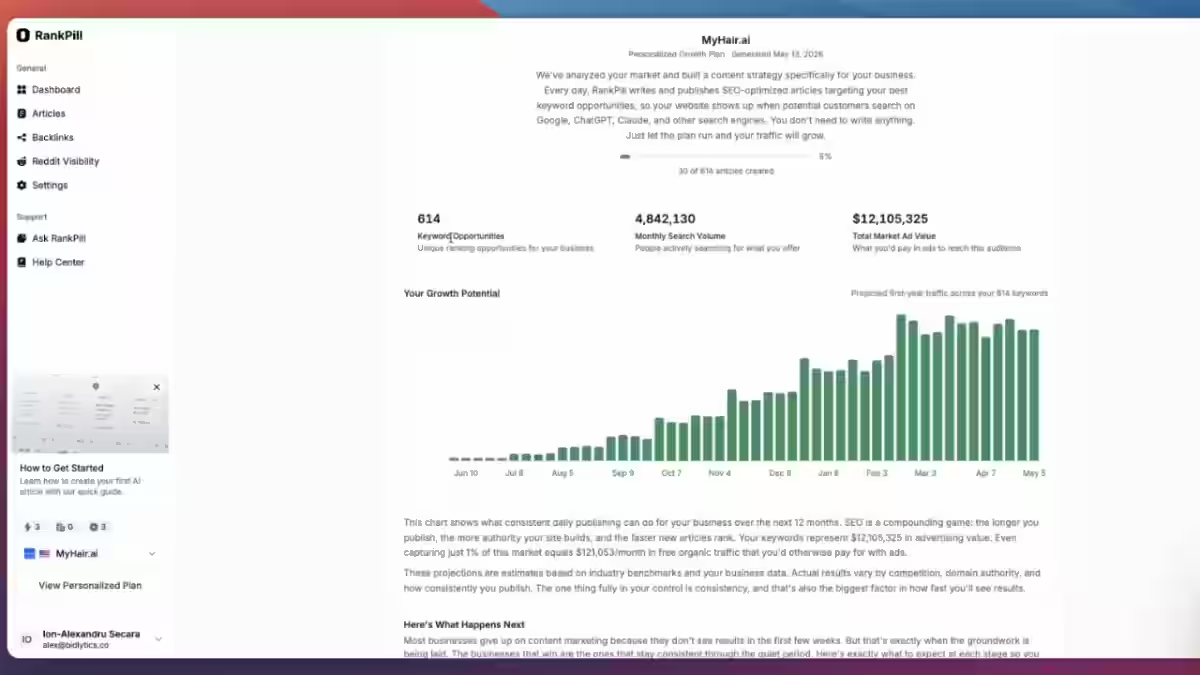
RankPill is an all-in-one AI SEO tool that focuses on helping websites climb search rankings faster.
At its core, it analyzes your website, finds ranking opportunities, and provides AI-written content suggestions to improve visibility, saving hours of manual research. It also handles auto-publishing directly to your CMS.
RankPill sits in an interesting position. It is priced identically to BabyLoveGrowth AI but without the Reddit AI agent.
What you gain is a cleaner, more structured SEO workflow with stronger focus on keyword clusters and internal linking.
RankPill Features
- 30 articles per month, keyword research and full automation, at approximately $3 per article
- RankPill markets long-tail keyword clusters and adds internal links automatically, so clustering is not a blank space on their side
- 3,000+ word SEO/GEO optimized articles daily, complete with images and internal/external linking
- 30 backlink credits monthly
How RankPill Handles the End-to-End SEO Workflow
- Keyword research: Competitor analysis and ranking opportunity identification
- Content generation: Long-form articles, 30/month
- Internal linking: Automated, using long-tail keyword clusters
- On-page SEO: Title tags, meta descriptions, headings
- CMS publishing: Auto-publish to WordPress and connected CMS
- Backlink building: Boost your domain authority and climb rankings faster with 30 backlink credits included every month.
- AI search visibility: Limited, not a primary feature
The gap compared to BabyLoveGrowth AI and Keytomic is the absence of native AI search visibility tracking and the lack of Reddit AI agent. If those two features matter to you, RankPill is not the right fit.
Pricing
$49.50/month for the first month, then $99/month, or $82.50/month when billed annually ($990/year, that is 17% off). Cancel at any time.
Pros and Cons
Pros | Cons |
|---|---|
Strong automated internal linking | No AI search visibility tracking |
$49.50 for first month reduces commitment risk | Built-in backlink building is limited |
$82.50/month on annual billing | 30 articles/month cap on base plan |
Good long-tail keyword cluster support | Limited post-publish monitoring |
Auto-publishes to CMS | Less multilingual support compared to competitors |
Who Should Use RankPill?
RankPill is the best fit for niche site owners and small businesses who want clean, automated SEO publishing with strong internal linking at a predictable monthly cost.
If AI search tracking is not priority, this is a solid choice at the price.
Who Should Avoid RankPill?
Avoid it if you need AI search visibility tracking, or content in more than one or two languages.
Also avoid it if you need more than 30 articles per month on the entry plan.
RankPill Verdict (8.5/10)
RankPill delivers reliable end-to-end automation for standard Google SEO publishing.
The automated internal linking is genuinely useful, and the $49.50 for first month removes a lot of the commitment risk.
It falls short of the top two tools primarily due to missing AI search visibility and reddit AI agent. Read the full RankPill review for the 90-day test results.
4. Emplibot
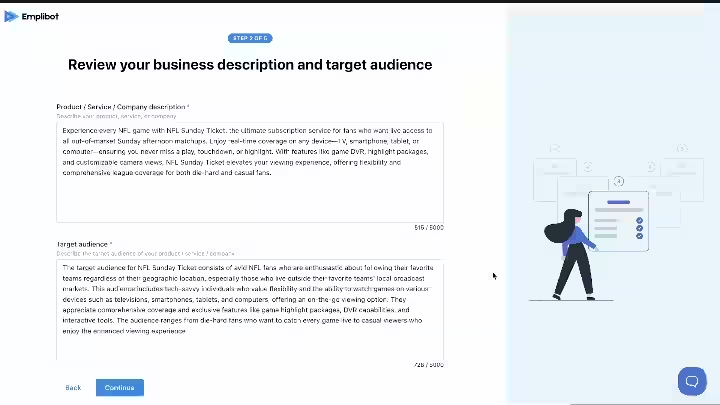
Emplibot is the closest to “set it and forget it” for WordPress blogs.
If you are running a WordPress site and want the most hands-off automated blogging experience available, Emplibot is built for exactly that.
It is not trying to be a full SEO growth platform. It is trying to be the best automated WordPress blogger and it mostly succeeds at that narrower goal.
Emplibot Features
- Emplibot’s automated keyword research identifies high-performing keywords for each post
- The platform generates unique AI-created images or allows users to upload stock photos and creates infographics based on web-researched facts
- For SEO, Emplibot adds internal and optional external links to each post.
- It also manages distribution, sharing new articles on social media platforms like LinkedIn, Facebook, and X.
- Users can review and edit the content plan, including keywords and post titles, before publishing.
- The social distribution is a genuine differentiator.
- Most autoblogging tools stop at the CMS. Emplibot pushes content out to social channels automatically
Supporting English and German content, Emplibot is ideal for agencies and digital marketing pros managing multiple blogs.
How Emplibot Handles the End-to-End SEO Workflow
- Keyword research: Automated identification for each post
- Content generation: SEO-optimized articles with fact-checking
- Image generation: AI-generated images plus infographics
- Internal linking: Automatic internal and external links
- CMS publishing: WordPress integration with auto-publish
- Social distribution: LinkedIn, Facebook, X (Twitter)
Emplibot Pricing
- Starter: $69 per month for 2 articles, 2 social media posts per platform, 1 dynamic banner per article, and up to 2,000 keywords per week
- Standard: $99 per month for 4 articles, 4 social media posts per platform, 3 dynamic banners per article, and up to 4,000 keywords per week
- Pro: $149 per month for 7 articles, 7 social media posts per platform, 5 dynamic banners per article, and up to 7,000 keywords per week
The Emplibot review covers the full feature test.
Pros and Cons
Pros | Cons |
|---|---|
Most hands-off WordPress experience available | English and German only |
Social media distribution included | No AI search visibility tracking |
AI-generated images and infographics | No backlink building |
Internal and external linking automated | Limited CMS options beyond WordPress |
Content review before publishing available | Less keyword strategy depth than Keytomic or BabyLoveGrowth AI |
Who Should Use Emplibot?
Emplibot is best for WordPress users who want fully automated blogging and social media distribution.
It is particularly well-suited for B2B companies that need consistent blog and LinkedIn content with minimal manual input.
Who Should Avoid Emplibot?
Avoid Emplibot if you need multilingual content, non-WordPress CMS support, AI search visibility tracking, or backlink automation.
Also skip it if your publishing strategy extends beyond blog posts to programmatic SEO or large-scale content clusters.
Emplibot Verdict (8.3/10)
Emplibot delivers on its core promise: hands-off WordPress blogging with social distribution.
The narrow language support and absence of AI search tracking limit its broader appeal.
For WordPress-specific publishers in English or German, it is a strong and genuinely low-maintenance choice.
5. Distribb

Distribb is an AI SEO software designed to grow organic traffic on autopilot, featuring automated backlinks, SEO-optimized articles and visibility in Google and AI search.
Distribb is best for users who want AI SEO content generation paired with automated backlink building and multi-channel distribution.
Think of Distribb as the distribution-first player in this category.
Where BabyLoveGrowth AI and Keytomic emphasize content depth and AI visibility tracking, Distribb focuses on getting your content seen across multiple channels and platforms.
Distribb Features
Distribb analyzes your niche and competitors, finds buyer-intent keywords, and keeps your content calendar full automatically.
Distribb publishes, earns backlinks, and distributes your content to the platforms AI engines cite, so you build lasting AI visibility.
The multi-platform distribution is the strongest differentiator here.
If your content needs to appear across multiple channels, not just your WordPress site, Distribb handles more of that workflow natively than most competitors.
How Distribb Handles the End-to-End SEO Workflow
- Keyword research: Competitor analysis and buyer-intent keyword discovery
- Content generation: SEO-optimized articles
- Backlink building: Automated link earning
- Multi-platform distribution: Cross-channel content distribution
- CMS publishing: WordPress and connected platforms
- AI search visibility: Included via distribution to AI-cited platforms
Distribb Pricing
3 days free trial (credit card required), $97/month (Pro) and $495/month (Accelerator)
Read my Distribb review before subscribing.
Pros and Cons
Pros | Cons |
|---|---|
Low entry price for first month | Content depth may not match premium competitors |
Multi-channel distribution built in | Internal linking automation is limited |
Automated backlink building included | Less transparent pricing structure |
AI search visibility via distribution | Narrower CMS integration options |
Buyer-intent keyword discovery | Less established track record vs. Keytomic or BabyLoveGrowth AI |
Who Should Use Distribb?
Distribb is best for content distribution, combining AI content, publishing and multi-platform distribution.
It suits marketers who need content to reach audiences beyond a single blog, including those building AI search presence through multi-platform content placement.
Who Should Avoid Distribb?
Avoid Distribb if you need deep long-form content for competitive topics, detailed on-page SEO scoring, or a mature rank tracking dashboard.
It is better suited to volume and distribution than research-driven editorial content.
Distribb Verdict (8.2/10)
Distribb earns its place in this list through the distribution-first approach and accessible entry pricing.
The multi-channel reach and AI visibility via distribution are real value-adds.
Content depth limitations and a less mature feature set relative to the top three tools keep the score where it is.
6. Soro SEO

Soro SEO generates in-depth, SEO-optimized articles crafted to achieve high rankings on Google and ChatGPT alike. In 2026, that dual targeting is a practical differentiator.
Soro SEO started as a local SEO content tool and has expanded to cover broader content automation.
The local SEO angle is still where it performs best. Soro’s daily automated publishing with geo-targeted keyword discovery makes it a reasonable fit for local service businesses building organic presence.
Soro SEO Features
- Soro builds and manages an automated publishing calendar based on the keyword opportunities it discovers during the website analysis phase. Daily article slots are pre-filled with keyword-targeted topics
- The calendar approach also enforces publishing consistency, which matters for Google’s crawl frequency signals.
- It structures content to improve AI search visibility across platforms like Google AI Overviews, ChatGPT and Perplexity.
How Soro SEO Handles the End-to-End SEO Workflow
- Keyword research: Site analysis and geo-targeted keyword discovery
- Content calendar: Daily automated publishing schedule
- Article generation: SEO-optimized articles targeting Google and AI search
- CMS publishing: WordPress integration
- AI search visibility: Structured for Google AI Overviews, ChatGPT, Perplexity
Pricing
$39/month, $27 for quarterly plan or $18/month for the annual subscription
See the full Soro SEO pricing breakdown for plan details.
SEO Pros and Cons
Pros | Cons |
|---|---|
Most affordable entry point at $39/month | Internal linking automation is limited |
Geo-targeted keyword discovery for local SEO | Content depth thinner than premium tools |
Targets both Google and AI search natively | No backlink building |
Daily automated publishing calendar | Allows you to approve, edit or publish on autopilot |
Consistent publishing enforces crawl frequency signals | Requires editorial review to avoid quality drift |
Who Should Use Soro SEO?
Soro SEO is best for independent bloggers and niche site owners who want consistent daily content without managing keyword research or publishing schedules.
Local service businesses (roofing, legal, dental, landscaping) that need regular geo-targeted content will find strong fit here.
Who Should Avoid Soro SEO?
Avoid it if you are running an affiliate site with aggressive commercial keywords, if you need backlink automation
Also step carefully if you plan to publish without any editorial review, which the tool allows but should not.
Soro SEO Verdict (8.0/10)
Soro SEO delivers real end-to-end automation at the most competitive price point in this list.
The local SEO focus and AI search targeting are genuine strengths. The limited internal linking automation and absence of backlink tools hold it back for more competitive publishing scenarios.
Read the Soro SEO review for more details.
7. Frizerly
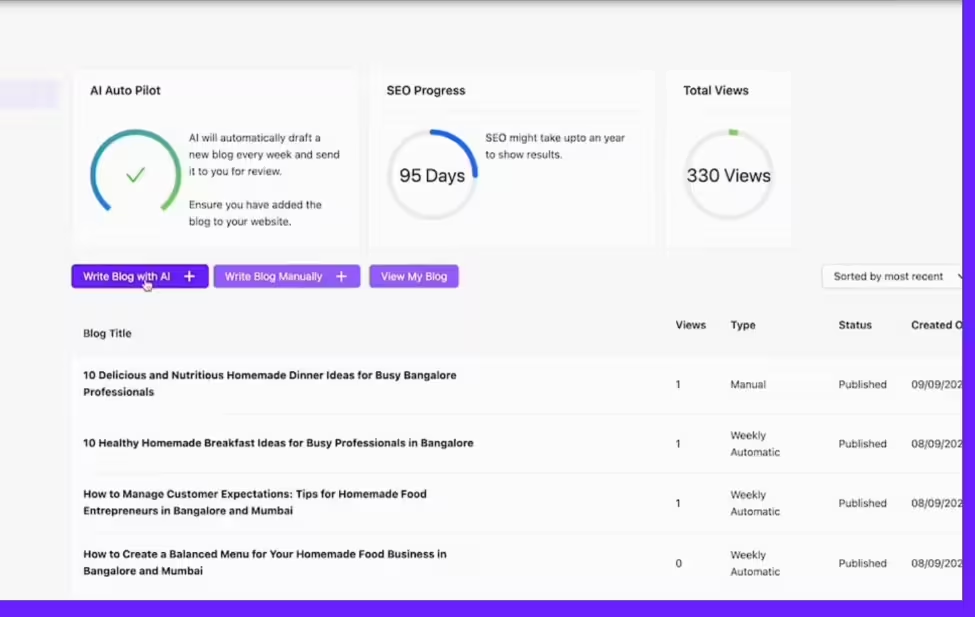
Frizerly is an AI content automation platform designed for small businesses and website owners who want to automate SEO-focused blog creation and publishing without managing a complex content workflow.
It connects with websites, researches content opportunities, generates optimized articles, and can automatically publish content on platforms like WordPress, Shopify, Webflow and more.
Frizerly is the most business-friendly tool in this list in terms of setup simplicity and CMS coverage. It is not trying to replace an SEO agency.
It is trying to help a small business owner or solopreneur maintain a consistent blog without hiring a writer.
Frizerly Features
- Frizerly can automatically include your products and their images in blogs to ensure your blogs convert readers into buyers.
- For Shopify, Frizerly fully integrates to automatically sync product details, high-res images and pricing into blog posts.
- This product-aware content generation is genuinely useful for e-commerce operators who want blog content that naturally references their catalog.
How Frizerly Handles the End-to-End SEO Publishing
- Keyword research: Content opportunity discovery
- Content generation: SEO-focused articles with product integration for e-commerce
- On-page SEO: Optimization included
- CMS publishing: WordPress, Shopify, Webflow, and more
Frizerly Pricing
- Standard: $49/month (or $29/month billed annually)
- Pro SEO/AEO: $149/month (or $99/month billed annually)
- Pro SEO/AEO + Social Media: $199/month (or $149/month billed annually)
Pros and Cons
Pros | Cons |
|---|---|
Strong Shopify and product integration | No AI search visibility tracking |
Broad CMS support: WordPress, Shopify, Webflow | Internal linking automation is limited |
Low complexity for non-technical users | Less depth in keyword strategy vs. top-tier tools |
Product-aware content generation | No backlink building |
Good for e-commerce blog content | Content needs editing for quality before publishing |
Who Should Use Frizerly?
Frizerly is best for small business owners running niche content sites who do not need advanced SEO automation.
E-commerce operators on Shopify will find the product integration particularly useful. Frizerly is best for small businesses and local SEO content.
Who Should Avoid Frizerly?
High-authority publishers needing deeply cited, original research articles, agencies running technical SEO audits for enterprise clients
Writers who value full creative control over every sentence published
Teams with strict content compliance requirements in legal, medical, or financial niches should avoid Frizerly.
Frizerly Verdict (7.8/10)
Frizerly does what it promises well, particularly for Shopify e-commerce sites and small businesses.
The product integration and broad CMS support are genuine differentiators.
The missing AI search visibility, limited internal linking, and narrow fit outside of small business use cases keep the score conservative.
How to Choose the Best Autoblogging Tool for Your SEO Workflow
1. Start With Your Publishing Volume
A tool built for 10 articles per month is structurally different from one built for 100+.
Publishing volume affects which pricing tier you land on, whether content quality holds up at scale, and how much manual review you realistically need.
If you are publishing 5 articles per month, you probably do not need the most expensive tool.
If you are publishing 50+, content quality and workflow efficiency become more important than any individual feature.
2. Check How Much of the Workflow Is Actually Automated
Before you commit to any tool, map out your current workflow against what the tool actually handles. Here is a checklist:
The gap between what a tool claims to automate and what it actually handles can be significant. Test each step in a real project, not just a demo.
The how to do autoblogging guide walks through this workflow step by step with real examples.
3. Evaluate Content Quality Before Automation
Publishing hundreds of weak pages creates problems that take months to clean up.
I tested three autoblogging tools side by side over 90 days: Emplibot, Junia AI and RightBlogger.
The semi-automated approach (AI draft + human editing) outperformed fully automated posts by roughly 3x in organic traffic after 6 months.
The lesson: before you scale, test 10 articles through your chosen tool and check them against the top-ranking pages for your target keywords.
Are they actually better, or are they just longer?
4. Check CMS Integrations
WordPress is the baseline. If you are on Webflow, Shopify, or another CMS, verify native integration before you commit.
Not every tool in this list covers all platforms. BabyLoveGrowth AI covers WordPress, Webflow, Shopify, and Wix. Emplibot is primarily WordPress.
Keytomic and Frizerly covers the broadest CMS range. Soro SEO and Distribb are worth verifying directly for your specific setup.
5. Compare Pricing Based on Output
The most useful pricing metric is cost per published article, not monthly subscription.
Tool | Monthly Price | Articles/Month | Cost Per Article |
|---|---|---|---|
Keytomic | ~$99/month | ~30 | ~$3.30 |
BabyLoveGrowth AI | $99/month | 30 | $3.30 |
RankPill | $99/month (or 82.50/year) | 30 | $3.30 ($2.75) |
Emplibot | ~$69/month | Varies | Verify with vendor |
Distribb | $97/month | Verify | Verify |
Soro SEO | $39/month | 30 (daily) | ~$1.30 |
Frizerly | $49/month | 1 post/week | Verify |
A $19/month tool that produces content that never ranks has a higher effective cost than a $99/month tool that generates measurable organic traffic. Evaluate on outcomes, not sticker price.
6. Look at Editing Requirements
A $99/month tool that requires 30 minutes of human editing per article at 30 articles per month adds 15 hours of labor to your monthly cost.
That changes the real value calculation significantly. Factor editing time into your tool comparison, not just the subscription price.
Is Autoblogging Safe for SEO?
Autoblogging is safe for SEO when the content is original, accurate, and genuinely useful to the reader.
Automation itself is not the problem. The problem is using automation to produce thin, unoriginal, or factually wrong content at scale.
Google’s Search Quality Rater Guidelines evaluate content based on E-E-A-T (Experience, Expertise, Authoritativeness, and Trustworthiness) and focus on the quality of the content itself rather than how it was produced or created.
AI-generated content that demonstrates these qualities can rank well. AI-generated content that does not demonstrate them will not, regardless of how many articles you publish.
The practical rule: automate what automation does well (structure, formatting, keyword optimization, internal linking, publishing workflow).
Keep human judgment in the loop for accuracy, tone, and anything that requires genuine expertise.
How to Build an Automated SEO Publishing Workflow
Step 1: Find Low-Competition Topics
Start with keyword research focused on search volume between 100 and 2,000 per month with keyword difficulty below 30.
These are the topics where a new or mid-authority site can realistically rank within 3 to 6 months. Tools like Keytomic and BabyLoveGrowth AI automate this discovery step.
Step 2: Build Topical Clusters
Group your keywords into clusters around core topics.
A cluster typically includes one pillar page (the main topic) and 5 to 15 supporting articles covering subtopics, questions, and related terms.
This structure signals topical authority to Google and makes internal linking systematic rather than random.
Step 3: Generate Content Briefs
Before writing, create a brief that includes the target keyword, secondary keywords, competing URLs to analyze, desired article length, tone, and required factual elements.
The more specific the brief, the better the AI output. Tools that skip this step tend to produce generic content.
Step 4: Create and Optimize Articles
Generate your article, then check it against the top-ranking pages for your target keyword. Is it meaningfully better?
Does it cover the topic more completely? Does it add something the existing top results do not?
Volume alone does not drive results. Quality relative to competition does.
Step 5: Add Internal Links and Structured Data
Add internal links from existing high-authority pages to your new article, and from the new article to relevant existing content.
Add schema markup appropriate to the content type (Article, FAQ, HowTo, Product).
Tools like Keytomic and BabyLoveGrowth AI handle schema automation. RankPill handles internal linking automation well.
Step 6: Generate and Optimize Images
Use AI-generated or licensed stock images with descriptive alt text.
Featured images improve click-through rates from search and social. Alt text helps image search indexing.
This step is often skipped in fully automated workflows, and it shows in performance.
Step 7: Publish to Your CMS
Schedule publishing at a consistent cadence.
A consistent publishing schedule enforces crawl frequency signals, which matters for Google.
Sites that publish on a regular schedule tend to get crawled more often, which can accelerate indexation for new content.
Step 8: Review Before Indexing
For new sites or new topics, review the first 5 to 10 articles manually before allowing them to be indexed.
Check for factual errors, thin sections, and missing context. Once you are confident in the output quality for your niche, you can reduce this review frequency.
Step 9: Monitor Rankings and Organic Traffic
Track organic impressions, clicks, and keyword rankings for each published article via Google Search Console and a rank tracker.
Identify which articles are gaining traction and which are sitting flat after 90 days. This data drives your Step 10 decisions.
Step 10: Refresh Underperforming Content
Articles that reach page 2 or 3 but not page 1 are often closer to ranking than you think.
Refresh them by updating outdated information, expanding thin sections, adding new internal links, and improving on-page SEO signals.
Updating underperforming content regularly is one of the highest-ROI activities in an SEO content strategy.
It is also one of the most commonly skipped steps in automated publishing workflows.
Final Verdict: Which Autoblogging Tool Is Best?
For end-to-end SEO publishing, the best tool depends on how much of the workflow you want automated, your publishing volume, CMS, and need for AI search visibility.
There is no single winner for every situation.
Here is how I would break it down:
- Best overall automation + AI search visibility: BabyLoveGrowth AI ($99/month)
- Best full-pipeline SEO consolidation: Keytomic (~$99/month)
- Best internal linking + cluster structure: RankPill ($99/month or $82.50/month annually)
- Best hands-off WordPress: Emplibot (~$69/month)
- Best for content distribution: Distribb ($97/month)
- Best budget local/niche SEO: Soro SEO ($39/month)
- Best for small business/e-commerce: Frizerly ($49/month)
None of these tools replace human judgment entirely.
The ones that perform best in real-world SEO workflows are the ones used by people who understand where automation helps and where it creates new problems.
For a broader look at how these tools fit into a full content strategy, the AI SEO automation guide covers the strategic layer in more detail.
Frequently Asked Questions About Autoblogging Tools
What is the best autoblogging tool?
Keytomic is the best overall autoblogging tool for 2026 based on workflow coverage, AI search visibility tracking and backlink automation. Keytomic is the better choice if keyword research consolidation and agency-level workflow control are higher priorities.
What is the best AI tool for automated SEO publishing?
Keytomic is the strongest AI tool for automated SEO publishing because it covers the most workflow steps natively, including keyword research, content generation, publishing, auto-indexing, automated backlink building and AI citation tracking. The system streamlines keyword research, content creation, publishing, and performance tracking to enhance brand visibility.
Are autoblogging tools good for SEO?
Autoblogging tools are good for SEO when they produce original, search-intent-matched content with proper on-page optimization and are used with editorial oversight. They are bad for SEO when they produce thin, repetitive, or factually inaccurate content at scale without any human review. The tool does not determine the outcome. The publishing strategy does.
Can AI-generated blogs rank on Google?
Yes, AI-generated content can rank on Google. The distinction Google draws is between low-quality content and high-quality content, not between AI-generated and human-written content. Google’s guidance is explicit: content is evaluated on whether it is helpful, accurate, and original, regardless of how it was produced. The challenge is that fully automated AI content without human review tends to be generic, which makes ranking harder in competitive niches.
Can autoblogging tools do keyword research?
Some can, most cannot do it well. The stronger platforms identify high-intent, low-competition keyword opportunities and ensure content aligns with user search intent. Keytomic, BabyLoveGrowth AI, Soro SEO, RankPill, and Emplibot all include some form of keyword research automation.
Which autoblogging tool is best for affiliate marketing?
RankPill is the best fit for affiliate sites, primarily because of the automated internal linking and long-tail keyword cluster targeting, which reduces content cannibalization risk. That said, affiliate content requires heavy editorial review before publishing.
Which autoblogging tool is best for WordPress?
Emplibot is the closest thing to a hands-off autoblogging experience for WordPress. It handles the full pipeline from topic research through WordPress publishing, with social distribution built in. If WordPress is your only CMS and you want minimal ongoing management, Emplibot is the best-fit tool in this list.
Can autoblogging tools help with Google AI Overviews?
Yes, but the approach matters. Tools like Keytomic, Soro SEO, RankPill and BabyLoveGrowth AI explicitly target AI search visibility as a feature. The system creates E-E-A-T-driven content that improves rankings on Google and AI platforms, securing visibility in AI citations.
Is fully automated blogging better than human-edited content?
No, and the data backs that up. The semi-automated approach (AI draft plus human editing) consistently outperforms fully automated posts in organic traffic over a 6-month window, in my testing across multiple sites. Fully automated publishing works better in very low-competition niches where content quality standards are less demanding.

- Ryze AI Review 2026: My 30 Days Full Breakdown of This Autonomous SEO & GEO Platform - October 9, 2026
- #1 Best Plugin for Automatic Blog Posting in WordPress (2026) - September 13, 2026
- 13 Best WordPress Autoblogging Plugins I Tested & Ranked for 2026 - September 13, 2026