I only recommend tools I have actually tested myself and my reviews are always 100% honest. If you buy through some of the links here, I earn a small affiliate commission, which helps fund my future research. Check out my full testing methodology or drop me a line if there is a great tool you think I missed.
Short Answer: What Is the Best Autoblogging Software in 2026?
The best autoblogging software overall in 2026 is Keytomic, based on its end-to-end SEO automation covering keyword research, content generation, publishing, auto-indexing, backlinks acquisition and AI search visibility tracking in a single $99/month subscription. But “best overall” does not mean “best for everyone.”
Here is the fast breakdown:
- Best overall: Keytomic ($99/mo) — covers keyword research through publishing and AI visibility tracking in one platform.
- Best for content + backlinks: BabyLoveGrowth AI — 30 articles + backlinks exchange network at $99/month.
- Best budget option: WordRocket AI (from $10/mo) — bring-your-own-API-key model keeps per-article cost low.
- Best for high-volume publishing: Autoblogging.ai (from $19/month) — Bulk Mode handles hundreds of articles from a CSV upload
- Best for research-driven SEO: Outrank.so ($99/month) — SERP analysis and competitor gap research built-in.
- Best for WordPress automation: Emplibot (from $69/month) — hands-off WordPress publishing with social distribution
- Best for WordPress AI SEO agent: Clearpost AI (from $99/month) — built specifically for WordPress as an AI SEO automation agent.
- Best for programmatic SEO at scale: Byword AI (from $99/month or $5/article) — templated generation across hundreds of keyword variations.
- Best for beginners: RightBlogger (from $59/month) — easiest setup with unlimited articles.
- Best for content distribution: Distribb ($97/month) — focused on getting articles seen and linked elsewhere.
- Best for local SEO: Soro SEO ($39/month) — geo-targeted keyword discovery with daily publishing.
- Best for semantic SEO: BlogSEO.io ($97/month) — semantic content optimization.
- Best for daily automated content: Rankpill (from $49.5/month) — consistent daily automated SEO content.
- Best for agencies: Arvow ($99/month) — full workflow from keyword research to publishing and reporting.
- Best for programmatic SEO: Massblogger ($59/month) — high-volume blogging built for programmatic content.
TL;DR: This guide compares the 15 best autoblogging software platforms tested hands-on in 2026. It is written for SEO professionals, content marketers, bloggers and agency owners who want honest performance data, not vendor marketing copy. The main takeaway: the best autoblogging software is not the cheapest or the fastest. It is the one that produces content people actually want to read and Google actually ranks.
Best Autoblogging Software Compared (2026)
| Software | Best For | Automation Level | SEO Features | Auto Publishing | Starting Price |
|---|---|---|---|---|---|
| Keytomic | Overall SEO automation | End-to-end | Excellent | Yes | $99/mo |
| BabyLoveGrowth AI | Content + backlinks | End-to-end | Excellent | Yes | $99/mo |
| Clearpost AI | WordPress AI SEO agent | High | Good | Yes | $99/mo |
| WordRocket AI | Budget scaling | High | Good | Yes | ~$10/mo (BYOK) |
| Outrank.so | Research-driven SEO | High | Excellent | Yes | $99/mo |
| Massblogger | Programmatic SEO | High | Good | Yes | $59/mo |
| Distribb | Content distribution | High | Good | Multi-channel | ~$97/mo |
| RightBlogger | Beginners | Medium | Good | WordPress | $59/mo |
| BlogSEO.io | Semantic SEO | High | Excellent | Yes | ~$97/mo |
| Rankpill | Daily automated content | High | Good | Yes | $49.5/mo |
| Soro SEO | Local SEO | High | Good | Yes | $39/mo |
| Emplibot | WordPress automation | Very high | Good | Yes | $69/mo |
| Byword AI | Programmatic SEO at scale | High | Excellent | Yes | $99/mo or $5/article |
| Arvow | Agencies | High | Good | Yes | $99/mo |
| Autoblogging.ai | Bulk publishing | High | Good | Yes | $19/mo |
Note: Pricing in this category changes frequently. Always verify current plans directly on the vendor’s website before subscribing.
What Is Autoblogging Software?
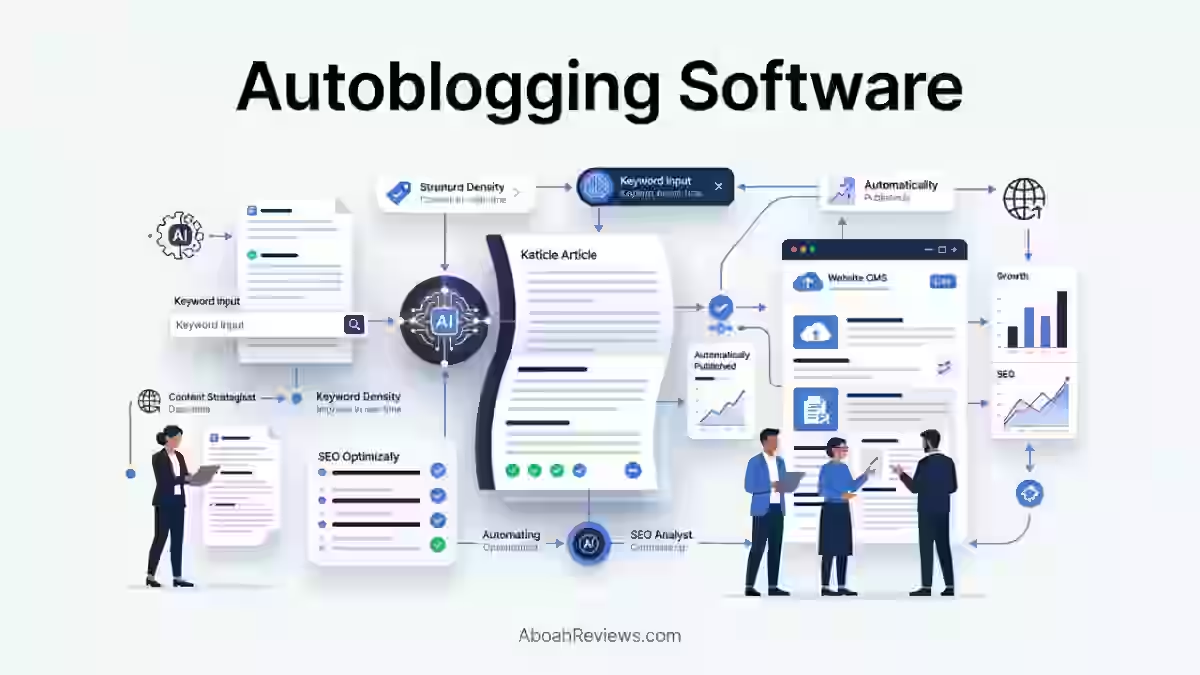
Autoblogging software automates some or all of the process of producing and publishing blog content to your website. At its most basic, that means going from a keyword to a published article without manually writing every word.
At its most complete, it means the tool handles keyword discovery, SERP research, content generation, SEO optimization, image creation, internal linking, CMS publishing, and performance monitoring on a schedule you set.
That last sentence matters a lot. Most tools marketed as “autoblogging software” only cover two or three of those steps. The distinction between a tool that generates AI articles and one that automates the full publishing workflow is the single most important thing to understand before buying anything in this category.
If you want a thorough breakdown of how the underlying process works, my guide on how autoblogging works covers it step by step.
Autoblogging Software vs. AI Writing Tools
An AI writing tool turns a keyword or topic into an article. That is where the automation stops. You still need to do keyword research, choose the topic, optimize the post, add images, handle internal links, publish to your CMS, and submit for indexing. Manually. Every time.
Autoblogging software handles the broader workflow:
AI Writing Tool Workflow:
Keyword/topic → Article
Autoblogging Software Workflow:
Keyword research → Topic selection → SERP analysis → Content generation → SEO optimization → Images/media → Internal linking → CMS publishing → Indexing → Performance monitoring
This distinction matters because many tools marketed as autoblogging software are, in practice, AI article generators with a WordPress plugin bolted on. That is a very different product from a platform that replaces your entire content operations stack.
If you want a clearer side-by-side look at the two categories, I covered this directly in my AI writing tools vs. autoblogging tools comparison.
Three Levels of Autoblogging Automation
Not all autoblogging tools automate the same things. Here is a practical way to classify what you are actually looking at:
Level 1: AI Article Generation
- Input: Keyword or topic
- Output: Article draft
- Examples: Most standalone AI writers
Level 2: SEO Content Automation
- Input: Keyword
- Output: Research-backed article with SEO optimization (headings, meta, schema)
- Examples: Outrank.so, Byword AI, BlogSEO.io
Level 3: End-to-End Autoblogging
- Input: Your domain or niche
- Output: Keyword discovery → research → content → optimization → linking → media → publishing → monitoring
- Examples: Keytomic, BabyLoveGrowth AI, Distribb
When you compare a $19/month tool against a $99/month tool, this classification tells you whether you are comparing equivalent things or fundamentally different categories of software. A Level 1 tool at $19/month paired with the manual work it requires may cost more in real terms than a Level 3 tool at $99/month.
Cost Per Publish-Ready Article: Why Monthly Price Is the Wrong Metric
Most people compare autoblogging tools by monthly subscription price. That is almost always the wrong comparison.
The number that actually matters is: Monthly subscription ÷ publish-ready articles = effective cost per article.
But “publish-ready” is doing a lot of work in that formula. A publish-ready article is one that goes live without any significant editing, fact-checking, or restructuring. If you spend 45 minutes editing every article a tool generates, that editing time has a cost, even if you are not paying for it directly.
Here is a more complete cost model to use:
- Monthly subscription fee
- Article or word credit consumption
- Additional AI or API costs (where BYOK models apply)
- Image licensing or generation costs
- Time spent on human review and editing (at your hourly rate)
- Publishing setup and maintenance time
Example calculation:
$99/month ÷ 30 genuinely publish-ready articles = $3.30 per publish-ready article
For context, hiring a freelance writer for similar content typically runs $50 to $200 per article depending on length and niche. The key variable is how much editing those 30 articles actually require in your niche.
How I Tested the Best Autoblogging Software
I spent time across multiple platforms generating real articles in real niches, not demo content on sandbox sites. Every tool in this list was tested with live keyword targets, connected to an actual CMS, and evaluated on whether the output could go live with minimal human intervention.
Testing Criteria and Weighting
| Criterion | Weight |
|---|---|
| Content quality (accuracy, depth, readability) | 25% |
| SEO capabilities (schema, internal links, meta, entities) | 15% |
| Automation depth (Level 1 vs Level 3) | 15% |
| Publishing reliability (failure rate, CMS compatibility) | 10% |
| Keyword research quality | 10% |
| Ease of use | 10% |
| Pricing and value per publish-ready article | 10% |
| Integrations and support | 5% |
What I Actually Checked Per Tool
For every platform, I tracked:
- Number of articles generated per test period
- Time required from setup to published article
- How much editing was required before the post was acceptable to publish
- Whether keyword selection matched actual search intent
- SERP research quality (did it analyze competitors?)
- Internal linking accuracy
- Schema markup presence
- Image generation and alt text quality
- CMS publishing success rate and failure cases
- Brand voice consistency
- Content originality (checked manually and with plagiarism tools)
- Overall cost per publish-ready article
I also noted support quality, because when something breaks at scale, a slow support response costs real money.
The 15 Best Autoblogging Software Reviewed
1. Keytomic — Best Overall Autoblogging Software
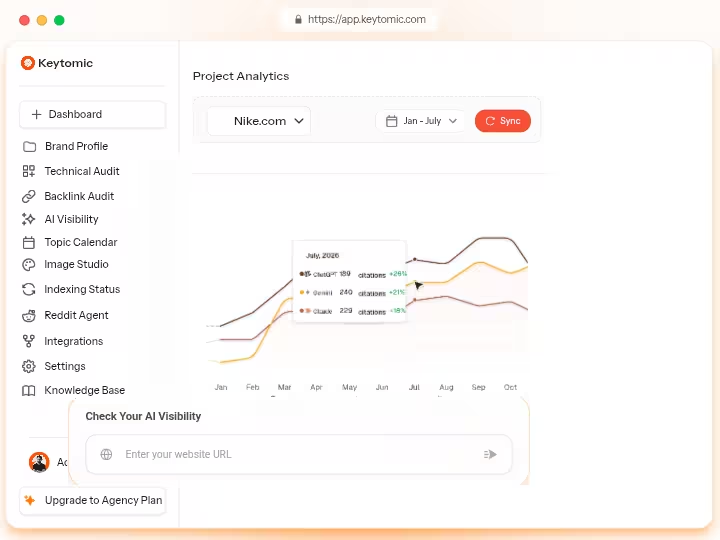
Overall Score: 9.5/10
Keytomic is the strongest end-to-end autoblogging platform tested in 2026, covering keyword research, content generation, publishing, indexing, backlinks acquisition and AI search visibility tracking in a single subscription without add-on fees.
Pricing: $99/month
What I Liked:
- Keytomic’s automation manages the entire process from keyword discovery to content generation, with users approving a 30-day content calendar designed for search engines and AI platforms.
- It indexes every new page using its built-in indexing system for Google, Bing, ChatGPT, and other search engines to ensure faster discovery and improved visibility.
- It combines schema markup automation, AI overview tracking, technical SEO audits, auto-indexing, SEO calendar management, CMS integrations, Reddit brand authority automation and multilingual content support in one subscription.
- It connects natively to Framer, Notion, Contentful, Shopify, Webflow, Wix and WordPress.
What Needs Improvement:
- The platform had limited multilingual capabilities as of 2026. If you need content in Spanish, French, German, or other languages, verify current language support with Keytomic’s team before subscribing.
- Keyword research is built around its automated calendar model, which is excellent for steady publishing but less flexible if you want to upload your own keyword lists on demand.
- You may still need specialized tools for backlink analysis (Ahrefs, Majestic), advanced technical audits on enterprise sites (Screaming Frog) or rank tracking across thousands of keywords (Semrush, Ahrefs).
Who Should Use It?
Small-to-mid-sized content teams, agencies, and niche site operators who want one platform to replace a fragmented toolstack. It is strongest when you want consistent monthly publishing on autopilot with real SEO infrastructure behind each article.
Who Should Avoid It?
Sites that need heavy multilingual publishing (verify first), teams with very specific custom keyword research workflows, or anyone who wants per-article granular control over every output variable.
My Verdict: Keytomic earns the top spot not because it is flashy, but because it actually replaces real workflow steps rather than just drafting content. The auto-indexing alone saves hours per month.
Read my full Keytomic review for the detailed breakdown.
2. BabyLoveGrowth AI — Best for Content and Backlinks
Overall Score: 9.3/10
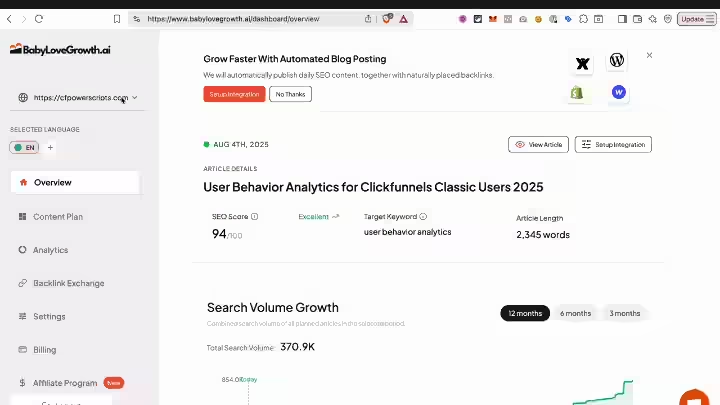
BabyLoveGrowth AI is the strongest option if you want automated content publishing bundled with a backlink network, making it unique in a category where most tools stop at the article.
Pricing: $99/month for the Grow plan and $299/month for Scale, both promotional against $247 and $599 list prices. A 3-day trial is available but requires a credit card.
What I Liked:
- No other autoblogging tool reviewed at the same price point tracks ChatGPT, Perplexity and Gemini citations out of the box.
- The platform integrates with WordPress, Webflow, Shopify, Wix, Ghost, Duda, BigCommerce and also supports API and webhook connections.
- The backlink network spans over 4,000 websites and focuses on contextual, relevant placements rather than generic directory links.
- The platform generates automated JSON-LD structured data for content and flags technical issues affecting Google indexing and AI platform crawlability. This includes rich snippet optimization for FAQ, HowTo and Article schema types.
What Needs Improvement:
- The recurring complaint, in review after review, is content quality: the output reads flat and needs editing before it represents your brand.
- When many customers of the same platform link to one another, Google can spot the footprint and devalue or penalize the pattern. Worth thinking through carefully before opting into the backlink network on an established site.
- The tool targets informational keywords by default. If your priority is commercial-intent or bottom-of-funnel content, the default content plan may not align with revenue goals.
Who Should Use It?
Founders and small teams who want a near-fully-automated publishing and link-building pipeline at a predictable monthly cost. Also works well as an AI visibility monitoring tool regardless of the content side.
Who Should Avoid It?
Sites with strict brand voice requirements or niches where flat, generic-sounding content gets spotted immediately by readers. Factor in your editing time before calculating actual ROI.
My Verdict: Solid for volume with a genuinely useful GEO tracking layer. Editing is still required. See the full BabyLoveGrowth AI review for the 45-day test results, and check the BabyLoveGrowth AI pricing breakdown before subscribing.
3. Clearpost AI — Best for WordPress AI SEO Agent
Overall Score: 9.1/10
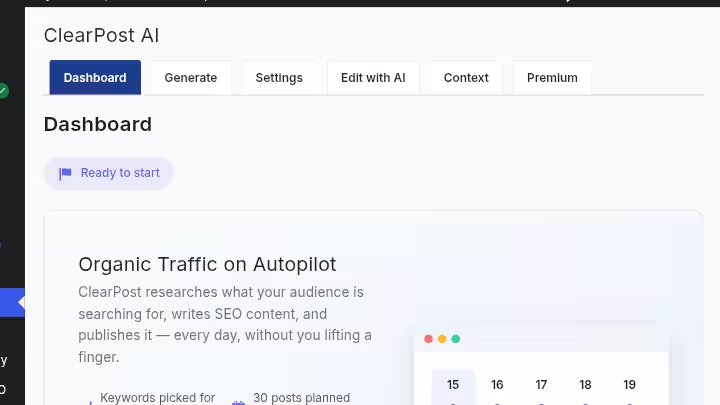
Clearpost AI is built specifically to act as an AI SEO agent for WordPress sites, handling keyword research, on-page optimization, content generation, and publishing coordination directly within a WordPress environment.
Pricing: Free (bring-your-own API key); Premium ($99/month), Business ($199/month). All plans come with 7-day free trial, no credit card required.
What I Liked:
- Deep WordPress integration designed for site owners who live entirely within the WordPress ecosystem
- SEO agent functionality means it does not just create content; it analyzes your existing posts, flags optimization gaps, and takes action within the CMS
- Lower learning curve for WordPress-native users who do not want to connect external platforms
What Needs Improvement:
- Limited utility outside the WordPress ecosystem. If you run Webflow, Shopify, or Ghost, look elsewhere.
- Feature depth on the SEO research and SERP analysis side is narrower than platform-agnostic tools like Keytomic or Outrank.so
Who Should Use It?
WordPress site owners who want an AI agent embedded directly in their CMS workflow, particularly those managing content operations without a dedicated SEO team.
Who Should Avoid It?
Multi-CMS environments or anyone who needs cross-platform publishing. Also not ideal if deep SERP competitor analysis before writing is a core requirement.
My Verdict: Clearpost fills a real gap for WordPress-native teams. Read the Clearpost AI review for a detailed feature breakdown.
4. WordRocket AI — Best Budget Autoblogging Software
Overall Score: 9.0/10
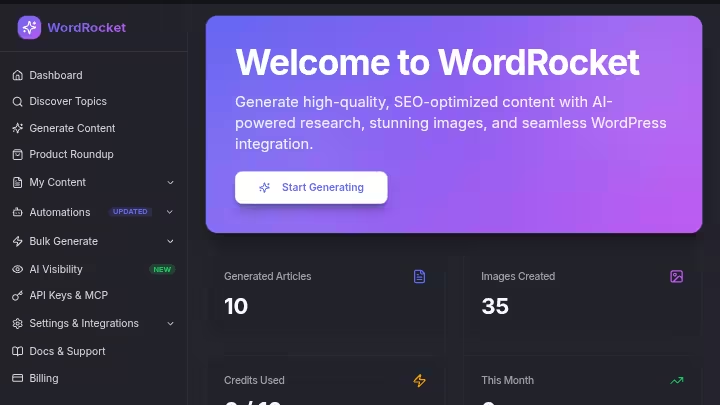
WordRocket AI is the most cost-efficient autoblogging option tested because its bring-your-own-API-key (BYOK) model means your monthly cost is tied to actual usage, not a fixed subscription with unused credits.
Pricing: Free plan ($0/month), Starter plan ($10/month), Pro ($20/month), Premium ($49.99/month). You pay your own AI provider (OpenAI, Anthropic, Google) directly. Expect $10–$30/month for moderate usage. Check the WordRocket AI pricing guide for a breakdown of real usage costs.
What I Liked:
- Testing across three affiliate sites for 45 days, generating 47 articles averaging 2,847 words each, the standout feature was the bring-your-own-API-key model.
- WordRocket AI provides access to a suite of top-tier AI models, including GPT-4, Claude and Gemini. You choose the model per generation based on quality needs and budget.
- No credit caps, no throttling, no per-article pricing gates once you are set up
What Needs Improvement:
- Setup requires comfort with API keys and provider accounts. Not beginner-friendly.
- Publishing automation is more limited than full-stack platforms like Keytomic or BabyLoveGrowth AI
Who Should Use It?
SEO professionals and content teams who generate high volumes of articles and want maximum per-article cost efficiency. Also ideal for agencies testing content at scale without committing to expensive platform subscriptions.
Who Should Avoid It?
Beginners or anyone who wants a platform to handle keyword research and publishing without any technical setup.
My Verdict: If your priority is cost per article at scale, nothing tested beats WordRocket AI. The tradeoff is that you manage more of the workflow yourself. See the full WordRocket AI review for the complete 45-day test.
5. Outrank.so — Best for Research-Driven SEO Content

Overall Score: 8.9/10
Outrank.so is the strongest option when content quality backed by real SERP research matters more than raw publishing volume. It analyzes competing pages before writing, which produces noticeably better search intent matching than tools that skip that step.
Pricing: The $99/month Standard Plan covers 30 auto-published articles per month with keyword research, AI image generation, internal and external link management, unlimited AI rewrites, a backlink exchange network, and support for 150+ languages.
Enterprise plans add unlimited articles and multi-site discounts: 10% off for 2–4 sites, 15% for 5–19 and 20% for 20+ sites.
What I Liked:
- Outrank.so is an automated SEO content platform that discovers keywords, generates optimized articles, and publishes them on autopilot, daily, straight into your CMS.
- SERP analysis before content generation produces stronger intent alignment than competitors that skip competitor research
- It consistently produce the highest-quality first drafts in testing, with the deepest semantic coverage and best source grounding.
What Needs Improvement:
- Outrank’s lowest paid plan is $99/month, and you’ll pay more if you want to generate more than 30 articles a month. That is fine if you’re shipping exactly 30 finished posts, but most blogs burn 2–3 drafts for every keeper.
- Set-it-and-forget-it autopilot only works cleanly when every generated draft hits the right keyword and intent. That is not always the case in competitive niches.
Who Should Use It?
Content teams, agencies, and site owners who prioritize article quality over volume. Also a strong choice for anyone running multiple sites given the multi-site enterprise pricing structure.
Who Should Avoid It?
Teams needing more than 30 articles per month on the Standard plan, or anyone who needs BYOK flexibility to control model costs.
My Verdict: Outrank.so sits at the quality end of the spectrum. Check the Outrank.so pricing plans and the Outrank.so review before subscribing.
6. Massblogger — Best for Programmatic SEO
Overall Score: 8.8/10
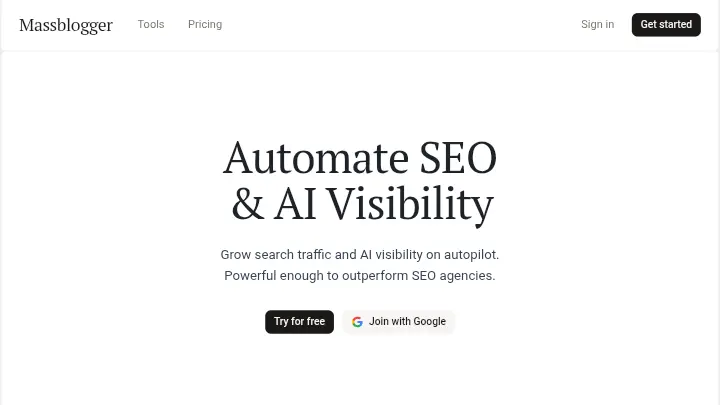
Massblogger is built for high-volume programmatic content production, making it a fit for teams that need to publish dozens or hundreds of topically-related articles across keyword variations rather than individual handcrafted posts.
Pricing: Free plan, $59/month (Discovery), $99/month (Pro).
What I Liked:
- Volume-first architecture means it handles bulk generation without the credit-cap friction that limits most competitors
- Useful for location-based content, product category pages, and FAQ clusters at scale
- Workflow is straightforward if you already know your keyword targets
What Needs Improvement:
- Content quality at high volume tends toward the formulaic. Without a human review layer, posts can start to read identically across keyword variants.
- Less useful if you want editorial-quality content or topics requiring original research
- Limited SERP competitor analysis compared to Outrank.so
Who Should Use It?
Multi-location businesses, directory sites, and affiliate publishers running programmatic SEO campaigns across high volumes of keyword variants.
Who Should Avoid It?
Sites where content quality and brand voice consistency are priorities over volume. Also not ideal for topics requiring factual accuracy, first-hand experience, or expert-level depth.
My Verdict: Massblogger delivers on volume. Use it with a content audit workflow to catch quality drift across large batches. Read the Massblogger review for a deeper look.
7. Distribb — Best for Content Distribution

Overall Score: 8.7/10
Distribb is the only tool in this list that focuses primarily on distributing content across multiple channels rather than simply generating and publishing to one CMS. If content amplification and multi-channel reach matter to you, Distribb fills a gap the other platforms ignore.
Pricing: $97/month (Pro), $495/month (Accelerator). All plans include a 3 days trial (credit card required).
What I Liked:
- Multi-channel distribution is built into the core workflow by design
- Useful for teams running content repurposing pipelines alongside their main blog
- Clean workflow for getting content from generation to social distribution without manual switching between tools
What Needs Improvement:
- Compared to Keytomic or BabyLoveGrowth AI, the SEO research and optimization depth is lighter
- Brand voice calibration requires patience and active editing in the first 3–5 weeks
Who Should Use It?
Content marketing teams that already have a content generation pipeline and want to automate distribution across platforms. Also useful for agencies managing multi-channel content for clients.
Who Should Avoid It?
Enterprise brands with strict brand guidelines that require dedicated editorial approval processes.
My Verdict: Distribb is a niche pick for users who want content distribution alongside automated backlink acquisition. Check the Distribb review for an honest look at the distribution pipeline.
8. RightBlogger — Best for Beginners
Overall Score: 8.5/10
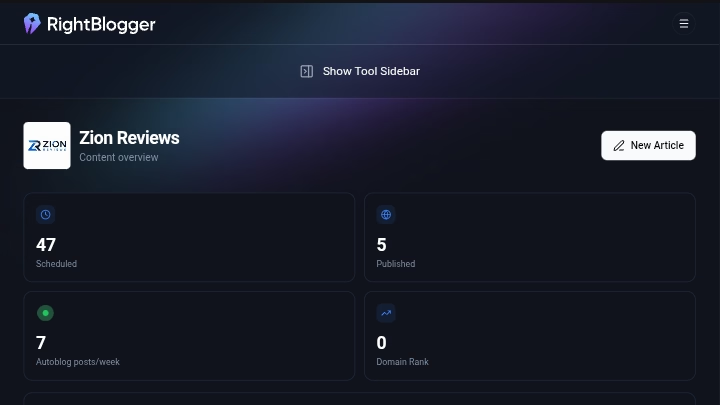
RightBlogger is the easiest autoblogging platform to start with, combining keyword research, AI article generation, newer backlinks exchange network and 90+ additional content tools in one dashboard at a price that does not require a spreadsheet justification.
Pricing: Solo at $59/month (1 site), Pro at $89/month (3 sites) and Agency at $299/month (10+ sites), with 50% off annual plan promotion.
What I Liked:
- Unlimited article generation on all paid tiers removes the per-article anxiety most tools create
- It scans your connected site on a recurring schedule (WordPress, Ghost, Webflow, and Wix). Pulling from your Search Console data, it surfaces internal-link adds and low-CTR meta-description rewrites, catches stale year references, and keeps every change reversible with a 30-day one-click undo.
- The sheer breadth of tools means you can cover most content operations tasks without needing a separate subscription for each function
What Needs Improvement:
- The Autoblogging feature is limited to 1 article per day on the Pro plan. For a tool that positions itself alongside full autopilots, that is a notable constraint.
- The sheer number of tools can feel overwhelming; you need to know which ones to use and when. The breadth that helps beginners can also distract experienced operators looking for a single focused workflow.
- Not a hands-off autopilot. It is more of a speed-multiplier for someone who wants to stay involved in the process.
Who Should Use It?
Beginner bloggers, solo content marketers, and freelancers who want a broad tool set at a manageable price. Also useful for anyone transitioning from manual blogging to semi-automated publishing.
Who Should Avoid It?
Teams needing to publish more than 1 article per day automatically, or anyone who wants completely hands-off publishing without ongoing involvement.
My Verdict: For the price, RightBlogger is genuinely good value. Check the RightBlogger review and RightBlogger pricing before deciding.
9. BlogSEO.io — Best for Semantic SEO

Overall Score: 8.4/10
BlogSEO.io is built around semantic SEO principles, meaning it thinks about topic clusters, entity coverage, and related terms rather than just placing a target keyword into a template.
Pricing: ~$97/month. Verify current plans directly.
What I Liked:
- Semantic keyword and entity coverage is noticeably stronger than most autoblogging tools tested
- Topic cluster architecture built into the content planning layer, which helps with topical authority building
- Solid for sites targeting competitive niches where surface-level keyword stuffing no longer works
What Needs Improvement:
- Steeper learning curve for users unfamiliar with semantic SEO concepts
- Output can feel overly structured at times; useful for Google, occasionally stiff for human readers
- Pricing puts it in the same bracket as Outrank.so, which offers stronger SERP competitor research
Who Should Use It?
SEO professionals and content strategists building topical authority in competitive niches who understand semantic SEO and want the tool to reflect that understanding in its output.
Who Should Avoid It?
Beginners who have not worked with topic clusters or entity-based SEO before. The tool rewards existing SEO knowledge. Check the BlogSEO.io review for a full breakdown. For broader context on semantic SEO automation, that guide covers the underlying approach in detail.
10. Rankpill — Best for Daily Automated Content
Overall Score: 8.3/10
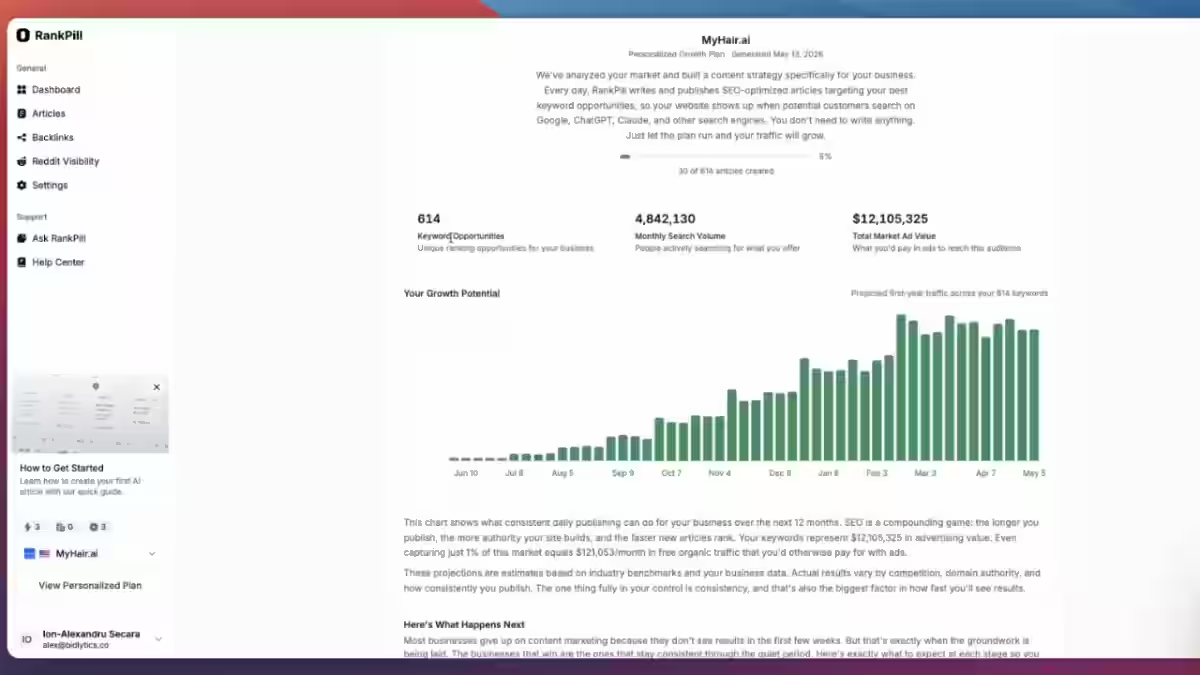
Rankpill focuses on consistent daily automated SEO content publishing, making it a practical pick for teams that want a predictable content cadence without managing individual article schedules manually.
Pricing: $49.5 for the first month, then $99/month. You can save 10% on quarterly plan and 17% on annual subscription.
What I Liked:
- Daily publishing cadence runs on autopilot once set up, removing the calendar management overhead most content teams carry
- Useful for sites where publishing consistency matters more than content diversity
- Straightforward setup with minimal configuration required
What Needs Improvement:
- Limited differentiation in content format or depth across articles when running at high daily volume
- Not the right tool if you need diverse content types (product pages, comparison posts, local landing pages)
- Lacks the deep SERP research layer that Outrank.so or Keytomic include before writing
Who Should Use It?
News-adjacent publishers, niche information sites, and content teams where daily publishing frequency is a strategic priority.
Who Should Avoid It?
Teams who need varied content types or deep pre-writing SERP analysis. Check the Rankpill review for test results.
11. Soro SEO — Best for Local SEO Automation

Overall Score: 8.1/10
Soro SEO is built specifically for local SEO content automation, including geo-targeted keyword discovery and daily automated publishing for local service businesses.
Pricing: $39/month. Soro’s daily automated publishing with geo-targeted keyword discovery makes it a reasonable fit for local service businesses building organic presence.
What I Liked:
- Local keyword targeting built into the core workflow, not an afterthought
- Daily automated publishing keeps local sites active without manual content production
- Accessible price point for small local businesses without dedicated content teams
What Needs Improvement:
- Content quality for highly competitive local verticals (law, medical, finance) requires significant editing before publishing
- Limited integration options compared to platform-agnostic tools
- Less useful for national or international content strategies
Who Should Use It?
Local service businesses, franchises, and agencies managing local SEO for multiple clients. The local SEO automation guide gives useful context on how content automation fits into a local SEO strategy.
Who Should Avoid It?
Content teams targeting national or e-commerce audiences where local geo-targeting adds no value. Read the Soro SEO review before subscribing, and check Soro SEO pricing against the alternatives.
12. Emplibot — Best for Hands-Off WordPress Publishing
Overall Score: 8.0/10
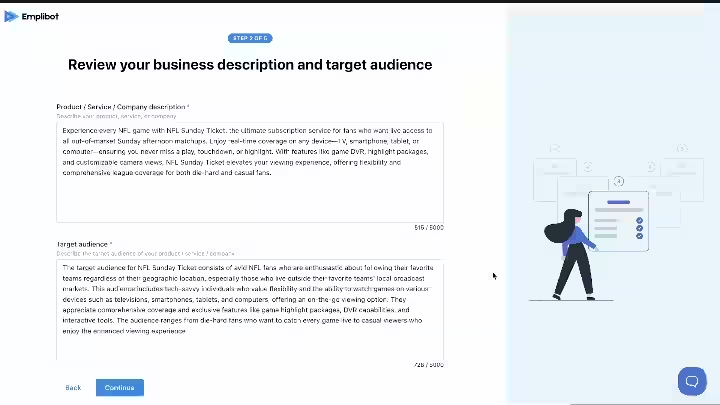
Emplibot is the closest thing to a completely hands-off autoblogging experience for WordPress sites, handling the full pipeline from keyword research through publishing with social distribution included in the base price.
Pricing: Starter runs $69/month for 2 articles/week, Standard is $99/month for 4 articles/week, and Pro is $149/month for 7 articles/week. All plans include a 7-day free trial.
What I Liked:
- Emplibot handles the full pipeline from topic research through WordPress publishing, with social distribution built in. It conducts keyword research, performs topic research, creates visuals, adds links, and publishes content on your blog automatically.
- Review mode lets you approve content before it goes live if you want a checkpoint before full automation
- Emplibot is WordPress-first autoblogging that also distributes content to LinkedIn, Facebook and X.
What Needs Improvement:
- No free tier, and pricing tiers are based on a fixed weekly cadence rather than flexible bulk generation.
- WordPress-first means limited utility for Webflow, Shopify, or Ghost users
- The fixed cadence pricing model makes cost-per-article calculations less straightforward than credit-based platforms
Who Should Use It?
WordPress site owners, agencies, and bloggers who want genuinely hands-off publishing with social distribution included. Also strong for teams that want a review approval layer before posts go live.
Who Should Avoid It?
Multi-CMS environments or anyone who needs flexible bulk publishing schedules. See the full Emplibot review for a complete assessment.
13. Byword AI — Best for Programmatic SEO at Scale
Overall Score: 7.8/10
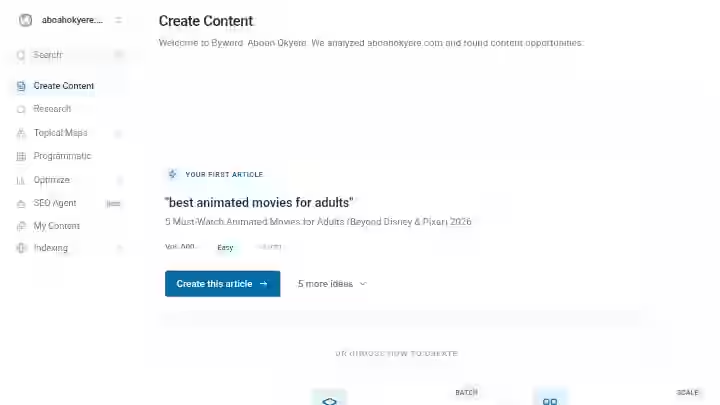
Byword AI is purpose-built for programmatic SEO campaigns where you need to publish hundreds of articles across keyword variations quickly and reliably.
Pricing: Free trial (5 articles), Starter ($99/month), Standard ($299/month), Scale ($999/month), Unlimited ($1,999/month) or $5/article
What I Liked:
- Templated generation is genuinely purpose-built for high-volume keyword variation campaigns
- Strong fit for multi-location businesses, directory sites, and teams running programmatic SEO that need hundreds of similar articles across keyword variations. The templated generation is purpose-built for this workflow.
- Clean publishing pipeline to WordPress with minimal setup friction
What Needs Improvement:
- The templated generation is useful, but for standard blog content, quality tends toward generic
- No content strategy layer or editorial planning. Article quality tends toward generic on complex topics. No GBP, no social media, no backlink features.
- Not ideal for businesses wanting a full-service autoblogging pipeline with keyword research, content planning, and multi-channel distribution.
Who Should Use It?
Programmatic SEO specialists, multi-location businesses, and affiliate site builders who have their keyword lists ready and want fast templated publishing at scale.
Who Should Avoid It?
Anyone who needs the platform to discover keywords or who wants editorial-quality content on complex topics. Also not a fit if you need backlinks, GBP optimization, or social distribution.
My Verdict: Byword AI is excellent at programmatic SEO at scale. If that thing matches your workflow, it delivers. Read the Byword AI review for real output examples.
14. Arvow — Best for Agencies

Overall Score: 7.6/10
Arvow handles the complete autoblogging workflow from keyword research to publishing and reporting, making it one of the stronger agency-focused platforms in the category.
Pricing: Solo at $99/month (1,000 credits, 1 site), Business at $149/month (2,000 credits, 5 sites) and Ultimate at $449/month (8,000 credits, unlimited sites), alongside a bespoke Human + AI managed service starting at $2,000/month.
What I Liked:
- For agencies and businesses that want to scale content production without hiring more writers, Arvow stands out because it handles the entire workflow: keyword research, content generation, optimization, publishing, and reporting.
- RSS feed automation monitors competitor blogs, news sites, or industry publications and auto-generates articles.
- The widest CMS compatibility of any platform tested alongside Outrank.so
What Needs Improvement:
- Content quality on complex topics requires editorial review before publishing to established authority sites
- Reporting layer, while useful for agencies, is less granular than dedicated SEO analytics platforms
Who Should Use It?
Agencies managing content for multiple clients across different CMS platforms, particularly those running content marketing alongside SEO reporting. The local SEO automation tools guide for agencies covers how tools like Arvow fit into a broader agency stack.
Who Should Avoid It?
Solo bloggers or small teams who do not need agency-level reporting and multi-client management overhead.
My Verdict: Arvow is a good fit for agencies managing multiple sites but the generic writing requires heavy editing to meet editorial standards.
15. Autoblogging.ai — Best for Bulk Article Generation
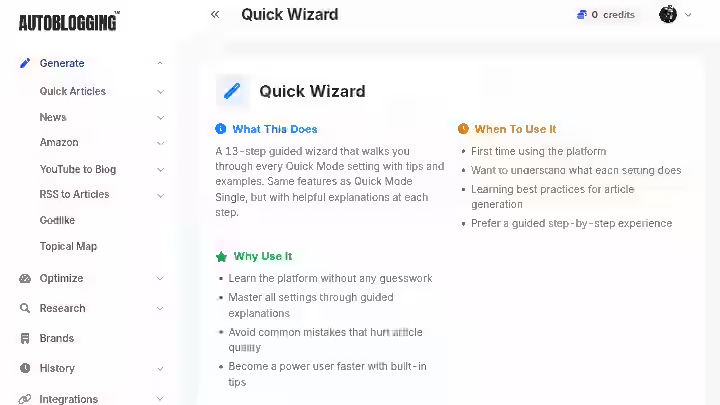
Overall Score: 7.5/10
Autoblogging.ai is the fastest tool tested for turning a keyword list into published articles, and it is the go-to choice when publishing volume is the primary objective.
Pricing: Free (10 credits/month), $19/month Starter, $49/month Regular, $99/month Standard, $179/month Gold, $249/month Premium, $999/month Enterprise.
What I Liked:
- The platform claims 40,000+ content creators and over one million articles generated. The flagship modes: Bulk Mode and Godlike Mode let users generate dozens or hundreds of articles in a single session.
- Article types include Informative, Lead Generation, Local SEO, and Affiliate, making it genuinely useful for affiliate site builders and niche-site operators who need high-volume content on a deadline.
- Lowest entry price of any full-feature autoblogging platform tested at $19/month
What Needs Improvement:
- Speed and volume are the core value propositions. Content depth and editorial quality at the lower price tiers require human review before publishing on any competitive topic.
- The bulk generation approach makes it easy to publish thin content at scale if no editorial oversight exists
Who Should Use It?
Affiliate marketers, niche site builders, and content operators who have their keyword targets mapped and need fast volume at low cost per article.
Who Should Avoid It?
Anyone expecting editorial-quality output straight from the generator, or teams without a review workflow to catch intent mismatches and factual errors.
My Verdict: The $19/month entry point is genuinely useful for testing, but understand what you are buying speed and volume, not quality at scale.
What to Look for in Autoblogging Software
1. Automated Keyword Research
The best autoblogging software finds viable keywords for you. Look for tools that identify high-intent, low-competition opportunities rather than requiring you to upload every target keyword manually.
If you have to do all the keyword research yourself, you are removing one of the main efficiency gains autoblogging offers.
2. Search Intent and SERP Analysis
Does the tool analyze the top-ranking pages before writing? This single feature separates tools that produce content that has a chance of ranking from tools that generate articles into a vacuum.
Outrank.so and Keytomic both include this step. Most budget tools skip it.
3. Content Quality
Evaluate factual accuracy, originality, depth, readability, and whether the article actually answers the query it is targeting.
Run a test article against a keyword you know well. If you can spot obvious gaps or factual errors within two minutes, your readers and Google will find them too.
4. SEO Optimization Capabilities
Look specifically for:
- Semantic term coverage (not just the target keyword)
- Proper heading structure (H2/H3 hierarchy)
- Internal link generation (contextual, not random)
- Schema markup (Article, FAQ, HowTo where applicable)
- Meta title and description optimization
- Entity coverage and NLP-friendly writing
5. CMS Integrations
Prioritize platforms that support your actual CMS, not just WordPress. If you run Webflow, Shopify, Ghost, or Wix, verify native integration before subscribing. Outrank.so and Arvow offer the widest CMS compatibility tested.
6. Publishing Automation
Publishing automation should include:
- Scheduled post publishing
- Automatic image selection and alt text
- Category and tag assignment
- Internal link injection
- Meta data population
Any tool that requires you to manually trigger individual posts at scale is not genuinely automating your workflow.
7. Analytics and Monitoring
Look for platforms that track:
- Organic rankings for published articles
- Search impressions and click-through rates
- Indexing status for new pages
- Content performance decay (articles that drop in rankings)
- AI search visibility (ChatGPT, Perplexity, Gemini citations)
The last item on that list is where Keytomic and BabyLoveGrowth AI stand out. Most tools in the category ignore generative engine optimization entirely.
8. Pricing Per Publish-Ready Article
Compare tools on effective cost per publish-ready article, not monthly subscription price. A tool at $19/month that requires 30 minutes of editing per article may cost more per piece than a $99/month platform where articles need minimal adjustment.
Are Autoblogging Software Safe for SEO?
As explained by Google Search Central, however content is produced, those seeking success in Google Search should be looking to produce original, high-quality, people-first content demonstrating qualities of E-E-A-T.
The short version: Google’s AI content policy in 2026 penalizes unhelpful content produced primarily to manipulate rankings, not the use of AI to write.
If you use AI to draft genuinely useful pages with human oversight, you are inside policy. The tool is not the issue. The output and the intent behind it are.
Can Autoblogging Content Rank on Google?
Yes, but volume alone does not produce rankings. To meet quality standards, AI-generated content must be edited for accuracy and enhanced with original insights and expertise to provide unique value.
The autoblogging sites that rank well share three things: they target keywords their domain already has authority for, they maintain editorial oversight at least at the topic and headline level, and they produce content that actually answers the search query better than what is already ranking.
Why Publishing Hundreds of AI Articles Can Backfire
Here is what goes wrong when the automation is set to fully hands-off:
- Thin content: Articles that cover a topic superficially rather than answering the actual query
- Search-intent mismatch: Publishing informational content for transactional queries (or vice versa)
- Factual errors: AI models hallucinate. In competitive niches, wrong facts get spotted fast.
- Duplicate or templated content: At high volume, articles start to feel structurally identical
- Poor internal linking: Auto-linking without keyword mapping creates cannibalization
- Index bloat: Hundreds of thin pages that consume crawl budget without contributing to rankings
- No first-hand expertise signal: The addition of “Experience” to E-E-A-T highlights the value of content that shows real, first-hand interaction with products or services. This could include original photos, specific test results, or personal insights that prove genuine engagement with the topic.
I learned #5 and #6 the hard way. I lost an affiliate site’s rankings after publishing 42 auto-generated posts without internal linking or keyword filtering. The content cannibalized itself. Recovering from that took two full content audit cycles and several months.
How to Use Autoblogging Software Without Getting Burned
Follow this workflow regardless of which tool you choose:
- Apply keyword filtering — Only publish articles targeting keywords your domain has a realistic chance of ranking for
- Review every article before publishing — Even a 5-minute check catches the worst AI errors
- Add one piece of original insight per article — A data point, a personal observation, a real example
- Fact-check anything the tool states as a statistic or claim — AI-generated numbers are frequently wrong
- Build topical clusters, not random articles — Publish around themes your domain already covers
- Monitor performance monthly — Track rankings, impressions, and traffic. Kill articles that are dragging down the site.
- Prune regularly — Content that has never ranked after 6 months should be updated, consolidated, or removed
For a detailed look at where these workflows break down, the guide on how to do autoblogging responsibly covers the step-by-step process.
Who Should Use Autoblogging Software?
| User Type | Best Fit | Recommended Tool |
|---|---|---|
| Bloggers | Semi-automated publishing | RightBlogger, Emplibot |
| Affiliate marketers | Volume with cost control | Autoblogging.ai, WordRocket AI |
| SEO professionals | Research-backed automation | Keytomic, Outrank.so |
| Agencies (multiple clients) | Multi-site management | Arvow, BabyLoveGrowth AI |
| Local businesses | Geo-targeted content | Soro SEO |
| Content teams | Editorial + automation mix | Outrank.so, BlogSEO.io |
| Multi-site publishers | Programmatic SEO | Byword AI, Massblogger |
The benefits of autoblogging tools guide explains why each of these user types gets real leverage from automation when applied correctly.
Who Should NOT Use Autoblogging Software?
This is an honest list, and it matters:
- Highly technical subjects (engineering, medicine, legal, advanced finance) — AI output in these areas requires expert review that largely eliminates the automation benefit
- Sensitive topics — Health, legal, and financial content carries real-world risk if factually wrong
- Expert-led publications — If your competitive advantage is the author’s expertise and reputation, AI content dilutes that
- Thought leadership content — Original perspective and genuine experience cannot be automated
- Investigative or research-driven journalism — Sourcing, verification, and original reporting require human judgment
- Content requiring extensive first-hand experience — Product reviews, case studies, and service comparisons where the author’s direct experience is the whole value proposition
If your content category appears on this list, consider a hybrid approach: use AI for research, outlines, and first drafts, then invest the editorial time that actually differentiates your content. The autoblogging vs hybrid blogging comparison covers this tradeoff clearly.
Final Verdict: Which Autoblogging Software Should You Choose?
Here is the honest summary based on real testing:
- Keytomic is the strongest overall choice for 2026 if you want a single platform that replaces a fragmented tool stack. It handles keyword research, content generation, publishing, indexing, backlinks acquisition and AI visibility tracking without requiring you to cobble together separate subscriptions for each step.
- BabyLoveGrowth AI wins if backlinks matter as much as content. The bundled backlink network and GEO tracking make it unique in the category at $99/month, even if the content quality requires a light editorial pass.
- WordRocket AI wins on cost efficiency for experienced SEO professionals who can handle the API setup and want to remove per-article cost caps entirely.
- Outrank.so wins on content quality for competitive niches where SERP research before writing makes the difference between articles that rank and articles that sit in position 47 forever.
- Autoblogging.ai wins on speed and volume for affiliate and niche site operators running programmatic strategies at scale.
The best autoblogging software is not the one that publishes the most articles. It is the one that produces useful, search-focused content while eliminating the most repetitive SEO work in your specific workflow.
The tool choice depends on whether your priority is automation depth, content quality, publishing volume, backlink acquisition, or cost per article.
Whatever tool you choose: build in human oversight, monitor performance, and do not treat any platform as a hands-off replacement for editorial judgment.
The tools that perform well in SEO are the ones used by people who still think critically about what they are publishing. That part cannot be automated.
Frequently Asked Questions
Is autoblogging still effective?
Yes, autoblogging still works when applied with editorial oversight and a clear content strategy. The fully-automated, zero-review approach that worked in 2012 does not work anymore. Sites that use autoblogging tools to handle the production workflow while maintaining human review at the topic selection and quality check stage consistently outperform sites with no automation and sites with zero human oversight.
What is the best autoblogging software for affiliate marketing?
Autoblogging.ai and WordRocket AI are the strongest picks for affiliate marketing because they prioritize volume and cost efficiency. Autoblogging.ai’s Affiliate article type is built specifically for product-focused content with comparison structures and call-to-action placement. WordRocket AI’s BYOK model keeps per-article cost extremely low for high-volume affiliate site builds.
Is autoblogging legal?
Yes, autoblogging is legal when it produces original content rather than scraping and republishing copyrighted material from other websites. Generating original articles with AI tools and publishing them on your own domain involves no copyright issue.
What is the best free autoblogging plugin for WordPress?
There is no genuinely capable free autoblogging plugin for WordPress that handles the full workflow including content generation, SEO optimization, and auto-publishing. Free options typically limit output to 3–5 articles per month or require manual intervention for each publish.
What is the best autoblogging software overall?
Keytomic is the best autoblogging software overall based on end-to-end automation depth, content quality, publishing reliability, backlinks acquisition and AI visibility tracking in a single $99/month subscription. The right answer depends on whether your priority is automation coverage, content quality, publishing volume, or cost per article.
Can autoblogging get you banned from Google?
No, autoblogging itself does not get sites banned from Google. Google’s scaled content abuse spam policy targets the practice of producing large quantities of low-quality, unoriginal content at scale. The goal was to reduce low-quality, unoriginal content in results.
What are the best autoblogging software platforms for agencies?
Arvow, BabyLoveGrowth AI, and Keytomic are the strongest agency choices based on multi-site support, white-label options, and reporting depth.

- #1 Best Plugin for Automatic Blog Posting in WordPress (2026) - September 13, 2026
- 13 Best WordPress Autoblogging Plugins I Tested & Ranked for 2026 - September 13, 2026
- 13 Best Google AI Overview Checking Tools in 2026 (Tested & Ranked) - September 9, 2026