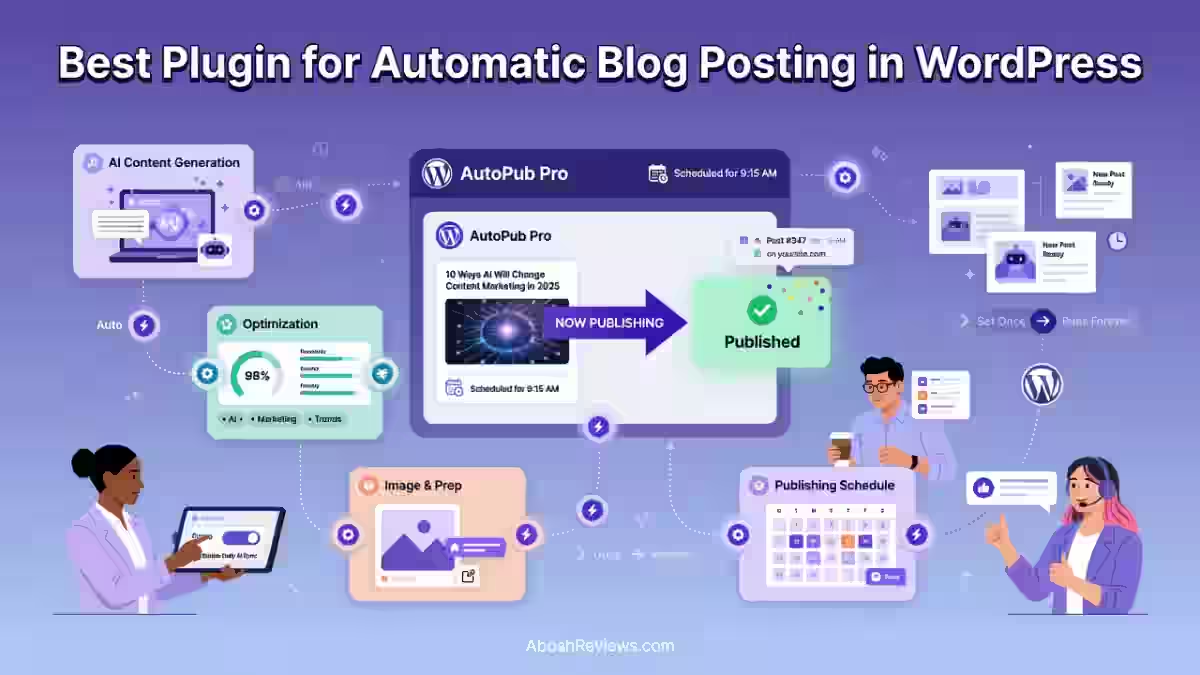
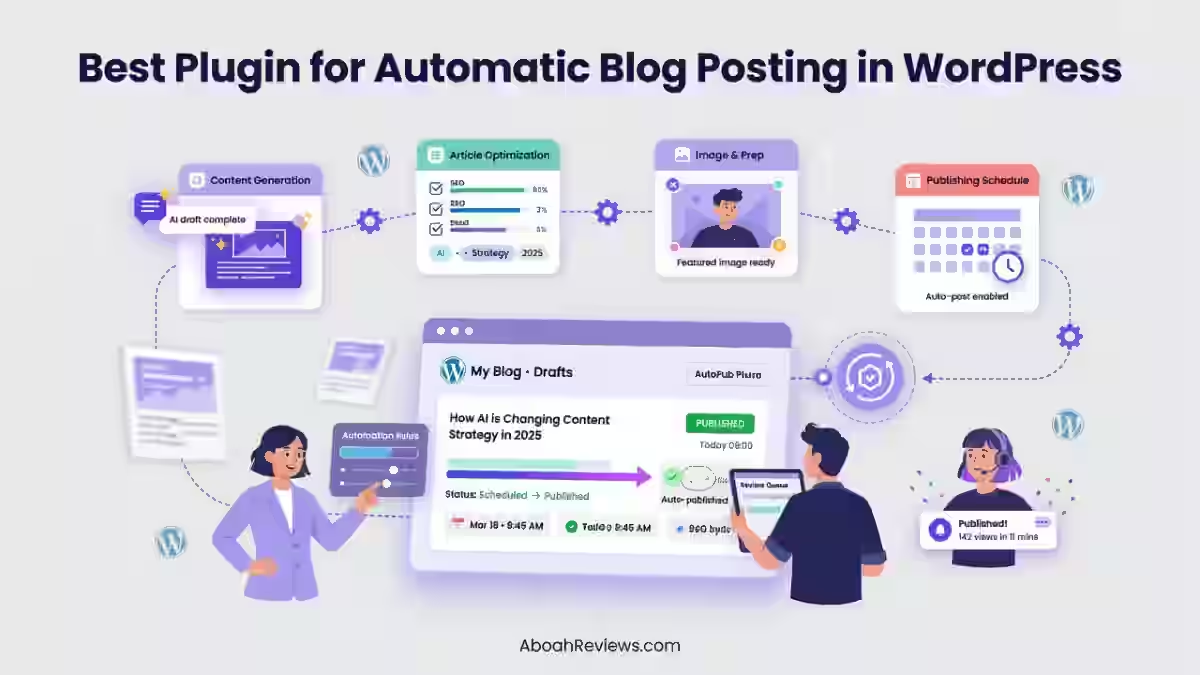
TL;DR: ClearPost AI is the best plugin for automatic blog posting in WordPress if you want research, writing, SEO optimization, scheduling and publishing handled in one workflow. This guide breaks down the 10 best plugins for automatic blog posting in WordPress across AI content generation and RSS automation, based on real-world testing across SEO workflows.
Introduction
If you’re searching for the best plugin for automatic blog posting in WordPress, here’s the short answer: ClearPost AI is my top pick for anyone who wants a plugin that researches topics, writes drafts, optimizes them for SEO, schedules them and publishes straight to WordPress without you touching every single post.
I’ve tested a lot of these tools over the past few years and I’ll be honest, not every “autoblogging plugin” does the same job. Some generate content from scratch using AI. Others just pull in RSS feeds and republish them as posts. Those are two very different tools solving two very different problems, and mixing them up is how people end up disappointed.
In this guide, I’m breaking automatic blog posting plugins into two buckets: AI-powered blog automation (tools that write original content) and RSS or feed-based automatic publishing (tools that import and republish existing content).
I ranked all 10 plugins based on how well they automate research and writing, how strong their SEO features are, how much control you get over publishing, how easy they are to set up, and whether they actually hold up on a real WordPress site, not just in a demo video.
The Best WordPress Plugins for Automatic Blog Posting at a Glance
| Rank | Plugin | Best For | AI Content | Auto Publishing | SEO Features |
|---|---|---|---|---|---|
| 1 | ClearPost AI | Best overall | Yes | Yes | Yes |
| 2 | BabyLoveGrowth AI | AI SEO automation | Yes | Yes | Yes |
| 3 | RankYak | Automated SEO content | Yes | Yes | Yes |
| 4 | WordRocket AI | Bulk content generation | Yes | Yes | Yes |
| 5 | Emplibot | Automated AI blogging | Yes | Yes | Yes |
| 6 | CyberSEO Pro | Advanced autoblogging | Yes/Feeds | Yes | Varies |
| 7 | WP RSS Aggregator | RSS automation | No | Yes | Limited |
| 8 | Feedzy | RSS-based publishing | Limited | Yes | Limited |
| 9 | WP Content Pilot | Content aggregation | Yes/Feeds | Yes | Varies |
| 10 | WPeMatico | RSS autoblogging | No | Yes | Limited |
What is a WordPress automatic blog posting plugin?
A WordPress automatic blog posting plugin automatically creates, imports, schedules, or publishes blog content without requiring you to manually publish every post. The best options in 2026 go further, handling keyword research, SEO optimization, and content generation as part of a single workflow.
ClearPost AI: Best Plugin for Automatic Blog Posting in WordPress
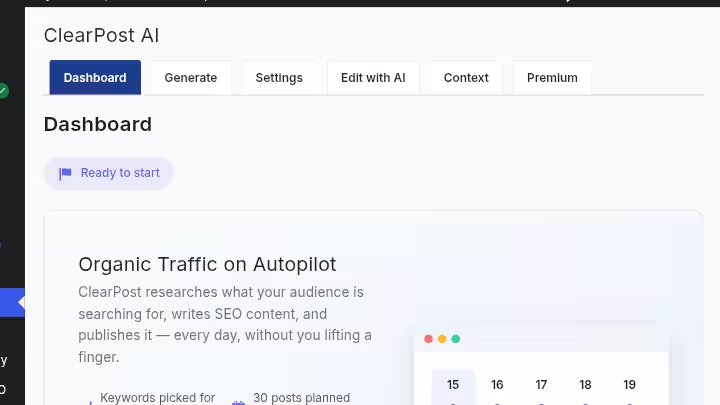
ClearPost AI is an autonomous SEO agent that handles keyword research, content strategy and publishing without you directing every article. That one sentence explains why it stands out from every other plugin in this list. Most tools make you bring the keyword. ClearPost finds it for you.
ClearPost lives inside your WordPress installation, connects to Google Search Console, researches keywords based on your business context, and publishes posts on a schedule without you choosing individual topics.
It connects to your Google Search Console data, understands your business vertical, identifies keyword opportunities you’re missing, builds a content calendar, and executes on it.
You can review posts before they go live or let it run on full autopilot. That flexibility is what makes ClearPost worth using for SEO-focused publishers. You’re not locked into either extreme.
If you want the full breakdown of testing results, I covered it in my full ClearPost AI review.
ClearPost AI Features
ClearPost handles keyword research, content writing, and auto publishing while you focus on your business. Here’s what that means in practice:
- AI content generation: Uses ChatGPT, Claude, or Gemini to auto-generate blog content in 150+ languages.
- SEO Agent: The Unlimited SEO Agent lets you use it as much as you need to build your growth strategy.
- Content calendar: ClearPost generates an AI-powered 7-day calendar of draft posts automatically, then notifies you to review and approve each piece before it goes live, so the scheduling and writing happen in a single workflow.
- Autopilot publishing: Set your posts per week, choose to review before publish, and let ClearPost handle the rest.
- Style matching: When enabled, your site’s content is indexed on the server and analyzed by the Content Analysis AI Agent to automatically specify your writing style and content strategy, so future posts are generated in exactly your style without tedious manual prompt engineering.
- SEO plugin compatibility: Works with Rank Math, Yoast, and AIOSEO for meta description injection.
- Featured images: AI-assisted image generation included in paid plans.
- Internal linking: Automatic internal link suggestions on publish.
ClearPost combines AI-powered content creation, SEO optimization, and scheduling into a single native WordPress plugin, so your calendar is not just organized but actually filled with publish-ready drafts generated automatically.
For more context on how AI-driven content tools compare to traditional autoblogging approaches, see this guide on autoblogging vs AI blogging.
ClearPost AI Pros and Cons
| Pros | Cons |
|---|---|
| Full workflow from keyword research to publish | Full autopilot requires careful quality control |
| Native WordPress plugin, no external dashboard needed | Advanced features require a paid plan |
| SEO Agent included at no extra credit cost | AI-generated content still benefits from human review |
| Style-matching learns your site’s existing voice | Results depend heavily on GSC data quality and site age |
| Supports ChatGPT, Claude, and Gemini on the free plan | New sites with thin GSC data have less to work from |
Who Should Use ClearPost AI?
ClearPost AI suits people who want to reduce the manual workload of running a content calendar without losing editorial awareness. Specifically:
- Bloggers who want consistent publishing without hiring writers
- Affiliate publishers who need regular content around a niche
- Niche-site owners building topical authority on a schedule
- SEO professionals managing production speed alongside quality
- Content marketers who want drafts to review, not blank pages to fill
- Agencies running multiple WordPress sites with overlapping content needs
Who Should Not Use ClearPost AI?
ClearPost is not the right tool for every situation. Skip it if:
- You want to manually write every article yourself and just need a scheduling tool
- Your site publishes highly specialized expert content requiring deep human experience (medical, legal, engineering)
- You only need RSS aggregation and have no interest in AI-generated content
ClearPost AI Pricing Breakdown
ClearPost’s pricing structure is straightforward, with a genuinely free tier and no hidden usage fees on premium plans.
| Plan | Price | AI Provider | Trial |
|---|---|---|---|
| Free | $0 forever | Your own API keys (OpenAI, Anthropic, or Google) | No trial needed |
| Premium | $99/month | ClearPost’s AI infrastructure | 7-day free trial, no credit card |
| Business | $199/month | ClearPost’s AI infrastructure | 7-day free trial, no credit card |
The plugin connects to AI provider APIs to generate content. To use the free version, you must provide your own API key for at least one AI provider and agree to the respective service’s terms. ClearPost Premium provides an AI content analysis agent and directly manages AI provider API access.
The free plan is genuinely usable for low-volume sites. The premium tier makes sense once you want the SEO Agent and hands-off publishing without managing your own API billing. The per-post cost on the $99/month plan works out to approximately $3 to $10 depending on your publishing frequency and article length.
You can read the full ClearPost AI review for a deeper breakdown of output quality and SEO results.
AI-Powered vs. RSS WordPress Autoblogging Plugins
This is the most important distinction to understand before choosing any tool. “Automatic blog posting” means two completely different things depending on which category of plugin you’re evaluating.
AI Content Generation Plugins
These tools can research topics, generate original drafts, optimize for search, schedule articles, and publish directly to WordPress. They produce new content from scratch, not imported content from external sources. Examples in this guide:
- ClearPost AI
- BabyLoveGrowth AI
- RankYak
- WordRocket AI
- Emplibot
For a broader look at how these tools work under the hood, the guide on how autoblogging works is worth reading before you commit.
RSS and Content Aggregation Plugins
WPeMatico is a powerful freemium RSS autoblogging plugin that automatically fetches feeds and publishes the content to your WordPress site as posts. That describes the core function of every RSS-based plugin in this category.
These tools import RSS feeds, retrieve external content, convert feeds into WordPress posts, and automate publishing. They do not generate original content. Examples:
- WP RSS Aggregator
- Feedzy
- WPeMatico
- WP Content Pilot (hybrid)
If you’re specifically building an RSS-driven site, the guide on RSS feeds for autoblogging covers how to structure that correctly.
Which Type Is Better for SEO?
AI content generation is better when you need original, search-focused articles targeting specific keywords.
The January 2025 update to Google’s Quality Rater Guidelines added explicit guidance for evaluating AI-generated content, with Section 4.6.6 addressing content created with little to no effort, originality, and added value. Raters are instructed to flag AI-generated content as Lowest quality when it lacks originality and value.
RSS automation is better for curated feeds, news aggregation, or sites where importing and organizing external content is the primary goal.
Neither category should be treated as a substitute for editorial judgment. The most consistent organic traffic results I’ve seen come from sites where automation handles the production workflow and humans handle quality decisions.
For more on this, see autoblogging vs traditional blogging.
How to Choose the Best Plugin for Automatic Blog Posting in WordPress
1. Check Automatic Publishing Controls
The plugin you choose should give you real control over what goes live and when. Look for:
- Scheduled publishing (specific days and times)
- Publishing frequency settings (posts per day or week)
- Draft mode before auto-publishing
- Manual approval option
- Post status controls (draft, pending, publish)
Even in automation-first products, review-before-publish remains common. AI Auto Post and Image Generator explicitly says users can review generated content and publish when ready, while some platforms offer both draft-saving and full autopilot.
2. Look at AI Content Quality
Not all AI-generated content is equal. The difference between usable and unusable output depends on these five factors:
- Research depth: Does the tool pull SERP data before writing?
- Accuracy: Does it cite sources or fabricate claims?
- Content structure: Are H2s, H3s, and paragraph flow logical?
- Originality: Is the output something you’d actually publish?
- Search intent alignment: Does it answer what the reader actually wants?
The quality of AI drafts depends heavily on the model being used, the quality of the prompt, and whether the tool includes SERP data in its generation process. Generic prompts produce generic content.
3. Check SEO Features
A plugin that publishes without thinking about SEO is just an automated content printer. Look for:
- Keyword research built into the workflow
- SEO title generation
- Meta description control
- Internal linking suggestions
- Schema support
- Image optimization
- Rank Math, Yoast, or AIOSEO compatibility
SEO optimization in autoblogging software typically includes meta descriptions, title tags, heading structure, schema markup, and keyword placement. The best tools go beyond surface-level optimization. They analyze competing pages for search intent, suggest related semantic keywords, and score content before publishing.
4. Check WordPress Compatibility
Before installing any plugin, confirm it works with your specific setup:
- Your current WordPress version
- Your hosting environment (shared hosting vs. VPS vs. managed WordPress)
- Your active theme
- Your page builder (if any)
- Your SEO plugin (Rank Math, Yoast, AIOSEO)
- WooCommerce if you run an e-commerce or affiliate product site
For a more complete breakdown of what to look for before committing to a tool, the guide on how to choose the best autoblogging tool covers this in detail.
5. Consider Publishing Safety
Automation without guardrails is how sites get hurt. Before you turn anything on, think through:
- Draft-first workflows: Can you review before anything goes live?
- Duplicate content prevention: Does the tool check for repeated topics?
- Source attribution: For RSS tools, are original sources credited correctly?
- Publishing limits: Can you cap how many posts go out per day or week?
- Error handling: What happens if the API fails or a post generates incorrectly?
Semrush reports that 93% of marketers use some method to review AI-generated content before posting. That number tells you something important: most professionals using these tools are not running fully unreviewed autopilot workflows.
For a rundown of what goes wrong when you skip these controls, the guide on common autoblogging mistakes to avoid is worth reading before you configure anything.
6. Compare Pricing and Automation Limits
| Tool | Monthly Price | Articles Included | Websites | API Required |
|---|---|---|---|---|
| ClearPost AI | $0 / $99 / $199 | Varies by plan | 1+ | Free tier only |
| BabyLoveGrowth AI | ~$99/month | Plan-dependent | Multi-site options | No |
| WordRocket AI | $10/month | Volume-based | Varies | Yes (bring-your-own) |
| Emplibot | $69/month | Plan-dependent | 1 per plan | No |
| RankYak | $99/month | Plan-dependent | Plan-dependent | No |
| CyberSEO Pro | $34.95 to $299.95/yr | Unlimited (feed-based) | 1 to 100 | For AI features |
| WP RSS Aggregator | ~$199/yr (Pro) | Feed-based | 1 to unlimited | No |
| Feedzy | $117 to $471/yr | Feed-based | Plan-dependent | No |
| WPeMatico | Free + $82 (premium/site) | Feed-based | Per license | No |
| WP Content Pilot | ~$499.99 (lifetime) | Feed + limited AI | Per license | For AI features |
How Automatic Blog Posting Works in WordPress
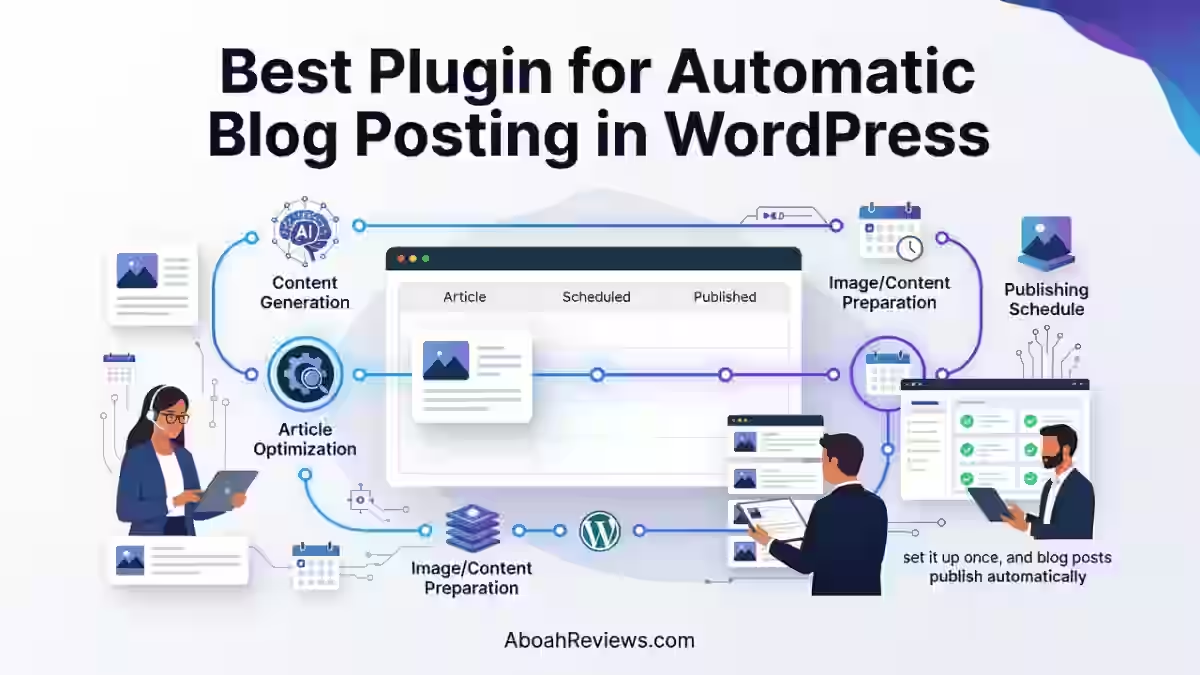
Understanding the underlying workflow helps you set realistic expectations. Here’s how modern AI-powered autoblogging plugins operate from start to publish.
Step 1: Choose a Topic or Keyword
You either input a keyword manually or let the tool research one based on your niche and Google Search Console data. ClearPost AI handles this automatically for connected sites. Other tools like WordRocket and RankYak require you to supply the keyword.
Step 2: Research the Search Intent
Good tools analyze the top-ranking pages before writing. This step determines whether the article should be a how-to, a list, a comparison, or a definition. Skipping this step is why so much autoblogged content fails: the format doesn’t match what Google already rewards.
Step 3: Generate the Article
The AI model writes a structured draft based on the keyword, intent signal, and any instructions you’ve configured.
ClearPost is the AI content generator that automatically writes and publishes SEO blog posts for WordPress, using ChatGPT, Claude, or Gemini to auto-generate blog content in 150+ languages.
Step 4: Optimize the Post for SEO
The plugin applies SEO settings: keyword in the title, structured headings, meta description, internal links, schema markup. This step varies significantly across tools. Some automate it completely. Others leave it to you.
Step 5: Add Images, Links, and Metadata
Featured images get generated or pulled from royalty-free sources. Internal links get suggested or inserted automatically. Categories, tags, and meta descriptions are populated based on your settings.
Step 6: Schedule or Publish Automatically
The post goes into your content calendar and publishes at the time you’ve configured. The AI Auto Post and Image Generator plugin lists flexible scheduling with daily, weekly, or custom publishing intervals. Most serious tools in 2026 offer at least this level of scheduling control.
Step 7: Monitor Performance and Update Content
Publishing is the beginning of the workflow, not the end. Track rankings, update underperforming posts, and refine your content strategy based on what’s actually gaining traffic.
This is the step most autoblogging setups skip, and it’s where rankings are won or lost over time. For help building this monitoring layer, the guide on how to create an autoblog is a good starting point.
Can Automatic Blog Posting Help With SEO?
Yes, with real conditions attached. Automation without editorial oversight can hurt your site as easily as it can help it.
Where Automation Helps
- Consistent publishing: Search engines respond to regular publishing schedules over time
- Faster content production: AI drafts that take 2 minutes would take hours to write manually
- Topic coverage: Tools that research keywords can identify gaps in your coverage
- Content planning: Automated calendars make it easier to plan 4 to 6 weeks ahead
- Publishing efficiency: Scheduling eliminates manual publishing tasks
- Scaling editorial workflows: Useful when managing 3+ sites simultaneously
Where Automation Can Hurt SEO
Fully automated content without editorial oversight consistently falls short on experience signal.
Other specific risks include:
- Factual errors: AI models hallucinate. Without review, errors get published and indexed.
- Search-intent mismatch: Automated content may target the right keyword but produce the wrong format.
- Content cannibalization: Similar auto-generated topics can compete with each other internally.
- Thin content at scale: Publishing 50 mediocre posts in a month signals quality problems faster than it builds authority.
- Weak first-hand experience: Google’s product review and quality signals reward personal experience, which AI cannot fabricate credibly.
Raw AI output often lacks personal experience and original insight, regardless of which tool you use. Human review remains necessary for content targeting competitive keywords.
How to Use Autoblogging Without Sacrificing Content Quality
Here’s the workflow I actually follow when helping sites build consistent automated content:
- Start with keyword research. Use a tool that pulls real search data, not just AI-suggested topics.
- Define the search intent before generating. Know whether the reader wants a how-to, comparison, or definition.
- Use topical clusters. Organize articles around a central topic rather than publishing randomly.
- Add original insights. Even one paragraph of genuine experience or data makes a post more defensible.
- Fact-check important claims. Especially anything with numbers, statistics, or tool-specific information.
- Add relevant internal links. Connect new posts to existing content that covers related subtopics.
- Review AI-generated articles before publishing to high-competition keyword targets.
- Monitor rankings and engagement. Check Google Search Console monthly for impression and click trends.
- Update underperforming pages. Content that ranks on page 2 or 3 often just needs a refresh, not a replacement.
The safest SEO workflow combines AI-assisted production with human expertise, editorial oversight, and continuous improvement.
For a practical framework on scaling this kind of content operation, the AI SEO automation guide covers how to combine automation with real quality controls.
Best Automatic Blog Posting Plugin by Use Case
| Use Case | Best Plugin |
|---|---|
| Best overall | ClearPost AI |
| AI SEO content with backlinks | BabyLoveGrowth AI |
| Automated SEO publishing | RankYak |
| Bulk content generation (low cost per article) | WordRocket AI |
| Automated WordPress publishing + social | Emplibot |
| Advanced autoblogging with AI and feeds | CyberSEO Pro |
| RSS aggregation (clean, reliable) | WP RSS Aggregator |
| RSS feed automation (free-first) | Feedzy |
| Content aggregation with affiliate features | WP Content Pilot |
| RSS autoblogging (campaign-based) | WPeMatico |
ClearPost AI vs. Other Automatic WordPress Posting Plugins
| Feature | ClearPost AI | BabyLoveGrowth AI | RankYak | WordRocket AI | Emplibot | CyberSEO Pro |
|---|---|---|---|---|---|---|
| AI content writing | Yes | Yes | Yes | Yes | Yes | Yes + rewriting |
| Keyword research | Built-in (GSC) | Yes | Yes | Limited | Limited | No |
| SEO optimization | Yes | Yes | Yes | Yes | Yes | Varies |
| Content calendar | Yes (automated) | Yes | Yes | Manual | Manual | No |
| Scheduling | Yes | Yes | Yes | Yes | Yes | Yes |
| Auto publishing | Yes | Yes | Yes | Yes | Yes | Yes |
| Native WordPress plugin | Yes | No (API) | No (API) | Yes | Yes | Yes |
| Internal linking | Yes | Varies | Limited | No | Limited | No |
| Featured image generation | Yes (paid) | Yes | Varies | Yes | Yes | Yes |
| Human review option | Yes | Yes | Yes | Yes | Yes | Yes |
| RSS feed support | No | No | No | No | No | Yes |
| Starting price | $0 (free tier) | ~$99/month | $99/month | $10/month | $69/month | $34.95/yr |
| Best for | Full-stack WP automation | SEO + backlinks + GEO | Autopilot SEO content | High-volume, low cost | WP + social distribution | Advanced autoblogging |
Who wins for what:
- ClearPost AI wins for WordPress-native, full-pipeline automation where you want keyword research through to publishing handled in one place.
- BabyLoveGrowth AI is the strongest all-in-one platform for founders and agencies who want SEO content, backlinks, and AI search visibility tracking in one subscription. It is an automated SEO and Generative Engine Optimization (GEO) platform designed to help businesses rank on both traditional search engines and AI models including ChatGPT, Gemini, Claude, and Perplexity.
- RankYak suits publishers who want a simple set-and-schedule SEO content system without managing a complex dashboard.
- WordRocket AI wins on cost per published article when you factor in API usage. At $0.18 to $0.31 per article using your own API key, it is the most cost-efficient option for high-volume production.
- Emplibot is best for WordPress users who want fully automated blogging and social media distribution.
- CyberSEO goes beyond RSS with wide content source support and built-in AI tools, making it the best option for advanced autobloggers who need both feed aggregation and AI rewriting.
Pros and Cons of Automatic Blog Posting in WordPress
Pros
- Saves time: A full article workflow that takes 4 to 6 hours manually takes 10 to 20 minutes with a good AI autoblogging plugin.
- Makes publishing consistent: Automation holds the schedule even when your team is stretched or unavailable.
- Scales content production: You can go from 4 posts/month to 16 to 30/month without hiring additional writers.
- Reduces repetitive tasks: Formatting, meta descriptions, scheduling, and image sourcing can all be automated.
- Helps manage large content calendars: Particularly useful for agencies running 5+ client sites simultaneously.
Cons
- Requires quality control: Auto-published content without review creates real SEO risk.
- AI content can contain errors: Factual mistakes in published articles damage trust and can trigger Google quality penalties.
- Automation can produce repetitive articles: Without keyword filtering, you can end up with 8 variations of the same post competing against each other.
- Subscription and API costs add up: A premium autoblogging tool plus API usage can run $150 to $300/month before you factor in hosting.
- Poorly managed automation creates SEO problems: Semi-automated content outperforms fully automated content in organic search over a 6-month window. Spam risks are real if you publish AI content at scale with no editorial filtering.
If you want to understand where fully automated publishing tends to break down before you invest, the comparison of free vs paid autoblogging tools is worth reading alongside this guide.
Final Verdict: What Is the Best Plugin for Automatic Blog Posting in WordPress?
ClearPost AI is the best plugin for automatic blog posting in WordPress for users who want a full-stack content workflow. Instead of generating content on demand, it operates as an autonomous SEO agent that researches your niche, builds a keyword strategy, and produces publish-ready posts on autopilot.
Here’s how the final rankings break down by scenario:
- Best overall: ClearPost AI. Full workflow from keyword research to WordPress publishing, natively inside your WordPress install. Best for bloggers, niche sites, SEO professionals, and agencies who want consistent AI-assisted content without juggling multiple platforms.
- Best for AI SEO + backlinks + AI search visibility: BabyLoveGrowth AI. BabyLoveGrowth AI bundles content, a backlink exchange network, and AI search visibility tracking into one price. Worth it for agencies and founders who need SEO and GEO covered together.
- Best for budget volume production: WordRocket AI. At $0.18 to $0.31 per article with your own API keys, no other tool gets this close to production at near-zero cost per post. API management is the trade-off.
- Best for WordPress + social distribution: Emplibot. Emplibot does the opposite of complex strategy tools: completely hands-free publishing with minimal user involvement. Best when you want automated blog-to-social distribution included in one subscription.
- Best for RSS-based automatic publishing: WP RSS Aggregator. Reliable, well-maintained, and the most extensible RSS-to-post plugin in the WordPress ecosystem.
The most important thing I’d leave you with is this: automation should support your editorial process, not replace it. No autoblogging tool replaces editorial judgment, and none should. The tools that help your content rank in 2026 are the ones that make your editorial process faster and more consistent, not the ones that remove humans from the loop entirely.
If your goal is to automatically research, create, optimize, schedule, and publish SEO-focused articles directly to WordPress, ClearPost AI is the strongest overall choice. Traditional plugins such as WP RSS Aggregator, Feedzy, and WPeMatico make more sense when your primary goal is importing and publishing external feeds rather than generating original content.
What’s your current publishing setup? If you’re already using one of these tools or running into a specific workflow problem, drop a comment below. I read everything and respond to most.
Frequently Asked Questions About Automatic Blog Posting in WordPress
What is the best plugin for automatic blog posting in WordPress?
ClearPost AI is the strongest overall option for users who want AI-assisted research, content generation, SEO optimization, scheduling, and automatic WordPress publishing in one native plugin. For pure RSS-based publishing, WP RSS Aggregator and Feedzy are the most reliable options.
Is WordPress outdated in 2026?
No, WordPress is not outdated in 2026, because it still powers roughly 43% of all websites on the internet and controls over 62% of the global content management system market. The platform continues to grow, but it faces new competition from AI-driven builders, automated hosts and headless setups.
What is the best WordPress plugin for blogs?
The best WordPress plugin for a blog depends on what you’re trying to automate. For content creation and publishing, ClearPost AI handles the full workflow natively. For SEO optimization on manually written posts, Rank Math and Yoast SEO remain the category leaders. For RSS-based content publishing, WP RSS Aggregator has the most reliable track record.
What are the best WordPress automation plugins?
The best WordPress automation plugins in 2026 cover content (ClearPost AI, Emplibot), SEO (Rank Math, Yoast), and social sharing (Revive Old Posts, Blog2Social).
What are the top 5 WordPress plugins for autoblogging?
Based on real-world testing: ClearPost AI (best overall), Emplibot (best for WordPress + social), WordRocket AI (best for low-cost volume), CyberSEO Pro (best for advanced users needing both AI and feeds), and Feedzy (best for RSS-based publishing with a generous free tier).
Why are people moving away from WordPress?
People are moving away from WordPress because of “maintenance fatigue,” growing security concerns, and the rise of easier, all-in-one alternatives like Webflow and Framer. While WordPress still powers a massive share of the web, users and businesses are shifting toward managed platforms to avoid the operational burden of running a legacy system.
Is WordPress on the decline?
WordPress is experiencing a slight, measurable decline in market share, dropping from a peak of around 43.6% to roughly 41.2% globally, but it remains the dominant content management system on the internet.

- #1 Best Plugin for Automatic Blog Posting in WordPress (2026) - September 13, 2026
- 13 Best WordPress Autoblogging Plugins I Tested & Ranked for 2026 - September 13, 2026
- 13 Best Google AI Overview Checking Tools in 2026 (Tested & Ranked) - September 9, 2026