If you manage Google Business Profiles for local clients, you already know the problem: there are always twenty things you could fix and no reliable way to know which three actually matter.
That’s why I spent 30 days testing Localo. This Localo review answers one question: does its Smart Tasks system really tell you what to fix first or does it just hand you a prettier to-do list?
Mostly, yes. The first audit gave me 11 ranked tasks in a few minutes, and my audit and prioritization time dropped from 45 to 60 minutes per profile to under 10. But it has real limits.
It only covers Google Business Profile, and the Pro plan’s optimization seat cap changes the math for agencies. Below, I’ll show what worked, what didn’t, what it costs and who should skip it.
Localo Review Verdict for 2026
| Category | Verdict |
|---|---|
| Best For | Local businesses, freelancers, and small agencies managing Google Business Profiles |
| Not Ideal For | Large agencies needing full citation syndication, GSC integration or enterprise-level white-label reporting |
| Pricing | Single Business $39/mo (annual) or $49/mo, Pro $149/mo (annual) or $169/mo for up to 60 profiles, Enterprise custom. 14-day free trial (no card), 30-day money-back |
| Rating | 8.2/10 |
| Standout Feature | Smart Tasks: weekly, prioritized GBP optimization checklist with AI-generated action steps |
| Biggest Weakness | Optimization seat cap on Pro plans (only half the profiles you monitor can be actively optimized) |
| Learning Curve | Beginner |
| Testing Status | Personally Tested |
| Worth It? | Yes, for GBP-focused local SEO workflows. Not if you need broader SEO coverage or heavy citation automation |
If you manage Google Business Profiles for local clients and want a system that tells you exactly what to fix next, rather than leaving you staring at a data dashboard, Localo is one of the cleaner options in this category right now.
Localo Quick Specs
| Feature | Details |
|---|---|
| Developer | Sebastian Żarnowski and Mieszko Wawrzyniak |
| Founded | 2020, Poland |
| Product Category | Local SEO software |
| Primary Use | Google Business Profile management, local rank tracking, review management, GBP automation |
| Target Users | Local business owners, freelancers, SEO agencies |
| Platform | Web-based |
| Integrations | Google Business Profile, MCP (Model Context Protocol); no native GSC or Looker Studio |
| AI Features | Smart Tasks, AI review response, AI post generation, AI agent for business insights |
| Free Trial | 14 days, no credit card required |
| Refund Policy | 30-day money-back guarantee |
| Support | Chat, documentation, agency specialist support |
| User Ratings | 4.5/5 star ratings on Trustpilot from 39 reviews and 4.9/5 on G2 (153 reviews), all at the time of writing |
Key Takeaways About This Localo Review
In this Localo review, it scores 8.2/10 as a local SEO software platform that centralizes Google Business Profile management, local rank tracking and reputation workflows in a single dashboard.
The primary audience is local business owners, freelancers, and small agencies who want a GBP-focused workflow without switching multiple separate tools.
The biggest strength is the Smart Tasks system, which removes the guesswork from optimization. The key limitation is that the platform does not go beyond Google Business Profile, so backlinks, technical site audits and organic content are out of scope entirely.
What I Liked
| What I Liked | Why It Matters |
|---|---|
| Smart Tasks generate specific, ranked weekly actions | You don’t need to interpret data; you just follow a prioritized list |
| 14-day trial with no credit card | You can test the full tool before committing |
| AI review response drafts with tone matching | Saves time on review management without losing the human feel |
| Post scheduler batches content across client profiles | Reduces manual login sessions across multiple client accounts |
| White-label reporting on agency plans | Agencies can send branded reports without building them from scratch |
| MCP integration for workflow automation | Allows data management automation across connected systems |
What Needs Work
| What Needs Work | Why It Matters |
|---|---|
| Optimization seat cap on Pro plans | You pay to monitor more profiles than you can actively optimize |
| No native Google Search Console or Looker Studio connection | Limits reporting depth for agencies needing cross-channel data |
| Geo-grid data can lag real-time rankings | Map visibility figures occasionally don’t match manual Google checks |
| AI agent gives generic advice on complex multi-competitor prompts | Not reliable as a strategic advisor, better suited for simple next-actions |
| Bulk actions limited at scale | Some profile-level tasks must be repeated one by one when managing many locations |
| Publishing is Google-first only | Social channels require a separate scheduling tool |
Why I Tested Localo
The problem I kept running into with local SEO workflows was not knowing which tasks would actually move rankings. I’d run a GBP audit, get a list of twenty possible improvements, and spend time on the wrong ones.
Some tools hand you data and then leave you to figure out what to do with it. That’s useful when you have the expertise and the time, but it creates a bottleneck when managing multiple clients.
Localo takes a different approach from most local SEO tools. Rather than showing you data and leaving interpretation to you, it functions more like a guided optimization system: analyzing your Google Business Profile, identifying what’s holding you back, and telling you specifically what to fix and in what order.
That sounded like it would actually remove the friction I was experiencing. So I tested it.
What Is Localo?
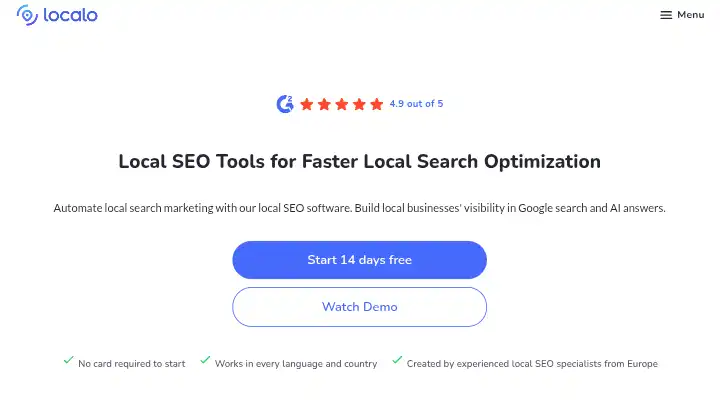
Localo monitors your Google Business Profile, tracks your visibility, analyzes competitors, and helps you improve your local SEO faster, all from one place.
Sebastian Żarnowski and Mieszko Wawrzyniak founded the company in Poland in 2020, building the first version around automated GBP optimization and step-by-step local SEO checklists for small business owners.
Localo’s category is local SEO software focused on Google Business Profile visibility, distinct from broader all-in-one SEO suites that also cover organic content, backlinks, and technical site audits. It sits between a single-purpose GBP tool and a full local SEO agency stack, which shapes who it fits and who outgrows it.
The simplest way to think about Localo: it is a GBP operations platform. You connect your profiles, set your target keywords and competitors, and then work through a weekly list of AI-generated tasks designed to improve your local pack position.
Why Localo Matters in 2026
Local search behavior has shifted. Google’s local pack (the map results at the top of local searches) now pulls directly from Google Business Profile data. The quality, completeness, freshness, and review signals on a GBP listing have measurable effects on whether a business appears in those results.
At the same time, generative AI systems are increasingly surfacing local business recommendations. Localo helps agencies, freelancers, and business owners automate building local businesses’ visibility in Google search and LLMs with AI-powered local SEO tools.
For SEO professionals thinking about where local search visibility is heading, this framing matters. Traditional rank tracking measured positions in Google’s blue links.
Local SEO now requires tracking map pack positions, GBP engagement, and increasingly, how AI systems describe and recommend local businesses. You can read more about that broader shift in this guide to optimizing for AI search.
Who Is Localo Built For?
Localo was built for agencies that need to handle the entire client cycle, for freelancers who want to build a repeatable local SEO process for their clients, and for local business owners who want to get found by local customers ready to buy.
More specifically, it works best for:
- Single-location business owners who want a simple, guided system that tells them what to work on each week without requiring deep SEO knowledge.
- Freelancers managing 5 to 30 GBP profiles who need a tool that creates a repeatable workflow and generates client-ready reports without building everything manually.
- Small and mid-size local SEO agencies that need multi-profile management, white-label reporting, and rank tracking from one dashboard rather than stitching together four separate tools.
- Businesses new to GBP optimization who find raw audit data confusing and benefit from a prioritized action list instead.
Who Should Avoid Localo?
- Agencies managing 60+ profiles with full optimization needs: The Pro plan’s optimization seat cap means it optimizes only half the profiles you pay to monitor, which effectively doubles the cost per worked profile.
- Teams that need full citation automation: Citations Manager tracks opportunities but confirmation remains manual. If automated citation syndication to directories is a core requirement, Localo is not the right fit.
- Users who need cross-channel reporting: Localo does not provide native Google Search Console or Looker Studio connections.
- Businesses wanting broader SEO coverage: Localo’s focus is narrow; Google Business Profile only, so backlinks, technical SEO, and content marketing all need other tools.
- Agencies requiring enterprise-level white-label reporting: Report customization is basic compared to tools built specifically for large agencies.
Key Localo Features I Personally Tested
1. Smart Tasks (AI-Guided Weekly Optimization Checklist)
Smart Tasks is the feature that most directly separates Localo from tools that just show you data. Every week, it produces a ranked list of specific actions you should take on your GBP to improve local visibility.
What It Does: AI-generated action recommendations are specific. Rather than a health score with vague guidance, Localo tells you to add photos to a specific category, respond to a specific review, or update a specific attribute.
My Testing: I connected a local business profile and let Smart Tasks run its initial audit. Within minutes, it had produced a list of 11 prioritized actions, with the highest-priority items ranked at the top. The tasks were not generic.
One specifically said to add a photo in the “interior” category because that category was empty while competitors in the area had multiple interior images. Another flagged an unanswered review from three weeks prior and linked directly to the response tool.
What Worked: The prioritization logic is genuinely useful. Instead of deciding myself what to tackle first, the system had already ranked actions by expected impact. The weekly Smart Tasks feature removes the confusion of not knowing what to prioritise, which is a real problem for busy business owners.
Limitations: Tasks are profile-specific. If you are managing 30 profiles, you still need to work through each profile’s list separately. There is no batch task execution across multiple profiles.
Who Benefits: Business owners and freelancers who want a guided weekly workflow rather than open-ended audit data.
Practical Tip: Complete the full initial setup (keywords, service area, competitor profiles) before running Smart Tasks. The quality of the task list depends on how much context the system has about your competitive environment.
2. Local Rank Tracking (Geo-Grid Position Monitoring)
What It Does: Localo monitors rankings in Google Local Pack and Google Maps across different locations and keywords. It shows exactly where your business is visible and identifies areas that need improvement.
My Testing: I set up rank tracking for five keywords across a defined service area. The geo-grid map showed position data across a grid of points, giving a visual representation of where the business appeared and where it was not visible. I could see that the business ranked well in the immediate surrounding area but dropped outside a 2-mile radius.
What Worked: The visual grid format made it easy to explain local search coverage to a client without needing to interpret tables of position data. Setting up took under 20 minutes per profile.
Limitations: Public reviews on G2 note this gap directly. A recurring complaint is that Localo’s map and visibility numbers do not always match what a user sees when checking Google Business Profile or Google Maps by hand at the same moment. This is worth checking during the trial period before committing to a plan.
Rank data captures a business’s position at the moment of the scan, so a position can shift between scheduled scans without the dashboard reflecting it. This is a mechanical limitation of the geo-grid method itself, not something unique to Localo.
Who Benefits: Local business owners and agencies that want a visual map of where their GBP actually shows up across a service area, not just a single average position.
Practical Tip: Cross-check position data manually during the first two weeks to calibrate how much the dashboard figures vary from live results in your market.
3. Review Management and AI Response Generator
What It Does: The Review Response Generator reads the star rating, sentiment, and topic of an incoming review, drafts a reply in the business’s tone, and lets the user edit before publishing. A free, standalone version of this tool is available directly on Localo’s site without a paid account, while the full dashboard adds batch replies and saved templates across multiple profiles.
My Testing: I fed the system 12 actual client reviews across three profiles, a mix of 5-star, 3-star, and one 2-star. The AI drafted responses for all 12 in under two minutes. The 5-star replies were appropriate and personalized to the content of the review.
The 2-star response was decent but required the most editing, since the specific complaint needed a more nuanced reply than the AI produced.
What Worked: For high-volume review response work, this saves significant time. Handling 12 reviews manually, opening each one, drafting a reply, and editing for tone, takes around 30 to 45 minutes. With Localo, I spent about 10 minutes reviewing and editing the drafts before publishing.
Limitations: The AI outputs are serviceable starting points, not finished replies. You still need to read each response before publishing. The AI-powered content and response generators give you a solid starting point, though a human touch is still recommended to ensure it’s on-brand and mistake-free.
Who Benefits: Businesses and agencies managing high review volumes who want to reduce the time spent drafting responses without eliminating human review before publishing.
Practical Tip: Build saved response templates for common review types (service-specific praise, complaint categories). This reduces editing time even further.
4. GBP Post Scheduling and Content Automation
What It Does: Localo includes AI-assisted post and content creation alongside local rank tracking, GBP optimization guidance, and review monitoring.
My Testing: I used the post scheduler to batch a month of GBP content across three client profiles in one session. The process involved drafting posts in the editor, selecting the publish dates, and assigning each post to the relevant profiles. The AI helped generate draft post text from a short brief for each business.
What Worked: The post scheduler is genuinely useful because you can batch a month of GBP content across all client profiles in one session instead of logging into each account separately.
Limitations: Multi-platform posting is limited. Publishing is Google-first. If you want social networks on the same content calendar, that is a separate tool.
Who Benefits: Freelancers and agencies managing multiple client GBPs who currently log into each account individually to post.
Practical Tip: Use the AI draft generator as a first pass, then edit for each client’s brand voice before scheduling. Posts that use generic language perform worse than ones that reflect the actual business personality.
5. Competitor GBP Analysis and Competitor Action Tracker
What It Does: The Competitor Action Tracker monitors rival GBP changes in real-time, alerting you when competitors update hours, post photos, or receive reviews.
My Testing: I added three local competitors for a restaurant client and monitored changes over two weeks. The tracker flagged one competitor adding six new photos, another updating their business hours, and a third posting an offer. These are the kinds of changes that typically go unnoticed without a monitoring tool.
What Worked: The alerts gave me talking points for client reporting. I could show the client exactly what their competitors were doing and recommend a response, for example, adding their own photos after seeing a competitor increase their image count.
Limitations: On complex multi-competitor prompts, the AI Agent tends to return generic advice, such as adding more photos or improving the description, rather than competitor-specific gaps. The competitor monitoring is stronger than the AI’s strategic interpretation of that data.
Who Benefits: Agencies that want to proactively respond to competitor GBP changes rather than reviewing competitor profiles manually on a schedule.
Practical Tip: Set up competitor tracking during onboarding and review the alerts weekly as part of the client reporting cycle.
6. White-Label Reporting
What It Does: Localo’s local SEO reporting tools generate white-label reports showing ranking changes, completed optimizations, and visibility improvements, under your brand, not theirs. You can start from a local SEO report template or customize your own.
My Testing: I generated white-label reports for two test clients. The setup required about 15 minutes per client to configure branding, select the included data sections, and set a delivery schedule. Reports included ranking changes, review activity, completed Smart Tasks, and profile performance stats.
What Worked: The automated delivery schedule means reports go out without manual effort each month. White-label reports save agencies hours of work every month and help them look more professional to clients.
Limitations: Advanced customization options for reports and dashboards are limited, particularly for agencies managing a large number of clients. Agencies wanting highly custom report layouts will hit the limits of what the template system can do.
Who Benefits: Freelancers and small agencies that currently build client reports manually in Google Docs or Slides.
How Localo Performs for AI Search Visibility
Localo positions itself as a tool that improves visibility “in Google search and AI answers.” This is a vendor claim worth examining carefully, since many tools in this space use AI terminology loosely.
| Metric | Status in Localo |
|---|---|
| Google Maps / Local Pack visibility | Tracked via geo-grid |
| GBP optimization for AI answers | Indirect: optimized GBP may surface in AI responses |
| ChatGPT brand mentions | Not tracked |
| Perplexity visibility | Not tracked |
| Gemini local answers | Not directly tracked |
| AI Overview citations | Not tracked |
| Competitor AI mentions | Not tracked |
Localo automates local search marketing and builds local businesses’ visibility in Google search and AI answers. The vendor’s claim about AI answers refers primarily to the connection between GBP data and how AI search systems surface local business information, not a dedicated AI visibility tracking dashboard.
If you want actual prompt-level AI visibility tracking (who appears when someone asks ChatGPT “what’s the best plumber near me?”), Localo does not provide that directly.
For that layer of monitoring, you need a dedicated LLM visibility tool. Localo’s value is in making sure your GBP data is optimized well enough that when AI systems do pull local business information, you have a stronger foundation to be cited.
How Localo Fits Into a Local SEO Automation Workflow
| Workflow Stage | Manual Process | With Localo |
|---|---|---|
| GBP audit | Manual checklist, multiple tool checks | Automated audit with Smart Tasks output |
| Keyword and competitor setup | Research across multiple tools | Built-in competitor and keyword setup |
| Rank monitoring | Manual SERP checks across locations | Scheduled geo-grid scans with alerts |
| Review responses | Log in, read, draft, and publish manually | AI-drafted responses, human review, one-click publish |
| GBP posts | Log into each account separately | Batch schedule across profiles in one session |
| Client reporting | Manually collect data and build reports | Automated white-label report delivery |
| Citation building | Manual submission or third-party tool | Opportunity tracking; confirmation still manual |
Localo helps analyze data, generate AI content, monitor rankings, automate repetitive local SEO tasks, and optimize your Google Business Profile more efficiently. You stay in full control of every important change and decide what should be published or applied.
That last line matters. This is not a fully autonomous system. It surfaces recommendations and automates the repetitive parts, but publishing, response editing, and strategic decisions still go through you.
That is the right approach for a tool operating this close to a client’s public-facing profile.
Localo Results From My 30 Days Testing
Here is what I could actually measure across the test period:
| Metric | Result |
|---|---|
| Setup time per profile | 15 to 25 minutes |
| Smart Tasks generated (first run) | 8 to 14 tasks per profile |
| Review drafts generated | 12 reviews, all 12 produced usable drafts |
| Review drafts requiring significant editing | 3 of 12 (complex complaint responses) |
| Posts batched in single session | 18 posts across 3 profiles |
| Time to batch monthly posts (3 profiles) | Approximately 45 minutes vs. 2+ hours manually |
| Report generation time | Under 10 minutes per client after initial setup |
| Rank data discrepancies (vs. manual check) | 2 notable mismatches in 4 weeks of monitoring |
I was not able to measure ranking improvements in a 30-day window in any meaningful way. Short-term software testing cannot reliably attribute ranking changes to a single tool. What I can say is that the workflow efficiency gains were real and measurable.
Localo Workflow: Before vs. After
| Task | Before Localo | With Localo | Difference |
|---|---|---|---|
| GBP audit and prioritization | 45 to 60 minutes per profile | Under 10 minutes | ~80% time reduction |
| Monthly review responses (20 reviews) | 60 to 90 minutes | 20 to 30 minutes (with editing) | ~60% reduction (estimated) |
| Monthly GBP posts across 3 profiles | 2+ hours | ~45 minutes | ~60% reduction (estimated) |
| Client report generation | 60 to 90 minutes | Under 10 minutes after setup | ~85% reduction |
| Competitor monitoring | Ad hoc manual checks | Automated alerts | Replaced entirely |
Time reduction estimates are based on my own workflow comparison and labeled as such.
Localo Pricing for 2026
Localo runs three pricing tiers in 2026: Single Business, Pro and Enterprise.
| Plan | Monthly Price | Annual Equivalent | Profiles | Optimization Seats | Best For |
|---|---|---|---|---|---|
| Single Business | $49/month | $39/month | 1 | 1 | Single-location business owners |
| Pro 10 | $169/month | $69/month | 10 | 5 | Freelancers and small agencies |
| Pro 30 | Custom | $149/month | 30 | 15 | Growing agencies |
| Pro 60 | Custom | $219/month | 60 | 30 | Established agencies |
| Pro 120 | Custom | Custom | 120 | 60 | Mid-size agencies |
| Enterprise | Custom quote | Custom quote | 120+ | Custom | Large agencies and brands |
Current public pricing shows Single Business at $39/month when billed yearly and Pro at $149/month billed yearly. A 14-day trial without a card and a 30-day money-back guarantee are advertised.
Note on the optimization seat cap: Pro optimizes only half the profiles you pay to monitor, which doubles the effective cost per worked profile. If you pay for a 10-profile plan, you can actively optimize 5 of those profiles at any time. This is the most important pricing detail to understand before selecting a plan.
What you can realistically do at each tier:
- Single Business ($39/month): One business, full feature access, appropriate for a self-managing local business owner or a freelancer taking on their first client.
- Pro 10 ($69/month annual): Enough for a freelancer managing up to 5 actively optimized clients (due to the seat cap), with 5 additional profiles in monitoring-only mode.
- Pro 30+ ($149/month+): Agency-level, with white-label reports and multi-profile management. Cost climbs with profile count.
Every paid plan includes the full feature set; there are no per-feature charges or premium add-ons that unlock core functionality. This matters because tools like BrightLocal and some others gate key features behind higher tiers, meaning the entry price is not the actual price once you need everything.
Is Localo Worth the Cost?
At $39/month for a single business owner, the math works out well if you are currently spending more than 3 to 4 hours per month on manual GBP management tasks.
At $69/month for a freelancer managing multiple clients, the report automation alone can justify the cost if you currently spend time building client reports manually.
The value calculation gets more complicated at higher profile counts due to the optimization seat cap. A 30-profile plan where only 15 profiles can be actively optimized effectively means you are paying for a 15-profile optimization service plus a 15-profile monitoring service. Know which profiles you want to actively work on before selecting your tier.
For a broader look at how local SEO automation tools compare on value at the agency level, that guide covers the category more fully.
Localo Pros and Cons After Testing
Pros
- AI-generated action recommendations are specific rather than vague. Localo tells you to add photos to a specific category, respond to a specific review, or update a specific attribute.
- The free trial requires no credit card, which means you can test the full tool without any financial risk.
- White-label reporting is available on all paid plans, not gated behind an agency-specific tier.
- GBP posts, review responses, and profile monitoring run automatically once configured.
- Every paid plan includes the full feature set; there are no per-feature charges or premium add-ons that unlock core functionality.
- The Competitor Action Tracker monitors rival GBP changes in real-time, alerting you when competitors update hours, post photos, or receive reviews.
- 4.9 on G2 beats Semrush at 4.5, Yext at 4.4, and Uberall at 4.3 across the local SEO category.
Cons
- The Pro plan’s optimization seat cap optimizes only half the profiles you pay to monitor, which doubles the effective cost per worked profile.
- Localo does not provide native Google Search Console or Looker Studio connections.
- Geo-grid data can lag real-time changes. The scan-based method means the dashboard reflects the last scan, not the current moment, and G2 reviewers flag mismatches against manual checks.
- On complex, multi-competitor prompts, the AI Agent tends to return generic advice rather than competitor-specific gaps.
- Bulk options for managing multiple locations at once are limited. Some tasks still have to be performed one by one, which takes more time as the workload scales.
- No native social media scheduling; publishing is Google-first.
- The focus is narrow: Google Business Profile only, so backlinks, technical SEO, and content marketing need other tools.
Workarounds
| Limitation | Workaround |
|---|---|
| No GSC integration | Export GSC data manually and reference alongside Localo reports |
| Citation confirmation is manual | Use Whitespark or BrightLocal specifically for citation building alongside Localo |
| Social media posting not included | Pair with Buffer, Publer, or a dedicated social scheduler |
| AI gives generic advice on complex queries | Use Localo for task execution; handle strategic analysis separately |
Localo Alternatives
The best Localo alternatives are BrightLocal, SE Ranking, and Semrush. Here’s how they actually compare based on what local SEO practitioners typically need:
| Tool | Best For | Main Strength | Main Weakness | Starting Price |
|---|---|---|---|---|
| Localo | GBP-focused optimization with guided tasks | Smart Tasks, ease of use, white-label reports | Narrow scope, optimization seat cap | $39/month (annual) |
| BrightLocal | Agencies needing audits, citations, and client reporting | Comprehensive local SEO suite, scaling to many locations | Feature-gated pricing, less modern UX | $41/month (Track) |
| Semrush Local | Agencies already using Semrush for broader SEO | Local tools inside a full SEO platform | Strictly per-location pricing scales quickly | $30/location/month (annual) |
| Whitespark | Citation-heavy local SEO work | Manual citation building and local rank tracking | Not a unified platform; modular setup | $49/month (Local Citation Finder Agency) |
| Local Falcon | Geo-grid rank data and map pack monitoring | Credit-based geo-grid tracking | Analytics-heavy with less guided optimization | Credit-based |
Choose Localo if: You want a guided, GBP-focused workflow that tells you what to do each week, your profile count fits within the plan’s optimization seats, and you don’t need GSC integration or full citation syndication.
Select BrightLocal if: You want a broader all-in-one platform for audits, citations, and recurring client reporting. From three or more locations up, BrightLocal wins on cost as the gap keeps growing compared to per-location tools.
Pick Semrush Local if: You want local data sitting beside on-page SEO, site audit findings, and competitor intelligence rather than in a disconnected tool.
Opt in for Whitespark if: Your main need is citations done properly. Whitespark is the specialist’s choice, a genuine like-for-like on the part of local SEO most people buy BrightLocal for.
For agencies interested in how local SEO automation tools fit into a broader agency workflow, this guide to local SEO automation tools with AI content optimization covers more of those considerations.
Real-World Use Cases for Localo
1. Freelancer Managing 8 Local Business Clients
Problem: Logging into 8 separate Google accounts, manually checking profiles, drafting posts, and building monthly reports was consuming two full days per month.
Workflow with Localo: Connect all 8 GBPs, configure Smart Tasks per profile, batch schedule monthly posts in one session, auto-generate white-label reports.
What Localo automates: Task prioritization, post scheduling, review response drafts, competitor alerts, report delivery.
What remains manual: Editing AI-drafted responses, approving posts, making strategic decisions about target keywords.
Realistic benefit: Post management and reporting go from roughly 2 days per month to approximately half a day. The optimization seat cap on a 10-profile plan means 5 profiles get active optimization; the other 3 are in monitoring mode.
Important limitation: Citation building still requires additional tools or manual work.
2. Single-Location Restaurant Owner
Problem: GBP profile was not optimized, and the owner did not know where to start or what would actually matter.
Workflow with Localo: Set up profile, run initial audit, follow weekly Smart Tasks, respond to reviews using AI-assisted drafts.
What Localo automates: Audit, weekly task list, review response drafts, rank monitoring alerts.
What remains manual: Responding to reviews (with editing), adding photos, acting on the task recommendations.
Realistic benefit: A business owner with no SEO background gets a clear weekly checklist instead of a confusing array of metrics.
Important limitation: Works only for GBP; does not help with website SEO, content, or backlinks.
3. Local SEO Agency Managing 25 Client Profiles
Problem: Monthly reporting was taking 30 to 45 minutes per client, and the team had no system for proactively monitoring competitor GBP changes.
Workflow with Localo: Pro 30 plan, configure competitor monitoring across all profiles, automate white-label report delivery, use Smart Tasks to guide junior team member work.
What Localo automates: Report generation, competitor alerts, rank monitoring, review response drafts, post scheduling.
What remains manual: Final report review, editorial decisions on posts, strategic recommendations to clients.
Important limitation: With Pro 30, only 15 profiles receive active optimization support. The remaining 15 are in monitoring mode. Check whether this matches the agency’s actual workflow before committing.
Localo Reviews: What Users Are Saying
Localo has a higher rating of 4.9/5 from 153 reviews compared to BrightLocal’s 4.6/5 from 230 reviews on G2, reflecting stronger user satisfaction.
Roughly 97.6% of those reviews come from small businesses, so Localo is exceptionally well liked by solo owners and freelancers and barely tested by enterprise. That context matters when reading the ratings.
Recurring praise from Capterra and G2:
- What users like most is that Localo focuses on actionable insights instead of overwhelming users with unnecessary data.
- Managing multiple Google Business Profiles for different clients, Localo helps monitor local rankings, identify optimization opportunities, and track performance from a single, intuitive dashboard.
- The most helpful feature is the clear prioritization of tasks and recommendations. Rather than just showing metrics, it suggests what should be improved to increase local visibility.
- Users also highlight the MCP integration, which allows managing data more efficiently and automating repetitive tasks.
Review handling gets specific praise for being transparent and making it easy to monitor new comments and respond to them quickly.
Recurring complaints:
- The most frequently mentioned downside is limited bulk options for managing multiple locations.
- Some tasks still have to be performed one by one, which takes more time as the workload scales.
- Expanding bulk functionality would significantly streamline work for teams managing multiple locations simultaneously.
- The most serious complaint is map and visibility figures conflicting with Google Business Profile data.
- The rank data is the reason many people buy the tool, so this is worth spot-checking during the trial.
Some advanced features take a little time to fully understand for new users, and more customization options for reports and dashboards would be helpful for agencies managing a large number of clients.
Localo Risks and Assessment
- Geo-grid data accuracy: As noted in user reviews and in my own testing, there are occasional discrepancies between Localo’s reported position and what you see when manually checking Google Maps. This is partly a structural limitation of scan-based geo-grid tracking (it captures a moment in time, not a live feed) and partly a calibration issue in some markets. Run manual checks during your trial to assess how closely the data matches your real-world experience.
- Over-reliance on Smart Tasks without review: Localo’s task list is useful, but it is not infallible. Like any AI-generated recommendation system, the suggestions should be reviewed before execution. From my testing of SEO automation workflows over 21 days comparing manual and automated processes, I found that accepting recommendations without reviewing them can create additional cleanup work. That applies here too. Smart Tasks is a strong prioritization tool, not an autonomous action engine.
- Narrow scope risk: Localo solves GBP optimization well. If you sign up expecting a full SEO platform covering technical audits, content strategy, backlinks, and organic rankings, you will find a product that covers roughly 20% of what you need. The risk is not that Localo underdelivers on what it promises; it is that buyers misread the product category.
- Optimization seat cap pricing: The practical implication of the cap is that your cost per actively-optimized profile is higher than the headline per-profile price suggests. Calculate your real cost based on how many profiles you intend to actively optimize, not the total profile capacity of the plan.
- AI agent limitations: The AI assistant output weakens on complex tasks. It is fine for straightforward next actions, but less reliable as a strategist. Use it for task execution support, not strategic SEO planning.
For SEO professionals thinking about where automated SEO reporting fits into a broader accountability system, my guide to automated SEO reporting covers how to connect tool-generated data to meaningful outcomes.
Localo Rating
| Category | Weight | Score | Weighted Score |
|---|---|---|---|
| Features and Functionality | 30% | 7.5/10 | 2.25 |
| Ease of Use | 20% | 9.5/10 | 1.90 |
| Pricing and Value | 20% | 7.5/10 | 1.50 |
| Support and Customer Experience | 15% | 9.0/10 | 1.35 |
| Trust and Credibility | 15% | 8.0/10 | 1.20 |
| Final Score | 8.20 / 10 |
Score notes:
- Features (7.5): Strong within the GBP category. The narrow scope (no GSC, no citation syndication, no technical SEO) prevents a higher score for users expecting a broader toolkit.
- Ease of Use (9.5): Genuinely one of the easier local SEO tools to set up and use. Ease of use scores 9.7, ease of admin 9.7, and ease of setup 9.6 on G2.
- Pricing (7.5): Reasonable for what it delivers, but the optimization seat cap creates a pricing complexity that requires careful calculation at higher tiers.
- Support (9.0): The chat and the support from Localo specialists deserve the highest praise according to user reviews.
- Trust (8.0): Founded in Poland in 2020, with a growing review base and transparent product development. Still a relatively young platform compared to BrightLocal or Semrush.
Final Verdict on Localo Review for 2026
Localo is a well-designed, focused local SEO platform that delivers real workflow improvements for anyone managing Google Business Profiles. It earns its 4.9/5 on G2 because the core workflow, audit to Smart Tasks to monitoring to reporting, actually works as advertised.
Setup is fast, the interface is clean, and you don’t need deep SEO expertise to get useful output from it.
The limitation is scope. Localo does not try to be an all-in-one SEO platform, and that is both its strength and its boundary. If your primary SEO work happens at the GBP level and you want a system that makes that work faster and more organized, this is a strong choice.
If you need backlink analysis, technical site audits, organic content optimization, or full citation syndication, you need Localo plus other tools, or a different platform entirely.
Buy Localo If You:
- Have Google Business Profile optimization for local businesses as your main SEO task
- Manage multiple client GBPs and want to reduce reporting and task management time
- Want a guided system that tells you what to prioritize rather than raw data to interpret yourself
- Want a 14-day trial with no credit card and a 30-day money-back guarantee to test it properly
Skip Localo If You:
- Need full citation syndication automation, not just citation opportunity tracking
- Have an agency that manages 60+ profiles and needs full optimization access for all of them within budget
- Need Google Search Console, Looker Studio, or broader SEO platform integrations
- Expect the platform to cover technical SEO, content strategy, or backlink work
My Decision
I’d use Localo for local business clients where GBP is the primary ranking lever and where I want to reduce the time spent on manual profile management, review responses, and client reporting.
I would pair it with a citation-building tool (Whitespark is the specialist choice) and a broader SEO platform (Semrush or a dedicated technical audit tool) for any client where GBP is only part of the SEO picture.
For a freelancer taking on local SEO clients, Localo at $39 to $69/month is a reasonable operating cost for the workflow efficiency it delivers. For an agency managing many locations, run the math on the optimization seat cap before signing up.
📢 Start Localo’s 14-Day Free Trial
Frequently Asked Questions About Localo
Is Localo worth it?
Yes, for businesses and freelancers focused on Google Business Profile optimization. The Smart Tasks system, review response automation, and white-label reporting justify the cost if you currently spend several hours per month managing GBPs manually. It is less useful as a standalone tool if you need broader SEO capabilities beyond GBP.
Is Localo legitimate?
Yes. Localo was founded in Poland in 2020 and has built a verified review base across G2 and Capterra. Its 4.9 on G2 beats Semrush at 4.5, Yext at 4.4, and Uberall at 4.3 in user satisfaction ratings.
What is Localo used for?
Localo is a focused local SEO platform that helps you optimize your Google Business Profile, track local rankings, manage reviews, and analyze competitors in one dashboard. You get AI-powered suggestions, automated review tools, and structured insights designed to improve local pack visibility.
Does Localo improve SEO?
Localo improves local SEO specifically, meaning Google Business Profile rankings and local pack visibility. It does not address technical site SEO, organic content rankings, or backlink profiles. Whether it improves your local rankings depends on how consistently you act on the Smart Tasks it surfaces.
How much does Localo cost?
Monthly billing shows Single Business at $39/month for one profile and Pro 10 at $69/month for up to 10 active profiles. With annual billing selected, it shows $32.42 and $58.25 per month equivalent, billed annually.
Is there a free version of Localo?
Every paid plan includes a 14-day free trial with no credit card required. A free, standalone version of the Google Review Response Generator is available directly on Localo’s site without a paid account. There is no ongoing free plan for the full platform.
What are the best Localo alternatives?
The best Localo alternatives are BrightLocal, SE Ranking, and Semrush. BrightLocal is better for agencies needing full citation building and audit workflows. Semrush Local is better for teams already using Semrush for broader SEO. Whitespark is the specialist choice for citation-heavy work.

- Localo Review 2026: My 30 Days Honest Verdict on This Local SEO Tool - October 28, 2026
- 15 Best Local SEO Tools in 2026 (Tested, Compared and Ranked) - October 27, 2026
- 11 Best Local SEO Automation Tools I Tested and Researched in 2026 - October 25, 2026