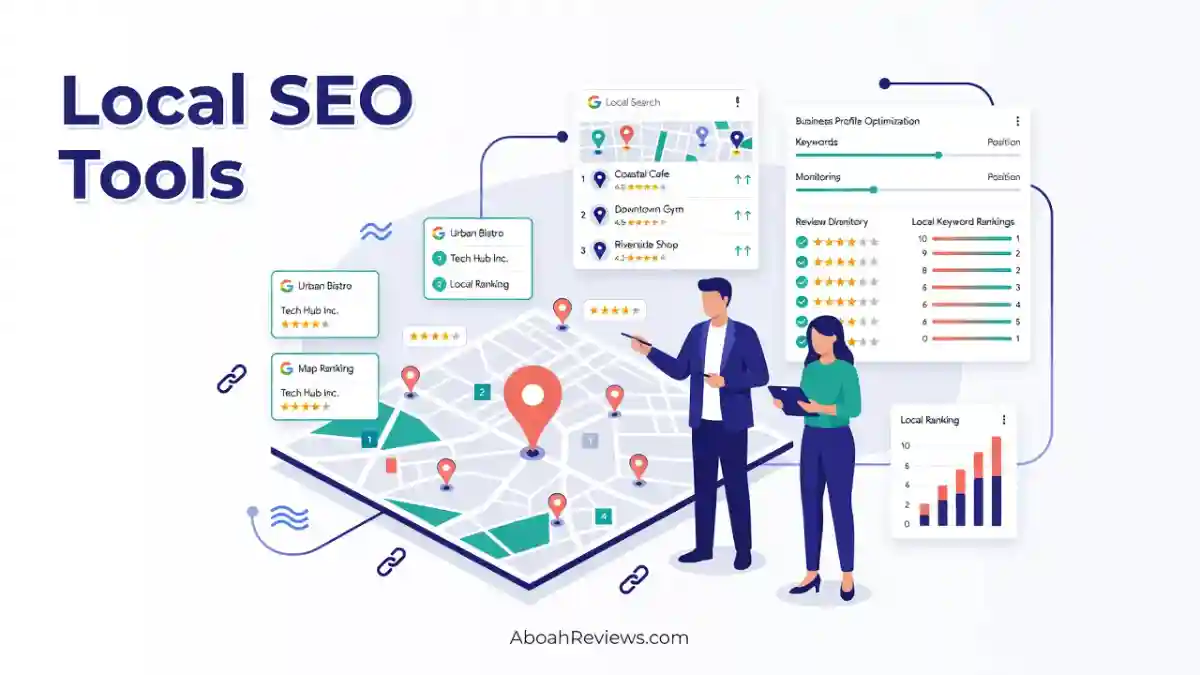
TL;DR: This guide reviews and compares 15 of the best local SEO tools for 2026, covering everything from Google Business Profile management and geo-grid tracking to citation building, review management, and AI search visibility. It’s for SEO professionals, agencies, freelancers, and small businesses trying to pick the right tools without wasting money on the wrong ones. The main takeaway: no single tool does everything well, and matching a tool to your actual problem matters more than buying the most popular name.
Introduction
I’ve been doing local SEO work for years and I still get it wrong sometimes. I’ve paid for tools that duplicated each other, subscribed to platforms that looked great on demos but fell apart in real client campaigns, and wasted hours chasing features that didn’t move rankings at all.
This guide is different. I’m going to walk you through the best local SEO tools in 2026, explain what each one actually does, be honest about its limitations, and tell you who should use it and who should skip it entirely.
By the end, you’ll know which tool fits your specific situation, how much it actually costs, and whether you need one platform or several.
Let’s get into it.
Best Local SEO Tools at a Glance
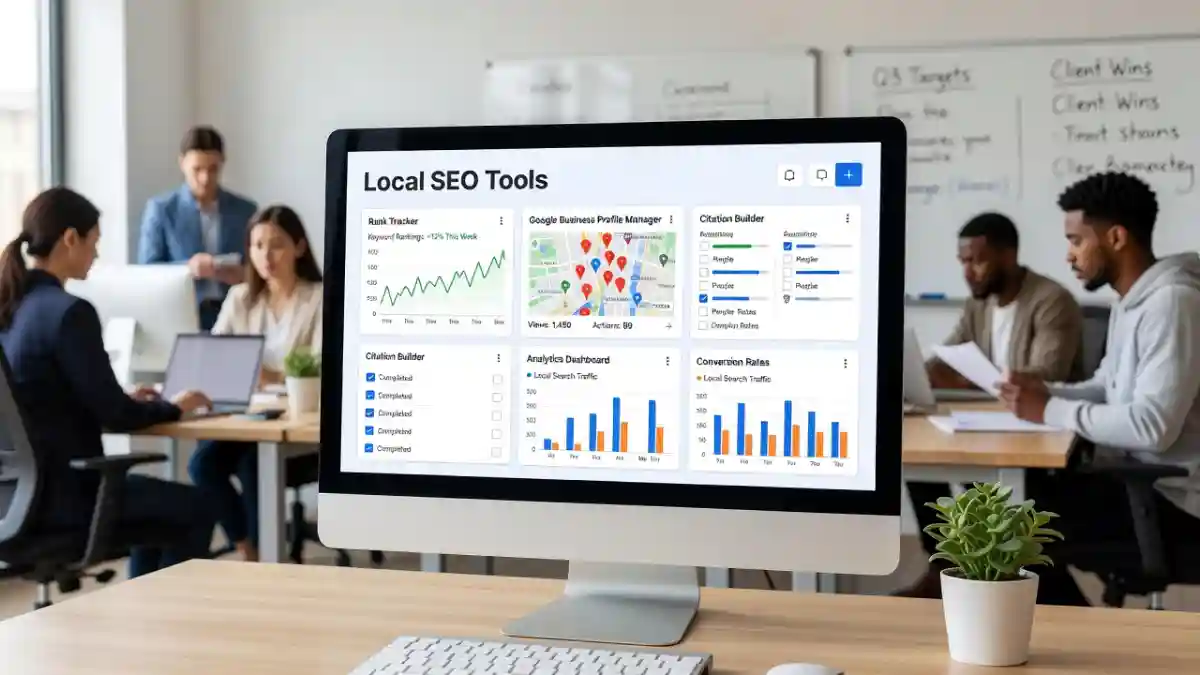
Before you read the full breakdowns, here’s a quick comparison table. Pricing is verified as of October 2026.
Tool | Best For | Starting Price | GBP Management | Rank Tracking | Citation Management | Review Management | AI Visibility |
|---|---|---|---|---|---|---|---|
Google Business Profile | Free GBP foundation | Free | Yes | Limited (Insights only) | No | Yes | Indirect |
Google Search Console | Organic local search | Free | No | Organic only | No | No | Indirect |
BrightLocal | All-in-one local SEO | $39/mo (1 location) | Yes | Yes (geo-grid) | Yes (pay-as-go ~$2/citation) | Yes (Grow plan) | Limited |
Semrush | Local + organic + AI visibility | 139.95/mo (SEO) + 30/mo Local add-on | Yes | Yes | Yes (Pro Local plan) | Yes | Yes |
Local Falcon | Geo-grid rank tracking | $24.99/mo (7,500 credits) | No | Excellent geo-grid | No | No | Limited |
Whitespark | Citation research + building | ~$17/mo (grids module) | Yes | Yes | Excellent | Yes | Limited |
Moz Local | Budget listing management | $16/mo per location (annual) | Yes | Limited | Yes | Yes | Limited |
Localo | Guided GBP optimization | ~$39/mo (1 profile) | Yes | Yes | Limited | Yes | Limited |
Yext | Enterprise listing management | $199/yr per location (Emerging) | Yes | Limited | Excellent (175+ publishers) | Yes | Indirect |
SE Ranking | SEO + local tracking combined | ~$87/mo (includes 3 locations) | Yes | Yes | Yes | Yes | Yes |
Ahrefs | Competitor + backlink research | $129/mo (Lite) | No | Yes (organic) | Research only | No | Brand research |
Advanced Web Ranking | Advanced rank tracking | $49/mo (Pro) | No | Excellent (Maps + AI) | No | No | Yes |
Google Search Console | Free local organic SEO | Free | No | Organic | No | No | Indirect |
GMB Everywhere | Free GBP competitor research | Free (browser extension) | Research | No | No | No | No |
PlePer | GBP category research | Free / paid tiers | Research | No | Yes (research) | No | No |
Local Viking | GBP-focused agencies | $20/mo (basic) | Yes | Yes (geo-grid) | No | Yes | No |
Note: Prices reflect published rates as of 2026. Per-location pricing multiplies with location count. Always confirm current pricing directly on each tool’s website before committing.
What Are Local SEO Tools?
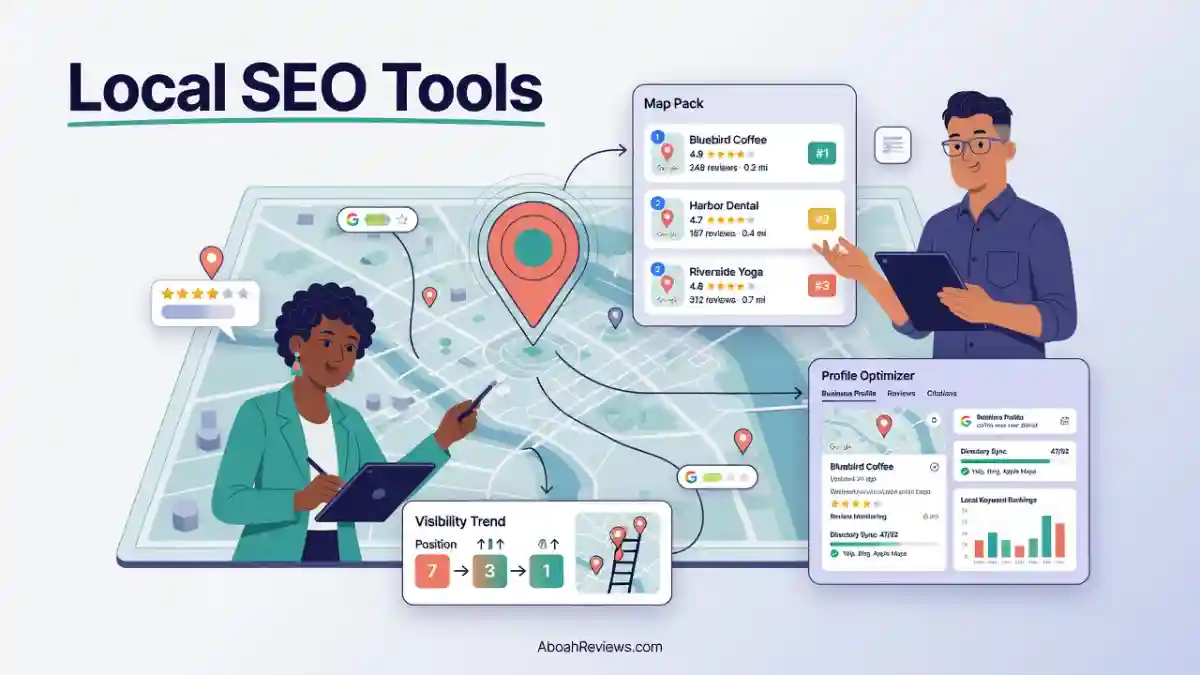
Local SEO tools are software platforms that help businesses improve their visibility in geographically targeted search results. That means Google Maps, the Local Pack (the 3-pack of map results that appears at the top of local searches), organic results with location intent, and increasingly, AI-generated answers that reference local businesses.
Local search is meaningfully different from general organic SEO. When someone searches “plumber near me” or “best coffee shop in Austin,” Google isn’t just ranking pages based on links and content quality.
It’s also weighing proximity, Google Business Profile completeness, citation consistency, review volume and quality, and how well a business’s information matches across the web.
That’s where local SEO tools come in. They help you track, manage, and improve each of those signals.
What Can Local SEO Tools Help You Do?
Local SEO tools cover a wide range of tasks:
- Track rankings in Google Maps, the Local Pack, and organic results across locations
- Monitor Maps visibility across a geographic area using geo-grid scanning
- Audit and optimize Google Business Profiles for completeness and accuracy
- Build and manage citations so your name, address, and phone number (NAP) are consistent across directories
- Monitor and respond to reviews to build reputation signals
- Research local competitors across rankings, citations, GBP categories, and backlinks
- Find local keywords with location modifiers like “service + city” or neighborhood-level queries
- Audit websites for local landing page signals, Core Web Vitals, and technical issues
- Manage multiple locations from a single dashboard
- Generate client reports with white-label options for agencies
“Local SEO tools” is a catch-all that covers five very different products: trackers that show where you rank in the local pack, citation builders that keep your NAP consistent, listing platforms that push to directories, review managers that handle reputation, and content platforms that publish local pages.
Buying the wrong category is how most small operators end up with $300/mo of tools and the same flat rankings.
The Main Types of Local SEO Tools
Understanding the categories before picking a tool saves a lot of wasted budget. Here’s how the market breaks down.
Google Business Profile Management Tools
These tools help you optimize, monitor, and manage your GBP listing. They cover profile audits, posts, photos, categories, services, Q&A sections, and review management. Tools like Localo, BrightLocal, and Semrush Local all include GBP management features, though at different depths.
Local Rank Tracking Tools
Local rank trackers show you where your business appears in search results for target keywords. Unlike traditional SEO rank trackers, good local rank trackers need to account for three separate result types: the Map Pack (Local Pack), organic results, and Google Maps. SE Ranking, BrightLocal, and Advanced Web Ranking all handle this well.
Geo-Grid Rank Tracking Tools
Standard rank tracking gives you a single position number. Geo-grid tracking shows you your ranking at dozens or hundreds of geographic points across your service area.
Local Falcon invented GeoGrid local rank tracking. Instead of checking your position from one location (usually a city center), the platform scans Google Maps rankings from dozens or hundreds of geographic points across your service area.
The visual output shows exactly where online visibility drops off and reveals your true Google Maps visibility across local customers in different neighborhoods.
This matters because a business might rank #1 for customers a half-mile north of the store and #9 for customers a half-mile south. A single rank position hides that reality.
Citation and Listing Management Tools
Citations are online mentions of your business name, address, and phone number.
There’s a difference between citation management (finding, auditing, and cleaning up existing citations) and listing distribution (pushing your information to directories automatically).
Whitespark focuses on the former. Yext and Moz Local focus on the latter. BrightLocal does both, but charges separately for citation building.
Review Management Tools
Review tools cover monitoring reviews across platforms, facilitating review request workflows, and managing responses.
Some platforms like Yext and BrightLocal (Grow plan) include response management built in.
Review monitoring and response capabilities are exclusive to BrightLocal’s Grow tier. If you need reputation management for even one client, you’re looking at a minimum 59/month, not the 39 entry price.
Local Keyword Research Tools
Local keyword research is different from standard keyword research. You’re looking for location modifiers, service-plus-city combinations, neighborhood-level searches, and local long-tail queries with commercial intent.
Semrush, Ahrefs, and SE Ranking all have keyword research built in. Local-specific tools like GMB Everywhere surface keyword data from GBP Insights and competitor profiles.
Local Competitor Research Tools
Understanding what your competitors are doing in local search goes beyond checking their rankings.
You want to know their GBP categories, their citation volume and quality, their review count and average rating, their backlink profile, and the local content they’re publishing.
Ahrefs and Semrush handle the backlink and content side. GMB Everywhere and Whitespark handle the GBP and citation side.
Local SEO Audit Tools
A local SEO audit looks at GBP completeness, NAP consistency across the web, website technical health, on-page local signals, and citation gaps.
BrightLocal’s Local Search Audit is one of the better-known options. Semrush and SE Ranking include site audit tools as part of broader platforms.
AI Search Visibility Tools
This is the newest category. Tools like Semrush AI Visibility and Advanced Web Ranking now track whether your business appears in AI-generated answers from Google AI Overviews, ChatGPT, Gemini, and Perplexity.
This is separate from Maps rankings. You can rank #1 in the Local Pack and still be invisible in AI answers, or vice versa. For a deeper look at how AI search visibility fits into modern SEO workflows, see my guide on generative engine optimization tools.
How I Tested and Compared These Local SEO Tools
I want to be upfront about my approach here. This isn’t a roundup I wrote after watching product demos.
I’ve used most of these tools in live campaigns, tested others in controlled setups, and read through hundreds of verified user reviews to fill the gaps.
Here’s the framework I used to evaluate each platform.
Local Ranking Accuracy
I tested rank tracking across Google Maps, the Local Pack, and organic results. Where possible, I checked results from multiple locations and compared desktop versus mobile.
The key thing I was looking for: does the data the tool shows actually match what I see when I search manually from that location?
Geo-Grid Accuracy
For geo-grid tools, I evaluated grid size options, location precision, historical data availability, competitor comparison features, and heat map quality.
A great local rank tracker in 2026 must offer true geogrid scanning with configurable grid sizes and point distances, track AI surfaces (AI Overviews, AI Mode) in addition to Map Pack and organic, and have a robust API that supports automation at scale.
GBP Management
I looked at profile audit depth, post scheduling, review workflows, category research, and profile monitoring alerts. Some tools tell you there’s a problem. Better tools tell you what to fix and show you how.
Citation Management
I evaluated citation discovery accuracy, NAP consistency checking, distribution network size, duplicate detection, and industry-specific directory coverage. There’s a big difference between a tool that finds your citations and one that actually builds or cleans them.
Review Management
I looked at monitoring breadth (how many review platforms the tool covers), response workflow, review request features, and reputation monitoring alerts.
Reporting and Agency Features
For agencies, I tested white-label reporting quality, client management dashboards, multi-location handling, and API availability.
Ease of Use
I looked at onboarding friction, UI clarity, and how long it takes to get useful data after setup. Some tools have steep learning curves that only pay off at scale.
Pricing and Value
Here’s a transparency score I used for each tool:
Criteria | Weight |
|---|---|
Local SEO functionality depth | 25% |
Rank tracking accuracy | 20% |
GBP and citation management | 20% |
Reviews and reputation | 15% |
Ease of use | 10% |
Value for money | 10% |
15 Best Local SEO Tools in 2026
1. Google Business Profile
Best for: Any local business as a free foundation
Starting price: Free
Free trial/free plan: Yes, permanently free
Best feature: Direct control over how your business appears in Google Search and Maps
Best business type: Every local business, from a single coffee shop to a franchise network
What Google Business Profile Does
Google Business Profile is the starting point for all local SEO. It’s the free tool Google provides for businesses to manage how they appear in Google Search and Maps. If you don’t have a verified GBP, nothing else in this list will perform as well as it could.
Key Local SEO Features
- Business name, address, phone, hours, website, and categories
- Photos, videos, and virtual tours
- Google Posts for updates, offers, and events
- Services and products sections
- Customer reviews and Q&A
- GBP Insights showing search queries, views, and actions
- Messaging and call tracking
- Performance data for Maps and Search visibility
What I Liked
It’s free, it’s directly connected to Google’s data, and updating it has one of the highest returns on time of any local SEO activity.
Filling out the services section properly, for example, takes 30 minutes and can meaningfully affect which queries your listing appears for.
Limitations
GBP Insights is basic. You get impression and action data, but no geo-grid visibility, no rank position data, and no competitor comparison.
You also can’t manage citations, track organic rankings, or run audits. It’s the foundation, not the whole house.
One important warning: Google has clear guidelines about what goes in the business name field. Your actual legal or common-use business name goes there.
Stuffing keywords like “Joe’s Plumbing | Best Plumber NYC” violates Google’s Business Profile guidelines and can get your listing suspended.
Pricing and Value
Free. Always.
Who Should Use It?
Every local business. There is no reason not to have a fully completed, verified GBP.
Who Should Skip It?
No one skips this. It’s the foundation everything else builds on.
My Verdict
GBP is non-negotiable. Set it up first, complete every field, add photos regularly, respond to reviews, and post updates at least twice a month. Only then should you consider adding paid tools.
2. BrightLocal
Best for: Dedicated all-in-one local SEO for agencies and multi-location businesses
Starting price: $39/month (Track plan, 1 location, monthly billing)
Free trial/free plan: 14-day free trial, no credit card required
Best feature: Local Search Grid (geo-grid tracking) combined with citation building and review management in one platform
Best business type: Local SEO agencies, multi-location businesses, freelancers managing local clients
What BrightLocal Does
BrightLocal is a local search platform built around three things: rank tracking, listings/citations, and review management, priced per location from $39/mo to $59/mo.
It’s a solid pick if your business or your clients live and die by ‘near me’ searches, and less useful if you need keyword research, backlinks, or content tools.
Key Local SEO Features
- Local Search Grid (geo-grid rank tracking across Google Maps and Local Pack)
- Citation Tracker and Citation Builder (pay-as-you-go, approximately $2 per citation)
- GBP audit and profile monitoring
- Reputation Manager with review monitoring and response workflows
- White-label reporting for agencies
- Client management dashboard for managing multiple businesses
- Local Search Audit that explains and prioritizes issues, not just flags them
- MCP server integration launched in January 2026, connecting to ChatGPT, Claude, and Mistral
What I Liked
The Local Search Audit is genuinely useful. Most audit tools just flag issues and leave you to figure out the priority. BrightLocal’s audit explains what’s wrong and why it matters.
The Citation Tracker is also one of the more reliable tools for finding citations you didn’t know you had, including inconsistent NAP entries across the web.
The 14-day free trial requires no credit card. That’s real evaluation time with no commitment, and it’s more generous than most of this category. Several competitors require a sales call, and one offers only a discounted first month you have to remember to cancel.
Limitations
If you need content strategy, backlink work, or national keyword tracking too, you’ll be running BrightLocal alongside something else, not instead of it.
Citation building is also a separate cost. Citation Builder is charged separately at around $2 per citation on a credit basis. It’s the most common source of BrightLocal spend people didn’t plan for.
Also worth knowing: reviewers report BrightLocal does not scale smoothly past around 50 locations. If you’re heading beyond that, test it at your real volume during the trial rather than assuming the experience at 5 locations carries over.
Pricing and Value
Track starts at $39/mo ($29/mo billed annually), Manage is $49/mo ($37/mo billed annually), and Grow is $59/mo ($44/mo billed annually).
All plans are priced per location, and a 14-day free trial is available.
Track is mostly monitoring and reporting, Manage adds active listings control, and Grow adds reputation management. If reviews are part of what you’re delivering to clients, start at Grow, not Track.
Who Should Use It?
Local SEO agencies managing 5 to 50 client locations, freelancers with a dedicated local SEO service offering, and multi-location businesses that want citations, rankings, and reviews in one place.
Who Should Skip It?
Businesses that also need robust keyword research, backlink analysis, content tools, or national SEO campaigns. BrightLocal is a local-only platform. If local is 20% of what you do, a broader platform like Semrush makes more sense.
My Verdict
BrightLocal is the most complete dedicated local SEO platform on this list. It does citations, geo-grids, GBP audits, and reviews without requiring you to stitch together multiple tools. For agencies where local is the whole service, it’s the default choice.
3. Semrush
Best for: Teams that need local SEO, organic SEO, competitive research, and AI visibility tracking in one platform
Starting price: $139.95/month (SEO Classic Pro) + $30/month per location (Local Base add-on)
Free trial/free plan: 7-day free trial (14-day via partner links on some plans)
Best feature: Combines local SEO with full organic SEO, keyword research, backlink analysis, and AI Overviews visibility tracking
Best business type: Growing businesses, agencies with mixed local and national clients, enterprises
What Semrush Does
Semrush is the broadest platform on this list. The core SEO toolkit covers keyword research, site audits, backlink analysis, competitor research, and rank tracking.
The Local add-on brings in GBP optimization, listing management, Map Rank Tracker, and review management.
Semrush is an online-visibility and marketing platform used by SEO specialists, content marketers, agencies, and in-house marketing teams to research keywords, audit sites, analyze competitors, run PPC and content workflows, and increasingly measure and grow visibility inside AI search answers.
Key Local SEO Features
- Map Rank Tracker (geo-grid tracking via the Local add-on)
- GBP optimization and monitoring
- Listing management and distribution (Local Pro plan and above)
- Review management with AI-assisted responses (Local plans)
- Keyword research with location modifiers
- Competitor gap analysis for local and organic
- AI Visibility Toolkit tracking mentions in Google AI Overviews, ChatGPT, Gemini, and Perplexity
- Semrush One bundle (launched October 2025) combining SEO Classic with AI Visibility
For a deeper look at how Semrush fits into a broader SEO automation workflow, that guide covers the full picture.
What I Liked
The AI Visibility integration is one of the more compelling features in 2026.
Tracking whether your brand appears in ChatGPT or Google AI Mode answers is something BrightLocal and Whitespark don’t do at the same depth.
For most businesses in 2026, Semrush is the best overall choice because it combines local SEO, organic SEO, and AI search visibility in one platform, including AI visibility tracking down to neighborhood level across AI Overviews, AI Mode, ChatGPT, and Gemini.
If you’re already paying for Semrush for organic SEO, adding the Local add-on at $30/month per location is a reasonable extension. You avoid paying for two separate platforms.
Limitations
The pricing structure can surprise you. The base Semrush SEO pricing doesn’t include everything.
Add-ons for extra users, specific toolkits (like Local or Social), and API access can increase your monthly cost significantly.
If you’re only doing local SEO and don’t need the full organic toolkit, Semrush is overkill and overpriced compared to BrightLocal.
Don’t buy Semrush Local unless you already pay for Semrush. That’s money for overlap otherwise.
Pricing and Value
The Pro plan starts at $139.95 per month.
The Guru plan, priced at $249.95 per month, is better suited for growing businesses and agencies that need advanced tools.
The Business plan costs $499.95 per month and is designed for large teams, agencies, and enterprises.
The Local toolkit is priced separately per location: Local Base at $30/month, Pro at $60/month per location, Business custom pricing.
Semrush One launched in October 2025 and bundles the SEO Classic toolkit with the AI Visibility toolkit into a single subscription, starting at $199/month.
Who Should Use It?
Agencies managing both local and organic SEO, businesses investing in AI search visibility, and teams that already use Semrush for organic SEO and want to add local capability without switching platforms.
Who Should Skip It?
Freelancers or small businesses that only need local SEO. BrightLocal at $39/month does the core local work at a fraction of the cost.
My Verdict
If local is part of a broader SEO mandate, Semrush makes sense. If local is your whole service and you don’t need keyword research, backlinks, or content tools, BrightLocal is more focused and considerably cheaper.
4. Local Falcon
Best for: Precise geo-grid rank tracking for agencies that need to see exactly where a business ranks across its service area
Starting price: $24.99/month (Starter, 7,500 credits/year)
Free trial/free plan: 100 free credits on signup
Best feature: Geo-grid scanning up to 21×21 pins with heat maps, AI recommendations via “Falcon AI,” and Apple Maps tracking
Best business type: Local SEO agencies, multi-location businesses, service-area businesses with wide coverage areas
What Local Falcon Does
Local Falcon is purpose-built for one thing: geo-grid rank tracking.
Local Falcon is a geo-grid rank tracker built to show exactly where you rank on the map, pin by pin, across a service area. It’s best for teams that want pixel-precise map-pack tracking on top of their main platform.
Key Local SEO Features
- Geo-grid scanning up to 21×21 points (441 pins per scan)
- Google Maps and Apple Maps tracking
- Heat map visualization of ranking distribution
- Share of Local Voice (SoLV) metric showing what percentage of grid points you dominate
- Competitor comparison overlaid on the same grid
- “Falcon AI” recommendations (at 25 extra credits per report)
- Historical tracking to see ranking changes over time
- Zapier and API integration
What I Liked
A single-point rank tracker might show you’re #3, but Local Falcon reveals you’re #1 in the north side and #8 in the south. That’s genuinely useful information for prioritizing where to focus GBP optimization, local landing pages, or review acquisition efforts.
The heat map visualization is the best in this category. It makes it easy to show a client exactly where their visibility drops off and build a geographic optimization strategy around it.
Limitations
Local Falcon measures and diagnoses. It doesn’t manage listings, build citations, monitor reviews, or do keyword research.
You’ll need other tools alongside it. Every plan is priced in credits, and one credit is one map pin.
A 5×5 grid scan uses 25 credits. Grid cost grows with the square of the density. Unused allotment expires at the end of each billing cycle, so an unused month is gone.
If you run daily scans across large grids for many locations, credits can run out faster than the monthly price suggests.
Pricing and Value
Starter at $24.99/mo (7,500 credits), Pro at $99.99/mo; pay-as-you-go at $0.05/credit. The Starter plan also includes Basic at $49.99/mo and Premium at $199.99/mo.
Who Should Use It?
Agencies that already have a platform handling citations, reviews, and GBP but want deeper geo-grid data than BrightLocal’s Local Search Grid provides.
Also good for service-area businesses like plumbers, landscapers, or HVAC companies where ranking precision across a geographic area matters.
Who Should Skip It?
Small businesses managing a single location who only need a rough sense of their ranking position. The credit model also makes it less predictable for high-volume daily scanning.
My Verdict
Use Whitespark for citations and pair it with Local Falcon for grid tracking. The combination is more powerful than either tool alone. Local Falcon earns its place as a specialist tool, not a replacement for a full local SEO platform.
5. Whitespark
Best for: Citation research, citation building, and NAP consistency at depth
Starting price: Approximately $17/month for the Local Ranking Grids module; citation building priced per citation
Free trial/free plan: Free version of the Citation Finder available
Best feature: Local Citation Finder that surfaces where you should be listed and monitors what you already have
Best business type: Agencies focused on local SEO, businesses with citation gaps or NAP inconsistency issues
What Whitespark Does
Whitespark is a local SEO toolkit plus done-for-you services, sold à la carte so you buy only the modules you actually need. It’s best for teams whose priority is citation building and listing accuracy.
The Local Citation Finder surfaces where you should be listed and monitors the citations you already have, and pairs with hands-on citation-building services for deep NAP cleanup.
Key Local SEO Features
- Local Citation Finder (find citation opportunities by business category and location)
- Competitor citation discovery (see exactly where competitors are listed that you aren’t)
- NAP consistency auditing across existing citations
- Done-for-you citation building service
- Local Ranking Grids (geo-grid tracking, functional but not as polished as Local Falcon)
- Reputation Builder for review requests
- Local rank tracker
What I Liked
Whitespark’s citation work is the most thorough I’ve seen. The competitor citation comparison is particularly useful.
You can see exactly which directories your competitor is listed in that you’re missing, then prioritize building those citations.
Whitespark wins on citations, and that’s a real job most tools half-do. If listing accuracy is your bottleneck, the Citation Finder and build service pay for themselves.
The modular pricing also means you’re not paying for features you don’t need. You buy the Citation Finder, the rank tracker, or the geo-grid module separately.
Limitations
Whitespark is the gold standard for citation work, and their rank tracker exists but is not their flagship.
The geo-grid functionality is functional but limited: smaller grid sizes, fewer customization options, and less polished visualizations.
The modular structure that keeps costs down also means you’re assembling a dashboard from parts rather than working within one integrated platform. Go in knowing you’re stitching modules together, not logging into one dashboard, and price the admin time in.
Pricing and Value
Whitespark uses modular pricing. The Local Citation Finder plan starts at approximately $33/month for the basic plan. Geo-grid tracking starts at around $17/month. Done-for-you citation building is priced per citation.
This makes it harder to give a simple monthly cost, because your actual spend depends on which modules you activate and how many citations you’re building.
Who Should Use It?
Agencies doing deep citation audits for new clients, businesses that have had GBP suspensions related to NAP inconsistency, and local SEO specialists who want the best citation research tool available.
Who Should Skip It?
Teams that want everything in one dashboard. Whitespark’s strength is citation depth, not platform cohesion.
My Verdict
If citations are a named problem in your campaign, Whitespark is the right tool. Pair it with Local Falcon for geo-grid tracking and BrightLocal or Semrush for everything else.
6. Moz Local
Best for: Budget-friendly listing management with broad directory distribution
Starting price: $16/month per location (Lite plan, billed annually)
Free trial/free plan: No free trial, but a free listing check is available
Best feature: Listing distribution through major data aggregators with ongoing NAP monitoring
Best business type: Single-location small businesses and multi-location businesses wanting clean listing distribution without agency-level complexity
What Moz Local Does
Moz Local is a listing management tool that distributes business data through major data aggregators.
It leverages Moz’s SEO expertise with a focus on listing accuracy. It’s best for businesses wanting broad listing distribution through data aggregator partnerships.
Key Local SEO Features
- Listing distribution to major data aggregators including Foursquare and Neustar Localeze
- NAP consistency monitoring
- Duplicate listing detection and suppression
- Review monitoring across Google, Facebook, and other platforms
- Local Grid heatmap showing ranking visibility across a service area
- Visibility score tracking
- Basic competitor analysis
What I Liked
Moz Local handles per-location listings and reputation with a Local Grid heatmap showing where a business ranks across a service area. It’s best for US, UK, and Canada operators wanting straightforward per-location listings and reviews.
The entry price is among the lowest in this category. For a single-location business that just needs listings distributed and monitored, the Lite plan at $16/month covers the basics without any wasted spend on features you won’t use.
Limitations
The limitations show up when you need advanced features. The citation network is smaller than some competitors, and the platform doesn’t try to be a comprehensive SEO suite.
Moz Local is not a rank tracker, a keyword research tool, or a GBP management tool in any deep sense. It does listing distribution and monitoring. If you need more than that, you’ll need to add other tools.
Pricing and Value
Pricing per location: Lite at $16/month billed annually or $20/month monthly, Preferred at $24/month or $30/month, Elite at $33/month or $40/month.
The per-location model is the number to watch. Multiply the plan by your footprint before it reaches the backlog. A per-store fee compounds fast. At 10 locations on Preferred, you’re paying $240/month. At that scale, BrightLocal or SE Ranking might offer better value.
Who Should Use It?
Single-location small businesses that want clean, automated listing distribution without paying for features they won’t use. Budget-conscious multi-location businesses with stable, simple NAP data.
Who Should Skip It?
Businesses that need geo-grid tracking, deep citation building, review response workflows, or rank tracking. Also skip it if you’re managing more than 10 locations and want per-location pricing to stay manageable.
My Verdict
Moz Local is the most accessible entry point for listing management on this list. It does one job at a price that’s hard to argue with for small businesses. Just don’t expect it to replace a full local SEO platform.
7. Localo
Best for: Guided, task-driven GBP optimization for business owners who aren’t SEO experts
Starting price: Approximately $39/month (1 profile, Single Business plan)
Free trial/free plan: Free version available with limited features
Best feature: Guided weekly task queue that tells you exactly what to do next to improve your GBP
Best business type: Single-location small businesses, business owners managing their own GBP without a dedicated SEO team
What Localo Does
Localo, formerly Surfer Local, is a GBP optimization app that turns local presence into a queue of guided weekly tasks.
Instead of showing you a dashboard of data and expecting you to know what to do next, Localo tells you specifically: post this update, add this photo, respond to this review, update this category.
Key Local SEO Features
- GBP audit with prioritized improvement recommendations
- Automated weekly task queue for GBP optimization
- Google Posts scheduling and management
- Review monitoring and response prompts
- Competitor GBP analysis (categories, reviews, posts)
- Rank tracking for local keywords
- Performance monitoring over time
What I Liked
For business owners managing their own GBP, the task-based approach is genuinely useful. Most local SEO dashboards assume you already know what to do with the data they show you. Localo assumes you don’t, and it guides you through the work step by step.
For single-location businesses without an SEO background, Localo’s guided task list is the shortest path from subscription to results.
Limitations
If you manage multiple locations, the Single Business plan stops at one profile, so you’re jumping to Pro fast. Weigh that against how much broader organic SEO you still need elsewhere.
Localo doesn’t do citation building, deep keyword research, or backlink analysis. It’s focused on GBP, and only GBP. For an agency managing local SEO holistically, it’s too narrow.
Pricing and Value
Single Business at $39/month, Pro (10 profiles) at $69/month on annual billing, Enterprise custom pricing.
Who Should Use It?
Small business owners managing their own GBP who want guidance rather than raw data. Freelancers helping non-SEO clients maintain their GBP without constant hand-holding.
Who Should Skip It?
SEO agencies managing 10+ locations who need citation management, geo-grid tracking, and reporting. The platform is too narrow for a full agency workflow.
My Verdict
Localo is exactly what it says it is: a guided GBP tool for people who find traditional SEO dashboards overwhelming. It’s genuinely good at that job. Just don’t expect it to replace BrightLocal or Semrush Local.
8. SE Ranking
Best for: Teams that want a combined local and organic SEO platform at a lower price point than Semrush
Starting price: Approximately $87/month (includes 3 locations, billed monthly)
Free trial/free plan: 14-day free trial
Best feature: Combines local rank tracking, GBP integration, site audit, keyword research, and AI Search Toolkit in one platform
Best business type: Growing agencies, freelancers, and small businesses that need both local and organic SEO tools
What SE Ranking Does
SE Ranking competes on value. The platform offers local keyword tracking, site audits, backlink monitoring, and local search tools at prices well below Semrush or Ahrefs.
Key Local SEO Features
- Local rank tracking (Map Pack, organic, and mobile)
- GBP management and monitoring
- Local keyword research with location modifiers
- Site audit with Core Web Vitals and technical SEO checks
- Backlink analysis and monitoring
- AI Search Toolkit for tracking visibility in AI answers
- White-label reporting
- API access on higher plans
What I Liked
SE Ranking is probably the best value all-in-one platform on this list for teams that need both local and organic SEO.
You get keyword research, backlinks, rank tracking, and local tools in one subscription, at a price that’s roughly half of Semrush’s entry level. For the three recurring jobs: rank tracking, listings, and reviews, in one place, SE Ranking is the default.
The AI Search Toolkit is also worth mentioning. It tracks AI Overviews and other AI answer appearances, which is increasingly relevant for local businesses that want visibility in AI-generated search results.
Limitations
SE Ranking’s local-specific features, especially geo-grid tracking and citation building, are less developed than BrightLocal or Whitespark.
If local SEO is your entire service offering, you might find yourself wanting more depth in those specific areas.
Pricing and Value
SE Ranking starts at approximately €87.20/month including three locations. Annual billing brings the effective cost down. The included locations make it more predictable for small agencies than per-location pricing models.
Who Should Use It?
Freelancers and small agencies that need a full SEO toolkit plus local tracking without paying Semrush prices. Businesses managing 3 to 10 locations that also need organic SEO tools.
Who Should Skip It?
Teams that need deep geo-grid tracking, done-for-you citation building, or enterprise-level reporting. Also not ideal for very large multi-location businesses where Yext’s real-time listing sync becomes important.
My Verdict
SE Ranking is the best value combined local and organic SEO platform for teams without a Semrush budget. It’s not the deepest tool in any single category, but it covers enough ground that most freelancers and small agencies can run their whole operation from it.
9. Yext
Best for: Enterprise-level listing management for businesses with 50+ locations
Starting price: $199/year per location (Emerging plan); Essential at $449/year per location; Complete at $999/year per location
Free trial/free plan: Demo available, no self-serve free trial
Best feature: Real-time listing sync across 175+ publisher sites via the Knowledge Graph
Best business type: Enterprise brands, franchises, and multi-location businesses with 50+ locations and complex data management needs
What Yext Does
Yext targets enterprise and multi-location brands. The platform’s Knowledge Graph technology pushes updates across 175+ publisher sites in near real-time. Duplicate suppression and listing verification are built in, and the PowerListings+ network covers major directories.
Key Local SEO Features
- Knowledge Graph for centralized business data management
- Real-time listing sync across 175+ publishers
- Listing verification and duplicate suppression
- Review monitoring and response management
- Yext Pages for local landing page creation
- Analytics and reporting across all locations
- API for enterprise data integration
- AI-powered review response suggestions
What I Liked
When you’re managing hundreds of locations and a single incorrect address in one directory creates customer complaints, Yext’s real-time sync is genuinely valuable.
The breadth of the publisher network is also unmatched. No other platform syncs to as many directories simultaneously.
The Knowledge Graph approach also means that when you update a business name, address, phone number, or hours, that change propagates across all connected directories almost immediately, not over days or weeks.
Limitations
But the costs add up fast at scale. Worth noting: if you cancel, listings revert to an unmanaged state. That last point is important. Yext listings are essentially licensed.
When you stop paying, you lose the distribution. That’s different from BrightLocal or Whitespark, where citations you’ve built tend to persist.
Yext contracts often include annual price escalators of 3 to 7%. Buyers should negotiate to cap or eliminate these increases, especially in multi-year agreements.
For businesses with fewer than 20 stable locations, tools like BrightLocal offer a more cost-effective model (permanent citations) and a lower total cost. Yext’s value scales for enterprises with 50+ locations and high data volatility.
Pricing and Value
Annual pricing starts at $199/year for Emerging, $449/year for Essential, and $999/year for Complete (per location). Enterprise packages use custom pricing.
At 50 locations on the Essential plan, you’re spending $22,450/year before any add-ons. A 20-location business signing an Essential plan contract might budget for $8,980/year. By year two, with a 7% renewal escalation and two paid add-ons, their actual spend is closer to $12,000, a 33% increase over their initial expectation.
Who Should Use It?
Enterprise brands and franchises managing 50+ locations where real-time listing accuracy, centralized governance, and a broad publisher network justify the cost.
Businesses where a single incorrect listing can cause significant customer service or revenue problems.
Who Should Skip It?
Skip Yext unless you’re genuinely at franchise scale. For businesses under 20 locations, the cost-to-value ratio is hard to justify compared to alternatives.
My Verdict
Yext is the right tool at the right scale. At 100+ locations with complex data needs, it pays for itself. At 10 locations, you’re paying for capabilities you don’t need and committing to a contract model that limits your flexibility.
10. Ahrefs
Best for: Local competitor research, backlink analysis, and content gap identification
Starting price: $129/month (Lite plan, billed monthly)
Free trial/free plan: Free limited account (Ahrefs Webmaster Tools)
Best feature: Site Explorer and Link Intersect for finding competitor backlinks and citation opportunities
Best business type: SEO agencies, content teams, and experienced SEO professionals doing competitive analysis for local clients
What Ahrefs Does
Ahrefs is not a dedicated local SEO platform. It’s a full-scale SEO tool that happens to be very useful for local competitor research. If you want to understand why a competitor ranks well in local search, Ahrefs lets you dig into their backlink profile, content strategy, keyword targeting, and domain authority.
Key Local SEO Features
- Site Explorer for analyzing competitor domains, backlinks, and organic traffic
- Link Intersect to find websites linking to competitors but not to you (including local citation sources)
- Content Gap for finding keywords competitors rank for that you don’t
- Keyword Explorer with location-level filtering
- Rank tracker for local keyword positions in organic results
- Local citation discovery through backlink data
What I Liked
For understanding the full competitive picture in local search, Ahrefs is unmatched. You can pull a competitor’s backlink profile, filter by city or region, and identify local news sites, community organizations, or business directories that link to them but not to you. That’s actionable local link building intelligence.
According to Ahrefs’ own documentation, local link building is one of the strongest signals for improving both Local Pack and organic visibility. Ahrefs gives you the data to execute that strategy systematically.
Limitations
Ahrefs does not track Google Maps rankings. It doesn’t audit GBP, manage citations, monitor reviews, or do geo-grid scanning. The Semrush vs Ahrefs pricing comparison is the closest matchup.
Ahrefs Lite undercuts Semrush Pro by about $10/month, but Semrush includes PPC research and a larger site audit crawl at its base tier.
If local SEO is your primary focus, Ahrefs should be a supplementary tool, not your primary platform.
Pricing and Value
Ahrefs Lite starts at $129/month (monthly billing). The Standard plan is $249/month. Annual billing saves approximately 20%. Ahrefs Webmaster Tools is free and gives you access to Site Audit and Site Explorer for your own verified properties.
Who Should Use It?
SEO agencies and professionals who do deep competitive analysis as part of their local SEO campaigns. Teams that have a primary local platform and need Ahrefs for backlink and content research on top.
Who Should Skip It?
Small businesses managing their own local SEO without much SEO experience. The tool has a learning curve, and its value for local SEO specifically is in competitive research, not in the day-to-day local SEO tasks that GBP, BrightLocal, or SE Ranking cover.
My Verdict
Ahrefs is a research tool, not a local SEO management tool. Use it to understand competitors and build your strategy. Use something else to execute the daily local SEO work.
11. Advanced Web Ranking (AWR)
Best for: Advanced rank tracking including Google Maps, local pack, AI search results, and competitor positions across multiple search engines
Starting price: $49/month (Pro plan, monthly billing)
Free trial/free plan: 30-day free trial
Best feature: Street-level rank tracking precision combined with AI search visibility across Google AI Overviews, Perplexity, and ChatGPT
Best business type: Agencies needing advanced reporting, multi-search-engine tracking, and AI search visibility in one rank tracking tool
What Advanced Web Ranking Does
AWR is a rank tracking platform that goes deeper than most. It tracks organic rankings, local pack rankings, Google Maps positions, and AI search appearances from specific geographic points, down to street level in some configurations.
For agencies that need to report across multiple search engines, locations, and result types, AWR provides more granularity than most alternatives.
Key Local SEO Features
- Local Pack and Google Maps rank tracking by geographic point
- Street-level tracking precision
- AI search visibility tracking (Google AI Overviews, Perplexity, ChatGPT)
- Multi-search-engine support (Google, Bing, Yahoo)
- Competitor rank comparison
- White-label reporting with custom branding
- API access for integration into agency reporting workflows
- Desktop and mobile tracking separation
What I Liked
The combination of traditional rank tracking and AI search visibility in one platform is genuinely useful.
Most tools make you choose between tracking where you rank in Maps versus where you appear in AI answers. AWR covers both.
For agencies where client reporting is a significant part of the service, the white-label reporting is solid.
Limitations
AWR is a rank tracking tool, not a local SEO management tool. It doesn’t manage GBP, build citations, monitor reviews, or do keyword research beyond what feeds into rank tracking.
It also doesn’t have geo-grid scanning in the same visual heat map format as Local Falcon.
Pricing and Value
AWR Pro starts at $49/month (monthly billing) and includes up to 2,000 keywords. The Agency plan runs $199/month for unlimited keywords and white-label reporting. Annual billing saves roughly 20%.
Who Should Use It?
Agencies that need precise rank data across multiple result types (local pack, Maps, organic, AI), clean white-label reports, and API access for custom reporting integrations.
Who Should Skip It?
Small businesses or freelancers who only need basic rank tracking. The depth and pricing make more sense for agencies managing multiple clients with sophisticated reporting needs.
My Verdict
AWR is the most capable pure rank tracking tool on this list when you factor in AI search visibility. If reporting depth and precision are priorities for your agency, it’s worth the cost alongside your primary local SEO management platform.
12. Google Search Console
Best for: Understanding organic search performance for local landing pages at no cost
Starting price: Free
Free trial/free plan: Permanently free
Best feature: Shows the exact queries people use to find your website in organic search, including local intent queries
Best business type: Every business with a website, as a free baseline measurement tool
What Google Search Console Does
Google Search Console shows you how your website performs in Google’s organic search results.
For local SEO specifically, it tells you which queries are driving clicks to your local landing pages, which pages are getting impressions, where your average position stands, and whether Google has any crawling or indexing issues with your site.
Key Local SEO Features
- Query data showing local-intent search terms driving traffic
- Clicks, impressions, CTR, and average position by page and query
- Local landing page performance tracking
- Core Web Vitals reporting
- Mobile usability issues
- Indexing status and coverage reports
- URL Inspection tool for checking how Google sees individual pages
What I Liked
GSC is free and it comes directly from Google. That means the data is authoritative. When you see a local keyword driving 200 impressions but only 3 clicks, that’s a reliable signal that you need to improve your title tag and meta description for that page.
It’s also the most reliable source for understanding which local landing pages are actually working and which ones Google is ignoring entirely.
Limitations
GSC shows organic search data only. It does not show Google Maps positions, Local Pack rankings, citation data, or review signals. You can’t use it to track competitor performance either. It’s a self-only, organic-only tool.
For deeper automated SEO reporting that combines GSC data with other sources, that guide covers the full workflow.
Pricing and Value
Free. No limit on usage.
Who Should Use It?
Every business with a website. This is not optional. GSC is how you catch indexing problems early, understand what’s driving organic traffic, and measure the impact of local landing page improvements.
Who Should Skip It?
Nobody skips this. You can use it alongside any other tool on this list.
My Verdict
Set up Google Search Console before you spend a dollar on any paid tool. It tells you what Google thinks of your website right now, and that knowledge shapes every other local SEO decision you make.
13. GMB Everywhere
Best for: Free competitor GBP research and category analysis using a browser extension
Starting price: Free (browser extension); paid plans available for advanced features
Free trial/free plan: Core features free
Best feature: Instant GBP audit and competitor category data visible directly in Google Maps search results
Best business type: Freelancers, small agencies, and businesses doing their own local competitor research
What GMB Everywhere Does
GMB Everywhere is a browser extension that overlays GBP data directly onto Google Maps search results.
When you search for a business type in your target area, GMB Everywhere shows you each listing’s categories, review count, posting frequency, and other profile signals right in the search results, without having to click into each listing individually.
Key Local SEO Features
- GBP category overlay in Google Maps search results
- Competitor review count and rating visibility
- GBP audit for your own profile
- Keyword research using GBP category data
- Profile completeness indicators for competitor listings
- Posting frequency data for competitor GBPs
What I Liked
For the price (free for core features), GMB Everywhere is one of the most useful tools in this list for initial competitor research.
In 10 minutes, I can see which categories my top competitors are using, how many reviews they have, and how active their profiles are, all without leaving Google Maps.
It’s particularly useful when onboarding a new local client. A quick GMB Everywhere scan of the competitor set tells me immediately what categories to prioritize and roughly how much review acquisition work needs to happen.
Limitations
GMB Everywhere is a research tool. It doesn’t track rankings over time, build citations, manage reviews, or monitor GBP changes. It’s a snapshot tool, not an ongoing management platform. The free version also has usage limits for some features.
Pricing and Value
Free for the core browser extension. Paid plans add more searches, deeper audits, and additional features. Free plan limits vary by feature but cover most basic competitor research needs.
Who Should Use It?
Anyone doing local SEO research. It’s free, it’s fast, and it saves significant time compared to manually clicking through competitor GBP profiles.
Who Should Skip It?
Nobody needs to skip this. Use it alongside your primary local SEO platform for initial research and new client onboarding.
My Verdict
GMB Everywhere belongs in every local SEO toolkit. It’s free, requires almost no setup, and gives you competitor intelligence in minutes.
14. PlePer
Best for: GBP category research and understanding Google’s category taxonomy at depth
Starting price: Free (core features); paid plans available
Free trial/free plan: Free version with meaningful utility
Best feature: The most comprehensive GBP category database available, searchable by business type and location
Best business type: Local SEO specialists, agencies doing GBP audits, businesses trying to find the right primary and secondary categories
What PlePer Does
PlePer is a specialized tool focused on Google Business Profile categories and local business data.
Its most useful feature is the GBP category database, which lets you search for every category Google uses, see which categories competitors in your area use and cross-reference categories across geographies.
Key Local SEO Features
- Complete searchable GBP category database
- Competitor category analysis by location and business type
- Place ID lookup for GBP listings
- NAP and citation check tools
- Category usage frequency by market
- GBP data for competitor research
What I Liked
Choosing the right GBP primary category is one of the highest-impact decisions in local SEO, and it’s surprisingly easy to get wrong.
PlePer makes it easy to see exactly which category options exist for your business type and which ones your competitors are using successfully.
Limitations
PlePer is highly specialized. It doesn’t track rankings, build citations, manage reviews, or replace any aspect of a full local SEO workflow beyond category research. Use it for research, then take the insights into your primary local SEO platform.
Pricing and Value
Core features are free. Paid plans unlock additional research depth and usage volume. For most research tasks, the free version is sufficient.
Who Should Use It?
Local SEO specialists doing GBP audits, agencies onboarding new clients, and anyone who wants to be rigorous about category selection rather than guessing.
Who Should Skip It?
Teams that already have category research covered through GMB Everywhere or their primary platform’s GBP audit tools.
My Verdict
PlePer is a free specialist research tool that solves a specific, important problem. Category selection deserves more care than most people give it, and PlePer makes getting it right much easier.
15. Local Viking
Best for: GBP-focused agencies that want geo-grid tracking and GBP management without subscribing to multiple platforms
Starting price: $20/month (basic plan)
Free trial/free plan: No free trial reported
Best feature: Combines GBP post scheduling, geo-grid rank tracking, and review management in one GBP-focused platform
Best business type: Local SEO agencies managing GBP at scale, particularly those prioritizing GBP automation
What Local Viking Does
Local Viking combines GBP management tools with geo-grid rank tracking in a single platform. It handles GBP post scheduling, review monitoring and response, geo-grid scanning, and some attribute protection features that help prevent unauthorized changes to your GBP listing.
Key Local SEO Features
- Geo-grid rank tracking (Google Maps positions across a defined service area)
- GBP post scheduling and management
- Review monitoring and response management
- Attribute protection to flag unauthorized GBP changes
- White-label reporting for agency clients
- Multi-location management from a single dashboard
- GBP audit tools
What I Liked
Local Viking is worth considering if you need both GBP management and geo-grid tracking without subscribing to multiple platforms.
The combined functionality at this price point offers good value for agencies. Choose Local Viking if you manage multiple GBPs and want geo-grid tracking included in your GBP management tool.
The attribute protection feature is genuinely useful. GBP listings can be edited by third parties, and changes sometimes go unnoticed for weeks. Having an alert system for unauthorized changes is worth having.
Limitations
Skip Local Viking if you prefer established platforms with longer track records and free trials.
Local Viking doesn’t do citation building, keyword research, or backlink analysis. Its geo-grid tracking, while functional, is generally considered less polished than Local Falcon’s.
Local Viking alternatives are sought due to deficiencies in core SEO features, limited geogrid reporting, and pricing model concerns.
Pricing and Value
Plans start at $20/month for basic features. Pricing scales with the number of GBP profiles managed and features required.
Who Should Use It?
Agencies that focus heavily on GBP management and want an integrated geo-grid solution without paying for Local Falcon separately. Teams that need GBP post automation at scale.
Who Should Skip It?
Teams that need deep citation management, comprehensive keyword research, or the visual quality of Local Falcon’s heat maps. Also teams that want a free trial before committing.
My Verdict
Local Viking is a solid mid-tier option for GBP-focused agencies. It’s not the deepest tool in any single category, but the combination of geo-grid and GBP management at a lower price point than BrightLocal makes it worth evaluating.
Best Local SEO Tools by Use Case
Not every business needs the same tools. Here’s how to match tools to your actual situation.
Best Local SEO Tool Overall
The honest answer is that “best overall” depends on what you’re trying to accomplish.
- Best overall for dedicated local SEO: BrightLocal. It covers geo-grid tracking, citations, GBP audits, and reviews in one platform with the deepest local-specific feature set.
- Best overall for local + organic + AI visibility: Semrush. If you need local SEO as part of a broader digital strategy that includes keyword research, backlinks, and AI search tracking, Semrush is the more complete platform.
The two tools serve different mandates. BrightLocal is built for local SEO teams. Semrush is built for full-spectrum digital marketing teams that include local SEO.
Best Free Local SEO Tools
- Google Business Profile — free GBP management with direct Google integration
- Google Search Console — free organic search performance data for local pages
- GMB Everywhere — free competitor GBP research via browser extension
- PlePer — free GBP category database and research
These four free tools cover the research, monitoring, and baseline management needs for most small businesses. The gaps they leave are in geo-grid tracking, citation building at scale, automated review workflows, and multi-location management.
Best for Google Maps Rankings
- BrightLocal — Local Search Grid with full local SEO management context
- Local Falcon — the most precise and visually clear geo-grid tracking available
- Local Viking — GBP + geo-grid in one platform
- Semrush — Map Rank Tracker as part of the Local add-on
Best for Geo-Grid Tracking
Tool | Grid Size | Heat Maps | AI Visibility | Monthly Starting Price |
|---|---|---|---|---|
Local Falcon | Up to 21×21 | Excellent | Limited | $24.99/mo |
BrightLocal | Up to 13×13 | Good | Limited | $39/mo |
Local Viking | Standard | Basic | No | $20/mo |
AWR | Street-level | Moderate | Yes | $49/mo |
Whitespark | Up to 15×15 | Basic | No | ~$17/mo |
Best for Citations
- Whitespark — deepest citation research and most thorough done-for-you building service
- BrightLocal — solid citation tracking and pay-as-you-go building integrated into the platform
- Moz Local — best for automated listing distribution through data aggregators
- Yext — best for real-time listing sync across 175+ publishers at enterprise scale
Best for Reviews
Tool | Review Monitoring | Response Management | Review Requests | Starting Price for Review Features |
|---|---|---|---|---|
BrightLocal | Yes | Yes (Grow plan) | Yes | $59/mo |
Semrush | Yes | Yes (AI-assisted) | Limited | Local Pro plan |
Yext | Yes | Yes | Yes | $199/yr per location |
SE Ranking | Yes | Yes | Limited | ~$87/mo |
Localo | Yes | Yes | Limited | $39/mo |
Best for GBP Optimization
- Google Business Profile — the source of truth, always start here
- Localo — best guided, task-driven GBP optimization for non-experts
- BrightLocal — deepest GBP audit with actionable recommendations
- Semrush Local — GBP management integrated with broader SEO tools
Best for Competitor Research
- Ahrefs — backlinks, content gaps, and domain-level competitor intelligence
- Semrush — keyword gaps, traffic estimation, and organic competitor analysis
- GMB Everywhere — quick GBP category and review data for local competitors
- Whitespark — competitor citation discovery
- PlePer — competitor GBP category research
Best for Agencies
Agencies should prioritize:
- Multi-location support (how many client locations can you manage per plan tier)
- White-label reporting (PDF or dashboard reports with your branding)
- Client management dashboard (can you switch between clients without logging out)
- API access for custom reporting integrations
- Citation building at scale
Best agency platform: BrightLocal for dedicated local SEO agencies. Semrush for agencies mixing local and organic SEO services. AWR for agencies needing advanced rank tracking and reporting.
Best for Enterprise and Multi-Location Brands
- Yext — for 50+ locations needing real-time listing sync across 175+ publishers
- Semrush — for enterprise brands needing local + organic + AI visibility at scale
- BrightLocal — for multi-location brands up to approximately 50 locations
- AWR — for enterprise-level rank reporting and AI search tracking
Best Local SEO Tool Stacks by Business Type
Single-Location Small Business
Minimum stack:
- Google Business Profile (free)
- Google Search Console (free)
- GMB Everywhere (free)
Add when you need more:
- Localo ($39/month) for guided GBP optimization if you’re managing your own profile
- Moz Local ($16/month per location) for listing distribution if you’re not on major directories yet
- BrightLocal ($39/month) when you want proper rank tracking and citation monitoring
Total spend with one paid tool: $39 to $55/month. That’s a reasonable budget for a single-location business investing in local SEO.
Service-Area Business
Service-area businesses (plumbers, cleaners, landscapers, HVAC) have a specific challenge: they don’t have a physical storefront customers visit, but they serve customers across a geographic area.
Their ranking varies significantly by where the potential customer is located.
Recommended stack:
- Google Business Profile with service areas properly configured (free)
- Local Falcon ($24.99/month) for geo-grid tracking across the service area
- Whitespark (modular pricing) or BrightLocal ($39/month) for citations
- Google Search Console (free) for organic landing page performance
The geo-grid data is especially important here. Without it, you don’t know where in your service area you’re visible and where you’re not.
For more on how to structure local SEO automation for service-area businesses, that guide covers the targeting approach.
Local SEO Freelancer
Recommended stack:
- Google Business Profile + Google Search Console (free baseline for every client)
- BrightLocal ($39/month per location or single subscription with multi-location support) for rank tracking, citations, and reporting
- GMB Everywhere (free) for client competitor research
- SE Ranking ($87/month) if you also handle organic SEO
Total spend: approximately 87 to 130/month covers most freelancer needs without overlap.
SEO Agency
Recommended stack:
- BrightLocal (Grow plan, multi-location) as the primary local SEO platform
- Local Falcon when a client specifically needs deep geo-grid precision
- Ahrefs or Semrush for keyword research, backlinks, and content work
- AWR if you need multi-search-engine rank tracking and advanced agency reporting
For a single location, budget 40 to 80/month for tools. Multi-location businesses should budget 100 to 300/month depending on location count. Enterprise operations with 50+ locations often invest $500+/month in tools like Yext combined with reporting platforms.
Multi-Location Business
Recommended stack:
- BrightLocal (Grow plan, up to 50 locations) for integrated management
- Google Search Console (free) for organic performance by location
- Whitespark if citation building is a named priority
For 50+ locations, evaluate Yext for listing management alongside BrightLocal for rank tracking and reviews.
Enterprise / Franchise
Recommended stack:
- Yext for real-time listing sync at scale
- Semrush for organic SEO, competitive research, and AI visibility
- AWR for rank tracking and reporting across all locations
- BrightLocal or custom reporting for review management
This is the stack that justifies the highest cost, and where the per-tool ROI is clearest to calculate.
Free vs. Paid Local SEO Tools
What Free Tools Actually Cover
A free stack of Google Business Profile, Google Search Console, GMB Everywhere, and PlePer covers:
- GBP profile management and optimization
- Organic keyword and traffic performance
- Competitor GBP research and category analysis
- Profile completeness monitoring
What Free Tools Don’t Cover
- Automated citation distribution to directories
- Large-scale geo-grid rank tracking
- Automated review request workflows
- Multi-location management from one dashboard
- Advanced competitor intelligence (backlinks, traffic, content gaps)
- White-label reporting for clients
When Upgrading to Paid Makes Sense
Consider adding a paid tool when:
- You’re managing more than 2 locations and manual tracking is taking more than 3 hours per week
- You’ve identified citation inconsistency as a ranking problem and can’t fix it manually at scale
- You’re running local SEO as a service for clients who expect reports
- You need geo-grid data to prove ranking improvement across a service area
- Review volume is high enough that manual monitoring across multiple platforms is unreliable
The trigger isn’t an arbitrary spend threshold. It’s when the time cost of doing things manually exceeds the tool cost.
How to Choose the Right Local SEO Tool
Step 1: Identify Your Biggest Local SEO Problem
Before looking at tools, answer this question honestly: what is actually holding your rankings back? If your GBP is incomplete and you have inconsistent NAP data across directories, fix those before buying a geo-grid tracker.
Step 2: Decide Whether You Need One Platform or Specialists
All-in-one platforms (BrightLocal, Semrush, SE Ranking) handle multiple local SEO tasks in one subscription. Specialist tools (Local Falcon for geo-grids, Whitespark for citations) do one thing better but require assembling a stack.
One platform is easier to manage. Specialists give more depth in each area. Most agencies end up with a combination: one primary platform and one or two specialist tools.
Step 3: Check Geographic Tracking Capabilities
If you’re a service-area business or an agency managing service-area clients, geo-grid tracking is a requirement, not a nice-to-have. Check whether the platform offers configurable grid sizes, historical data, and competitor comparison before committing.
Step 4: Check Location Limits
Per-location pricing multiplies fast. One storefront makes almost any tool affordable; at five locations, per-location pricing multiplies while flat or bundled models start winning; at twenty-five, you are negotiating.
Before signing up, calculate your cost at your current location count and your projected count in 24 months.
Step 5: Compare Pricing Based on Actual Usage
Before committing, model your real cost at the location count you expect in two years, not the one you have today. Remember the quiet extras: scan credits (Local Falcon, Semrush), citation packages (BrightLocal, Whitespark), and per-profile add-ons all sit outside the headline price.
Step 6: Check Reporting and Integrations
For agencies, white-label reporting is often the deciding factor. Check whether the report format is customizable, whether you can schedule delivery, and whether the data integrates with Google Looker Studio or other reporting tools.
Step 7: Test Before Committing
A 14-day free trial requires no credit card. That’s real evaluation time with no commitment, and it’s more generous than most of this category. Most tools on this list offer some form of trial. Use it with a real client or real business before committing to an annual plan.
Do You Really Need More Than One Local SEO Tool?
The honest answer is: sometimes yes, sometimes no.
A single platform like BrightLocal genuinely does cover citations, geo-grid tracking, GBP audits, and reviews in one subscription. For many agencies, that’s enough.
Adding a second tool only makes sense when it solves a gap the first tool can’t close:
- BrightLocal + Local Falcon makes sense when a client specifically needs geo-grid precision beyond what BrightLocal’s Local Search Grid provides. Local Falcon’s 21×21 grid and visual heat maps are more detailed than BrightLocal’s current geo-grid offering.
- Semrush + BrightLocal makes sense if you need Semrush’s keyword research, backlink analysis, and AI visibility tracking but also want BrightLocal’s citation building and review management depth.
- BrightLocal + Whitespark makes sense if citation building at scale (20+ citations per client per month) is a core deliverable, since Whitespark’s citation research is more thorough.
- Semrush + Google Search Console is often sufficient for a business with strong organic local content and a solid GBP, without complex citation management needs.
The principle is simple: add a second tool when it fills a named capability gap that your primary platform can’t close. Don’t add tools to have more dashboards.
How to Use Local SEO Tools Effectively
Owning the tools is not the same as using them. Here’s a workflow I’ve used across client campaigns.
Step 1: Establish Your Baseline
Before making any changes, record:
- Current GBP visibility (impressions, clicks, direction requests from GBP Insights)
- Current Maps rankings for 5 to 10 core keywords (with geo-grid if applicable)
- Current organic rankings for local landing pages (via Google Search Console)
- Current review count and average rating on Google
- Citation count and NAP consistency status (via BrightLocal or Whitespark)
- Website traffic to local pages (via Google Analytics 4)
Without a baseline, you can’t measure progress. This step takes 2 to 3 hours and most people skip it.
Step 2: Fix Foundational Issues First
Rankings don’t improve until the basics are right:
- GBP fully completed with correct categories, services, and hours
- NAP consistent across the top 50 citations
- Core Web Vitals passing on local landing pages
- Geo-targeted content on the website (not just a contact page with a city name)
Step 3: Track Geographic Visibility
Run a geo-grid scan to establish your baseline visibility across your service area. Identify the specific neighborhoods or zones where you rank well and where you don’t. That geographic map becomes your optimization priority list.
Step 4: Analyze Competitors
Look at the top 3 competitors in your target Local Pack:
- Their GBP categories (via GMB Everywhere or PlePer)
- Their review count, rating, and recency
- Their citation sources (via Whitespark Citation Finder)
- Their backlink profile for local authority (via Ahrefs or Semrush)
- Their local content strategy (service pages, location pages, blog posts)
Step 5: Make Changes Based on Data
Once you know what competitors are doing that you aren’t, prioritize the gaps with the highest impact:
- Category corrections or additions
- Citation building in directories where competitors appear
- Review acquisition campaigns
- Local landing page content improvements
- Link building from local sources
Step 6: Re-Measure After 60 to 90 Days
Run another geo-grid scan, pull updated GSC data, and compare review counts. Local SEO results take time to appear. A 60 to 90 day cycle is a realistic minimum before evaluating whether changes worked.
For a systematic approach to tracking and reporting these changes, my guide on semantic SEO automation covers how to build repeatable measurement workflows.
Local SEO Tools and AI Search in 2026
This is a real shift, not a trend to dismiss.
How AI Search Changes Local Discovery
When someone asks Google AI Mode, ChatGPT, or Perplexity “best plumber near me” or “dentist accepting new patients in Portland,” the AI doesn’t just show a list of links.
It generates an answer that may include specific business recommendations, drawn from GBP data, reviews, website content, and third-party citations.
Your business can rank #1 in the Google Maps Local Pack and still not appear in those AI-generated answers.
Conversely, a business with weaker traditional rankings might appear in AI answers because their website content, review sentiment, or citation profile aligns better with how the AI constructs its response.
What AI Visibility Tools Actually Measure
AI visibility tools (Semrush AI Visibility, AWR) track:
- Whether your brand appears in AI-generated answers for relevant prompts
- What sources the AI cites when mentioning your business
- Your share of voice in AI answers compared to competitors
- Which AI platforms (Google AI Overviews, ChatGPT, Gemini, Perplexity) mention you
This is separate from Local Pack rankings. You need both measurements to understand your full local search presence in 2026.
Do AI Visibility Tools Replace Local Rank Trackers?
No. They measure different things and you need both. AI visibility shows whether you appear in AI-generated answers.
Local rank trackers show where you appear in Map Pack and organic results. A business can be strong in one and invisible in the other.
For a deeper look at how AI search affects content strategy across the board, my guide on generative engine automation covers the full picture of how AI systems discover and cite content.
How Local Businesses Can Prepare for AI Search
The fundamentals that drive traditional local rankings also underpin AI search visibility. The specifics:
- Accurate business information across all platforms — GBP, citations, and website must all agree
- Strong local website content — service pages with genuine depth, not just keyword-stuffed placeholders
- Review volume and sentiment — AI systems read reviews to understand what a business does well
- Entity consistency — your business name, address, and phone must be consistent enough that AI systems can confidently identify and reference you
- Authoritative local mentions — links and mentions from local news, community organizations, and industry directories
- Useful service and location pages — pages that genuinely answer user questions about your services and service areas
The businesses most likely to appear in AI answers are the ones who’ve built the strongest traditional local SEO foundations. There’s no shortcut that bypasses the fundamentals.
Best Local SEO Tool Comparison: Head-to-Head
Tool | Local Rank Tracking | Geo-Grid | GBP Management | Citations | Reviews | Keyword Research | AI Visibility | Starting Price |
|---|---|---|---|---|---|---|---|---|
BrightLocal | Yes | Yes (up to 13×13) | Yes | Yes (pay-per-citation) | Yes (Grow plan) | No | Limited | $39/mo |
Semrush | Yes | Yes (Map Rank Tracker) | Yes | Yes (Pro Local+) | Yes | Yes | Yes | 139.95/mo + 30 Local |
Local Falcon | Excellent (geo-grid) | Yes (up to 21×21) | No | No | No | No | Limited | $24.99/mo |
Whitespark | Yes | Yes (functional) | Yes | Excellent | Yes | No | No | ~$17/mo (grids) |
Moz Local | Limited | Yes (Local Grid) | Yes | Yes (via aggregators) | Yes | No | No | $16/mo per location |
SE Ranking | Yes | Limited | Yes | Yes | Yes | Yes | Yes | ~$87/mo |
Localo | Yes | Limited | Excellent | No | Yes | No | No | $39/mo |
Yext | Limited | No | Yes | Excellent (175+ sites) | Yes | No | Indirect | $199/yr per location |
Ahrefs | Yes (organic) | No | No | Research only | No | Yes | Research | $129/mo |
AWR | Excellent | Limited | No | No | No | No | Yes | $49/mo |
GMB Everywhere | No | No | Research | No | Research | Research | No | Free |
PlePer | No | No | Research | Research | No | No | No | Free |
Local Viking | Yes | Yes | Yes | No | Yes | No | No | $20/mo |
GBP | Limited (Insights) | No | Yes | No | Yes | No | No | Free |
GSC | Organic only | No | No | No | No | Organic | No | Free |
Final Verdict: Which Local SEO Tool Should You Choose?
Here’s a decision tree. Follow it based on your actual situation, not what sounds most impressive.
- Need a free foundation to start from? Google Business Profile + Google Search Console. Set these up first, every time, before spending anything else.
- Need a dedicated all-in-one local SEO platform? BrightLocal. It covers rank tracking, geo-grid, citations, GBP audits, and reviews in one place with a 14-day free trial and no credit card required. It’s the right choice if local SEO is your whole mandate.
- Need local + broader SEO + AI visibility in one platform? Semrush. Add the Local toolkit ($30/month per location) to a Pro or Guru plan. Best when you also need keyword research, backlinks, content tools, and AI search tracking alongside local SEO.
- Need the most precise geo-grid insight available? Local Falcon. Use it as a specialist layer on top of your primary platform, not as a replacement.
- Need deep citation research and building? Whitespark. Best citation discovery and done-for-you building on the market. Combine with Local Falcon for geo-grids and BrightLocal or SE Ranking for broader management.
- Need the most budget-friendly listing management? Moz Local at $16/month per location (annual billing). Good for listing distribution and NAP monitoring at low cost.
- Need guided GBP optimization without SEO expertise? Localo. The task-based approach makes it the most accessible GBP tool for business owners managing their own profile.
- Need enterprise listing management for 50+ locations? Yext. Accept that you’re renting the listings rather than building permanent citations, and factor in the exit cost before signing.
- Need competitor research and backlink analysis for local campaigns? Ahrefs. Use it alongside a dedicated local platform, not instead of one.
Whatever tool or combination you end up with, the fundamentals don’t change: a complete GBP, consistent citations, genuine reviews, and website content that actually helps customers. The tools measure and manage those signals. They don’t replace the work of getting them right.
For agencies specifically, the guide on local SEO automation for agencies covers how to build scalable workflows around these tools without losing the quality control that keeps rankings stable.
What’s working in your local SEO stack right now? Drop a comment below with the tools you’re using and the problems you’re still trying to solve.
Frequently Asked Questions About Local SEO Tools
What is the best local SEO tool in 2026?
The best local SEO tool depends on your specific needs. BrightLocal is the best dedicated local SEO platform for agencies and multi-location businesses, covering rank tracking, citations, GBP audits, and reviews from $39/month. Semrush is the best choice if you need local SEO plus organic SEO, keyword research, and AI visibility tracking in one platform, starting at $139.95/month plus a Local add-on.
What are the best free local SEO tools?
The best free local SEO tools are Google Business Profile (GBP management), Google Search Console (organic performance tracking), GMB Everywhere (competitor GBP research via browser extension), and PlePer (GBP category research). These four cover research, baseline monitoring, and profile management without any paid subscription.
What is geo-grid rank tracking and do I need it?
Geo-grid rank tracking shows your Google Maps ranking position from dozens or hundreds of geographic points across your service area, rather than from a single central location. A single-point rank tracker might show you’re #3, but Local Falcon reveals you’re #1 in the north side and #8 in the south. You need geo-grid tracking if you’re a service-area business, if you manage multi-location clients, or if you need to show a client exactly where in their market they’re losing visibility.
Do I need multiple local SEO tools or can one platform do everything?
One platform can cover most needs. BrightLocal handles citations, geo-grid tracking, GBP audits, and reviews in one subscription. Semrush adds keyword research, backlinks, and AI visibility on top. Adding a second tool only makes sense when it fills a specific gap your primary platform can’t close. The most common justified combination is BrightLocal for management plus Local Falcon for deeper geo-grid precision.
How do AI search tools like ChatGPT and Google AI Overviews affect local SEO?
AI search systems generate answers that may include local business recommendations, drawing from GBP data, reviews, website content, and citations. A business can rank well in the traditional Local Pack but be invisible in AI-generated answers, or vice versa. The fundamentals that drive traditional local rankings (accurate GBP, consistent citations, strong reviews, helpful website content) also underpin AI search visibility. Tools like Semrush AI Visibility and Advanced Web Ranking now track appearances in AI-generated answers alongside traditional rank tracking.
What local SEO tools should a small business start with?
A small business should start with three free tools: Google Business Profile, Google Search Console, and GMB Everywhere. These cover GBP management, organic search monitoring, and competitor research at no cost. Add a paid tool only when a specific problem (citation inconsistency, poor Map Pack visibility, no review management workflow) requires more capability than the free stack provides. For most single-location businesses, BrightLocal ($39/month) or Localo ($39/month) is the right first paid tool depending on whether you need full local SEO management or focused GBP guidance.

- Localo Review 2026: My 30 Days Honest Verdict on This Local SEO Tool - October 28, 2026
- 15 Best Local SEO Tools in 2026 (Tested, Compared and Ranked) - October 27, 2026
- 11 Best Local SEO Automation Tools I Tested and Researched in 2026 - October 25, 2026