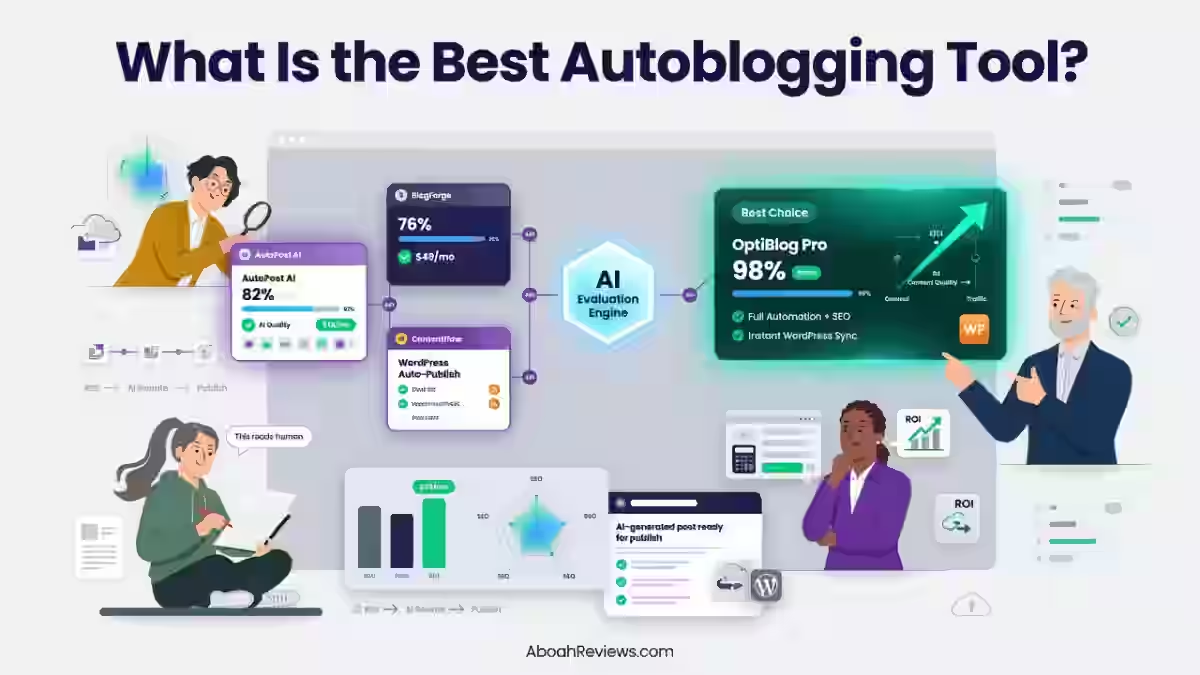
Quick Answer: What Are the Best AI Blog Automation WordPress Plugins?
An AI blog automation WordPress plugin connects AI writing models (like OpenAI’s ChatGPT, Anthropic’s Claude, or Google’s Gemini) to your WordPress site to draft, optimize, and publish content with minimal manual effort.
The best plugins go further than just generating text. They handle keyword research, topic planning, SEO optimization, schema markup, internal linking, image generation, and automatic blog post generation on a schedule you define.
Top options at a glance:
- RightBlogger: Best overall for SEO-focused bloggers
- Clearpost AI: Best for brand voice and editorial quality
- AI Content Autopilot: Best native WordPress plugin for scheduling
- Autopost AI: Best lightweight queue-based automation
- Uncanny Automator: Best for workflow automation across plugins
- AI Blog Automator: Best for beginners
- Blogbotz: Best for WooCommerce and niche sites
- AI Content Writer: Best for YouTube-to-blog workflows
- BlogWolf: Best pay-as-you-go credit model
- Blogibot: Best for simple topical content on niche sites
The main takeaway: automation saves real time, but human review still determines whether content ranks or gets flagged.
What Is an AI Blog Automation WordPress Plugin?

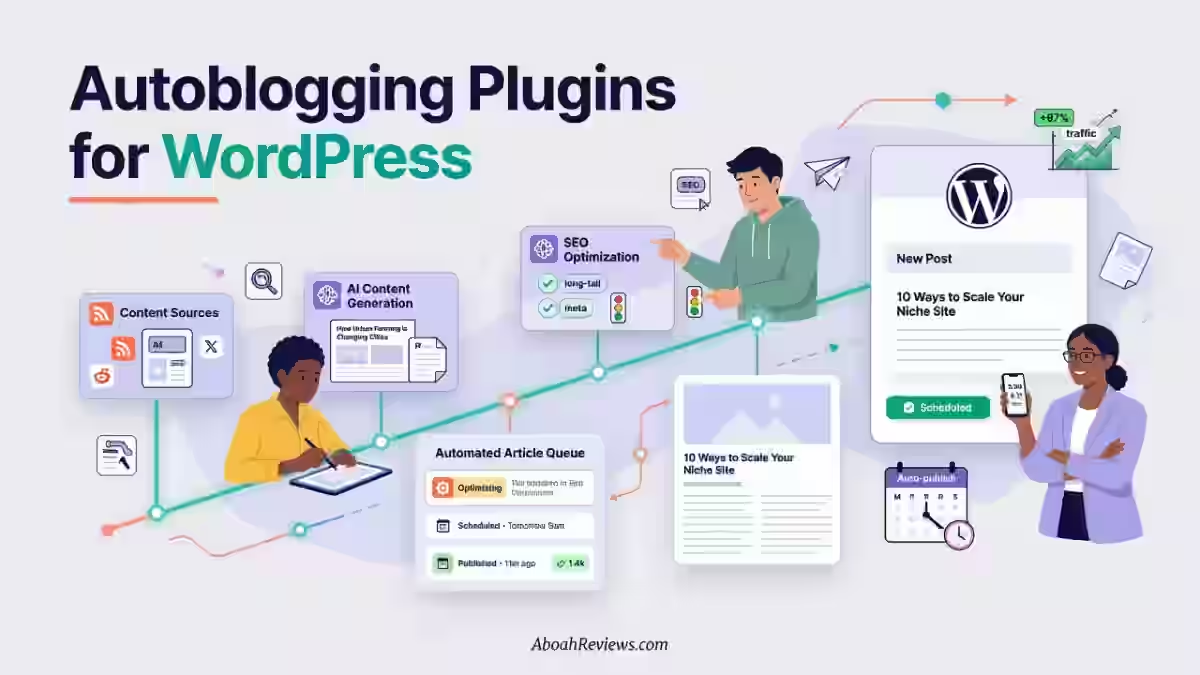
An AI blog automation WordPress plugin is a tool that connects large language models to your WordPress backend so that articles can be researched, written, optimized, and published without manually touching each step.
The difference between a basic AI writing tool and a full blog automation plugin comes down to the workflow.
A writing tool helps you draft a post. A blog automation plugin can take a keyword, generate a complete article with headings and meta data, insert internal links, create a featured image, assign it to a category, and push it to WordPress as a scheduled draft or a live post.
If you want to understand the full picture before picking a tool, my guide on how autoblogging works covers the technical foundations in detail.
How AI Blog Automation Works
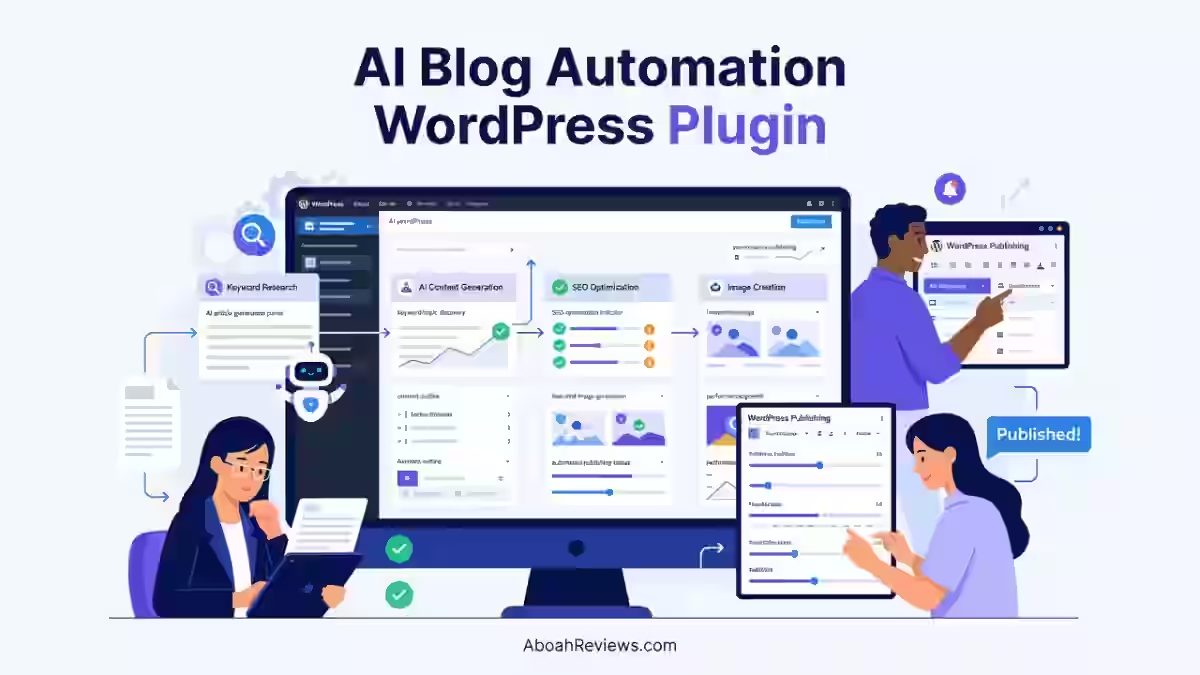
The process typically follows this flow:
- You input target keywords or connect a keyword list
- The plugin clusters topics and builds a content calendar
- AI models generate long-form articles based on search intent
- SEO metadata, schema markup, and internal linking are applied
- Images are sourced or generated
- Content is published or scheduled to WordPress via the REST API or WordPress XML-RPC
AI Content Generation vs. Full Blog Automation
AI content generation is one step: you get a draft. Full blog automation handles the entire process from keyword research to automatic WordPress posting.
Tools like ChatGPT or Claude on their own only handle AI writing.
A true WordPress AI content generator plugin wraps the AI model inside a publishing workflow, so you get a complete automated content creation pipeline.
What Tasks Can Be Automated?
- Keyword research and keyword clustering
- Topic discovery and topical authority mapping
- Content drafting via AI article generation
- On-page SEO optimization (titles, meta descriptions, headings)
- Schema markup injection
- Internal linking suggestions and insertion
- Featured image generation (often via DALL-E 3 or similar)
- Scheduling via content calendar
- XML sitemap updates after publishing
- Post-publish performance monitoring via Google Search Console
WordPress Plugin vs. AI Tool With WordPress Integration
Not every tool marketed as an “AI WordPress plugin” is actually a native plugin. This distinction matters a lot for your workflow.
Approach | How It Works | Control Level | Best For |
|---|---|---|---|
Native WordPress plugin | Installed via WP dashboard, runs inside your site | High | Bloggers, small sites |
SaaS + WordPress integration | External platform connects via REST API | Medium-High | Agencies, multi-site operators |
WordPress XML-RPC / REST API publishing | Any external AI tool posts to WP directly | Medium | Developers, power users |
Browser-based AI writing tools | Drafts only, manual copy-paste to WP | Low | One-off content creation |
Zapier/Make automation | Connects AI outputs to WP via triggers | High (customizable) | Tech-savvy content teams |
- Native WordPress plugins give you the most direct control over publishing settings, categories, tags, and formatting. They run inside your dashboard and don’t require API configuration beyond entering your OpenAI or Claude credentials.
- SaaS platforms with WordPress integration (like Emplibot or Byword AI) typically offer higher content quality because they run more sophisticated pipelines. But they require you to trust a third-party platform with your publishing credentials.
- Custom automation through Zapier or Make gives the most flexibility but also demands the most setup time. I’ve seen agencies run entire content operations this way, connecting RightBlogger’s outputs directly to WordPress with conditional logic for editorial review.
For most bloggers and small businesses, a native plugin or a SaaS tool with a WordPress connector is the practical starting point.
My comparison of autoblogging vs. AI blogging approaches goes deeper on when to use each setup.
How AI Blog Automation Works in WordPress
1. Keyword Research and Topic Discovery
Keyword research in an automated blog workflow starts with a seed keyword or niche topic.
The better plugins use keyword clustering to group related queries into content pillars before generating anything.
This matters because publishing individual posts against isolated keywords without a clustering strategy almost always leads to content cannibalization.
I learned this after losing an affiliate site’s rankings after publishing 42 auto-generated posts without internal linking or keyword filtering.
Tools that integrate directly with Google Search Console data or that use real keyword volume APIs, produce clusters that actually make sense for SEO.
Those that just use ChatGPT to brainstorm topics tend to produce overlapping content that fights itself in the SERPs.
2. Content Planning
Once keywords are clustered, the plugin builds a content calendar.
You define the publishing cadence (daily, every 3 days, weekly) and the tool assigns articles to dates.
This step is often underrated. Publishing 30 articles in one week after months of silence is a crawl budget issue waiting to happen.
Spacing articles out and using a structured content calendar helps Googlebot crawl your new pages efficiently and prevents crawl waste on thin or duplicate content.
3. AI Article Generation
This is the core function. The plugin sends a structured prompt to an AI model (usually OpenAI’s GPT-4o, Claude Sonnet, or Gemini) and receives a complete article draft including H2s, H3s, intro, body, and conclusion.
The quality gap between models is real.
In my testing, Claude Sonnet-based outputs read more naturally and required less editing than GPT-4o outputs on informational content.
GPT-4o was slightly stronger on listicle and comparison formats.
Neither model replaces human judgment on facts. LLMs can still “hallucinate” by giving false information as if it were fact. That’s not a hypothetical.
I’ve personally caught AI-generated posts citing prices that were 2 years out of date and naming tools that had shut down.
4. SEO Optimization
After generation, good plugins layer in SEO: they set the SEO title, meta description, primary keyword, focus keyword (for Rank Math or Yoast SEO), heading structure, and sometimes keyword density checks.
In 2026, quality matters more than authorship but the SERP is still won by humans making editorial calls.
SEO title generators suggest four or five alt titles based on the post’s content, AI meta descriptions provide alternative wordings for the SERP snippet, and Link Assistants suggest internal links between related posts.
5. Images and Media
Most plugins now include AI-generated image support. Featured images can be created with DALL-E 3 and inserted automatically as the post’s featured image.
Some plugins like BlogWolf also add inline images throughout the article.
Image quality is inconsistent. I’ve seen DALL-E 3 produce genuinely good topical illustrations and genuinely bad ones in the same session.
A human review step for images is worth keeping in your workflow, especially for client work.
6. Internal Linking
This is the feature that separates average automation plugins from genuinely useful ones.
Automated internal linking scans your existing posts and inserts contextual links to relevant pages, which supports topical authority and helps distribute PageRank.
Without it, you end up with isolated posts that don’t reinforce each other.
For deeper guidance on avoiding that trap, see the common autoblogging mistakes to avoid guide.
7. Automatic WordPress Publishing
Publishing via the WordPress REST API or XML-RPC lets external platforms post directly to your site.
Native plugins publish from inside the dashboard. Both work, but native plugins give you more control over post settings without leaving WordPress.
8. Content Updates and Optimization
The best plugins track post performance and flag content that’s declining in rankings.
Some integrate directly with Google Search Console to pull impression and click data, triggering update workflows for posts that need refreshing.
How I Tested These AI Blog Automation WordPress Plugins
I evaluated each plugin across 11 criteria:
- Article quality: Readability, structure, factual accuracy
- Research depth: Does it pull current data or hallucinate?
- Search intent matching: Does the format match what ranks?
- SEO optimization: Meta tags, heading hierarchy, schema markup
- Internal linking: Automated suggestion quality and accuracy
- Images: Generation quality and relevance
- Brand voice: Can you customize tone and style?
- Editing requirements: How much cleanup does output need?
- Publishing reliability: Does it post to WordPress without formatting issues?
- Pricing and value: Cost per article at realistic monthly volumes
- Actual workflow time: Time from keyword to published post
I tested each tool on a real WordPress site running Rank Math for SEO, Gutenberg as the editor, and a standard shared hosting environment. I tracked results over 60-90 day windows.
The baseline comparison came from my 90-day side-by-side test of three tools.
The semi-automated approach (AI draft plus human editing) outperformed fully automated posts by roughly 3x in organic traffic after 6 months.
Best AI Blog Automation WordPress Plugins in 2026
1. RightBlogger
RightBlogger is a SaaS platform with 90+ writing and SEO tools that connects to WordPress via REST API for direct publishing.
It’s not a native WordPress plugin but functions as one through its publish-to-WordPress feature.
Key Features:
- AI article generation using GPT-4o and Claude
- Built-in keyword research tool
- Blog topic idea generator
- SEO content brief generation
- Publish directly to WordPress
- Content calendar management
- 90+ AI writing templates
Pros:
- Article quality is among the best I’ve tested at this price point
- Keyword research integrated into the workflow
- Flexible enough for agencies managing multiple sites
- Strong brand voice customization
Cons:
- Not a native WordPress plugin; requires WordPress REST API connection
- No automated scheduling or autopilot mode; publishing is triggered manually
- Per-post publishing feels more semi-automated than fully automated
Pricing: Starts at $59/month for the Starter plan (unlimited articles). Check the RightBlogger pricing page for current plan breakdowns.
Who should use it: Bloggers and content marketers who want high-quality AI drafts with human editing built into the workflow.
If you need a full fire-and-forget autopilot, this isn’t it. But if quality is the priority, it’s hard to beat at this price.
See my full RightBlogger review for a deeper breakdown.
2. Clearpost AI
Clearpost AI positions itself as an AI content platform focused on brand voice consistency and editorial quality. It connects to WordPress via API for publishing.
Key Features:
- Brand voice training (ingests your existing content to match tone)
- Long-form article generation with research integration
- SEO metadata automation
- WordPress auto-publishing
- Editorial review workflow built in
Pros:
- Best-in-class brand voice output in my testing
- Editorial stages keep human review baked into the process
- Research integration reduces hallucination frequency
- Clean WordPress output; no formatting issues encountered
Cons:
- No native WordPress plugin; API-based publishing only
- Higher learning curve than entry-level tools
- Pricing is on the steeper side for solo bloggers
Pricing: Between $49 and $149/month depending on article volume and team seats. Enterprise plans available on request.
Who should use it: Agencies and content teams where brand consistency across clients is non-negotiable. If you’re a solo blogger writing in one voice, a lighter tool will work fine.
3. AI Content Autopilot
AI Content Autopilot schedules content generation on autopilot, creates featured images with DALL-E 3, handles automatic Yoast and Rank Math meta description injection, and runs background generation queues that don’t time out on shared hosting.
The core version is free and Pro is a one-time license starting at $19.99. It’s ideal for bloggers and website owners with niche sites who want to automate WordPress with consistent, regularly scheduled publishing.
Key Features:
- Scheduled AI content generation
- DALL-E 3 featured image creation
- Yoast SEO and Rank Math meta description automation
- Background generation queue (shared hosting friendly)
- One-time pricing (no recurring fees on Pro)
Pros:
- One-time license cost is genuinely affordable for long-term use
- Background queue means you won’t hit PHP timeouts on budget hosting
- Native WordPress integration; no external API setup beyond OpenAI key
- Works alongside existing SEO plugins rather than replacing them
Cons:
- Requires your own OpenAI API key; API costs are additive
- Less sophisticated research than SaaS platforms
- Limited internal linking automation compared to premium tools
Pricing: Free core version. Pro license from $19.99 (one-time). OpenAI API usage billed separately at approximately $0.01–$0.05 per article depending on model and length.
Who should use it: Budget-conscious niche bloggers who want a set-and-schedule approach without monthly subscription costs.
4. Autopost AI
Autopost AI is a streamlined WordPress content assistant built for site owners who want a practical, queue-based workflow for AI-assisted blogging.
The free version uses GPT-4o for text generation and featured image prompt building, while Autopost AI Pro uses GPT-5.4 for stronger production quality.
Key Features:
- Queue-based article generation
- GPT-4o (free) and GPT-5.4 (Pro) support
- Featured image prompt building
- WordPress native plugin
- Draft or publish modes
Pros:
- Simple setup; no complex configuration required
- Queue approach prevents content flooding
- Free tier is functional, not just a teaser
Cons:
- Limited SEO optimization features out of the box
- No keyword research integration
- Brand voice customization is basic
Pricing: Free tier available. Pro pricing between $15 and $39/month (check the plugin page for current tiers as pricing is updated regularly).
Who should use it: Beginners who want to get automated content publishing running quickly without a steep learning curve.
5. Uncanny Automator
Uncanny Automator automates repetitive tasks and workflows, freeing up time and resources for more strategic activities including those involving AI.
It can maximize the benefits of AI technology without the need for manual intervention.
It isn’t an AI article generator itself. Instead, it connects WordPress with 175+ apps and plugins including OpenAI, allowing you to build custom content automation recipes.
Key Features:
- 175+ plugin and app integrations
- OpenAI integration for content generation
- Custom automation recipes (trigger + action workflows)
- Pre-built recipe templates
- Connects forms, email, CRM, and content workflows
Pros:
- The most flexible automation tool in this list
- Makes it easy to connect your site to AI and software, letting you create these workflows without complicated setup or code
- Works with your existing plugin stack rather than replacing it
- Useful for complex multi-step content workflows
Cons:
- Not a content generator; you need to build recipes using external AI
- Requires time investment to set up workflows
- Not ideal if you want out-of-the-box article generation
Pricing: Starts at $149/year.
Who should use it: Agencies and developers who want to build custom AI-to-WordPress pipelines. Not suitable for bloggers who want a one-click article generator.
6. AI Blog Automator
AI Blog Automator is a WordPress plugin focused on automated content creation for niche blogs. It connects to OpenAI and publishes articles on a defined schedule.
Key Features:
- Schedule-based article generation
- OpenAI API integration
- Category and tag assignment
- Basic SEO metadata generation
- Simple dashboard configuration
Pros:
- Clean, minimal interface
- Easy to configure for non-technical users
- Good for maintaining a consistent publishing cadence
Cons:
- Limited control over research depth and factual accuracy
- No internal linking automation
- Output requires heavier editing for competitive niches
Pricing: Free on WordPress.org plugin repository. OpenAI API usage billed separately.
Who should use it: Beginner bloggers testing AI content automation for the first time without spending money on a subscription.
7. Blogbotz
Blogbotz is an AI-powered blog automation platform that continuously researches, writes, and publishes SEO-optimized, long-form blog posts directly to your WordPress site, so you can grow traffic without writing everything yourself.
You connect your WordPress site using secure one-click authentication, then select categories, tone, posting schedule, and language preferences.
Blogbotz then researches topics, writes posts, and publishes them automatically.
Key Features:
- Full autopilot mode (research + write + publish)
- Automatically generates long-form blog posts tailored to your niche, categories, tone, and language preferences. Posts are structured with keywords, headings, and metadata to improve search visibility and readability.
- Automatically generates relevant featured images for each blog post
- WooCommerce product-to-blog content generation
- All content is created as regular WordPress posts. You fully own and control every article and can edit, delete, or repurpose content at any time. There is no lock-in and no hidden publishing.
Pros:
- True autopilot mode with minimal configuration required
- WooCommerce integration makes it useful for ecommerce SEO
- Integrates with WordPress via a free plugin, Shopify, Wix, and any other platform via webhooks and REST API
- Content calendar and performance tracking built in
Cons:
- Autopilot mode requires trust in AI output quality; human review is not enforced
- Limited keyword research depth compared to dedicated SEO platforms
- Pricing tiers are not transparently listed on the website
Pricing: Tiered subscription model. Entry plans start around $19–$29/month based on post volume.
Who should use it: WooCommerce store owners and niche bloggers who want full content automation with minimal setup. Also useful for agencies managing high-volume clients with consistent publishing needs.
8. AI Content Writer
AI Content Writer is a specialized tool that converts YouTube video subtitles into full, formatted blog articles, acting as a bridge between video content and text generation.
This is a niche but genuinely useful tool if you’re repurposing video content into written form. It’s not a full autoblogging platform but covers a specific content automation workflow that others miss.
Key Features:
- YouTube subtitle to blog post conversion
- AI-powered article formatting
- WordPress native plugin
- Free on WordPress.org plugin repository
Pros:
- Solves a specific repurposing workflow that no other plugin in this list handles
- Free to use
- Good for creators who produce video-first content
Cons:
- Not a general-purpose AI blog automation tool
- Limited SEO optimization features
- No scheduling or autopilot mode
Pricing: Free.
Who should use it: Video creators and YouTubers who want to automatically turn video content into written blog posts for SEO.
9. BlogWolf
BlogWolf is an AI blog post generator that creates SEO-optimized articles with images directly from your WordPress dashboard. It can write and publish blog posts in one click or let auto-pilot mode generate and schedule content automatically.
Key Features:
- Multiple AI model support (Claude Sonnet, Haiku, Opus) with configurable tone, language, and article length
- Auto-pilot mode automatically generates and publishes blog posts on a schedule you define, using keyword lists you specify to target rankings
- AI-generated featured and inline images
- Scheduling at daily, weekly, or custom intervals; article generation from keyword lists; categories, tags, and post settings control
- WooCommerce product-to-blog automation
Pros:
- Pay-per-use credit model with no mandatory subscription
- 50 free credits on signup, enough to generate approximately 12 fully written, SEO-optimized articles, completely free. No subscription required. Pay only for what you use.
- Claude model support produces notably cleaner output than GPT-only tools
- True auto-pilot publishing with keyword list integration
Cons:
- Cost per article can range from 1 to 4 depending on AI model, article length, and options chosen, which can add up quickly at high volume
- Internal linking automation is limited
- No built-in keyword research; you bring your own keyword list
Pricing: Credit-based. Credits are used for generating articles and images. The cost per article depends on the AI model, article length, and options chosen, ranging from 1 to 4.
Who should use it: Bloggers who want flexibility without a monthly commitment, or who want to test autopilot publishing without paying for a full SaaS platform subscription.
10. Blogibot
Blogibot is a straightforward AI generation tool ideal for niche sites, offering simple setup for creating topical content without complex configurations.
It’s a WordPress.org plugin aimed at bloggers who want a simple, no-frills automated content creation tool that doesn’t require a separate SaaS account.
Key Features:
- Simple AI article generation
- WordPress native plugin
- Topic-based content creation
- Basic publishing controls
Pros:
- Minimal setup required
- No external SaaS dependency
- Good starting point for niche site builders
Cons:
- Limited SEO optimization features
- No internal linking or image automation
- Output quality depends heavily on your prompt inputs
Pricing: Free on WordPress.org. Paid tiers reportedly available; check the plugin page for current pricing.
Who should use it: Niche site builders who want a simple, free entry point into AI blog automation without committing to a paid platform.
AI Blog Automation Plugin vs. AI Writing Tool
Feature | AI Writing Tool | Blog Automation Plugin |
|---|---|---|
Article generation | Yes | Yes |
Keyword research | Sometimes | Often |
SEO optimization | Sometimes | Usually |
WordPress publishing | Usually manual | Automated |
Internal linking | Limited | More advanced |
Content scheduling | Limited | Often |
Schema markup | Rarely | Sometimes |
Image generation | Rarely | Often |
Full workflow automation | No / Limited | Yes |
Brand voice training | Sometimes | Sometimes |
Content calendar | No | Often |
Pricing model | Per seat or credits | Subscription or one-time |
The core difference: an AI writing tool like standalone ChatGPT or Claude helps you write. A blog automation plugin wraps that writing capability inside a publishing workflow.
You can use AI writing tools vs. autoblogging tools compared to see a fuller breakdown.
What Features Should You Look for in an AI Blog Automation WordPress Plugin?
The right feature set depends on your content operation. Here’s what I’d prioritize:
Non-negotiables for most users:
- One-click article generation: Should produce a complete draft, not just an outline
- Keyword research or keyword input: Drives content that’s actually targeted
- Search intent analysis: Content format should match what ranks (guide, list, comparison)
- SEO optimization: Meta title, meta description, focus keyword, heading hierarchy
- Automatic publishing: Push to WordPress draft or live on a schedule
Strong-to-haves:
6. Automatic internal linking: Critical for topical authority and SEO
7. AI-generated images: Featured image at minimum; inline images are a bonus
8. Schema markup: Structured data for rich results in Google
9. Publishing schedules: Content calendar with controlled cadence
10. Custom brand voice: Especially important for agencies or multi-author sites
Good-to-haves:
11. Google Search Console integration: Performance tracking inside your workflow
12. Content updates: Automated refreshes for declining posts
13. Human editing controls: Draft mode, editorial checkpoints, approval queues
14. Gutenberg block editor compatibility: Clean output in the modern WordPress editor
If you want to understand which of these features actually impact outcomes, the benefits of autoblogging tools guide covers the practical SEO case for each.
Pros and Cons of AI Blog Automation in WordPress
Pros
- Saves writing time: A 1,500-word article that takes a skilled writer 3–4 hours to research and draft can be generated in 3–5 minutes. Even accounting for editing, you’re saving 1.5–2.5 hours per post.
- Scales content production: Going from 4 posts per month to 20 is realistic with AI automation. That’s a volume level that would require hiring writers without it.
- Automates repetitive publishing tasks: Assigning categories, setting SEO metadata, uploading images, scheduling posts. These tasks are real time costs that automation eliminates.
- Supports consistent publishing: Google tends to crawl sites that publish consistently more frequently. A defined content calendar enforced by automation maintains that cadence without relying on motivation or bandwidth.
- Reduces manual WordPress work: Direct integration with Gutenberg, Rank Math, and Yoast SEO means you’re not switching between tools to complete each step.
Cons
- AI content still requires quality control: Google does not penalize AI content but penalizes low-quality content. The fact that AI makes it easier to produce low-quality content at scale is what created the problem, not the technology itself.
- Factual errors can occur: LLMs can still hallucinate by giving false information as if it were fact. Product pricing, statistics, and technical claims need human verification before publishing.
- Poor automation can produce generic content: Without proper keyword intent alignment, AI generates articles that sound complete but say nothing interesting. These don’t rank.
- Overpublishing wastes crawl budget: Publishing 50 thin posts in a week signals to Googlebot that your site may not be worth indexing deeply. Controlled cadence matters more than raw volume.
- Plugins may create formatting or technical issues: Some plugins break Gutenberg block formatting, inject inline styles, or mess with your XML sitemap. Test thoroughly before running automation at scale.
Is AI Blog Automation Safe for SEO?
Google does not ban AI-generated content. Its policy targets low-value, unoriginal content created at scale to manipulate rankings, regardless of how it was produced.
AI-assisted content is explicitly allowed when it is helpful, accurate, and created for people.
The practical answer is yes, with conditions. Here’s how:
- Google’s actual position: Google AI Overviews and AI Mode do not replace SEO fundamentals. Google reiterates the same principles: useful content, original content, content designed for people, technically accessible pages, and structured data consistent with the visible content.
- E-E-A-T still applies: The E-E-A-T framework; Experience, Expertise, Authoritativeness, and Trustworthiness is used by Google’s Quality Raters to assess content quality. Although E-E-A-T is not a direct ranking factor, content that excels in relation to those criteria is more likely to perform well in search results.
- What actually gets penalized: Google has applied manual actions on spammy, AI-generated content, and there is evidence its algorithms can detect low-quality machine-written text.
- The quality rater update that matters: The January 2025 update to Google’s Quality Rater Guidelines added explicit guidance for evaluating AI-generated content: Section 4.6.6 addresses “MC Created with Little to No Effort, Little to No Originality, and Little to No Added Value.” Raters are instructed to flag AI-generated content as Lowest quality when it lacks originality and value.
The Safest Workflow
The safest SEO workflow combines AI-assisted production with human expertise, editorial oversight, and continuous improvement.
That’s not a hedge; it’s what my own testing confirmed. Semi-automated content outperforms fully automated content in organic search over a 6-month window.
Spam risks are real if you publish AI content at scale with no editorial filtering. A site publishing 100 thin AI posts a month is at meaningful risk of an algorithmic hit.
A site publishing 20 well-reviewed, internally linked, search-intent-matched AI articles per month is building something durable.
How to Automate a WordPress Blog With AI
Here’s the workflow I’d recommend based on what’s actually worked:
- Choose a low-competition, profitable niche: Competing in a niche with established, high-authority sites from day one is the fastest route to wasted content budget. Use keyword research to find real search volume with manageable competition.
- Connect your WordPress site: Install the plugin or set up REST API credentials in your chosen tool. Test the connection by publishing one draft post before scheduling anything.
- Configure brand settings: Set your tone, target audience, content style, and any competitor sites the AI should differentiate from. The more context you give, the better the output.
- Research and cluster keywords: Group keywords by topical intent before generating any content. This is where you prevent cannibalization.
- Build a content calendar: Assign keyword clusters to publish dates. Start with 3–5 posts per week maximum to maintain crawl efficiency.
- Generate articles: Use the plugin’s AI article generation function. Review the first 5–10 outputs manually before enabling full autopilot.
- Review and edit content: Check for factual errors, awkward phrasing, missing context, and keyword stuffing. Budget 15–30 minutes per post for editing at minimum.
- Optimize on-page SEO: Confirm meta titles, descriptions, heading hierarchy, focus keyword, and schema markup are set correctly in Rank Math or Yoast SEO.
- Add internal links and images: If the plugin doesn’t handle this automatically, add 2–4 internal links per post and a relevant featured image manually.
- Publish and monitor performance: Track rankings, impressions, and clicks in Google Search Console. Flag posts that aren’t gaining traction after 60 days for content updates.
For the complete setup walkthrough, see how to do autoblogging and how to create an autoblog.
AI Blog Automation WordPress Plugin vs. Autoblogging Software
These terms get used interchangeably, but they describe different things in practice.
Type | What It Does | SEO Risk Level | Best For |
|---|---|---|---|
WordPress AI plugin | Generates and publishes AI content natively in WP | Medium (human review optional) | Bloggers, small businesses |
SaaS autoblogging platform | External tool pushes content to WP via API | Medium | Agencies, multi-site publishers |
AI writing tool | Drafts content only; publishing is manual | Low | One-off content, individual posts |
RSS-based autoblogging | Aggregates and republishes third-party content | High (thin content risk) | News aggregators (handled carefully) |
Custom WordPress automation | Zapier/Make connecting AI APIs to WP | Low-Medium | Developers, technical operators |
RSS-based autoblogging is the highest-risk approach for SEO.
AI content generation-based plugins are fundamentally different from RSS aggregation. They produce original content (with the factual caveats noted above), rather than republishing someone else’s work.
The SEO risk is lower, but not zero.
Also worth noting: if you’re wondering whether RSS-based approaches still have any legitimate use, the RSS feeds for autoblogging guide covers that honestly.
How Much Does an AI Blog Automation WordPress Plugin Cost?
Most AI blog automation tools cost between $0 and $199/month, with the sweet spot for individual bloggers at $20–$49/month.
Pricing Model | Cost Range | Best For |
|---|---|---|
Free WordPress plugins | $0 (API costs extra) | Beginners, testers |
Credit-based (pay per article) | 1–4 per article | Irregular publishers |
Monthly subscription (entry) | $9–$29/month | Solo bloggers, 10–30 posts/month |
Monthly subscription (mid-tier) | $29–$79/month | Bloggers and small agencies, 30–100 posts/month |
Agency plans | $99–$299/month | Multi-site agencies, 100+ posts/month |
One-time plugin license | $19.99–$99 | Budget-conscious users (AI API costs extra) |
OpenAI API (usage cost) | ~$0.01–$0.05/article | Added to any plugin requiring your own API key |
A few things worth knowing before you buy:
- Free plugins aren’t actually free if they require your own API key: You’ll pay OpenAI or Anthropic directly. At GPT-4o rates, 100 articles/month typically costs 3–8 in API fees.
- Credit-based models (like BlogWolf) work well at low volumes but become expensive compared to subscriptions above 30 articles per month. The break-even point versus a $29/month subscription is usually around 10–15 articles.
- Agency plans vary wildly in what they include. Some charge per site, others per post count. Confirm whether the plan covers multiple client sites before signing up.
7 Common AI Blog Automation Mistakes to Avoid
1. Publishing AI Content Without Human Review
AI generates plausible-sounding text, not verified fact. Factual errors appear frequently: wrong prices, outdated statistics, incorrect product names, fabricated citations.
Awkward sentence structure and generic phrasing also slip through even the best models.
Missing context and original insights is the bigger SEO problem.
Google’s Quality Rater Guidelines specifically flag content with “little to no added value.” A post that just restates what 10 other sites say won’t outrank any of them.
2. Publishing Too Much Content Too Quickly
More articles don’t automatically mean more traffic.
Publishing 50 AI posts in a week after a period of low activity can signal low-quality bulk publishing to Googlebot and waste your crawl budget on posts that haven’t earned indexing priority.
Avoid mass publishing in bursts. Prioritize useful content over publishing volume and let Google crawl and index posts at a healthy cadence.
Spacing posts out over a content calendar is worth the extra planning time.
3. Ignoring Search Intent
Match the content format and depth to what users expect before generating anything.
A keyword like “best AI blog automation WordPress plugin” signals a comparison article with specific tool details.
Publishing a 500-word general overview against that keyword won’t rank because it doesn’t match intent.
Don’t automate articles without analyzing the SERP first. Look at what’s on page 1.
What format do those pages use? What depth? That’s your signal for the content structure your AI output should follow.
4. Publishing Generic or Unoriginal Content
AI outputs are pattern-matched compilations of existing content.
Without original examples, data points, real experience, or a distinct perspective, the output is effectively a thinner version of what already ranks.
Add original information wherever possible: your own test results, pricing you’ve verified manually, tools you’ve actually used, and examples from your own workflow.
That’s what separates content that ranks from content that doesn’t. The autoblogging AI alternatives guide shows how this plays out across different tool categories.
5. Failing to Fact-Check AI-Generated Information
Verify statistics, dates, product claims, tool names, prices, and any technical information before publishing. Pay particular attention to high-stakes topics where wrong information could actively mislead readers.
A quick Google search on any AI-generated statistic takes 30 seconds. That 30 seconds prevents publishing something embarrassing or, worse, damaging to your site’s credibility.
AI hallucinations about specific numbers (pricing, dates, version numbers) are the most common and the easiest to miss.
6. Letting Automation Create SEO or WordPress Errors
Check internal links, heading hierarchy, schema markup, images, categories, tags, and formatting after every automated post before publishing.
Some plugins inject inline HTML that breaks your theme or conflict with Rank Math’s schema output.
Monitor indexing in Google Search Console after your first batch of automated posts.
If posts aren’t getting indexed within 2–4 weeks, that’s a signal to investigate formatting, crawlability, or content quality issues before publishing more.
7. Treating AI Blog Automation as “Set and Forget”
Monitor rankings, impressions, traffic, and content quality on a regular schedule. Update underperforming articles. Remove or consolidate posts that are cannibalizing each other.
Keep human editorial checkpoints in the workflow even after you’ve established a rhythm.
The best approach is a regular content audit: monthly for sites publishing 20+ posts per month, quarterly for lower-volume operations.
My guide on SEO automation covers how to build these checkpoints into a scalable workflow.
Final Verdict: Which AI Blog Automation WordPress Plugin Should You Use?
After testing these tools across real sites, real niches, and real keyword targets, here’s where I land:
Category | Best Pick | Why |
|---|---|---|
Best overall | RightBlogger | Article quality + keyword research + flexible publishing |
Best for SEO | RightBlogger or Clearpost AI | Built-in SEO tooling and intent-aware generation |
Best for beginners | AI Blog Automator or Blogibot | Free, minimal setup, no SaaS dependency |
Best for agencies | Clearpost AI or Uncanny Automator | Brand voice consistency; multi-site workflow support |
Best budget option | BlogWolf or AI Content Autopilot | Credit-based or one-time payment; no recurring subscription |
Best for high-volume publishing | Blogbotz | Full autopilot mode with scheduling and WooCommerce support |
Best for content repurposing | AI Content Writer | YouTube-to-blog workflow unique in this category |
My honest recommendation: Start with RightBlogger if you’re serious about SEO. The article quality is the highest I’ve tested at its price point, the keyword research is built in, and the WordPress publishing integration works reliably.
If you need a native WordPress plugin with no ongoing subscription cost, AI Content Autopilot’s one-time license is hard to argue with, as long as you factor in API costs.
If you’re running a WooCommerce store and need volume content on a budget, BlogWolf’s credit model and Blogbotz’s autopilot give you real options.
Whatever you pick: keep human review in your workflow. Not because AI can’t write well, it absolutely can but because good SEO content requires judgment that no plugin currently automates reliably.
The tools above handle the mechanics. The editorial call is still yours.
Browse the complete list of autoblogging tools if you want to compare more options before committing to a platform.
Frequently Asked Questions
What is the best AI blog automation plugin for WordPress?
RightBlogger is the best overall AI blog automation tool for WordPress in 2026, based on article quality, built-in keyword research, and publishing reliability. For a native WordPress plugin with no ongoing subscription, AI Content Autopilot is the strongest option at its price point. The best choice for your specific setup depends on your publishing volume, budget, and whether you need full autopilot or semi-automated drafts.
Can AI automatically write and publish WordPress posts?
Yes. Tools like Blogbotz, BlogWolf, and AI Content Autopilot can generate articles from keyword inputs and publish them directly to WordPress on a schedule, with no manual intervention required. The automation covers keyword input, article generation, SEO metadata, image creation, and scheduled publishing. Human review is not enforced by these tools but is strongly recommended for quality and accuracy.
Is AI blog automation good for SEO?
AI blog automation can support SEO when content is useful, original, and reviewed before publishing. Google does not penalize AI content simply because it was created by artificial intelligence. Instead, Google evaluates all content based on quality, helpfulness, and adherence to E-E-A-T guidelines. Fully automated publishing without human review or quality control is the high-risk approach; semi-automated workflows that combine AI drafts with editorial oversight tend to outperform in organic search over time.
Can ChatGPT automatically post to WordPress?
ChatGPT on its own cannot automatically post to WordPress, as it lacks native WordPress integration. However, you can connect ChatGPT’s API to WordPress via the WordPress REST API, Zapier, Make, or plugins like Uncanny Automator to create automated posting workflows. Tools like RightBlogger and Autopost AI use OpenAI’s models under the hood and handle the WordPress publishing connection for you, making the workflow accessible without custom development.
Are AI-generated WordPress posts detectable by Google?
Google has applied manual actions on spammy, AI-generated content, and there is evidence its algorithms can detect low-quality machine-written text. However, detection alone isn’t the issue. Google does not penalize AI content. Google penalizes low-quality content. AI-generated posts that are helpful, accurate, well-structured, and enriched with original expertise are treated the same as human-written posts that meet the same standards.
Is autoblogging the same as AI blog automation?
Not exactly. Autoblogging traditionally referred to RSS-based content aggregation and republishing tools, which carry high thin-content risk. AI blog automation uses generative AI to create original articles from keywords or briefs and publish them automatically. The two approaches share a publishing workflow but differ significantly in content origin and SEO risk.
Can I automate an entire WordPress blog?
You can automate the generation, SEO optimization, image creation, internal linking, and publishing of WordPress blog posts. What you shouldn’t fully automate is editorial judgment: deciding which topics to prioritize, which AI outputs to publish, and which posts need updating based on performance. A fully automated blog with zero human review is technically possible but carries meaningful quality and SEO risk.

- #1 Best Plugin for Automatic Blog Posting in WordPress (2026) - September 13, 2026
- 13 Best WordPress Autoblogging Plugins I Tested & Ranked for 2026 - September 13, 2026
- 13 Best Google AI Overview Checking Tools in 2026 (Tested & Ranked) - September 9, 2026