Affiliate Disclosure: Some of the links in this article are affiliate links. If you click through and make a purchase, I earn a small commission at no extra cost to you. I only recommend products, tools and services that I have personally tested, thoroughly researched or genuinely believe will add value to my readers.
TL;DR: The best automated blogging software in 2026 handles the full workflow, from keyword research to publishing, not just article drafts. If you want faster publishing without hurting rankings, the safest setup is automation for research, briefs and publishing, plus a human review before you hit publish.
Quick Answer: What Is the Best Automated Blogging Software in 2026?
The best automated blogging software overall in 2026 is Keytomic for hands-off SEO publishing, AI visibility tracking, auto-indexing and consistent performance in tests.
For SEO plus backlinks and AI search visibility in one subscription, BabyLoveGrowth AI is the stronger pick at the same $99/month starting price.
Software | Best For | Automation | SEO | Publishing | Starting Price |
|---|---|---|---|---|---|
All-in-one SEO automation | ★★★★★ | ★★★★★ | ★★★★★ | $99/mo | |
SEO + backlinks + AI visibility | ★★★★★ | ★★★★★ | ★★★★★ | $99/mo | |
AI SEO autopilot | ★★★★★ | ★★★★☆ | ★★★★★ | $49.5/mo | |
Content + distribution | ★★★★★ | ★★★★★ | ★★★★★ | $1 for 3 days trial | |
Multi-site SEO + pSEO | ★★★★★ | ★★★★★ | ★★★★★ | $0/mo | |
Automated content publishing | ★★★★★ | ★★★★☆ | ★★★★★ | $99/mo | |
Automated SEO blogging | ★★★★★ | ★★★★★ | ★★★★★ | $1 for 3 days trial |
Pricing note: Verify all prices directly with each vendor before subscribing. Promotional pricing changes frequently in this category.
What Is Automated Blogging Software?
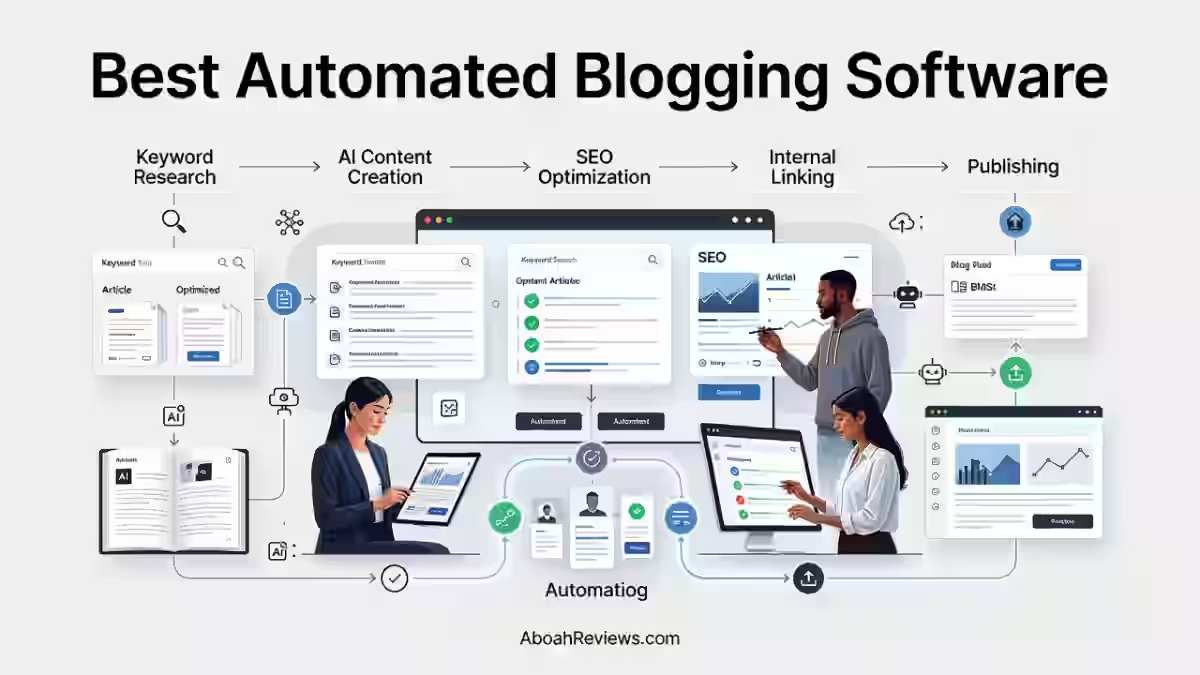
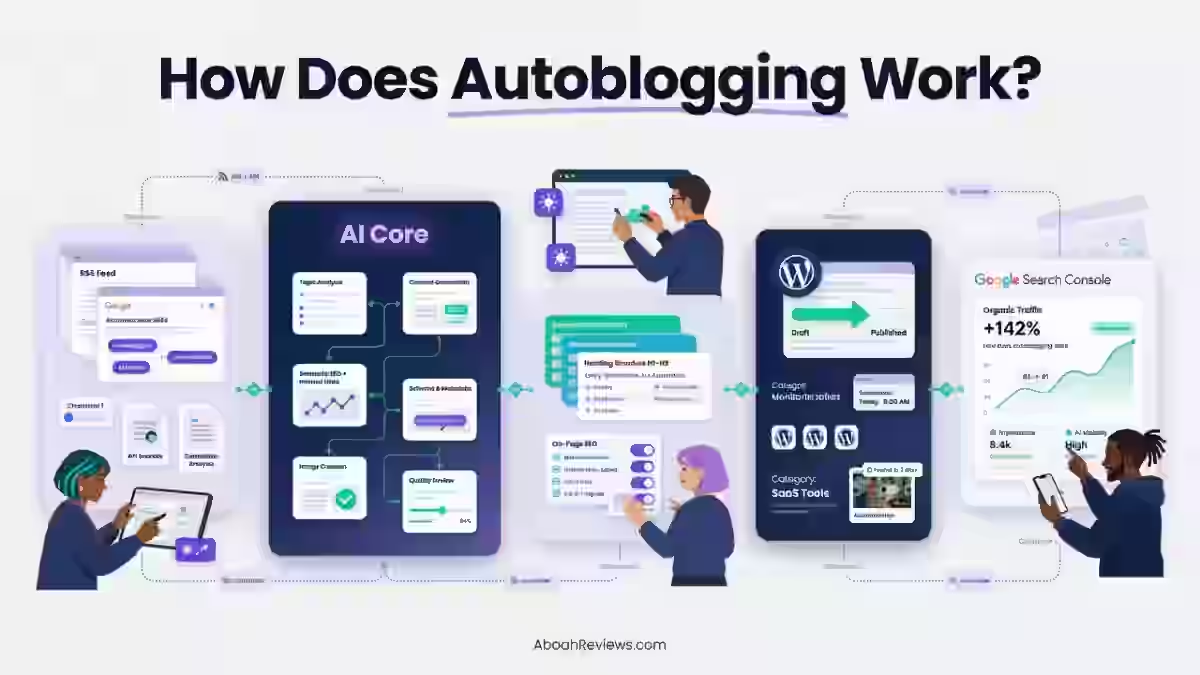
An automated blogging software is a platform that finds topics, researches keywords, writes articles, optimizes them for search and publishes them to your site on a schedule, largely without manual work at each step.
It’s the difference between a tool that hands you a draft and a system that runs your content pipeline.
If you want a full foundational breakdown, my guide on autoblogging covers the basics clearly.
Automated Blogging Software vs. AI Writing Software
These two categories are often confused, but they are not the same thing.
AI writing software:
- Generates articles from your prompts
- Requires you to research topics manually
- Usually requires manual editing before publishing
- Does not auto-publish to your CMS
- Stops at the draft stage
Automated blogging software:
- Finds topics and keyword opportunities automatically
- Performs keyword research independently
- Creates and optimizes articles
- Adds internal links
- Generates images with alt text
- Publishes directly to a CMS
- Schedules content on a calendar
- Monitors SEO performance
- May also automate backlinks and AI search visibility
The distinction matters because current SERPs reward topical depth and consistency, not just article volume. A tool that only writes drafts still requires most part of the work to be done by a human.
Comparing autoblogging and traditional blogging helps frame where automation actually saves time.
7 Best Automated Blogging Software in 2026
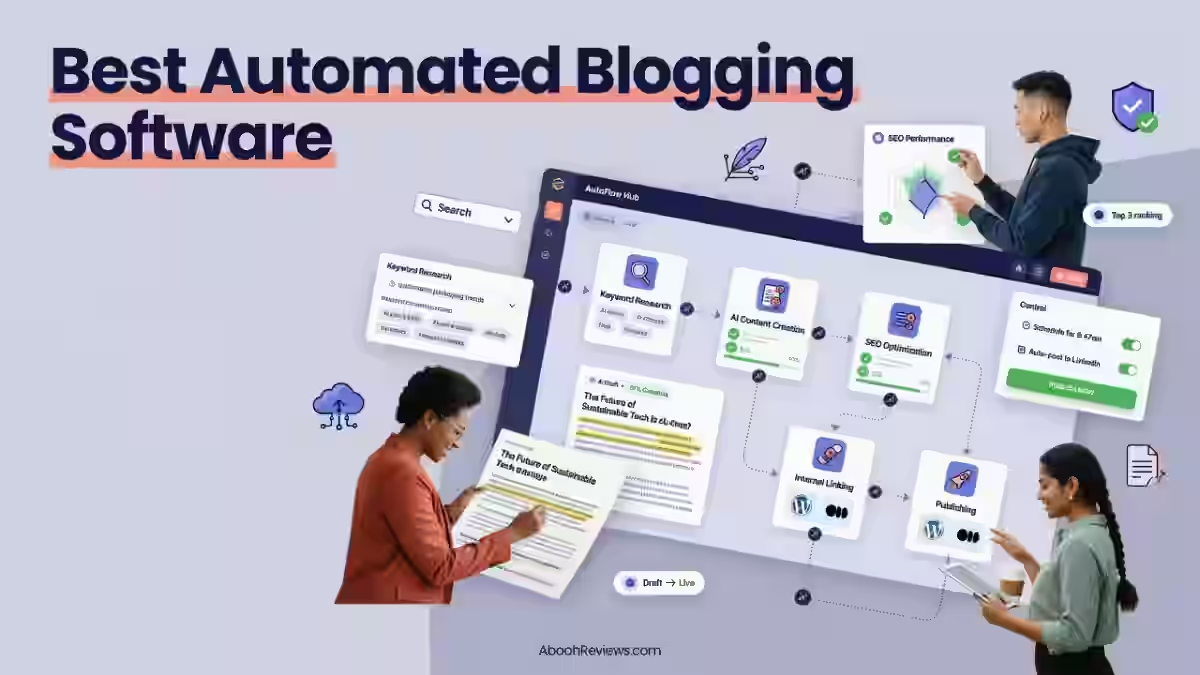
The tools below are ranked by the depth of automation they offer, from end-to-end workflow platforms down to more focused publishing tools.
A tool that handles everything from keyword research to AI citation tracking ranks above one that only writes and publishes, even if the writing quality is similar.
1. Keytomic — Best Overall Automated Blogging Software
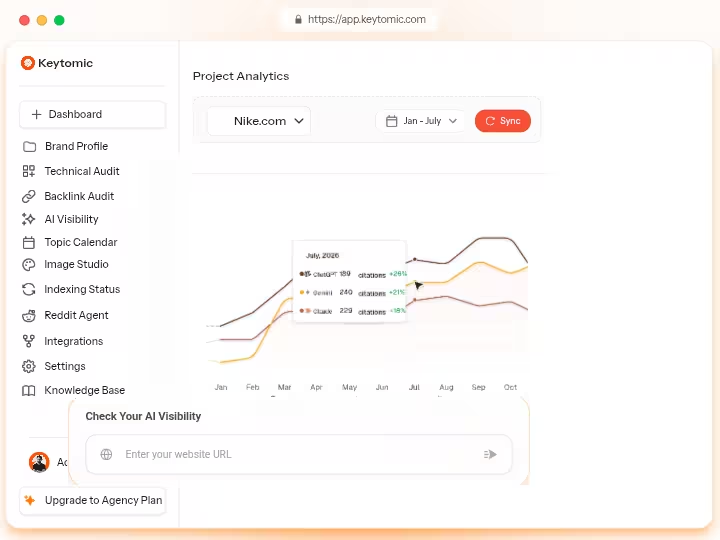
Keytomic is an AI SEO automation platform that combines keyword research, content creation, publishing, indexing and AI visibility tracking in one workflow.
It currently sits at $99/month for the Pro plan and, in my assessment, covers more ground than any other single tool at that price point.
Keytomic automates your 30-day content calendar, generates on-brand images with alt text, and publishes on autopilot to WordPress, Shopify or preferred CMS systems. That combination of planning, generation, and distribution in one platform is what earns it the top spot here.
Features
The platform identifies high-intent, low-competition keyword opportunities and ensures content aligns with user search intent. Here’s a breakdown of what Keytomic actually covers:
- AI keyword research with search-intent targeting
- 30-day content calendar generated automatically
- AI article generation with SEO optimization built in
- Auto-publishing to WordPress, Shopify, and other CMS platforms
- Internal linking handled automatically
- Technical SEO audits for on-site issues
- AI visibility tracking and citation monitoring
- AI image generation with alt text
- Auto-indexing across Google, Bing, and other platforms
- Reddit AI Agent for additional discovery
- CMS integrations and multi-language support (verify current language availability directly with Keytomic before subscribing)
Keytomic also indexes every new page using its built-in indexing system for Google, Bing, ChatGPT, and other search engines to ensure faster discovery and improved visibility.
That auto-indexing piece matters more than most tools acknowledge, because publishing without indexing signals means waiting weeks for crawlers to find new content.
The system creates E-E-A-T-driven content that improves rankings on Google and AI platforms, securing visibility in AI citations.
Pricing
- $1 Trial: A 3-day full-access trial is available for users to test all core features before committing.
- Auto-Pilot/Core Plan: Costs $99/month (or $79/month if billed annually).
- Managed/Custom Plans: Higher-tier or managed options scale up to $999/month for extensive agency management, with custom enterprise quotes available upon request.
You can also read my full Keytomic review for a detailed breakdown of what each plan includes.
Pros
- End-to-end automation from keyword research to indexing
- AI citation and visibility tracking built in natively
- Technical SEO audits included
- 30-day content calendar generated automatically
- Auto-indexing reduces time to first ranking signal
- Reddit AI Agent for additional content discovery
Cons
- Keytomic primarily supports English content generation. The platform has limited multilingual capabilities as of May 2026.
- Backlink exchange is not yet fully available; you may need to supplement with a manual outreach workflow using Ahrefs for prospecting.
- You may still need specialized tools for backlink analysis (Ahrefs, Majestic), advanced technical audits on enterprise sites (Screaming Frog), or rank tracking across thousands of keywords.
Who Should Use Keytomic?
Keytomic is best for:
- SEO specialists running content programs at scale
- Agencies managing multiple client sites
- SaaS companies who need consistent topical authority
- Content publishers who want hands-off publishing with AI visibility tracking
- Bloggers managing multiple sites who need one platform instead of four
I would recommend it for SaaS founders, agencies, and bloggers who want hands-off SEO, but I would not recommend it for health, legal, or finance websites where every claim needs expert review.
If you are trying to decide between free and paid autoblogging tools, Keytomic sits firmly in the paid-and-justified category.
Keytomic vs. BabyLoveGrowth AI
Both tools start at $99/month and cover keyword research, content creation, auto-publishing, and AI visibility tracking.
Keytomic leads on technical SEO auditing, Reddit automation, and auto-indexing. BabyLoveGrowth AI leads on backlink building (a 4,000+ website network) and GEO audit depth.
Choose Keytomic if you need 20+ articles/month published automatically, want AI citation tracking built in and need to replace multiple tools with one subscription. Pick BabyLoveGrowth AI if automated link building is a priority alongside content.
2. BabyLoveGrowth AI — Best for SEO, Backlinks + AI Visibility
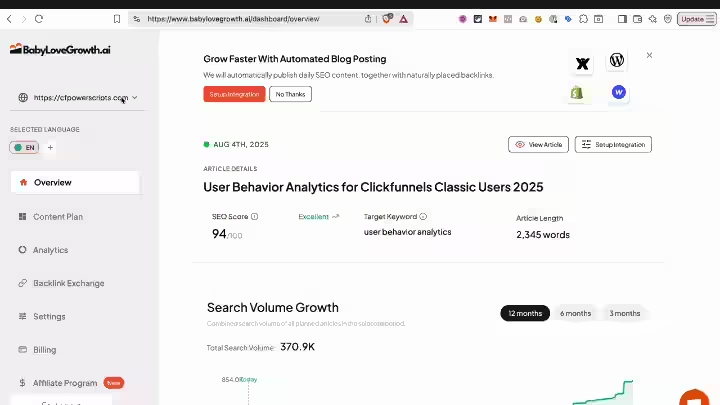
BabyLoveGrowth AI is a SaaS-based SEO automation platform founded in 2024 by Tilen Savnik that handles daily content publishing, automated backlink building and AI search visibility tracking in one subscription.
Its four-pillar approach covers content, backlinks, site health, and Reddit visibility, which gives it a wider operational scope than most tools in this category.
The breadth of the automation, including content generation, CMS publishing, backlink exchange, schema generation, GEO audit, LLM tracking and Reddit agent, is genuinely wider than any comparable platform I have tested at this price point.
Features
BabyLoveGrowth analyzes your business, competitors, and target audience to create 30-day content strategies with topics chosen for maximum discoverability.
Here is what the platform covers:
- Automated keyword research with competitor analysis
- AI content generation with citations and infographics
- SEO optimization including schema and metadata
- Content scheduling and auto-publishing
- Backlink network for automated placements
- Technical SEO audits flagging structural issues
- AI visibility tracking across ChatGPT, Perplexity, and Gemini
- Reddit discovery and community visibility
- Internal linking built into the content workflow
- Multilingual content across 20+ languages
- JSON-LD schema generation for rich snippets
The backlink network spans over 4,000 websites and focuses on contextual, relevant placements rather than generic directory links.
This network approach aims to build domain authority naturally while avoiding the penalties associated with low-quality link farms. The platform emphasizes editorial-style placements that appear organic to search engines.
Pricing
- Grow Plan: $99 per month (discounted from $247/month), tailored for standard automated SEO content and AI-search visibility.
- Scale Plan: $299 per month (discounted from $599/month), designed for small and medium businesses looking to accelerate their growth.
- Agency Plan: A custom reseller option built for managing multiple client websites with white-label capabilities.
- Discounts: A 25% discount is applied if you opt for annual billing.
- Trial: Includes a 3-day free trial to test out the platform features before the subscription starts
For the full pricing breakdown, read the BabyLoveGrowth AI pricing guide.
Pros
- Genuine end-to-end automation from research to publication
- AI visibility tracking for ChatGPT, Perplexity, and Gemini is native
- Multilingual support covers 20-plus languages and integrations include WordPress, Webflow, Shopify and Wix
- Only platform that bundles content, backlinks, and generative engine optimization (GEO) tracking at this price
- Automated JSON-LD structured data for your content flags technical issues affecting Google indexing and AI platform crawlability, including rich snippet optimization for FAQ, HowTo, and Article schema types
Cons
- You pay upfront. If the content quality in your specific niche requires heavy editing, your true cost per article is higher than the sticker price. Factor in your editing time before calculating ROI.
- Automated blog writing is described as “half-works” by one user, with post and image quality described as “average.”
- Trial requires a credit card and lasts only 3 days, which is barely enough time to evaluate content quality in a real niche
- Agency plan pricing is not publicly listed, which complicates budget planning for multi-client setups
Who Should Use BabyLoveGrowth AI?
Best for founders, small teams, and small agencies who want organic traffic growth without managing multiple tools.
It is also a strong pick for anyone building a GEO strategy alongside traditional SEO, since the AI visibility tracking is built in rather than bolted on.
Not recommended for:
- Health, legal, or finance sites where factual accuracy is legally significant
- Teams that want to review every article before it goes live (limited approval workflows)
- Bloggers on tight budgets who cannot absorb the $99/month commitment without 90-day runway
Read the BabyLoveGrowth AI review for the full 45-day test breakdown.
BabyLoveGrowth AI vs. RankPill
Both run at $99/month and automate keyword research, content generation, and publishing. BabyLoveGrowth AI adds backlink building, GEO tracking, Reddit visibility.
RankPill focuses on daily article publishing with built-in keyword research, internal linking and backlink building but does not match BabyLoveGrowth AI’s distribution depth.
If AI visibility tracking matter as much as content volume, BabyLoveGrowth AI is the stronger pick.
3. RankPill — Best for AI SEO Autopilot
RankPill grows organic traffic on autopilot. It researches, writes, optimizes, and publishes articles to your website daily.
The positioning is simple and accurate: it is a daily content engine with built-in keyword research, content generation, internal linking, backlink building, Reddit marketing and auto-publishing in 100+ languages.
Features
- Daily AI article generation with keyword research built in
- Auto-publishing to your CMS
- Internal links added during article creation
- Image generation included
- Backlink exchange network (verify current network details)
- Content scheduling and calendar management
RankPill’s main appeal is simplicity. You connect your site, tell it your niche, and it runs. There are no complex dashboards or configuration layers to work through.
Pricing
- First Month: $49.50 (50% off promo)
- Standard Rate: $99/month
- Annual Discount: 17% savings when paying yearly ($82.50/month)
Check my RankPill test results for full breakdown.
Pros and Cons
Pros:
- Daily publishing keeps content fresh without manual scheduling
- Simple setup with minimal configuration required
- Annual plan brings effective cost down to $82.50/month
- 30 backlink credits included at base price
Cons:
- The speed of automation comes without a real editing layer sitting between the draft and publishing, which matters if you’ve been burned by quality complaints before
- Automated, reciprocal backlink exchanges carry a real risk under Google’s link spam policies
- No GEO or AI citation tracking built in
Who Should Use RankPill?
RankPill works best for bloggers and affiliate site owners who want consistent daily content without actively managing a publishing calendar.
It suits niches where content volume matters more than editorial precision, such as informational long-tail content in low-competition verticals.
If you are running a health, finance, or YMYL niche, the lack of a human review layer is a real risk.
RankPill vs. Distribb
RankPill hands you done-for-you articles. Distribb does more for you: it publishes, earns backlinks, and distributes your content to the platforms AI engines cite, so you build lasting AI visibility, at a lower monthly cost.
If you need content to show up not just on Google but also in AI-generated answers on Perplexity and ChatGPT, Distribb’s distribution layer gives it an edge.
4. Distribb — Best for Automated Content Distribution
Distribb (formerly Rebelgrowth) is a content automation platform that combines article generation with backlink building, making it a practical choice for anyone who needs more than just daily content.
What separates it from every other tool on this list is its content distribution layer, which pushes content across YouTube, Instagram, Medium, Quora, and Google Business Profile automatically.
If you want to understand whether generative engine automation is a real discipline worth building into your workflow, Distribb is the tool most directly aligned with that goal.
Features
- Buyer-intent keyword research to target commercial queries
- Automated content calendar with topic planning
- AI content generation with original cited research
- CMS publishing to WordPress and other platforms
- Content scheduling across multiple channels
- Backlink building through automated placements
- AI visibility tracking for AI search engines
- Content repurposing into video, social posts, and articles
- Social distribution to YouTube, Instagram, Medium, and Quora
- AI SEO agent for ongoing optimization
- Google Business Profile automation for local SEO
If organic search visibility depends on both content and links, Distribb gives you both under one subscription. The distribution to channels that AI systems frequently cite adds a layer that purely content-focused tools miss.
Pricing
Paid plans start from approximately $97/month and scale to $495/month.
Distribb’s 3-day free trial (requires credit card) so you can read the output before paying anything. That 3 days trial is genuinely useful for testing content quality before committing.
Read the Distribb review for a real-world output test across niches.
Pros
- Only tool on this list with automated multi-channel content distribution
- $0 three days trial for testing the platform
- Content pushed to platforms AI systems frequently reference (Medium, Quora, YouTube)
- Backlinks and content generation in the same workflow
- Google Business Profile automation is useful for local SEO clients
- Distribb’s backlink network operates on a credit model without monthly caps. Both Distribb and RankPill eliminate cold outreach, which typically costs 5 to 10 hours per quality backlink when done manually.
Cons
- Higher-tier plans ($495/month) add significant cost for multi-site agencies
- Credit card is required for the 3 days trial
- Content distribution adds complexity that simpler bloggers may not need
- Feature set may be more than a solo blogger requires at the $97/month entry point
Who Should Use Distribb?
Distribb suits SaaS marketers, content agencies, and publishers who want to appear not just on Google but across the broader content ecosystem AI systems pull from.
It is the right pick for anyone building a content moat strategy that includes backlinks, social distribution, and AI citation building simultaneously.
Distribb vs. Massblogger
Distribb beats Massblogger on content distribution width (social channels, Google Business Profile, AI platforms). Massblogger beats Distribb on multi-site WordPress management, programmatic SEO page building, and GSC integration depth.
Pick Distribb if distribution and AI visibility matter most. Select Massblogger if you manage multiple WordPress sites and need programmatic SEO alongside regular blogging.
5. Massblogger — Best for Multi-Site SEO and Programmatic Blogging
Massblogger scores 7.3/10 as an automated blogging platform that solves multi-site content management and programmatic SEO challenges most autoblogging tools don’t address.
That is the most honest framing I can give it: if your problem is managing content across many WordPress sites with programmatic page needs, Massblogger is built for exactly that.
Unlike tools that just generate blog posts, Massblogger’s pSEO builder lets you create hundreds of pages directly from the app using templates and variables.
The pSEO enrichment feature adds high-quality content to every page in your existing pSEO setup to avoid thin content and improve indexation. That combination doesn’t exist anywhere else at this price point.
Features
- AI article generation across multiple sites simultaneously
- Automated keyword research with topic clustering
- Programmatic SEO page builder using templates and variables
- pSEO enrichment to add depth to thin programmatic pages
- Internal linking built into the content workflow
- WordPress management for multi-site setups
- Google Search Console integration for keyword experiments
- AI traffic analytics showing organic performance
- AI crawler tracking monitoring which AI systems visit your pages
- MCP server access for custom integrations
- REST API and webhooks for developer workflows
- IndexNow for faster indexing across search engines
- Multi-site management from one dashboard
In 2026, Google’s algorithm continues rewarding topical authority and content freshness while penalizing thin programmatic pages.
Massblogger’s pSEO enrichment feature directly addresses that risk by adding substance to pages that would otherwise be flagged as thin content.
Pricing
- Free Plan at $0 per month for 20 credits
- Discovery Plan at $59 per month for 500 credits
- Pro Plan at $99 per month for 1,200 credits.
A complete article costs approximately 11 credits, with unused credits rolling over indefinitely across all tiers.
Pros
- Multi-site WordPress management from one dashboard
- Programmatic SEO page builder is genuinely unique at this price
- pSEO enrichment prevents thin-content penalties on scaled pages
- GSC integration enables data-driven content experiments
- MCP server and API access for teams with developer resources
- AI crawler tracking shows which AI systems are indexing your content
Cons
- Single-site content generators like Junia AI and BlogSEO excel at creating high-quality blog posts for one website but offer no programmatic capabilities; Massblogger’s strength is specifically multi-site and pSEO
- Editing time required ranged from 12 to 35 minutes per article depending on niche complexity in testing
- Learning curve is steeper than simpler tools like RankPill or Outrank.so
Who Should Use Massblogger?
Strong fit for:
- Affiliate publishers running multiple review or comparison sites
- Programmatic SEO operators building location or product pages at scale
- SaaS marketers maintaining multiple product landing pages
- Multi-site owners who need centralized WordPress management
- Advanced SEO professionals comfortable with API and GSC integration
If autoblogging and programmatic SEO are both part of your strategy, Massblogger is the only tool that handles both in the same interface.
Massblogger vs. Outrank.so
Massblogger suits multi-site operators and programmatic SEO users. Outrank.so suits publishers who want automated content quality with a simpler setup.
Massblogger has more power but more complexity. Outrank.so is cleaner and easier to configure for a single site.
6. Outrank.so — Best for SERP-analysis

Outrank.so is an automated publishing platform that handles keyword research, article generation, SEO optimization, and CMS publishing on autopilot. Outrank empowers businesses to create articles on autopilot.
With advanced auto keyword research, Outrank ensures its content aligns with high-impact search terms, boosting visibility and audience reach. Users can customize the outline and style of each article, tailoring content to their unique brand voice and audience needs.
Outrank runs the same autopilot model as RankPill: keyword research, daily articles, auto-publishing, and a backlink exchange network. Where it differentiates is SERP-analysis and a broader CMS support list.
Features
- Automated keyword research with search-intent filtering
- AI article generation with brand voice customization
- Article outline customization before generation
- SEO optimization including metadata and schema
- Content creation for more than 150 languages
- Backlink exchange network
- Auto-publishing to connected CMS platforms
- Content scheduling and calendar management
- Team collaboration with editor access
Pricing
Outrank starts at $99/month. For a full plan breakdown including any active discounts, see the full Outrank.so review.
Pros
- 150+ language support makes it practical for non-English markets
- Article outline customization gives more control than fully black-box tools
- Team collaboration features suit small editorial teams
- Backlink exchange network included at base price
- Relatively clean interface with a lower learning curve
Cons
- The automated keyword generator frequently targets broad informational or filler queries rather than high-conversion commercial keywords
- Raw AI output requires significant human review to fix factual errors, brand voice drift, and awkward phrasing.
- No native AI visibility or GEO tracking
- Reviewers note that the acquired links often come from low-quality or spam-like partner sites.
Who Should Use Outrank.so?
Outrank.so suits individual bloggers and content marketers who want a straightforward automated publishing setup without complex multi-site configurations.
It is a practical fit for non-English publishers given its 150+ language support. Agencies managing more than 3 client sites simultaneously would likely outgrow the base plan quickly.
Outrank.so vs. BlogSEO.io
BlogSEO is a drop-in replacement for Outrank: same auto-publishing workflow, same backlink automation, just better content quality and a friendlier upsell structure.
If content quality matters more than switching cost, BlogSEO.io is worth evaluating before committing to Outrank.
7. BlogSEO.io — Best for Automated SEO Content Publishing
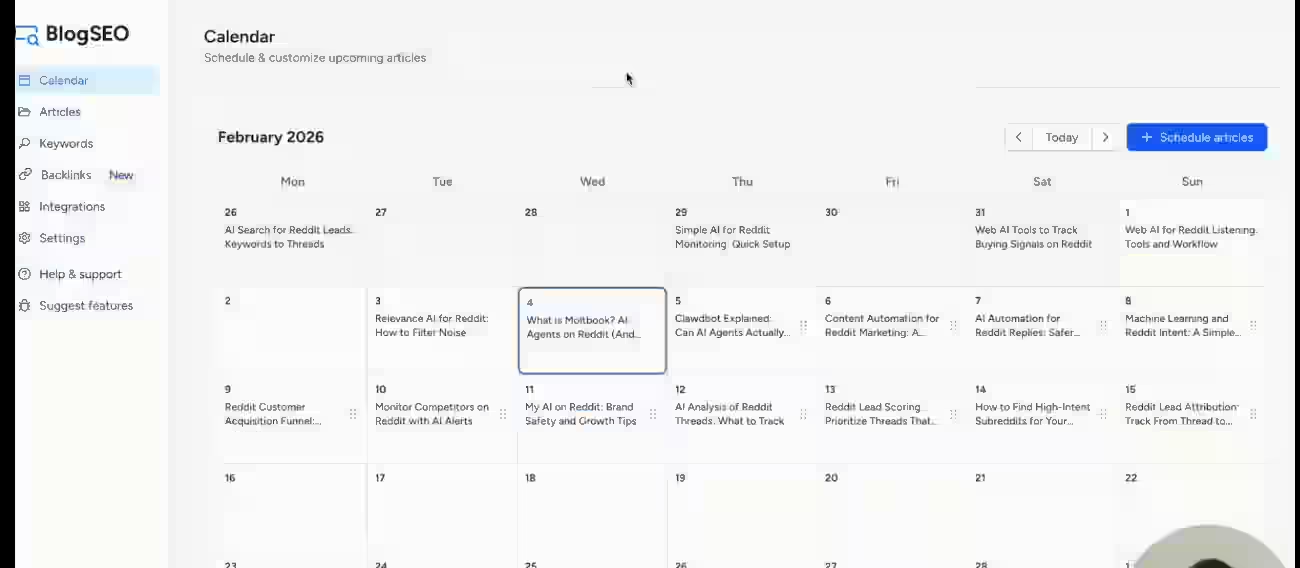
BlogSEO.io is an automated SEO blogging platform that handles content creation, SEO optimization, and publishing across 22+ CMS platforms.
BlogSEO uses a proprietary placement algorithm grounded in graph-sparsity research from a top academic research lab (IP Paris, France).
It enforces sparsity across the link graph, filters out reciprocal exchanges, and rotates anchor patterns, all of which avoid the structural spam signals Google penalizes in low-quality link networks.
That approach to backlink building stands out as more defensible than exchange-only models.
BlogSEO.io is best for semantic SEO content, schema markup, and structured data optimization.
Features
- Keyword research with competitor analysis
- AI content generation with brand voice settings
- SEO optimization including schema and metadata
- Internal linking built into the content workflow
- AI image generation included
- Content calendar with auto-scheduling
- Auto-publishing to WordPress, Shopify, Webflow, Ghost, and 22+ additional CMS platforms
- AI visibility tracking across major AI search platforms
- Content generation in 31 languages
- Backlink automation using the sparsity-based placement algorithm
- Schema markup for FAQ, HowTo, and Article types
BlogSEO AI offers a free Basic plan that allows users to generate one article per month for testing purposes. That free tier makes it easier to test output quality before committing to a paid plan, which is useful for cautious buyers.
BlogSEO.io Pricing
- Free Trial: Costs $0. It provides a 3-day trial to test out core article generation and direct auto-publishing features before committing.
- Starter Plan: Costs $59 per month. This plan allows you to write and publish up to 15 AI-generated articles each month. It includes basic keyword research tools and CMS integration.
- Single Site Plan: Costs $97 per month. This is the flagship offer which includes 30 AI-generated articles per month. It unlocks full end-to-end automation and provides access to bundled, niche-relevant backlink credits.
- Multi-Site Plans: Cost between $149 and $299 per month. These tiers unlock multi-language capabilities and allow you to manage and cross-link content across up to 3 separate websites.
- Done-For-You Add-on: Costs an extra +$500 per month. This is an optional human-in-the-loop premium upgrade where real editors review and perform quality assurance checks on your automated drafts.
The free plan at 1 article/month is a genuine starting point, not just a marketing trial.
Pros
- 22+ CMS integrations, the widest CMS coverage on this list
- Free plan available for basic testing
- Research-backed backlink algorithm reduces spam risk
- 31-language support for international publishers
- AI visibility tracking built in
- Strong schema markup and structured data generation
Cons
- Free plan capped at 1 article/month, which is too low for meaningful testing
- Backlink network size is smaller than Outrank.so’s, per their own documentation
- No Reddit AI Agent or programmatic SEO features
Who Should Use BlogSEO.io?
BlogSEO.io suits content marketers and bloggers who want automated SEO publishing with strong CMS coverage and a more defensible backlink model than exchange-only platforms. It is a particularly good fit for:
- Shopify store owners who need automated blog content
- Ghost and Webflow publishers who want native CMS integration
- Non-English publishers targeting one of 31 supported languages
- Teams who want AI visibility tracking without paying extra for it
Read the BlogSEO.io review for a full feature and output quality assessment.
Best Automated Blogging Software for SEO Agencies
Top picks: Keytomic, BabyLoveGrowth AI, Massblogger
Agencies need multi-site capability, reporting, and content quality control. Keytomic covers technical SEO auditing and AI citation tracking, which adds value beyond just content creation.
BabyLoveGrowth AI’s backlink network and GEO tracking make it easy to show clients tangible off-page progress.
Massblogger was tested over 60 days managing 12 WordPress client sites spanning SaaS, local services, and affiliate niches, which makes it the most proven option for multi-site agency setups.
Best Automated Blogging Software for Affiliate Websites
Top picks: Massblogger, RankPill, Outrank.so
Affiliate sites need content volume, keyword targeting, and internal linking at scale. Massblogger’s programmatic SEO builder is useful for category and comparison pages.
The Massblogger Pro plan at $99/month allows you to manage 6 sites, publishing 25 articles monthly, and use keyword research to identify low-competition affiliate keywords and generate product roundups, comparison posts, and buying guides targeting commercial intent.
RankPill’s daily publishing model keeps affiliate content fresh. Outrank.so adds 150+ language support for non-English affiliate markets.
If you want to understand how to make money with autoblogs in the affiliate space, Massblogger is the most relevant starting point.
Best Automated Blogging Software for SaaS Companies
Top picks: Keytomic, Distribb, BlogSEO.io
SaaS companies need editorial quality, consistent publishing, and visibility in AI-generated answers. Keytomic’s AI citation tracking and technical SEO auditing align with SaaS content goals.
Distribb’s distribution layer pushes content to platforms that AI systems frequently reference. BlogSEO.io’s Webflow and Ghost integrations make it a practical fit for SaaS teams running on those platforms.
Best Automated Blogging Software for WordPress
Top picks: Keytomic, Massblogger, BlogSEO.io, Outrank.so
All four publish directly to WordPress. Massblogger manages multiple WordPress installs from one dashboard, which makes it the best pick for publishers running more than two sites.
Keytomic and BlogSEO.io both integrate cleanly with WordPress and support draft-then-publish workflows for teams that want editorial review. Outrank.so also connects to WordPress, with team collaboration features that suit small editorial teams.
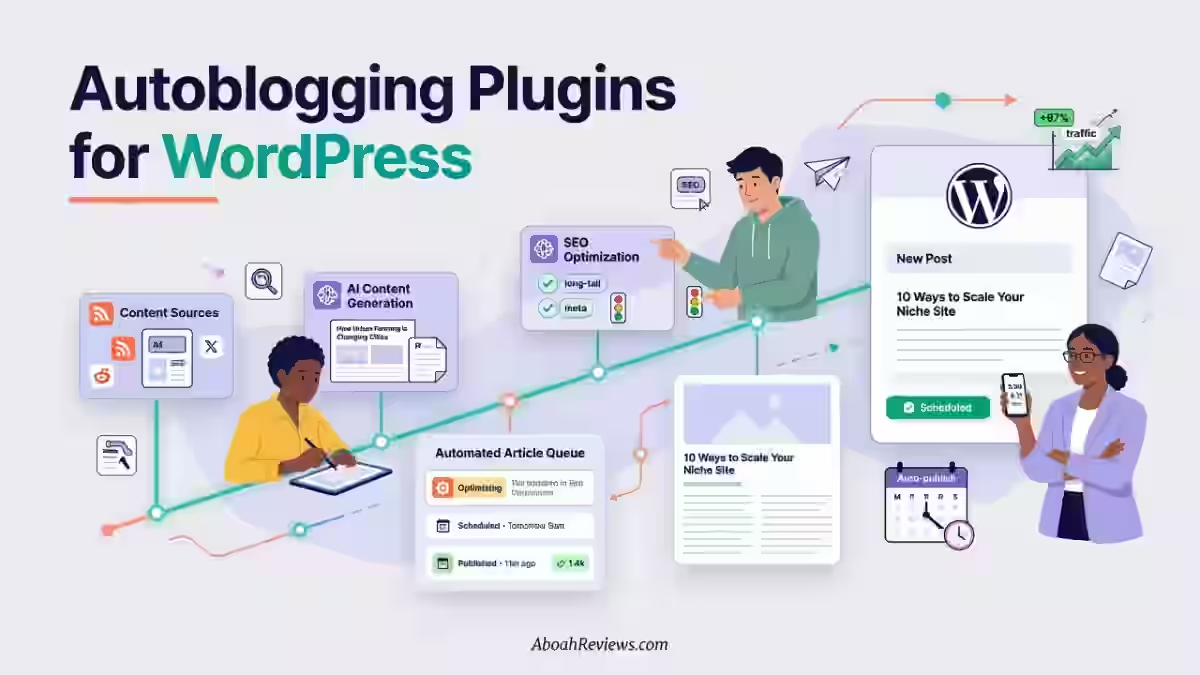
For a complete list of autoblogging WordPress plugins that complement these tools, that guide covers the plugin layer separately.
Best Automated Blogging Software for Multiple Websites
Top picks: Massblogger, Keytomic, BabyLoveGrowth AI
Multi-site management is where Massblogger has no real competitor. The Pro plan at $99/month supports up to 6 WordPress sites with centralized keyword research, content generation, and publishing.
Keytomic supports multi-site use but verify current site limits before subscribing. BabyLoveGrowth AI’s agency plan covers multiple sites; pricing requires direct inquiry.
Best Automated Blogging Software for AI Search Visibility
Top picks: Keytomic, BabyLoveGrowth AI, RankPill, Distribb
BabyLoveGrowth AI includes a dashboard that monitors your brand’s visibility across ChatGPT, Perplexity, and Gemini. You get prompt-level brand citation tracking and a GEO (Generative Engine Optimization) audit.
This AI search visibility feature is genuinely unusual at this price point. Most competing SEO automation platforms either don’t offer AI visibility tracking at all or charge separately for it.
Keytomic tracks AI citations natively. Distribb pushes content to platforms AI systems frequently cite. If SEO automation is part of your broader organic strategy, AI visibility tracking is no longer optional in 2026.
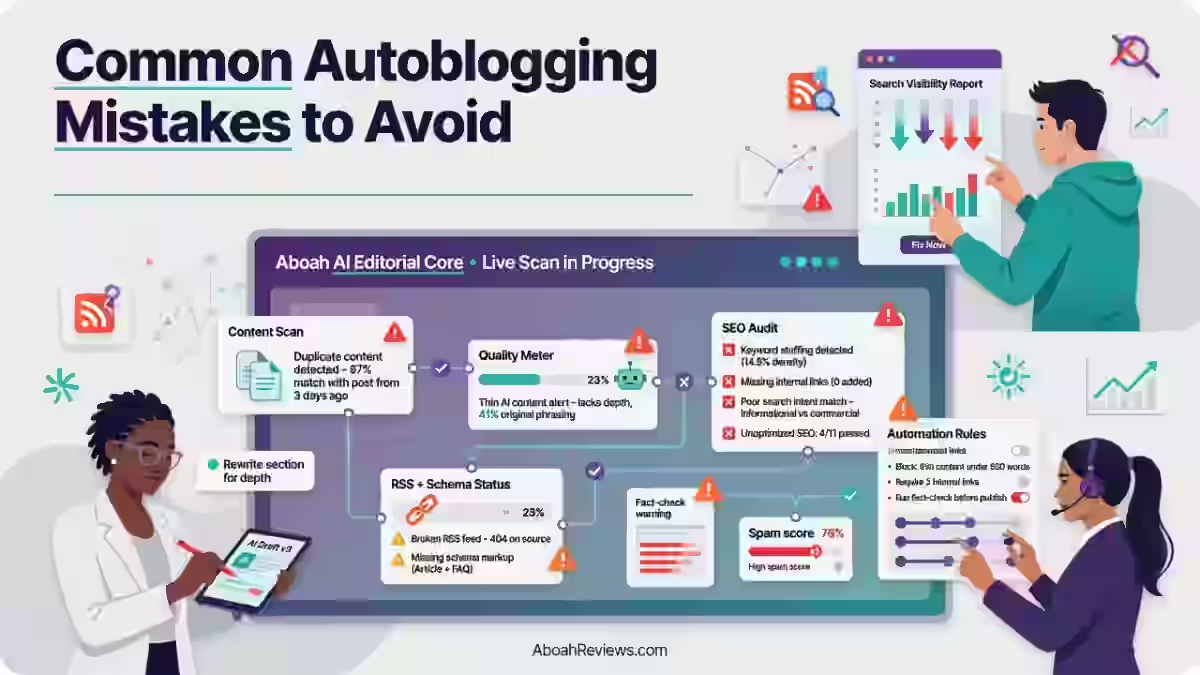
What Are the Biggest Risks of Automated Blogging?
Here are the real risks I’ve encountered testing tools in this category:
- Thin content — short articles that cover a topic superficially without adding value
- Duplicate intent — multiple articles targeting the same query from slightly different angles
- Keyword cannibalization — articles competing against each other for the same rankings
- Hallucinated facts — AI generating confident but incorrect statistics or claims
- Incorrect product information — outdated pricing, specs, or features in affiliate content
- Orphan pages — published articles with no internal links pointing to them
- Index bloat — hundreds of low-quality pages diluting crawl budget
- Excessive publishing velocity — publishing too fast for Google to assess content quality
- Poor internal linking — no topical structure connecting related articles
- Generic AI writing — content that sounds like every other AI article on the topic
Most of these risks are manageable. The ones that kill sites are usually the ones that build up unnoticed over months of automated publishing without monitoring.
How to Use Automated Blogging Without Sacrificing Quality
Here is the workflow I use and recommend:
- Research — Let the tool identify keyword opportunities and cluster them by topic
- AI draft — Generate the article using the platform’s content engine
- Fact check — Verify any statistics, claims, or product details manually
- Human edit — Review the draft for tone, accuracy, and depth; add original perspective
- Internal links — Confirm internal links point to the right pages and add any missing ones
- SEO QA — Check title tag, meta description, schema, and image alt text
- Publish — Push to your CMS, whether automated or manual
- Monitor — Track rankings and traffic for each article over 60 to 90 days
- Refresh — Update underperforming articles with new data or expanded coverage
This workflow applies whether you’re using any of the best autoblogging tools or a simpler setup. The automation handles the volume; the human steps handle the quality.
Final Verdict
Here is where each tool earns its spot without overcomplicating it.
Who should use which:
- Solo bloggers on a single niche site: RankPill for simplicity, BlogSEO.io if CMS coverage matters
- Affiliate site operators managing 3 to 6 sites: Massblogger for multi-site control and pSEO
- Agencies with content + backlink deliverables: BabyLoveGrowth AI or Keytomic depending on whether link building or technical auditing matters more to clients
- SaaS companies building topical authority: Keytomic for AI citation tracking and technical SEO
- Publishers targeting AI search visibility: BabyLoveGrowth AI, Keytomic, or Distribb
None of these tools replace the need for human judgment. Automated blogging software speeds up the workflow; it does not guarantee the quality that earns rankings.
The sites I’ve seen perform consistently with these tools are the ones where a person still reviews output, monitors performance, and refreshes content when rankings plateau.
If you are just getting started with automated content workflows, the how to create an autoblog guide walks through the setup steps without assuming you have already picked a tool.
Whatever platform you choose, start with a small test batch, review the output honestly, and build the human review step into your workflow from day one. That is what separates automated blogging that works from automated blogging that costs you rankings six months later.
Have you tested any of the tools on this list? What worked, what did not, and what would you add to this comparison? Share your experience in the comments.
Frequently Asked Questions About Automated Blogging Software
What Is the Best Automated Blogging Software in 2026?
Keytomic is the best overall automated blogging software in 2026 based on its end-to-end workflow coverage, AI citation tracking, technical SEO auditing, and auto-indexing at $99/month. For teams that prioritize backlink building and GEO tracking alongside content, BabyLoveGrowth AI is an equally strong pick at the same price.
Is Automated Blogging Good for SEO?
Automated blogging is good for SEO when used with human oversight and quality controls. Tools that publish unedited, high-volume content without a review step routinely produce thin or duplicate content, which Google’s algorithms penalize. The tools that perform best in SEO tests are the ones where human editing is still part of the publishing workflow, even if everything else is automated.
Can Automated Blogging Rank on Google?
Yes, automated blogging can rank on Google when the content is factually accurate, genuinely helpful, properly structured with internal linking, and supported by a site with topical authority. Semi-automated content (AI draft plus human editing) consistently outperforms fully automated content in ranking tests.
Does Google Penalize Automated Blog Content?
Google does not penalize content for being AI-generated. It penalizes content that is low-quality, unhelpful, thin, or manipulative regardless of how it was produced. Google’s Search Central documentation confirms that the focus is on quality and helpfulness, not production method. Publishing automated content that passes a quality standard is not a policy violation.
What Is the Difference Between Autoblogging and AI Blogging?
Autoblogging automates the full publishing workflow, including topic discovery, writing, optimization, publishing, and monitoring. AI blogging typically refers to using an AI writing tool to draft articles, with humans handling research, editing, and publishing manually.
Can AI Automatically Update Old Blog Posts?
Some platforms, particularly Massblogger through its GSC integration, can flag underperforming articles for refresh based on ranking and traffic data. Fully automatic refreshing (where the AI rewrites old content without human input) is less common and carries content quality risks. Most reliable workflows involve AI drafting the refreshed version with a human reviewing the changes before republishing.
Is Autoblogging Still Worth It in 2026?
Yes, autoblogging is still worth it in 2026 when it is used as a workflow tool rather than a replacement for editorial judgment. Sites that have used automated blogging effectively treat the tools as a production layer, not a quality guarantee. The platforms that deliver the best results are the ones where human review, keyword strategy, and performance monitoring remain part of the process.

- Searchable Review 2026: My Honest Test Results With This AI Visibility Platform - October 9, 2026
- Ryze AI Review 2026: My 30 Days Full Breakdown of This Autonomous SEO & GEO Platform - October 9, 2026
- #1 Best Plugin for Automatic Blog Posting in WordPress (2026) - September 13, 2026