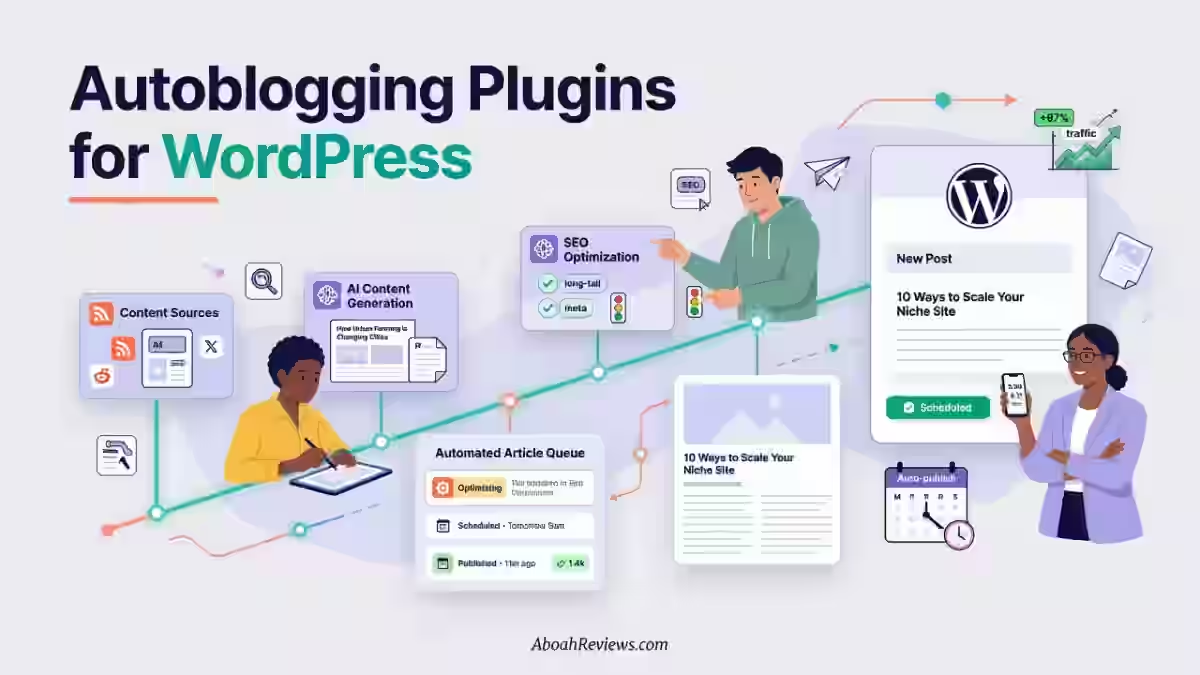
TL;DR: RSS feeds for autoblogging pull fresh content from an XML file published by a website, letting autoblogging tools retrieve all blog posts automatically instead of checking sites by hand.
On their own, RSS feeds are not enough for good SEO. Combined with AI rewriting, filtering, and human editing, they can support a sustainable content workflow. Used carelessly, they create duplicate content and Google penalties.
Modern autoblogging tools combine RSS importing with AI rewriting, keyword filtering, and SEO optimization before publishing to WordPress. The best RSS sources come from authoritative niche publications. Pure RSS copying is risky in 2026.
The recommended workflow is RSS discovery + AI transformation + human editing.
Introduction
RSS feeds for autoblogging sit at the intersection of content automation, SEO and editorial responsibility.
An RSS feed is a standardized XML file a website generates every time it publishes new content, and autoblogging tools use that feed to pull articles, process them, and push them to your site automatically.
I’ve been working with automated content workflows since early 2023, and the biggest difference between low-quality RSS sites and successful automated publishers is source selection, editorial control, and adding original value.
I’ve seen the same WordPress setup produce either a site that ranks on page one or one that gets filtered out by Google entirely.
The variable was never the tool; it was always the editorial layer on top of the automation.
This guide covers everything you need to run RSS autoblogging in 2026 the right way:
- finding quality sources
- connecting feeds to autoblogging tools
- transforming content with AI
- avoiding duplicate content
- building a workflow that produces rankings rather than penalties
You’ll also find a full breakdown of the best RSS sources by niche, a comparison of tools that support RSS importing, and a practical checklist you can use before you publish anything.
Quick Comparison: RSS Autoblogging vs AI Content Generation
Factor | RSS Autoblogging | AI Content Generation |
|---|---|---|
Content source | Existing publications | AI language models |
Speed | Very fast (feed-triggered) | Very fast (prompt-triggered) |
Originality | Requires transformation | Higher out of the box |
SEO potential | Medium-high with editing | High with human expertise |
Copyright risk | Higher without transformation | Lower |
Best use case | News, updates, trending topics | Evergreen, keyword-targeted content |
Ideal workflow | RSS + AI rewrite + human review | Keyword brief + AI draft + editorial polish |
What Are RSS Feeds for Autoblogging?
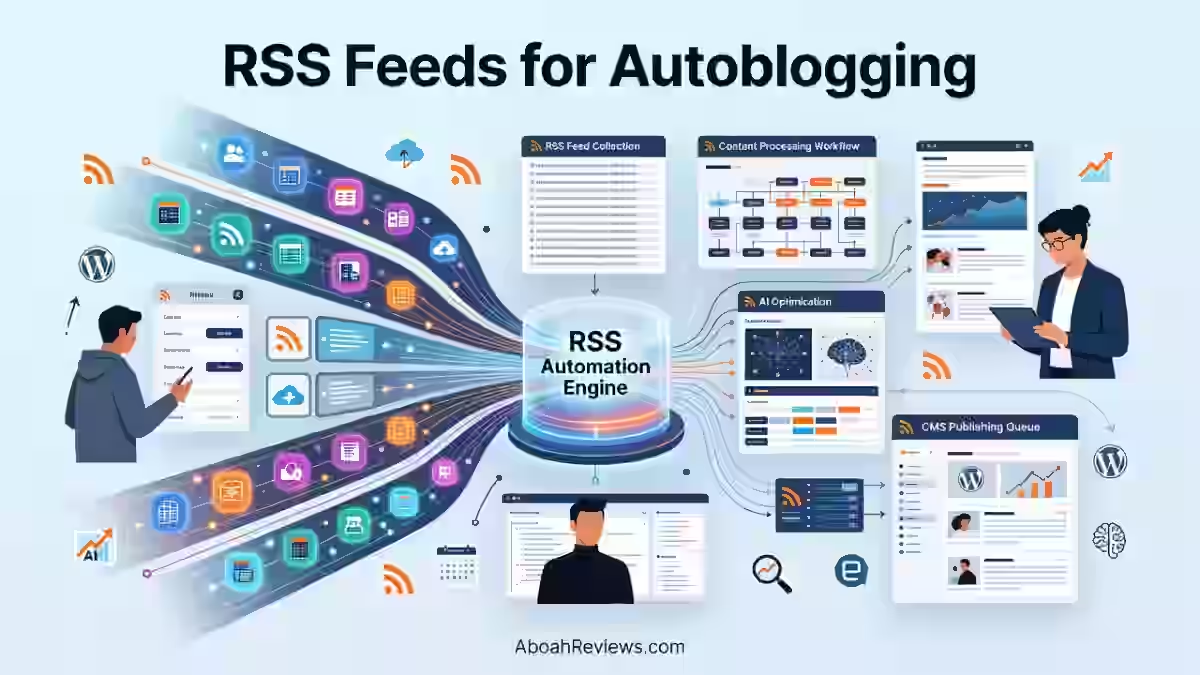
RSS, which stands for Really Simple Syndication, is an open XML-based web standard that lets websites broadcast their content to any application that knows how to read it.
An RSS feed is a structured XML file that a website generates automatically whenever it publishes or updates content. You subscribe to it using a feed reader, and new articles show up without you visiting the site.
RSS feeds are published using XML, a machine-readable format that enables you to use automation tools for a lot of things. For instance, you can set up automated workflows to perform certain actions when a new article is published.
Each item in an RSS feed includes standardized fields:
- the title
- a blog post URL
- the publish date
- a GUID (globally unique identifier) that serves as a unique identifier for each entry
- a content summary or full blog post body using the
content:encodedtag - author information.
That standardized format is exactly why autoblogging tools can parse, filter, and import feed items without custom scraping.
For autoblogging, the RSS feed becomes your content discovery layer. Instead of manually hunting for topics across dozens of sources, the feed automatically updates with fresh material, and your workflow takes it from there.
What Is Autoblogging?
Autoblogging is a content publishing method that uses RSS feeds, AI writing tools, APIs or scripts to automatically generate and publish blog posts with minimal manual input.
At its simplest, automated software pulls content from a source, processes it through an AI content generation layer, and publishes the result directly to your content management system.
Autoblogging in 2026 is not about scraping and republishing anymore. Modern autoblogging tools use AI to generate original content, publish it automatically to your CMS, and optimize it for SEO, all on autopilot.
Modern autoblogging includes RSS importing, AI content generation and summarization, keyword targeting, SEO optimization, internal linking, and CMS publishing.
Autoblogging is not simply copying articles automatically. Anyone treating it that way in 2026 is running a workflow that Google will eventually penalize.
For a broader understanding of the full workflow, my complete autoblogging guide walks through how these systems connect at the pipeline level.
How RSS Feeds Work With Autoblogging Software
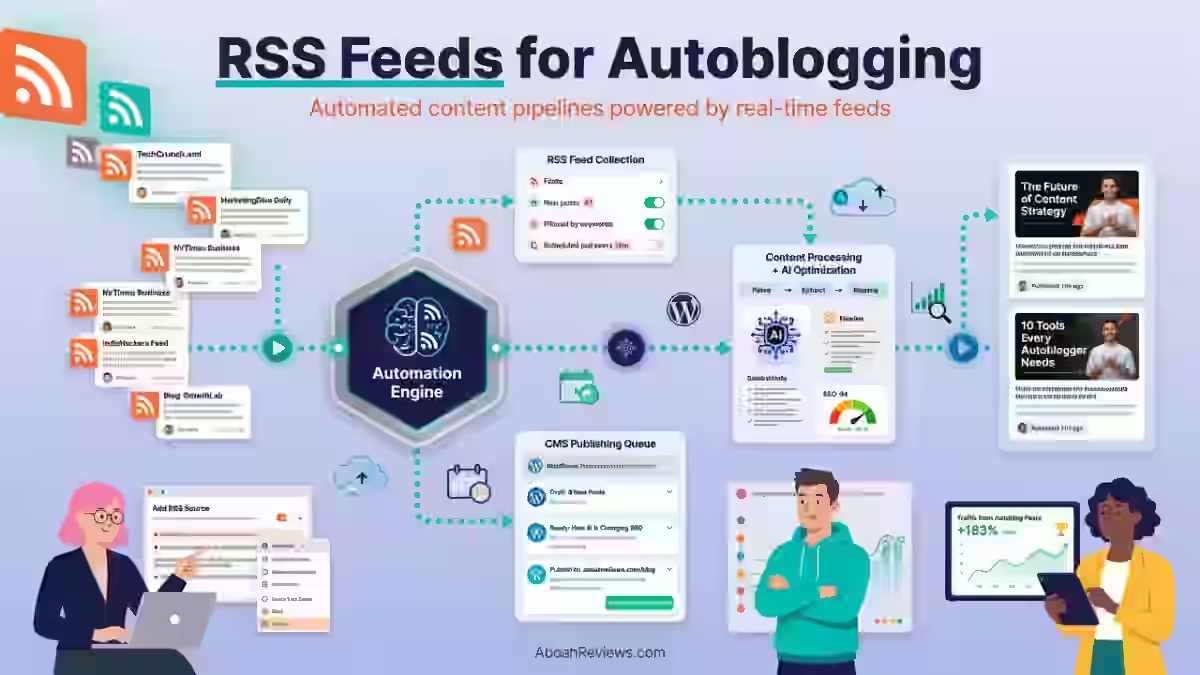
The flow from source content to published post looks like this:
Publisher Website
       ↓
RSS XML Feed (feed.xml or /feed/ URL)
       ↓
RSS Aggregator (plugin or SaaS platform)
       ↓
AI Processing (summarization, rewriting, entity optimization)
       ↓
SEO Optimization (title, meta, schema, internal links)
       ↓
WordPress CMS (scheduled or immediate publishing)
       ↓
Published Content
RSS feeds from niche-relevant publications feed into the autoblogging tool, which monitors these feeds and triggers content creation when new items appear.
The tool reads the XML file, extracts the blog metadata including title, publish date, GUID, and body content, passes it to an AI rewriting layer.
And then formats the output for your WordPress site or other CMS.
How RSS Feed Autoblogging Works
Step 1: Find Relevant RSS Sources
Your feed source quality determines your output quality. No AI rewrite fixes bad input at scale. When evaluating sources, check for:
- Industry authority: Is the publisher known and respected in your niche?
- Publishing frequency: At least 3 to 5 new items per week to keep content flowing
- Topic relevance: Feed items should match your site’s keyword and content strategy
- Licensing terms: Does the publisher permit syndication or excerpt use?
Start with 5 to 8 sources per campaign. Running too many feeds at once before you’ve tested quality controls leads to exactly the kind of bulk publishing that gets sites flagged.
Step 2: Connect RSS Feeds to an Autoblogging Tool
Most tools accept a feed URL directly. You paste the URL, configure the import settings, and the tool begins pulling content on a schedule you define. Options include:
- WordPress RSS importer plugins like WP RSS Aggregator or WPeMatico
- SaaS autoblogging platforms like Blogify or Emplibot
- Advanced WordPress integrations like CyberSEO Pro
By default, WordPress publishes RSS feeds for your blog posts, categories, authors, and more.
Apart from your own articles, RSS feeds can also be used to pull content from one website and display it anywhere else.
You may want to use an RSS feed plugin to curate content from different websites that you like.
Step 3: Filter Feed Content
Unfiltered feeds publish everything, including off-topic content, duplicate posts, and low-quality items. Configure filters before you publish anything:
- Keyword filters to include only items matching your target topics
- Category filters from the feed’s own taxonomy
- Author filters to exclude low-quality contributors from a source
- Duplicate prevention using GUID matching so the same item never imports twice
The GUID is your safety net here. Every RSS item carries a unique identifier that tells your tool whether it has already been imported. If your tool does not check for this, you will publish duplicate posts.
Step 4: Transform Content With AI
Imported RSS content is not ready to publish as-is. The AI transformation step is where you add original value:
- Summarize rather than copy the full article body
- Rewrite the angle to match your site’s editorial voice
- Add insights based on your experience or niche expertise
- Optimize for entities by adding related terms and topical context
- Flag items for fact checking before the workflow publishes
This is the step that separates a functional autoblog from a spam site. The AI draft needs human review before it goes live, not after.
Step 5: Optimize for SEO
Every post that comes through your RSS workflow needs the same SEO treatment as a manually written article:
- Match the title to a real search intent, not just the original headline
- Write a unique meta description with the primary keyword
- Add schema markup relevant to the content type
- Include at least 3 to 5 internal links to related posts on your site
- Set a canonical URL if you’re syndicating content that also lives elsewhere
Step 6: Publish Automatically
Most autoblogging tools include WordPress scheduling. You can set a publishing cadence for example, 2 posts per day and the tool queues imported, processed content to go out on that schedule.
Avoid setting the cadence too high before you’ve confirmed quality. Start with 5 to 10 articles per week and monitor quality before scaling to 50+.
Step 7: Monitor Performance
Publishing is not the end of the workflow. After going live, track each piece through:
- Google Search Console for indexing status and click-through data
- Ranking checks via Ahrefs or Semrush at the 30, 60, and 90-day marks
- Traffic segmented by source to isolate RSS-imported posts
- User engagement signals like scroll depth, time on page, and bounce rate
Metrics that matter include organic traffic, engagement time, bounce rate, and impressions to monitor performance.
Best RSS Feed Sources for Autoblogging
Quality sources separate useful automation from thin content farms.
Below are reliable feeds organized by niche, based on publishing frequency, domain authority, and feed quality.
1. Technology RSS Feeds
Source | Feed URL Pattern | Update Frequency | Authority |
|---|---|---|---|
TechCrunch | techcrunch.com/feed/ | 20+ posts/day | Very high |
Ars Technica | feeds.arstechnica.com/arstechnica/index | 10–15 posts/day | High |
VentureBeat | venturebeat.com/feed/ | 10+ posts/day | High |
Android Authority | androidauthority.com/feed/ | 8–12 posts/day | Medium-high |
TechCrunch and Ars Technica publish frequently and maintain editorial standards, making them reliable sources for various types of content across hardware, software, and startup coverage.
Both are sorted by publish date in their feeds, which makes them easy to filter by recency.
2. Marketing RSS Feeds
Source | Feed URL Pattern | Update Frequency |
|---|---|---|
Search Engine Journal | searchenginejournal.com/feed/ | 5–8 posts/day |
Search Engine Land | searchengineland.com/feed | 5–7 posts/day |
HubSpot Blog | blog.hubspot.com/marketing/rss.xml | 3–5 posts/day |
Moz Blog | moz.com/blog/feed | 3–4 posts/week |
Search Engine Journal and Moz are good choices for SEO-focused blogs because their content is research-backed and tends to stay relevant longer than news items.
If you’re running a marketing-focused autoblog, these feeds produce content worth transforming rather than just summarizing.
3. AI and Machine Learning RSS Feeds
Source | Feed URL Pattern | Content Type |
|---|---|---|
OpenAI Blog | openai.com/blog/rss.xml | Product and research updates |
Anthropic | anthropic.com/news/rss | Safety research, model releases |
Google AI Blog | blog.google/technology/ai/rss/ | Research and product news |
Hugging Face | huggingface.co/blog/feed.xml | ML tutorials, model releases |
AI and ML feeds publish less frequently (often 2 to 5 items per week) but the authority of each item is high.
These work well for AI-focused autoblogs where you want to retrieve all blog posts from credible primary sources and add commentary.
4. Business RSS Feeds
Source | Feed URL Pattern |
|---|---|
Reuters Business | feeds.reuters.com/reuters/businessNews |
CNBC | cnbc.com/id/100003114/device/rss/rss.html |
Entrepreneur | entrepreneur.com/latest.rss |
5. Finance RSS Feeds
Source | Notes |
|---|---|
Yahoo Finance | Multiple category feeds available |
MarketWatch | feeds.marketwatch.com/marketwatch/topstories |
Investing.com | Regional and asset-class feeds available |
Finance feeds update constantly. The challenge with finance autoblogging is that stale data causes real harm to readers, so your editorial review step is more important here than in any other niche.
6. Health RSS Feeds
Source | Notes |
|---|---|
Medical News Today | medicalnewstoday.com/newsfeeds |
CDC Updates | cdc.gov/media/syndication |
WHO News | who.int/rss-feeds/news |
Health content carries the highest editorial responsibility of any niche.
Google’s Quality Rater Guidelines categorize health topics as YMYL (Your Money or Your Life), meaning thin or inaccurate health content carries more ranking risk than thin tech content.
7. Sports RSS Feeds
Source | Update Frequency |
|---|---|
ESPN | Multiple sport-specific feeds, 50+ items/day |
BBC Sport | bbcsport.co.uk, multiple feeds |
Sky Sports | Multiple sport-specific feeds |
Sports is one of the cleaner autoblogging use cases because timely updates are genuinely useful, audiences expect brief factual posts, and the editorial bar is lower than health or finance.
8. Entertainment RSS Feeds
Source | Best For |
|---|---|
IGN | Gaming and film coverage |
Variety | Film, TV, and streaming industry |
Deadline | TV and film news, breaking items |
Where to Find RSS Feeds for Any Website
Most websites still publish RSS feeds even if they no longer show the orange RSS icon. Here are six reliable ways to find feed URLs:
- Check
/feed/— WordPress sites almost always have a feed atdomain.com/feed/ - Check
/rss.xmlorfeed.xml— Common on static sites, including NextJS website applications and cloud-hosted blogs - Check the
<head>source HTML for a<link rel="alternate" type="application/rss+xml">tag — this is feed autodiscovery built into HTML and makes RSS feeds automatically discoverable - Use Feedly — Paste a site URL and Feedly will locate the feed automatically
- Use Inoreader — Similar to Feedly with a search function for finding different feeds
- Use RSSHub — An open-source tool that generates RSS feeds for sites that don’t publish standard ones natively
- Browser extension — RSS extensions for Chrome and Firefox detect feed URLs on any page you visit
For niche research at scale, FiveFilters and Feedspot let you browse curated RSS directories organized by topic, which is faster than hunting individual site feeds one at a time.
Best Autoblogging Tools That Support RSS Feeds
Tool | RSS Import | AI Rewrite | WordPress Integration | SEO Features | Pricing | Best For |
|---|---|---|---|---|---|---|
WP RSS Aggregator | Yes | Limited (add-on) | Native | Basic | From $99/year | Feed collection and display |
Feedzy | Yes | AI add-on | Native | Medium | From $99/year | WordPress users starting out |
WP Robot | Yes | Yes | Native | Medium | From $117/year | Automated niche blogs |
CyberSEO Pro | Yes | Yes (GPT, Claude, Gemini) | Native | Advanced | From $27/month | Power users, multi-source |
WPeMatico | Yes | Yes (via extensions) | Native | Medium | Free + premium from $29 | Creators managing multiple feeds |
Emplibot | Yes | Full automation | Yes | Full SEO suite | From $69/month | Businesses wanting hands-off publishing |
Blogify | Yes | Yes | Yes | SEO automation | From $29/month | Growth marketers |
WP Content Pilot | Yes | Yes | Native | Medium | From $49/year | Automated affiliate and news sites |
WPeMatico is a powerful WordPress plugin for automated content importing from RSS feeds and XML files. Designed for autoblogging, content curation, and news aggregation, it lets you manage and publish content from unlimited sources on autopilot.
CyberSEO is one of the most popular WordPress RSS plugins since 2006, trusted by over 100k websites. It’s more of an autoblogging and content creation tool than a traditional RSS aggregator.
You can import articles, media, and other resources from RSS, Atom, XML, JSON feeds, CSV and XLS files. Its AI autoblogging capabilities use advanced models like OpenAI GPT, Google Gemini, Anthropic Claude, xAI Grok, and DeepSeek.
WP RSS Aggregator gives you everything you need to create a website for aggregated content and doesn’t require coding skills. It’s suitable for autoblogging or curating other types of content from multiple websites. Pricing starts at $99 per year for one year of support and updates.
For a detailed breakdown of tool options and pricing tiers, the best autoblogging software guide covers the full competitive landscape.
RSS Feeds vs AI Content Generation
These two approaches work differently and both have a role in 2026 autoblogging workflows.
Factor | RSS Autoblogging | AI Content Generation |
|---|---|---|
Originality | Low without transformation | Higher with good prompting |
Speed | Feed-triggered, very fast | Prompt-triggered, very fast |
Cost per post | Low (feed is free) | Varies by token usage (0.002–0.10/post) |
Scalability | High | High |
SEO ceiling | Medium-high with editing | High with expertise and editing |
Human editing required | Yes — always | Yes — always |
Legal risk | Higher (copyright) | Lower |
Best content type | News, updates, trending topics | Evergreen, informational, comparison |
- Best use case for RSS Autoblogging: Sites covering fast-moving niches like tech news, finance, sports, or entertainment where timeliness matters and you can add commentary or analysis.
- Best use case for AI Content Generation: Evergreen keyword-targeted content, comparison articles, how-to guides, and any content type where original thought and demonstrated expertise matter more than speed.
- Best 2026 workflow: Use RSS for content discovery and topic monitoring. Feed relevant items into your AI rewriting layer. Add original expert analysis in a human review step. Publish on a defined schedule. This is the approach I’ve seen produce the most consistent organic growth without the risks of pure automation.
If you’re deciding between the two models at a strategic level, see the autoblogging vs AI blogging comparison for a side-by-side breakdown of both approaches.
Are RSS Feeds Good for SEO?
RSS feeds are a useful input for SEO, but the raw feed content alone does nothing for your rankings. It is the transformation of that content that creates SEO value.
Benefits of RSS-driven autoblogging for SEO:
- Fresh content signals: Publishing regularly sends positive freshness signals to Google
- Industry coverage: Staying on top of trending topics in your niche supports topical authority
- Content discovery: RSS research surfaces keyword opportunities you might miss in traditional keyword tools
- Faster publishing: You can cover a news cycle hours faster than a manually written post
Risks that hurt SEO:
- Duplicate content: Importing and publishing content without transformation creates pages Google sees as copies
- Thin pages: Short RSS excerpts published as standalone posts have almost no SEO value
- Low-value publishing: Volume without quality dilutes your site’s overall authority
- Copyright problems: See the legal section below
Google launched the helpful content update in August 2022 and formally incorporated it into its core ranking systems in March 2024 with more sophisticated signals.
Unlike other updates that affect individual pages, this one evaluated entire websites and may have impacted all rankings if substantial unhelpful content was detected.
Google values content that demonstrates expertise and provides original insights. Even a small amount of poor content can harm a domain’s rankings.
The practical implication: a site with 200 thin RSS-imported posts and 10 good original articles will drag the good articles down with it. Google evaluates the site as a whole, not just the individual page.
A Real-World Lesson From My First RSS Autoblog
I set up my first autoblog in early 2023 using RSS feed aggregation and a WordPress plugin. It was a general tech news site with zero editorial oversight, and it got exactly what it deserved: poor traffic, thin content, and eventually a drop in search rankings. Why? Google flagged the site for thin content. The mistake was publishing unedited, fully automated posts with no human review. I had to manually rewrite 40+ posts before the site recovered.
That experience taught me two things. First, the RSS workflow itself is not the problem. The problem is treating it as a self-hosted solution that runs without oversight.
Second, recovery from a thin content penalty takes time. Removing or improving unhelpful content can take 2 to 6 months to reflect in rankings. That is not a quick fix.
For a full breakdown of where automated publishing goes wrong, the common autoblogging mistakes guide covers the patterns I see most often.
Legal Considerations of RSS Feeds for Autoblogging
This is the section most autoblogging guides skip or bury at the end. It should be one of the first things you read.
- Copyright: RSS does not automatically grant reuse rights. Be cautious if you plan to scrape full content from third-party sites. It can lead to copyright issues. Publishing someone else’s full article without permission is copyright infringement regardless of whether you accessed it via RSS.
- Syndication: Only use feeds from publishers who explicitly permit syndication. Some publishers include syndication terms in their feed documentation. When in doubt, use excerpts with attribution rather than full articles.
- Attribution: Always credit the original publisher with a visible bylink and a link back to the source URL. This is both ethically required and practically useful since it signals to Google which version is canonical.
- Fair Use: Fair use in the US allows limited use of copyrighted material for commentary, criticism, or transformation. However, simply republishing a summary without meaningful transformation is unlikely to qualify. Fair use is a legal defense, not a license to copy.
- Avoid: Full article copying, removing author information from imported posts, and republishing without any transformation or attribution.
Always include links back to original content to prevent syndication-related duplicate content issues.
If you are unsure whether your autoblogging approach is legal, the is autoblogging legal guide covers copyright, syndication, and fair use in detail.
RSS Autoblogging Best Practices
1. Use Trusted Publishers
Only import feeds from established, editorially managed publications. A feed from a site that itself publishes scraped content will make your output worse, not better.
2. Avoid Full Article Replication
The content:encoded RSS tag carries the full blog post body in many feeds. Importing and publishing that content verbatim creates a duplicate page that provides zero SEO value and exposes you to copyright risk.
3. Add Original Commentary
The fastest way to add value to an RSS-imported piece is to write a 2 to 3 sentence editorial comment at the top or bottom of the post. It does not need to be long. It needs to reflect actual expertise.
4. Include Expert Analysis
If you have hands-on experience with the topic in the RSS item, say so. Link to a related article you’ve published. This turns a passive consumer experience into active original value.
5. Add Original Images
Never use images pulled from the RSS feed without checking licensing. Create original graphics, use properly licensed stock images, or generate AI images that you own the rights to.
6. Improve Internal Linking
Every imported post should link to at least 2 to 3 related articles on your own site. This is also one of the most consistent ways to improve how Google crawls and indexes your content.
7. Add Schema Markup
Article schema, including headline, publish date, and author information, helps search engines parse your content correctly. Most autoblogging plugins that support RSS importing also support basic schema generation.
8. Fact Check Imported Content
RSS feeds pull content as it was published. That content may contain errors, outdated data, or claims that have since been corrected. A brief fact-check step before publishing protects your site’s credibility.
9. Monitor Indexing
Use Google Search Console to check whether your RSS-imported posts are being indexed. If posts are marked “Discovered but not indexed,” that is a signal that Google does not consider them valuable enough to include in its index.
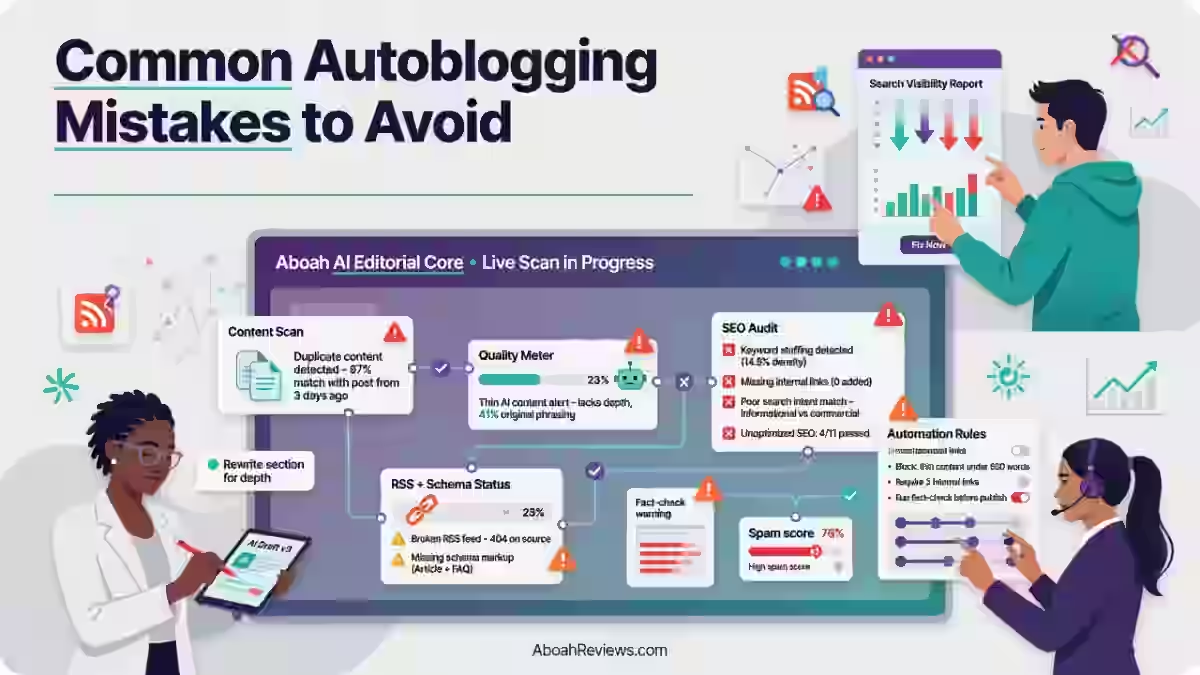
Common RSS Autoblogging Mistakes to Avoid
- Using low-quality feeds from sites with thin content, frequent errors, or no editorial standards
- Publishing duplicate content by importing full articles without transformation
- No editorial review: running a fully automated pipeline without any human oversight
- Too many posts per day: publishing 20+ posts daily before you’ve confirmed quality control
- Ignoring E-E-A-T: imported content alone does not demonstrate experience, expertise, authority, or trust
- No attribution: failing to credit or link back to the original publisher
- Poor internal links: treating imported posts as standalone pages with no connection to your site’s topical structure
- Thin affiliate pages: combining RSS importing with affiliate link insertion without adding genuine product expertise
The difference between “useful automation” and “thin content that hurt your rankings” comes down to the setup, not the tool.
How to Choose the Right RSS Feed for Your Niche
Before adding any feed to your autoblogging workflow, run through this checklist:
- Authority: Is the publisher recognized in your industry?
- Topic relevance: Do feed items match your keyword and content strategy?
- Publishing consistency: Does the feed update at least 3 to 5 times per week?
- XML quality: Does the feed validate cleanly? Use W3C Feed Validator to check
- Update frequency: Is the publish date current and accurate?
- Licensing: Does the publisher permit excerpt use or syndication?
- Content depth: Are articles substantive or mostly shallow news briefs?
- Audience match: Would your readers find this content genuinely useful?
For a deeper look at the evaluation criteria behind autoblogging tool and source selection, the how to choose the best autoblogging tool guide applies many of these same principles.
RSS Feed Quality Checklist
Before connecting a feed to your autoblogging workflow:
Check | What to Look For |
|---|---|
Valid XML structure | Run the feed URL through W3C Feed Validator — zero errors |
Reliable updates | New items appearing on a consistent schedule |
Relevant categories | Feed items match your site’s topic focus |
Trusted publisher | Domain Authority 40+, editorial process visible |
Clear ownership | Publisher contact and about page present |
Stable feed URL | URL has not changed in the past 12 months |
Good content quality | Articles are substantive, not just 100-word news briefs |
GUID integrity | Each item has a unique identifier to prevent duplicate imports |
Recommended RSS Feed Categories by Website Type
Website Type | Recommended RSS Categories |
|---|---|
Technology | AI, SaaS, Programming, Cybersecurity, Developer tools |
Finance | Markets, Investing, Crypto, Personal finance |
Health | Medical research, Nutrition, Mental health, Public health |
Travel | Destinations, Travel tips, Visa news, Budget travel |
Sports | Football, NBA, Tennis, Transfer news |
Food | Recipes, Restaurant news, Nutrition, Culinary trends |
Education | Academic research, EdTech, Learning tools, Career development |
Marketing | SEO, PPC, Social media, Content strategy, Email marketing |
Modern AI RSS Autoblogging Workflow
Here is the full workflow I recommend for 2026. Each step has a defined output before the next one begins.
Keyword Research (Ahrefs / Semrush)
        ↓
RSS Feed Discovery (Feedly / RSSHub / manual)
        ↓
Feed Filtering (keyword, category, date filters)
        ↓
Duplicate Detection (GUID-based deduplication)
        ↓
AI Summarization (GPT-4o / Claude — summary + angle shift)
        ↓
Fact Checking (verify key claims before publishing)
        ↓
SEO Optimization (title, meta, intent alignment)
        ↓
Internal Linking (3–5 links to related site content)
        ↓
Schema Generation (Article, FAQ, or NewsArticle schema)
        ↓
WordPress Publishing (scheduled, not immediate bulk publish)
        ↓
Google Search Console Monitoring (indexing, clicks, impressions)
The script automatically runs through steps 1 to 9 in most modern autoblogging platforms.
The human review sits between AI Summarization and Fact Checking. That is the step that determines whether your autoblog builds authority or burns it.
If you want to understand how this pipeline fits into a broader SEO automation strategy, the AI SEO automation guide covers how content, technical SEO, and automation connect at the system level.
Troubleshooting RSS Feeds for Autoblogging Problems
Problem | Likely Cause | Fix |
|---|---|---|
RSS feed not updating | Feed cache too long | Reduce fetch interval in plugin settings |
Invalid XML | Feed source changed structure | Revalidate with W3C, contact publisher |
Missing images | Images not in RSS item, only in source HTML | Use content scraper add-on or source images separately |
Duplicate posts | GUID matching disabled | Enable GUID-based duplicate detection |
Import errors | Rate limits on source server | Reduce import frequency to 1 per hour |
Broken feeds | Publisher changed feed URL | Use feed autodiscovery to locate new URL |
Rate limits | Too many requests to source server | Space imports, use a self-hosted RSS proxy |
Posts not indexing | Thin or duplicate content | Add editorial layer, ensure transformation before publishing |
Most import issues come from trying to pull content too frequently. Space your fetch intervals to match the source publisher’s actual update frequency. There is no advantage to checking a feed that updates 3 times per day every 10 minutes.
Are RSS Feeds Still Worth Using in 2026?
RSS might not be the flashiest tech, but it’s one of the most powerful tools you can use to automate content workflows on your WordPress site.
From aggregating news articles and podcast episodes to integrating social media accounts, RSS feeds continue to power some of the web’s most effective content engines.
In an algorithm-driven world where social platforms decide what content you see, RSS is genuinely the one tool that lets you explicitly subscribe to sources on your own terms. You are not dependent on algorithm recommendations or the whims of a platform’s content moderation.
That reader autonomy is exactly why the old-school RSS feed never fully died, and why it has seen renewed interest as content teams try to reduce reliance on social distribution.
For autoblogging specifically, RSS works because it gives you a structured, reliable input stream that tools can process at scale. The risk is not the format. The risk is what you do with the content after you import it.
Early autoblogs scraped RSS feeds from news sites and republished content automatically using WordPress plugins.
These sites offered zero original value and often violated copyright laws. Google cracked down on RSS scraper sites around 2015. Most disappeared after Panda and Penguin algorithm updates targeted thin content and duplicate content issues.
The sites that ran pure RSS copying are gone. The sites that use RSS as a discovery and input layer, transform that content with AI, and add real editorial value, those sites are still viable in 2026.
Final Verdict: Should You Use RSS Feeds for Autoblogging in 2026?
RSS remains a practical, reliable tool for content discovery and workflow automation. The technology works. The format is stable. The sources are consistent.
What does not work in 2026 is treating RSS as a complete publishing strategy.
Importing feed content and publishing it unchanged is not autoblogging. It is scraping, and it produces predictable outcomes: thin content flags, indexing problems, and eventually ranking drops.
The right approach:
- Use RSS for discovery: find the topics, sources, and content signals that matter in your niche
- Filter with precision: keyword, category, and date filters reduce noise before AI processing
- Transform with AI: summarize, rewrite, and reframe rather than copy
- Add original value: editorial commentary, expert analysis, and first-hand context
- Optimize for SEO: treat every imported post as a keyword-targeted page, not a syndicated one
- Monitor results: track indexing, rankings, and engagement, and remove or improve posts that underperform
The biggest risk is not using RSS feeds; it’s using them without an editorial layer. Automation handles speed and scale. Human judgment handles quality and trust. You need both.
For anyone building this type of workflow from scratch, the how to do autoblogging guide walks through the setup in detail.
Have a question about RSS autoblogging workflows or a setup you’re troubleshooting? Share it in the comments below. If you’re running a hybrid workflow with RSS and AI generation, I’d be interested to hear what’s working for your niche.
Frequently Asked Questions About RSS Feeds for Autoblogging
1. What is an RSS feed for autoblogging?
An RSS feed for autoblogging is a standardized XML file that autoblogging software uses to import published content from other websites automatically. The tool reads the feed URL, extracts article data including title, publish date, GUID, and body content, then processes it through an AI rewriting layer before publishing to your site. RSS feeds provide the content discovery layer in an autoblogging pipeline.
2. Are RSS feeds still useful in 2026?
RSS feeds are still widely used in 2026, particularly for content discovery, news monitoring, and autoblogging workflows. An RSS feed remains one of the most practical, low-friction tools available for content consumption and distribution. It’s an open format that gives users complete control, requires no personal data, and serves as the backbone of podcast distribution worldwide.
3. Can Google detect RSS autoblogging?
Google does not specifically detect RSS autoblogging as a category, but it does identify thin, duplicate, and low-quality content regardless of how it was produced. Google’s helpful content system evaluates entire websites and may have impacted all rankings if substantial unhelpful content was detected. If your RSS-imported posts are transformed and add original value, they will behave like any other piece of content. If they are copied without transformation, they will be flagged as thin or duplicate.
4. Is RSS autoblogging legal?
RSS autoblogging is legal when you use excerpt-only imports with attribution and do not copy full articles without permission. The RSS feed format does not grant copyright permission. Publishing another site’s full article through RSS without a syndication agreement is copyright infringement. Always credit the source, link back to the original, and use only the excerpt or a transformed version of the content.
5. Can AI rewrite RSS content?
Yes, AI can summarize, rewrite, and reframe RSS-imported content effectively. Tools like CyberSEO Pro, WPeMatico, and Blogify include AI rewriting layers that process imported feed items using models like GPT-4o, Claude, and Gemini. AI-generated content is not automatically penalized, but it must meet Google’s quality standards. Most AI content fails because it lacks original insights and first-hand expertise.
6. Which WordPress plugins support RSS autoblogging?
The most widely used WordPress plugins for RSS autoblogging include WP RSS Aggregator, Feedzy, WPeMatico, CyberSEO Pro and WP Content Pilot. While other WordPress autoblogging plugins only support RSS and Atom feeds, CyberSEO Pro allows you to import XML feeds, JSON feeds, HTML web pages, XML Sitemaps, CSV files, XLS files, and raw text dumps as easily as regular RSS feeds. The list of supported sources also includes video platforms and social networks.
7. What are the best free RSS feeds to use for autoblogging?
The best free RSS feeds come from high-authority publishers that allow content syndication. For technology, TechCrunch (techcrunch.com/feed/) and Ars Technica publish 10 to 20+ items daily. For marketing, Search Engine Journal and Moz both offer free RSS feeds. For AI content, OpenAI, Anthropic, and Google AI Blog all publish free RSS feeds covering their latest research and product news. Verify each publisher’s syndication policy before using their content in an autoblogging workflow.
8. Can RSS autoblogs rank on Google?
Yes, RSS autoblogs can rank on Google when the imported content is meaningfully transformed, adds original value, and is treated with the same SEO discipline as manually written articles. Done lazily, autoblogging produces thin, duplicate content that Google’s Helpful Content system penalizes. Done responsibly; with curated sources, unique value, and human review, it can scale a real content operation.
9. How often should RSS feeds update?
For news and technology niches, feeds should update at least 5 to 10 times per day to maintain a useful content stream. For slower-moving niches like academic research or industry analysis, 3 to 5 updates per week is sufficient. Your autoblogging tool’s fetch interval should match the source’s actual publishing frequency. Setting a 10-minute fetch interval on a feed that updates twice a day wastes server requests and can trigger rate limits on the source site.
10. Do RSS feeds improve SEO?
RSS feeds improve SEO indirectly by enabling faster content publishing, supporting topic coverage at scale, and providing structured data inputs for AI-driven content workflows. They do not improve SEO on their own. Publishing updates regularly maintains engagement and ensures your feed remains relevant.

- Searchable Review 2026: My Honest Test Results With This AI Visibility Platform - October 9, 2026
- Ryze AI Review 2026: My 30 Days Full Breakdown of This Autonomous SEO & GEO Platform - October 9, 2026
- #1 Best Plugin for Automatic Blog Posting in WordPress (2026) - September 13, 2026